.png)
.png)
Evernote was once the king of digital note-taking, serving as the ultimate "digital filing cabinet." But over time, its prices have climbed, restrictions have multiplied, and its features remain stuck in the "storage" phase.
Buildin emerged not to create a more complex tool, but to solve the core pain points of today's Evernote users: wanting Notion-level powerful features while keeping the familiar folder structure of Evernote, without hitting restrictive paywalls.
If Evernote is a warehouse helping you "remember" the past, Buildin is a factory helping you "create" the future.
Core Features & Benefits Comparison
Why is Buildin Superior to Evernote? Three Core Reasons
1) Truly "Free to Use" — Say Goodbye to "50 Notes" Anxiety
This is the most realistic data comparison.
Evernote's Current State: Since late 2023, Evernote free users have been restricted to creating only 50 total notes and 1 notebook. This means if you don't pay, you can barely use it to record your life or work.

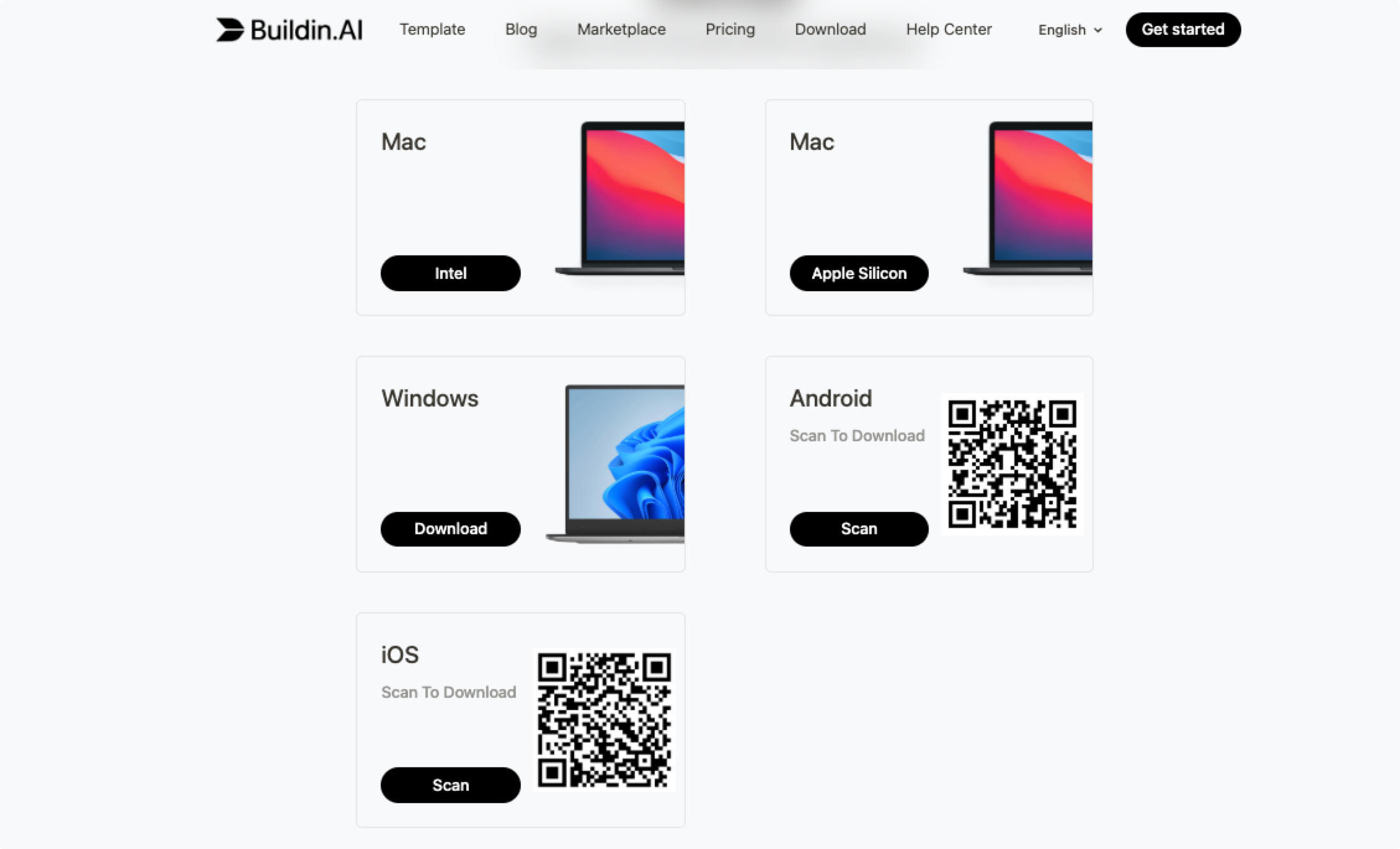
Buildin's Promise: We provide unlimited note quantities and multi-device sync. You can organize in-depth articles on your computer and check them anytime on your phone, without worrying about hitting a paywall. We believe the value of tools lies in usage, not restriction.
2) The Familiarity of "Folders" + The Superpower of "Block Editing"
Many users want to leave Evernote but can't stand the "empty feeling" of Notion's lack of folders.
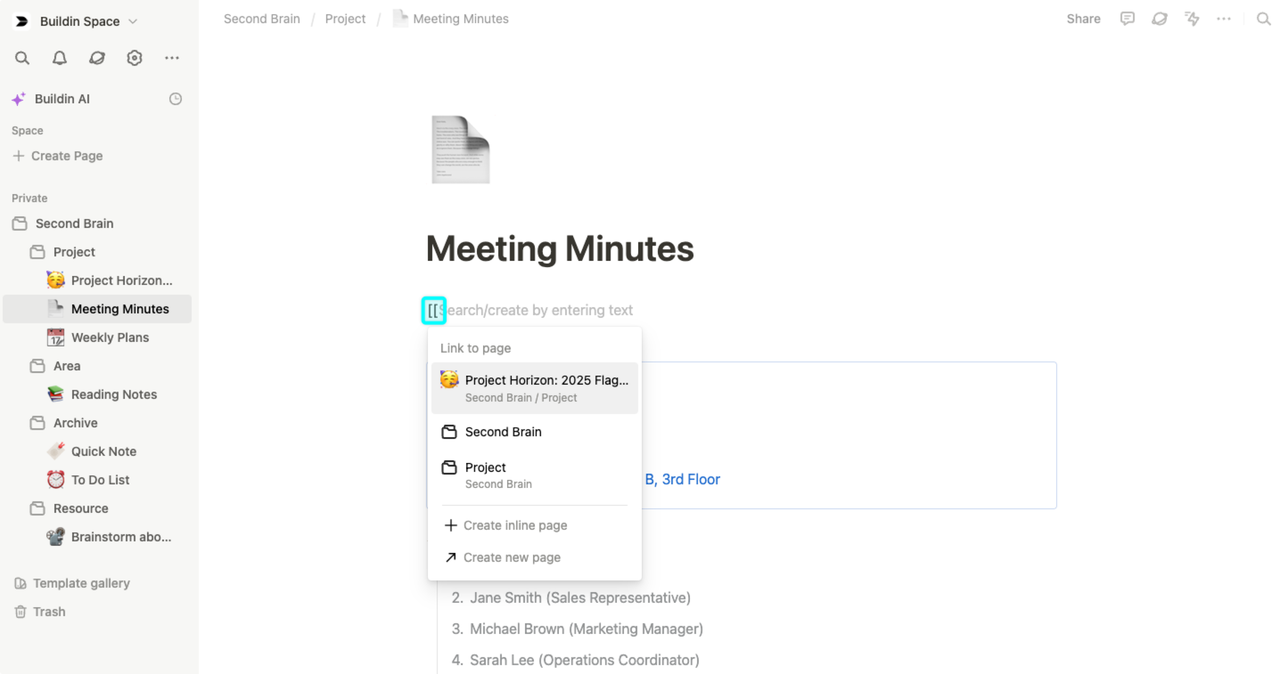
Buildin is one of the rare modern note-taking tools on the market that retains the classic Folders structure. You can still create "Work," "Life," and "Study" folders, and nest pages infinitely within them.

But when you open a note, you'll discover a new world: Content is no longer rigid text, but "Blocks."
- Want to turn a paragraph into a to-do item? Just convert it.
- Want to drag today's meeting notes into tomorrow's plan? Just drag it.
- Want to reference another note? Type [[ for instant linking.
This is "deep processing": not just recording, but flexibly organizing your ideas like building blocks.
3) From "Paid Storage" to "Knowledge Monetization"
This is Buildin's most revolutionary difference.
Evernote Model: You pay hefty annual subscription fees just to store data, which sits there quietly without generating any value.
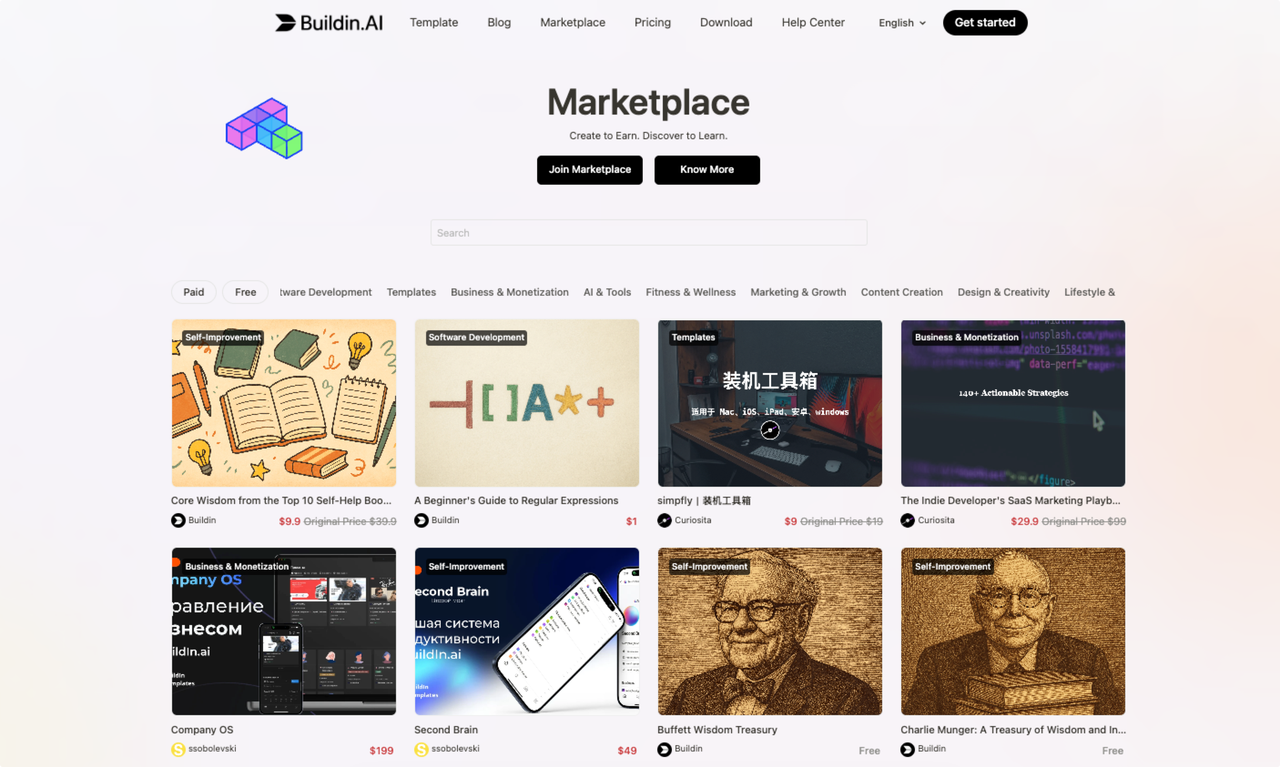
Buildin Model: We have a built-in Marketplace (Creator Market).
Your organized "Social Media Operations SOP," "Efficient Weekly Report Template," or "Industry Resource Database" can all be packaged and listed directly.
Buildin not only saves you Evernote's subscription fees but also helps you earn more money by selling knowledge.
Decision Moment: Which is Right for You?
Please honestly answer the following questions:
Do you have more than 50 notes?
If yes, and you don't want to pay Evernote's nearly $100+ annual subscription fee
-> Migrate to Buildin immediately.
Do you want your note-taking tool to have folders like Word and manage data like Excel?
Evernote only offers a Word-like experience, while Buildin combines the triple advantages of Pages + Databases + Folders -> Buildin is the only solution.
Have you ever thought about sharing your notes to make money?
Evernote can't do it. Buildin can do it with one click -> Choose Buildin.
Frequently Asked Questions (FAQ)
Q: Is it difficult to migrate from Evernote?
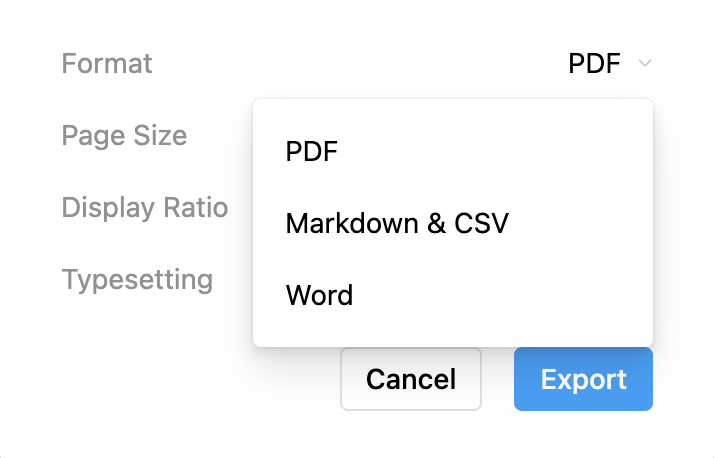
A: The pain is temporary, but freedom is lasting. Evernote uses a proprietary .enex format, which does increase migration difficulty. However, Buildin supports standard Markdown import. Once you move your data into Buildin, you have complete control over your data and can export it freely as Markdown, PDF, or Word in the future, never being "held hostage" by proprietary formats again.
Q: What's the difference between Buildin's "Folders" and Evernote's "Notebooks"?
A: Evernote's notebook structure typically has only two levels (notebook stacks - notebooks). Buildin's Folders support unlimited nested levels. You can freely establish folder structures based on project complexity, managing even the most complex projects in an organized manner.
Q: Does Buildin really have no device limits?
A: Yes. In the digital age, limiting devices means limiting inspiration. Buildin's free tier supports multi-device sync across Web, PC, Mac, and mobile, making your knowledge accessible anytime, anywhere.