Die 10 besten ClickUp-Alternativen für Creator und Teams im Jahr 2026
Die 10 besten ClickUp-Alternativen für Creator und Teams im Jahr 2026 – darunter Buildin, Notion, Tana und Obsidian – für Arbeit mit weniger Reibung.
Ehrlich gesagt ist ClickUp ein „Ungetüm" mit unglaublich mächtigen Funktionen. Der Slogan „One app to replace them all" ist ambitioniert, aber diese Integrationstiefe bringt zwangsläufig Komplexität mit sich. Für viele Nutzerinnen und Nutzer erzeugen die vielen Hierarchieebenen und die dicht gedrängten Einstellungen eine spürbare geistige Last – gerade dann, wenn man eigentlich nur schnell eine Aufgabe oder eine Idee festhalten will und stattdessen erst umständlich konfigurieren muss.
Ich habe über die Jahre praktisch jedes verbreitete Werkzeug für Zusammenarbeit gründlich getestet und kenne die wunden Punkte der unterschiedlichen Einsatzfälle. Wenn Ihnen ClickUps Logik zu schwer im Magen liegt oder Ihr Team es lieber schlanker und fokussierter hätte, ist diese Liste für Sie. Ich habe die zehn Alternativen zusammengestellt, die derzeit am meisten hergeben.
Buildin und ClickUp: Wissens-Workspace gegen Projektsteuerung
Bevor es an die Liste geht, lohnt es sich, den Unterschied zu benennen, an dem die meisten dieser Entscheidungen hängen. ClickUp ist eine Plattform für Projektsteuerung, gebaut für Entwicklungs-Sprints und Ticketverfolgung. Buildin – unsere Empfehlung weiter unten – ist ein System fürs Wissensmanagement, gebaut für Creator, Schreibende und Teams, die ein zweites Gehirn aufbauen oder ihr Wissen zu Geld machen wollen. Die beiden bedienen unterschiedliche Herren, und hinter den meisten Klagen über „ClickUp ist anstrengend" steckt in Wahrheit genau diese Fehlpaarung.
| Kriterium | Buildin | ClickUp |
|---|---|---|
| Kernstärke | Eingebaute Monetarisierung + Betrieb im eigenen Rechenzentrum | Feingranulare Aufgabensteuerung + über 15 eigene Ansichten |
| Oberfläche | Aufgeräumt, Dokument zuerst (Notion-artig) | Dicht, funktionslastig, Aufgabe zuerst |
| Inhaltstypen | Dokumente, Datenbanken, Bezahl-Abos, Mindmaps | Aufgaben, Dokumente (nachrangig), Whiteboards |
| Umzug | Nahtloser Notion-Import (über API) | CSV / HTML / begrenzte Anbindungen |
| KI-Fähigkeiten | Wissen verdichten, zusammenfassen, erzeugen | Aufgabenautomatisierung (ClickUp Brain) |
| Datenschutz | Eigener Betrieb (nur in der Enterprise Edition selbst gehostet) | Cloud zuerst (Enterprise-Cloud-Optionen) |
| Monetarisierung | Zahlungsanbindung und Abo-Verwaltung inklusive | Keine (nur interne Nutzung) |
| Preise | Kostenlos / Plus 10 $ pro Person und Monat / Business 15 $ | Kostenlos / Unlimited 7 $ / Business 12 $ pro Person und Monat |
Kurz gesagt: Wer ein ausgewachsenes agiles Werkzeug ausschließlich für Sprints und Tickets braucht, bleibt bei ClickUp. Wer eine Plattform will, die beim Verkaufen von Wissen hilft und Inhalte mit unternehmenstauglicher Sicherheit verwaltet, fängt mit Buildin an. Bei den Kosten sind die beiden ohnehin schwer vergleichbar: Wer über Buildin Vorlagen oder Abos verkauft, hat die Monatsgebühr mit einem einzigen Verkauf für 10 $ wieder drin – ClickUp bleibt reine Ausgabe.
1. Buildin
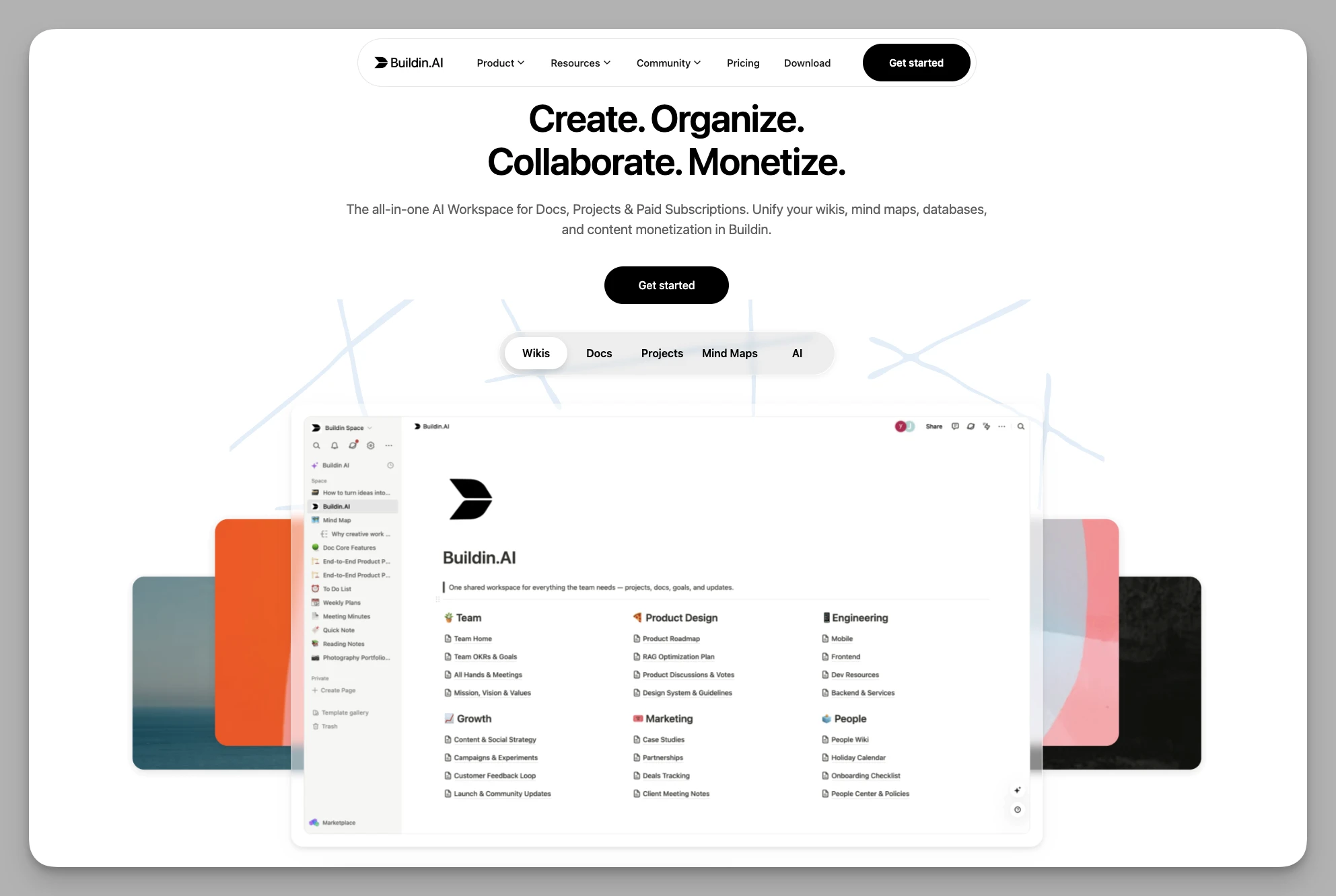
Buildin ist ein All-in-one-Werkzeug für Notizen und Wissensmanagement für Einzelpersonen und Teams. Flexible Seitenstrukturen treffen auf leistungsfähige Datenbanken, sodass Dokumentbearbeitung, Projektsteuerung und Zusammenarbeit in einem verständlichen Workspace zusammenfallen – mit spürbar weniger Reibung im Arbeitsablauf.
Die wichtigsten Funktionen
Flexible Seiten und Datenbanken: Mehrdimensionale Ansichten erlauben es, persönliche oder Team-Wissensstrukturen aufzubauen – von der losen Notiz bis zur komplexen Projektverfolgung.
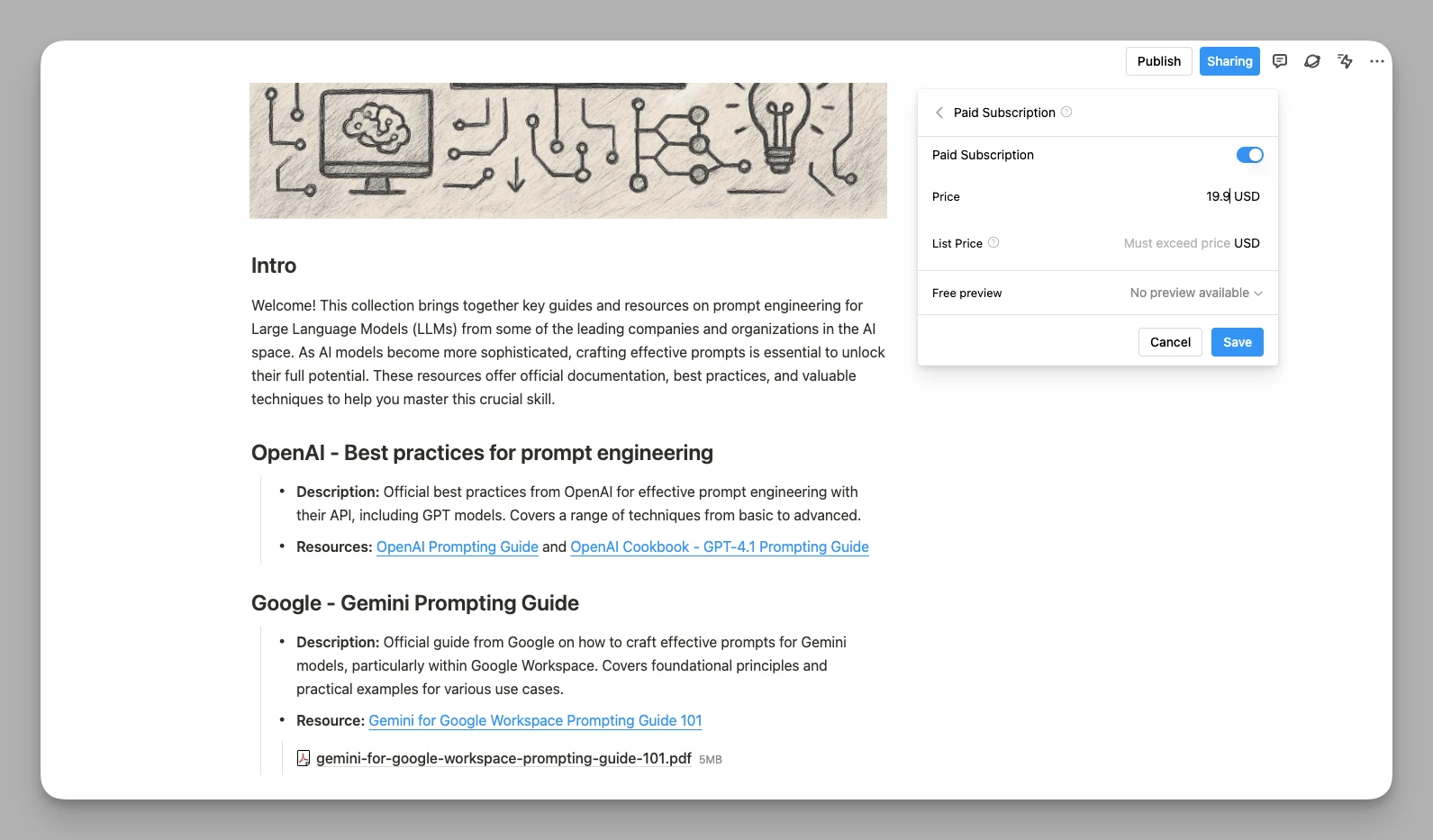
Verdienen im selben Werkzeug: Das Bezahl-Abo ist eingebaut, sodass Sie gute Notizen, professionelle Vorlagen oder Tutorials unmittelbar in Produkte verwandeln. Der Kauf findet innerhalb der Plattform statt.
- KI-Wissensassistent: Ein System, das Fragen auf Basis Ihrer gesamten Datenbank beantwortet. Es glättet nicht nur Texte, sondern zieht Informationen über Dokumentgrenzen hinweg zusammen und verdichtet sie – eine echte Hilfe beim vertieften Arbeiten.
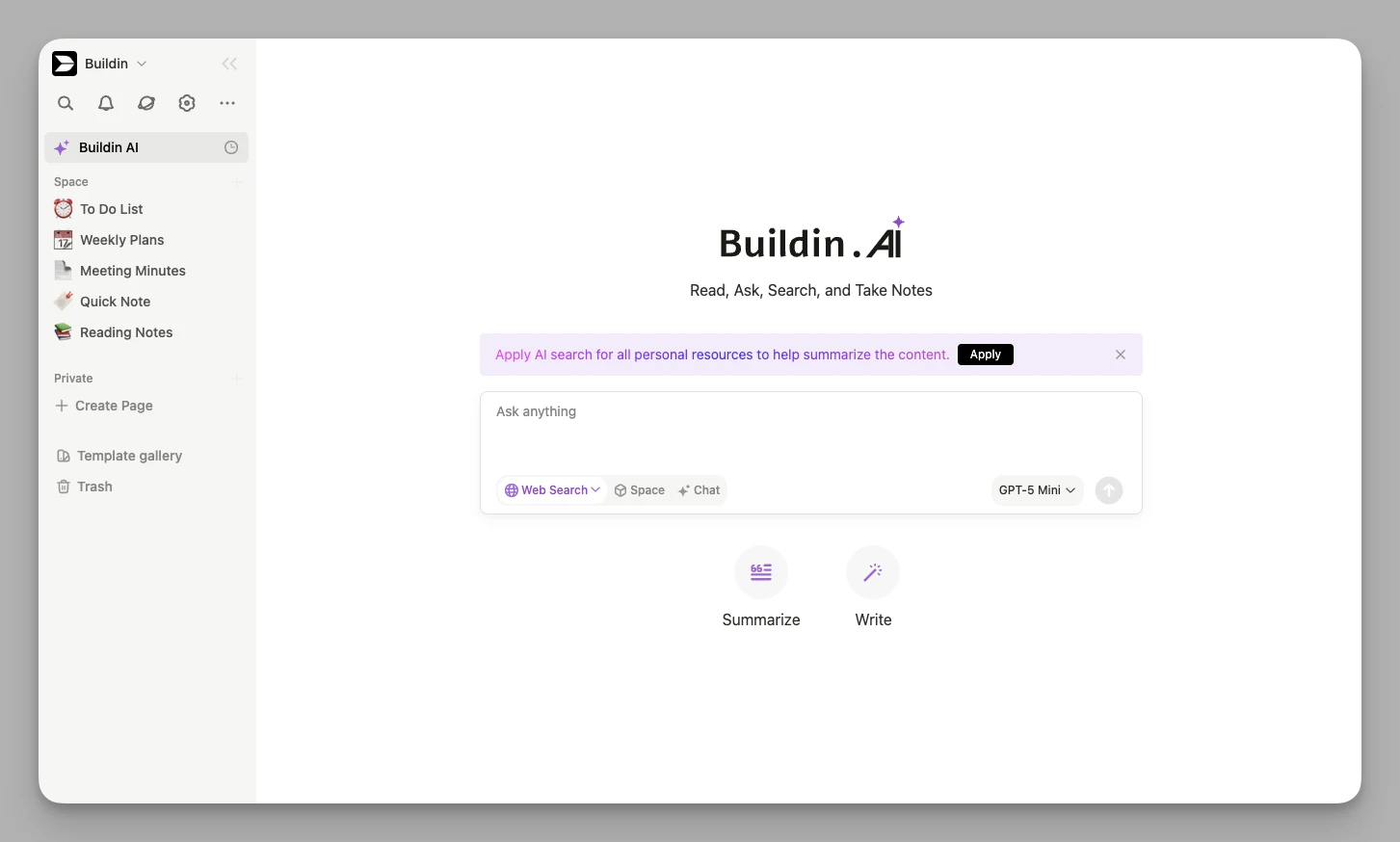
Mindmaps und Visualisierung: Mindmaps sind von Haus aus dabei; strukturierte Dokumente werden mit einem Klick zur Logikgrafik, was Brainstormings erleichtert.
Betrieb im eigenen Haus: Für Unternehmen gibt es selbst gehostete Serveroptionen, damit zentrale Wissensbestände die Organisation nie verlassen und hohe Sicherheits- und Compliance-Anforderungen erfüllt bleiben.
Dafür spricht
Verdienen ist eingebaut: Buildin geht über reine Produktivität hinaus und erlaubt es Creatorn, ihr Wissen unmittelbar zu Geld zu machen.
Reibungsloser Umzug: Der Import läuft tief über die Notion-API. Im Rahmen dessen, was die Notion-API derzeit hergibt, bleiben Seitenstrukturen und die zentralen Datenbankfelder so weit wie möglich erhalten.
Sicherheit und Beweglichkeit: Die Bequemlichkeit einer SaaS-Fassung steht neben der größtmöglichen Sicherheit des Eigenbetriebs – das passt für Teams jeder Größe.
Dagegen spricht
- Der Funktionsumfang ist beachtlich; wer neu einsteigt, braucht anfangs etwas Zeit, um den für sich passenden Weg zur Monetarisierung zu finden.
2. Tana
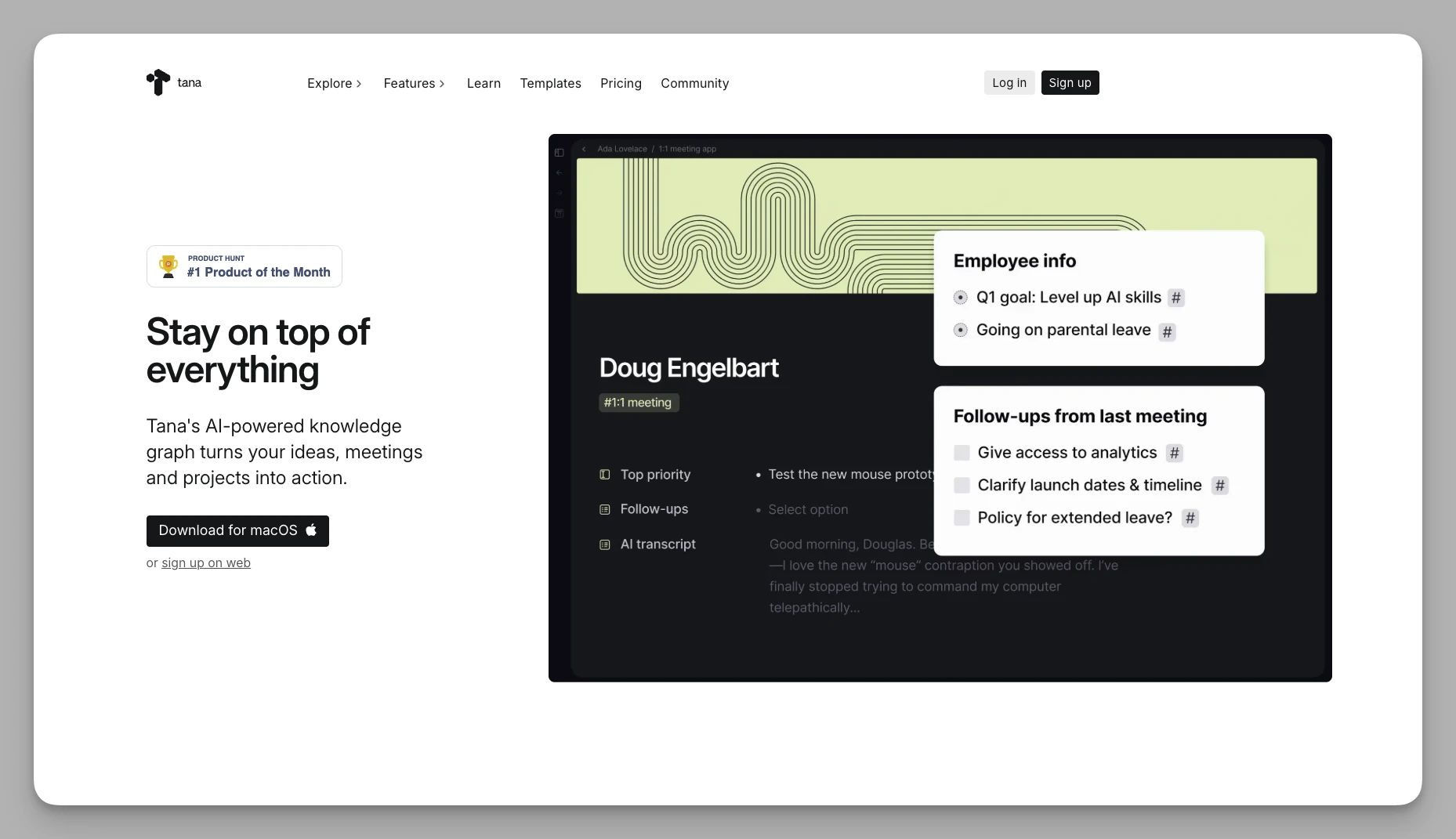
Tana wird als „Betriebssystem für das menschliche Gehirn" gehandelt. Es verabschiedet sich vollständig von der klassischen Ordner-Datei-Struktur zugunsten einer durchgehend knotenbasierten Logik.
Die wichtigsten Funktionen
Supertags: Das Herzstück von Tana. Markieren Sie einen Knoten als „Meeting", bekommt er automatisch vordefinierte Eigenschaften wie Datum, Teilnehmende und offene Punkte.
Tagesknoten: Alle Eingaben landen zunächst auf einer Tagesseite. Über Tags und Suchansichten verteilen sich die Informationen anschließend automatisch in die passenden Wissensbestände.
Semantische Beziehungen: Knoten lassen sich projektübergreifend referenzieren, und nach selbst definierten Regeln entstehen komplexe Beziehungsansichten von allein.
Dafür spricht
Starke logische Ausdruckskraft: Wer das Supertag-System beherrscht, hat außergewöhnlich viel Ausdrucksmöglichkeit. KI-Abläufe übernehmen die Einordnung der Tags und nehmen viel Handarbeit ab.
Ideal für verstreute Informationen: Die Frage „In welchen Ordner gehört diese Notiz?" stellt sich schlicht nicht mehr.
Dagegen spricht
Die Lernkurve ist sehr steil; man muss sein Verständnis vom digitalen Notieren grundlegend umbauen.
An der Zusammenarbeit wird noch gefeilt, und die Rechteverwaltung ist noch nicht so fein abgestuft wie bei ClickUp.
3. Capacities
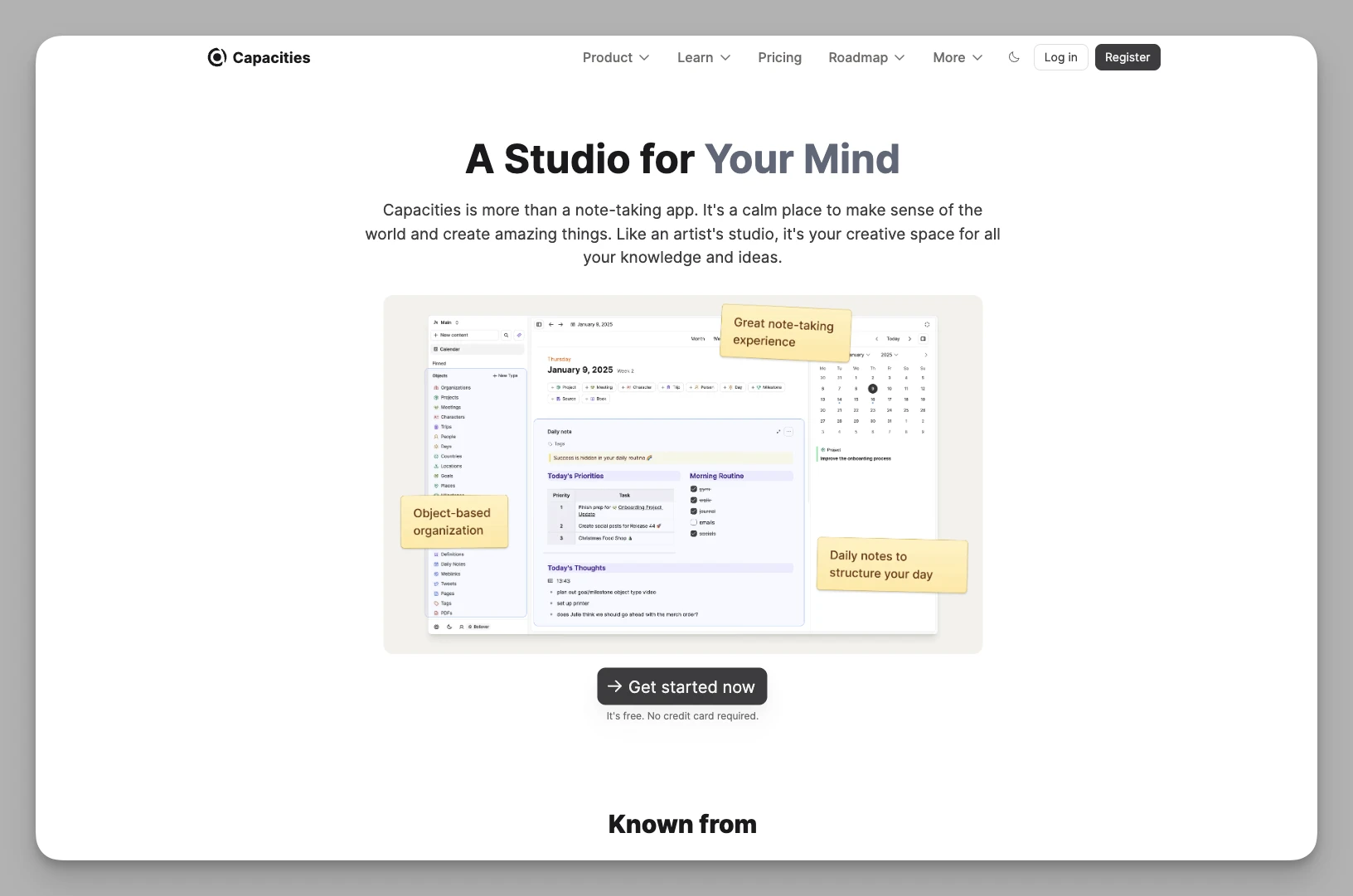
Capacities setzt auf ein objektbasiertes Ordnungsmodell – wie geschaffen für Forschende oder Kreative, die ein persönliches Wissensnetz aufbauen wollen.
Die wichtigsten Funktionen
Objektbasiertes Ordnen: Sie definieren Objekttypen wie „Bücher", „Personen" oder „Projekte", jeder mit eigenem Dashboard und eigenen Eigenschaftsfeldern.
Wissensgraph: Die logischen Verbindungen zwischen allen Objekten werden sichtbar, wodurch sich verborgene Zusammenhänge in den eigenen Notizen entdecken lassen.
Filtern nach Eigenschaften: Komplexe Filter über mehrere Eigenschaften hinweg machen es erstaunlich einfach, in großen Datenmengen genau die richtige Stelle zu finden.
Dafür spricht
Schöne Gestaltung: Das Ordnen fühlt sich an wie ein Spaziergang durch eine digitale Bibliothek.
Vorzeigelösung für objektbasiertes PKM: Capacities gehört zu den prägenden Ansätzen, ein persönliches Wissensmanagement (PKM) auf Objekten aufzubauen; Querverweise zwischen Objekten fühlen sich völlig natürlich an.
Dagegen spricht
Der Teil zur Aufgabenverwaltung ist recht dünn und kommt mit großen Vorhaben samt harter zeitlicher Abhängigkeiten nicht mit, wie ClickUp es kann.
Beim Offline-Betrieb und in der mobilen App ist noch Luft nach oben.
4. Anytype
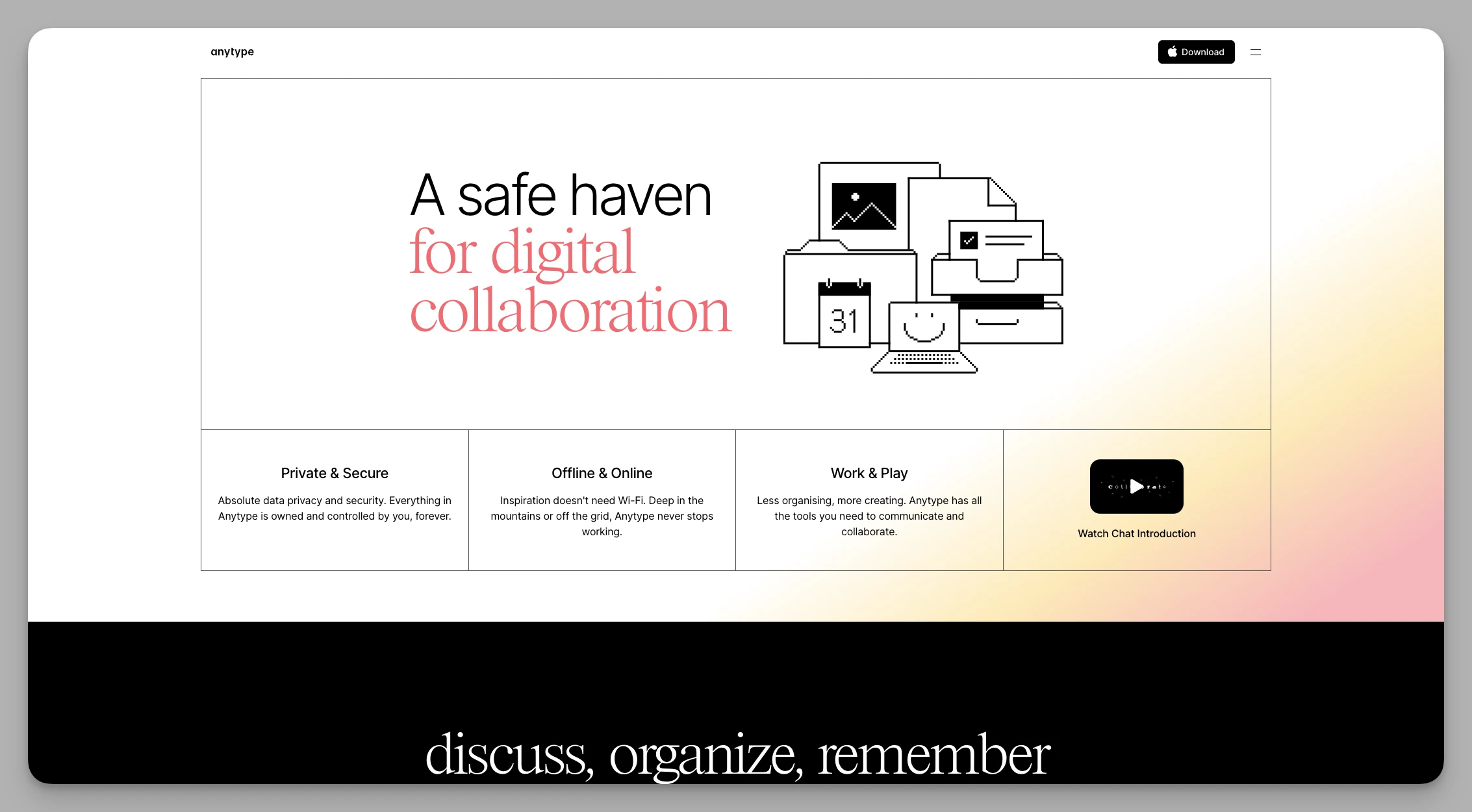
Anytype steht für lokal arbeitende Werkzeuge im Web3-Zeitalter. Im Mittelpunkt steht die Souveränität der Nutzenden, und der Schutz der Privatsphäre ist entsprechend hoch.
Die wichtigsten Funktionen
Dezentrale Synchronisierung: Die Daten wandern per P2P zwischen Ihren Geräten, also überwiegend direkt von Gerät zu Gerät statt über klassische kommerzielle Cloudspeicher.
Frei gestaltbares Typsystem: Schemas sind vollständig anpassbar, sodass Sie sich Ihre Aufgabenverwaltung oder Wissensdatenbank zusammenbauen können wie mit Legosteinen.
Local First: Alle zentralen Vorgänge laufen lokal ab, was für sehr kurze Reaktionszeiten sorgt und Offline-Arbeit uneingeschränkt möglich macht.
Dafür spricht
Größtmögliche Datenhoheit: Ideal für alle, die mit heiklen Informationen umgehen oder ihre Daten sehr langfristig sichern wollen.
Besitz statt Miete: Das Geschäftsmodell zielt eher auf dauerhaften Besitz als auf laufende Abogebühren.
Dagegen spricht
Gleichzeitiges Arbeiten im Team kann sich etwas träger anfühlen als bei klassischen Cloud-Werkzeugen.
Gegenüber ClickUps ausgereiftem Ökosystem an Automatisierungs-Plugins ist die Auswahl an Anbindungen überschaubar.
5. Monday.com
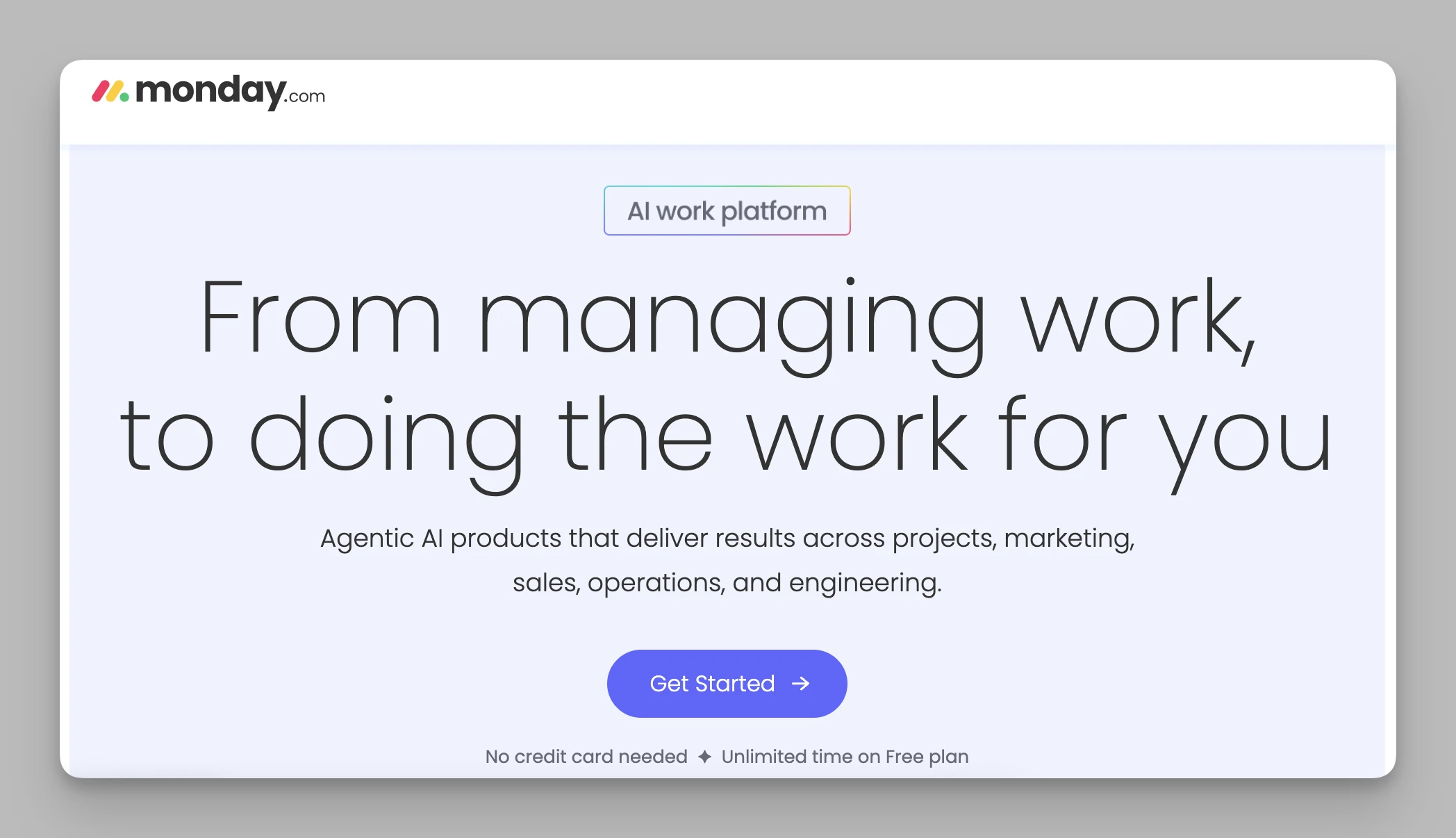
Monday.com gehört derzeit zu den prägenden Vertretern visueller Projektsteuerung und eignet sich besonders für Teams im Unternehmensumfeld, denen ClickUps Oberfläche zu erdrückend ist.
Die wichtigsten Funktionen
Farbige Pulse-Boards: Kräftige Farben zeigen den Status jeder Aufgabe, sodass das ganze Team Engpässe auf einen Blick erkennt.
Automatisierung ohne Code: Der Automatisierungsbaukasten ist außerordentlich stark; Regeln wie „bei Fristüberschreitung die zuständige Person benachrichtigen" setzen Sie zusammen wie Bauklötze.
Ansichten wechseln: Mit einem Klick von Kanban zu Gantt, Auslastungsübersicht oder Kartenansicht.
Dafür spricht
Gute visuelle Rückmeldung: Das macht die Zusammenarbeit auch in hektischen Projektphasen deutlich angenehmer.
Ausgereiftes Umfeld: Kundenbetreuung und Vorlagenangebot sind sehr solide, sodass sich Marketing, Personal oder Entwicklung schnell einrichten lassen.
Dagegen spricht
Das Preismodell ist für kleine Teams wenig freundlich und verlangt oft eine Mindestanzahl an Plätzen.
Mit wachsender Datenmenge werden die Seiten recht lang zu scrollen.
6. Asana
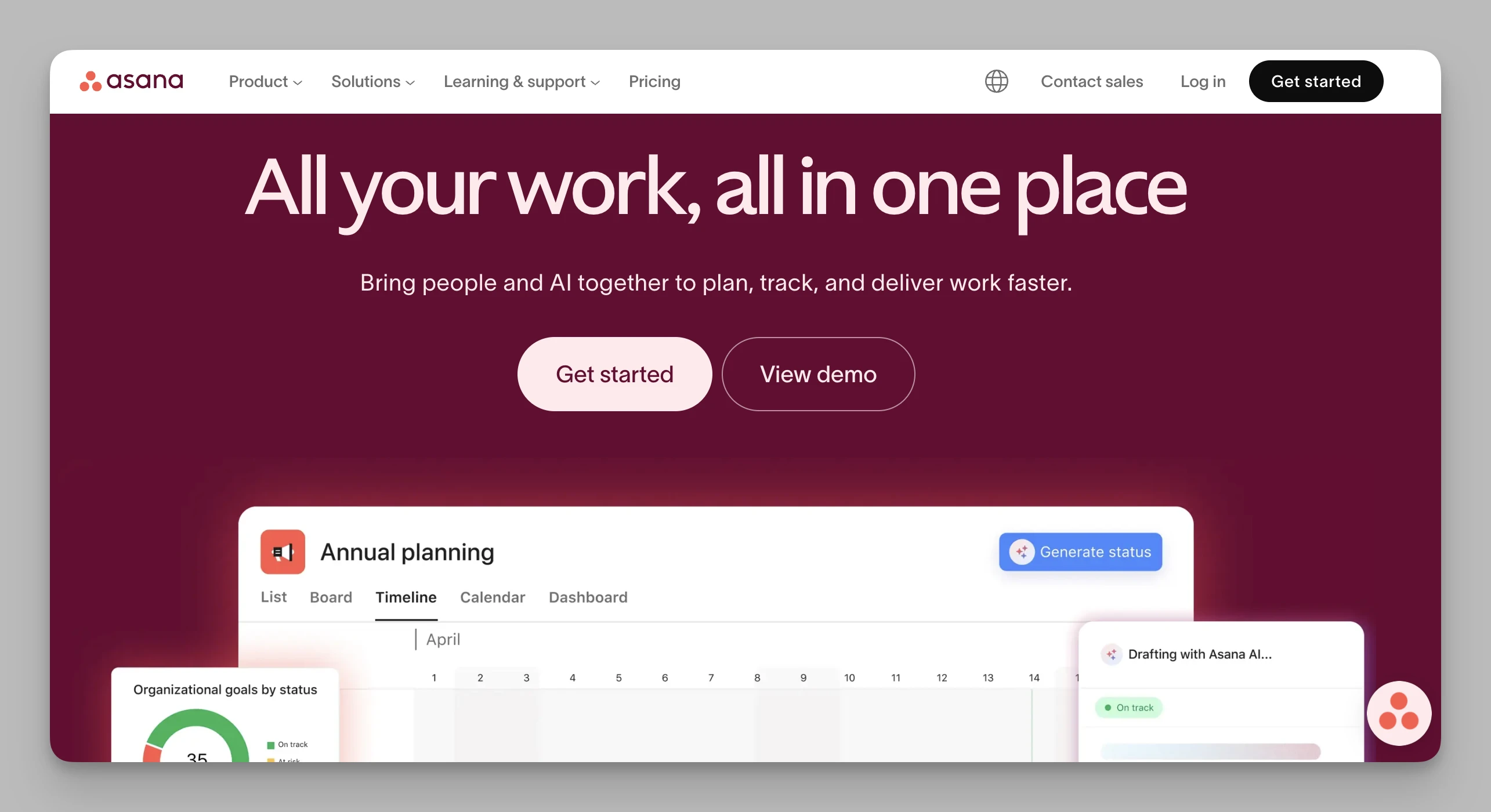
Asana hält eine recht stabile Balance zwischen Funktionstiefe und Bedienbarkeit und ist damit für viele Start-ups im Silicon Valley die Standardwahl.
Die wichtigsten Funktionen
Aufgabenabhängigkeiten: Die logische Reihenfolge zwischen Aufgaben ist klar definiert; sichtbare Verbindungslinien verhindern Verzögerungen.
Portfolios: Führungskräfte behalten den Gesundheitszustand von Dutzenden Projekten gleichzeitig aus der Vogelperspektive im Blick.
Regelzentrale für Automatisierung: Komplexe Auslöser übernehmen die mühsame Verwaltungsarbeit vollständig.
Dafür spricht
Sehr stabile Leistung: Auch bei großen Projekten mit Tausenden Teilaufgaben bleibt die Bedienung geschmeidig.
Niedrige Einstiegshürde: Die Oberfläche ist klar und hell; das ganze Team kommt praktisch ohne Schulung zurecht.
Dagegen spricht
Eine tiefgehende Dokumentbearbeitung fehlt von Haus aus; umfangreiche Wissens-Wikis wie in Notion oder Buildin lassen sich nicht abbilden.
Viele zentrale Funktionen zur Projektüberwachung stecken erst in den höheren Tarifen.
7. Notion
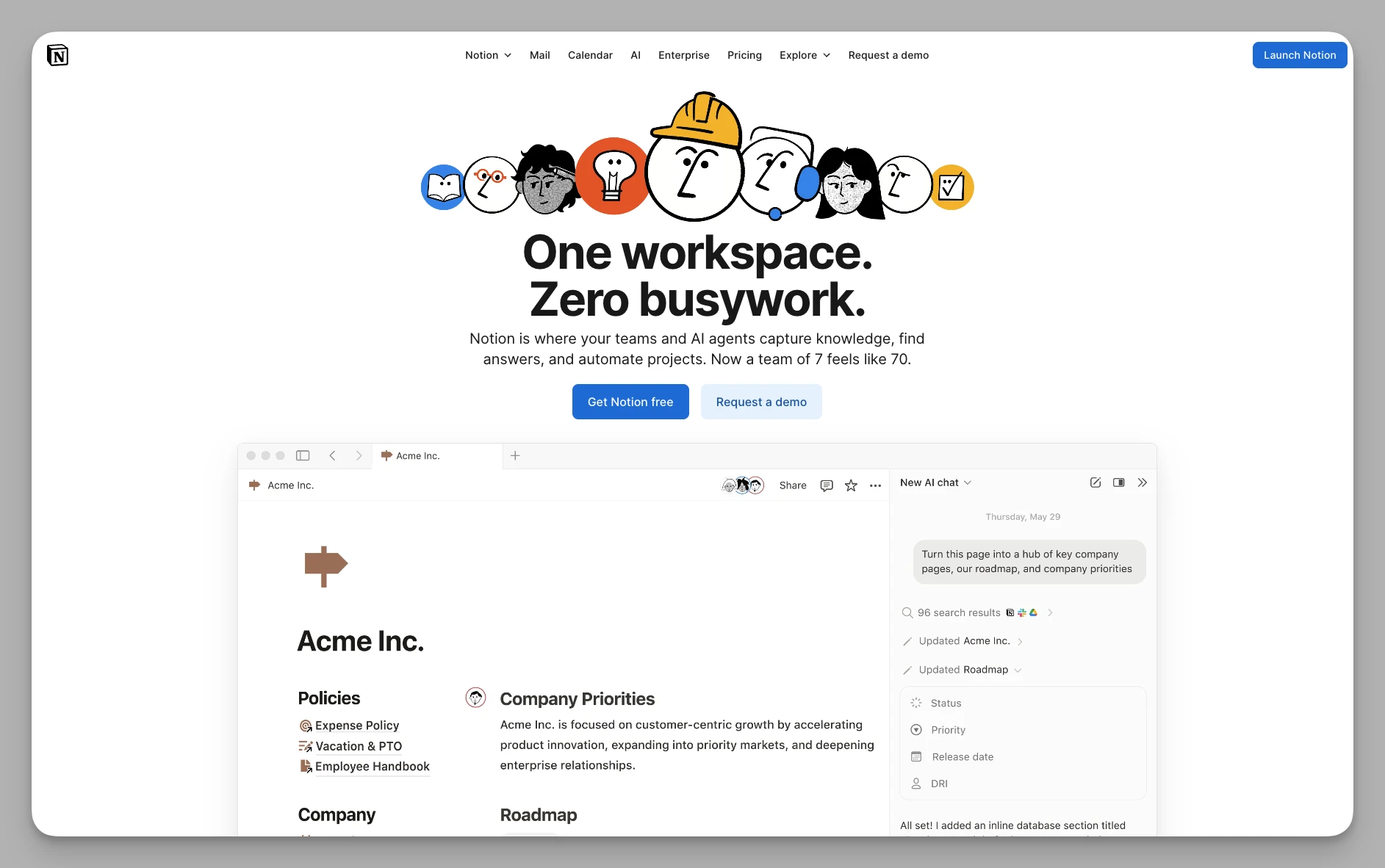
Als Wegbereiter der Bewegung rund um dokumentbasierte Zusammenarbeit hat Notion die Gestalt des modernen Workspace neu bestimmt.
Die wichtigsten Funktionen
Blockbasiertes Bearbeiten: Jeder Absatz, jedes Bild und jede Tabelle ist ein Block und lässt sich frei per Drag-and-drop anordnen.
Starke relationale Datenbanken: Verknüpfungen zwischen Tabellen und Rollup-Berechnungen erlauben es, sehr komplexe Verwaltungssysteme aufzubauen.
Notion AI: KI-Funktionen sind eingebaut – vom Zusammenfassen bis zum Aufpolieren von Code.
Dafür spricht
Unerreichtes Community-Ökosystem: Vom „Hochzeitsplan" bis zum „Unternehmenshandbuch" findet sich für praktisch alles eine ausgereifte Vorlage.
Sehr flexibel im Aufbau: Diese Freiheit macht Arbeitsdokumente übersichtlicher und anpassungsfähiger.
Dagegen spricht
Die große Freiheit kann zur Last werden; Einsteiger verlieren sich leicht im Ausschmücken und kommen nicht zum eigentlichen Ergebnis.
Bei komplexer Automatisierung von Geschäftsabläufen ist Notion weniger effizient als Monday oder Asana.
8. Obsidian
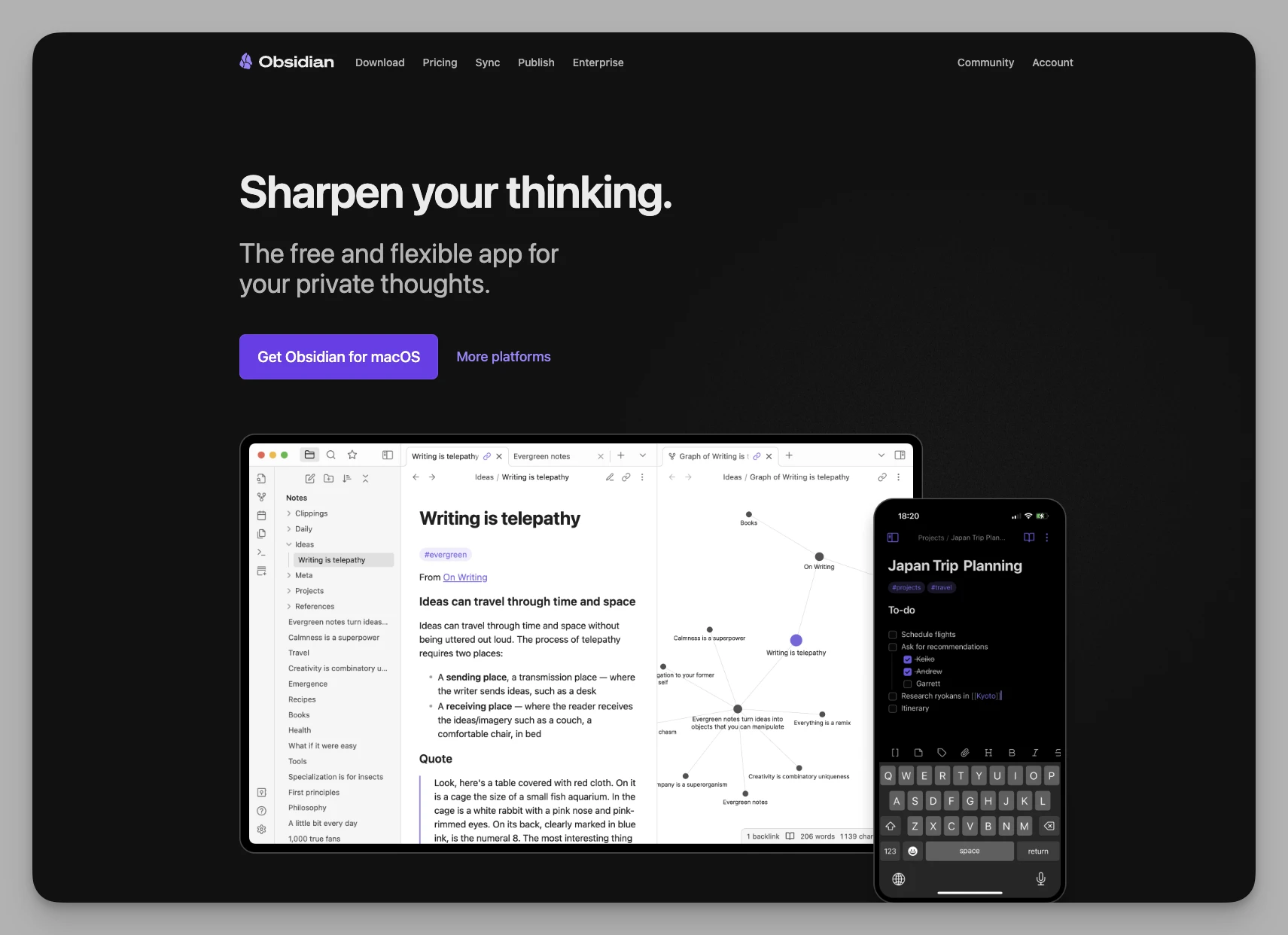
Obsidian ist ein lokal arbeitendes Notizwerkzeug auf Markdown-Basis – ein Rückzugsort für technikaffine Menschen und Wissenschaftlerinnen und Wissenschaftler.
Die wichtigsten Funktionen
Bidirektionale Verknüpfungen und Graph: Mit
[[Notiztitel]]entstehen Verbindungen im Handumdrehen, und der dynamische Graph zeigt Ihre Gedankenknoten.Umfassendes Plugin-System: Die Community hat Tausende Erweiterungen hervorgebracht – von Kalendern über Kanban-Boards bis zum KI-gestützten Schreiben.
Speicherung als reiner Text: Alles liegt als schlichte .md-Datei vor, bleibt dauerhaft lesbar und ist an keine bestimmte Software gebunden.
Dafür spricht
Sehr hohes Tempo: Reaktionszeiten im Millisekundenbereich, dazu naturgemäße Vorteile bei Privatsphäre und Langzeitarchivierung.
Konzentriertes Offline-Arbeiten: Voll funktionsfähig ohne Netz – der beste Begleiter für alle, die beim Schreiben in den Fluss kommen wollen.
Dagegen spricht
Die Einrichtung von mobiler Synchronisierung und gleichzeitigem Arbeiten mehrerer Personen kann mühsam sein.
Eine ausgewachsene Projektsteuerung ist nicht dabei; sie muss über Plugins selbst zusammengesetzt werden.
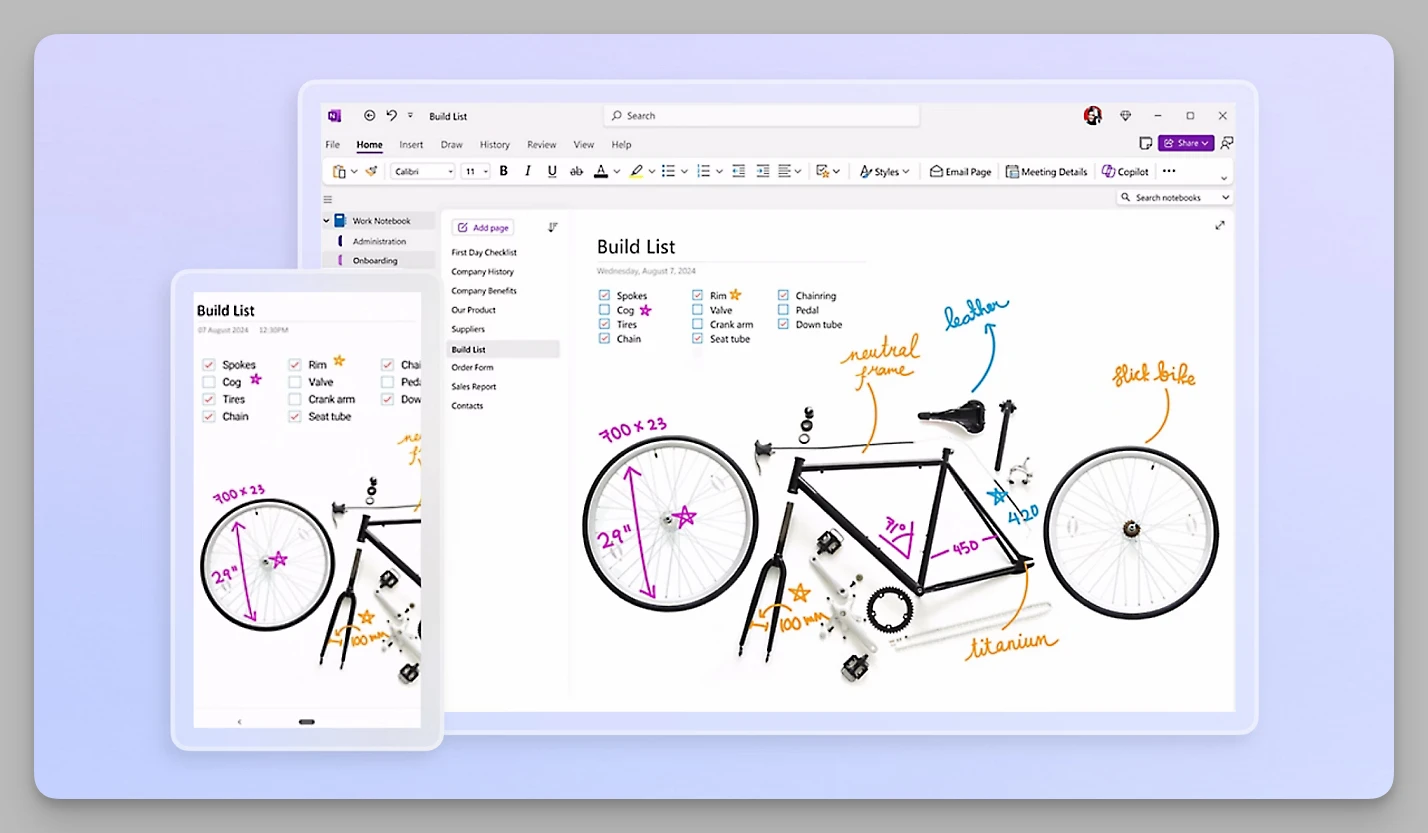
9. OneNote
Microsofts OneNote ist auch 2026 eine Größe im Arbeitsalltag, besonders in eng verzahnten Office-Umgebungen.
Die wichtigsten Funktionen
Freie Leinwand: Keine Bindung an Zeilen und Spalten – Sie klicken, tippen oder zeichnen an beliebiger Stelle der Seite.
Suche über alle Dokumente: Die eingebaute Texterkennung findet Text in Bildern, handschriftlichen Notizen und sogar in PDFs, und das erstaunlich zuverlässig.
Office-365-Anbindung: Eng verzahnt mit Outlook und Teams; Aufgaben landen direkt im Kalender.
Dafür spricht
Sehr gutes Preis-Leistungs-Verhältnis: Der Großteil der Funktionen ist kostenlos, und unter Windows ist die Verzögerung beim handschriftlichen Notieren minimal.
Vertraute Struktur: Die klare Ordnung aus Notizbuch, Abschnitt und Seite entspricht klassischen Ablagegewohnheiten.
Dagegen spricht
Bidirektionale Verknüpfungen und Eigenschafts-Tags, wie sie moderne Werkzeuge kennen, fehlen; für nichtlineares Denken ist OneNote daher weniger geeignet.
Beim gemeinsamen Arbeiten kommt es gelegentlich zu Versionskonflikten, und das Ganze wirkt insgesamt etwas altmodisch.
10. Bear
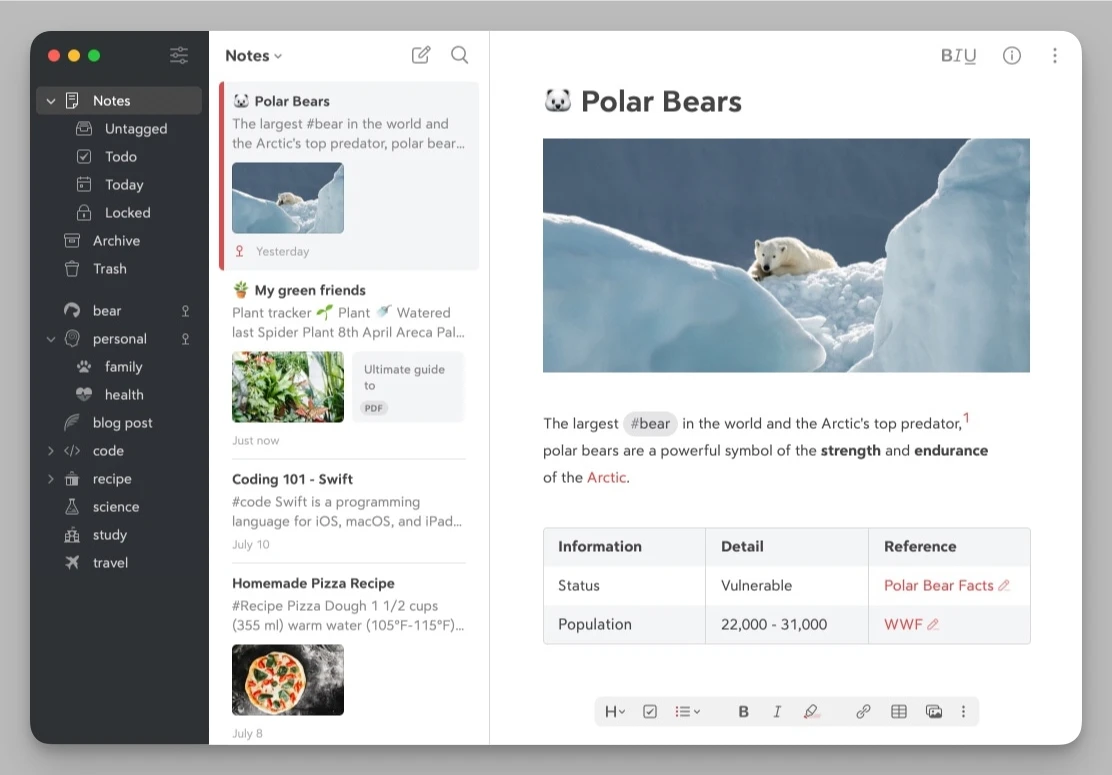
Wer größtmögliche Schlichtheit und Freude am Schreiben sucht, ist mit Bear fokussierter unterwegs als mit ClickUp.
Die wichtigsten Funktionen
Verschachtelte Tags: Notizen werden über Tags wie #schreiben/entwurf# geordnet statt über feste Ordner.
Schöne Markdown-Darstellung: Mehrere sorgfältig gestaltete Themes machen das Schreiben auch optisch zum Vergnügen.
Ideen schnell festhalten: Web-Clipper und das Teilen vom Handy aus laufen sehr geschmeidig, sodass sich Einfälle jederzeit sammeln lassen.
Dafür spricht
Ungestörtes Schreiben: Die Oberfläche ist ausgesprochen aufgeräumt, ohne überflüssige Schaltflächen – man kommt schnell ins Schreiben.
Zeitgemäße Ordnungslogik: Das Springen zwischen Notizen und die Tag-Verwaltung passen gut zu heutigen Gewohnheiten.
Dagegen spricht
Nur im Apple-Umfeld verfügbar (iOS/macOS); für Windows und Android nichts.
Der Fokus liegt strikt aufs Notieren; beim Verwalten und Zusammenarbeiten fehlt es an Tiefe.
Der schnelle Vergleich: Was passt 2026 zu Ihnen?
| Produkt | Ausrichtung | Besonderheiten | Zielgruppe |
|---|---|---|---|
| Buildin | Zusammenarbeit + Verdienen | Bezahl-Abos, Eigenbetrieb, Umzug per API | Creator, Lehrende, sicherheitsbewusste Unternehmen |
| Tana | Wissensgraph-Maschine | Supertags, KI-gestützter Knotenfluss | Technikaffine, gründliche Denkerinnen und Denker |
| Capacities | Objektbasierte Notizen | Objektverwaltung, schöne Oberfläche | Forschende, Wissensarbeitende |
| Anytype | Workspace mit Datenhoheit | P2P-Synchronisierung, Local First | Datenschutzbewusste, Fans der Dezentralisierung |
| Monday.com | Visuelle Projektsteuerung | Starke Automatisierung, sichtbarer Fortschritt | Unternehmensteams, die es einfach mögen |
| Asana | Prozessgetriebene Teamarbeit | Zeitleiste, Aufgabenabhängigkeiten | Teams mit striktem Arbeitsablauf |
| Notion | Dokumentbasierte Wissensbasis | Freie Gestaltung, riesiges Vorlagenangebot | Kreativteams, Einzelpersonen |
| Obsidian | Lokales zweites Gehirn | Plugin-Ökosystem, Rückverweise, lokale Speicherung | Notizenschreibende, Entwicklerinnen und Entwickler |
| OneNote | Klassische digitale Notizen | Handschrift, Office-Anbindung | Klassisches Büro, Studierende |
| Bear | Minimalistisches Schreiben | Verschachtelte Tags, schöne Markdown-Darstellung | Reine Schreibende, Apple-Nutzende |
Fazit: Wie finden Sie das Richtige?
Im Jahr 2026 mangelt es uns nicht an mächtigen Werkzeugen, sondern an Begleitern, die zu unserer Denkweise passen. ClickUp ist gut – aber wenn es Sie auslaugt, ist der Wechsel keine Flucht, sondern ein gezieltes Aufrüsten Ihrer Arbeitsweise.
Stellen Sie sich vor der Entscheidung drei Fragen:
Arbeite ich für die interne Abstimmung oder für die Auslieferung nach außen? Wer sein Fachwissen unmittelbar in Einnahmen verwandeln will, findet in Buildin den geschlossenen Kreislauf, den sonst niemand bietet.
Vertraue ich eher der Bequemlichkeit der Cloud oder der Hoheit über meine Daten? Wer beim Datenschutz empfindlich ist, gewinnt mit Anytype oder Obsidian eine ganz neue Sicherheit. Wer geräteübergreifend nahtlos arbeiten will, findet in Notion weiterhin den Maßstab.
Denke ich linear oder in Netzen? Wer Fäden verfolgt und dabei auf Ideen stößt, sollte Tana oder Capacities ausprobieren. Wer strikte Fortschrittskontrolle gewohnt ist, kommt mit Monday.com oder Asana besser zurecht.
Zum Schluss: Der Sinn eines Werkzeugs ist es, Reibung zu verringern. Wenn Sie merken, dass die Zeit für die Werkzeugsuche die Zeit fürs eigentliche Schaffen übersteigt, hören Sie sofort auf. Nehmen Sie das, was sich am selbstverständlichsten anfühlt – zum Beispiel Buildin, dessen Notion-Umzug ein günstiges Ausprobieren erlaubt – und schleifen Sie sich Schritt für Schritt einen Ablauf zurecht, der nur Ihnen gehört.
Ich hoffe, diese Liste hilft Ihnen, sich aus ClickUps Komplexität zu befreien und die Kontrolle über Ihre Arbeit zurückzugewinnen.

Amara Elara
Specializes in visualizing complex processes and improving product education. Responsible for user support, product tutorials, and visual guides at Buildin, helping users improve tool adoption and overall productivity.