Die 10 besten Monday.com-Alternativen 2026 (kostenlos und kostenpflichtig)
Auf der Suche nach den besten Monday.com-Alternativen 2026? Buildin, ClickUp, Linear, Airtable, Asana, Trello und mehr im Vergleich – Projektsteuerung, Zusammenarbeit, Dokumentation und Kosten.
Monday.com macht in der Vorführung nach wie vor eine gute Figur. Die farbigen Übersichten, die vielen Ansichten und die ausgefeilte Oberfläche lassen jeden Ablauf sofort geordneter wirken. Im Dauerbetrieb stoßen viele Teams aber auf dieselben Grenzen: Die Plattform wird schnell teuer, ausführliche Dokumentation bleibt schwach, und das Wissen liegt am Ende doch woanders.
Diese Trennung wiegt heute schwerer als früher. Teams brauchen nicht nur Aufgabenboards, sondern einen digitalen Arbeitsplatz, auf dem Umsetzung, Dokumentation, Zusammenarbeit und internes Wissen einander stützen. Sind diese Schichten auf zu viele Werkzeuge verteilt, wächst der Verwaltungsaufwand rasch.
Wenn Ihr Team über Monday.com hinausdenkt, spart Ihnen dieser Überblick Zeit. Hier sind zehn der besten Alternativen 2026 – von Plattformen für alles bis zu schlanken Spezialisten für Produkt-, Betriebs- und Forschungsteams.
1. Buildin
Wenn Monday.com sich wie ein Aufgabenboard anfühlt, Sie aber ein Gehirn fürs Team brauchen, ist Buildin die stärkste Alternative am Markt. Es ist für Teams gebaut, die Projekte steuern und dauerhaftes Wissen aufbauen wollen – am selben Ort, statt beides auf zwei Produkte zu verteilen.
Buildin vereint Notizen, Datenbanken, Mindmaps, KI-gestütztes Wiederfinden und das Teilen von Inhalten in einem Arbeitsbereich. Damit ist es mehr als ein Projektwerkzeug: Es wird zur Grundlage für Umsetzung, Dokumentation und sogar Monetarisierung.
Was es kann
- Bewegliche Seiten und Datenbanken: ein modulares Seitensystem mit leistungsfähigen Datenbanken, die Kanban, Liste, Kalender und weitere Ansichten beherrschen. Von der einfachen Aufgabe bis zum mehrstufigen Ablauf bleibt der Zusammenhang erhalten.
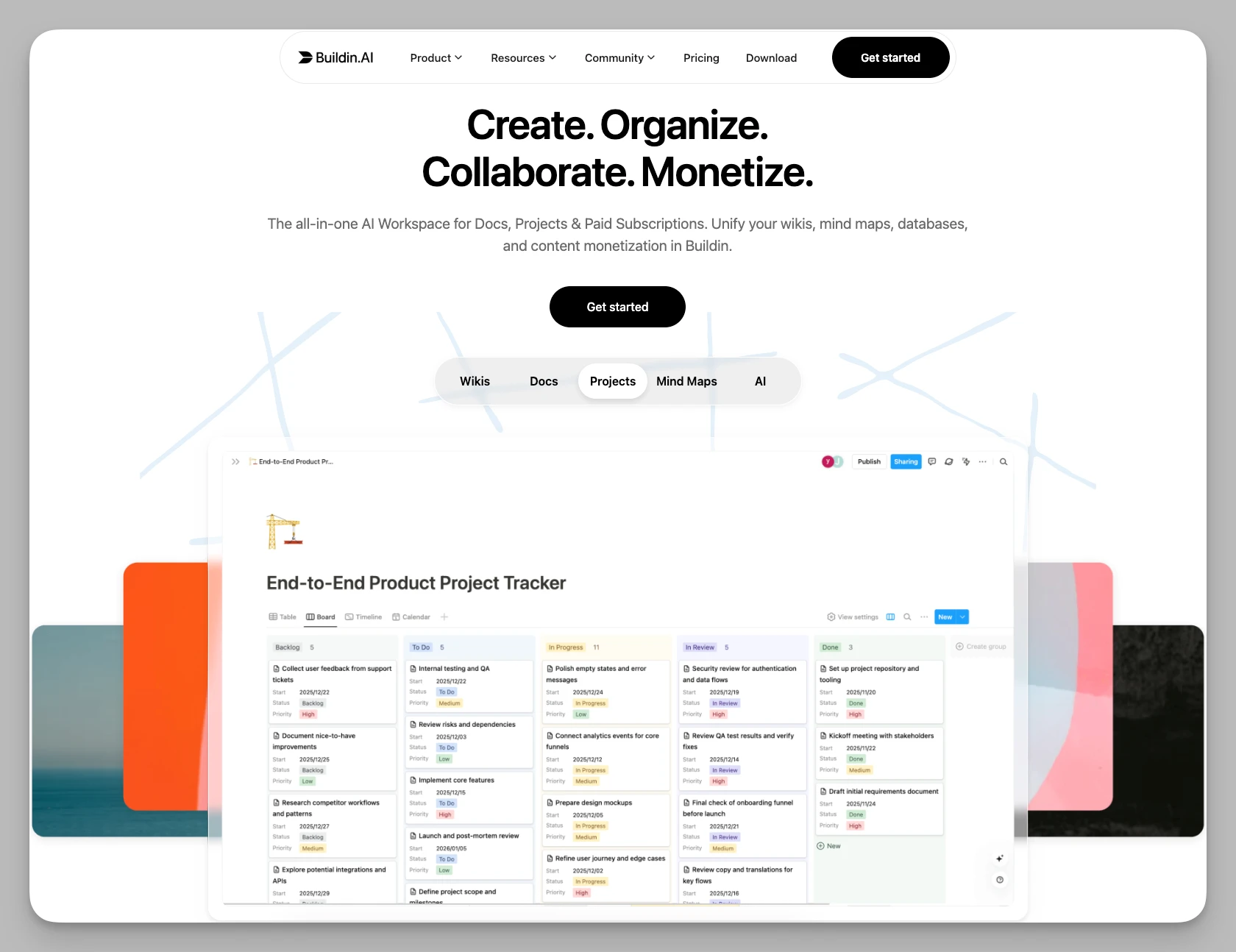
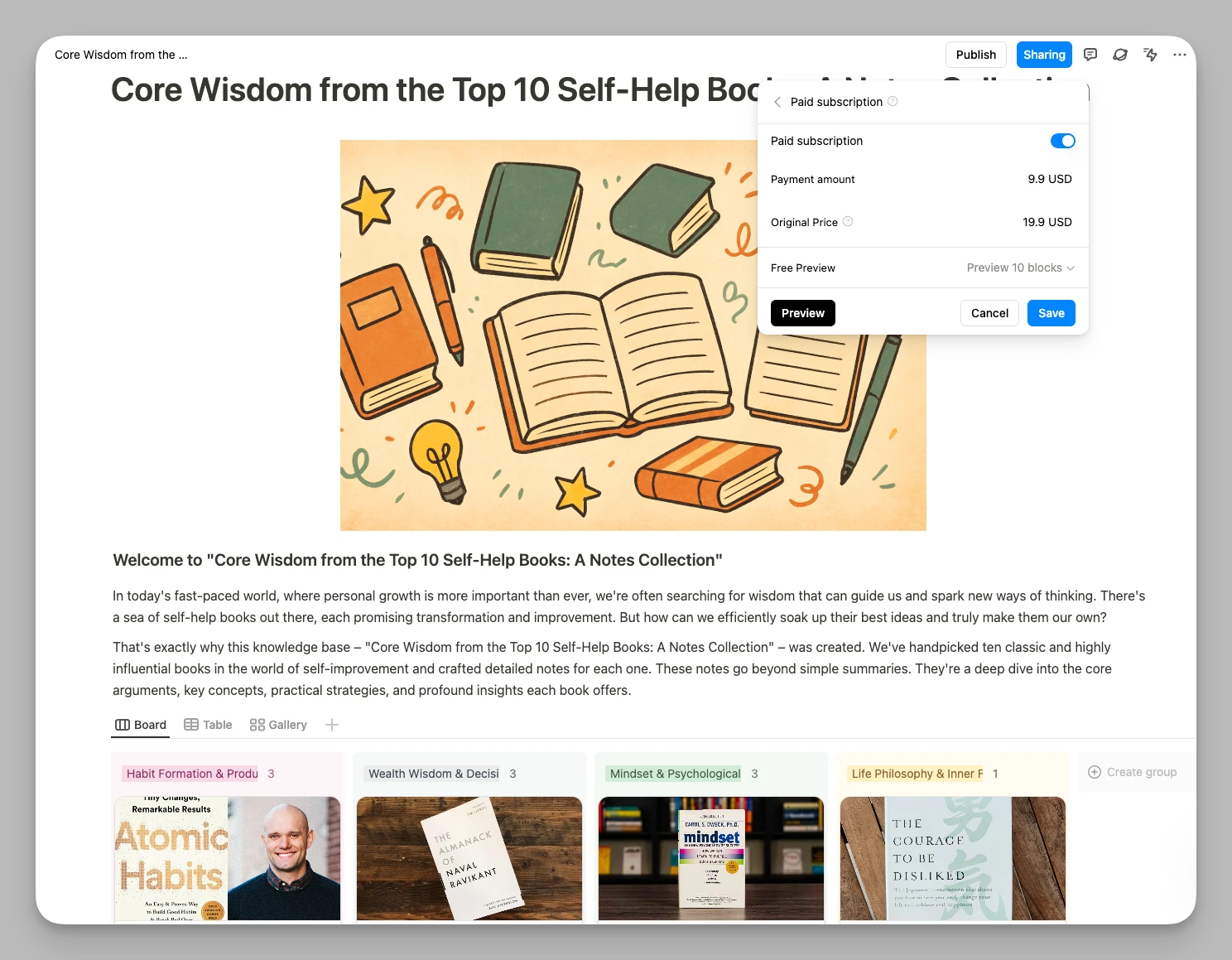
- Monetarisierung von Haus aus: Teams und Creator machen aus Projektvorlagen, internen Rahmenwerken oder Lernmaterial unmittelbar Bezahlinhalte – ohne fremden Shop.
- KI-gestützte Wissensdatenbank: Buildins KI durchsucht den Arbeitsbereich, fasst Material zusammen und verbindet Erkenntnisse über Notizen hinweg – besonders wertvoll, wenn Projektwissen über viele Dokumente verstreut liegt.
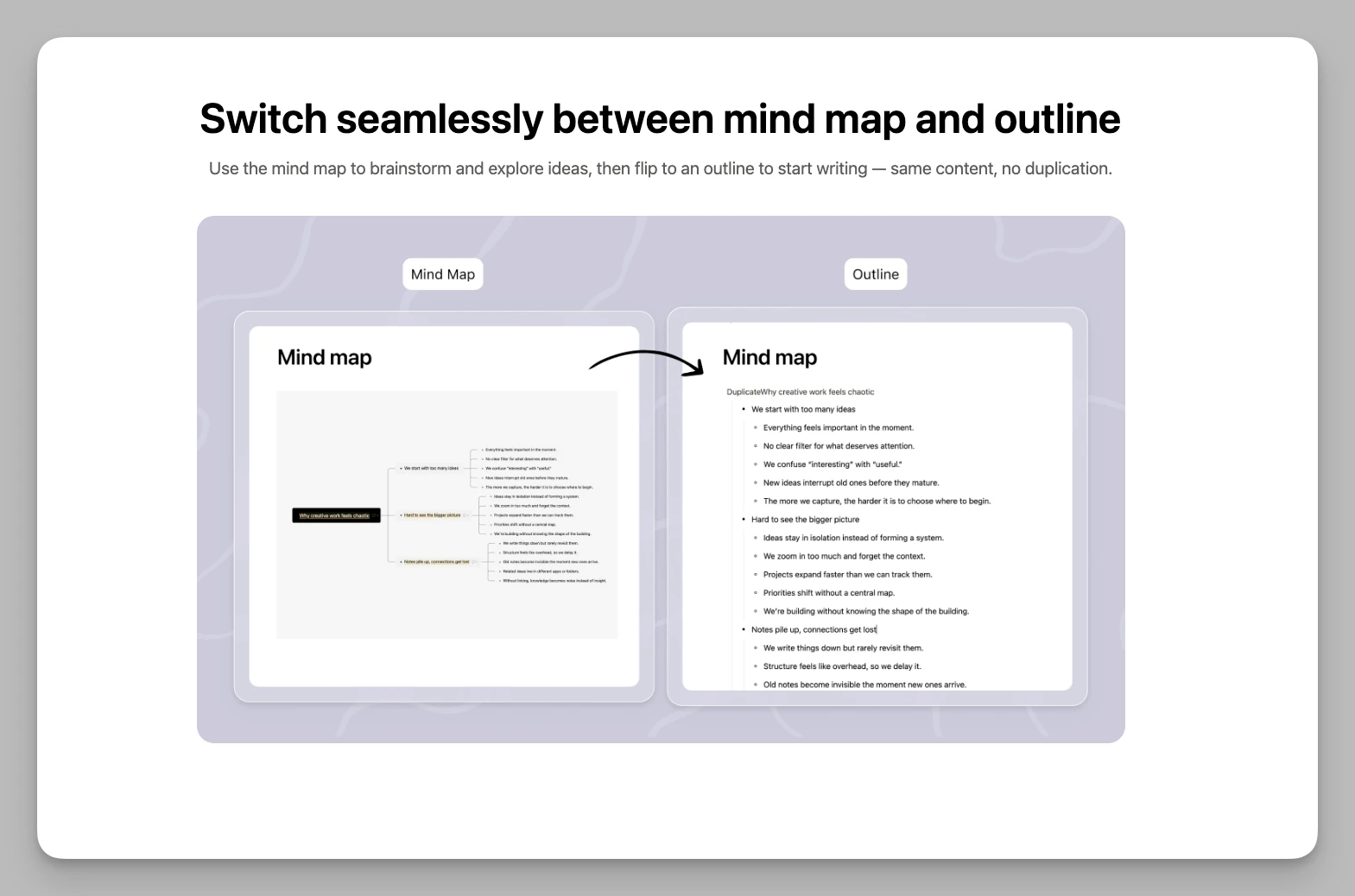
- Eingebaute Mindmaps: Wechseln Sie innerhalb eines Dokuments ins visuelle Denken, ganz ohne Erweiterungen.
- Umzug per Klick: Buildin importiert aus gängigen Notiz- und Kollaborationswerkzeugen, was den Wechsel für wachsende Teams verbilligt.
Stärken
- Wirklich alles zusammen: Notizen, Projektdaten, Dateiablage und KI-gestützte Wissensarbeit liegen in einem System.
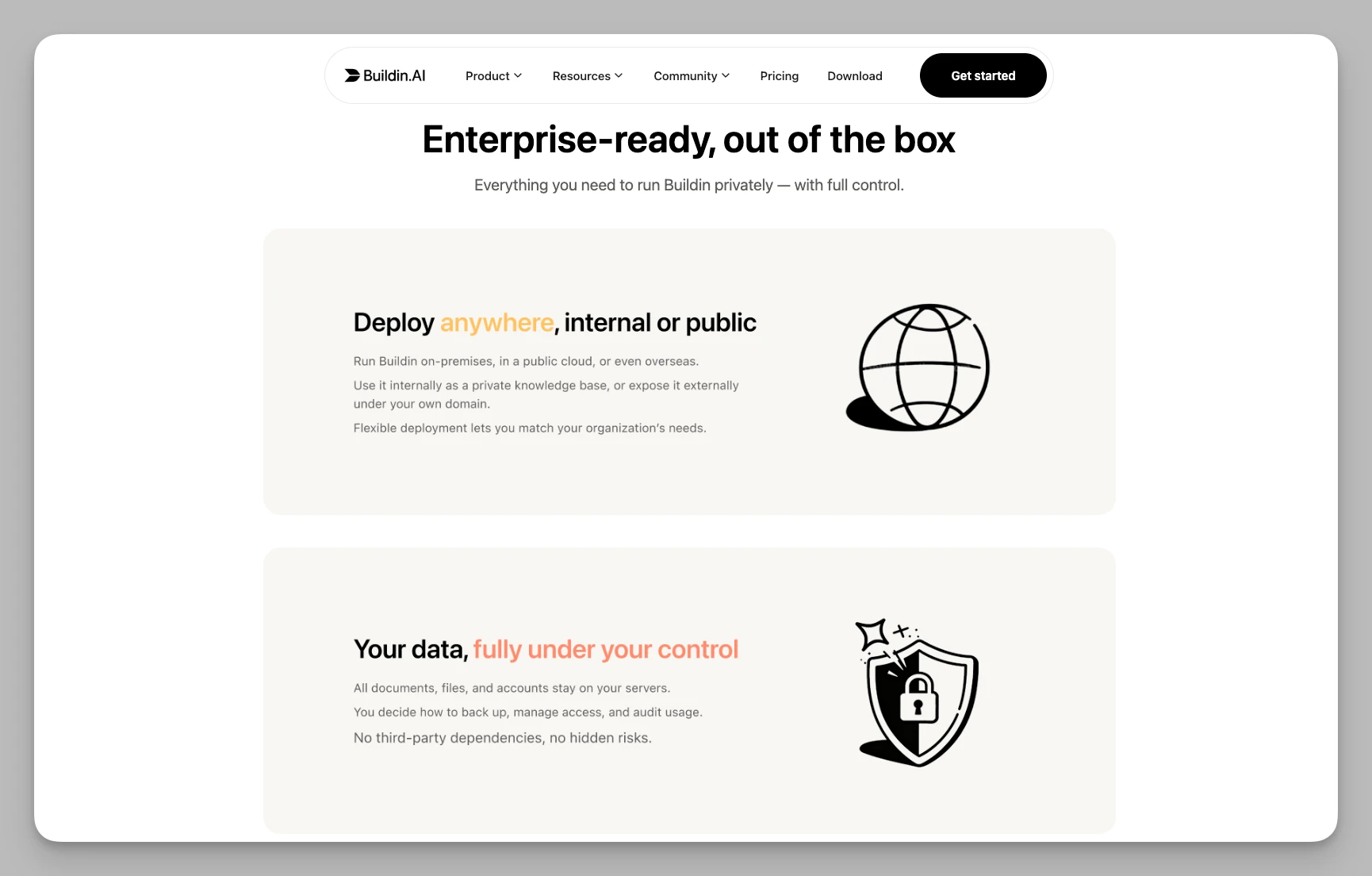
- Betrieb im eigenen Haus: Teams mit höheren Sicherheits- oder Regeltreue-Anforderungen behalten ihre Daten auf eigener Infrastruktur.
- Aufgeräumt und schnell: Gegenüber überladenen Unternehmenswerkzeugen wirkt Buildin flotter und stimmiger.
Preis: kostenloser Tarif vorhanden; Plus 10, Business 15 US-Dollar pro Person und Monat.
2. ClickUp
ClickUp bleibt eine der funktionsdichtesten Plattformen überhaupt. Sein Versprechen war immer schlicht: möglichst viele Werkzeuge durch ein einziges, weitgehend anpassbares System ersetzen. Wer sich von Monday.com eingeengt fühlt und noch mehr Kontrolle will, findet hier einen ernstzunehmenden Kandidaten.
Was es kann
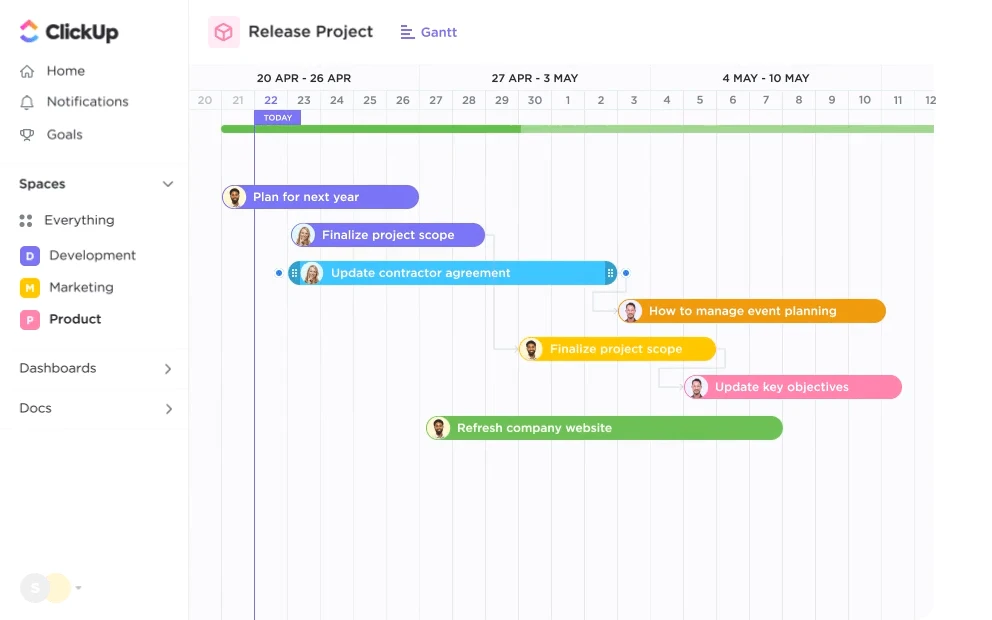
- Viele Ansichten: neben Kanban und Gantt auch Whiteboards, Karten, Übersichten und zahlreiche eigene Perspektiven auf dieselbe Arbeit.
- Tiefe Hierarchie: vom Arbeitsbereich über Ordner und Listen bis zu tief verschachtelten Teilaufgaben – passend für verwickelte Projektbäume.
- Zeit und Ressourcen: eingebaute Zeiterfassung, Auslastungsprognosen und Personalübersichten zeigen die Kapazität auf einen Blick.
- KI eingebunden: Sie zieht offene Aufgaben aus Kommentaren und hilft beim Anlegen neuer Aufgaben.
Stärken
- Enorme Funktionsdichte: Nahezu jeder Ablauf lässt sich abbilden.
- Guter Gegenwert: Der kostenlose Tarif ist großzügig, gerade für Teams, die viel ausprobieren wollen.
Preis: kostenloser Tarif vorhanden; Unlimited 7, Business 12 US-Dollar pro Person und Monat.
3. Linear
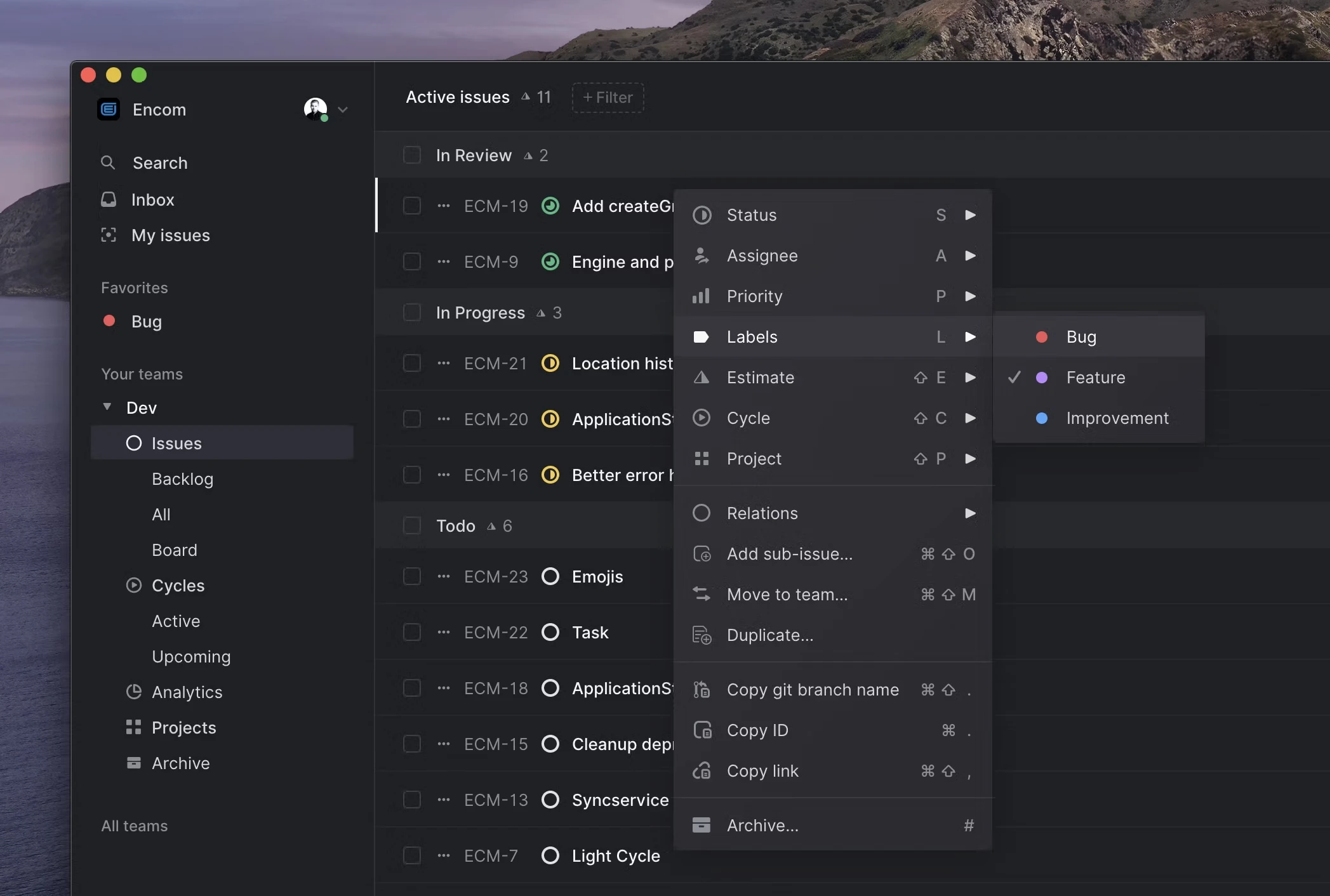
Linear ist das Gegenteil von aufgeblähter Software. Statt für alle alles sein zu wollen, konzentriert es sich auf eine außerordentlich schnelle, ausgefeilte Ticketverfolgung für Produkt-, Entwicklungs- und Designteams.
Wenn Sie an Monday.com nicht fehlende Funktionen stören, sondern zu viele Ebenen, zu viel Einrichtung und zu viel Reibung, fühlt sich Linear wie ein Neustart an.
Was es kann
- Tastatur zuerst: Fast alles geht über Kurzbefehle und eine Befehlsleiste, was den Alltag erheblich beschleunigt.
- Zyklen statt Sprint-Bastelei: Linears Zyklen halten den Takt, ohne dass ständig von Hand nachjustiert werden muss.
- Klare Roadmaps: Die tägliche Arbeit hängt sichtbar an der längerfristigen Planung.
- Zuverlässiger Abgleich: bleibt auch bei schlechter Verbindung schnell.
Stärken
- Wenig Verwaltungsaufwand: Die Gestaltung schiebt Teams sanft zu besseren Gewohnheiten.
- Außerordentliches Tempo: Wenige Werkzeuge reagieren so unmittelbar.
Preis: kostenloser Tarif vorhanden; Basic 10, Business 16 US-Dollar pro Person und Monat.
4. Airtable
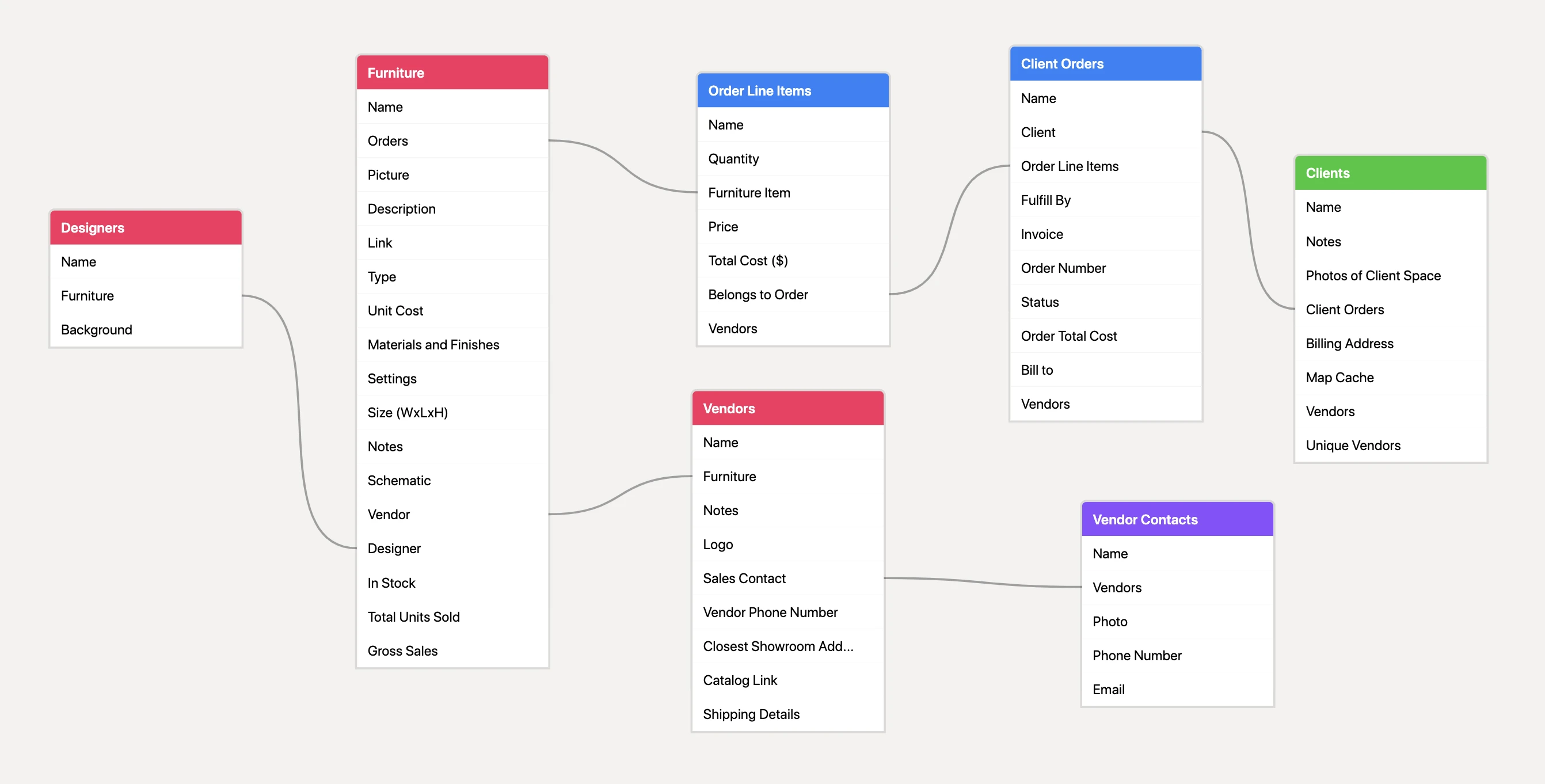
Airtable ist das, was entsteht, wenn eine Tabellenkalkulation zu einem relationalen Betriebssystem heranwächst. Teams, die Monday.com vor allem für tabellengetriebene Abläufe genutzt haben und nun mehr Logik und bessere Verknüpfungen brauchen, machen hier einen deutlichen Sprung.
Was es kann
- Relationale Datenbank im Kern: Datensätze über Tabellen hinweg verbinden, zusammenfassen und Abläufe mit deutlich mehr Struktur bauen als in Mondays leichterem Datenmodell.
- Eigene Oberflächen: Verschiedene Beteiligte arbeiten über zugeschnittene Ansichten mit denselben Daten.
- Starke Automatisierung: Anbindungen an Slack, GitHub und Salesforce lösen bei Datenänderungen Folgeschritte aus.
- Viele Ansichten: Raster, Kalender, Kanban, Galerie und Formular zeigen dieselben Daten unterschiedlich.
Stärken
- Ausgezeichnete Datenlogik: ideal, wenn die Arbeit an verknüpften Datensätzen und wiederkehrenden Regeln hängt.
- Eigene Systeme ohne Code: stark für Kundenverzeichnisse, Redaktionsabläufe, Bestände und interne Anwendungen.
Preis: kostenloser Tarif vorhanden; Team 20, Business 45 US-Dollar pro Person und Monat.
5. Wrike
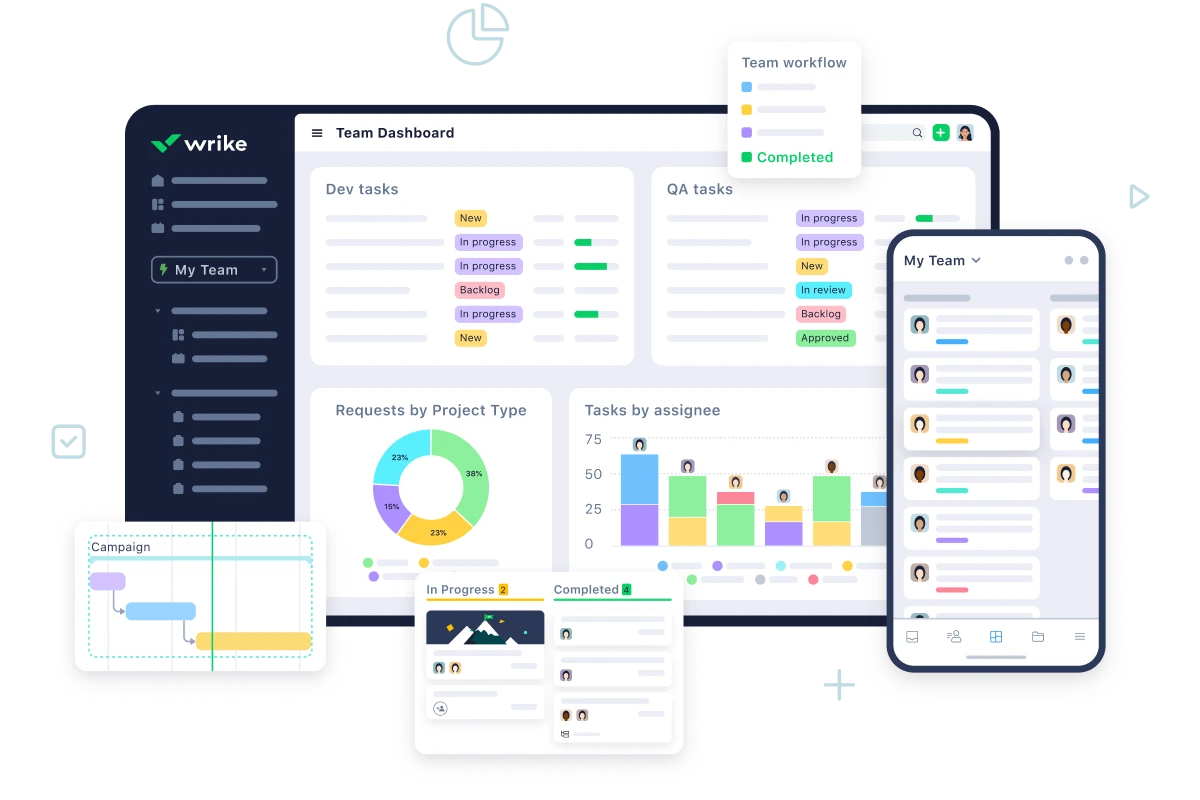
Wrike ist auf Größe, Kontrolle und Aufsicht ausgelegt. Es ist weniger verspielt als Monday.com und weniger leichtgewichtig als Trello – und genau deshalb bevorzugen es manche Organisationen. Große Agenturen, Konzernteams und regulierte Umfelder brauchen diese Struktur.
Was es kann
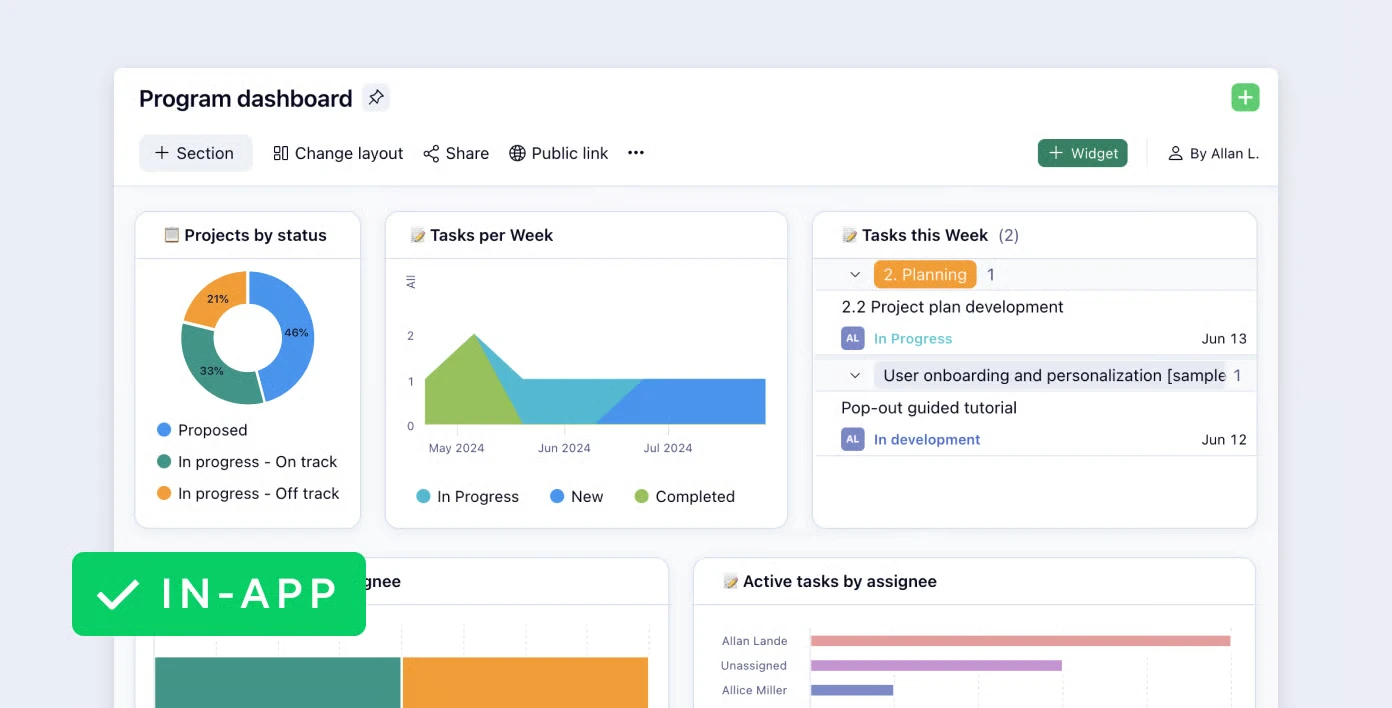
- Dreispaltige Ansicht für viele Projekte: hilft dabei, große Projektbestände zu überblicken.
- Ressourcen in Bewegung: Auslastung beobachten und Arbeit in Echtzeit umverteilen.
- Abnahmen eingebaut: Dateien, PDFs und Gestaltungsentwürfe lassen sich direkt kommentieren.
- Kritischer Pfad: Engpässe werden sichtbar, bevor sich Verzögerungen fortpflanzen.
Stärken
- Professionelle Steuerung: besonders stark bei betrieblich verwickelter Arbeit.
- Sicherheit und Regeltreue: Wo Aufsicht gefordert ist, lässt sich Wrike leichter begründen als leichtere Werkzeuge.
Preis: kostenloser Tarif vorhanden; Team 10, Business 25 US-Dollar pro Person und Monat.
6. Smartsheet
Smartsheet wird oft als tabellenbasierte Projektsteuerung beschrieben, was zu kurz greift. Sein eigentlicher Vorzug: Organisationen, die in Tabellen denken, können ihre Zusammenarbeit modernisieren, ohne die vertraute Oberfläche aufzugeben.
Was es kann
- Erweiterte Rasteransicht: behält das gewohnte Tabellenverhalten bei und ergänzt Anhänge, Rechte und Beziehungen zwischen Blättern.
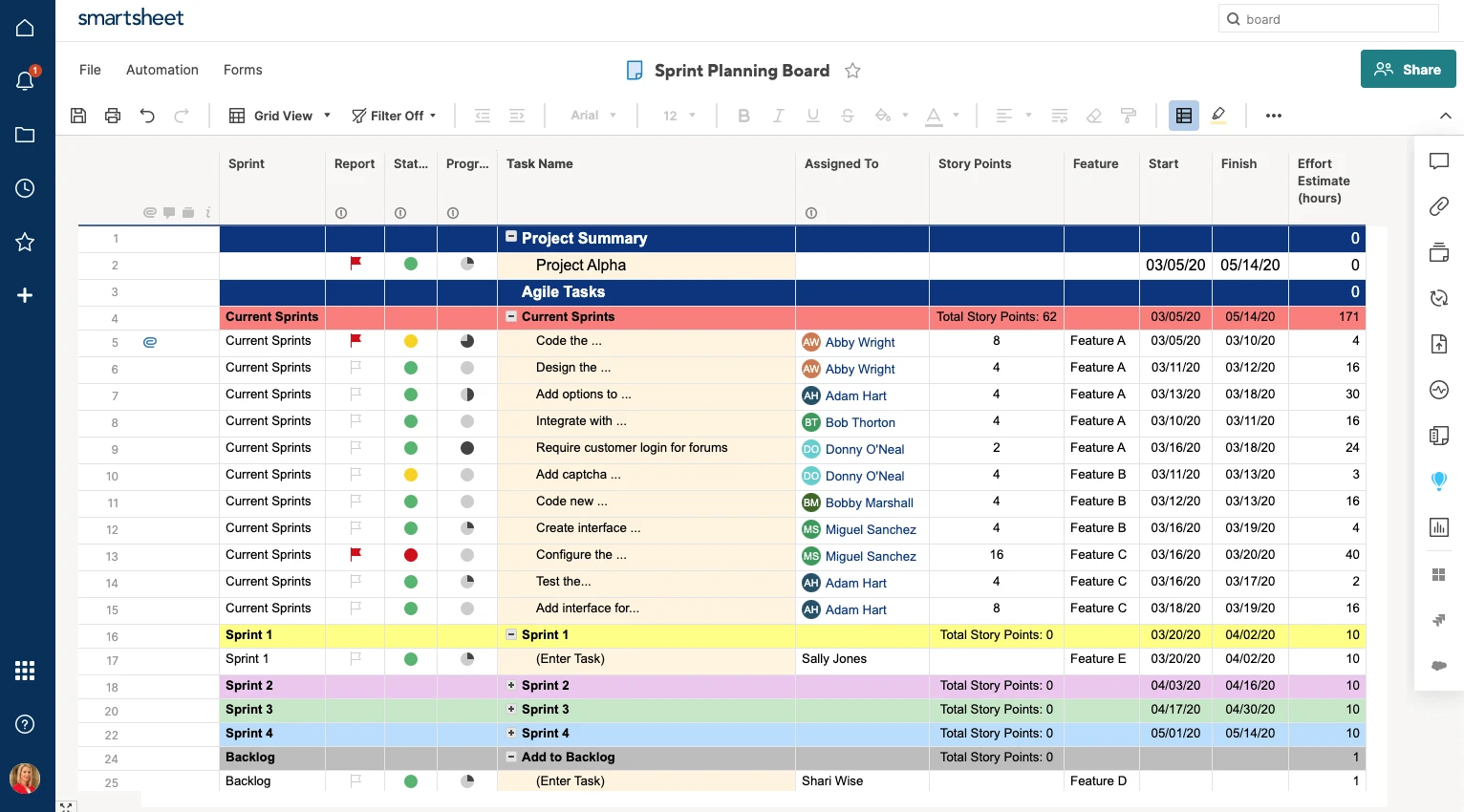
- Zentrale Steuerung: Große Portfolios rollen den Fortschritt vieler Projekte in gemeinsame Übersichten.
- Aufbereitete Berichte: Aus dichten Tabellendaten werden vorzeigbare Auswertungen.
- Sicherheit auf Unternehmensniveau: besonders attraktiv für regulierte Branchen.
Stärken
- Kaum Einarbeitung für Teams, die ohnehin in Tabellen arbeiten
- Verlässlich bei datengetriebenen Abläufen
Preis: Pro 9, Business 19 US-Dollar pro Person und Monat.
7. Basecamp
Basecamp folgt einer ganz anderen Auffassung als Monday.com. Es will weder Übersichten noch Automatisierungen noch visuelle Vielfalt maximieren, sondern den Lärm senken und Teams über zeitversetzte Kommunikation ruhiger arbeiten lassen.
Für verteilte Teams, die unter endlosen Benachrichtigungen und zersplitterten Statusmeldungen leiden, wirkt diese Haltung heute noch wertvoller.
Was es kann
- Schwarze Bretter für längere Diskussion: mehr Tiefe und weniger Ablenkung als in chatlastigen Umgebungen.
- Automatische Nachfragen: geplante Impulse ersetzen viele wenig ergiebige Statusrunden.
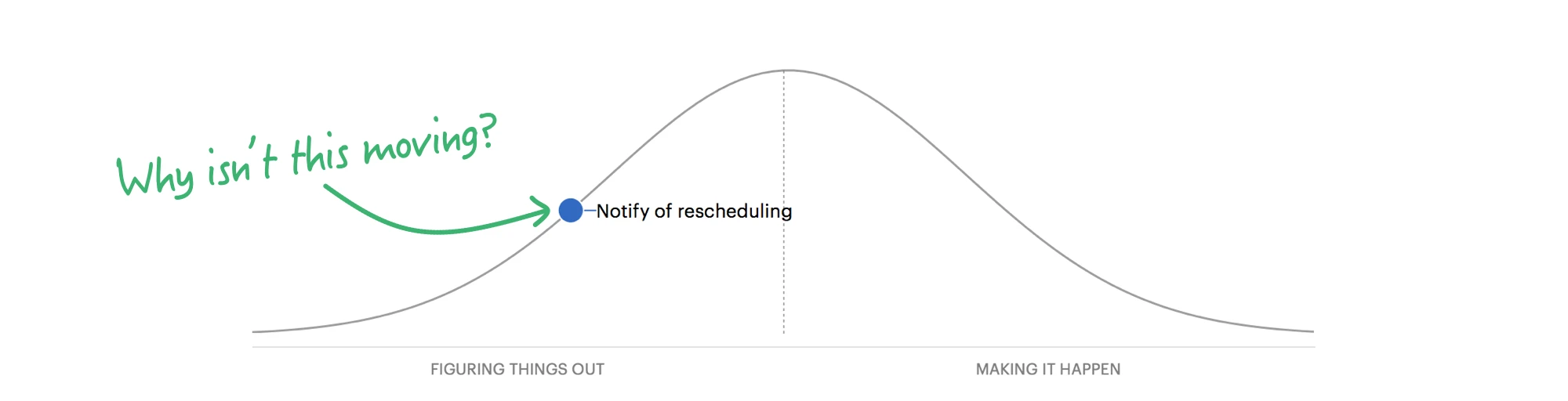
- Hill Charts: zeigen, ob eine Arbeit die Phase des Herausfindens verlassen hat und in die Umsetzung gegangen ist – statt so zu tun, als verliefe Fortschritt immer linear.
- Feste Projektstruktur: Jedes Projekt bringt denselben, berechenbaren Werkzeugkasten mit.
Stärken
- Ruhigere Zusammenarbeit: unterstützt Konzentration besser als benachrichtigungsgetriebene Werkzeuge.
- Einfaches Denkmodell: schnell eingeführt.
Preis: eingeschränkter kostenloser Tarif; Plus 15 US-Dollar pro Person und Monat.
8. Asana
Asana bleibt eines der ausgewogensten Produkte der Kategorie. Es verbindet geordnete Aufgabenverwaltung, Ablauflogik und strategische Planung – besonders nützlich für mittlere und größere Organisationen.
Was es kann
- Abläufe grafisch bauen: Eingang, Freigabe, Übergabe und Lieferung lassen sich strukturierter abbilden als in einfachen Aufgabenlisten.
- Ziele im Blick: Asana verbindet die tägliche Arbeit mit übergeordneten Zielen.
- Eine Aufgabe an mehreren Orten: Dieselbe Aufgabe kann in mehreren Projektansichten liegen, ohne dass der Abgleich bricht.
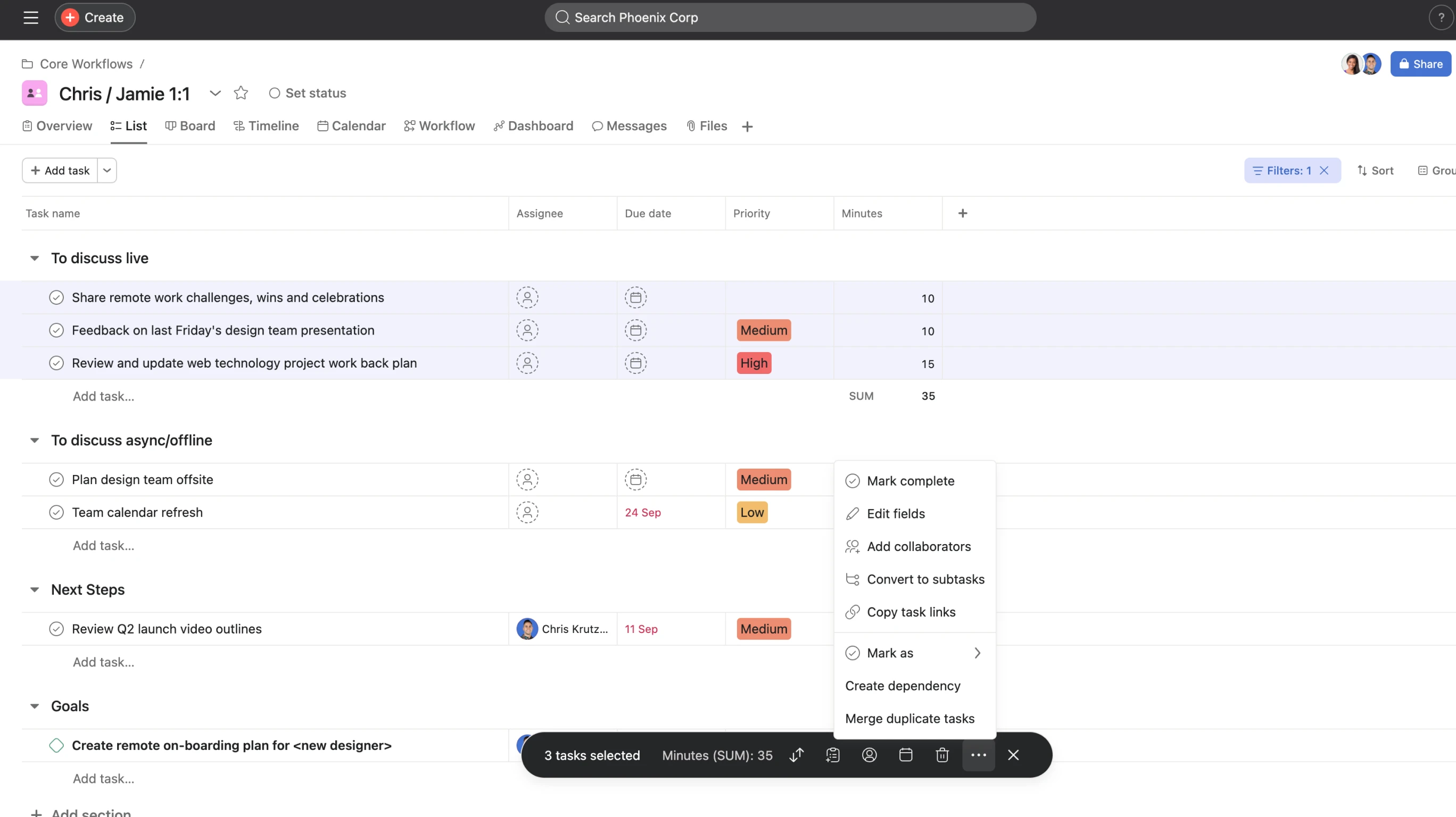
- Auslastung sichtbar: Führungskräfte erkennen Überlastung früher.
Stärken
- Starke Ablauflogik: gut für bereichsübergreifende Organisationen, die Klarheit und Wiederholbarkeit brauchen.
- Gute Abstimmung über Projekte hinweg
Preis: privat kostenlos; Starter 10,99, Advanced 24,99 US-Dollar pro Person und Monat.
9. Trello
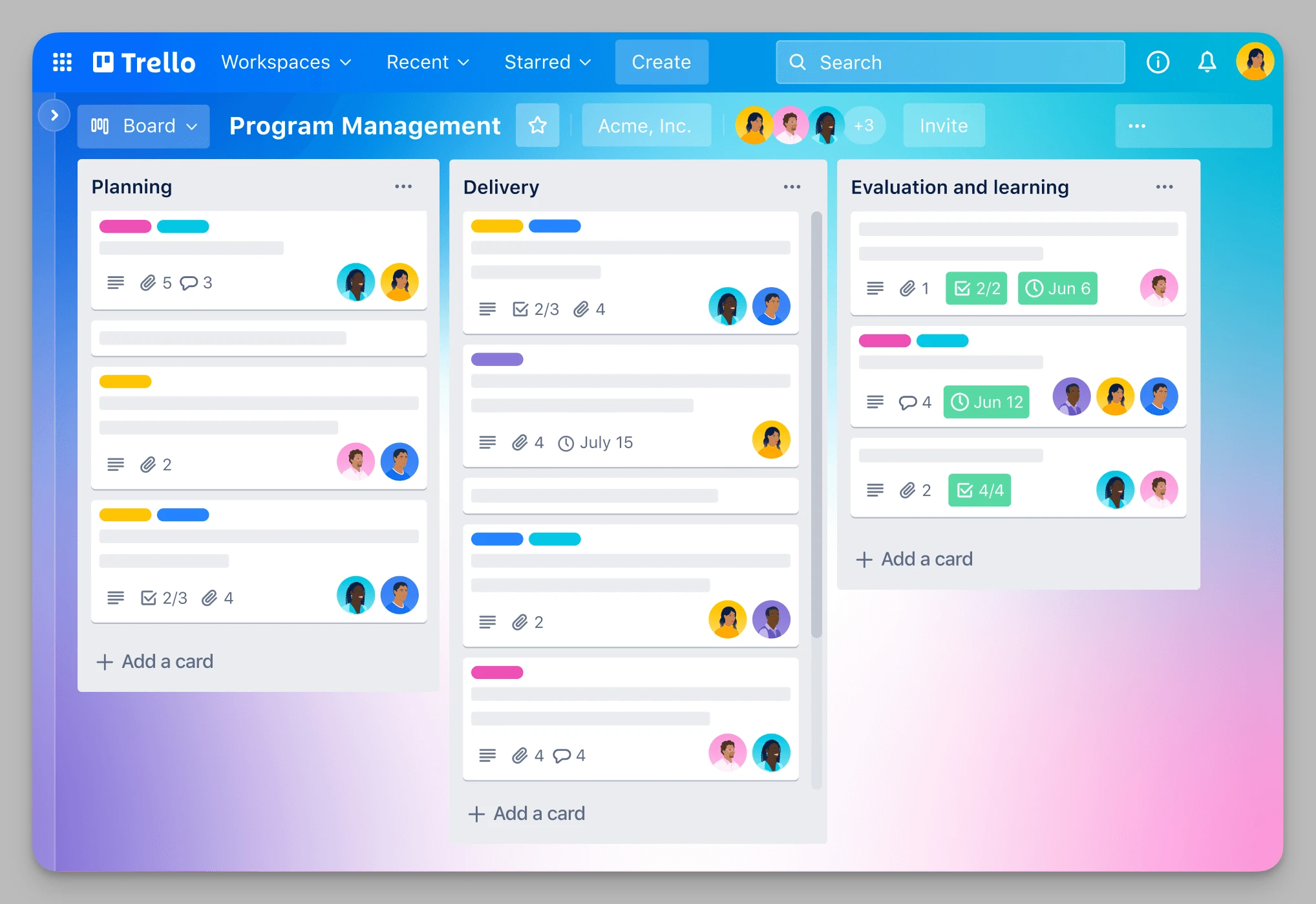
Trello bleibt relevant, weil Schlichtheit nie aus der Mode kommt. Viele Teams steigen zwar auf anspruchsvollere Systeme um, andere merken aber, dass sie nie ein ganzes Betriebssystem steuern wollten – sondern nur ein sauberes Board, das alle sofort verstehen.
Was es kann
- Reines Kanban: Karten zwischen Spalten zu ziehen, ist noch immer eine der klarsten Oberflächen, die je gebaut wurden.
- Butler-Automatisierung: wiederkehrende Schritte ohne Programmieren.
- Optisch anpassbar: Titelbilder, Etiketten und schlichte Anordnungen machen Boards leicht erfassbar.
- Power-Ups: verbinden Trello mit vielen anderen Werkzeugen.
Stärken
- Praktisch keine Einarbeitung
- Ideal für kleine, schnell arbeitende Teams und Kampagnen
Preis: kostenloser Tarif vorhanden; Standard 5, Premium 10 US-Dollar pro Person und Monat.
10. Notion
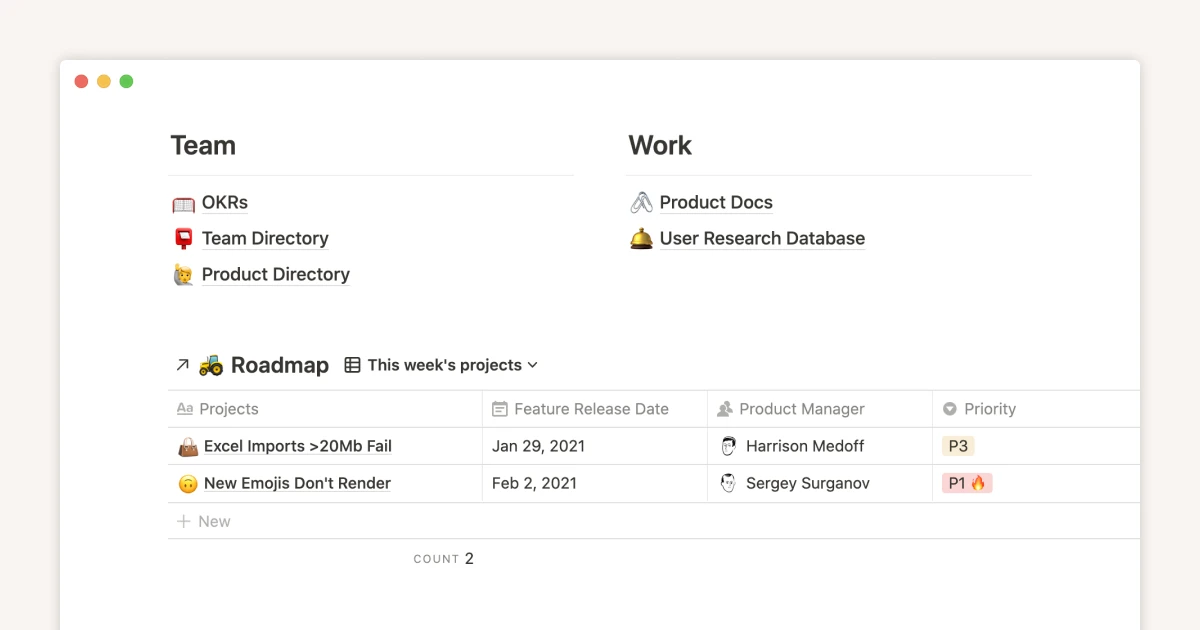
Notion ist auf dieser Liste nicht die beste reine Aufgabenverwaltung, bleibt aber wegen seines Ökosystems eines der wichtigsten Werkzeuge. Wer Monday.com verlässt, tut das oft, weil bessere Dokumentation, beweglichere interne Wikis oder eine größere Vorlagenwelt gebraucht werden. Genau dort glänzt Notion.
Was es kann
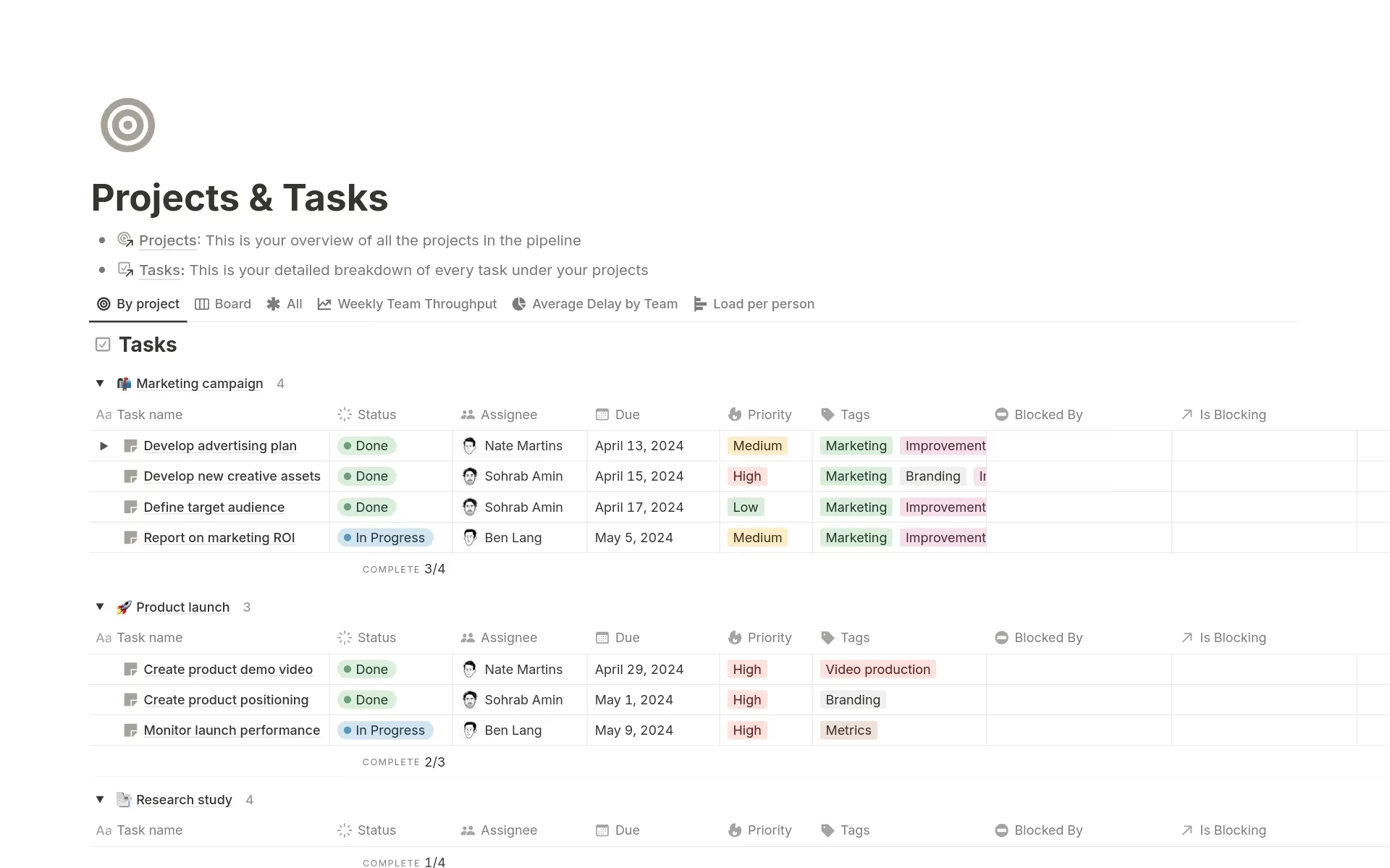
- Alles ist ein Baustein: Text, Bilder, Datenbanken, Einbettungen und Codeblöcke liegen in einem beweglichen Seitensystem.
- Verknüpfte Datenbanken: Damit lassen sich erstaunlich ausgereifte interne Wissenssysteme mit gefilterten Ansichten bauen.
- Notion AI: hilft beim Feilen an Dokumenten und beim Zusammenfassen.
- Riesige Vorlagenwelt: ein großer Vorteil für alle, die schnell starten wollen.
Stärken
- Sehr beweglich
- Führend bei Wiki und Wissensordnung
Preis: kostenloser Tarif vorhanden; Plus 10 US-Dollar pro Person und Monat.
Der schnelle Vergleich
| Werkzeug | Schwerpunkt | Welchen wunden Punkt es löst | Preis |
|---|---|---|---|
| Buildin | Wissen, Projekte und Monetarisierung | bessere Dokumentation, tieferes Wissen, eigener Betrieb, Verkauf | kostenlos / Plus 10 $ / Business 15 $ |
| ClickUp | Projektsteuerung für alles | mehr Funktionen und tiefere Hierarchie | kostenlos / Unlimited 7 $ / Business 12 $ |
| Linear | schnelle Produktarbeit | weniger Reibung, schnellere Bedienung, weniger Verwaltung | kostenlos / Basic 10 $ / Business 16 $ |
| Airtable | datenbankgetriebene Zusammenarbeit | bessere Verknüpfungen und Geschäftslogik | kostenlos / Team 20 $ / Business 45 $ |
| Wrike | Projektsteuerung im Konzern | stärkere Ressourcenplanung und Freigaben | kostenlos / Team 10 $ / Business 25 $ |
| Smartsheet | Zusammenarbeit auf Tabellenbasis | leichterer Umzug für tabellenlastige Teams | Pro 9 $ / Business 19 $ |
| Basecamp | zeitversetzte Kommunikation | weniger Benachrichtigungsmüdigkeit, ruhigere Abläufe | kostenlos / Plus 15 $ |
| Asana | geordnete Aufgaben und Ziele | bessere Ablauflogik und strategische Ausrichtung | privat kostenlos / Starter 10,99 $ / Advanced 24,99 $ |
| Trello | leichtgewichtiges Kanban | einfachere Einrichtung, schnellere Einführung | kostenlos / Standard 5 $ / Premium 10 $ |
| Notion | Dokumentation und Wissen | besseres internes Wiki und größere Vorlagenwelt | kostenlos / Plus 10 $ |
Empfehlungen
- Buildin, wenn Sie einen Arbeitsplatz wollen, der Projektarbeit, ausführliche Dokumentation, KI-gestütztes Wiederfinden und Monetarisierung verbindet.
- Linear, wenn Ihr Team produkt- oder entwicklungslastig ist und Tempo, Klarheit und wenig Prozessreibung schätzt.
- Basecamp, wenn Ihr größtes Problem der Lärm im Team ist und Sie es ruhiger wollen.
- Airtable, wenn Ihre Abläufe an verwickelten, verknüpften Daten und eigenen internen Systemen hängen.
Zum Schluss
Der Abschied von Monday.com ist keine reine Werkzeugentscheidung. Es ist eine Entscheidung darüber, wie Ihr Team arbeiten will. Manche brauchen mehr Struktur, manche mehr Beweglichkeit, manche bessere Dokumentation – und manche schlicht einen ruhigeren, schnelleren oder günstigeren Ort.
Die beste Alternative ist die, die zu Ihrem tatsächlichen Engpass passt. Liegt dieser Engpass in der Lücke zwischen Aufgaben und Wissen, ist Buildin die überzeugendste Wahl dieser Liste. Braucht Ihr Team ein anderes Betriebsmodell, bieten die übrigen Werkzeuge mehrere gute Wege.

Amara Elara
Specializes in visualizing complex processes and improving product education. Responsible for user support, product tutorials, and visual guides at Buildin, helping users improve tool adoption and overall productivity.