Die 10 besten Asana-Alternativen für Projekte, Teams und Abläufe 2026
Die besten Werkzeuge für Produktivität und Projektsteuerung 2026 im Vergleich: Asana-Alternativen, Plattformen für alles – und wie Sie das richtige Werkzeug für Ihr Team finden.
Wer mit Asana gearbeitet hat, kennt die ausgefeilte Oberfläche und die klare Aufgabenhierarchie. Ehrlicherweise treten aber mit wachsendem Team und steigenden Anforderungen einige wunde Punkte hervor: eine erdrückende Funktionsfülle, nur eine zuständige Person je Aufgabe, kein eigenes Wissensmanagement – und Abopreise, die spürbar wehtun.
Wenn Sie etwas Beweglicheres, Vielseitigeres oder gar etwas suchen, mit dem sich Geld verdienen lässt, ist diese Liste für Sie. Aus der Sicht tatsächlicher Nutzung gehen wir durch, welche Werkzeuge wirklich etwas taugen.
1. Buildin
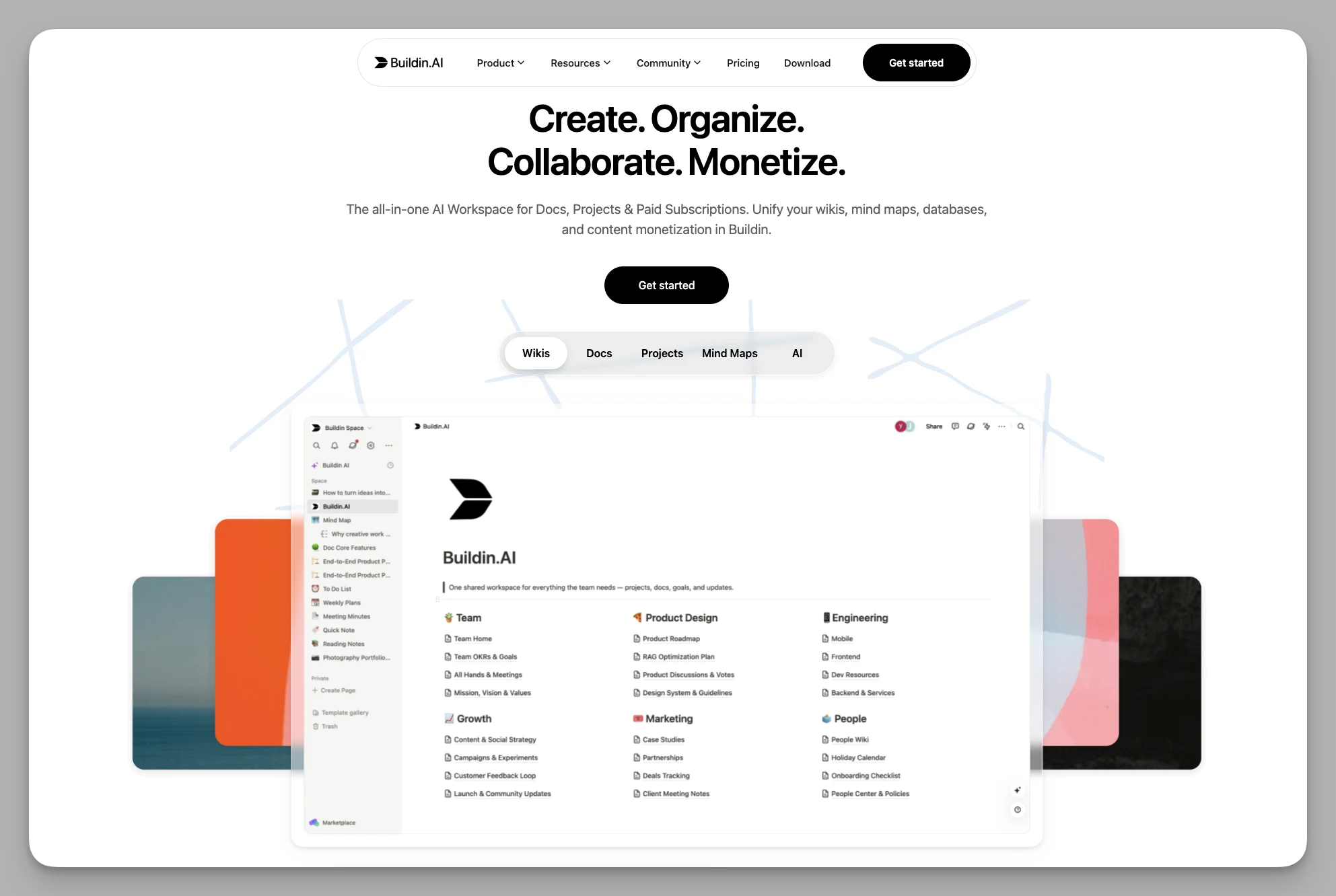
Buildin ist eine Plattform für KI-gestützte Zusammenarbeit und den Verkauf von Wissen, eigens für Creator und wissensintensive Teams gebaut. Wenn Asana für Sie nur der Ort ist, an dem Arbeit erledigt wird, schließt Buildin den ganzen Kreis von der Produktion bis zum Umsatz. Es hebt die Grenze zwischen Notizen und Zusammenarbeit auf, sodass jede geschriebene Zeile Wert bekommt.
Was es kann
- Bewegliche Datenbanken und Seiten: eine verschachtelte Struktur mit mehrdimensionalen Datenbankansichten – so frei wie Notion, aber mit strengerer Logik.
- Monetarisierung: Buildins Besonderheit. Einzelne Seiten, Vorlagen oder Anleitungen lassen sich als Bezahlinhalt anbieten, per Einmalkauf oder Abo.
- KI-Wissensdatenbank: semantische Suche und Zusammenfassungen, die Fragen auf Basis Ihrer eigenen Notizsammlung beantworten.
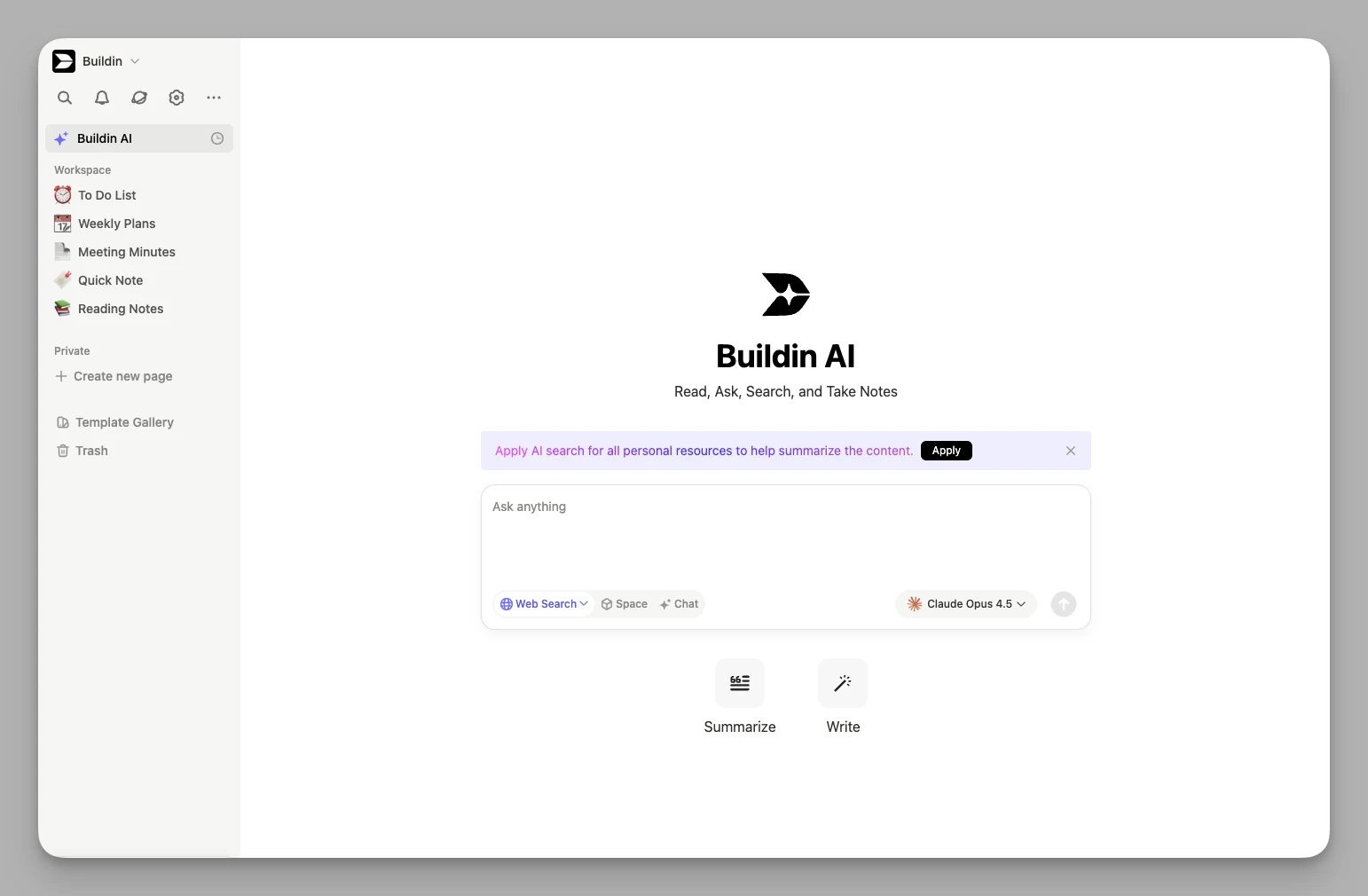
- Eingebaute Mindmaps: direkt im Dokument Gedanken ordnen, verwickelte Probleme zerlegen und Wissensstrukturen sichtbar machen.
- Import aus Notion: übernimmt Seitenhierarchien und die gängigen Eigenschaften und senkt damit die Hürde für einen Wechsel.
Stärken
- deckt den ganzen Weg von der Planung übers Festhalten bis zur Lieferung ab
- Betrieb im eigenen Haus für Unternehmen möglich, mit voller Kontrolle über die Daten
- offene API und MCP-Automatisierung, gut erweiterbar
Schwächen
- Als Werkzeug für alles braucht es anfangs Zeit, bis man die Möglichkeiten zur Anpassung ausgelotet hat.
2. Tana
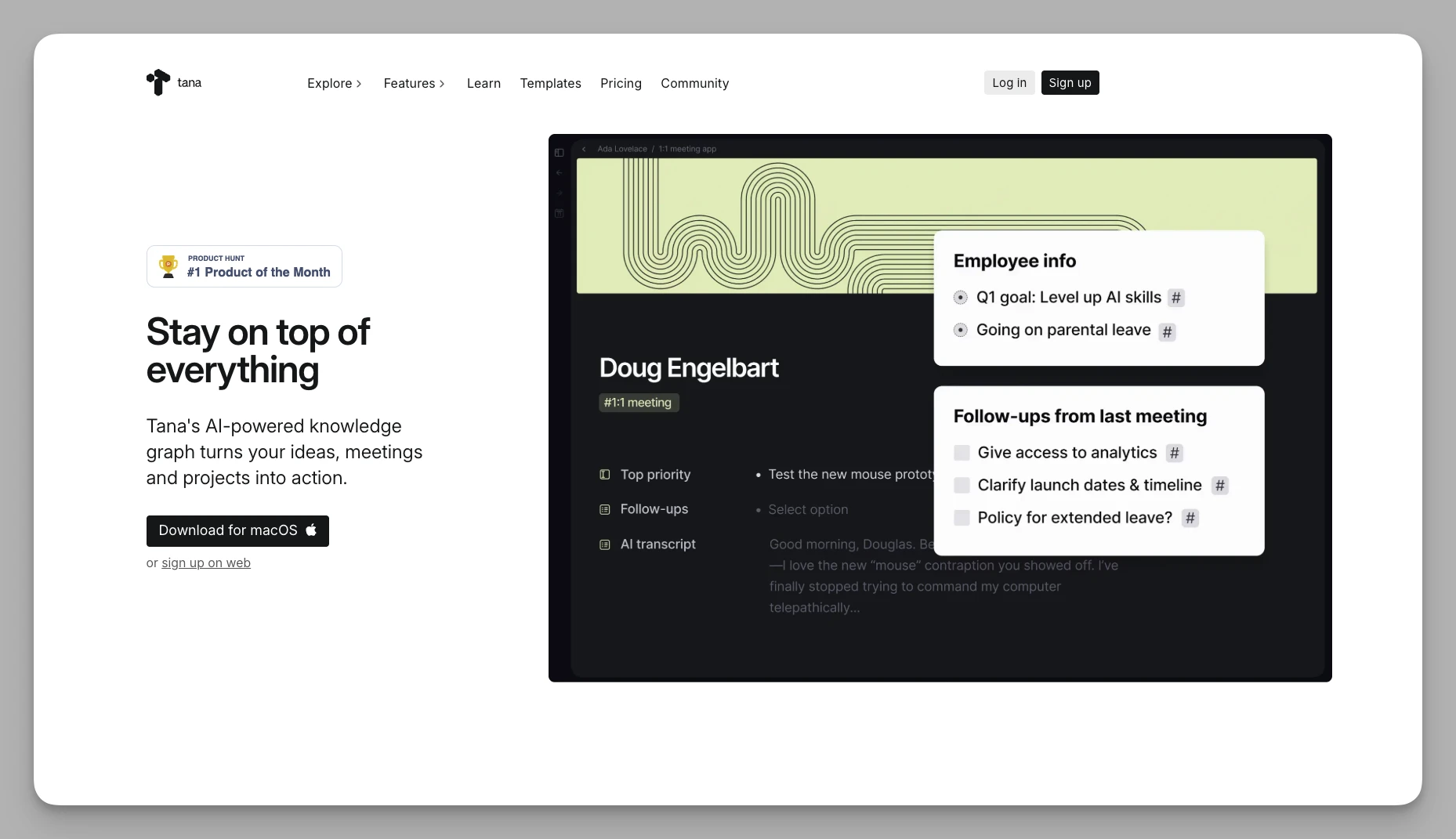
Wenn Ihnen Asanas Aufgaben zu starr sind, wird Tanas Objektlogik Sie überraschen. Es verabschiedet sich vom Ordnerdenken und definiert alles über Super-Tags. In Tana ist alles ein Knoten.
Was es kann
- Super-Tags: Ein Tag genügt, und ein Knoten übernimmt sofort vordefinierte Felder wie Datum, Status oder Zuständigkeit.
- Alles als Gliederung: Sämtliche Informationen liegen in einer Gliederung, wobei sich derselbe Knoten auf mehreren Seiten referenzieren lässt.
- Tana AI: eine sehr weit gediehene KI-Einbindung, die Informationen anhand von Tags automatisch erfasst und ordnet.
- Verknüpfte Ansichten in Echtzeit: Egal wo Sie etwas eingeben – das System sortiert es anhand der Tags in die passenden Boards und Listen ein.
Stärken
- Die Daten sind stark strukturiert; ist es einmal eingerichtet, ordnet sich fast alles von allein.
- Die KI-Abläufe sind unter vergleichbaren Werkzeugen führend.
Schwächen
- nur online nutzbar, kein Bearbeiten ohne Verbindung
- sehr steile Lernkurve, für Einsteigende wenig zugänglich
3. Coda
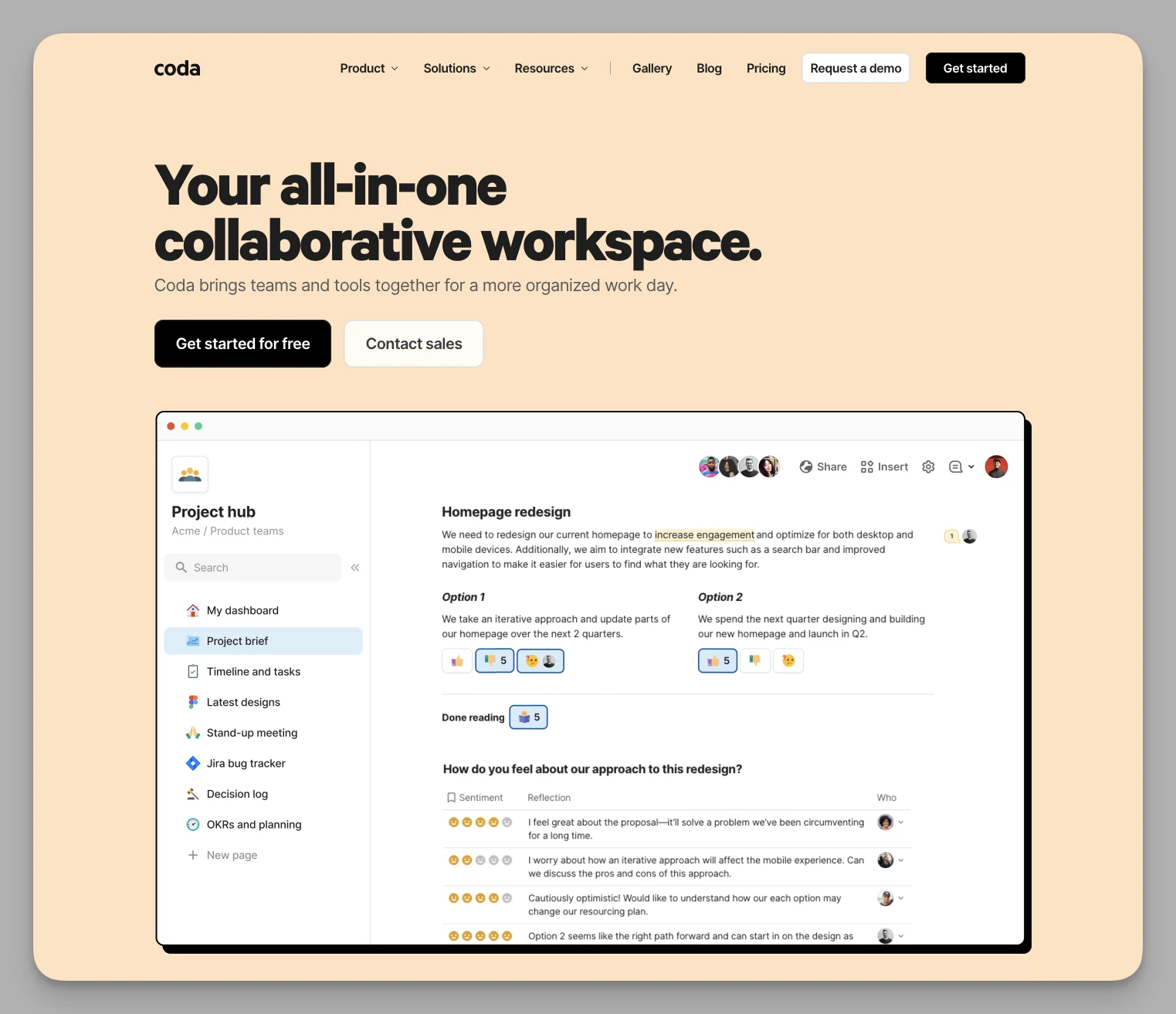
Coda ist mehr als ein Dokument oder eine Tabelle – es ist eher eine Plattform, die Sie sich selbst zusammensetzen. Wenn Sie ein Dokument brauchen, das mit Logik umgehen kann, ist Coda die erste Wahl.
Was es kann
- Starke Formeln: Bei Interaktion und Automatisierung im Dokument reicht keine klassische Tabellenkalkulation heran. Formeln steuern Schaltflächen, Textfarben – oder verschicken E-Mails.
- Schaltflächen und Formulare: lösen unmittelbar im Dokument Statusänderungen oder Aufrufe externer Schnittstellen aus.
- Packs: verbinden Coda mit Hunderten von Werkzeugen wie Slack, GitHub und Google Kalender.
- Bewegliche Ansichten: Dieselben Daten erscheinen als Board, Gantt-Diagramm oder Tabelle, ohne sich gegenseitig zu stören.
Stärken
- sehr starke Logik, geeignet für den Aufbau interner Systeme
- ausgereifte Anbindung an andere Werkzeuge, ideal als Knotenpunkt
Schwächen
- Bei sehr umfangreichen Dokumenten oder verwickelter Logik wird das Laden langsam.
- Die mobile Fassung reicht nicht an die auf dem Rechner heran.
4. Logseq
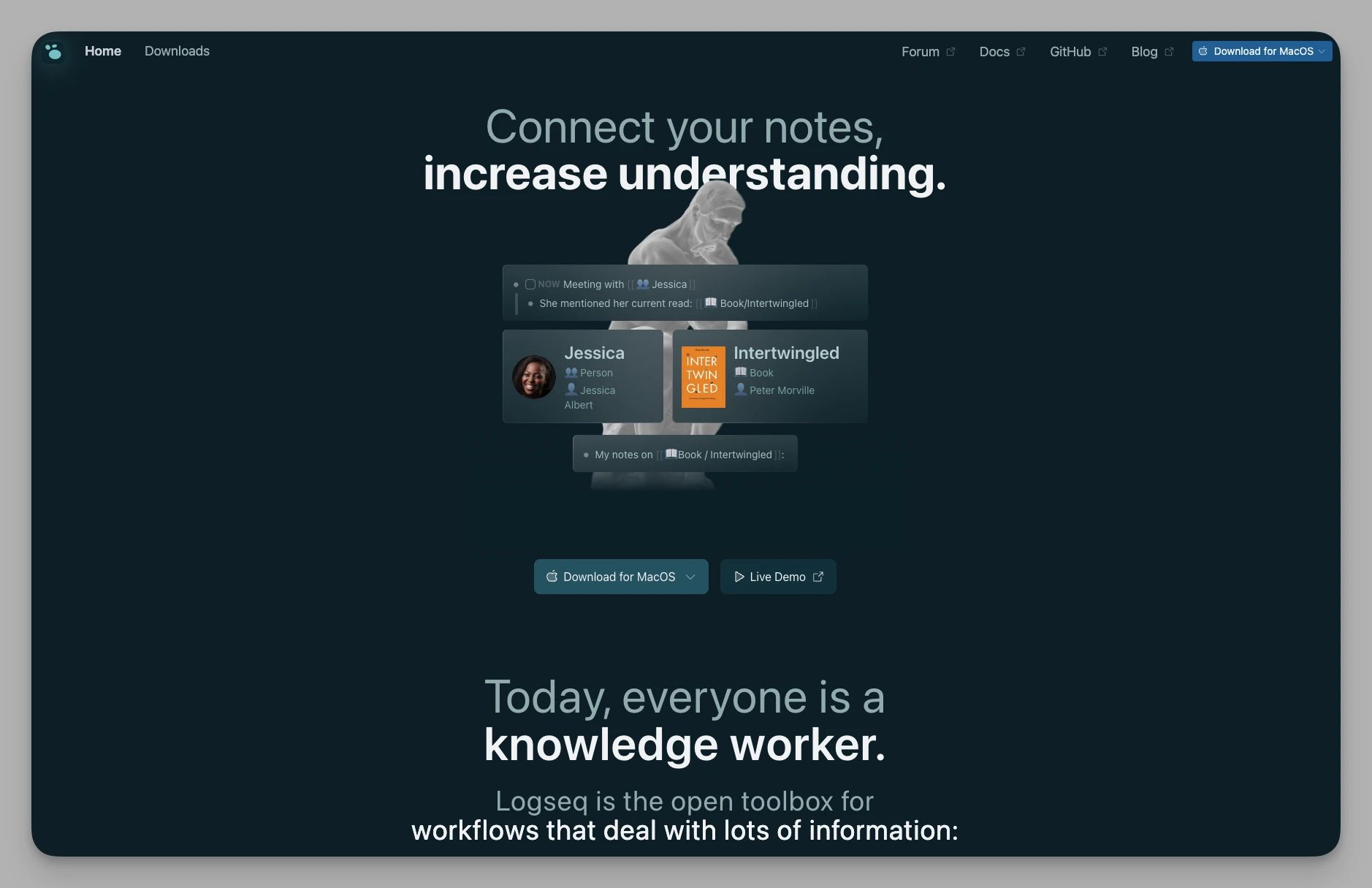
Für alle, die auf Cloud-Sicherheit besonders empfindlich reagieren oder das bestmögliche Schreiberlebnis suchen, ist Logseq eine eher persönliche, auf Offline ausgelegte Alternative. Es arbeitet mit bidirektionalen Verknüpfungen und einer Gliederung im Kern.
Was es kann
- Zuerst lokal: Alle Notizen und Aufgaben liegen als Markdown auf Ihrer Festplatte – gut für die Privatsphäre.
- Graph aus Verknüpfungen: Über
[[Stichwörter]]entstehen beidseitige Verbindungen, die sich als Karte darstellen lassen. - PDFs kommentieren: direkt in Logseq lesen und markieren; die Notizen verweisen automatisch auf die Stelle im Text.
- Karteikarten: eingebaute verteilte Wiederholung für alles, was sitzen soll.
Stärken
- schnelle Reaktion, reibungslose Bedienung
- Ihre Daten gehören Ihnen, ohne Sorge vor Abschaltung oder Datenpanne
- lebendige Gemeinschaft mit vielen Erweiterungen
Schwächen
- schwach bei der Zusammenarbeit, für Teams in Echtzeit ungeeignet
- der Abgleich über mehrere Geräte verlangt technisches Geschick
5. Anytype
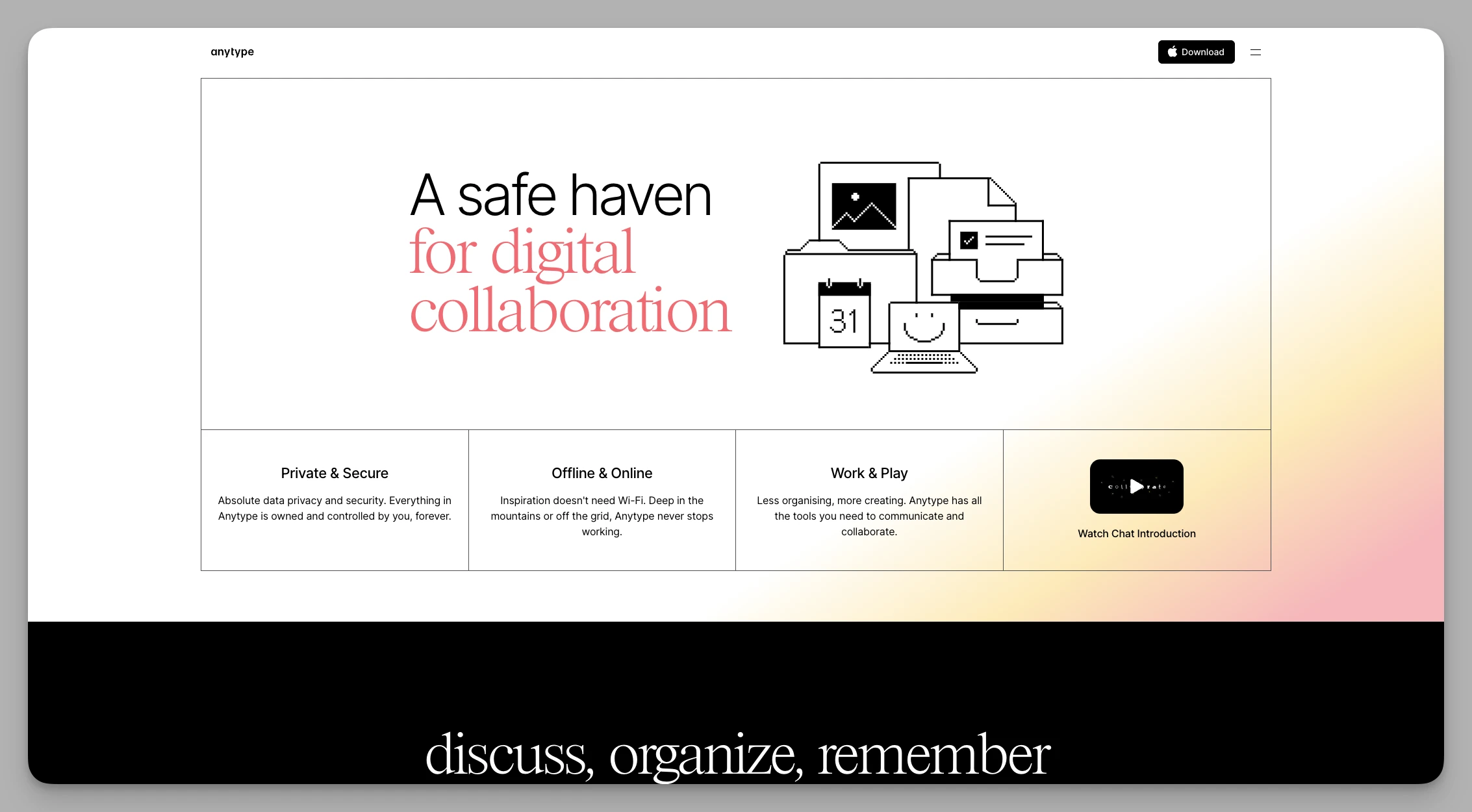
Anytype will ein dezentrales digitales System sein. Es verbindet Notions Beweglichkeit mit Logseqs Datenschutz – und sieht dabei ausgesprochen gut aus.
Was es kann
- Objektlogik: Alles – Personen, Aufgaben, Projekte – ist ein Objekt und lässt sich verknüpfen.
- Ende-zu-Ende verschlüsselt: Dank dezentraler Technik entscheidet allein die Nutzerin über den Zugriff.
- Zuerst offline: flüssige Anwendungen für Rechner und Telefon, die auch ohne Verbindung funktionieren.
- Eigene Bereiche: Startseiten und Übersichten lassen sich vollständig anpassen.
Stärken
- ausgesprochen zeitgemäße, ansprechende Oberfläche
- hohe Privatsphäre durch Verschlüsselung
- dank lokaler Architektur läuft der Wechsel zwischen Geräten flüssig
Schwächen
- noch im Beta-Stadium, bei der Zusammenarbeit hinter ausgereifteren Werkzeugen
6. Monday.com
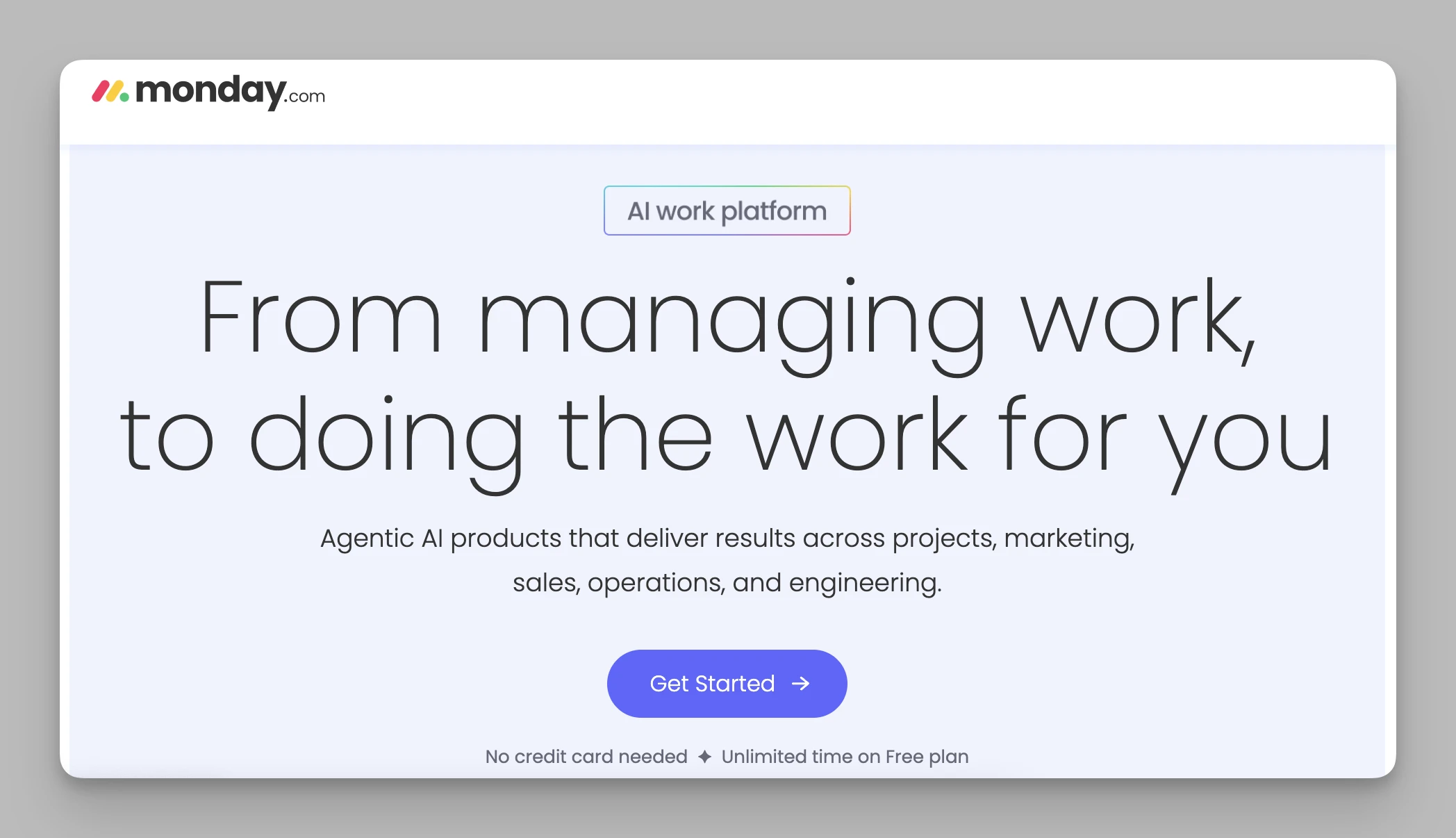
Wenn Ihrem Team die Darstellung und die Automatisierung wichtig sind, fühlt sich Arbeit mit Monday.com fast wie ein Spiel an.
Was es kann
- Status über Farben: Jede Zeile und Spalte lässt sich einfärben, sodass Risiken sofort auffallen.
- Automatisierung ohne Code: Regeln setzen Sie wie Bausteine zusammen und sparen viel wiederkehrende Arbeit.
- Auslastung im Blick: zeigt klar, wie viel bei wem liegt, und beugt Überlastung vor.
- Berichte: erzeugt automatisch ansehnliche Übersichten, die sich auch der Leitung zeigen lassen.
Stärken
- optisch ansprechend, sehr niedrige Einstiegshürde für nichttechnische Teams
- Automatisierung ist einfach einzurichten und nachvollziehbar
Schwächen
- Die Preisstufen sind für Teams unter fünf Personen unattraktiv.
- Mit vielen aktivierten Funktionen wirkt die Oberfläche schnell überladen.
7. ClickUp
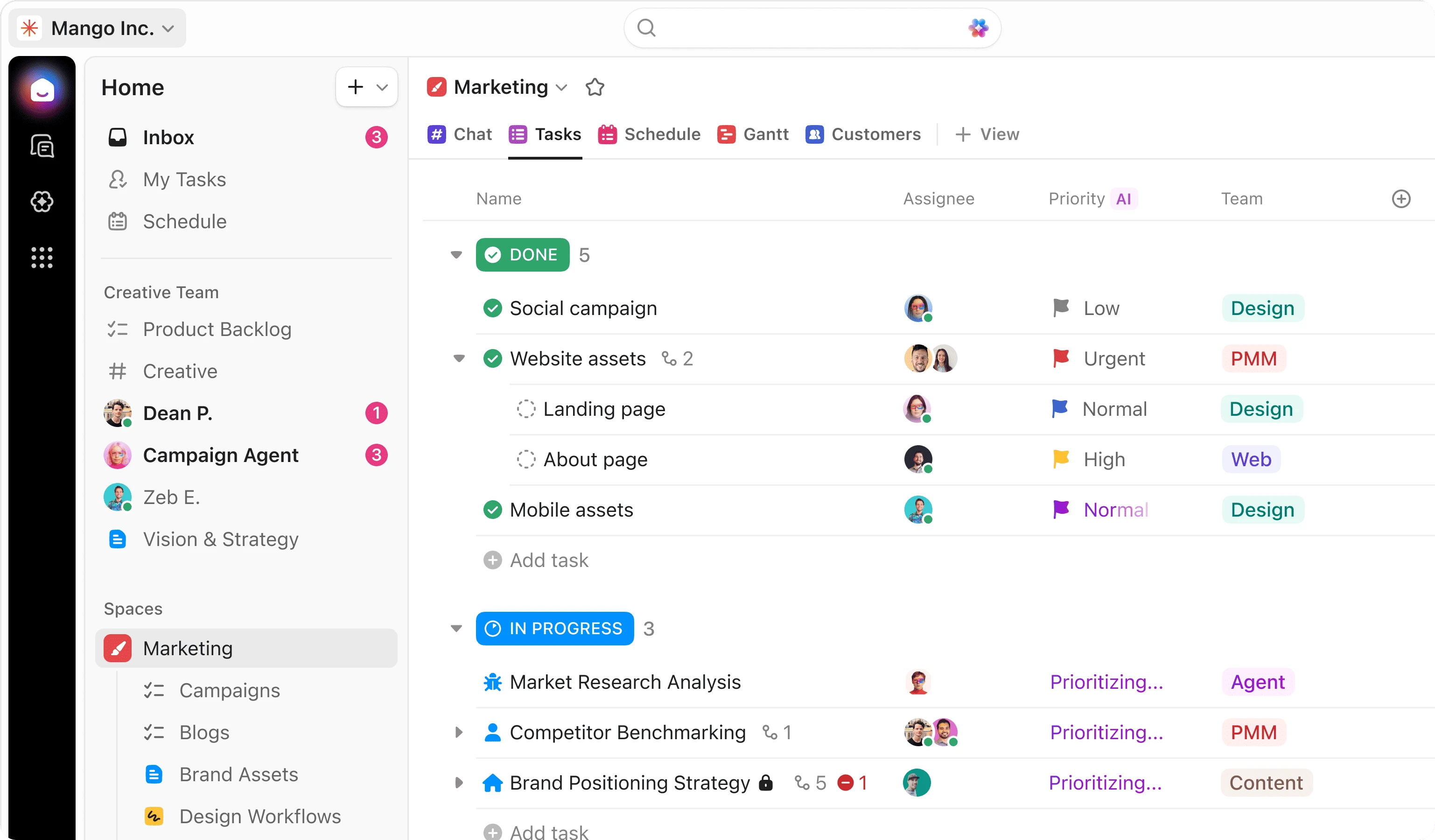
ClickUp gilt als Sammler von Funktionen und folgt dem Grundsatz, eine Anwendung für alles zu sein. Wenn Ihnen Asana zu wenig kann, wird Sie ClickUps Anpassbarkeit und der riesige Werkzeugkasten beeindrucken. Es führt Dokumente, Tabellen, Chat, Zielverfolgung und Projektsteuerung in einer Oberfläche zusammen.
Was es kann
- Über 15 Ansichten: von Boards und Kalendern über Gantt-Diagramme bis zu Mindmaps.
- Tiefe Hierarchie: Bereich, Ordner, Liste, Aufgabe – beliebig verschachtelt.
- Bildschirmaufnahmen und Dokumente eingebaut: kurze Aufnahmen direkt in der Aufgabe, ohne Erweiterung.
- Eigene Übersichten: über 50 Bausteine für eine persönliche Kommandozentrale.
Stärken
- deckt bei der Projektsteuerung nahezu alle üblichen Bedürfnisse ab
- die kostenlose Fassung ist großzügig, ideal für junge Unternehmen
- sehr schnelle Entwicklung mit häufigen Neuerungen
Schwächen
- Die Fülle an Einstellungen wirkt auf Einsteigende überladen.
- Bei manchen neueren Funktionen hakt es noch.
8. Trello
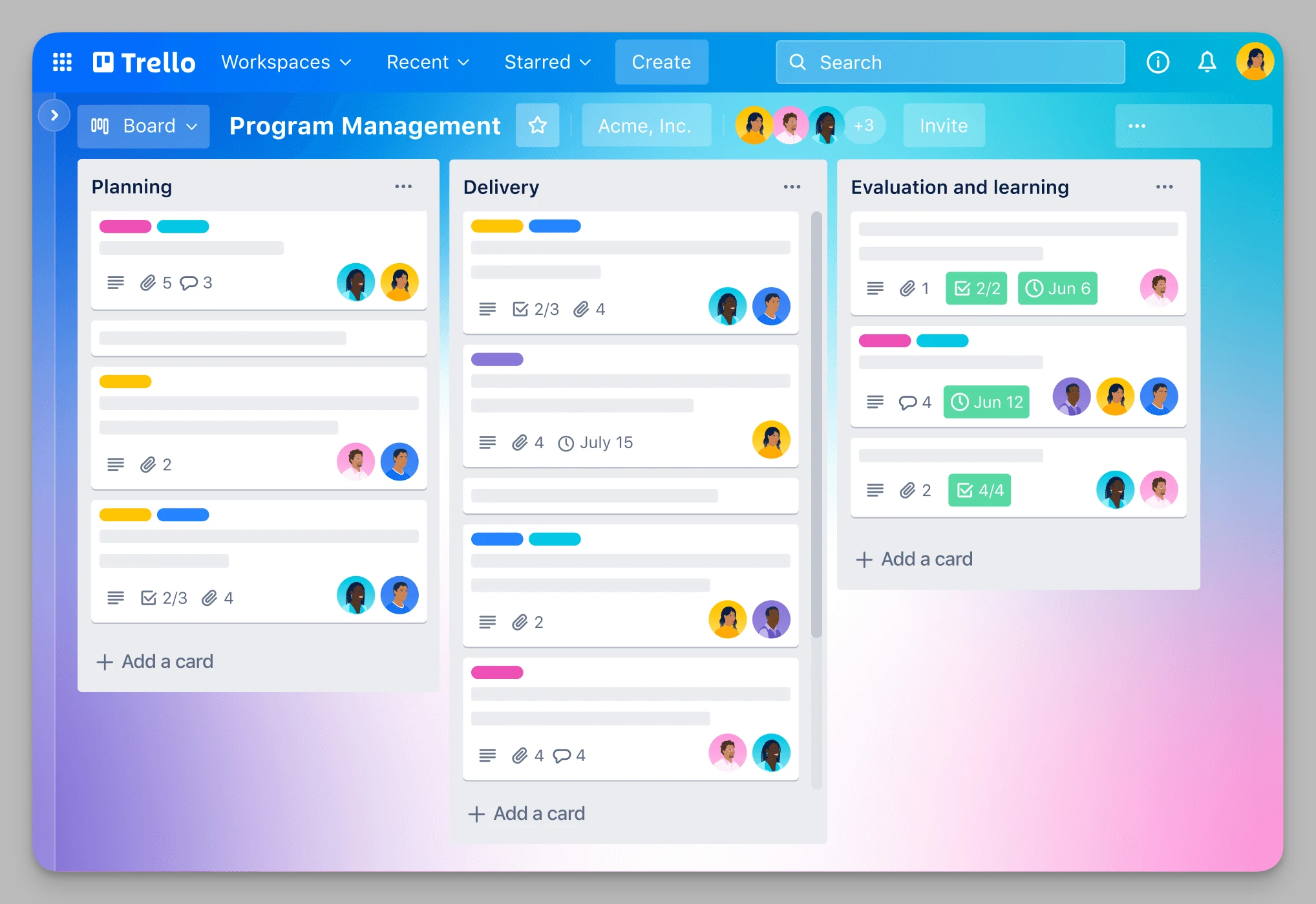
Trello hat die Kanban-Methode populär gemacht und überzeugt durch Schlichtheit. Weil Asana immer schwerer wird, kehren viele Teams zu Trello zurück. Es zerlegt Projekte in Karten, die Sie durch den Ablauf ziehen. Für kleine Teams und Einzelne, die keine verwickelten Abhängigkeiten brauchen und einfach den Fortschritt sehen wollen, ist es weiterhin sehr wirksam.
Was es kann
- Klassisches Kanban: Karten stehen im Mittelpunkt, Ziehen und Ablegen ist die Hauptbewegung – die eingängigste Logik überhaupt.
- Butler-Automatisierung: eingebaute, befehlsgesteuerte Auslöser.
- Power-Ups: erweitern um Kalender, Countdowns und mehr.
- Überall dabei: ausgezeichnete mobile Fassung für Aufgaben zwischendurch.
Stärken
- praktisch keine Einarbeitung; neue Mitglieder sind sofort dabei
- sehr leichtgewichtig und auf das Wesentliche konzentriert
Schwächen
- taugt weder für tiefes Wissensmanagement noch für anspruchsvolle Datenauswertung
9. Jira
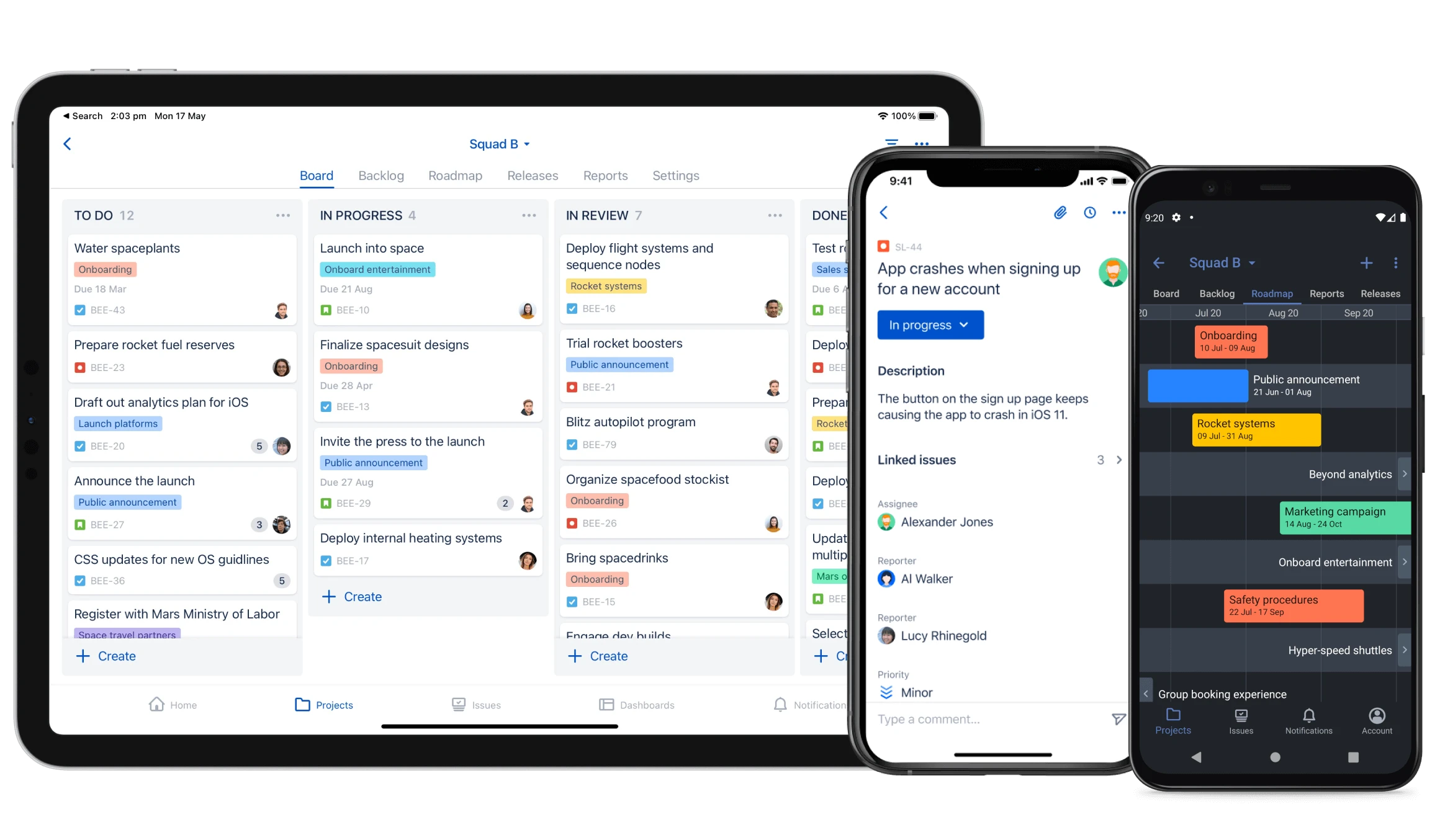
Jira ist der Maßstab für Softwareteams und glänzt durch Gründlichkeit im Prozess. Wenn Ihr Team agil nach Scrum oder Kanban arbeitet, wirkt Asana bei Codeintegration und Versionen schnell unzureichend. Jira ist dafür gebaut, große Softwareentwicklung zu steuern, verfolgt jeden Fehler und jede Anforderung im Detail und liefert Kennzahlen zur Entwicklungsleistung.
Was es kann
- Agile Vorlagen: tiefgehende Unterstützung für Scrum und Kanban.
- Auswertungen: Burn-down- und Velocity-Diagramme und weitere Kennzahlen.
- Feingliedrige Rechte: ausgelegt auf große Organisationen mit verwickelten Abläufen.
- Anbindung an den Code: nahtlos mit GitHub und GitLab verbunden.
Stärken
- außerordentlich gründliche Prozesse; fachlich unersetzbar
- geeignet für standardisierte Zusammenarbeit in großen Teams
Schwächen
- Die nüchterne Oberfläche schreckt nichttechnische Beteiligte ab.
- Hohe Einstiegshürde; es braucht eine eigene Administration.
10. Notion
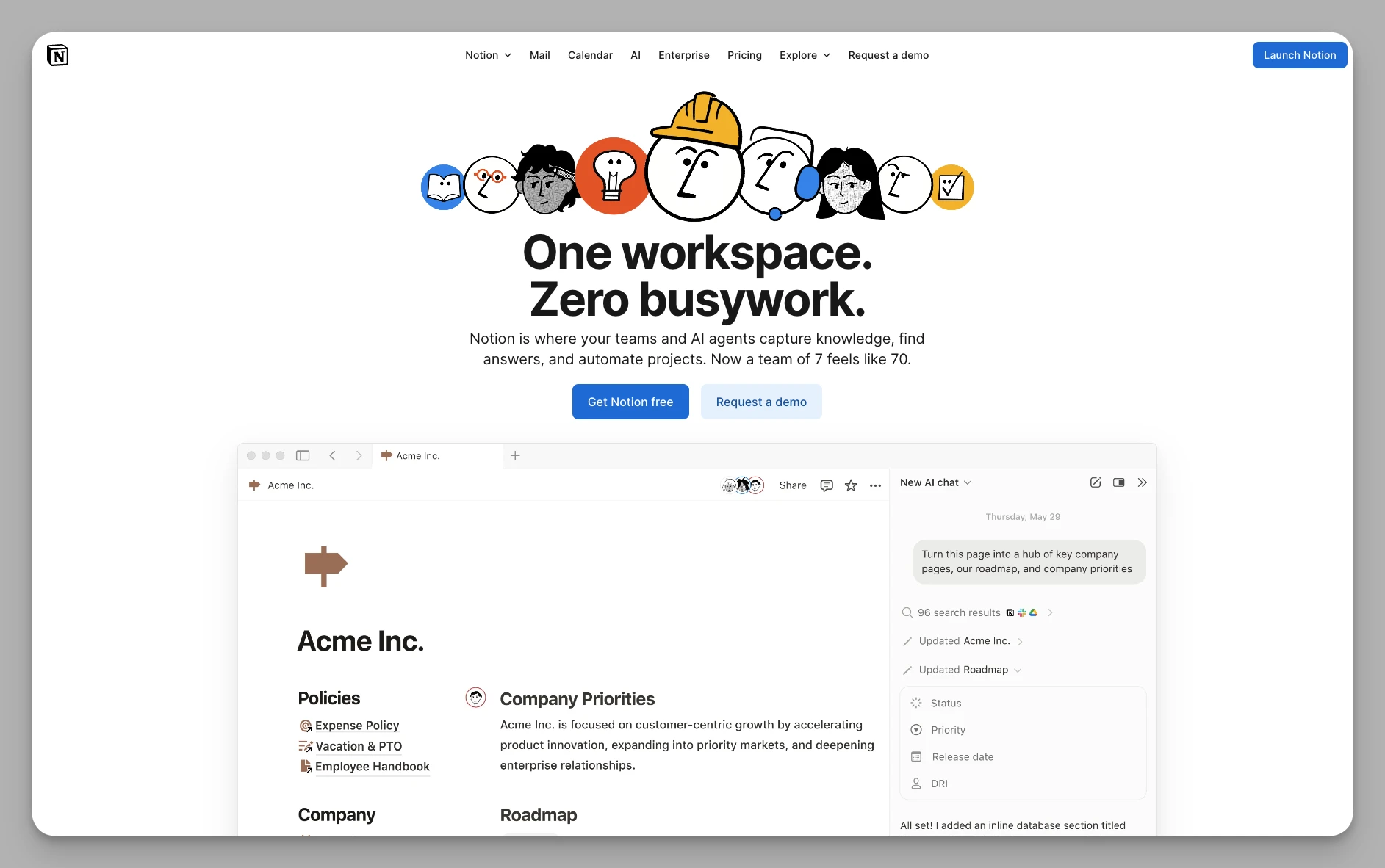
Notion verbindet Notizen, Wiki und Datenbanken. Viele wechseln von Asana dorthin, weil sich Inhalte so gut ordnen lassen. Eine Aufgabe ist hier kein isolierter Eintrag mehr, sondern ein Baustein, der in jedem Hintergrundwissen, Entwurfsdokument oder Besprechungsprotokoll stecken kann.
Was es kann
- Alles ist ein Baustein: frei verschiebbar und anzuordnen, sehr beweglich.
- Starkes Wiki: ideal, um langfristig Teamwissen und Arbeitsanweisungen anzusammeln.
- Notion AI: tief eingebunden, hilft beim Schreiben, Übersetzen und Ideensammeln.
- Vorlagenwelt: die größte Gemeinschaft an Vorlagen überhaupt, sofort einsetzbar.
Stärken
- außerordentlich beweglich, von Notizen bis zur Projektsteuerung
- unschlagbare Gemeinschaft; für fast jedes Problem gibt es eine fertige Lösung
Schwächen
- Der Offline-Betrieb ist noch nicht ausgereift.
- Bei vielen Datenbankbeziehungen und großen Beständen wird das Laden spürbar langsam.
Der schnelle Vergleich
| Werkzeug | Passend für | Kernstärke | Preis (2026) |
|---|---|---|---|
| Buildin | Monetarisierung, KI-Wissen im Team | eingebauter Verkauf, KI, Betrieb im eigenen Haus | kostenlos; Plus 10 $ pro Person |
| Tana | streng strukturiertes Wissen | Super-Tags und automatische Ordnung | kostenlos; Plus 8 $ im Monat |
| Coda | Automatisierung und Datenlogik | starke Formeln und Anbindungen | zahlbar je Autor, Bearbeitende frei |
| Logseq | Datenschutz und Schreiben | lokale Speicherung, Markdown offline | Kernfunktionen kostenlos |
| Anytype | persönlicher Datentresor | Verschlüsselung und lokale Objekte | kostenlos; Plus 4 $; Pro 8 $ |
| Monday | visuelle Steuerung | ansprechende Oberfläche, einfache Automatisierung | kostenlos für zwei; Pro 19 $ je Platz |
| ClickUp | Teams, die alles in einem wollen | größter Funktionsumfang | kostenlos; Unlimited 7 $ je Person |
| Trello | leichtgewichtiges Kanban | einfach, ohne Einarbeitung | kostenlos; Standard ab 5 $ |
| Jira | Softwareentwicklung und Agilität | professionelle Fehlerverfolgung und Scrum | bis 10 Personen kostenlos; Premium 14,54 $ |
| Notion | Dokumente und Wiki | sehr beweglich, reichste Vorlagenwelt | kostenlos; Plus ab 10 $ |
Fazit
Wenn Sie 2026 noch eine Asana-Alternative suchen, lösen Sie sich vom Denken in bloßen Aufgabenlisten:
- Wenn Sie aus Wissen Umsatz machen und ein KI-Gehirn über eigene Daten haben wollen, ist Buildin die klare Empfehlung.
- Wenn Ihnen Datenschutz über alles geht, geben Ihnen Logseq oder Anytype ein gutes Gefühl.
- Wenn Sie sich über Formeln eigene Anwendungen im Dokument bauen wollen, probieren Sie Coda oder Tana.
Ein letzter Hinweis zum Umzug
Das Schwierigste beim Werkzeugwechsel sind meist nicht die Daten, sondern die Gewohnheiten. Bevor Sie Asana verlassen, sollten Sie eine gründliche Bestandsaufnahme machen: Nutzen Sie die Gelegenheit, veraltete und unwichtige Aufgaben auszusortieren, und ziehen Sie nur die Kerndaten um. Machen Sie anschließend einen Versuch im Kleinen: Wählen Sie ein überschaubares Projekt und führen Sie es im neuen Werkzeug von Anfang bis Ende durch. So finden Sie die wunden Punkte, die in keinem Testbericht stehen. Achten Sie zuletzt darauf, wie tief die KI eingebunden ist. Richtig genutzt, nimmt sie Ihnen viel Tipparbeit ab und erleichtert den Übergang vom Verwalten einzelner Aufgaben zum Aufbau digitaler Vermögenswerte.
Wir hoffen, dieser Überblick hilft Ihnen dabei, das Werkzeug zu finden, das wirklich zu Ihnen passt.

Amara Elara
Specializes in visualizing complex processes and improving product education. Responsible for user support, product tutorials, and visual guides at Buildin, helping users improve tool adoption and overall productivity.