Die 5 besten Xmind-Alternativen für 2026
Mindmaps sind 2026 mehr als eine sichtbare Struktur – es geht um KI, plattformübergreifendes Wissensmanagement und die Möglichkeit, Fachwissen zu verkaufen. Xmind ist weiterhin beliebt, doch viele suchen inzwischen eine tiefere Verzahnung mit Zusammenarbeit, Projektsteuerung und dem Arbeitsalltag. Dieser Überblick stellt die fünf besten Alternativen vor.
1. Buildin: die vielseitigste Wahl für Creator und Teams
Wenn es um die vielseitigste Xmind-Alternative des Jahres 2026 geht, spielt Buildin in einer eigenen Liga. Während sich die meisten Werkzeuge auf das Sichtbare der Mindmap beschränken, bettet Buildin sie in ein vollständiges System aus Wissensmanagement und Monetarisierung ein.
Mehr als eine Leinwand
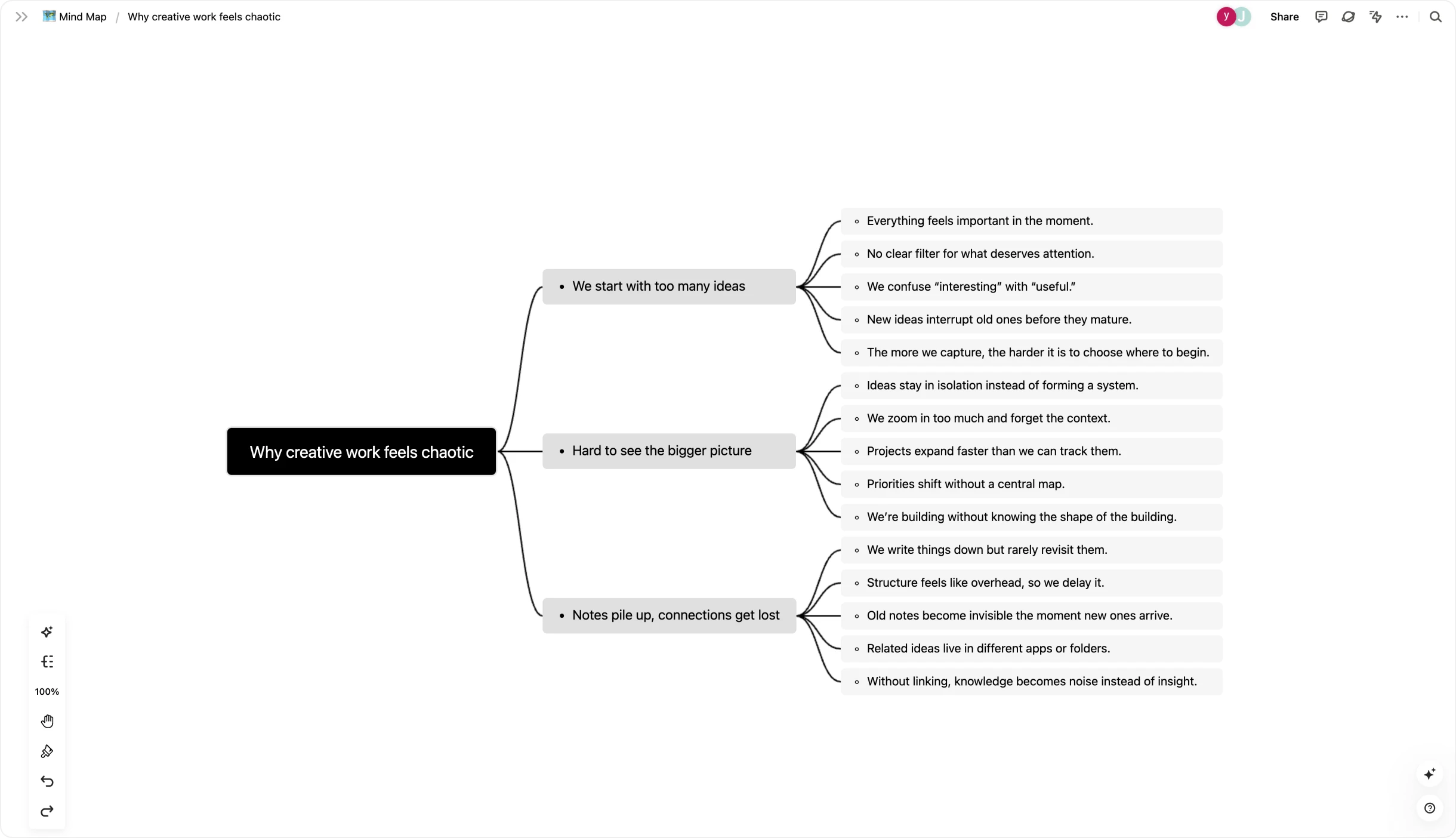
Buildins Grundgedanke: Eine Mindmap sollte keine abgetrennte Datei sein – jene Sackgasse, die viele Xmind-Nutzende kennen. In Buildin ist die Mindmap ein lebendiger Teil Ihres Arbeitsbereichs. Sie wechseln per Klick zwischen Gliederungs- und Mindmap-Ansicht, wobei Ihre Daten in jedem Fall strukturiert bleiben. Jeder Knoten lässt sich zu einer vollwertigen Seite, einer Datenbank oder einer Aufgabe mit Zuständigkeit und Frist ausbauen.
Die Stärken im Einzelnen
Der Vorsprung bei der Monetarisierung: Das ist Buildins Besonderheit. Anders als Xmind erlaubt es Ihnen, Mindmaps, Vorlagen und Anleitungen zu Bezahlinhalten zu machen. Abos oder Einmalkäufe richten Sie unmittelbar auf der Plattform ein – Werkzeuge wie Gumroad oder Substack werden überflüssig.
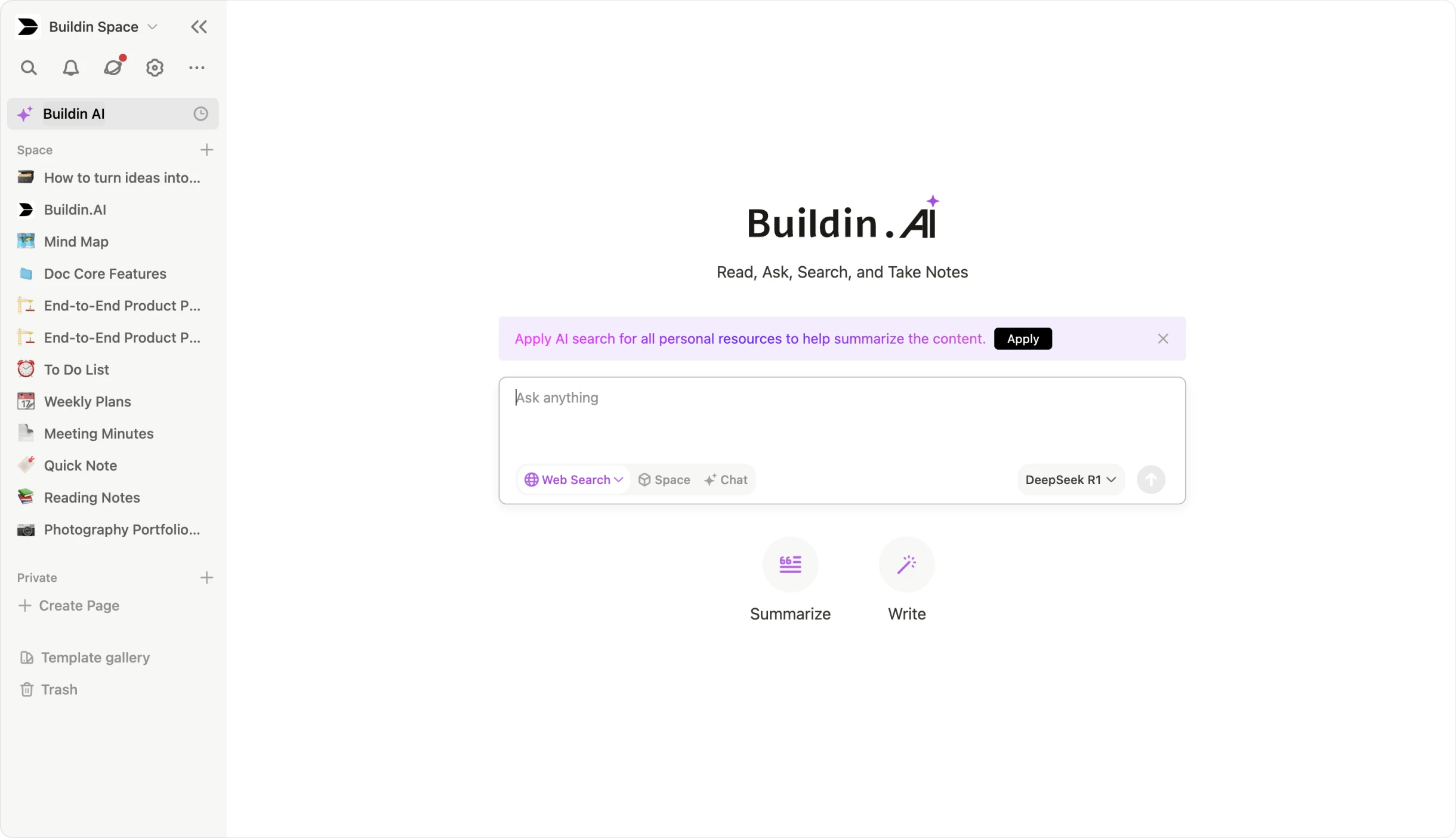
KI-gestützte Wissensdatenbank: Buildin bringt ein KI-gestütztes zweites Gehirn mit. Es erzeugt nicht nur Knoten, sondern durchsucht Ihre gesamte Notiz- und Dokumentenhistorie, fasst Erkenntnisse zusammen, verbindet auseinanderliegende Gedanken und hilft dabei, Vorhandenes in neue Formate zu überführen.
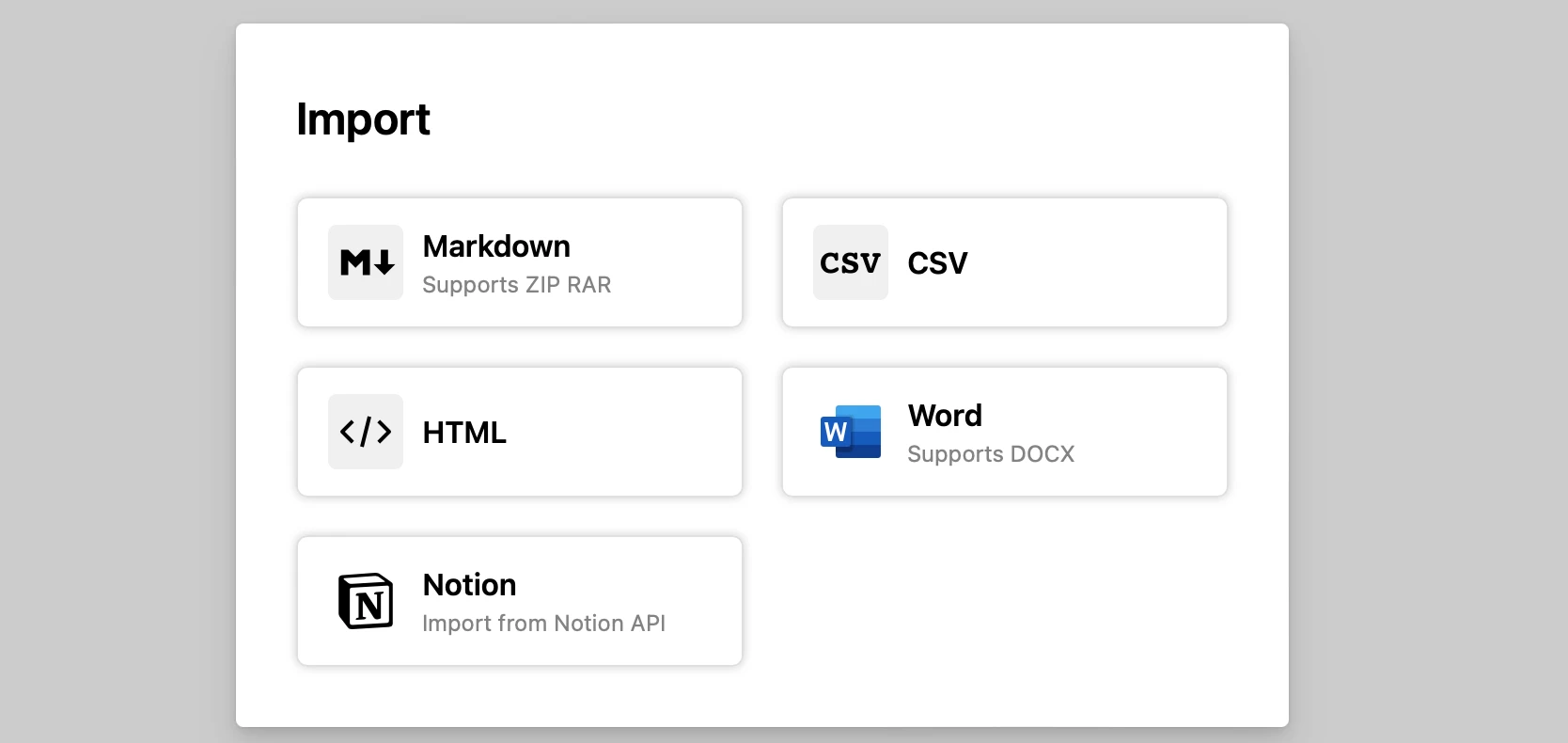
- Reibungsloser Umzug von Notion: Wer von Notion kommt oder eine beweglichere Xmind-Alternative sucht, nutzt den direkten Import über die Notion-API. Struktur, Datenbanken und Formatierungen bleiben erhalten.
- Betrieb im eigenen Haus: Für Teams mit strengen Vorgaben zu Regeltreue oder Datensicherheit bietet Buildin den Betrieb auf eigenen Servern an, sodass sämtliche Daten unter der Kontrolle der Organisation bleiben.
Passend für: alle, die digital Inhalte erstellen, unterrichten, oder in schnell wachsenden Teams arbeiten – und aus dem visuellen Denken ein handlungsfähiges, womöglich einträgliches Wissenszentrum machen wollen.
2. Miro: der König der visuellen Zusammenarbeit
Wenn Sie Xmind vor allem wegen der fehlenden Zusammenarbeit in Echtzeit verlassen, führt an Miro kaum ein Weg vorbei. Bis 2026 hat es sich zu einem Raum für bereichsübergreifende Teams entwickelt.
Die unendliche Leinwand
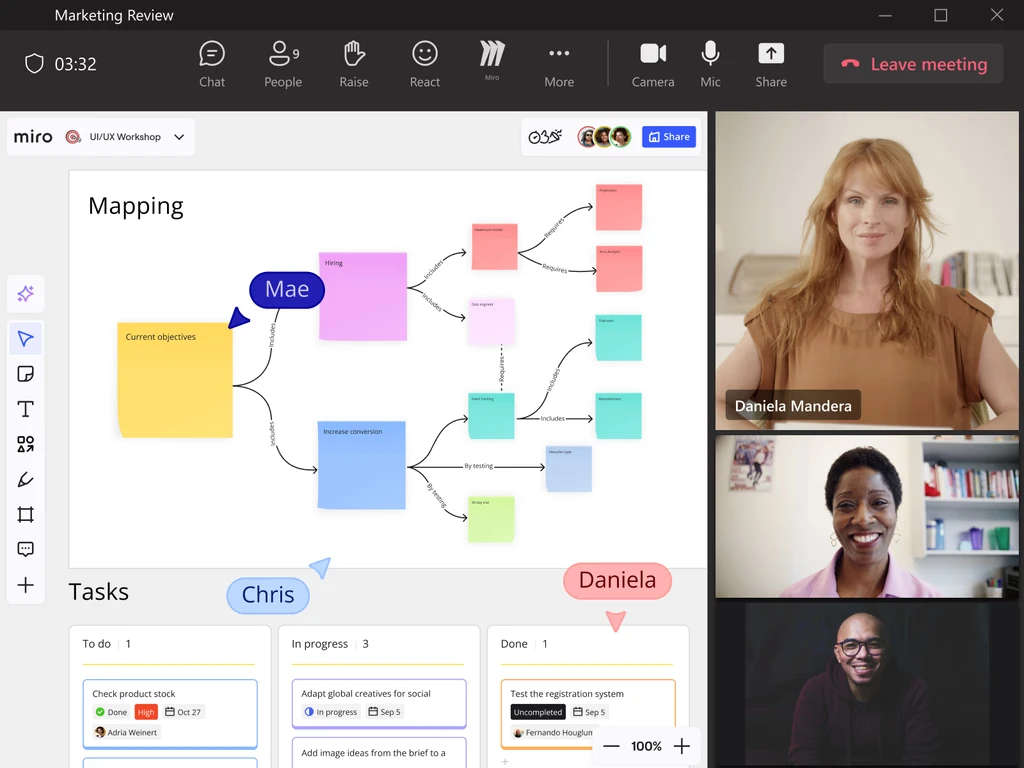
Anders als Xmind, das die Struktur voranstellt, bietet Miro eine unendliche Leinwand. Teams bilden darauf umfangreiche Vorhaben ab – nicht nur Mindmaps, sondern auch Entwürfe, Haftnotizen, eingebettete Videos und Livedaten aus anderen Quellen. Diese räumliche Arbeitsweise kommt dem unordentlichen, organischen Wesen kreativer Runden entgegen.
Was Miro besonders macht
KI und kluge Abläufe: Miros KI ist inzwischen mehr als ein Ideengeber. Sie gruppiert Hunderte Haftnotizen nach Stimmung, fasst ganze Boards zu Maßnahmen zusammen und stellt Ihnen Mitdenkende zur Seite, die aus einer bestimmten Rolle heraus Rückmeldung geben – etwa aus Sicht der Produktverantwortung.
Aussagekräftige Präsentationen: Mit der Funktion „Talktrack" nehmen Sie einen Rundgang durch Ihre Mindmap auf. Wer das Video ansieht, sieht die Leinwand automatisch zu den besprochenen Knoten scrollen – für die zeitversetzte Abstimmung weit wirksamer als ein statischer Export.
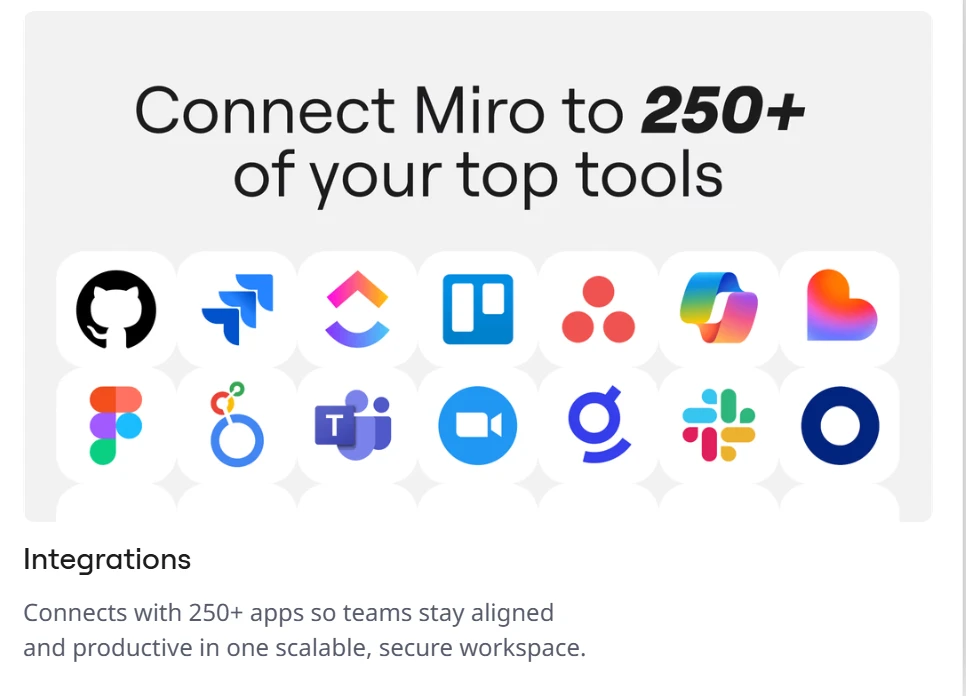
- Viele Anbindungen: Miro verbindet sich mit über 160 Anwendungen, darunter Jira, Azure DevOps, Figma und Slack. Jira-Tickets landen als Karten direkt auf Ihrer Mindmap, und Änderungen in Jira erscheinen dort in Echtzeit.
Der Haken: So gut Miro fürs ungeordnete gemeinsame Denken ist – wer die Ordnung und das automatische Layout von Xmind schätzt, empfindet es mitunter als zu formlos.
3. MindManager: die Wahl für datengetriebene Planung
Wer Mindmaps als Mittel der Unternehmenssteuerung begreift, findet in MindManager die schwergewichtige Alternative. Es hat sich als das „Excel der Mindmaps" etabliert: Während Xmind aufs Aussehen setzt, setzt MindManager auf rechenbare Daten.
Tiefe Logik und strukturierte Daten
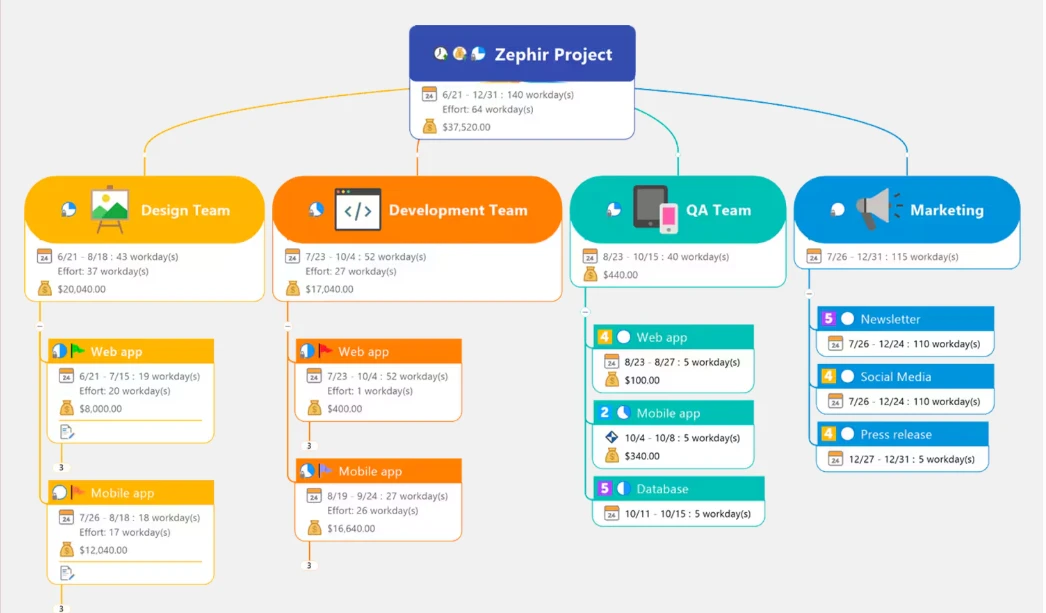
In MindManager sind Knoten Datenbehälter. Sie tippen nicht nur Text, sondern vergeben Eigenschaften. Ein Projektknoten kann Anfangs- und Enddatum, Ressourcenkosten und Fertigstellungsgrad enthalten. In Xmind sind das oft nur Beschriftungen; hier sind es echte Variablen.
Was MindManager auszeichnet
- Bedingte Formatierung und Regeln: Wie in einer Tabellenkalkulation legen Sie Regeln fest – ein Knoten wird rot, wenn das Budget überschritten ist, oder ändert seine Form, wenn eine Frist naht. Aus der statischen Karte wird eine lebendige Übersicht.
- Anbindung an Unternehmensdaten: Für SharePoint, Jira und Oracle gibt es eigene Verbindungen. Ein laufendes Jira-Ticket landet in Ihrer Mindmap, und sobald die Entwicklung es schließt, springt der Knoten automatisch auf „erledigt".
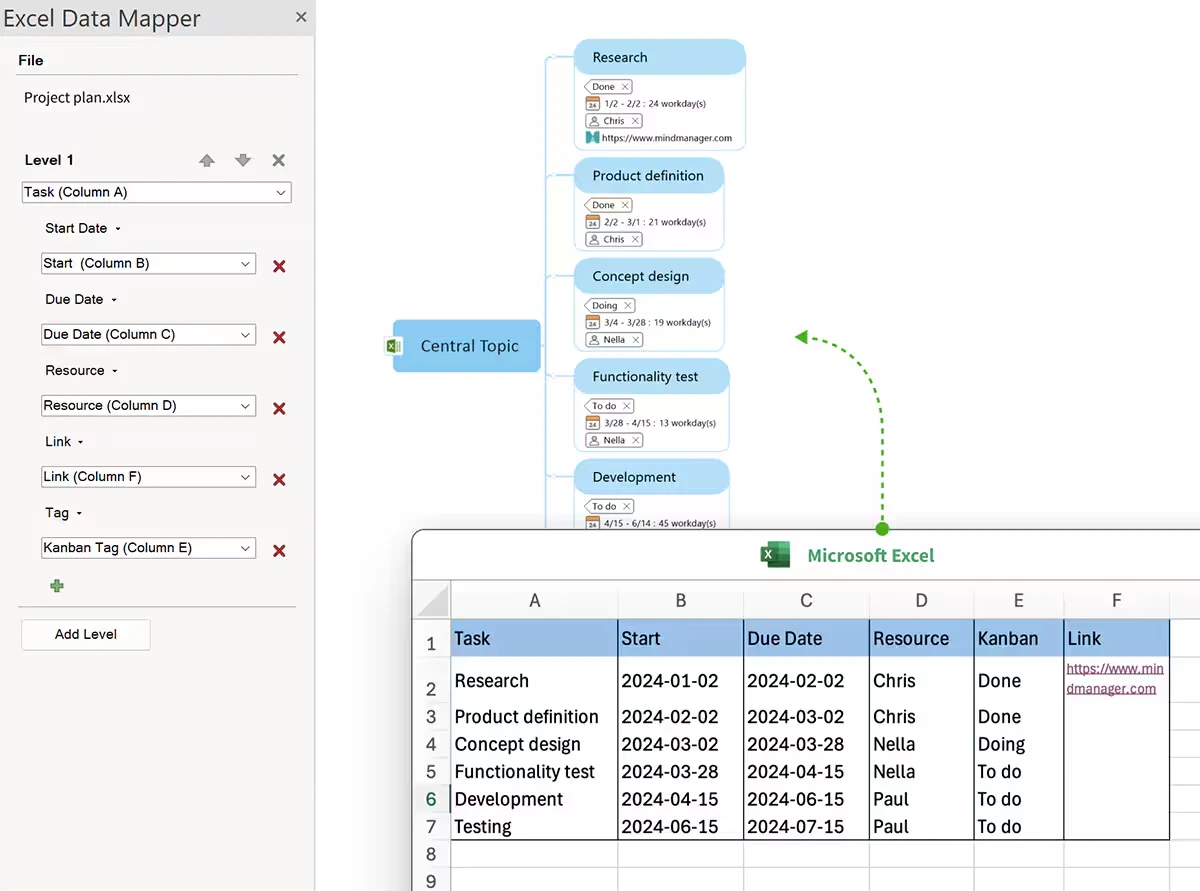
Formeln über Zweige hinweg: Sie können rechnen. Fünf Unterknoten mit Kostenangaben summiert der übergeordnete Knoten automatisch, rechnet Steuern hinzu und zeigt die Gesamtsumme – ideal für die Budgetplanung.
Stark auf dem Desktop: Wo Webwerkzeuge an Speichergrenzen stoßen, bewältigt MindManager Karten mit über 5.000 Knoten und großen Anhängen mühelos.
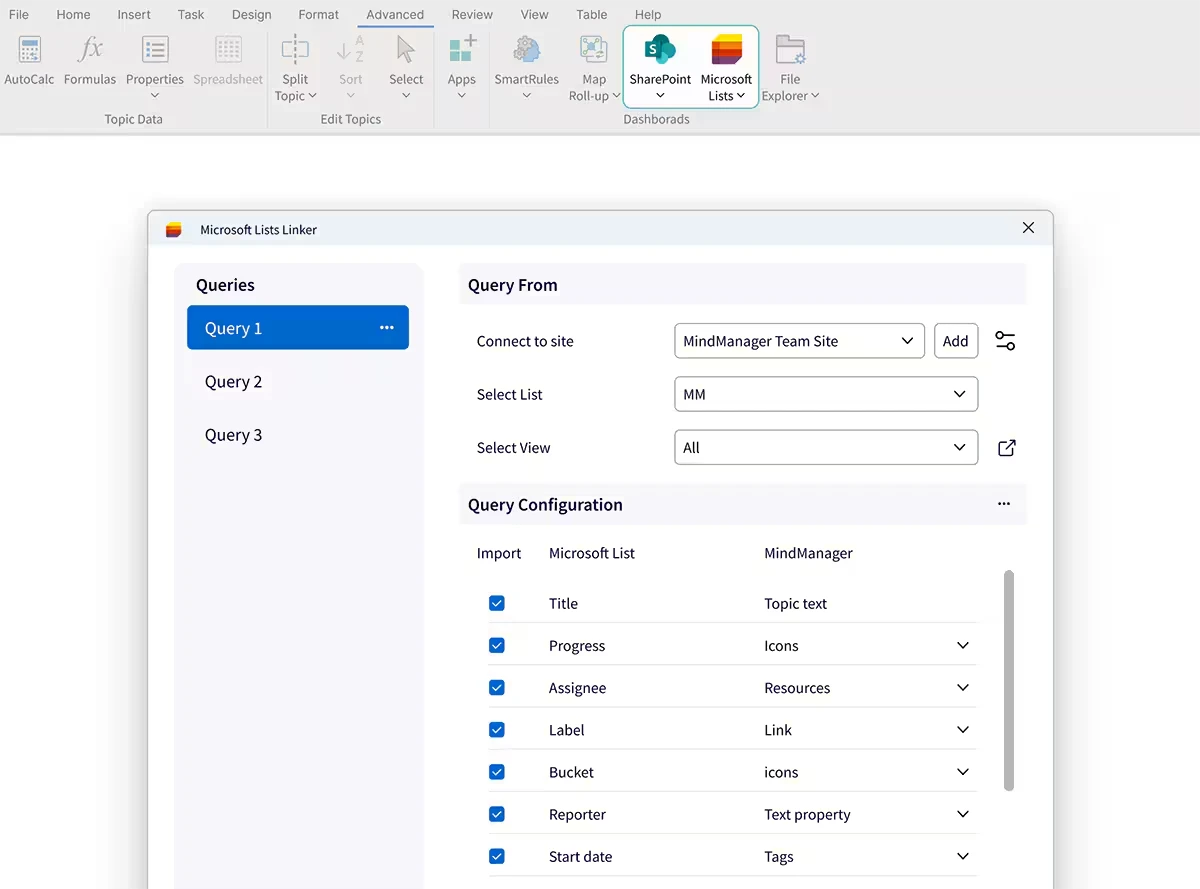
Warum es Xmind ersetzt: Es geht über das Ideensammeln hinaus in den Betrieb – gebaut für alle, die ein Millionenbudget in ihrer Mindmap steuern müssen.
4. ClickUp: wo aus Ideen Aufgaben werden
Viele verlassen Xmind, weil sie die Lücke beim Export leid sind: Man plant in der Mindmap und tippt alles anschließend von Hand in die Aufgabenverwaltung. ClickUp ist 2026 die erste Adresse für alle, die ihre Mindmaps als funktionierende Roadmaps wollen.
Ein Arbeitsplatz für alles
In ClickUp ist die Mindmap kein eigenes Dokument, sondern eine Ansicht auf Ihre Datenbank – ein grundlegender Unterschied zu Xminds dateibasiertem Aufbau. Wenn Sie eine Linie ziehen, definieren Sie eine Abhängigkeit; wenn Sie einen Knoten anlegen, entsteht eine Arbeitseinheit.
Was ClickUp handlungsfähig macht
- Abgleich in beide Richtungen: ClickUp kennt einen Aufgaben- und einen leeren Modus. Im Aufgabenmodus sehen Sie die gesamte Ordnerstruktur Ihres Unternehmens als Mindmap. Ordnen Sie Zweige um, wandern die Aufgaben in Echtzeit zwischen den Listen.
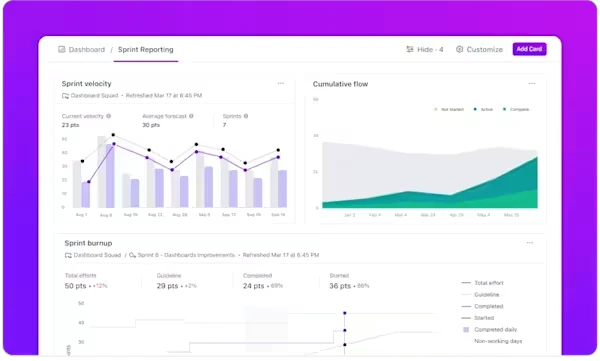
Echte Hierarchie: Anders als bei Xmind, wo die Hierarchie nur sichtbar ist, achtet ClickUp auf die Beziehung zwischen Aufgabe und Teilaufgabe. Jeder Knoten erbt die Eigenschaften des übergeordneten – Rechte und eigene Felder eingeschlossen.
Aufgaben aus der KI: ClickUp Brain sieht sich eine unordentliche Ideensammlung an und erzeugt daraus sofort eine Liste nächster Schritte, verteilt auf die Teammitglieder je nach deren Auslastung.
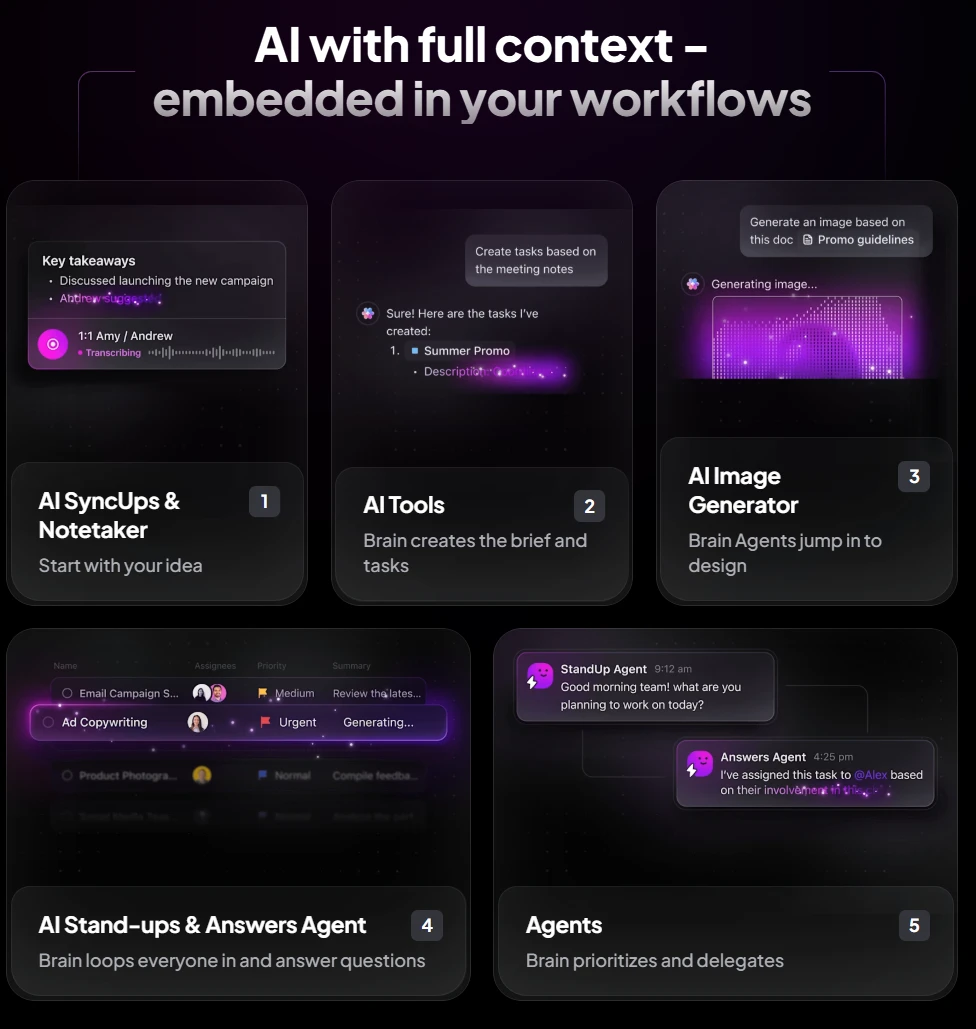
- Mehrere Ansichten: Sie sammeln Ideen in der Mindmap und wechseln unmittelbar zu Gantt-Diagramm, Kanban-Board oder Kalender – dieselben Daten in anderem Zusammenhang, ohne etwas neu einzugeben.
Warum es Xmind ersetzt: Es schließt das Leck in der Produktivität. Eine gute Idee bekommt tatsächlich eine Frist – und wird fertig.
5. MindMeister: der Spezialist fürs Web
Wer Xminds Schlichtheit und klare Gestaltung schätzt, aber keine lokalen Dateien und keine schwere Software will, ist bei MindMeister richtig. Es ist das reibungsärmste Werkzeug fürs schnelle Denken.
Schlicht und schnell
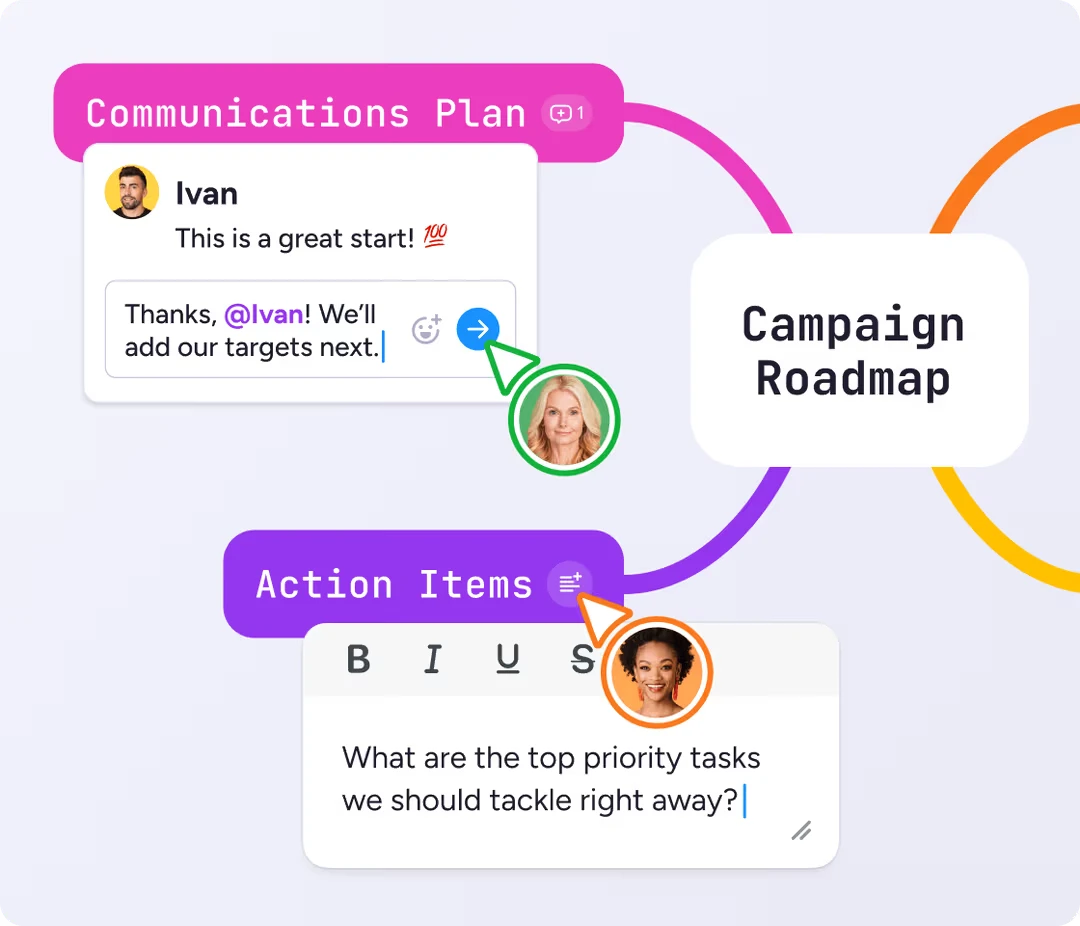
Die Cloud-Grundlage von MindMeister ist auf Zusammenarbeit ohne spürbare Verzögerung ausgelegt. Wo Xminds Abgleich manchmal hakt, ist MindMeister von Grund auf für den Browser gebaut: Wenn drei Personen gleichzeitig an derselben Karte tippen, fühlt es sich so flüssig an wie ein gemeinsames Textdokument.
Was MindMeister ausmacht
Die Brücke zu MeisterTask: Die größte Stärke ist die enge Verbindung zur Schwesteranwendung MeisterTask. Sie ziehen einen Knoten in eine Aufgabenleiste am Bildschirmrand, und er landet sofort auf einem Projektboard – leichter als ClickUp, aber wirksamer als Xminds einfache Aufgabenmarkierungen.
Starke Präsentation: Für viele Beratende ersetzt MindMeister die Präsentationssoftware. Ein Klick erzeugt einen filmischen Durchflug durch Ihre Karte, der über Zoom und Schärfe durch die Logik führt – ideal für Kundengespräche.
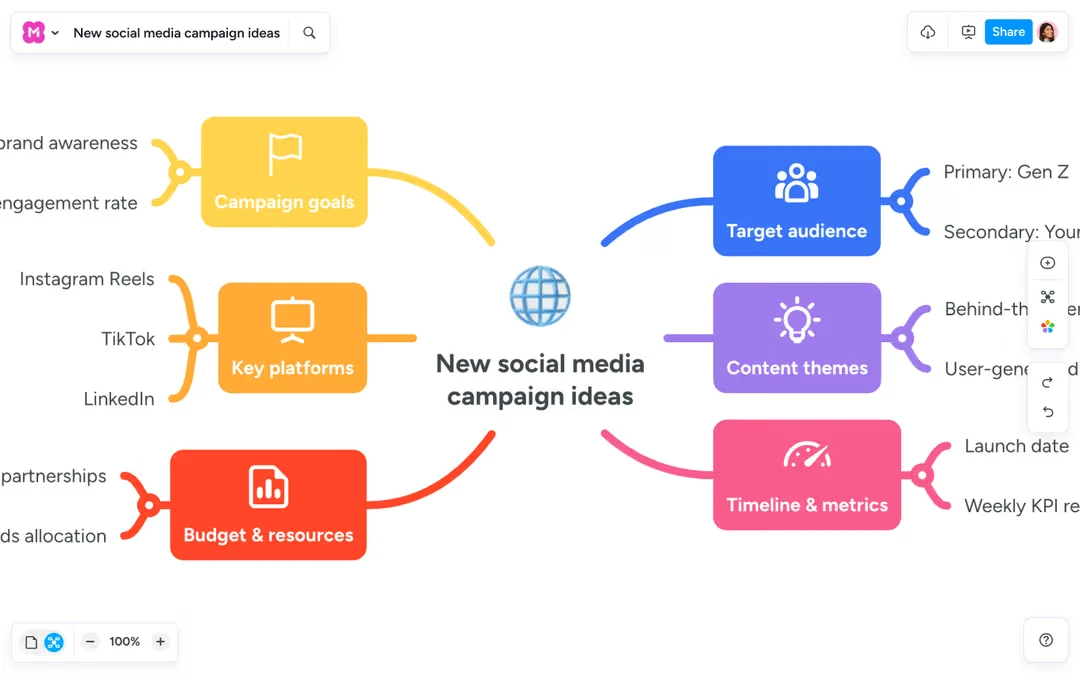
Öffentliche Kartensammlung: MindMeister beherbergt die größte Sammlung öffentlicher Mindmaps. Suchen Sie nach „SEO-Strategie", und Sie finden Tausende von der Gemeinschaft beigesteuerte Karten, die Sie kopieren und anpassen können.
Überall verfügbar: Weil es vollständig im Web läuft und eine gute mobile Anwendung hat, sind Ihre Karten wirklich überall dabei. Sie beginnen unterwegs am iPad und arbeiten im Büro an einer Linux-Maschine weiter, ohne sich um Dateiformate oder Versionen zu sorgen.
Warum es Xmind ersetzt: Es ist für alle, die Beweglichkeit und Eleganz schätzen – und die den Ärger mit Dateinamen wie „final-v2-endgültig.xmind" endgültig loswerden wollen.
Die Gegenüberstellung
| Kriterium | Buildin | Miro | MindManager | ClickUp | MindMeister |
|---|---|---|---|---|---|
| Schwerpunkt | Wissen und Monetarisierung | kreatives Ideensammeln | Planung im Unternehmen | Aufgabensteuerung | schlichte Karten |
| KI | hoch (Wissensauswertung) | am stärksten (Agenten) | gering (Datenordnung) | mittel (Aufgaben) | mittel (Ideen) |
| Zusammenarbeit | sehr gut (Team, Abgleich) | am besten (Echtzeit) | mittel (Desktop) | hoch (Abläufe) | hoch (im Web) |
| Monetarisierung | ja, eingebaut | nein | nein | nein | nein |
| Datenhoheit | Betrieb im eigenen Haus | Cloud | eigener Server oder Cloud | Cloud | Cloud |
Fazit: Welche Alternative passt zu Ihnen?
Das hängt ganz davon ab, was Sie vorhaben:
Wenn Sie Inhalte erstellen oder im Team arbeiten und eine strukturierte, KI-gestützte Wissensbasis aufbauen – womöglich mit dem Ziel, Ihr Wissen zu verkaufen –, ist Buildin die klare Empfehlung. Die Brücke vom Denken zum Verdienen findet sich sonst nirgends.
Für freies Gestalten und große Teamrunden nehmen Sie Miro.
Für schwere Unternehmensdaten und Budgetplanung nehmen Sie MindManager.
Für konsequente Umsetzung nehmen Sie ClickUp.
Für schlichte, überall verfügbare Karten nehmen Sie MindMeister.

Sency Shen
Skilled in content structuring, topic breakdown, and background research, with a strong interest in knowledge management and content workflows. Responsible for research, information organization, and foundational content preparation at Buildin.