Buildin vs. Logseq 2026: esquemas, grafo de conocimiento e IA comparados
Buildin frente a Logseq: comparamos el diario local con enlaces bidireccionales y pensamiento en red con la organización por bases de datos, la colaboración y la monetización.
Introducción
En plena sobrecarga de información, el reto real no es acumular conocimiento, sino decidir qué estructura encaja con el funcionamiento de tu cabeza. Logseq y Buildin representan dos respuestas muy distintas. Logseq se construye en torno al modo esquema y los enlaces bidireccionales: cada bloque es una viñeta, el diario es la puerta de entrada por defecto y una vista de grafo muestra cómo se conecta todo. Buildin toma el camino contrario: documentos flexibles de formato mixto, vistas de base de datos (kanban, tabla, galería), IA nativa y colaboración en tiempo real, pensado para quien necesita producir y no solo capturar.
I. Filosofía: dos herramientas para capas distintas del problema
Entender la filosofía de fondo es el primer paso para elegir bien: define los límites de lo que la herramienta puede hacer y el tipo de valor que acaba entregando.
Buildin: un circuito cerrado entre conocimiento, colaboración y negocio
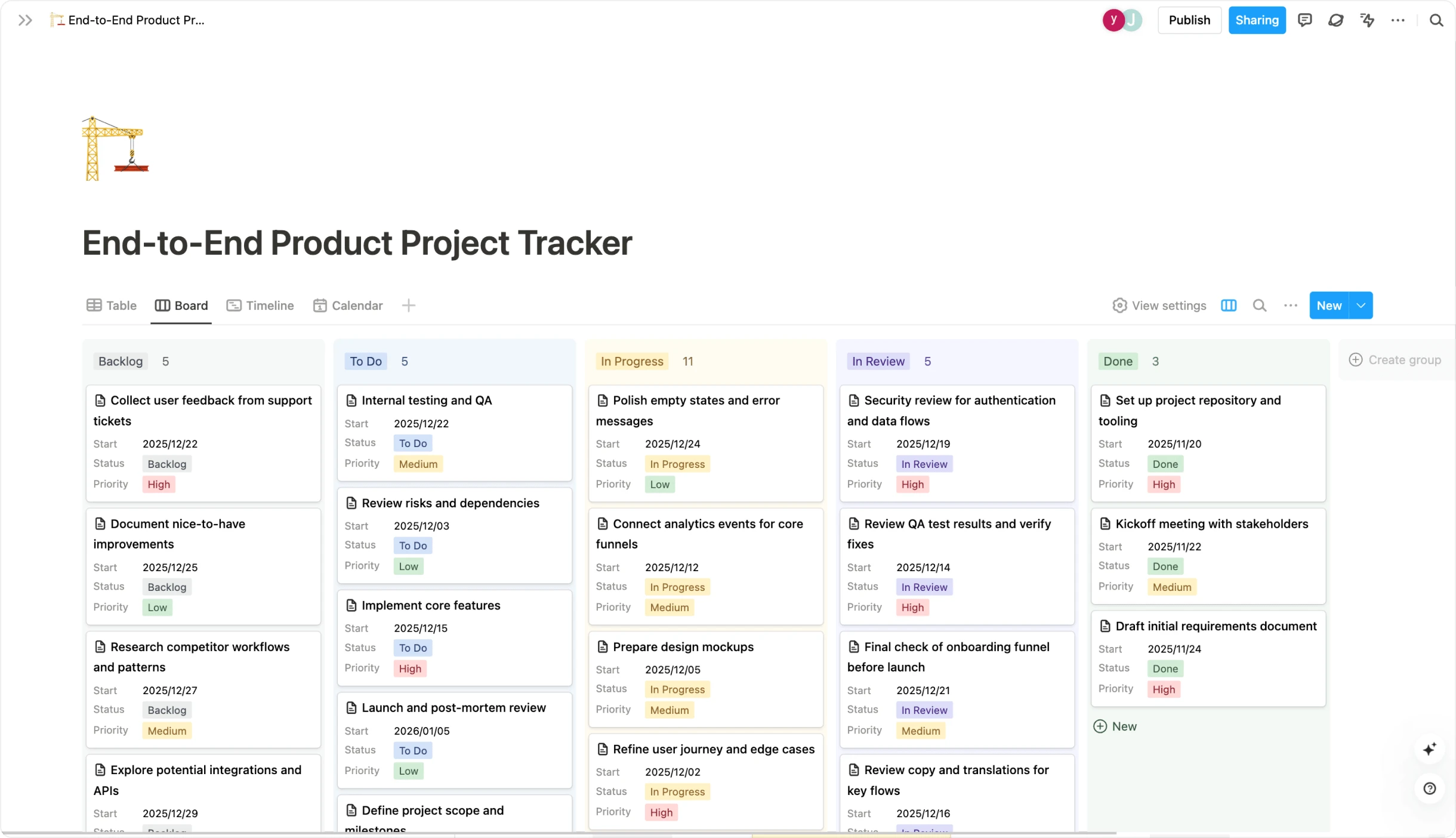
La ambición de Buildin va más allá de la nota tradicional. Su idea central es crear un espacio único para trabajar y crecer. Eso significa que no solo te ayuda a capturar y ordenar información, sino que incorpora colaboración potente y monetización nativa. Piénsalo como la unión de las bases de datos modulares y la colaboración de Notion con la monetización estilo Gumroad, todo dentro de una misma plataforma.
Su valor está en eliminar la fragmentación de herramientas. Quien crea contenido, vive del conocimiento o dirige un equipo en crecimiento no necesita saltar entre una app de notas, otra de proyectos, una pasarela de pago y un gestor de clientes. Desde capturar la idea y redactar hasta la revisión interna, el muro de pago y la gestión de suscriptores, todo el flujo ocurre dentro de Buildin. Eso mejora mucho la continuidad del trabajo y la eficacia de lo que produces.
Logseq: una red personal de conocimiento construida sobre la asociación
La filosofía de Logseq se asienta en la gestión del conocimiento personal, y en concreto en los enlaces bidireccionales y la edición por esquemas. Fomenta una escritura no lineal por bloques: cada nota se compone de bloques que se enlazan entre sí y van formando un grafo de conocimiento dinámico y muy personal. Su diseño local primero —los datos viven en tu máquina como archivos Markdown u Org-mode— lo hace especialmente atractivo para quien se toma en serio la privacidad y la propiedad del dato.
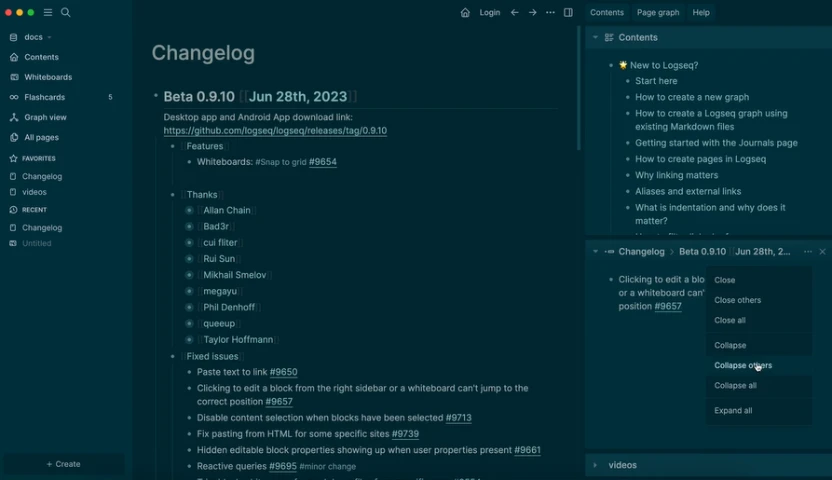
Su valor central es profundizar el pensamiento y la memoria. No aspira a destacar en maquetación ni en multimedia complejo: se centra en ayudarte a conectar ideas y a establecer relaciones entre piezas de conocimiento. Encaja de maravilla con investigadores, escritores, estudiantes y con cualquiera que trabaje intensamente con texto y construya marcos conceptuales con el tiempo.
II. Comparativa de funciones
La tabla resume las diferencias centrales. Dimensiones clave: modo esquema frente a documentos de formato mixto, diario frente a organización por bases de datos, grafo frente a kanban y tablas, almacenamiento local frente a colaboración en la nube, IA por plugins frente a IA nativa, y uso individual frente a espacio de equipo.
| Dimensión | Buildin | Logseq |
|---|---|---|
| Posicionamiento | Una plataforma integral que reúne notas, colaboración, gestión de proyectos y monetización. | Una herramienta de conocimiento personal centrada en enlaces bidireccionales, esquemas y una base local. |
| Interfaz y edición | Editor por bloques al estilo de Notion, con multimedia incrustado (imágenes, vídeo, código, Figma), estructura clara de páginas y bases de datos, y una curva de aprendizaje suave. | Esquematizador minimalista centrado en el texto y los enlaces. La interfaz es deliberadamente sencilla y hay que acostumbrarse a sus atajos y a su forma de interactuar. |
| Colaboración | Nativa y sólida: edición simultánea, permisos finos por página o base de datos, menciones, comentarios y asignación de tareas. | Más limitada: pensada sobre todo para uso individual. Colaborar suele depender de sincronizar archivos. Se trabaja en tiempo real sobre Logseq Database, pero aún no es un flujo maduro. |
| Monetización | Integrada como función de primer nivel. Puedes vender cursos, plantillas o artículos dentro de Buildin, con suscripción o compra única, y gestionar a tus suscriptores en un mismo sitio. | Sin funciones propias. Para vender hay que exportar y recurrir a plataformas externas como Gumroad o Ko-fi, lo que rompe el flujo. |
| IA | Muy integrada: asistencia de escritura, resúmenes, preguntas a la base de conocimiento, generación de mapas mentales y más. | Depende de plugins de la comunidad. Puedes conectar ChatGPT para resumir o reescribir, pero la IA no forma parte del diseño del producto y queda limitada. |
| Datos y despliegue | Nube más despliegue privado. Ofrece servicio en la nube listo para usar y, para organizaciones con exigencias de cumplimiento, permite instalar el sistema completo en infraestructura propia. | Local primero. Los datos viven en tu dispositivo y se sincronizan por iCloud, Git u otras nubes. No hay oferta oficial de despliegue empresarial. |
| Experiencia móvil | Apps oficiales para iOS y Android que permiten crear, editar, colaborar y consumir contenido con soltura. | También tiene apps oficiales, pero el esquema y la edición intensiva siguen pensados para el escritorio. |
| Coste de migración | Importación desde Notion en un clic mediante la API oficial, que conserva estructura, bases de datos y formato en la medida de lo posible. | Importa Markdown. Puedes exportar Notion a Markdown e importarlo, pero perderás las funciones de base de datos y tocará limpiar y reorganizar a mano. |
III. Casos de uso y perfiles
Al final, la elección depende de cómo piensas y de qué necesitas producir. Logseq encaja con quien piensa en esquemas y quiere una herramienta local con control total del Markdown, enlaces bidireccionales, grafo y diario. Buildin encaja con quien necesita conocimiento, seguimiento de proyectos y ayuda de IA en un mismo espacio multiplataforma, sin malabares con apps ni plugins.
| Escenario | Elige Buildin | Elige Logseq |
|---|---|---|
| Perfil habitual | Creadores de contenido, gente que vive del conocimiento, responsables de equipo, jefes de proyecto, empresas que buscan una alternativa seria a Notion y quien valora una experiencia coherente entre dispositivos. | Pensadores de fondo, investigadores, practicantes del método Zettelkasten, minimalistas y defensores de la privacidad. |
| Necesidades | Elige Buildin si necesitas convertir tu conocimiento en productos y venderlos (cursos, productos digitales, contenido de membresía); si quieres colaboración y gestión de proyectos en el mismo sitio que tus documentos; si te hace falta gobernanza del dato y despliegue privado; o si buscas un flujo integrado que una creación, colaboración y resultados de negocio de punta a punta. | Elige Logseq si quieres centrarte en una red de conocimiento profundamente personal y no lineal; si te importa mucho guardar los datos en local y controlarlos; si prefieres un entorno minimalista y sin distracciones; o si tu trabajo gira en torno al esfuerzo individual y la reflexión, sin apenas colaboración. |
| Ejemplos | Un entrenador personal usa Buildin para llevar una comunidad de pago, con planes de entrenamiento, guías de nutrición y contenido exclusivo. Un equipo de producto remoto lo usa como centro para gestionar requisitos, seguir errores y compartir recursos de diseño, de modo que todo el mundo vea siempre lo último en su contexto. | Una investigadora usa Logseq para enlazar notas de lectura y hallazgos teóricos, y va formando un grafo de conocimiento de su campo. Un escritor lo usa para aplicar el método Zettelkasten: desarrolla notas atómicas y las enlaza hasta armar la estructura de un futuro libro. |
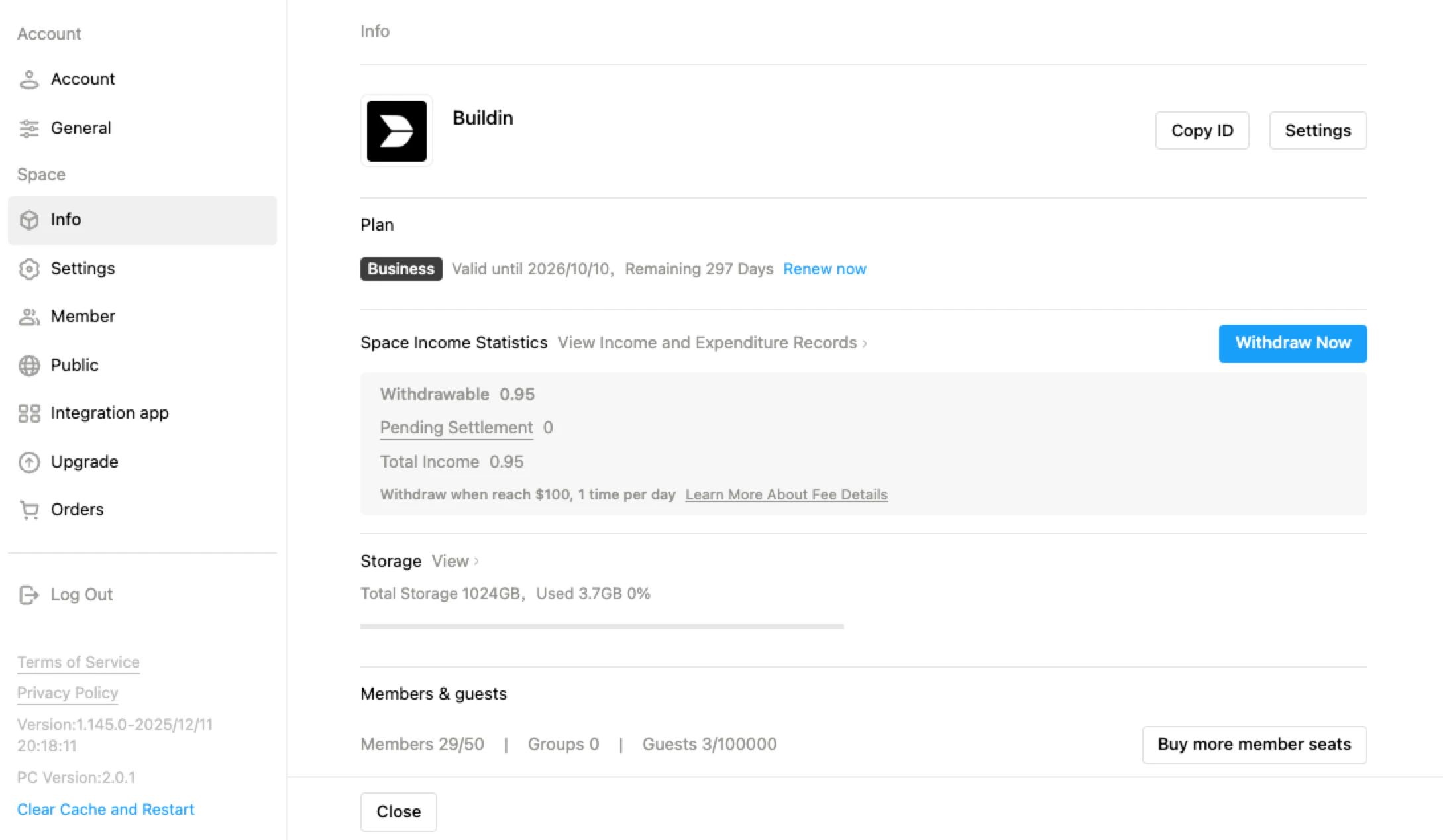
IV. A fondo: por qué Buildin es la primera opción si buscas crecer
Para quien quiere convertir el conocimiento en influencia e ingresos, las ventajas estructurales de Buildin pesan. Tres funciones lo separan especialmente de Logseq: la IA nativa sin configurar plugins, la colaboración integrada desde la base y las vistas de base de datos que permiten gestionar proyectos junto a los documentos, además de una capa de publicación que convierte tu espacio en contenido compartible.
Un circuito cerrado para quien trabaja con conocimiento: Logseq está pensado como herramienta personal; captura y conecta, y ahí se detiene. Buildin cierra el círculo: escribes, ordenas con bases de datos, colaboras con tu equipo y publicas directamente en una base de conocimiento, todo en una plataforma y sin integraciones de terceros.
Colaboración desde los cimientos: Logseq es en esencia una herramienta de una sola persona; su sincronización multiusuario está en fase beta y requiere servicios externos. Buildin trae colaboración en tiempo real en cada espacio: compartes páginas con permisos por rol, comentas en cualquier bloque, asignas tareas y trabajas con tu equipo desde cualquier dispositivo sin configurar nada.
IA nativa, sin plugins: la IA de Logseq llega vía extensiones de la comunidad, útiles pero dispersas y que hay que instalar en cada dispositivo. Buildin incluye un asistente que redacta, resume y genera esquemas dentro del propio editor. La IA forma parte de la plataforma, no es un añadido.

V. Preguntas frecuentes
| Pregunta | Buildin | Logseq |
|---|---|---|
| Si solo necesito notas personales, ¿cuál me conviene más? | Si crees que algún día querrás colaborar o monetizar, Buildin es la opción con más recorrido y te ahorra una migración dolorosa. Su edición y su organización también rinden muy bien en uso puramente personal. | Si tienes claro que nunca necesitarás equipo ni monetización y te obsesiona construir una red personal muy tupida, el minimalismo de Logseq y su foco en pensar y enlazar te resultarán más atractivos. |
| ¿Es más seguro lo local (Logseq) que la nube (Buildin)? | Buildin ofrece seguridad y copias de nivel profesional. Para una organización, su gran baza es el despliegue privado: el máximo nivel de control cuando los datos se quedan por completo en tu infraestructura. | Logseq traslada la responsabilidad al usuario. Evitas los riesgos de un proveedor de nube, pero asumes los del dispositivo: avería, pérdida o programas maliciosos. |
| ¿Cuesta migrar desde Notion? | La migración es muy suave. Buildin ofrece una importación por API que conserva estructura y contenido en la medida de lo posible y abarata el cambio. | Es más difícil y supone perder capacidades. Hay que exportar Notion a Markdown e importarlo, lo que implica renunciar a las funciones de base de datos y dedicar bastante tiempo a limpiar y reorganizar. |
Conclusión
Buildin y Logseq están bien construidos, pero sirven a formas de trabajar distintas. Logseq brilla en el pensamiento por esquemas, en el diario y en la navegación por el grafo: es la elección correcta si trabajas en solitario, piensas en viñetas atómicas y quieres un sistema local centrado en la privacidad. Buildin encaja mejor si colaboras con otras personas, necesitas IA sin configurar plugins o quieres gestionar proyectos y publicar contenido desde el mismo sitio.
Buildin persigue otro objetivo: no solo capturar conocimiento, sino conectarlo con tu equipo, estructurarlo en bases de datos y convertirlo en algo publicado, todo en una plataforma. Donde Logseq se detiene en tu grafo personal, Buildin se extiende a los espacios colaborativos, la gestión de proyectos y la IA integrada. Si se te ha quedado corta la gestión local y de un solo usuario, ese es justo el hueco que llena.
Si buscas una alternativa a Logseq que sume colaboración en tiempo real, IA nativa y un espacio completo sin perder el foco en la gestión del conocimiento, Buildin merece una mirada seria. Se empieza gratis, funciona en cualquier plataforma (Windows, Mac, iOS, Android) y no necesita plugins para desplegar lo esencial.

Lisa Wang
Attentive to the details of digital writing and productivity tools, and experienced in shaping scattered information into structured content. Responsible for product experience documentation, user feedback analysis, and initial content drafting at Buildin.