Core Features and Design Philosophy: A Closer Look at Buildin and OneNote
Buildin vs. OneNote: compare free-form note capture and handwriting with structured databases, AI knowledge management, and creator monetization.
Core Features and Design Philosophy: A Closer Look at Buildin and OneNote
Before we dive into the key differences, let's explore the unique strengths and design philosophies of both Buildin and OneNote.
Buildin: The All-in-One Structured Workspace
Buildin's design goal is to serve as a unified workspace that combines notes, project management, team collaboration, and content monetization. Its feature set revolves around "structure" and "creator empowerment."
1. Flexible Structure and Knowledge Network:
It employs modular pages and a nested structure, allowing content to be freely organized and linked. This makes it easy to build complex team knowledge bases (Wikis) or a personal second brain, which is highly beneficial for systematic knowledge construction.
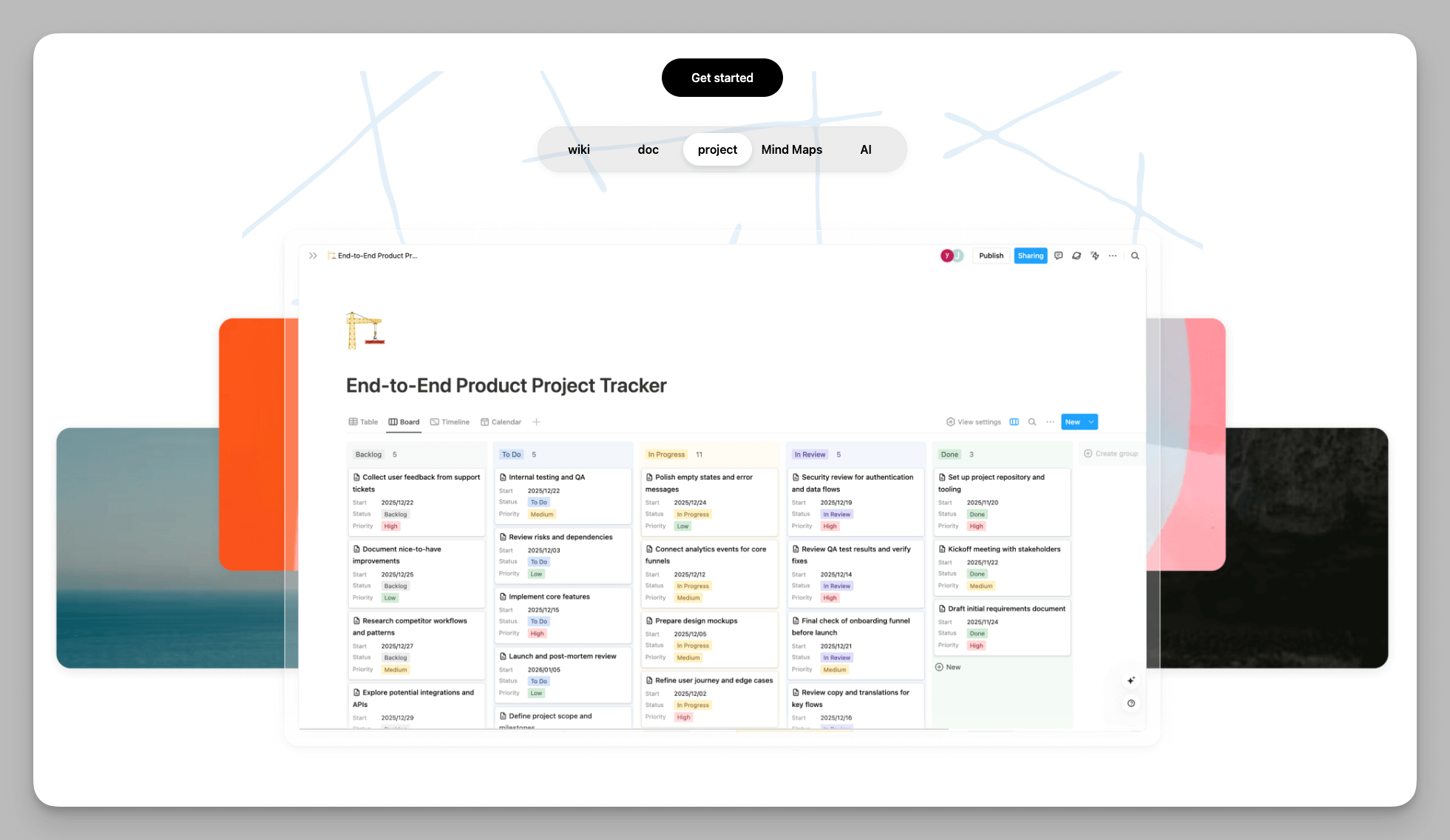
The core database function supports multiple views (tables, Kanban boards, calendars, lists). This means your notes are no longer static text, but manageable, filterable, and collaborative datasets, effectively realizing project management within your notes.
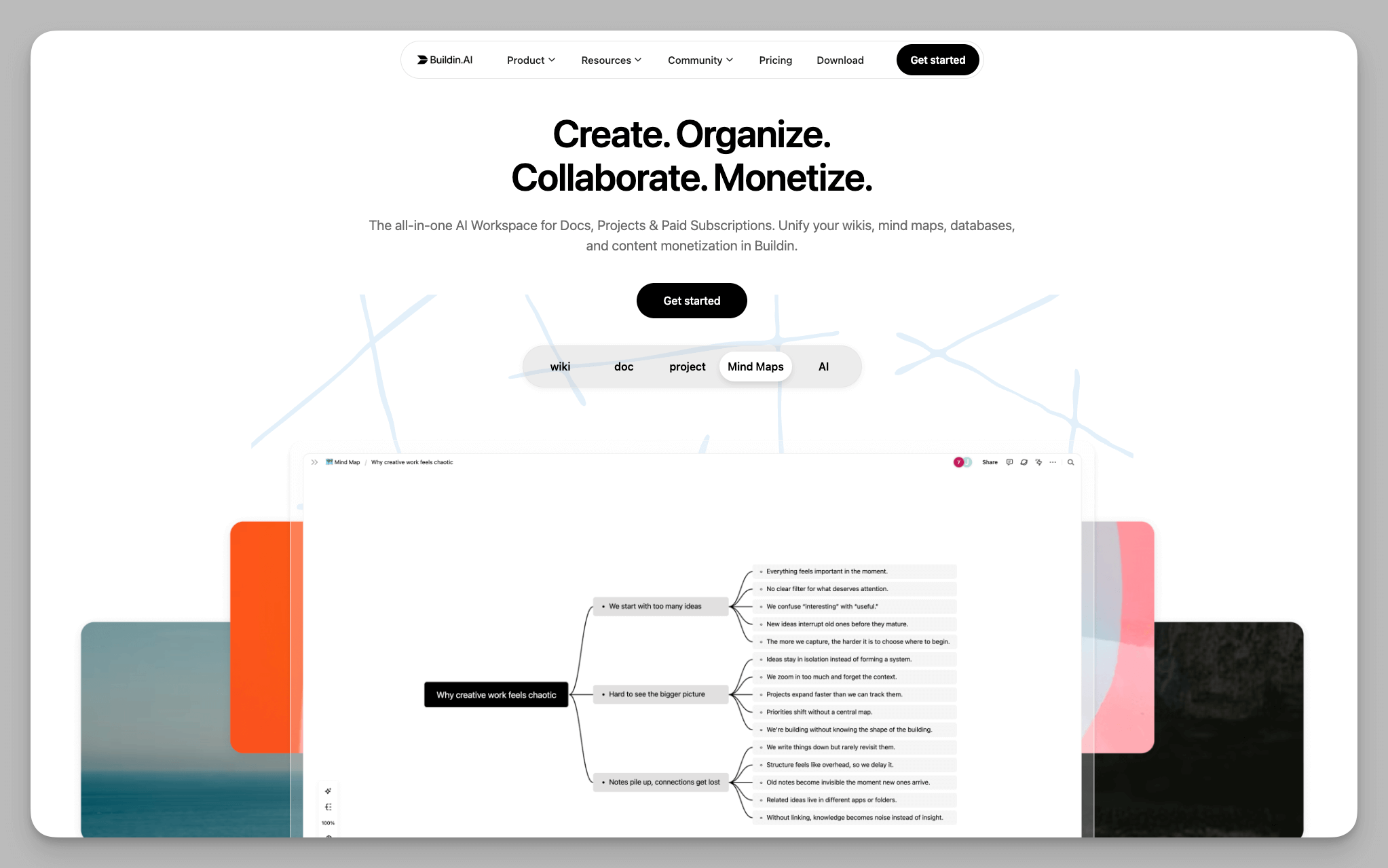
Built-in Mind Maps allow us to conduct visual thinking, project planning, and knowledge organization directly within the page.
Buildin includes a large number of professional templates for scenarios like project management, product development, and personal learning. You can quickly apply these templates and customize or extend them using the database features.
2. Content Monetization and the Creator Economy:
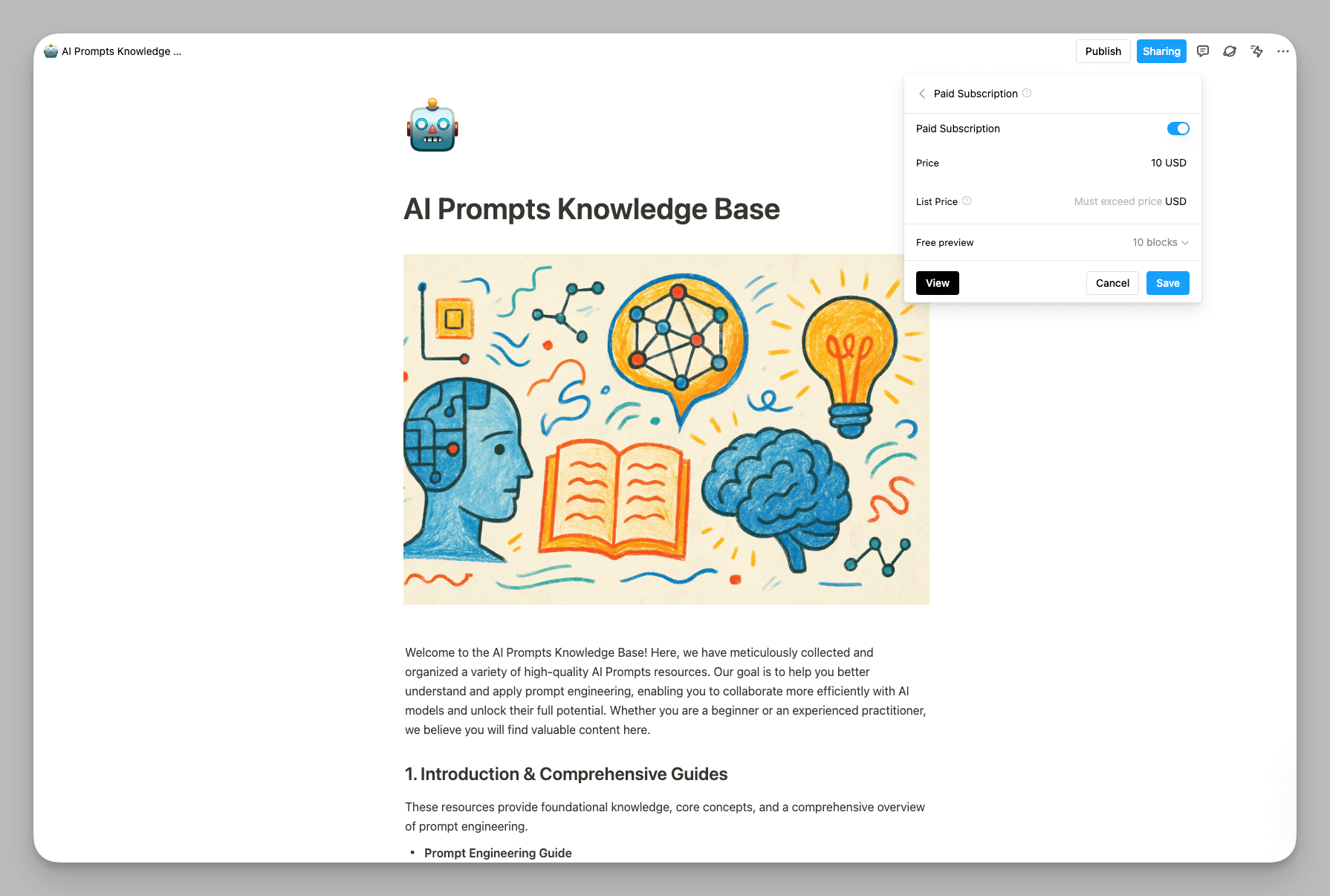
- Unique Paid Subscription Feature: This is a feature I personally find fantastic. As a creator, you can directly turn your notes, templates, or tutorials into paid content, setting subscription prices and models within the Buildin platform to create an end-to-end loop from creation to delivery and monetization.
3. AI Empowerment and Knowledge Management:
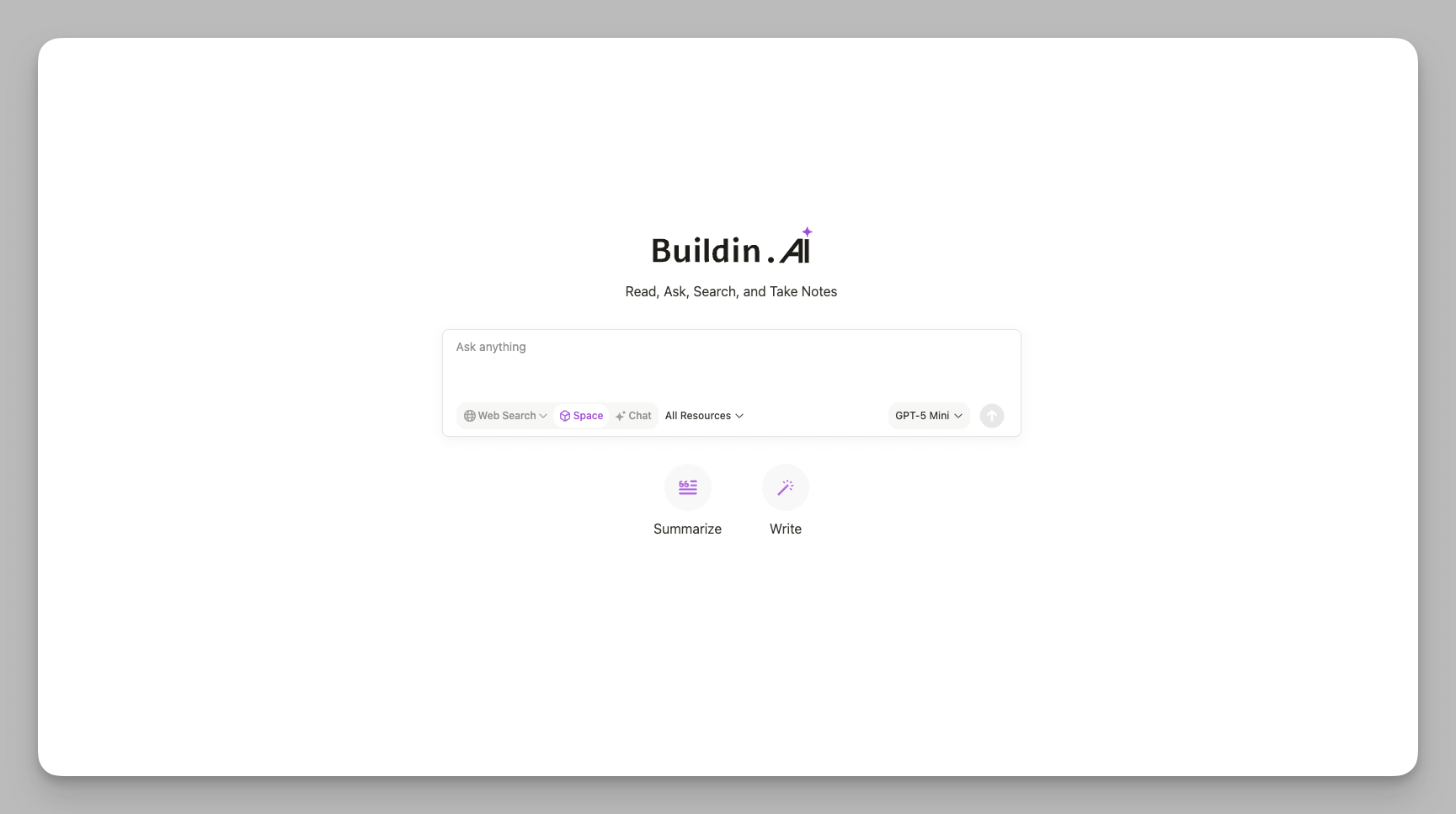
- It offers powerful AI Knowledge Base features, supporting smart search, intelligent summarization, and content generation across all your data, enabling rapid information retrieval and secondary utilization of knowledge.
4. Openness and Ecosystem Integration:
Powerful Integration Capabilities: The open API allows you to integrate deeply with external tools. The self-hosted version further allows enterprises to configure external LLM providers to build private AI knowledge query systems.
Efficient Data Migration: Buildin offers seamless import support for the Notion API, preserving the original workspace structure, which significantly simplifies the difficulty for users looking to switch platforms.
OneNote: The Free-Form Digital Scratchpad
OneNote's core advantage lies in its unrestrained note capture ability and its deep integration with the Windows and Office ecosystems, which I know many people appreciate.
1. Infinite Canvas and Free Layout:
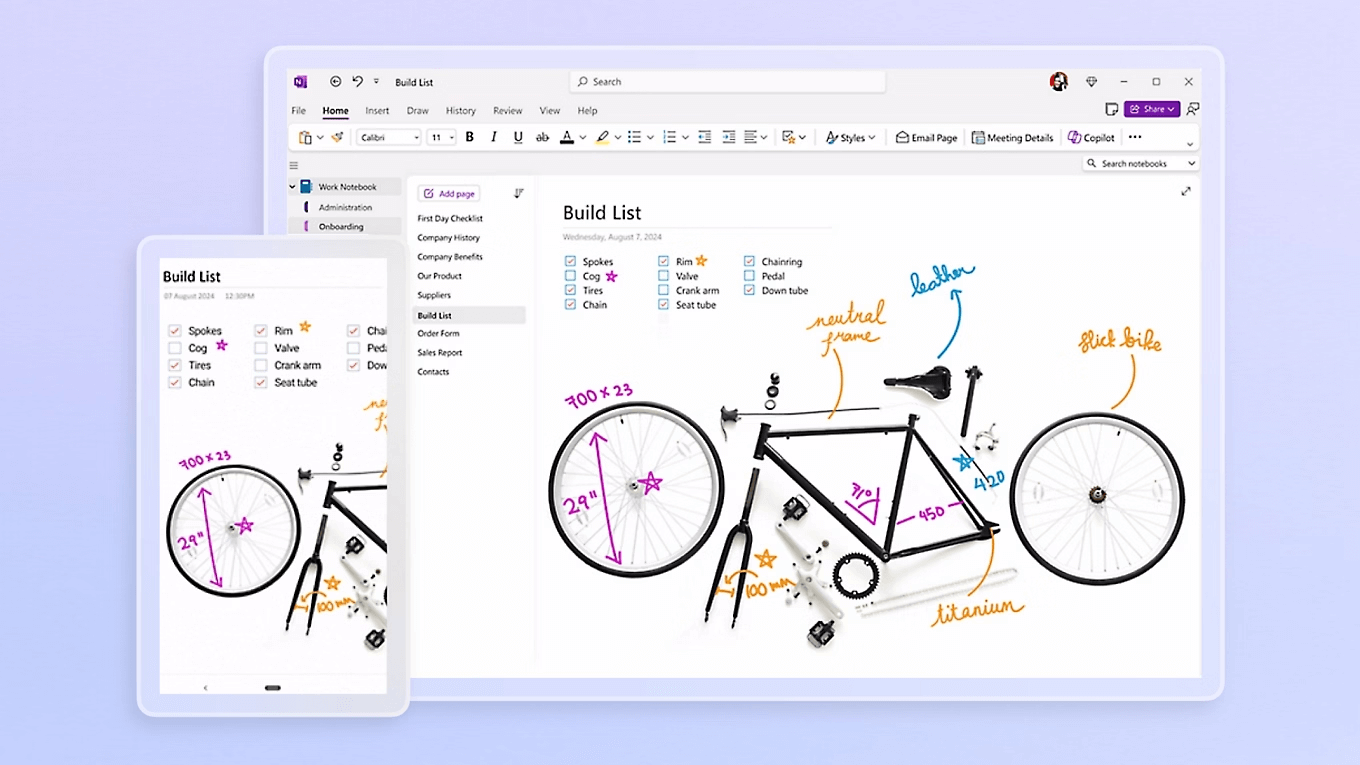
The OneNote page is an infinite canvas. You can click anywhere on the page to start typing, insert images, or tables. This high degree of freedom is perfect for quick notes, rapid brainstorming, and note-taking scenarios that don't require strict formatting. For example, you can quickly jot down key points and tasks in a meeting without worrying about format, or you can drag and arrange web clips, images, and your own handwritten annotations freely on a single page to collect recipes, organize research, or directly annotate imported PDF lecture notes. Its core advantage is letting you focus on the act of recording, rather than structuring your knowledge.
Flexible Organization Hierarchy: It uses the classic tiered structure: Notebooks > Sections > Pages. You can also create sub-pages within pages for multi-level note management, but it remains a document-based hierarchy.
2. Powerful Multimedia and Handwriting Support:
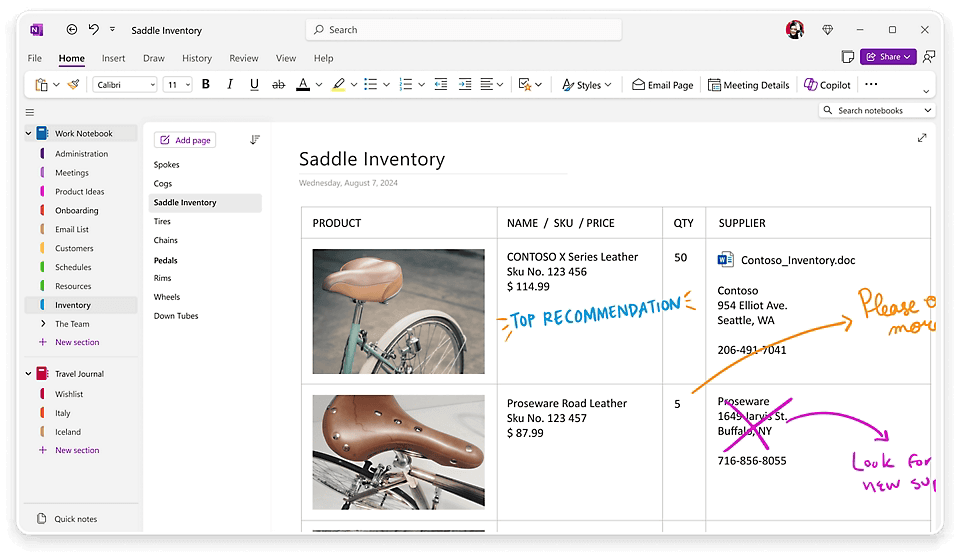
Digital Ink and Tools: Support for stylus and touch input is highly mature, offering rich pen tools and advanced features like ink-to-text and ink-to-math conversion. This is why many students and professionals who rely on tablet devices love it.
All-Around Content Embedding: It can easily embed audio, video, and screen clippings. Even more powerfully, OneNote can insert Office documents (like Word/PPT) as virtual printouts onto a page, allowing you to annotate directly on the file.
3. Powerful Search and Ecosystem Integration:
Efficient Content Retrieval: OneNote boasts industry-leading full-text search capability across notebooks, which can even search text within images (OCR) and handwritten ink, ensuring that captured information is always findable.
Deep Ecosystem Binding: As part of the Microsoft 365 suite, it integrates deeply with applications like Outlook and Teams. For example, you can instantly turn note content into an Outlook task, ensuring a seamless collaborative flow within the Microsoft ecosystem.
Who is Right for You? A Deep Dive into Three Key Areas
While Buildin and OneNote are both note-taking tools, their suitable scope and strategic directions have fundamental differences. I believe their three biggest core distinctions are:
1. Data Architecture: Free Canvas vs. Structured Database
This is the most fundamental difference, determining what you can do with the tool:
OneNote (Free Canvas): Emphasizes speed and flexibility in information capture. Notes are unstructured. You can freely drag and arrange elements on the page, much like a physical whiteboard or digital scratchpad. This design is ideal for quick brainstorming, casual annotations, or data collection that doesn't require strict format constraints. Its core strength is letting you focus on recording itself, not the structural organization of knowledge.
Buildin (Modular + Database): Emphasizes systemization and manageability of knowledge. Notes are structured. Through modularization and databases, you can define explicit properties (such as status, date, owner, and priority) for information. This means notes are not just documents, but actionable datasets. You can easily aggregate tasks scattered across different pages into a single Kanban view for centralized management, or build product roadmaps, complex team Wikis, and customized CRM systems.
2. Core Value and Business Model: Creator Monetization vs. Multi-Purpose Workspace
Buildin: As a multi-purpose workspace, Buildin broadly serves individual users, team collaboration, and content creators. It is not only a powerful personal note-taking system and project collaboration tool but also focuses on empowering content creators to realize value from their work. Its built-in paid subscription and sales features allow you to directly sell high-quality notes, templates, or tutorials to users, creating an all-in-one loop from creation to monetization. This is a significant advantage for creators like us, as content delivery can be completed within the same workspace.
OneNote: Focuses on individual and team collaboration within the Microsoft ecosystem. It does not offer a content monetization mechanism. As part of the Microsoft ecosystem, its core value lies in deep integration and being offered for free to Office 365 users, serving traditional personal note-taking and internal team collaboration scenarios.
3. Ecosystem Openness and Integration Capabilities
Buildin: The platform design is more open and flexible. Its open API allows you to perform deep integration with external tools for data synchronization and automated workflows, and supports connecting various custom AI models.
OneNote: Due to its deep binding with the Microsoft 365 ecosystem, its integration with applications like Outlook and Word is a huge advantage. While its Graph API is less flexible for deep automation (like third-party plugin ecosystems) compared to Buildin's open API, it supports cross-application automation via Zapier or Power Automate connectors and features mature web clipping tools (Clipper), allowing it to connect to external services to some extent. Data export is often in static formats, making it difficult to preserve the structural integrity of complex pages.
Key Feature Snapshot: An At-a-Glance Comparison Table
| Comparison Dimension | Buildin | Microsoft OneNote |
|---|---|---|
| Knowledge Organization | Modular content blocks, Nested pages, Powerful Databases | Notebooks, Sections, Infinite Canvas |
| Core Use Case | Project management, Team Wiki, Knowledge System Building | Quick capture, Handwriting annotation, Class/Meeting notes |
| Content Monetization | Native support for paid subscriptions/one-time purchase | Not supported (requires external tools) |
| Corporate Data Sovereignty | Supports Self-Hosted deployment for full data control | Default cloud hosting (OneDrive/SharePoint) |
| Handwriting/Drawing | Basic support, reliance on embedding | Excellent Digital Ink, Ink-to-Text/Math capabilities |
| AI Capabilities | AI Knowledge Base, Summarization, Web Search, Configurable External LLMs | Copilot integration, deeply bound to Microsoft AI ecosystem |
| Data Migration | Supports importing/exporting PDF/Markdown/CSV files, and seamless Notion API import | Standard export (PDF/Word retains visual layout, HTML retains structure but format is volatile), Structured data is difficult to migrate |
| Visualization Tools | Built-in Mind Maps, Database views | Primarily relies on freehand drawing or embedded images |
| Ecosystem Integration | Open API + MCP, supports cross-platform automation | Deep integration with Microsoft 365 suite, supports Zapier/Power Automate connectors, mature web clipping tools |
Conclusion: Tailored Recommendations for You
I recommend choosing Buildin if:
You need a structured system to manage projects, documents, and tasks, rather than just taking simple notes.
You are a content creator or paid knowledge provider who wants to complete creation, delivery, and monetization within a single platform.
Your team or company has strict data security and compliance requirements and needs to deploy all data on its own servers.
You are migrating from Notion and require a tool that can seamlessly import your existing complex structures.
OneNote might be a better fit for you if:
You are heavily reliant on the Microsoft 365 ecosystem and prioritize integration with Outlook and Teams.
You frequently use a stylus for freehand drawing, annotation, or complex mathematical calculations.
You simply need a flexible, unrestrained "digital scratchpad" for quick idea capture and casual information gathering.
For me, the best tool is always the one that truly integrates into your daily workflow. I hope this in-depth comparison helps you make the most informed choice!

Amara Elara
Specializes in visualizing complex processes and improving product education. Responsible for user support, product tutorials, and visual guides at Buildin, helping users improve tool adoption and overall productivity.