Buildin vs. Jira: The Ultimate 2026 Comparison for High-Growth Teams and Creators
In 2026, project management has evolved from simple task tracking to managing organizational intelligence. This definitive comparison explores the shift from Jira's legacy "ticket" system to Buildin's unified, AI-powered knowledge hub. Discover how modern teams and digital creators are leveraging Buildin to combine project execution, seamless Notion migration, and native content monetization in one high-performance platform.
In the professional landscape of 2026, the boundary between "working on a project" and "managing organizational knowledge" has completely dissolved. For decades, Atlassian Jira has been the powerhouse of the software industry, setting the standard for issue tracking and agile development. However, as teams become more decentralized and the demand for integrated AI and content monetization grows, a new leader has emerged: Buildin.
Choosing the right project management software comparison is no longer just about checking boxes for "Kanban boards" or "Gantt charts." It is about finding a tool that serves as a digital nervous system for your organization. In this deep-dive analysis, we will explore why Buildin vs. Jira is the most critical debate for decision-makers this year.
1. The Paradigm Shift: From Issue Tracking to Knowledge Intelligence
The fundamental difference between these two platforms lies in their core philosophy. Jira remains the standard for structured execution, while Buildin prioritizes a knowledge-first ecosystem.
Jira: The Legacy of the "Ticket"
Jira's architecture is built around the "Issue"—a discrete unit of work that moves through a workflow. While it has evolved into a highly integrated ecosystem with Confluence, it remains fundamentally a database of tasks. For many, this results in the "fragmented context" effect: though Jira and Confluence are linked, they remain two distinct worlds with separate subscriptions, often requiring manual effort to maintain the connection between "the work" and "the documentation."
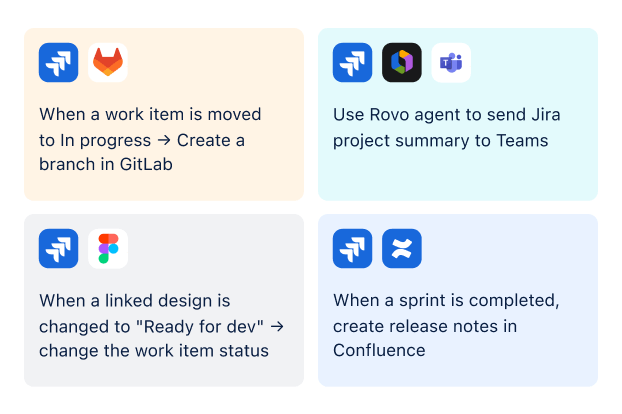 Examples of Jira Automation Workflows
Buildin: The Unified Knowledge Management System
Buildin flips this script. It is a comprehensive knowledge management system first and a project management tool second. In Buildin, every task is part of a living document. By combining flexible pages, nested databases, and intuitive editing, Buildin ensures that the "Why" (the strategy) is always connected to the "What" (the task).
For teams looking for a team collaboration tool that actually retains institutional memory, Buildin's approach is revolutionary. You aren't just moving tickets across a board; you are building a structured repository of intelligence that grows more valuable every day.
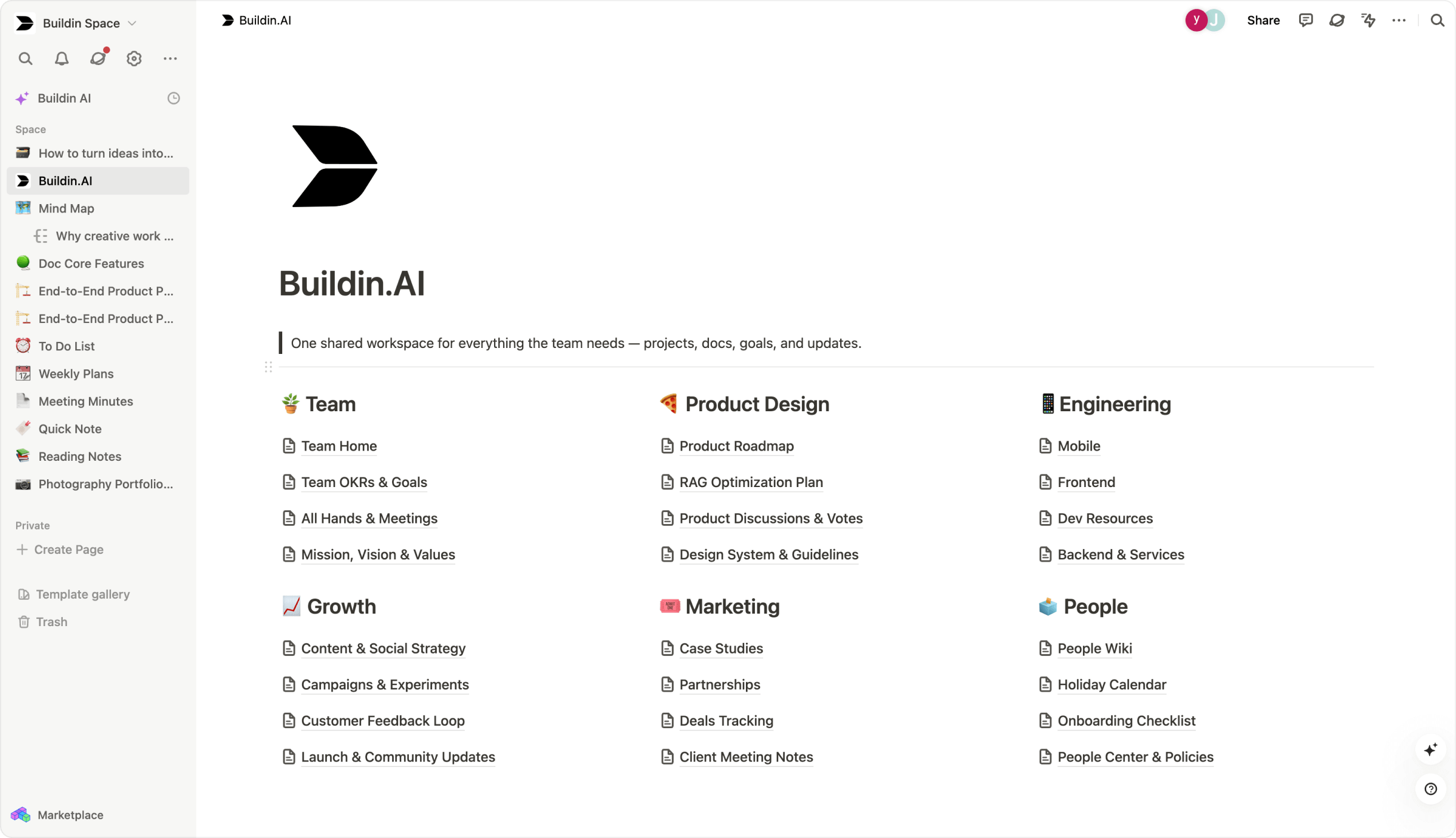 Buildin's All-in-one Workflow
2. AI-Powered Workflows: Beyond Simple Automation
By 2026, AI is no longer a "feature"—it is the engine of productivity. Here is how the two platforms compare in their AI-powered workflow capabilities.
Buildin's AI Knowledge Base
Buildin features a native, deeply integrated AI-powered knowledge base. Because Buildin hosts your notes, project plans, and databases in one place, its AI has a holistic view of your workspace.
Smart Retrieval: Instead of searching for "Project X specs," you can ask the AI, "What were the security concerns raised during the Project X kickoff?" and get a cited summary.
Content Repurposing: You can instantly transform a raw meeting transcript into a structured project plan or a client-facing status report.
Creative Partner: The AI doesn't just process data; it helps you brainstorm via the integrated Mind Maps feature, turning abstract ideas into structured project hierarchies.
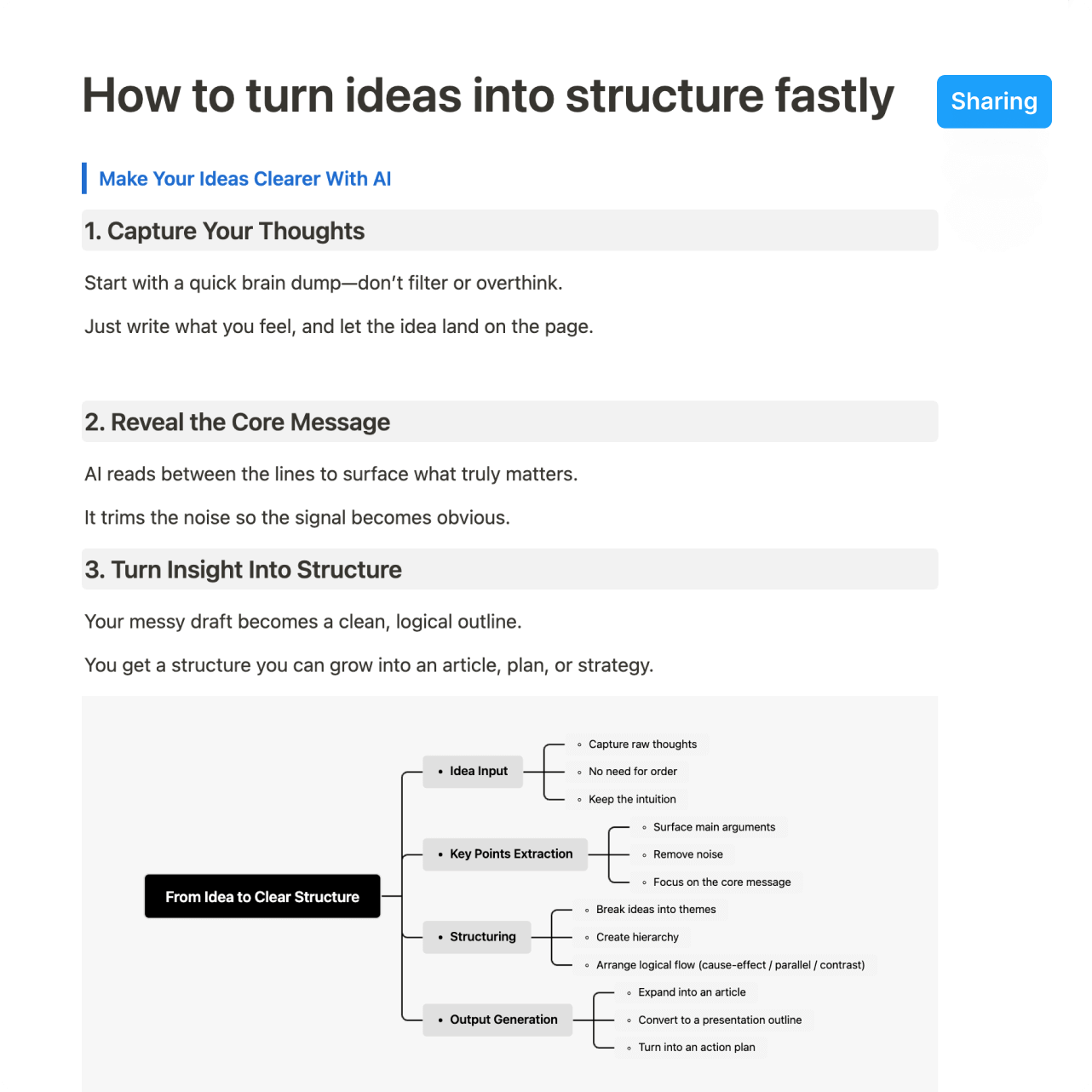 Buildin AI-Powered Insights
Jira's Atlassian Intelligence
Jira utilizes Atlassian Rovo, a powerful AI agent powered by the "Teamwork Graph." It excels at pulling data from Jira, Confluence, and third-party apps like Microsoft Teams to synthesize information. It is highly effective for technical automation—such as identifying risks or summarizing long comment threads—making it a formidable tool for large enterprise engineering teams.
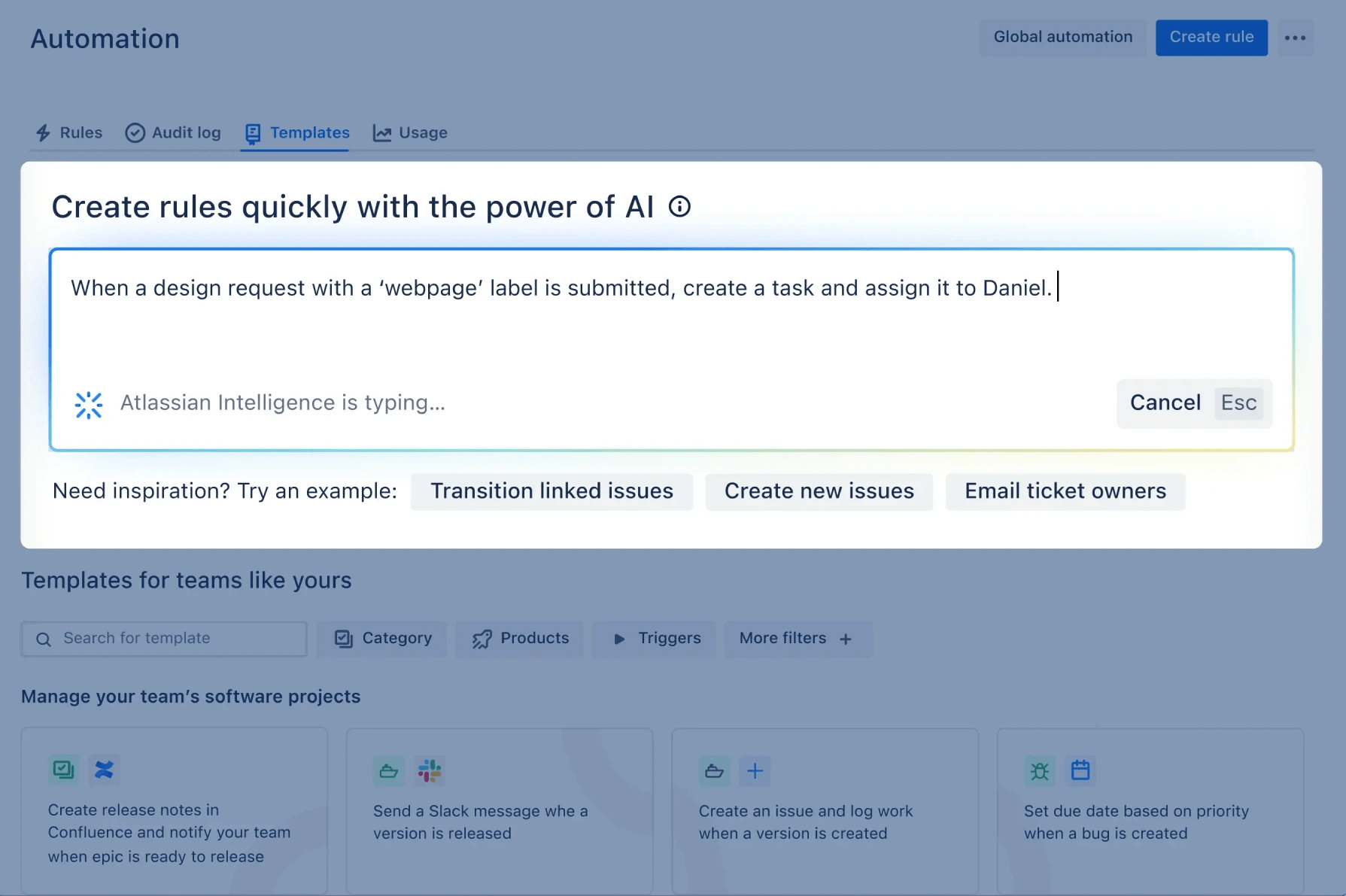 Use Rovo AI to create custom automations
3. Flexibility and the "Notion Alternative" Factor
Many teams are searching for a Notion alternative because they love Notion's flexibility but need more robust project management and better data security.
Why Teams are Migrating to Buildin
Buildin offers a Seamless Notion Import that is a game-changer for 2026. Unlike Jira, which requires complex CSV mapping that often breaks formatting, Buildin connects directly via the Notion API. This preserves:
Database relations and rollups.
Complex page nesting.
Media embeds and formatting.
This makes Buildin the logical upgrade path for teams that have outgrown Notion's speed or security limitations but aren't ready to surrender to Jira's rigid, "engineering-only" feel.
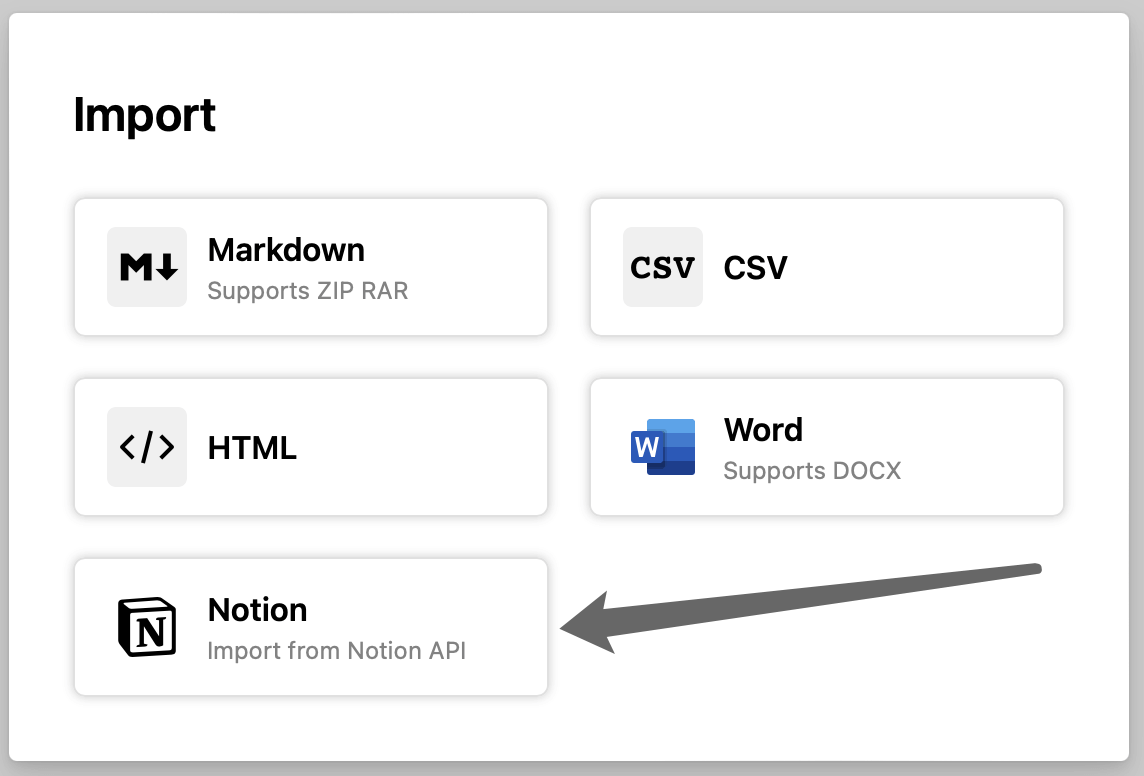 You can import from Notion API directly
The Configuration Threshold: Balancing Power and Agility
Jira offers immense power and granular control, but this comes with a significant configuration threshold. Because its architecture is designed for complex enterprise logic, modifying a workflow or adding custom fields often requires a certified Jira Administrator. For rapid-response marketing teams or early-stage startups, this dependency can create a "bottleneck" that slows down the speed of tactical adjustments.
In contrast, Buildin is built on a no-code philosophy. It allows any team member—regardless of technical background—to build and iterate on custom databases in seconds. By removing the "admin barrier," Buildin empowers cross-functional teams to maintain true agility, making it an ideal agile project management solution for organizations that prioritize speed and ease of use over enterprise-grade complexity.
4. The New Frontier: Content Monetization for Creators
One of the most significant "Information Gains" in this comparison is a feature Jira simply does not possess: Content Monetization & Paid Subscriptions.
In 2026, the "Creator Economy" has moved inside the enterprise. Experts, consultants, and educators need ways to sell their expertise.
Buildin for Creators: You can take your best templates, tutorials, or industry-specific knowledge bases and turn them into a recurring revenue stream. With built-in payment processing, your "notes" become a product.
No Third Parties: You don't need Gumroad or Patreon. Your subscribers get access directly within the Buildin environment, ensuring a premium, ad-free experience.
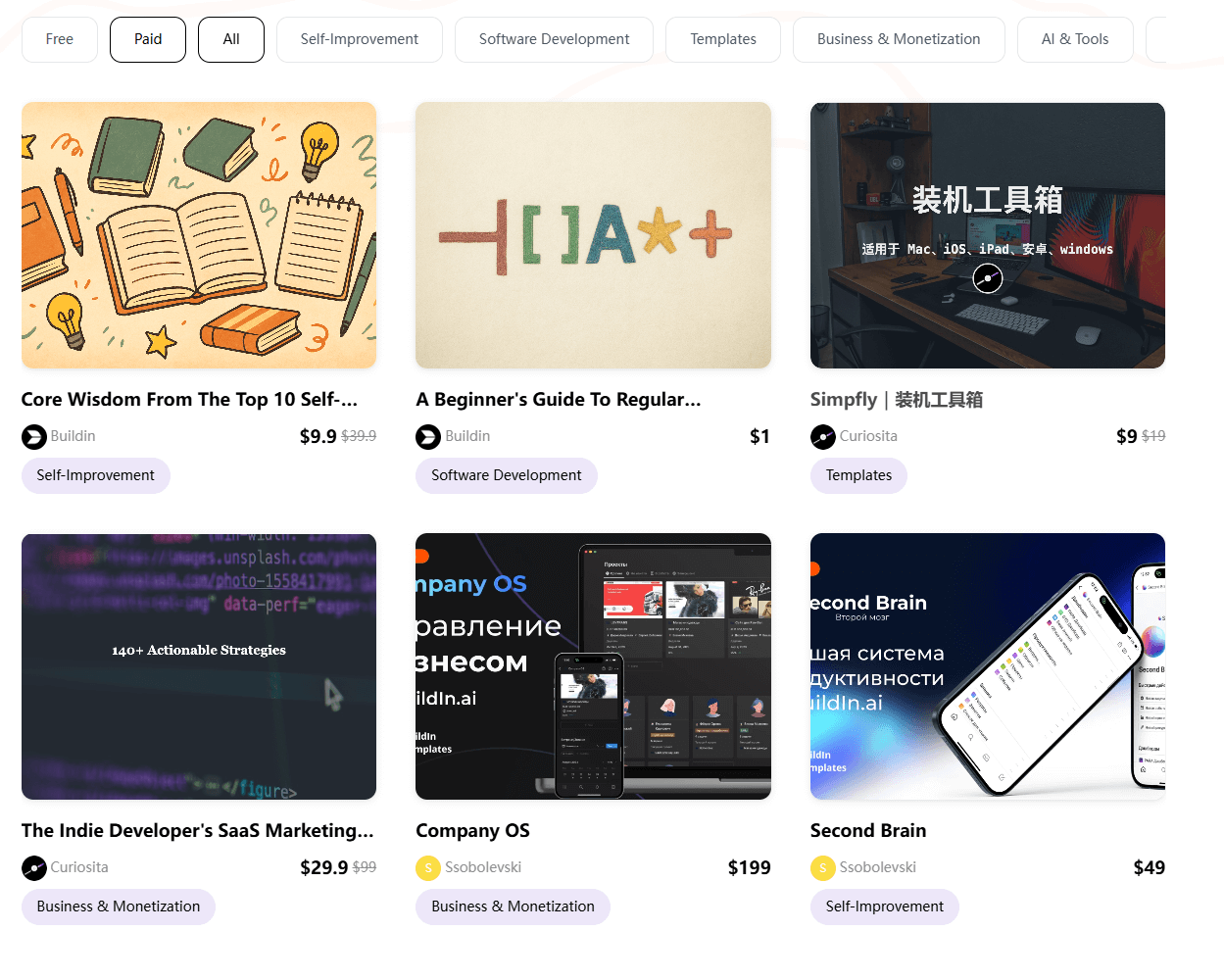 Buildin's Marketplace
Jira is built for internal cost-tracking. Buildin is built for value creation and distribution. If your business model involves selling knowledge, there is no contest.
5. The 2026 Pricing Battle: Cost vs. Value
Pricing is often the deciding factor. In 2026, the cost of "tool sprawl" is a major concern for growing teams.
Buildin Pricing: All-in-One Value
Buildin uses a transparent, member-based model that includes AI and advanced collaboration tools without needing five different plugins.
Free Tier: Unlimited pages for individual use and basic database features; workspaces with two or more members are capped at 1,000 blocks.
Plus Plan ($10/user/mo): Adds unlimited mind map nodes and advanced file management.
Business Plan ($15/user/mo): Unlocks full team collaboration, space management, and permissions.
AI credit packs (from $10/mo): Add 3,000 AI credits per month and advanced PDF analysis.
Enterprise: Custom pricing for private enterprise deployment and white-labeling.
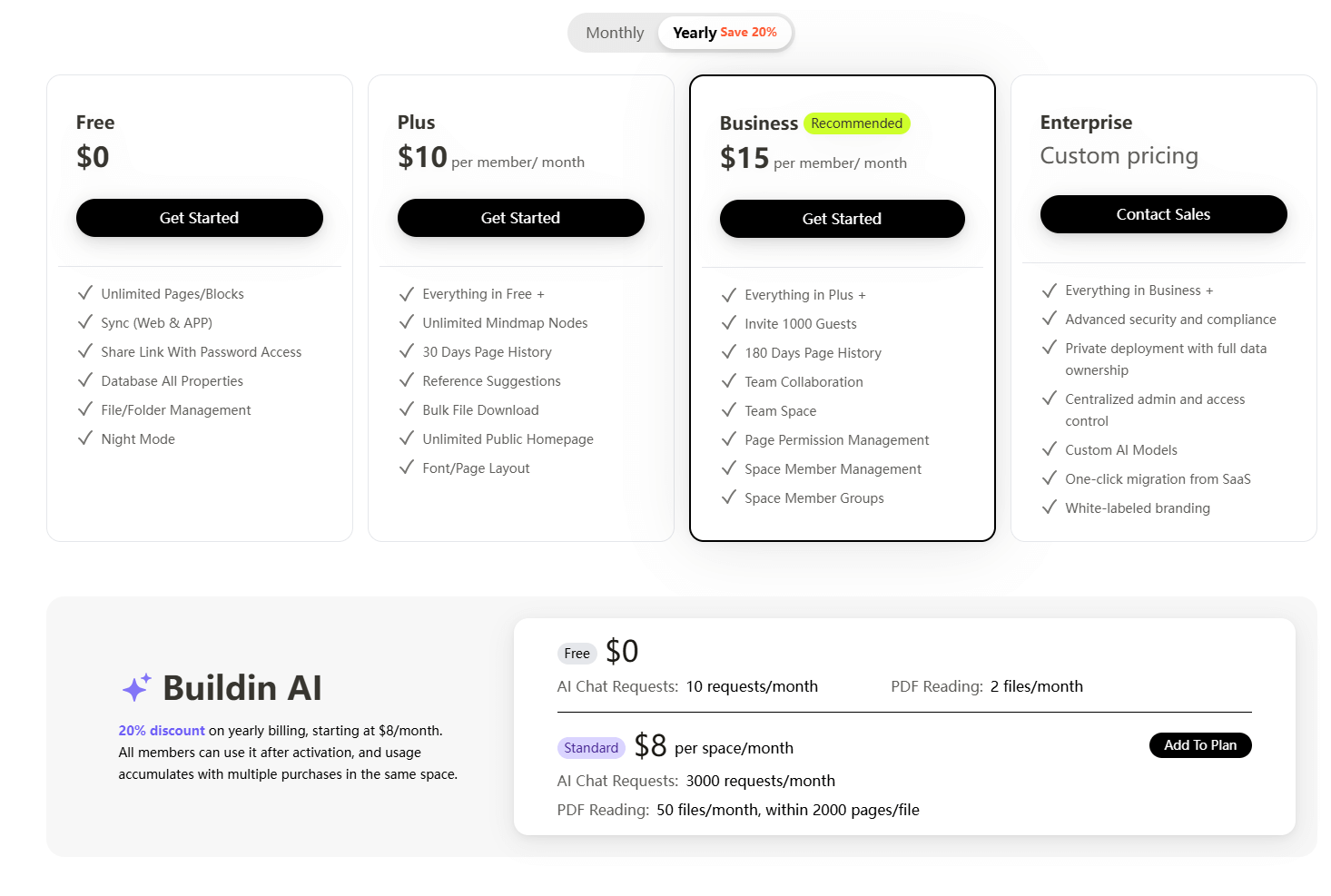 Buildin's Price page
Jira Pricing: The Per-Seat Powerhouse
Jira's pricing is tiered but often hides the cost of the "Atlassian Suite."
Free: Up to 10 users (limited storage/features).
Standard ($7.91/user/mo): Basic project management with 250GB storage.
Premium ($14.54/user/mo): Adds advanced roadmaps, unlimited storage, and 24/7 support.
Enterprise: Bespoke pricing with advanced security and unlimited automation.
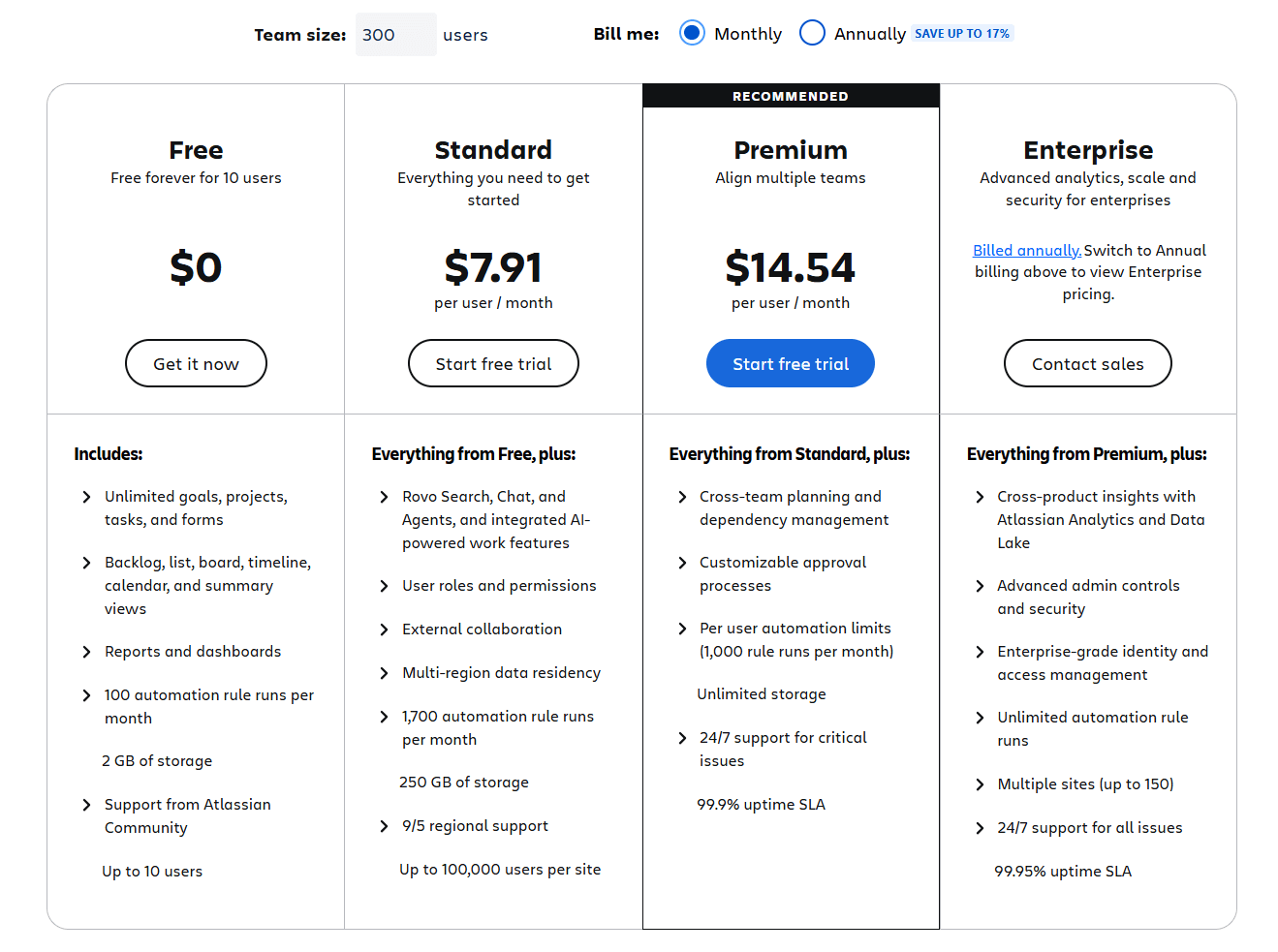 Jira's Price page
6. Security, Privacy, and Enterprise Data Security
As AI agents become more prevalent, enterprise data security has become the top priority for CTOs.
Buildin's Private Enterprise Deployment
For organizations with strict compliance requirements (FinTech, GovTech, Healthcare), Buildin offers Private Enterprise Deployment. You can host the entire platform on your own infrastructure. This ensures that your proprietary data—the data your AI is learning from—never leaves your controlled environment.
Jira's Cloud-First Strategy
While Atlassian offers a "Data Center" version, their primary focus has shifted almost entirely to the Cloud. For many, this is acceptable, but it lacks the granular "on-premise" control that Buildin provides to its enterprise partners. Buildin gives you the modern UX of a 2026 SaaS tool with the security of a legacy self-hosted system.
7. Strategic Comparison: Which Tool Fits Your Needs?
Choose Buildin if:
You want an All-in-One Hub: You are tired of switching between Slack, Notion, Jira, and Miro. You want notes, tasks, and mind maps in one place.
You Value Knowledge Retrieval: You want an AI that actually knows your business history and can help you make decisions.
You are a Modern Creator: You want to monetize your templates, articles, or courses directly.
You are Migrating from Notion: You need a seamless, one-click transition that doesn't lose data.
You Need Data Sovereignty: You require private, on-premise hosting for maximum security.
Choose Jira if:
You are a Massive Dev Shop: You have 1,000+ developers who strictly follow the SAFe (Scaled Agile Framework) and need deep integration with Bitbucket.
You have a Jira Admin: You have the resources to employ someone specifically to manage the complexity of the tool.
You are Locked into Atlassian: Your entire company is already using the full Atlassian suite and the friction of moving is too high.
Final Verdict
The Buildin vs. Jira debate highlights the evolution of work. Jira is a 20th-century tool that has been masterfully updated for the 21st. Buildin is a 2026-native platform built for a world where knowledge, collaboration, and monetization are inseparable.
For the vast majority of modern teams, Buildin offers a faster, more intuitive, and more profitable way to work. It bridges the gap between "writing things down" and "getting things done."
Ready to revolutionize your workflow?
Try Buildin for Free Today and experience the power of a truly unified knowledge and project hub.

Sency Shen
Skilled in content structuring, topic breakdown, and background research, with a strong interest in knowledge management and content workflows. Responsible for research, information organization, and foundational content preparation at Buildin.