Buildin vs. Google Keep: The Complete Evolution Guide from "Sticky Notes" to a "Digital Brain"
Buildin vs. Google Keep: keep the speed of quick capture, then move what matters into structured pages, databases, AI knowledge management, mind maps, team collaboration, and built-in paid subscriptions.
In the digital notes ecosystem, Google Keep occupies a unique niche. For most users, it's the digital equivalent of sticky notes: lightweight, fast, and seamlessly integrated with the Google ecosystem. When you need to capture a fleeting idea, snap a photo of a receipt, or jot down a grocery list, Keep is an almost flawless tool.
However, as information accumulates, many users encounter the limits of the "sticky note" model. When you try to transform hundreds of fragmented notes into an organized knowledge system, or need to manage complex project collaboration with a team, the tool's constraints become apparent. This is the fundamental reason users begin searching for a Google Keep alternative.
This article will delve into Buildin vs. Google Keep from a systems-thinking perspective. We'll move beyond a basic feature checklist to analyze the essential differences in their underlying logic, core capabilities, and value creation for business, helping you make a rational choice based on your current needs stage.
Divergent Core Logic: The Linear Stream vs. The Structured System
The key to understanding these two note-taking apps lies in their differing design philosophies.
Google Keep: The Linear "Capture" Tool
Google Keep's core design serves "speed." Its interface mimics a physical wall of sticky notes, relying on a timeline and labels to organize information.
Strength: Extremely low cognitive load. Open and write without thinking about which folder to use.
Limitation: Lack of hierarchical structure. As note counts reach the thousands, reliance on colors and labels for retrieval becomes inefficient. While Google Keep has gradually rolled out basic rich-text features (like H1/H2 headings, bold text) on Android and web, this hasn't changed its fundamentally "flat" storage nature.
Buildin: The Multi-Dimensional "Operating System"
Buildin is built on a logic of hierarchy and interconnectivity. It's not just a container for text, but a knowledge base that supports infinite nesting.
Structure: Supports page nesting (Page inside Page) and multi-view databases (Tables, Boards, Calendars, etc.).
Value: It allows users to restructure fragmented information into organized knowledge assets. For example, you can start with an idea note, expand it into a project document, and link it to specific tasks.
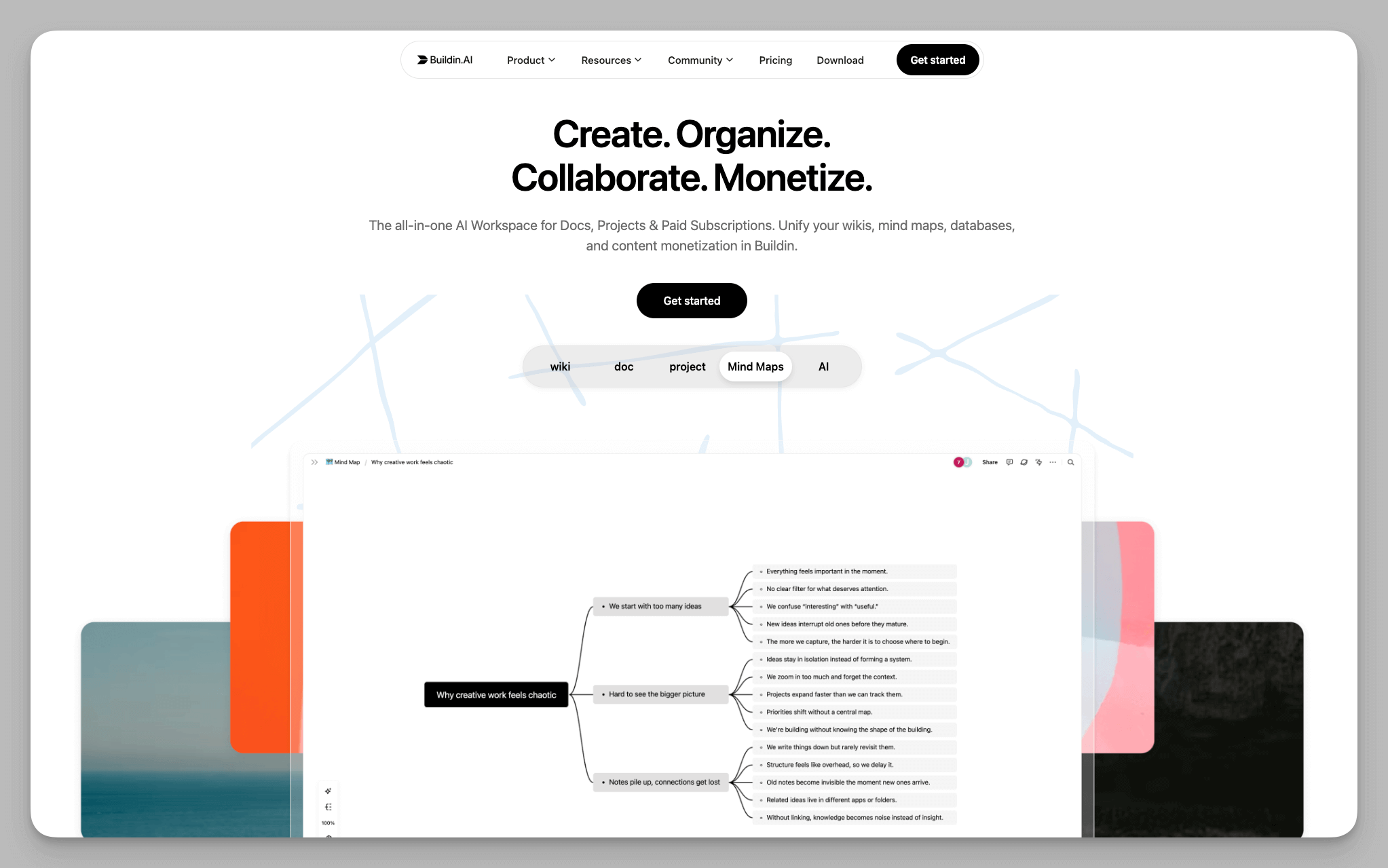 Buildin workspace with mind maps, pages, and structured content
Deep-Dive Feature Analysis: Core Differences That Define Your Workflow's Ceiling
To provide genuine information gain, we won't discuss basic functions like "typing text." Instead, we focus on the core dimensions that determine the "ceiling" of your workflow.
1. Information Organization: From "Searching" to "Indexing"
In Google Keep, information often exists in isolation. While you can find specific notes via keyword search, establishing logical connections between notes is difficult.
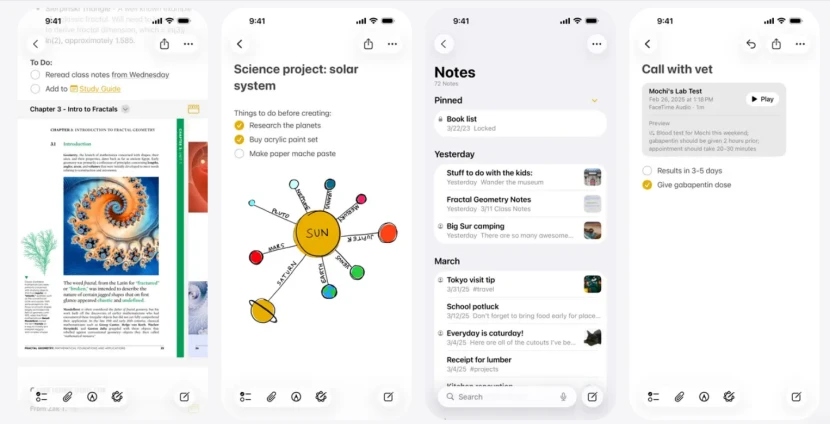
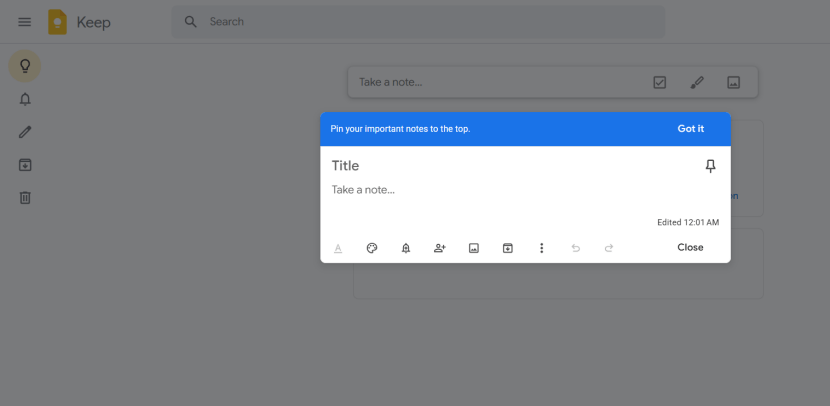 Google Keep note editor for quick text capture
Buildin introduces Notion-like capabilities with bidirectional linking and database functionality.
Relational Databases: You can create a "Client Database" and a "Meeting Notes Database," linking them to form a networked knowledge structure.
Field-Based Indexing & Multi-View Management: Index information using properties (e.g., Date, Owner, Status, Topic) and use Table, Board, Calendar views to filter and locate data. For long-term knowledge management and project documentation, this "index-first, retrieve-later" approach is often more robust.
2. Content Value: From "Storage" to "Monetization"
This is the most differentiated area and a core reason many creators choose Buildin.
Google Keep: Is a pure cost center. You store information there, it sits quietly, primarily for your own reference.
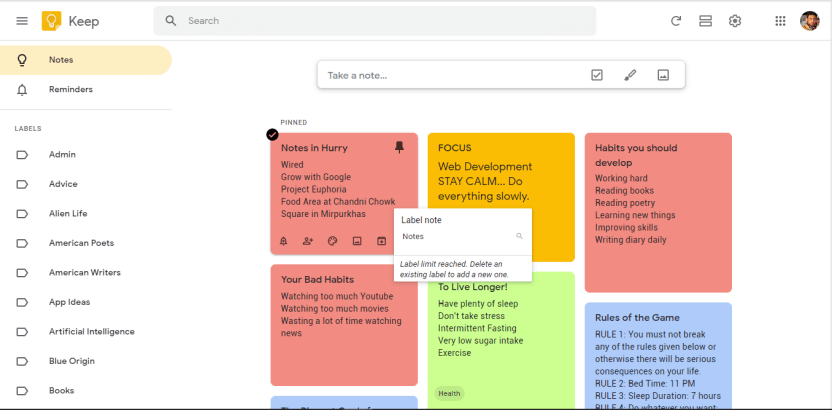 Google Keep notes organized with colors and labels
Buildin: Features built-in content monetization modules. If your notes contain high-value industry insights, teaching SOPs, or design templates, you can directly turn them into paid products.
Subscription Model: Supports paywalls. Subscribers can read content directly within Buildin.
Seamless Delivery: No need to export to PDF and upload to a third-party platform. Your workspace is your delivery platform.
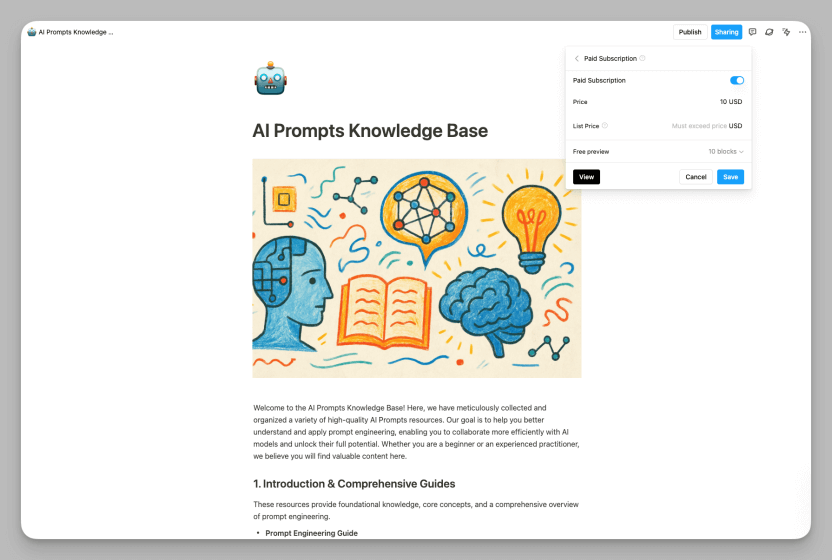 Buildin page with paid subscription settings for a knowledge base
3. Collaboration Model: From "Sharing" to "Governance"
Google Keep's collaboration is geared toward the "family/personal" level. You can invite others to edit a list, but this is limited to simple text sync, lacking permission controls and audit trails.
Buildin is designed as a team collaboration platform for "teams/businesses."
Granular Permissions: Supports page-level permissions (View, Edit, Comment).
Enterprise-Grade Security: For companies with strict data sovereignty requirements, Buildin offers private/self-hosted deployment, ensuring data stays on the company's own servers, not on a public cloud—a level of security Keep, as a consumer-grade product, cannot provide.
4. AI Empowerment: From "Recognition" to "Generation"
Google Keep's AI focuses on input convenience—OCR (Optical Character Recognition) and voice-to-text.
Buildin's AI-Powered Knowledge Base focuses on processing and output.
Intelligent Search & Q&A: The AI indexes your entire knowledge base. You can ask questions conversationally, and it generates answers based on your past notes.
Content Assistance: AI can summarize long texts, refine tone, or even generate new blog posts or reports based on existing notes.
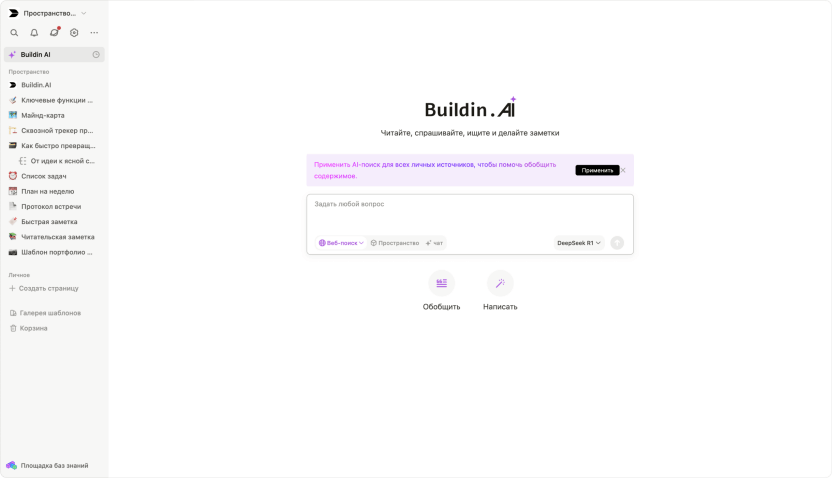 Buildin AI knowledge base interface for searching and summarizing notes
Three More Stable Usage Strategies: Use Buildin and Keep Where They Are Best Suited
Understanding the tools is key, but integrating them into your life is crucial. We don't recommend a forced, all-or-nothing switch. Here are three validated, efficient combination strategies:
Strategy A: Keep as "Inbox," Buildin as "Archive & Output"
Best For: Students, new professionals, anyone moving from fragmented notes to systematic management.
How-To:
Quick Capture: Leverage Keep's speed for on-the-go ideas, voice memos, screenshots.
Weekly Review: Set a fixed 30-minute "Inbox Zero" session weekly. Transfer valuable notes from Keep into Buildin, organizing them into pages/databases by topic or project.
Keep It Light: Maintain only the last two weeks' temporary items in Keep. Archive or delete after processing to avoid clutter.
Strategy B: Buildin as Primary Hub, Keep for "Extreme Speed"
Best For: Experts with established knowledge bases, project-based workers.
How-To:
Central Hub: Manage all project docs, SOPs, templates, and tasks in Buildin—your "main battlefield."
Emergency Buffer: Use Keep only for "moments when opening Buildin is inconvenient"—e.g., one-handed operation on a crowded subway, or quickly saving a phone number.
Daily Sync: At day's end, migrate that day's 3-5 key items from Keep into their relevant Buildin projects.
Strategy C: Use Keep Only—But Use It Right
Best For: Those focused on life lists, with small note volumes and no complex project needs.
How-To:
Limit Labels: Strictly cap labels at 10 or fewer. More labels increase maintenance overhead and chaos.
Zone Management: Use "Pin" for the current task zone (Hot Zone) and "Archive" for cold storage (Cold Zone) to keep the main interface clean.
Regular Backups: Keep isn't a permanent vault. Manually export or back up important content monthly to avoid over-reliance on a single cloud service.
Comparison Table: Buildin vs. Google Keep
| Dimension | Google Keep | Buildin |
|---|---|---|
| Product Positioning | Lightweight Notes & Quick Capture | Notes & Knowledge Management Workspace (Personal/Team) |
| Core Data Structure | Independent Notes (Flat) | Page Hierarchy + Databases (Structured) |
| Organization Method | Labels, Colors, Pinning, Search | Page Nesting, Database Multi-Views, Relations |
| Ideal Content Granularity | Short Text, Lists, Temporary Memos | Documents, Project Docs, Knowledge Bases, Template Systems |
| Retrieval & Navigation | Primarily Keyword Search (Finds an item) | Indexed Management (Properties/Filters/Views/Links; Finds a category or a chain of information) |
| Content Creation & Layout | Basic Rich Text (Lightweight Editing) | Editing for Long-form & Structured Content Creation |
| Structured Thinking | Simple Drawing/Doodling (For Recording) | Mind Maps for structuring thought, with nodes convertible to doc pages (For Shaping & Solidifying) |
| Collaboration Model | Shared Note Co-editing | Team Workspace Collaboration (Permissions, Spaces, Knowledge Building) |
| Permissions & Governance | Lightweight Sharing | Granular Page-level Permissions & Collaboration Governance |
| AI / Smart Features Focus | Input Enhancement (Voice-to-Text, OCR) | Knowledge Base Retrieval, Summarization, Content Generation (Processing & Output) |
| Content Delivery & Monetization | Not a Core Path for Delivery/Paid Content | Supports Paid Content & Subscriptions (Integrated Content Delivery) |
| Migration & Extensibility | Primarily Google Ecosystem Integration | Supports Notion Import |
| Deployment & Data Control | Consumer Cloud Service | Enterprise Options (e.g., Private Deployment) |
| Typical Use Cases | Personal Quick Notes, Lists & Reminders, Temporary Info Gathering | Project Documentation, Team Wikis, Writing & Reuse, Content Productization |
The Final Verdict: Buildin vs. Google Keep – You're Choosing a "Way of Working"
In this Buildin vs. Google Keep comparison, there's no absolute winner—only what "fits."
If what you want is:
- To jot things down quickly, open the app instantly, and leave after writing just a few lines.
- To mainly handle life to-do lists, temporary notes, and lightweight family collaboration.
Then, Google Keep is still a great fit.
If you are looking for:
- A more systematic note-taking app and knowledge management system (featuring pages, databases, templates, and structured content archiving).
- A more comprehensive team collaboration workspace (with space segmentation, permission control, and member management).
- Or even the ability to monetize your content through paid subscriptions or one-time sales—turning your knowledge directly into products.
Then, you are more likely to reap "long-term, increasing value" with Buildin—where the longer you use it, the more it pays off.
Here is our conclusion: Keep is for "capturing," while Buildin is for "cultivating." Once you clearly understand which stage you are stuck at, the choice becomes clear.

Lisa Wang
Attentive to the details of digital writing and productivity tools, and experienced in shaping scattered information into structured content. Responsible for product experience documentation, user feedback analysis, and initial content drafting at Buildin.