Buildin vs. Gumroad: Why Creators Are Switching to "Living" Knowledge Ecosystems (2026 Guide)
Tired of paying Gumroad's 10% tax on every sale? Discover why modern creators are switching to Buildin's fixed-price model ($10/mo) to sell living knowledge bases, mind maps, and collaborative team products while keeping 100% of their revenue.
For the last decade, the standard advice for digital creators was simple: "Create in Notion, sell on Gumroad."
It worked for a while. But as we move further into 2026, that workflow is showing its cracks. Gumroad's flat 10% transaction fee has become a "tax on success" for growing creators. More importantly, the separation between where you create (your note-taking app) and where you sell (your storefront) creates friction. It turns dynamic, living knowledge into static, dead PDFs.
Enter Buildin, a platform that is fundamentally rethinking how knowledge is monetized.
If Gumroad is the "digital kiosk" where you sell zip files, Buildin is the "digital campus" where you build, host, and monetize your entire knowledge base in one unified experience.
In this deep-dive comparison of Buildin vs. Gumroad, we will explore why modern creators are moving their businesses to Buildin to save on fees, streamline their workflow, and offer a superior experience to their subscribers.
At a Glance: The "Storefront" vs. The "Ecosystem"
Before we analyze the details, let's look at the fundamental difference in philosophy between these two platforms.
| Feature / Dimension | Buildin (The Creator Ecosystem) | Gumroad (The Transaction Storefront) | Winner |
|---|---|---|---|
| Core Function | Create, Manage & Sell. A unified workspace for writing, organizing, and monetizing. | Transaction Processor. A checkout layer for files created elsewhere. | Buildin |
| Product Format | Living Knowledge. Sell access to live pages, databases, and wikis that you can update instantly. | Static Files. Mostly optimized for PDFs, Zip files, and license keys. | Buildin |
| Transaction Fees | Creator-First Model. Designed to help you keep more of your revenue.Only charge a 5% commission fee | Flat 10% Fee. | Buildin |
| Workflow | Zero Friction. Turn a note into a product in one click. No exporting or uploading. | High Friction. Write -> Export -> Upload -> Update Listing -> Repeat. | Buildin |
| Subscriber Experience | Immersive. Subscribers read, search, and interact directly inside your branded workspace. | Transactional. Users download a file and leave. | Buildin |
| AI Capabilities | Built-in AI. Summarize, generate, and chat with your knowledge base to create content faster. | None. Purely a sales mechanism. | Buildin |
| Migration | Notion API Import. Move your entire workspace in minutes. | Manual Upload. You can also directly send a Notion link, but Notion links are easily resold by users, so content security cannot be guaranteed. | Buildin |
Why Buildin is the Superior Gumroad Alternative in 2026
The creator economy has evolved. Selling a static PDF ebook is no longer the gold standard. Audiences today want access—access to your brain, your curated databases, and your evolving thoughts. Here is why Buildin is the only platform equipped to meet this demand.
1. Gumroad: The "Success Tax" (10% + $0.50)
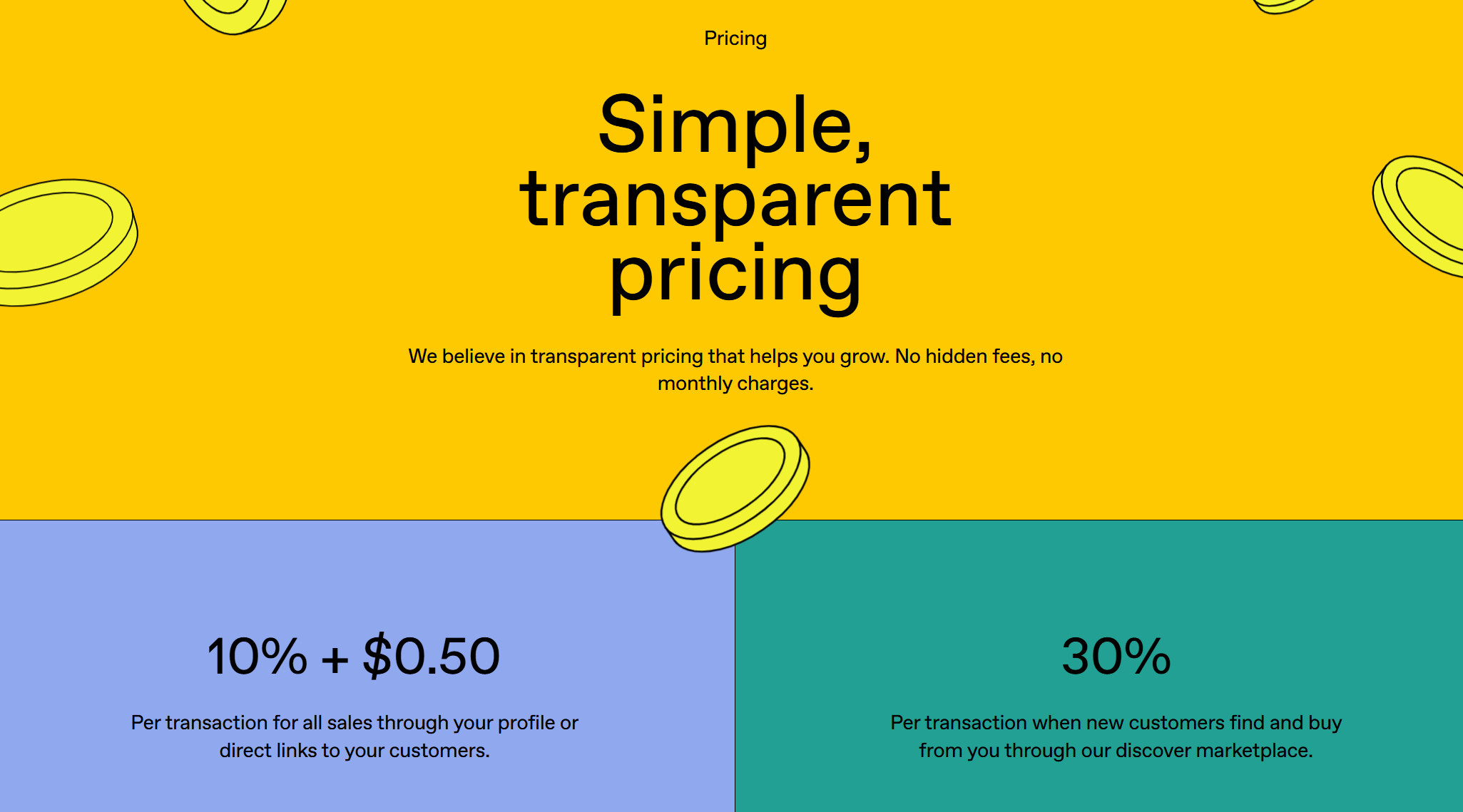
Gumroad operates on a transaction fee model. According to their current pricing (as seen in the provided data):
Direct Sales: You pay 10% + $0.50 on every single transaction.
Discovery Sales: If a customer finds you through Gumroad's marketplace, they take a massive 30% cut.
What this means for you: If you sell a $50 course to 100 people ($5,000 revenue):
Gumroad takes $500 (10%) + $50 ($0.50 × 100) = $550.
You lose over $500 just for using their checkout button.
Buildin: The Hybrid Advantage (Subscription + Low 5% Fee)
Buildin operates on a unique model that combines a flat SaaS subscription with a highly competitive transaction fee. This is designed for creators who want a professional workspace and more favorable margins.
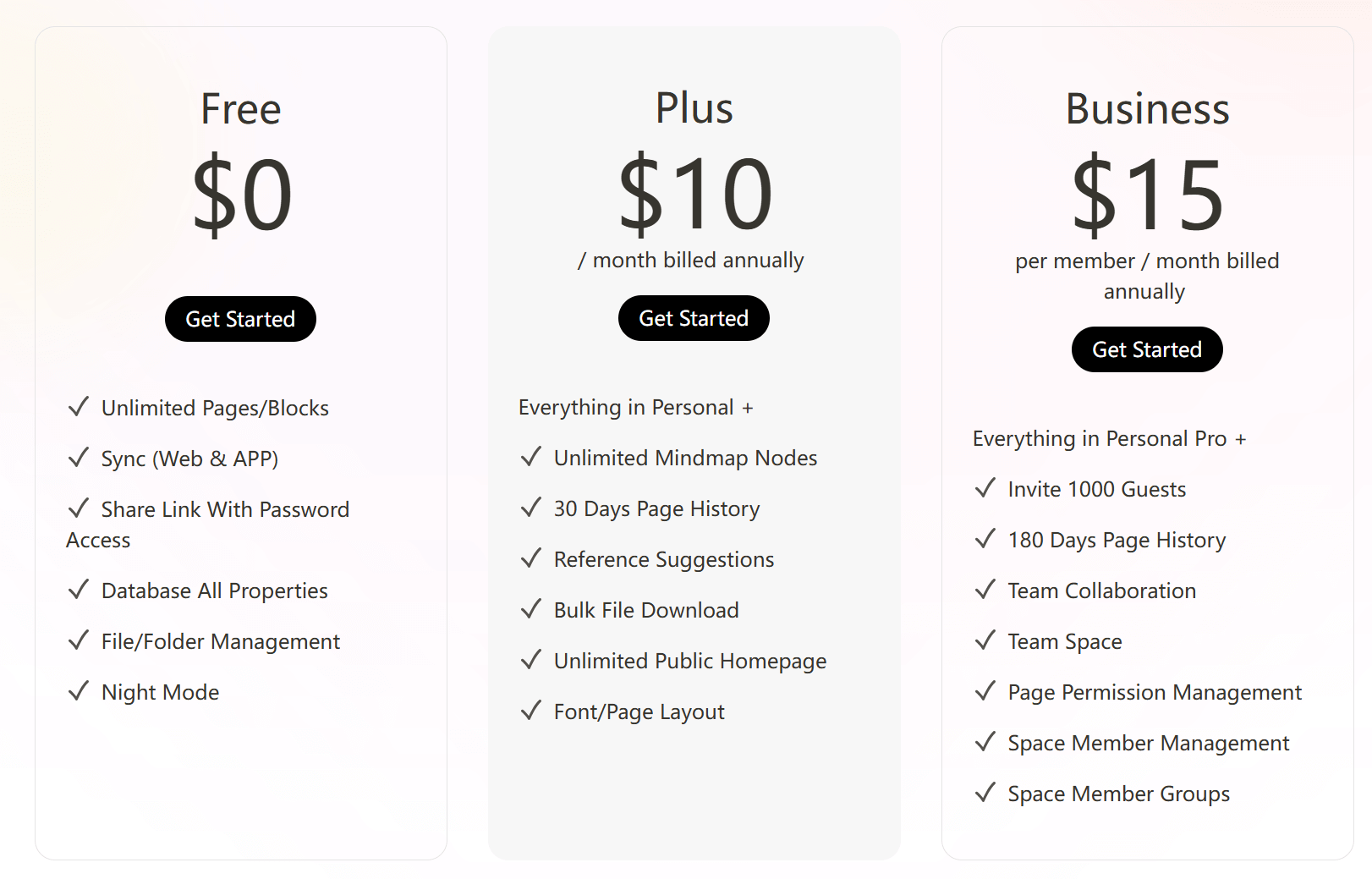
Free Plan ($0): Unlimited pages/blocks, file management, and sync across devices.
Pro Plan ($10/month): Includes unlimited mind map nodes, 30-day version history, and direct monetization with only a 5% service fee.
Team Plan ($15/member/month): Adds team spaces, admin permissions, and collaboration tools for growing agencies.
The Math: Buildin vs. Gumroad
Let's re-calculate the revenue potential based on a creator earning $5,000 per month (100 sales at $50 each): Gumroad's Cost: (10% Fee = $500) + ($0.50 per transaction × 100 = $50) = $550 total. Buildin's Cost: (Pro Subscription = $10) + (5% Fee = $250) = $260 total. The Verdict: Even with the subscription and service fee combined, Buildin saves you $290 per month in this scenario. Over a year, that is $3,480 extra profit back in your pocket.
2. From "Static Files" to "Living Knowledge"
The biggest limitation of Gumroad is that it forces you to "freeze" your knowledge.
To sell a guide on Gumroad, you have to:
Write it in Notion or Word.
Export it as a PDF. Or copy Notion's public link, but a public link means that paying users can freely share the link with others, and anyone who obtains the link will have access.
Upload it to Gumroad.
Horror Scenario: You find a typo or want to add a new chapter. You have to repeat the entire process and email all your customers a new file.
With Buildin, your product is alive.
Because Buildin is a world-class note-taking and database tool first, you simply toggle a page to "Paid Access."
Instant Updates: Did you add a new resource to your "Design Tools Database"? Your subscribers see it instantly. No emails, no re-uploads.
Interactive Databases: Don't just sell a list; sell a sortable, searchable database that provides ongoing value.
Searchability: Subscribers can use Buildin's powerful search to find exactly what they need within your paid content, rather than scrolling through a 100-page PDF.
This allows you to sell Subscriptions (Recurring Revenue) much easier than one-off products. You aren't selling a book; you're selling a membership to your evolving knowledge base.
3. The "All-in-One" Workflow for Mental Clarity
Creators suffer from "Tab Fatigue." A typical workflow looks like this:
Drafting in Notion
Project Management in Trello
Selling in Gumroad
Emailing in ConvertKit
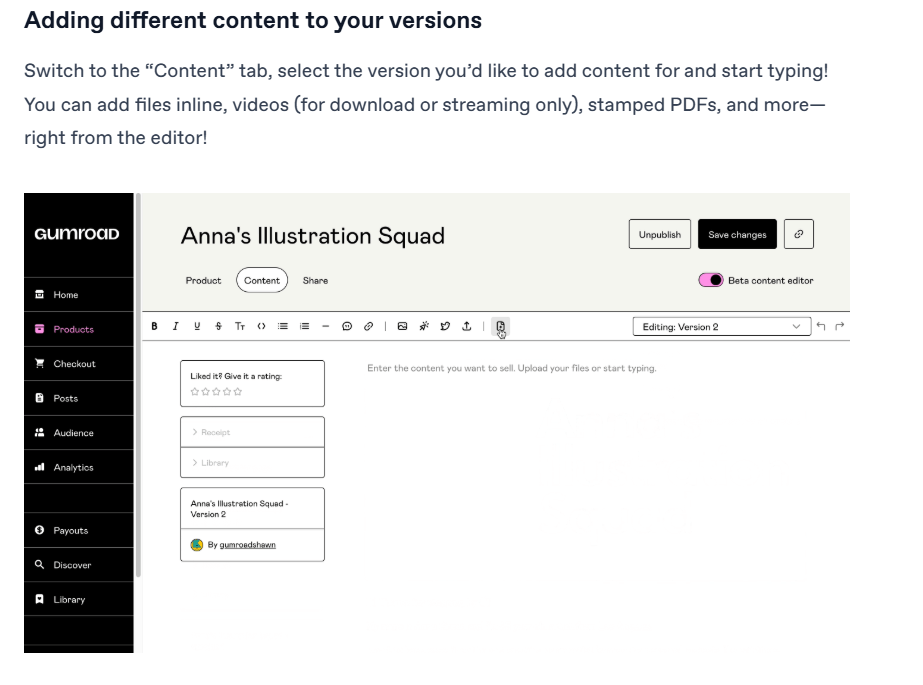
Buildin collapses this stack.
You wake up, open Buildin, and manage your projects using our Kanban boards and Mind Maps. You write your article in the same interface. When it's ready, you monetize it right there.
Mind Maps: Structure your course curriculum visually before you write it.
AI Assistant: Use Buildin's AI to expand a bullet point into a full chapter or summarize your notes into a sales description.
Team Collaboration: Have an editor? Invite them to your Buildin workspace to polish the content before you hit "Publish."

By keeping your "Factory" (creation) and your "Store" (monetization) in the same place, you reduce friction. And when you reduce friction, you produce more.
4. Seamless Migration for Notion Creators
Are you currently a "Notion + Gumroad" user? We know that moving tools is scary because of data lock-in.
Most tools only let you import messy Markdown or CSV files that break your formatting. Buildin offers a direct Notion API import.
We preserve your nested pages.
We keep your database properties intact.
We maintain your formatting.
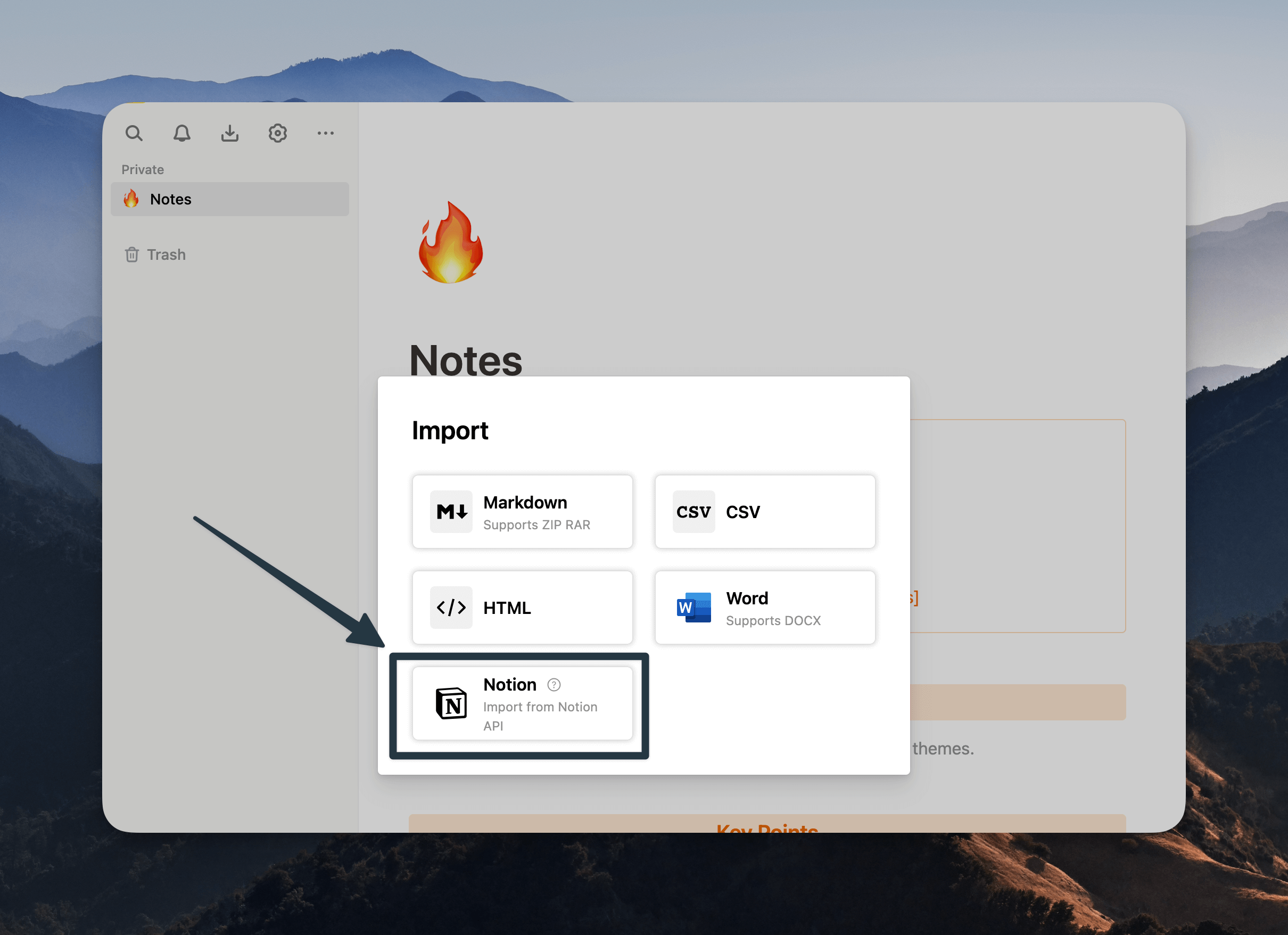
You can migrate your existing free content from Notion to Buildin in minutes, and then immediately add a paywall to it. It is the fastest way to pivot from "hobbyist" to "entrepreneur."
Enterprise-Grade Security for Serious Sellers
While Gumroad is great for indie hackers, it often lacks the security required for serious teams or enterprise knowledge management.
Buildin is designed for scale. We offer Private On-Premise Deployment for enterprise users. If you are selling high-value, proprietary industry research or sensitive training materials, you cannot afford to have your data living on a shared public cloud.
With Buildin, you own your data. You control the environment. This level of security and ownership is simply impossible on a storefront like Gumroad.
Decision Moment: Is Buildin Right for You?
If you are still on the fence, use this checklist to decide.
Stick with Gumroad if:
You only sell one single PDF that you never plan to update.
You don't care about building a community or recurring subscription revenue.
You enjoy managing files across 3-4 different software platforms.
Switch to Buildin immediately if:
You want to keep that 10% fee in your own pocket.
You want to sell access to databases, wikis, and "living" documents.
You want a "Notion-like" editing experience but with built-in monetization.
You want to manage your projects, team, and sales in one unified browser tab.
Frequently Asked Questions (FAQ)
Q: Can I import my existing products from Gumroad to Buildin?
A: You can easily import the content of your products. Since Buildin is a document-based tool, you simply copy your content into Buildin pages. If you are coming from Notion, our API import does the heavy lifting for you.
Q: Is Buildin better for subscriptions or one-time sales?
A: Buildin excels at both, but it is a superpower for subscriptions. Because the content is live and interactive, it justifies a recurring monthly fee much better than a static file download does. You can create a "Premium Resource Library" that grows every week, keeping subscribers hooked for years.
Q: Does Buildin handle payment processing?
A: Yes. Buildin integrates secure payment processing so you can set prices, accept payments, and manage access rights automatically. When a user subscribes, they instantly get permission to view your locked pages. But when their subscription period expires, their access is automatically revoked, with no manual management required.
Q: I'm not tech-savvy. Is Buildin hard to learn?
A: Not at all. If you have ever used a block-based editor (like Notion) or a standard word processor, you will feel at home instantly. The interface is clean, intuitive, and designed to get out of your way so you can focus on creating.

Sency Shen
Skilled in content structuring, topic breakdown, and background research, with a strong interest in knowledge management and content workflows. Responsible for research, information organization, and foundational content preparation at Buildin.