Buildin vs. Anytype: A Comprehensive Comparison of Next-Gen Knowledge Management Tools
Buildin vs. Anytype: compare AI-powered collaboration, content monetization, and local-first privacy to choose the right knowledge tool.
In today's productivity tool market, we seem to be in a state of "saturation." The landscape is crowded with clones of well-known platforms, and many users are experiencing "app fatigue" due to the homogenization of features. However, beneath this surface, a profound transformation is quietly taking place.
As data privacy awareness grows and AI technology becomes more vertically integrated, the demand for a "Second Brain" has shifted from simple record-keeping to a need for deep intelligence and autonomous control. In this context, Buildin and Anytype stand out as two distinct leaders representing different evolutionary paths: one is an all-in-one platform focused on breaking down knowledge silos and enabling value conversion, while the other is a sanctuary for those prioritizing extreme privacy and local data ownership.
If you are weighing these two options, this guide breaks down their features and reveals the underlying differences in how they serve your actual workflow.
1. Buildin: The Hub for Production and Monetization
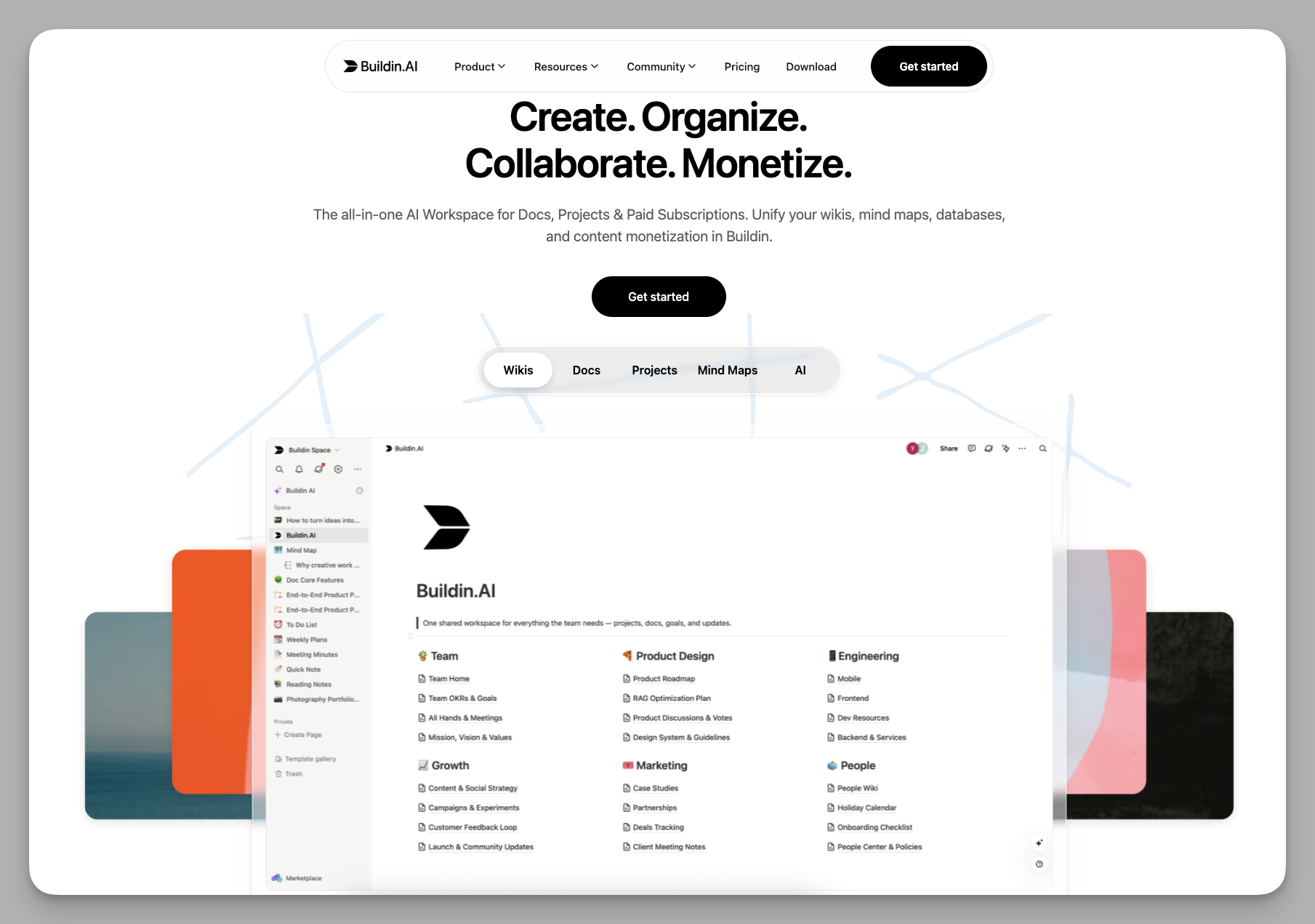
Buildin positions itself as a "Knowledge Production and Business Center." It is more than just a high-efficiency note-taking tool; it is an integrated workspace that seamlessly blends personal notes, team collaboration, AI assistance, and professional monetization.
Collaboration: Buildin is a highly integrated all-in-one collaboration space designed to eliminate the friction of switching between tools. It offers a rich and flexible editor that supports various media embeds and complex layouts. In a team environment, it supports smooth real-time multi-player editing with instant feedback. Combined with built-in task management and workflow controls, teams can complete the entire process from communication to execution in one place. If you want a more intuitive look at how Buildin works in team collaboration, you can refer to this blog post.
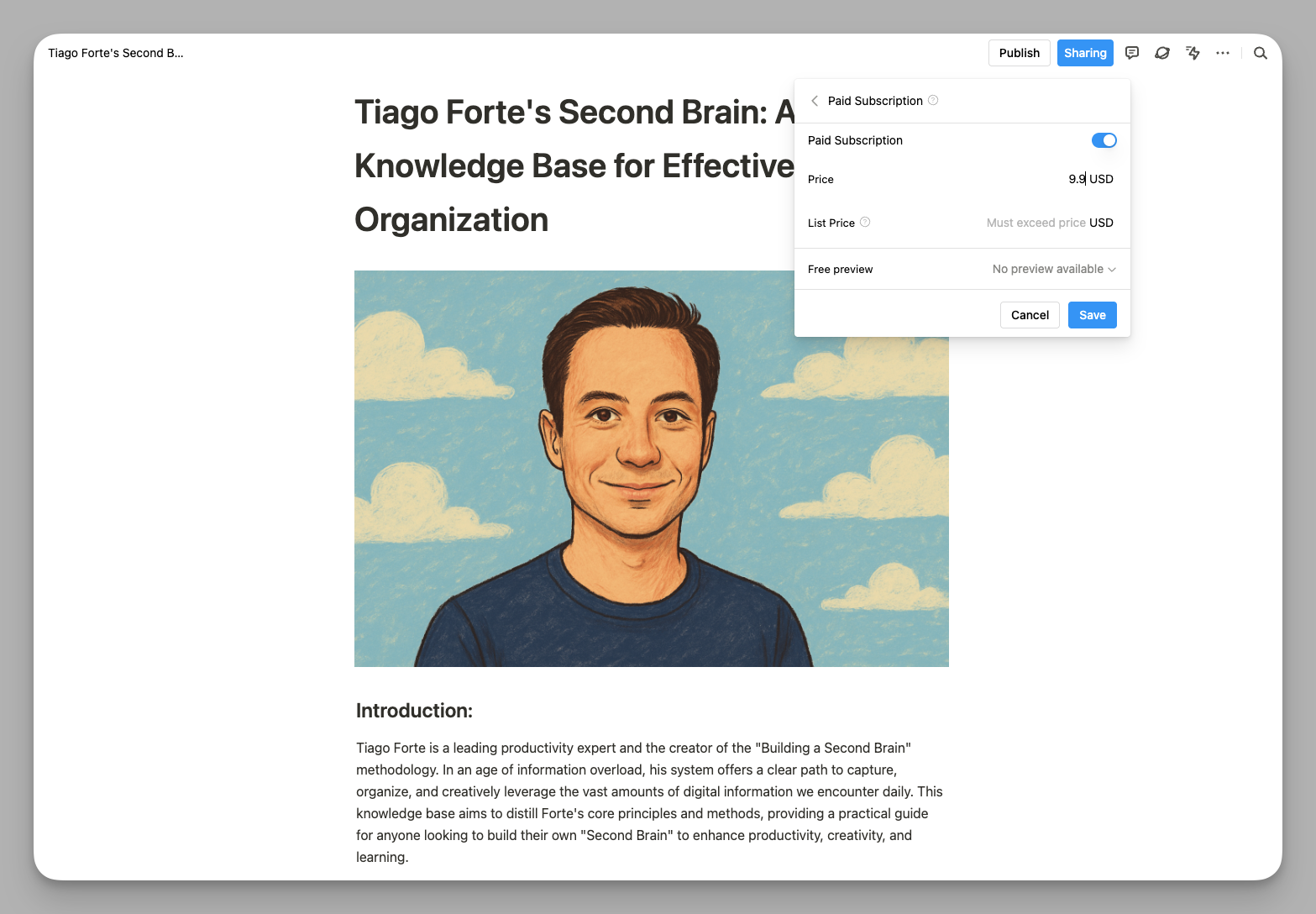
Monetization: This is Buildin's core differentiator. It features native payment and permission management, allowing creators to turn notes, databases, or templates into paid digital products. You can set specific pages, entire databases, or series of courses as "pay-to-view" with custom pricing (one-time purchase or recurring subscriptions). Everything happens within the platform—no need for third-party tools like Gumroad. For example, an independent photographer can organize a "Composition and Color Grading" library and share a link for fans to purchase and access directly within Buildin, resulting in a high conversion rate.
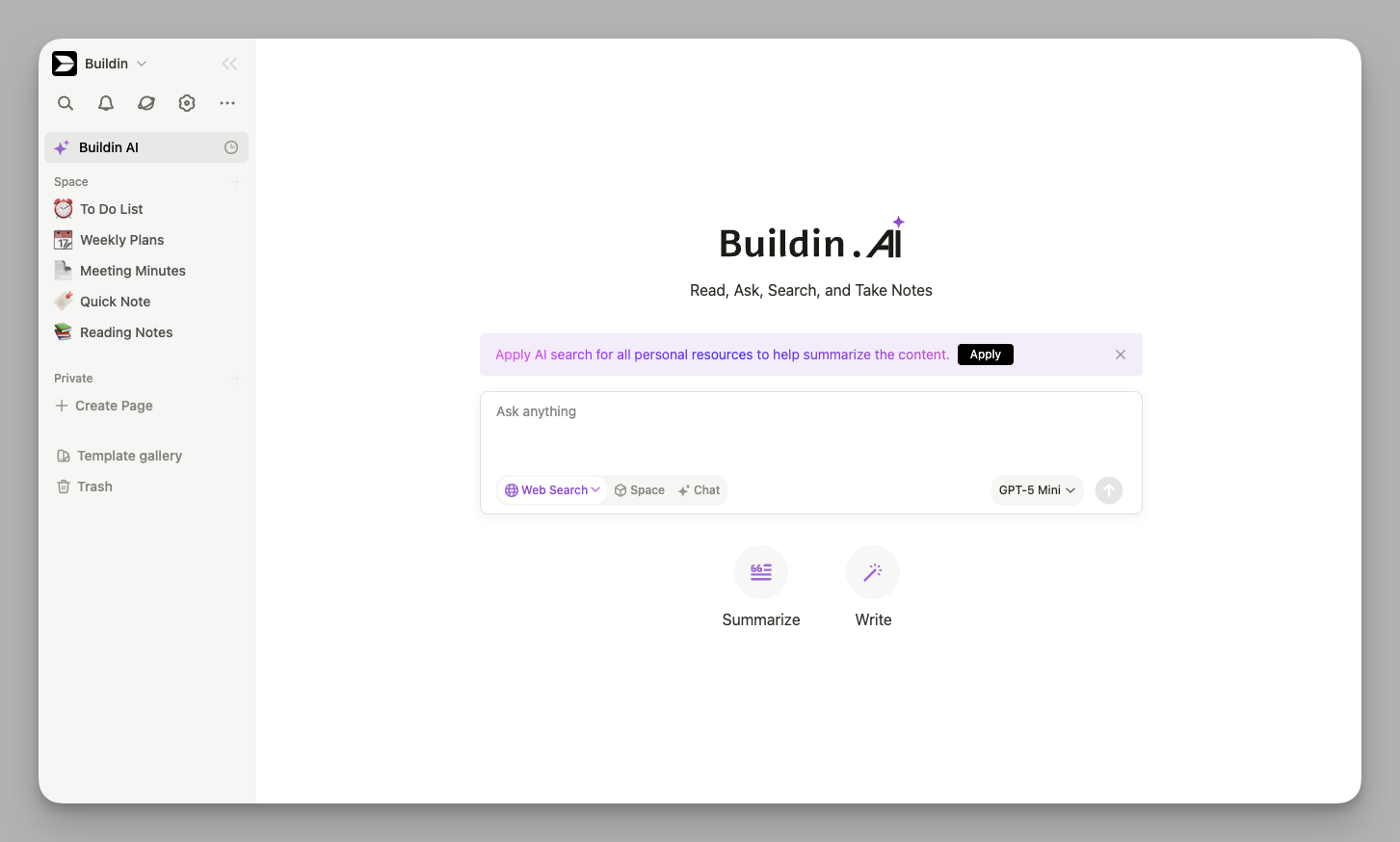
Intelligent AI: Buildin's AI features workspace-level perception and retrieval. It supports scanning your entire workspace for Q&A, meaning the AI doesn't just look at the current page but can synthesize information across all your documents. For instance, you can ask the AI, "Based on my weekly reports from the last 12 months, what are the main bottlenecks in my project management?" and get a comprehensive analysis in seconds, saving you from manual searching.
Data Integration: Buildin provides a robust migration path via official APIs, allowing you to import data from external sources while maintaining relations and nested structures at a high level. It also supports Open API and built-in folder management, helping users unify the management of various file attachments and close the loop on their core workflows.
Security: For organizations with high security needs, Buildin supports private deployment (self-hosting). Enterprises can run the system on their own servers and connect their preferred LLMs, ensuring sensitive data never leaves the internal network.
If you primarily use Buildin for daily work and efficiency, you can start with a second brain template to quickly organize tasks, projects, and notes into an actionable operating system.
2. Anytype: The Decentralized Digital Home
Anytype's philosophy is built on creating a decentralized digital space where privacy and data sovereignty are paramount.
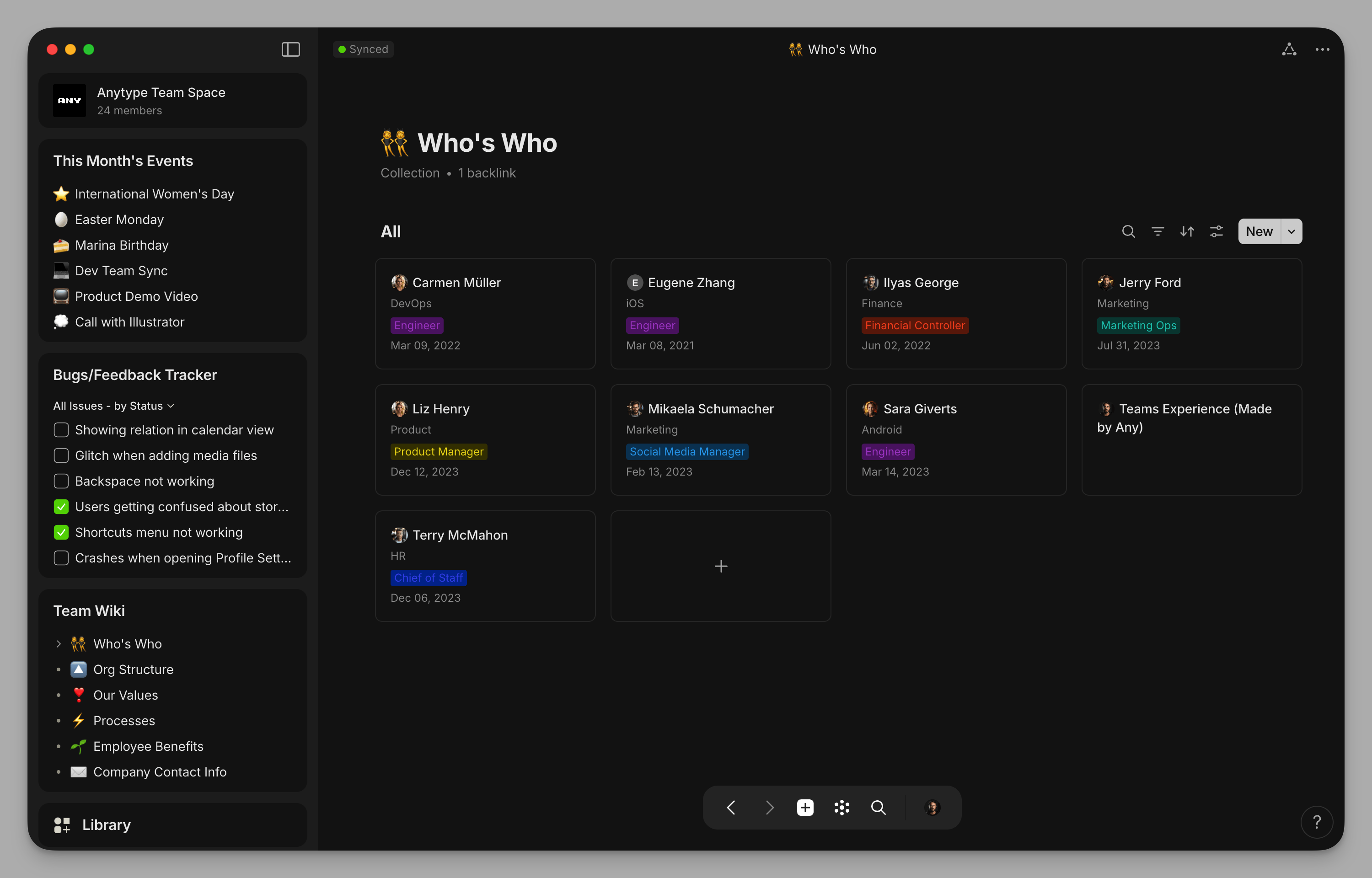
Logic: Anytype moves away from traditional folders, introducing a geek-friendly system of "Objects." Every entry is an object (e.g., a "Book," a "Person," or a "Project"). Objects share properties and can be filtered through "Sets." This structured logic keeps massive amounts of information organized without being confined to a directory hierarchy.
Synchronization: Anytype uses a "Local-first + P2P" architecture, ensuring your core data is physically stored on your local devices. While it uses a P2P protocol for multi-device syncing, it currently relies on official Seed Nodes or discovery services to help devices find each other in complex networks. Despite this, it remains a highly private architecture where cloud intervention is kept to a minimum. For example, a traveler can write fluently without internet access, and data will automatically sync between phone and tablet once back online.
Connections: Anytype includes a powerful Graph View that shows the physical connections between your ideas. This "neural" feedback helps users discover hidden logical associations within their knowledge base. Additionally, it uses end-to-end encryption for collaborative documents, ensuring that only authorized members can decrypt the content.
3. Core Differences
After looking at the details, we can summarize the differences as follows:
Value Proposition: Buildin emphasizes "Flow and Monetization," using AI to boost productivity and create direct business value. It acts as a production engine connected to the world. Anytype emphasizes "Sovereignty and Privacy," acting as a digital fortress for personal intellectual assets.
The Value Chain: Buildin builds a direct path "from knowledge to income." By integrating a powerful editor with native payment systems, creators can productize their thoughts quickly. Anytype focuses on the internal loop "from thinking to connection," enhancing personal insight through object relations and graph views.
Collaboration Boundary: Buildin offers a mature solution for large-scale teamwork, supporting real-time editing and audit trails across geographies. Anytype's collaboration is tailored for small-scale, high-trust syncing, keeping privacy at the highest level even when working with others.
AI Depth: Buildin pursues deep integration between AI and workspace data, utilizing cloud compute for complex cross-document logic. Anytype explores localized AI to ensure privacy, focusing on refining content without exposing data.
4. Comparison Table
| Dimension | Buildin | Anytype |
|---|---|---|
| Core Selling Point | Native Monetization & Integrated Workspace | Privacy Sovereignty & Object-Based Logic |
| AI Capabilities | Workspace-wide Q&A & Cross-Doc Analysis | Basic On-Page Assistance (Editing/Summaries) |
| Editor | Rich Block Editor & Real-time Collaboration | Object Management & Minimalist Editing |
| Storage Logic | Cloud Sync / Private Deployment | Physical Local-First / P2P Sync |
| Migration Cost | Robust API Sync (High retention) | Basic File Import (Manual cleanup required) |
| Ecosystem | Open API + MCP Automation | Early-stage Plugin System |
| Private Hosting | Supports Full Private Deployment | Not Supported (Local Client Mode Only) |
5. How to Choose?
Choose Buildin if you need:
Commercial Monetization: You want to turn your templates or knowledge bases into paid digital products.
All-in-One Workspace: You need a powerful editor and a collaborative environment to manage your entire workflow in one place.
AI Productivity: You need an AI that understands your entire workspace to help you summarize, review, and generate insights.
Seamless Migration: You are moving from another platform and want a polished sync experience while keeping data under organizational control.
Choose Anytype if you need:
Digital Sovereignty: You have higher requirements for the security of third-party cloud services and want your data to remain as much as possible only in your own physical hardware storage.
Performance & Offline Access: You frequently work without internet and demand the "millisecond" responsiveness of local software.
Logical Modeling: You enjoy defining "Objects" and "Relations" and want to visualize knowledge through a graph.
6. Summary
The value of a tool isn't in how many features it has, but in how it fits your workflow. Buildin empowers creators and modern enterprises through its monetization paths and workspace-level AI. Anytype builds a fortress for digital privacy and geeky exploration. Whether you seek "Value Explosion" or "Privacy Sovereignty" will determine your final answer.

Amara Elara
Specializes in visualizing complex processes and improving product education. Responsible for user support, product tutorials, and visual guides at Buildin, helping users improve tool adoption and overall productivity.