Die besten Apps zum Verfolgen von Gewohnheiten
Eine neue Routine hängt weniger an Willenskraft als an einem verlässlichen System. Dieser Überblick vergleicht die besten Apps für Gewohnheiten 2026 – nach Beweglichkeit, Anbindung und tatsächlicher psychologischer Wirkung.
Warum das Verfolgen von Gewohnheiten hilft – und warum Apps oft scheitern
Der Verhaltensforschung zufolge dauert es im Schnitt 66 Tage, bis eine neue Gewohnheit von allein läuft. Das berüchtigte Tal der Enttäuschung kommt allerdings meist schon in den ersten drei Wochen. Die meisten geben auf, weil das Festhalten selbst zur Gewohnheit wird, die Mühe kostet – es fühlt sich wie Arbeit an.
Die besten Apps des Jahres 2026 lösen das, indem sie diese Reibung senken: durch Automatisierung, KI-gestützte Auswertung und zentrale Arbeitsbereiche. Statt fünf verschiedene Anwendungen für Notizen, Aufgaben und Gewohnheiten zu verwalten, geht der Trend zu einheitlichen Umgebungen.
1. Buildin: das umfassendste Zusammenspiel aus Gewohnheiten und Wissen
Wer klassische Habit-Tracker zu eng und Baukästen wie Notion zu pflegeintensiv findet, ist bei Buildin richtig. Es ist unsere Empfehlung für 2026, weil es Gewohnheiten nicht als abgetrennte Aufgabe behandelt, sondern als Teil Ihres persönlichen Wissensmanagements und Ihrer beruflichen Abläufe.
Gewohnheiten und Wissen wachsen zusammen
In Buildin ist eine Gewohnheit mehr als ein Häkchen; sie ist ein Zugang zu Ihren Daten. Die meisten Apps trennen Gewohnheiten von der Arbeit – Buildin schlägt hier die Brücke.
- Bewegliche Seiten und verknüpfte Datenbanken: Sie bauen sich eigene Übersichten für Ihre Gewohnheiten. Die tägliche Gewohnheit „Marktbeobachtung" lässt sich unmittelbar mit der Projektdatenbank verknüpfen, in der Sie Ihre Funde ablegen. So entsteht ein Kreislauf: Ihre Gewohnheiten speisen Ihr Wissen, und Ihr Wissen rechtfertigt Ihre Gewohnheiten.
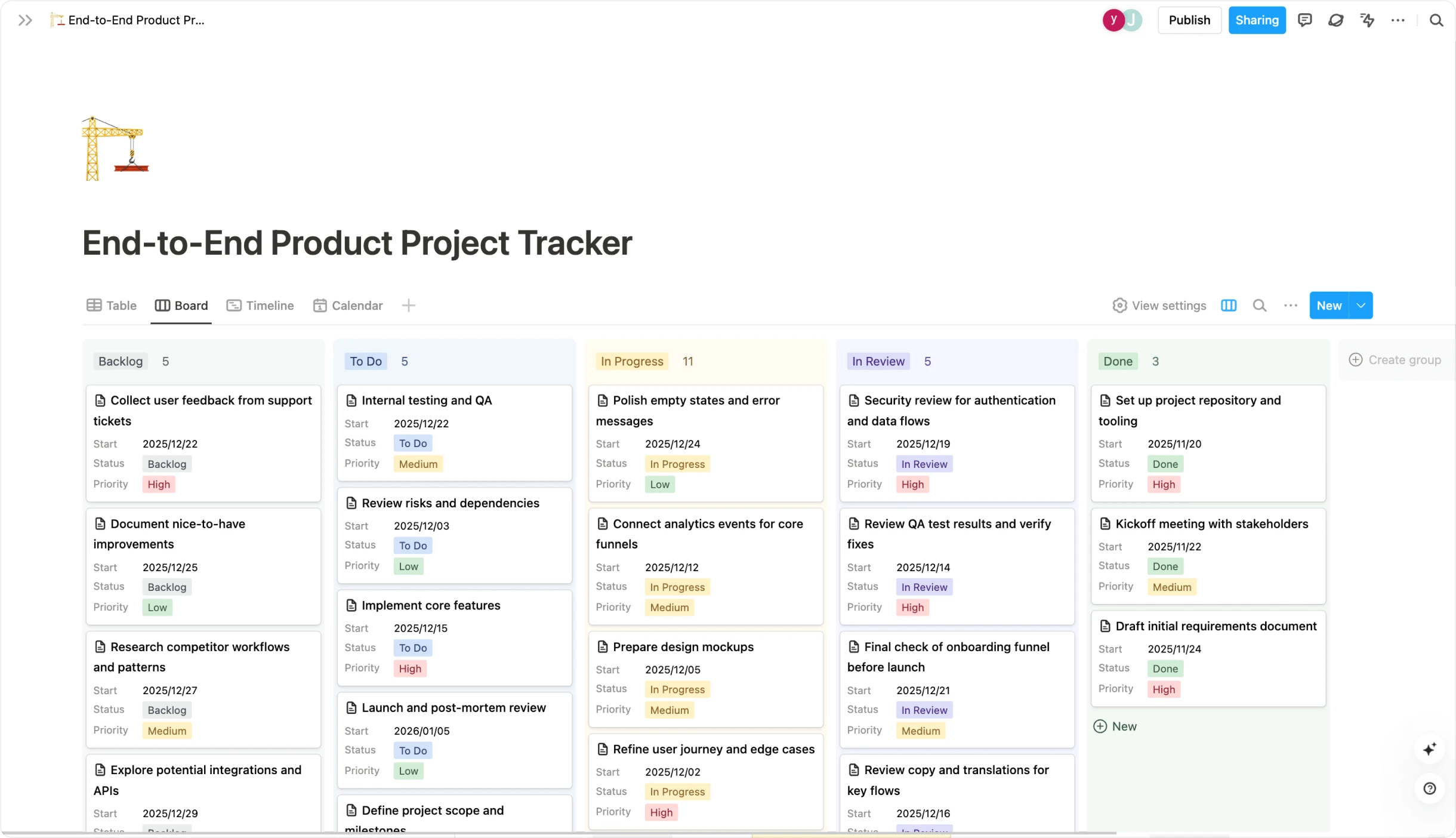
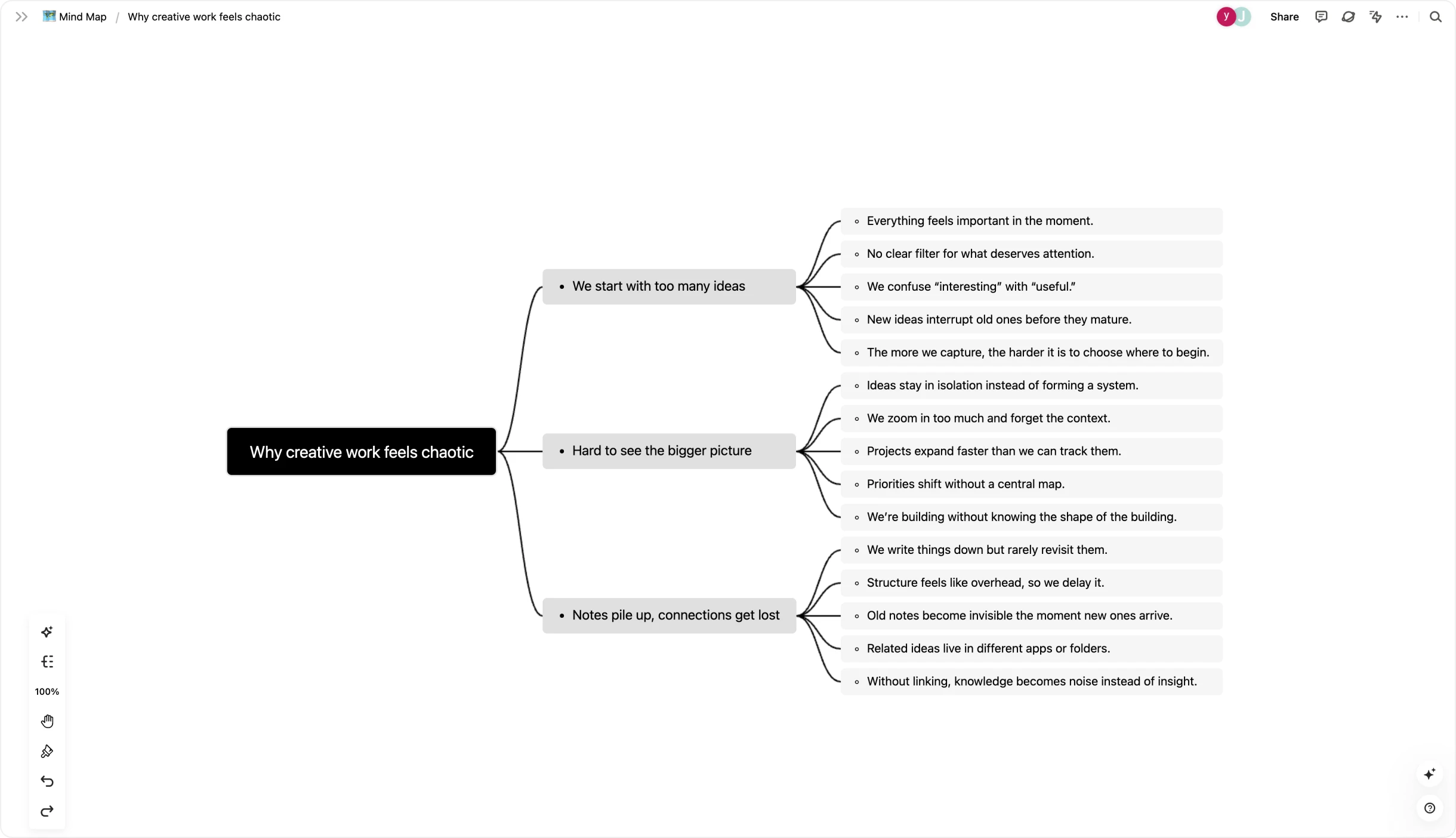
- Mindmaps zum Stapeln von Gewohnheiten: Bevor Sie etwas verfolgen, müssen Sie es planen. Mit der eingebauten Mindmap-Funktion machen Sie Ihre Gewohnheitsketten sichtbar: wie aus dem Morgenkaffee zehn Minuten Tagebuch werden und daraus 30 Minuten konzentrierte Arbeit.
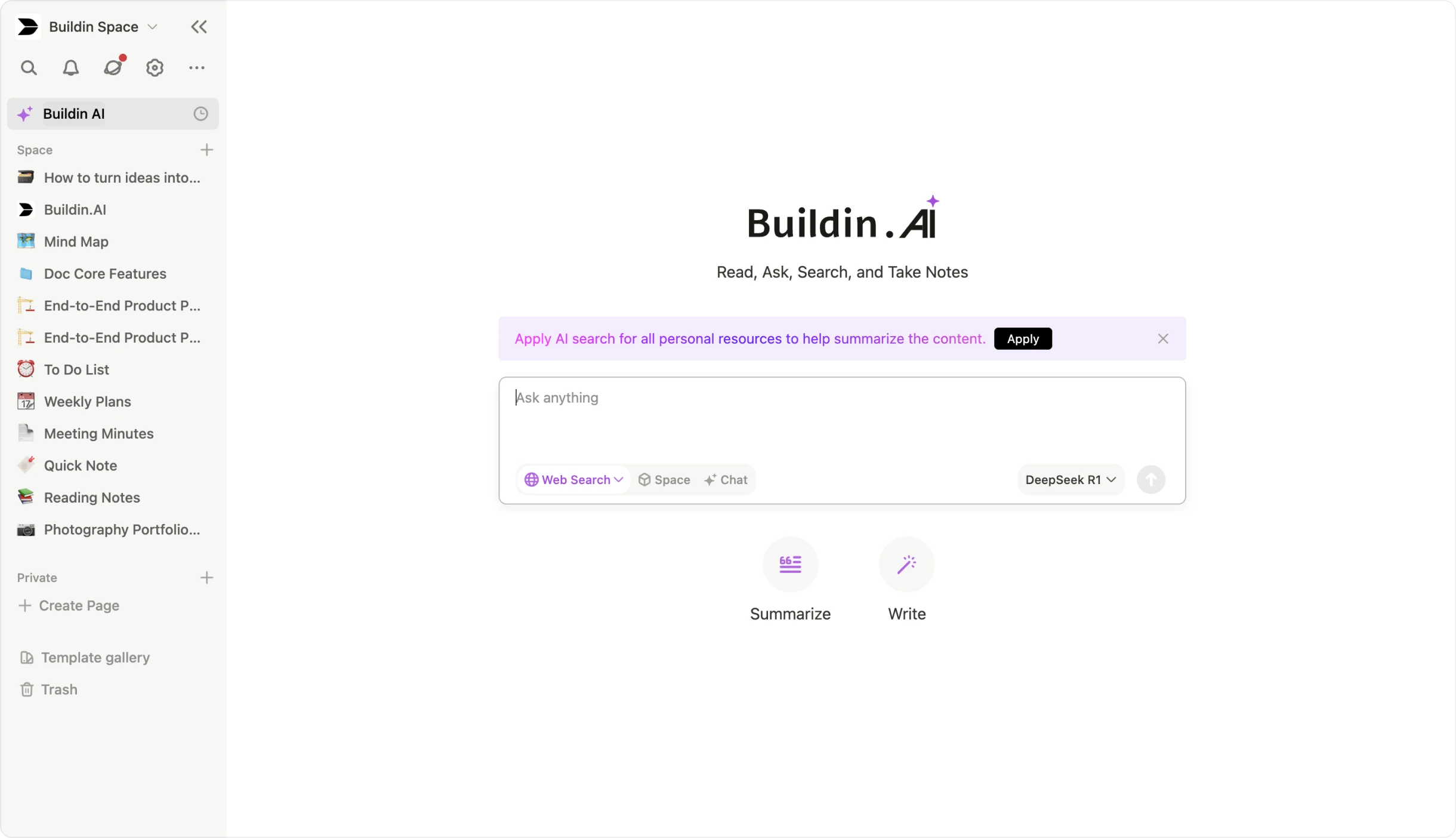
- KI-gestützte Wissensdatenbank: Buildins KI macht beim Dranbleiben den Unterschied. Sie wertet Ihre Einträge und Notizen aus, fasst zusammen und zeigt Zusammenhänge. Wenn Sie „Sprachenlernen" verfolgen und sich Notizen zur Grammatik machen, erzeugt die KI daraus Karteikarten oder eine Wochenübersicht – das Lernen wird dadurch spürbar leichter.
Für Creator und Selbstständige
Buildin ist eigens auf die Solo-Selbstständigkeit zugeschnitten und die einzige Plattform, auf der Sie Ihre Disziplin zu Geld machen können.
Inhalte verkaufen: Wenn Sie ein funktionierendes „90-Tage-Fitnessprogramm" oder einen „Programmierkurs für Einsteiger" entwickelt haben, machen Sie aus Ihren Seiten und Vorlagen ein Bezahl-Abo. Sie verkaufen den Zugang zu Ihrem Weg unmittelbar in Buildin, ganz ohne Werkzeuge wie Gumroad.
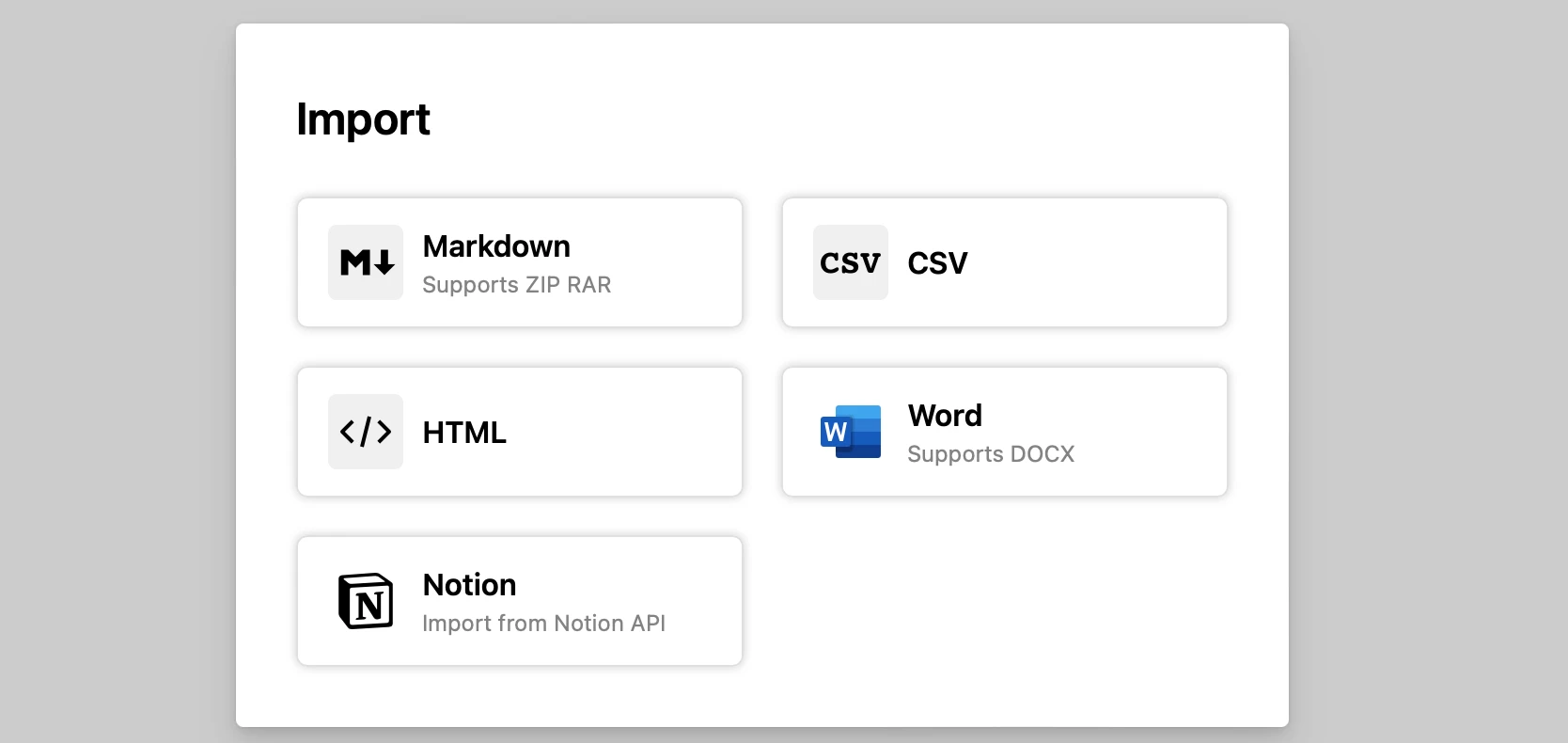
Reibungsloser Umzug von Notion: Wenn Sie Notions Tempo stört, seine Struktur aber schätzen, hilft der direkte Import über die API. Anders als bei Werkzeugen, die nur unordentliche Markdown-Dateien übernehmen, bleiben Datenbanken, Beziehungen und anspruchsvolle Formatierungen erhalten.
- Betrieb im eigenen Haus: Für Teams mit hohen Sicherheitsanforderungen bietet Buildin den Betrieb auf eigenen Servern an. Sämtliche Daten zu Gewohnheiten und die gesamte Wissensbasis bleiben damit im Haus und erfüllen auch strenge Vorgaben.
2. Habitica: die Gewohnheit als Rollenspiel
Wer mit Videospielen aufgewachsen ist, findet in Habitica die passende Sprache. Es setzt auf äußere Motivation und macht aus den Banalitäten des Alltags ein Abenteuer mit Einsatz.
Das Leben als Spiel
In Habitica ist Ihr Leben das Spiel. Sie legen zunächst einen Avatar an – Kriegerin, Magier, Heilerin oder Schurke.
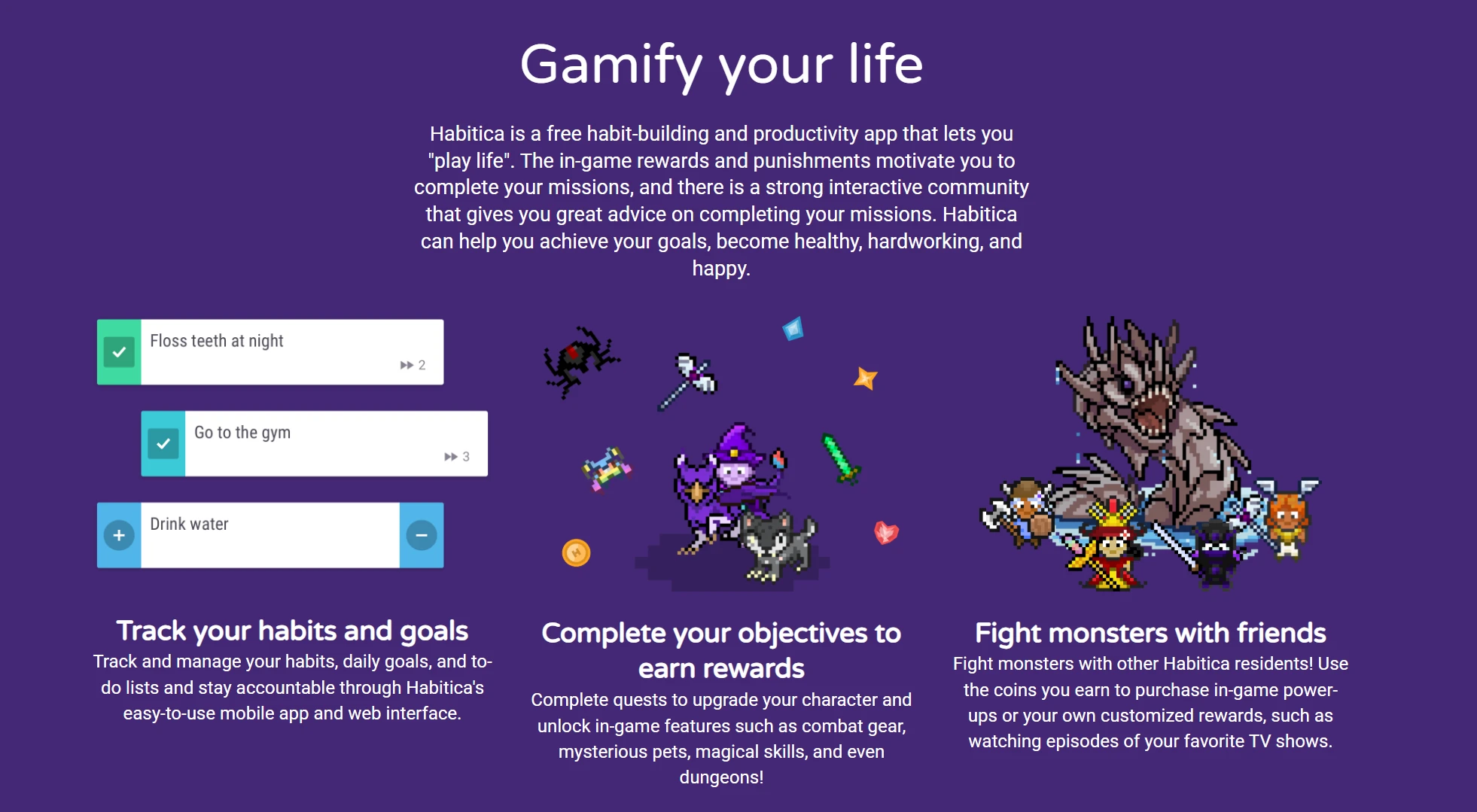
- Wie der Fortschritt funktioniert: Ihre Aufgaben teilen sich in drei Arten: Gewohnheiten (Verhaltensweisen, die Sie fördern oder abstellen wollen), Tagesaufgaben (was täglich ansteht) und To-dos (einmalige Aufgaben). Für Erledigtes bekommen Sie Erfahrungspunkte und Gold. Das Gold geben Sie für Belohnungen aus – für Rüstung und Haustiere im Spiel oder für selbst festgelegte Belohnungen im echten Leben, etwa „eine Stunde Zocken".
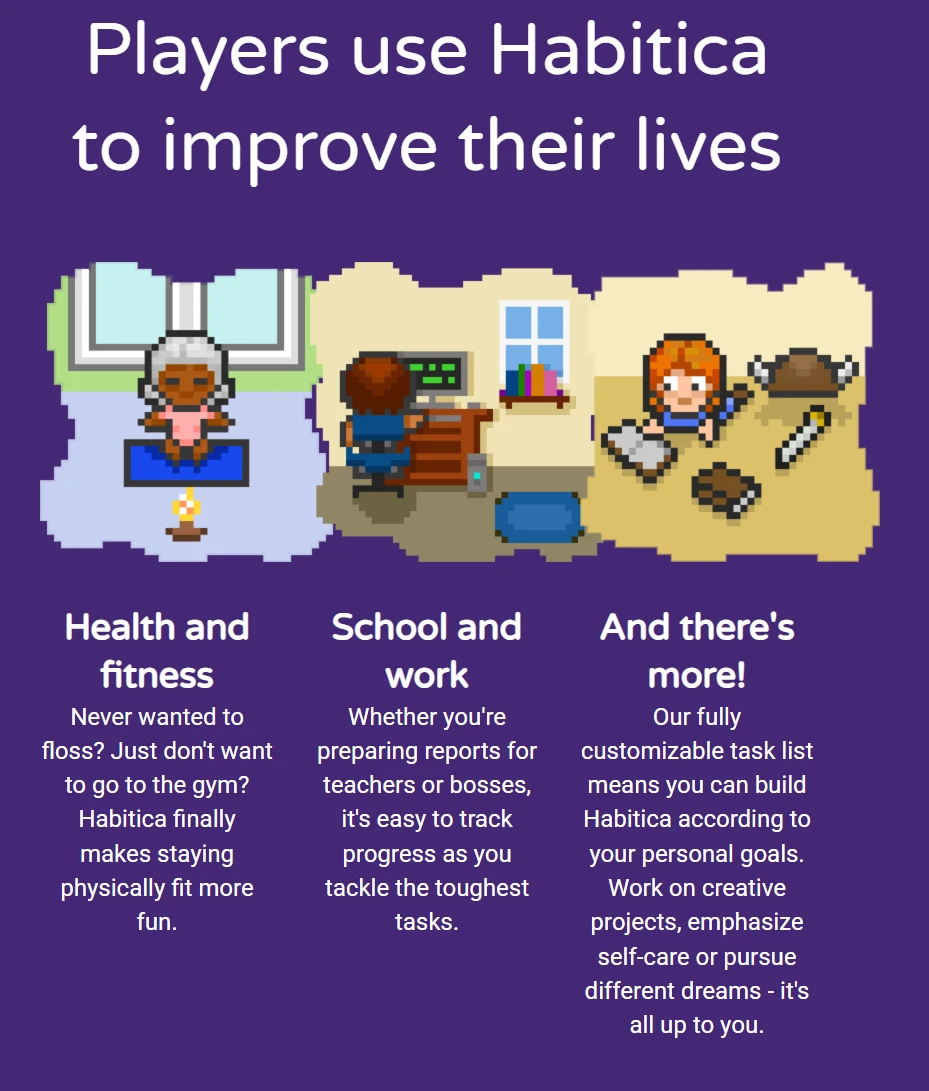
Gemeinsame Verbindlichkeit und Gruppenaufgaben: Hier ist Habitica wirklich stark. Sie schließen sich mit Freundinnen und Freunden zu einer Gruppe zusammen. Bei einer gemeinsamen Aufgabe trägt die Beständigkeit aller dazu bei, den Gegner zu besiegen. Wenn Sie aber den Abwasch vergessen oder das Training ausfallen lassen, greift der Gegner die ganze Gruppe an. Dieser sanfte soziale Druck wirkt erstaunlich gut gegen Aufschieberei.
Weitgehend anpassbar: Habitica ist quelloffen und hat eine große Gemeinschaft. Sie können an Herausforderungen anderer teilnehmen – etwa „30 Tage bewusst essen" –, wodurch die zugehörigen Gewohnheiten automatisch in Ihrer Übersicht landen. Aus dem einsamen Weg der Selbstverbesserung wird so ein gemeinsames Vorhaben.
3. Streaks: die erste Wahl im Apple-Umfeld
Streaks ist der Traum aller Minimalisten und folgt dem Grundsatz: Wer viel erreichen will, muss jeden Tag ein wenig tun. Es ist auf das Apple-Umfeld zugeschnitten und bietet auf iPhone, Mac und Apple Watch ein ausgesprochen rundes Erlebnis.
Die Kette nicht abreißen lassen
Die Oberfläche besteht aus runden Symbolen, jedes für eine Gewohnheit. Ist etwas erledigt, füllt sich der Kreis, und Ihre Serie wächst.
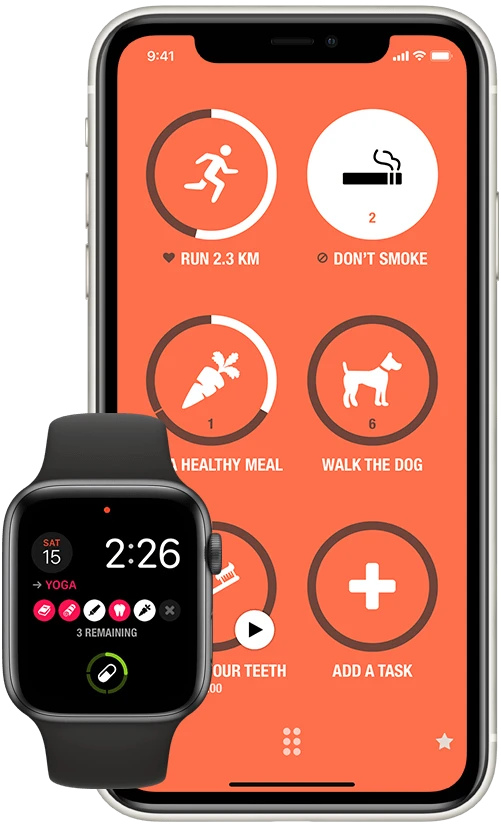
- Anbindung an Apple Health: Das ist die entscheidende Stärke. Streaks verfolgt jede Gewohnheit automatisch, die Daten in Apple Health hinterlässt. Ob „acht Stunden schlafen", „10.000 Schritte gehen" oder „achtsame Minuten" – Streaks erkennt das im Hintergrund. Sie müssen die App nicht einmal öffnen; der Kreis füllt sich von allein.
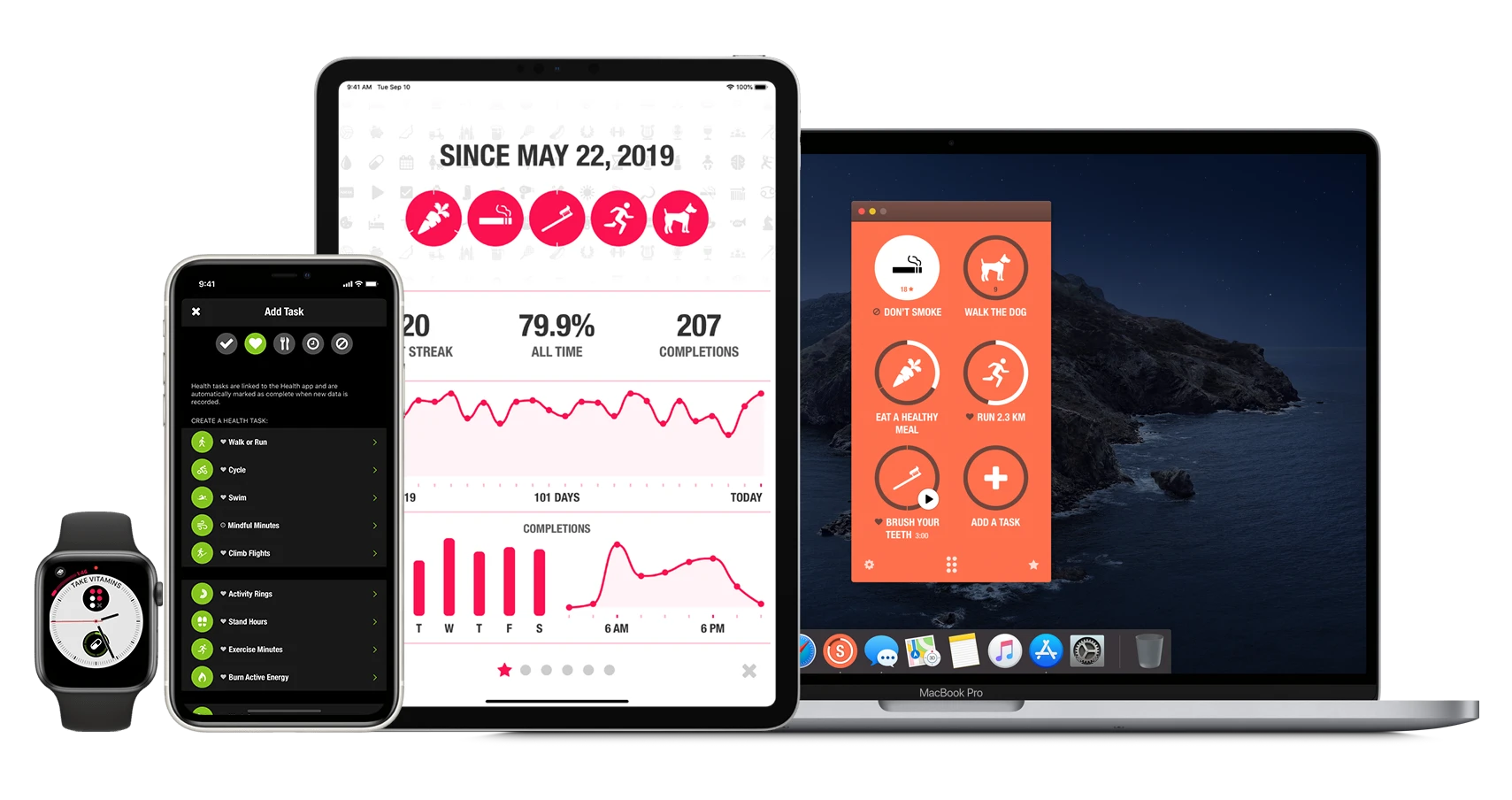
Auch für schlechte Gewohnheiten: Streaks hilft nicht nur beim Aufbauen, sondern auch beim Abgewöhnen. Sie können negative Gewohnheiten anlegen – Rauchen etwa –, bei denen es darum geht, das Symbol gerade nicht anzutippen. Auch flexible Zeitpläne sind möglich: „dreimal pro Woche" oder „jeden zweiten Tag", und die Serie wird korrekt berechnet.
Immer griffbereit: Über die Komplikationen der Apple Watch sehen Sie Ihre wichtigste Gewohnheit direkt auf dem Zifferblatt. Ein spürbares Vibrieren beim Abhaken sorgt für den kleinen, aber wirksamen Anreiz, der das Verhalten festigt.
4. Way of Life: für alle, die Zahlen mögen
Wer sich für die eigenen Daten interessiert, findet in Way of Life die nötige Tiefe. Es geht hier weniger ums Spiel als ums Erkennen von Mustern.
Erfolg und Rückschlag sichtbar machen
Way of Life arbeitet mit Farben – Grün für gelungen, Rot für nicht gelungen – und zeigt so ein ganzes Jahr auf einem Bildschirm.

Der Blick auf die Entwicklung: Während die meisten Apps nur die aktuelle Serie zeigen, weist Way of Life Ihre Erfolgsquote über die Zeit aus. Das hilft psychologisch, weil es dem Alles-oder-nichts-Denken entgegenwirkt, bei dem man nach einem einzigen Aussetzer ganz aufgibt. 90 % über ein Jahr sind eine beachtliche Leistung – und das sehen Sie hier schwarz auf weiß.
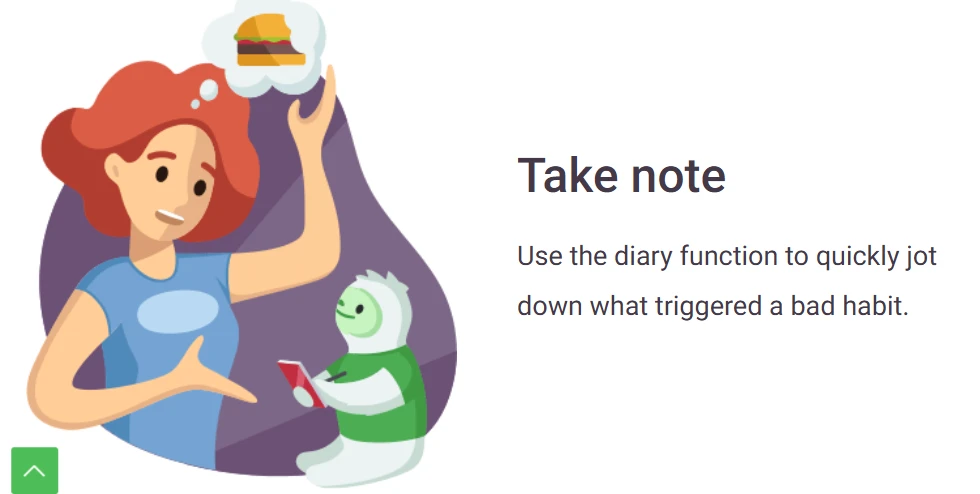
Das Tagebuch: Zu jedem Eintrag können Sie eine Notiz hinterlegen. Das ist entscheidend, um Auslöser zu erkennen. Wenn Ihre Gewohnheit „gesund essen" jeden Freitag rot ist, verrät ein Blick in die Notizen womöglich, dass der Feierabendtrunk der Auslöser ist. Mit diesem Wissen können Sie um Ihre Schwachstellen herum planen.
- Daten exportieren: Wer tiefer einsteigen will, exportiert die Daten als CSV oder für die Tabellenkalkulation und baut sich eigene Auswertungen – oder verbindet sie mit anderen Größen wie Arbeitsleistung oder Einkommen.
5. Habitify: für alle, die zwischen Systemen wechseln
Viele arbeiten am Windows-Rechner, haben unterwegs ein Android-Telefon und zu Hause einen Mac. Habitify hält das Erlebnis über all diese Geräte hinweg zusammen.
Ordnung über Bereiche
Habitify ist für Menschen mit vollem Leben gemacht. Sie teilen Ihre Gewohnheiten in Bereiche wie „Morgen", „Nachmittag", „Arbeit" und „Privat" ein.
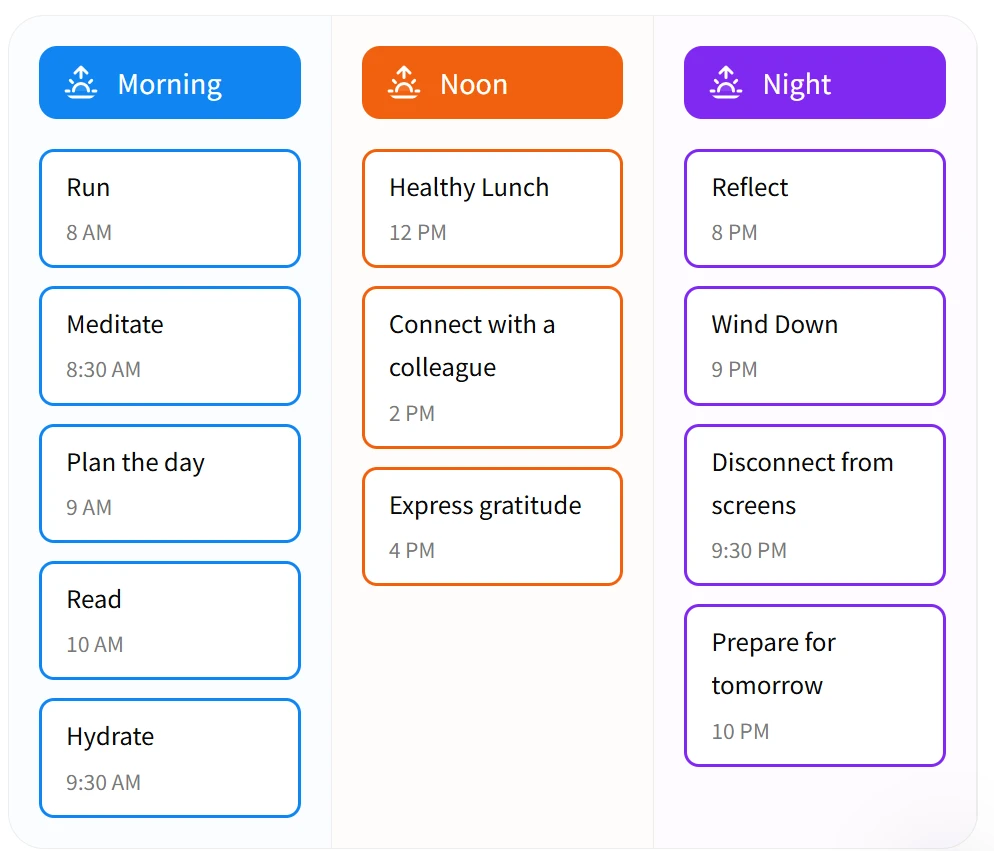
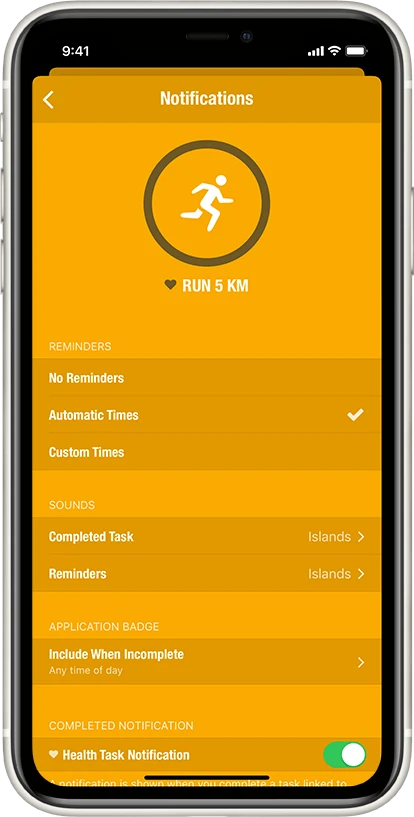
Kluge Erinnerungen: Sie können Erinnerungen an Ort oder Zeit knüpfen. Habitify unterstützt außerdem Ketten: Sobald eine Gewohnheit erledigt ist, meldet sich die nächste.
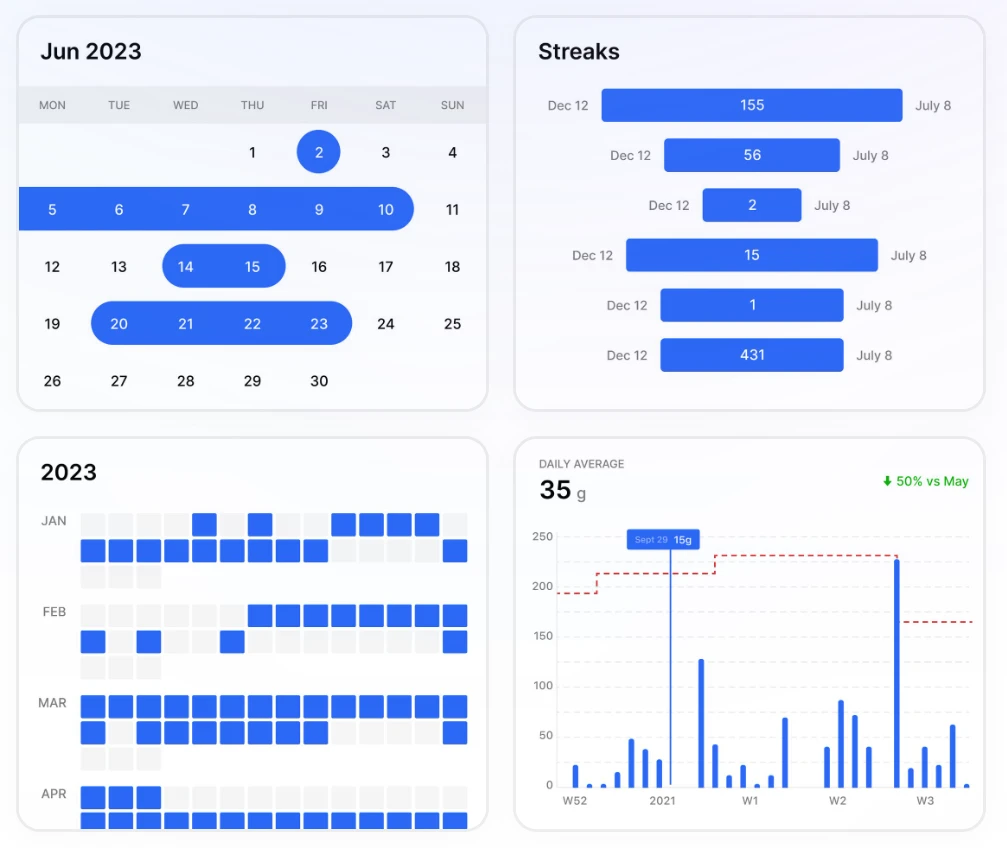
Aufgeräumte Auswertungen: Die Wochen- und Monatsberichte gehören zu den schönsten am Markt. Habitify berechnet eine „Gewohnheitsstärke" aus Serienlänge, Beständigkeit und Häufigkeit – so sehen Sie, wie fest etwas tatsächlich sitzt.
- Der Fokusmodus: Während einer Gewohnheit – etwa 20 Minuten Meditation – bietet Habitify einen eingebauten Timer und einen Fokusmodus, der Ablenkung fernhält. Es begleitet Sie vom Aufstehen bis zum Schlafengehen, egal welches Gerät Sie gerade in der Hand haben.
Die Übersicht
| App | Grundgedanke | Stärke | Preis |
|---|---|---|---|
| Buildin | alles in einem System | Notion-Import und Monetarisierung | kostenlos / Pro |
| Habitica | Spiel | Gruppen und gemeinsame Gegner | Freemium |
| Streaks | Minimalismus | automatischer Abgleich mit Apple Health | Einmalkauf |
| Way of Life | Datenauswertung | Farbübersicht und Tagebuch | Freemium |
| Habitify | plattformübergreifend | Bereiche und Gewohnheitsketten | Freemium |
Zum Schluss: Welche passt zu Ihnen?
Die Wahl ist persönlich. Wenn Sie ein Werkzeug wollen, das mit Ihrer beruflichen Entwicklung mitwächst und in dem eine echte Wissensbasis entsteht, ist Buildin die klare Empfehlung. Wer den Reiz eines Spiels braucht, nimmt Habitica. Wer die Daten für sich sprechen lassen will, ist mit Way of Life gut beraten.
Ganz gleich, wofür Sie sich entscheiden: Das beste System ist das, das Sie tatsächlich benutzen. Fangen Sie klein an, bleiben Sie dran – und überlassen Sie der Technik die Buchführung.

Sency Shen
Skilled in content structuring, topic breakdown, and background research, with a strong interest in knowledge management and content workflows. Responsible for research, information organization, and foundational content preparation at Buildin.