Die 10 besten Werkzeuge für gemeinsames Arbeiten an Dokumenten 2026
Die besten Werkzeuge für gemeinsames Arbeiten an Dokumenten 2026 – von KI-gestützten Wissenszentralen bis zu Arbeitsplätzen mit Datenschutz im Kern. Und warum Buildin vorn liegt.
Gemeinsam an Dokumenten zu arbeiten heißt 2026 mehr, als sie zugleich zu bearbeiten. Teams erwarten von einer Plattform, dass sie Entwürfe, Wissenssuche, KI-Unterstützung, Sicherheit, Veröffentlichung und teils sogar den Verkauf abdeckt. Die stärksten Werkzeuge legen nicht nur Dateien ab – sie machen Dokumente zur Arbeitsschicht für Strategie, Betrieb und Wachstum.
Für junge Unternehmen, Agenturen, Creator und große Organisationen gleichermaßen entscheidet die Wahl des Arbeitsplatzes über weit mehr als die Schreibgeschwindigkeit. Sie prägt, wie schnell aus Ideen wiederverwendbares Wissen wird, wie sicher Daten liegen und ob sich internes Fachwissen nach außen zu Wert machen lässt. Hier sind zehn Werkzeuge, die 2026 herausstechen – mit Buildin an der Spitze für alle, die Beweglichkeit, Datenschutz und wirtschaftliches Potenzial an einem Ort wollen.
1. Buildin: für Monetarisierung und Datenhoheit
Am besten für: digital Schaffende, schnell wachsende junge Unternehmen und datenschutzbewusste Organisationen.
Buildin sticht heraus, weil es die Zusammenarbeit an Dokumenten über das Schreiben und Ordnen hinaus erweitert. Es hilft dabei, ein vollständiges Betriebssystem fürs Wissen aufzubauen, das die interne Umsetzung und die Verbreitung nach außen zugleich trägt. Dokumentation ist damit keine lästige Pflicht mehr, sondern ein Vermögenswert.
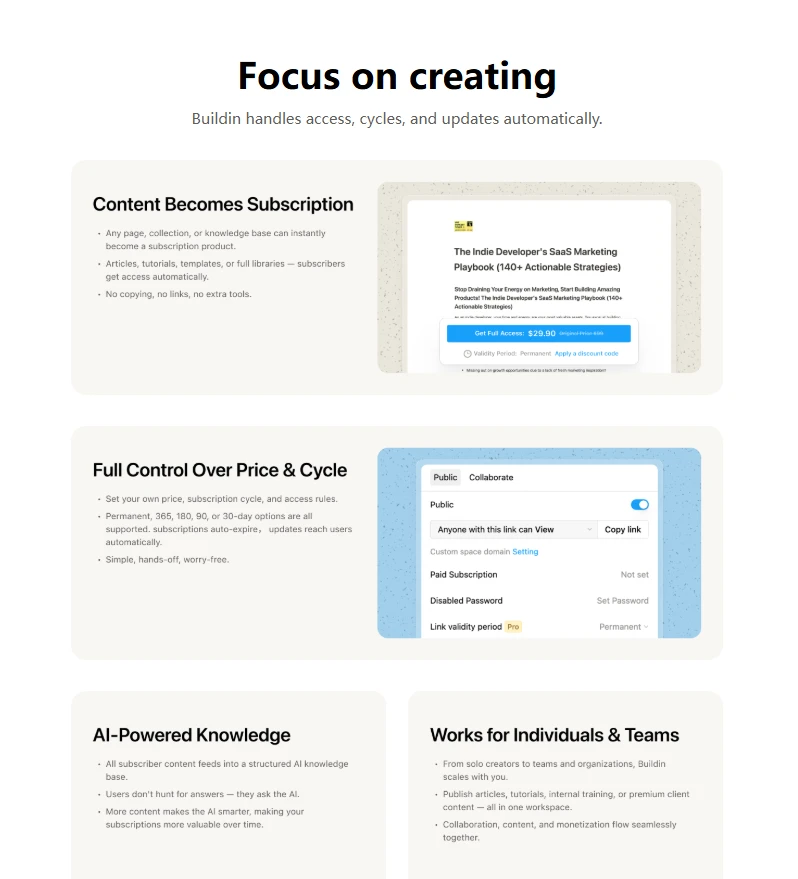
- Monetarisierung von Haus aus: Seiten, Vorlagen und kuratierte Wissenssammlungen lassen sich hinter ein Abo oder einen Bezahlzugang stellen. Damit gehört Buildin zu den wenigen Werkzeugen, in denen Dokumentation und Umsatz im selben Ablauf entstehen.
- Suche, die den Sinn versteht: Statt sich allein auf Stichwörter zu verlassen, erfasst Buildins KI, worum es bei einer Anfrage geht, und fördert zusammenhängende Informationen aus dem gesamten Arbeitsbereich zutage. Besonders wertvoll bei viel Recherche, vielen Arbeitsanweisungen und umfangreicher Produktdokumentation.
Betrieb im eigenen Haus: Wo Regeltreue, Vertraulichkeit oder Vorgaben zum Speicherort zählen, lässt sich Buildin auf eigenen Servern betreiben, sodass heikle Informationen in einer kontrollierten Umgebung bleiben.
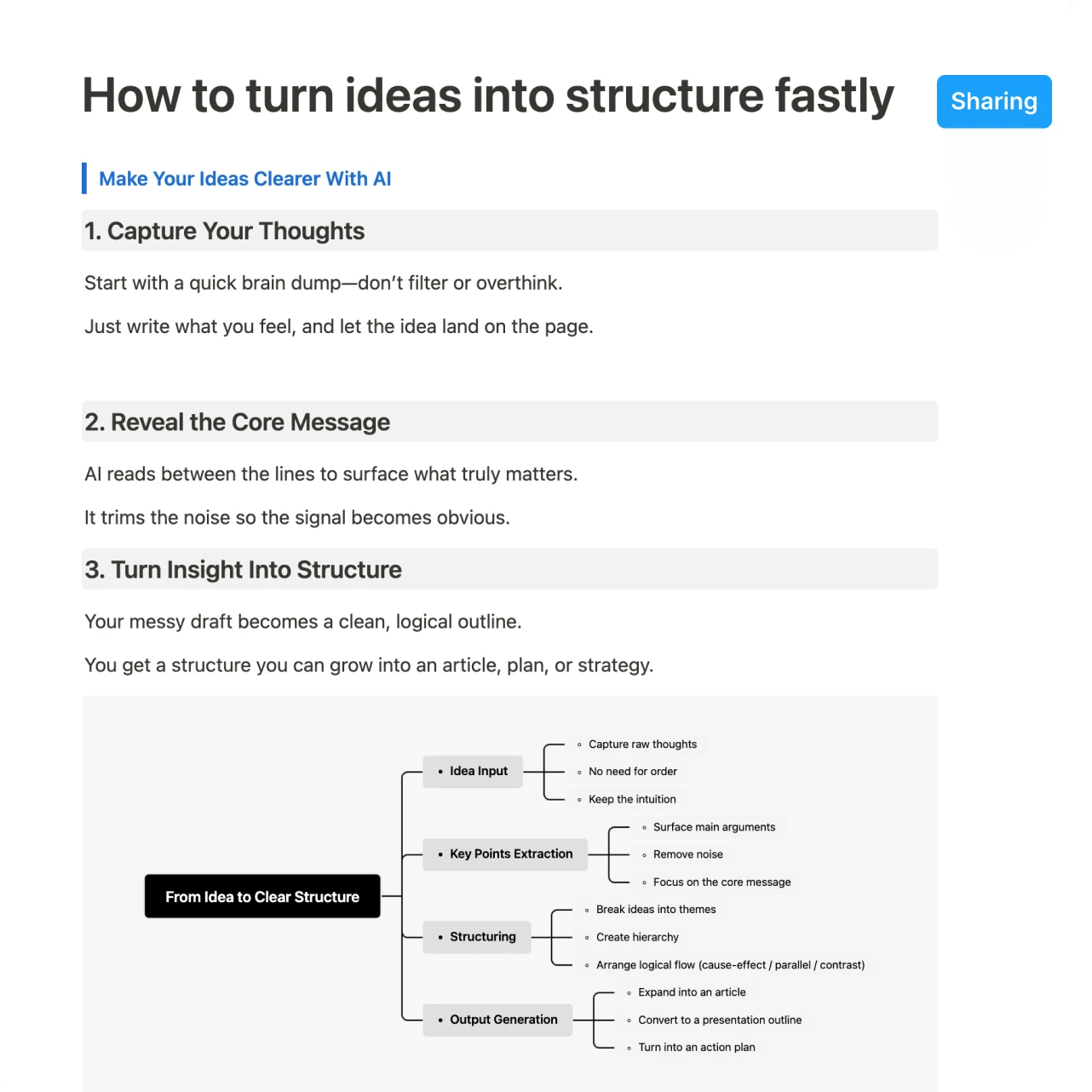
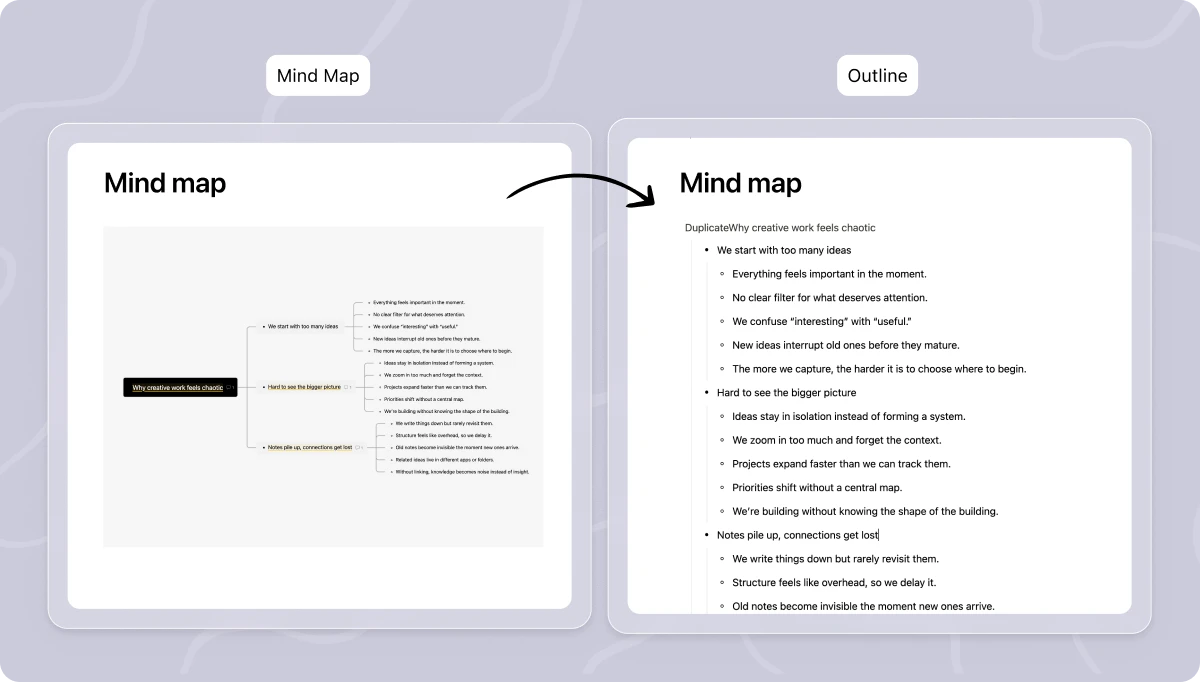
Mindmaps am Dokument: Buildin verbindet visuelles Denken mit der Arbeit am Text. Sie wechseln zwischen Mindmap, Gliederung und strukturiertem Wissen, ohne die Anwendung zu verlassen.
Warum Platz eins: Buildin ist die stärkste Wahl, wenn Zusammenarbeit, strukturiertes Wissen, Veröffentlichung und Monetarisierung zusammengehören sollen. Diese Kombination ist auch 2026 noch selten.
2. Notion: für Vorlagen und breite Akzeptanz
Am besten für: kleine Teams, allgemeine Zusammenarbeit und alle, die eine große Vorlagensammlung schätzen.
Notion bleibt einer der bekanntesten Namen, weil es leicht einzuführen und endlos anpassbar ist. Es profitiert weiterhin von seiner großen Gemeinschaft, der ausgefeilten Oberfläche und einer Vorlagensammlung, mit der Teams zügig loslegen.
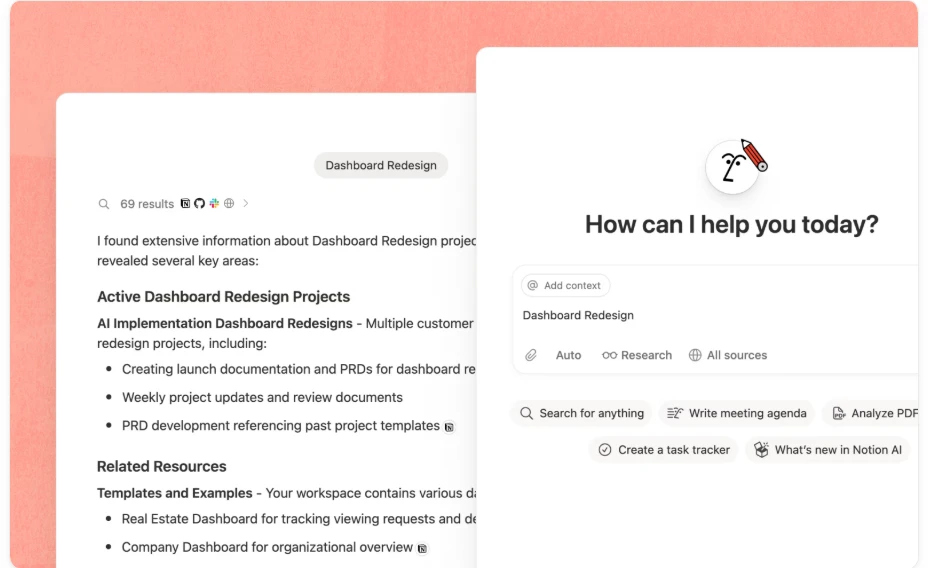
- KI im Alltag: Notion AI spielt beim Entwerfen, Zusammenfassen und Weiterverarbeiten von Inhalten eine immer größere Rolle. Für viele senkt das die Hürde, überhaupt zu schreiben und zu ordnen.
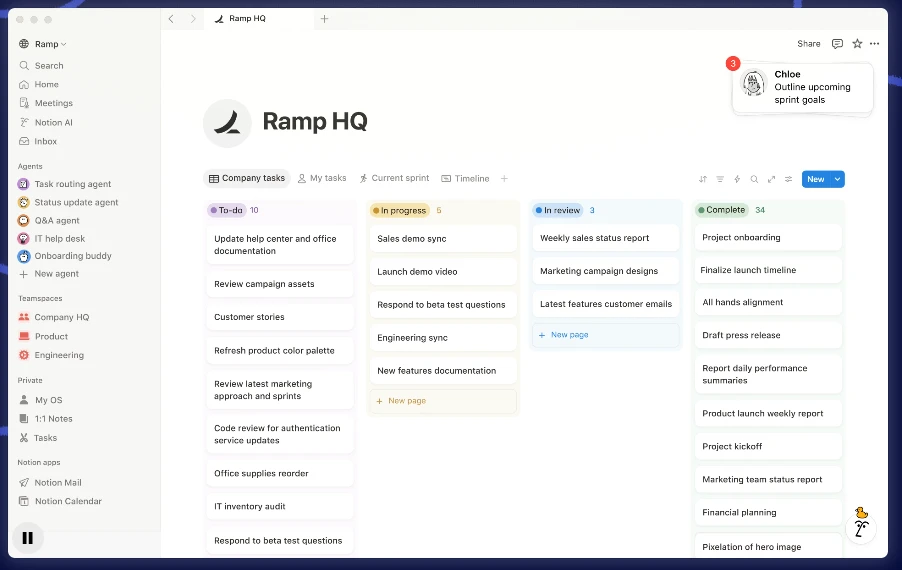
- Eine ausgereifte Vorlagenwelt: Für Wikis, Redaktionspläne, interne Handbücher und leichte Projektsysteme ist Notion schnell aufgesetzt.
- Der Haken: Notion ist beweglich und zugänglich, hängt bei anspruchsvoller Monetarisierung und kontrolliertem Betrieb aber stärker von Werkzeugen Dritter ab.
Warum es zählt: eine sichere, vielseitige Wahl für Teams, die starke Zusammenarbeit ohne steile Lernkurve wollen.
3. Coda: für Dokumente mit Logik
Am besten für: Produkt-, Betriebs- und bereichsübergreifende Teams, deren Dokumente sich wie Anwendungen verhalten sollen.
Coda verwischt weiterhin die Grenze zwischen Dokument und kleiner Anwendung. Wer Livedaten, Abläufe, Freigaben und Automatisierungen in gemeinsamen Dokumenten steuern will, findet hier eine der leistungsfähigsten Lösungen.
- Starke Anbindungen: Coda verbindet sich tief mit Jira, Figma, Salesforce und anderen, sodass Livedaten in gemeinsamen Dokumenten landen und die Arbeit im Zusammenhang bleibt.
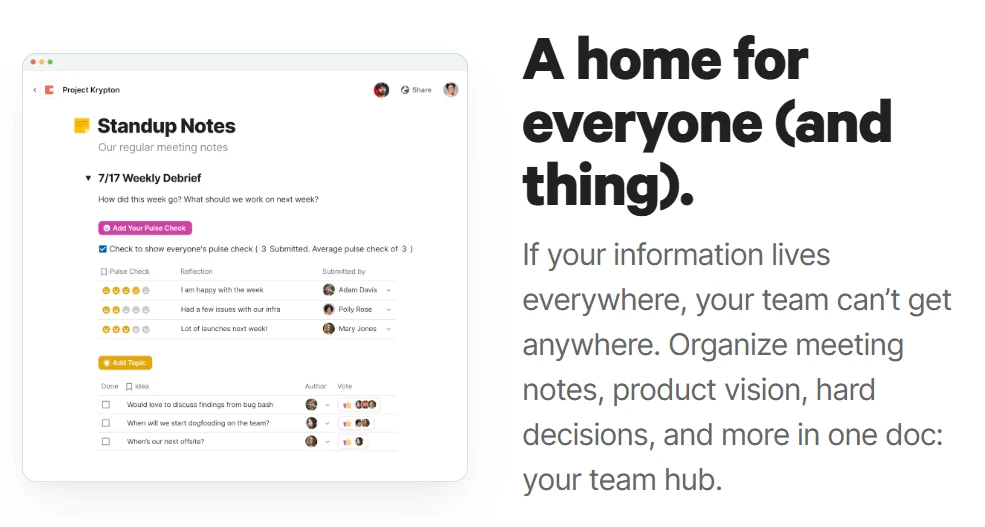
- Abläufe im Dokument: Schaltflächen, Formeln und Regeln erledigen Freigaben, Aktualisierungen und wiederkehrende Schritte unmittelbar auf der Seite.
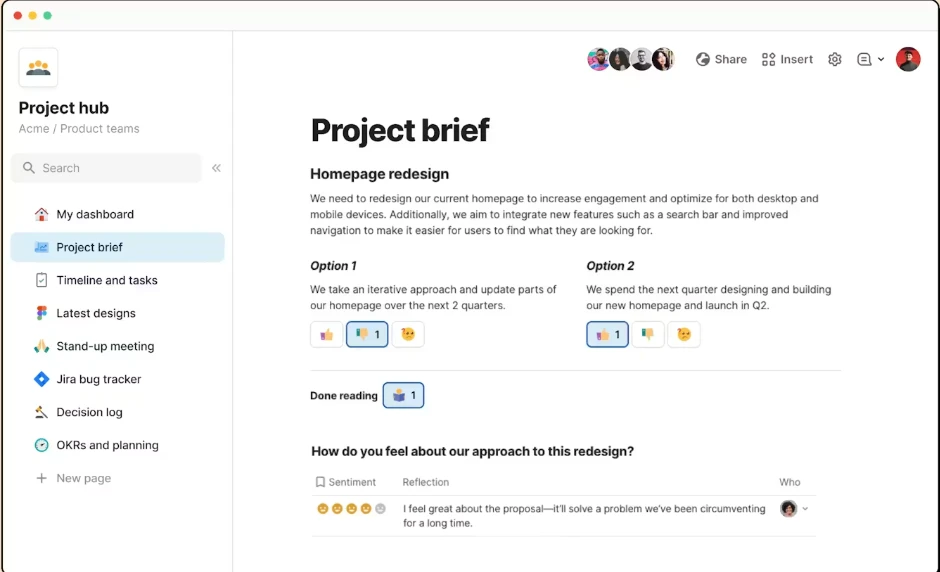
- Der Haken: Coda ist mächtig, wirkt auf Einsteigende aber verwickelter als gewohnte Dokumentwerkzeuge. Es entfaltet seine Stärke, wenn ein Team bewusst Systeme entwerfen will.
Warum es zählt: Wenn Ihre Dokumente wie Steuerzentralen arbeiten sollen, ist Coda kaum zu schlagen.
4. Google Workspace: fürs gleichzeitige Bearbeiten
Am besten für: Teams, denen unmittelbares gemeinsames Schreiben am wichtigsten ist und die ohnehin bei Google zu Hause sind.
Google Workspace setzt weiterhin den Maßstab für reibungsloses Arbeiten in Echtzeit. Inzwischen kommen tiefere KI-Unterstützung und ein engerer Austausch zwischen Gmail, Kalender, Tabellen und Meet hinzu.
Der schnellste Weg zur Zusammenarbeit: Fürs Ideensammeln, für Besprechungsnotizen und schnelle bereichsübergreifende Arbeit ist Google Docs unübertroffen unkompliziert.
KI über Anwendungen hinweg: Die Unterstützung durch Gemini zieht Zusammenhänge aus benachbarten Google-Werkzeugen heran und hilft beim Zusammenfassen und Entwerfen.
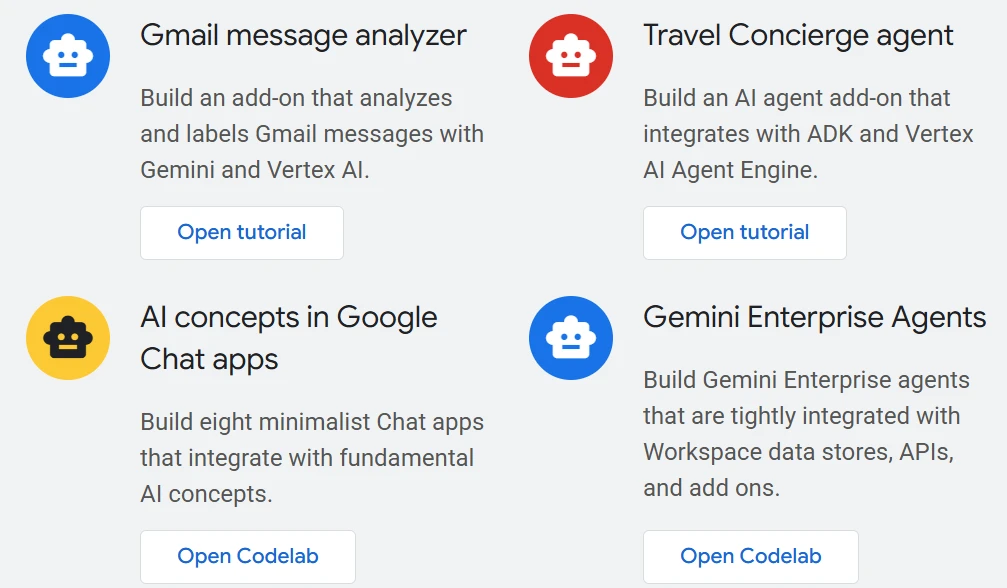
- Die Grenze: Fürs Bearbeiten und Abstimmen ist es hervorragend, für tiefere Wissensarchitektur, eingebaute Monetarisierung oder datenbankartige Beweglichkeit dagegen weniger geeignet.
Warum es zählt: eine der verlässlichsten Lösungen für alle, denen Tempo, Vertrautheit und die Verzahnung im Ökosystem am wichtigsten sind.
5. AFFiNE: für kreative Arbeit mit Datenschutz
Am besten für: alle, die eine offene, zuerst lokal arbeitende Alternative mit visueller Beweglichkeit suchen.
AFFiNE zieht Teams an, die mehr Kontrolle über ihre Daten wollen, ohne auf eine zeitgemäße Arbeitsumgebung zu verzichten. Die Mischung aus Dokumenten, Whiteboards und lokaler Speicherung spricht kreative und datenschutzbewusste Menschen an.
- Offline und lokal: AFFiNE eignet sich gut für alle, die ihren Ablauf nicht vollständig an die Cloud binden wollen.
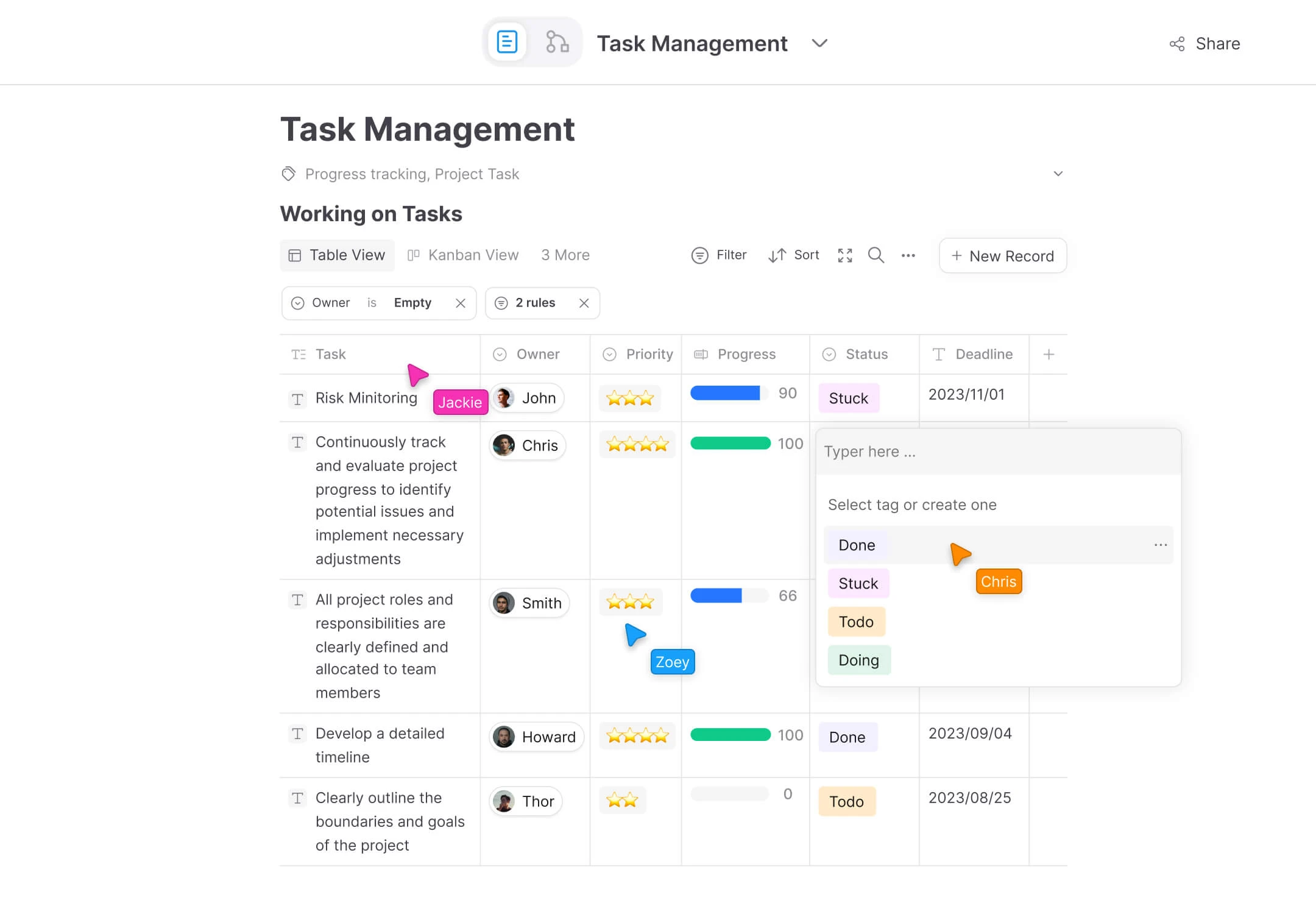
- Dokument und Leinwand in einem: Der Wechsel zwischen strukturiertem Schreiben und visuellem Denken erfolgt in derselben Umgebung.
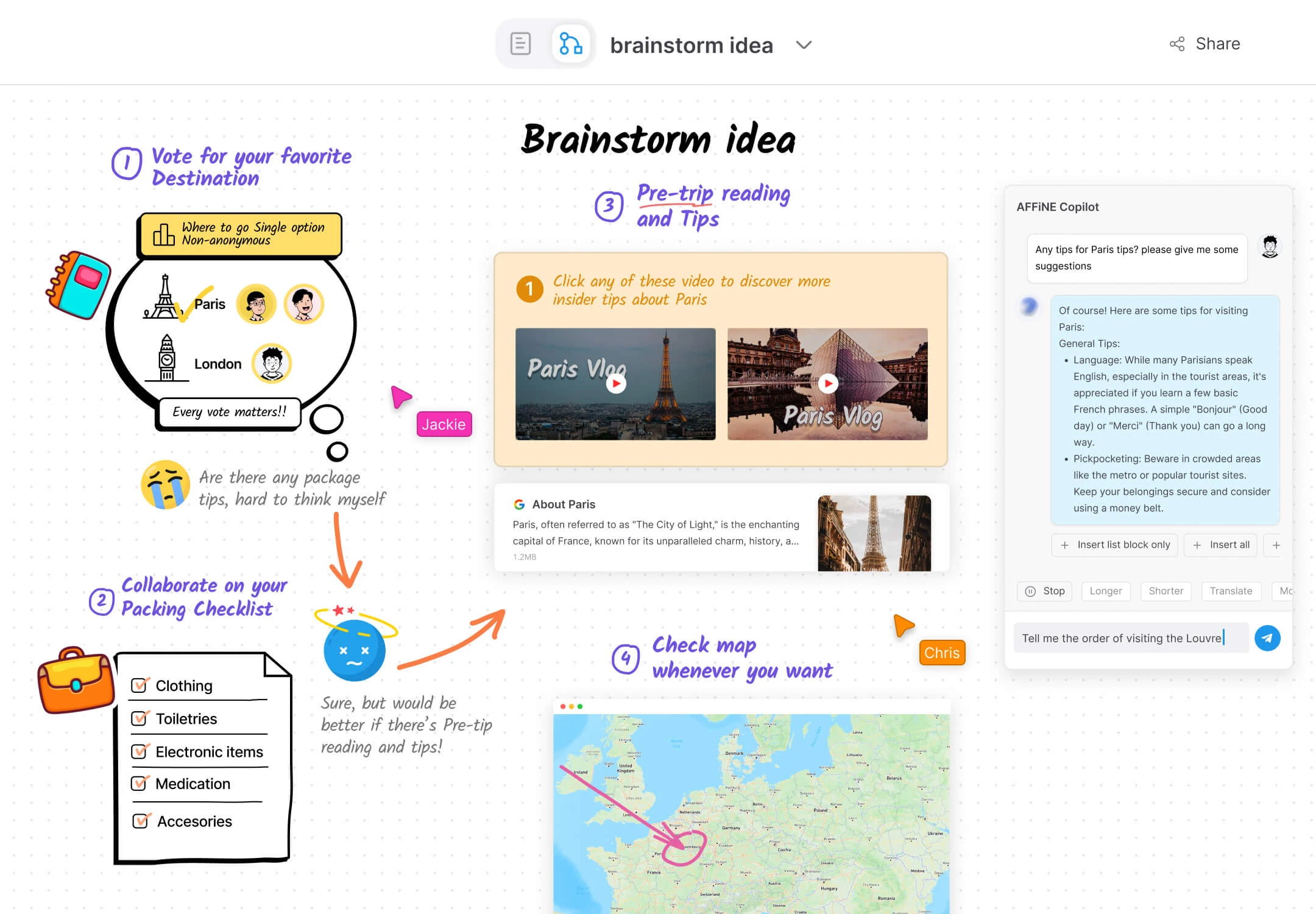
Warum es zählt: eine der klarsten Alternativen für alle, die einen datenschutzfreundlichen Arbeitsplatz mit Text und Bild wollen.
6. Slite: für zeitversetzte Wissensarbeit
Am besten für: verteilte Teams, die Klarheit, durchsuchbare Dokumentation und weniger Besprechungen brauchen.
Slite hat sich einem der größten Probleme der Zusammenarbeit gewidmet: Teams schreiben zwar Dokumentation, trauen ihr aber nicht und nutzen sie kaum. Slite hilft dabei, Wissen aktuell und auffindbar zu halten.
- Wissen prüfen und finden: Slites KI führt schneller zur passenden Antwort und hebt brauchbare Dokumente hervor als eine klassische Ordnerstruktur.
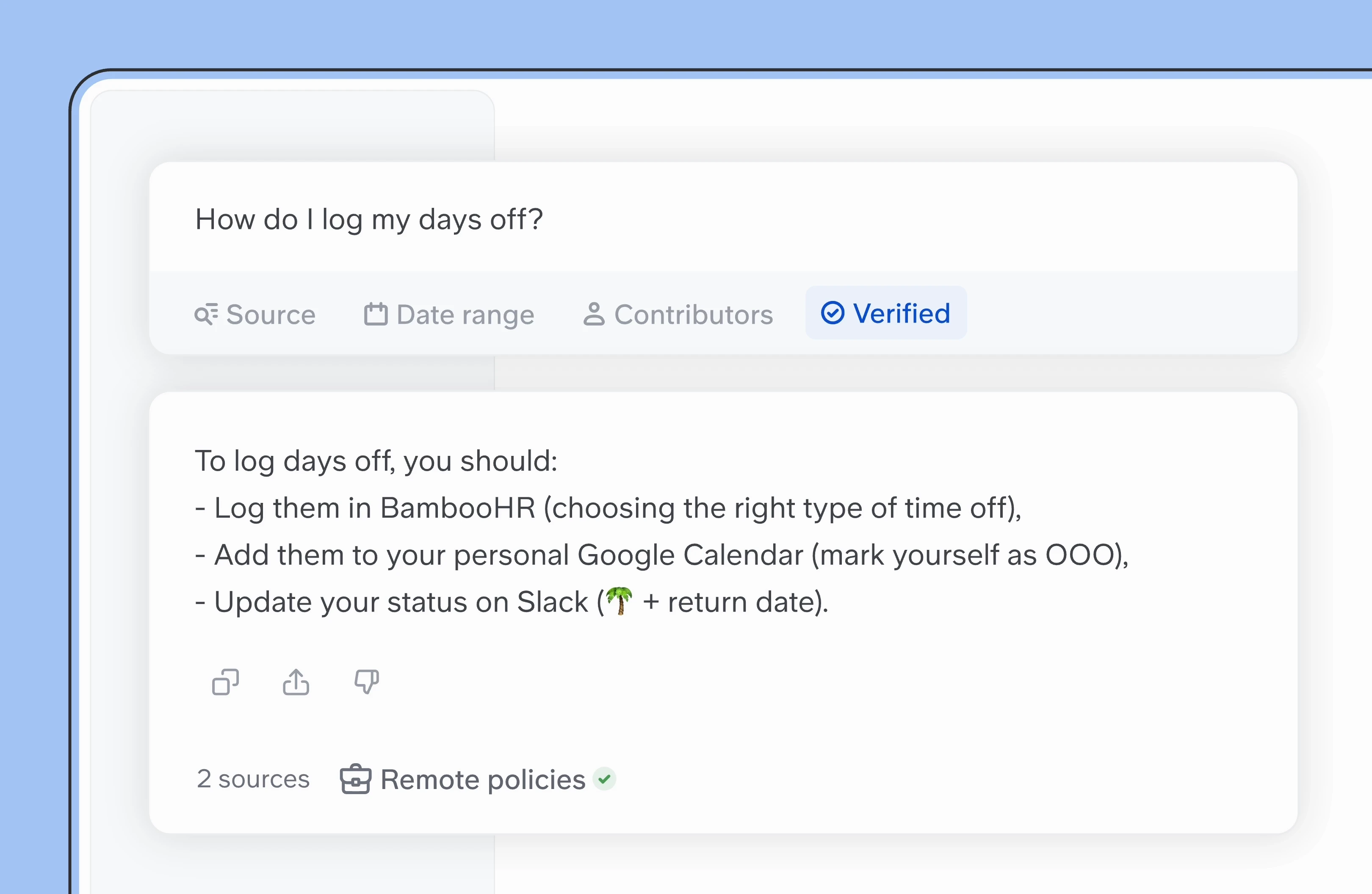
- Zeitversetzt arbeiten: Es passt gut zu Teams, die wiederkehrende Rückfragen und unnötige Termine durch verlässliches, geschriebenes Wissen ersetzen wollen.
Warum es zählt: eine starke Wahl für verteilte Teams, die Dokumentation als tägliches Arbeitsmittel begreifen.
7. Microsoft Loop: für Bausteine in Microsoft 365
Am besten für: Organisationen, die stark in Microsoft 365 arbeiten.
Microsoft Loop ist zu einer beweglichen Schicht für die Zusammenarbeit gereift, wenn Teams, Outlook und der übrige Microsoft-Bau den Alltag bestimmen. Seine Stärke liegt nicht im langen Text, sondern in modularen Bausteinen, die sich frei zwischen Anwendungen bewegen.
- Lebende Bausteine: Ein Inhalt wird einmal erstellt und bleibt in Chats, E-Mails und gemeinsamen Seiten auf demselben Stand.
- Unterstützung durch Copilot: Aus Besprechungen und Nachrichtenverläufen entstehen bearbeitbare Arbeitsdokumente.
Warum es zählt: besonders wertvoll, wenn die Zusammenarbeit innerhalb bestehender Microsoft-Abläufe stattfinden soll statt in einer eigenständigen Wissenszentrale.
8. Anytype: für Datenhoheit ohne Zentrale
Am besten für: Einzelne und Teams, die ihre Daten besitzen und flexible Strukturen aufbauen wollen.
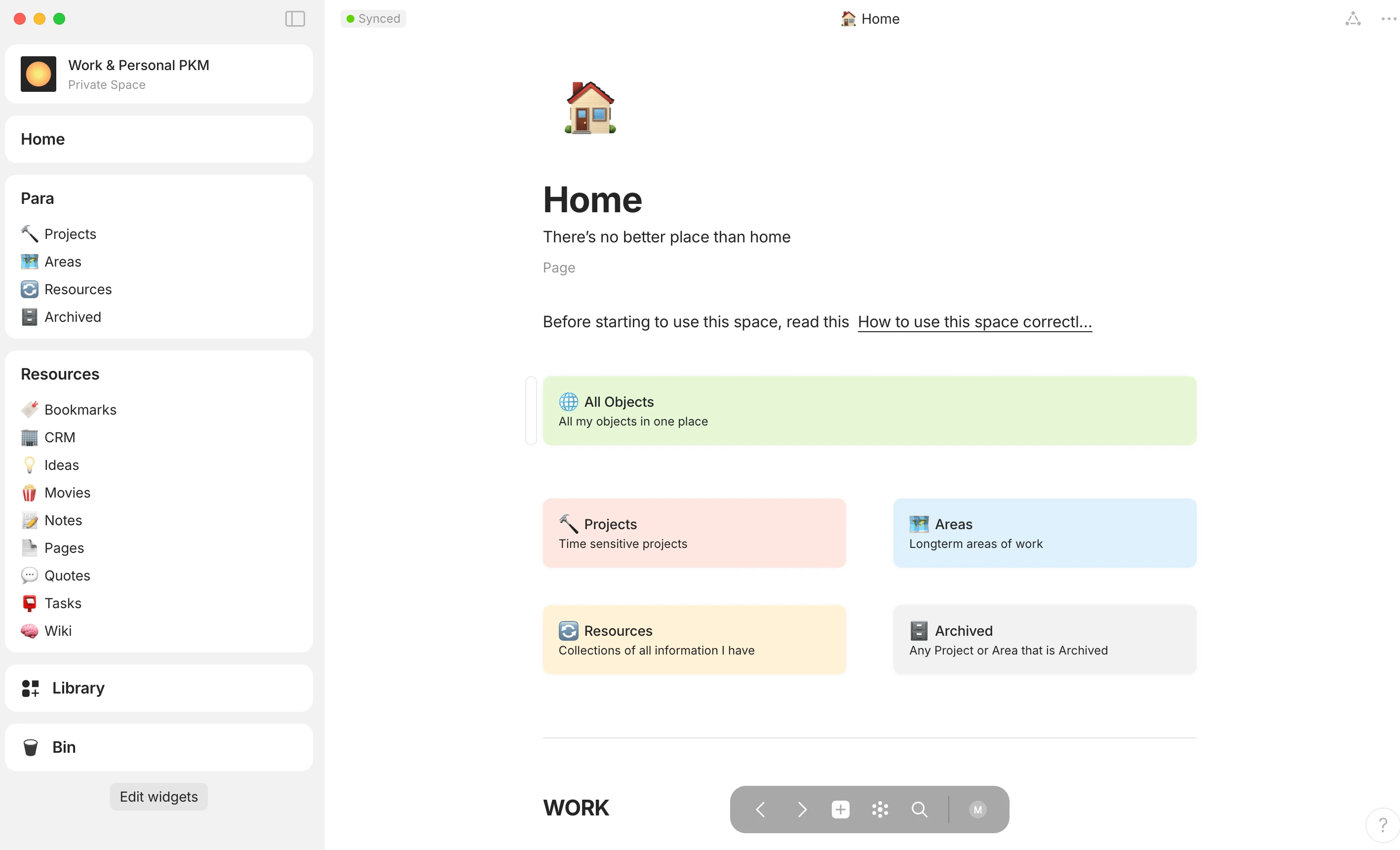
Anytype spricht alle an, denen das Eigentum an ihren Daten wichtig ist und die kein Wissenssystem wollen, das an eine zentrale Cloud gebunden ist.
- Objektlogik: Wissen wird als Netz aus Objekten geordnet statt in starren Ordnern, was mitwachsende Systeme erlaubt.
- Datenschutz von Anfang an: Verschlüsselung und lokales Eigentum machen es für datenschutzbewusste Menschen besonders attraktiv.
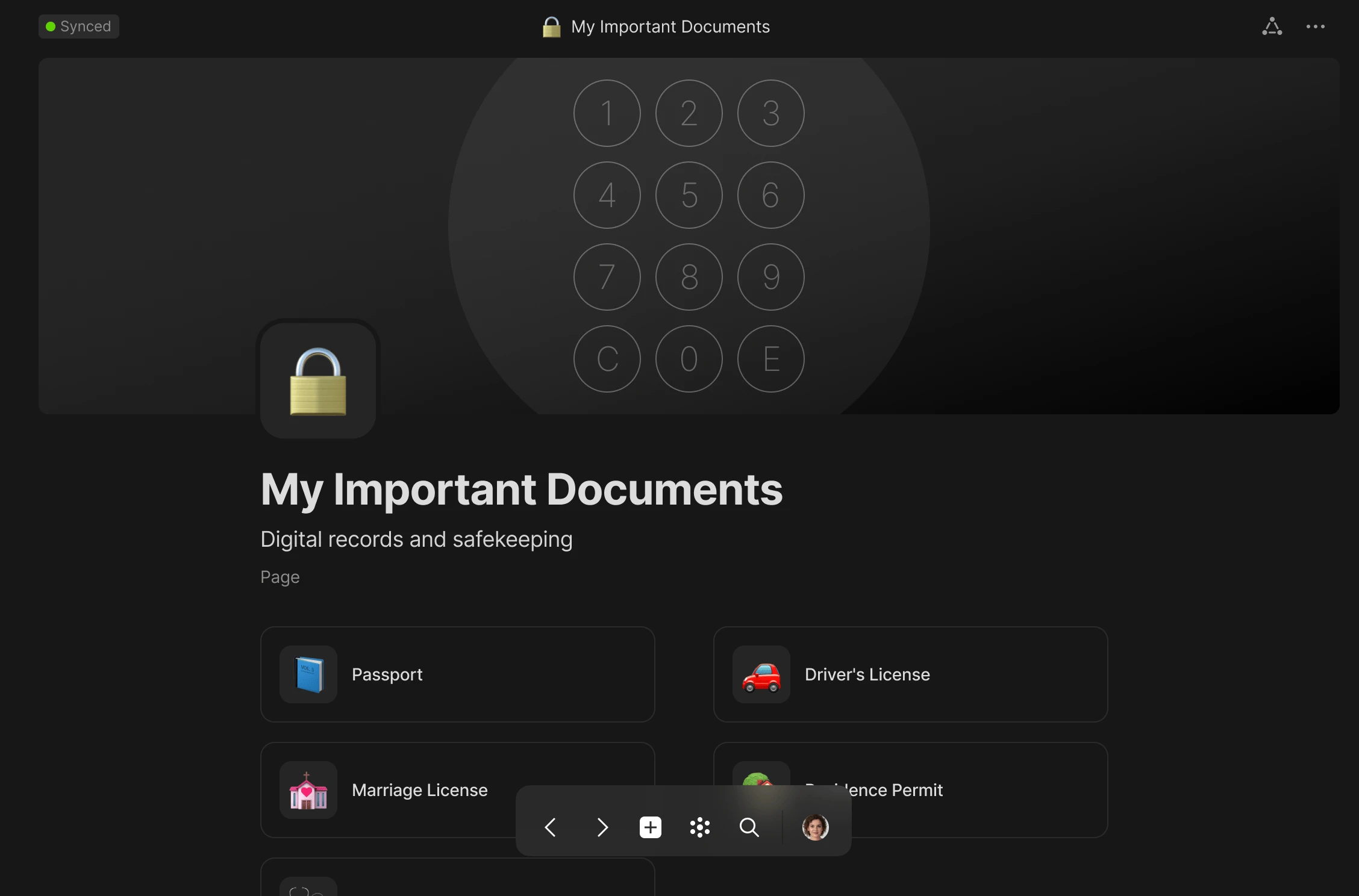
Warum es zählt: ideal für alle, für die Zusammenarbeit und dauerhaftes Dateneigentum untrennbar zusammengehören.
9. Obsidian: für Tiefe auf Markdown-Basis
Am besten für: Forschung, Schreibende und technische Teams, die lokale Markdown-Dateien und langfristige Unabhängigkeit schätzen.
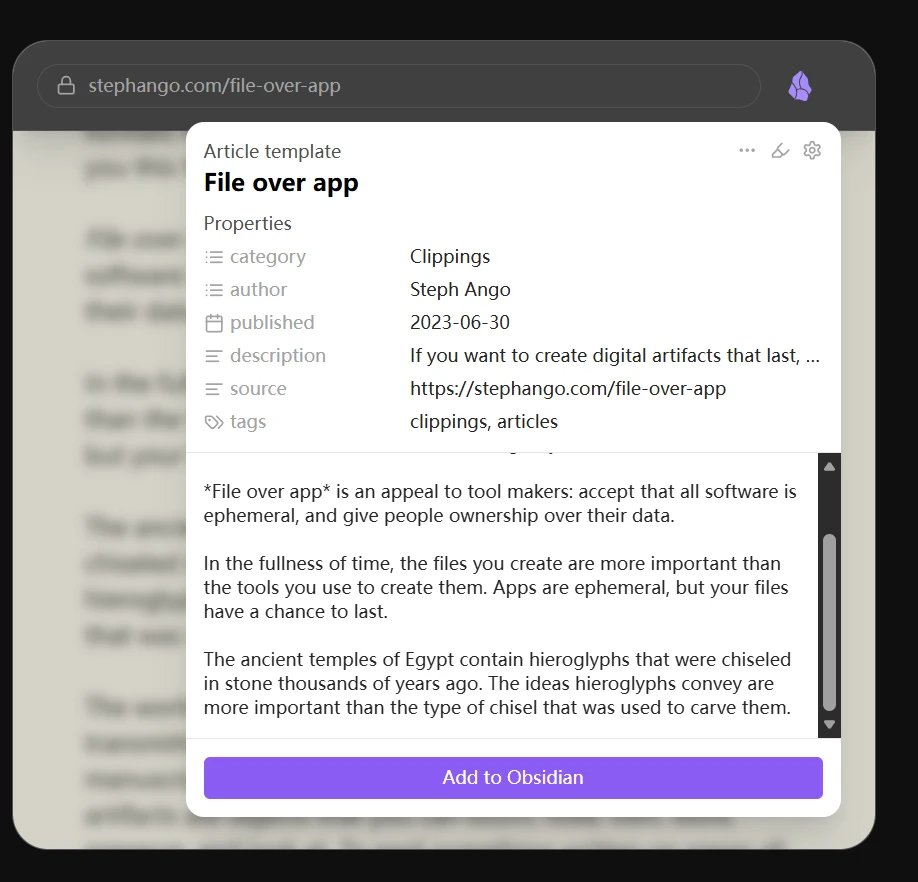
Obsidian bleibt der Liebling aller, die volle Kontrolle über ihre Notizen und deren Aufbau wollen. Ursprünglich als persönliches Werkzeug gestartet, wächst die Zusammenarbeit über Abgleich und teamnahe Abläufe weiter.
- Markdown als Grundlage: Weil Inhalte als schlichte Dateien vorliegen, bleiben Sie langfristig unabhängig von einer Plattform.
- Wissen sichtbar machen: Graphen und Leinwand helfen dabei, Beziehungen in großen Beständen zu erkunden.
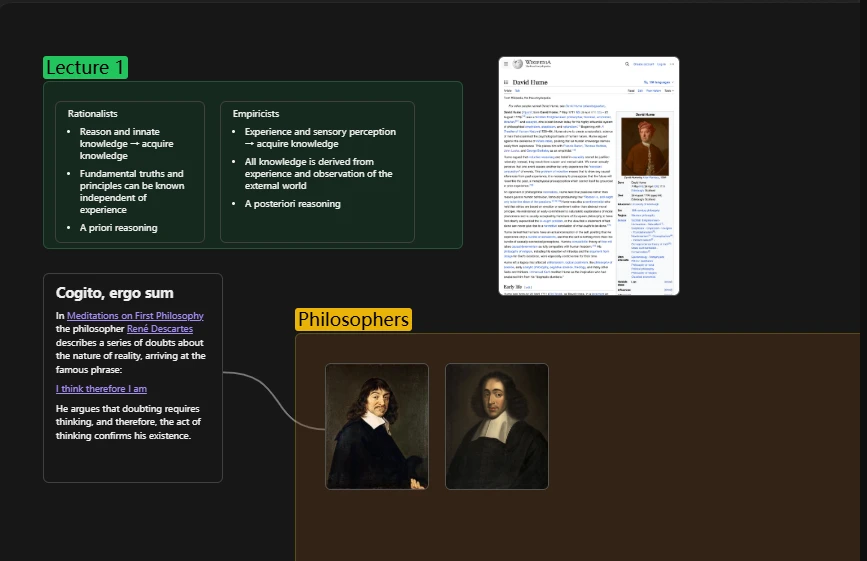
Warum es zählt: eine der besten Wahlmöglichkeiten für alle, denen dauerhafte Dateien, strukturiertes Denken und lokale Speicherung wichtig sind.
10. Miro: für visuelle Zusammenarbeit
Am besten für: gestaltungsgetriebene Teams, Moderierende und alle, die räumlich denken.
Miro ist vor allem als Whiteboard bekannt, unterstützt inzwischen aber auch dokumentartige Zusammenarbeit innerhalb visueller Räume. Für Teams, die visuell planen und präsentieren, zählt das.
- Räumliches Arbeiten: Miro ist stark, wenn Dokumente nah an Diagrammen, Abläufen und Workshop-Ergebnissen bleiben sollen.
- KI beim Verdichten: Sie gruppiert Ideen, ordnet Notizen und nimmt die Aufräumarbeit ab, die sonst nach jeder Sitzung anfällt.
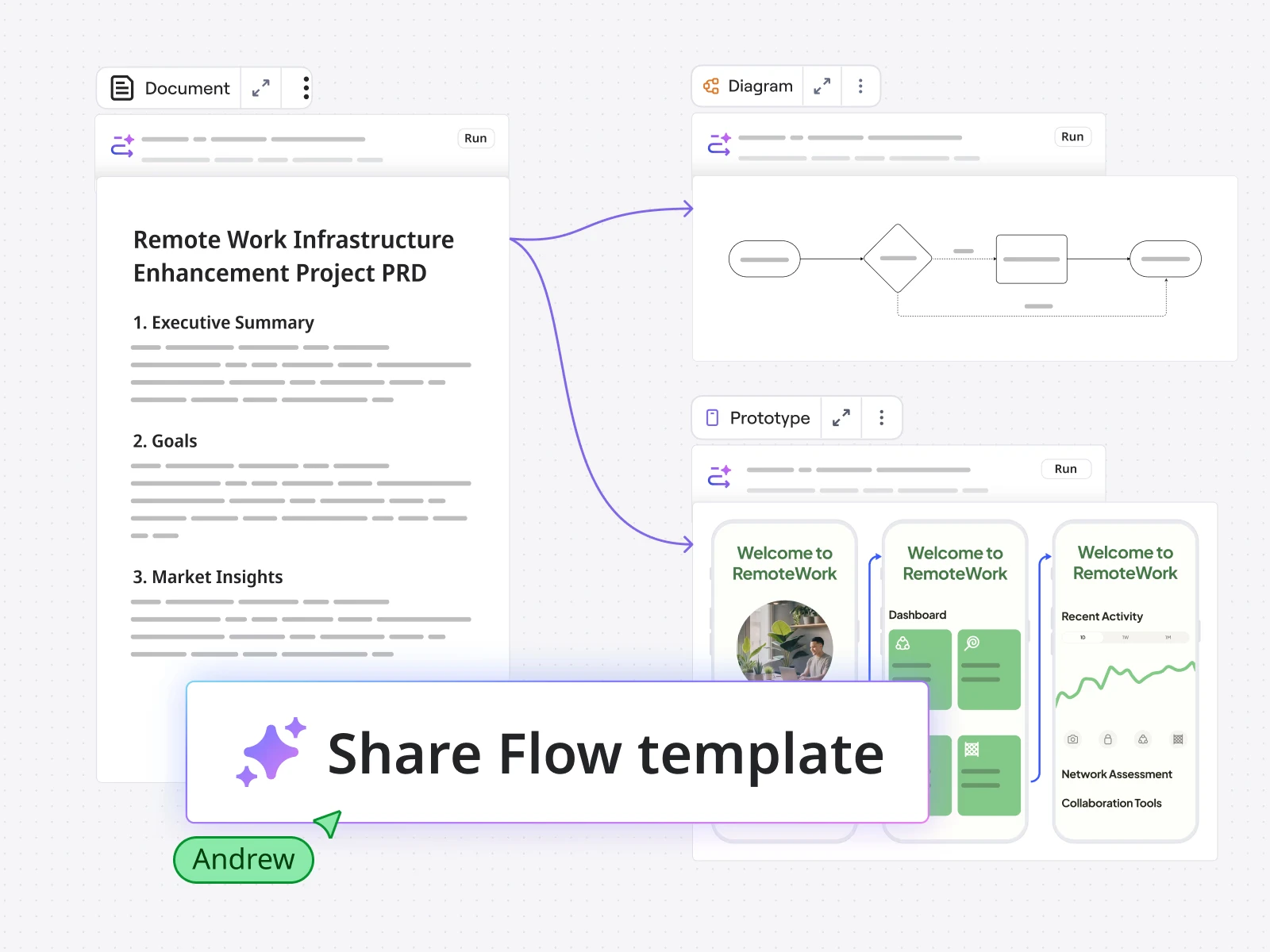
Warum es zählt: eine starke Wahl für Teams, die am besten auf einer Leinwand denken und daraus anschließend geordnete Dokumentation machen wollen.
Die Gegenüberstellung
| Werkzeug | Kernstärke | KI | Datenschutz und Kontrolle | Monetarisierung |
|---|---|---|---|---|
| Buildin | Wissenszentrale und Verkauf | sinnverstehende Suche und KI-gestützte Abläufe | Betrieb im eigenen Haus möglich | eingebaute Bezahl-Abos |
| Notion | Vorlagen und allgemeine Zusammenarbeit | Schreiben, Zusammenfassen, Agenten | zuerst Cloud | nur über Dritte |
| Coda | Dokumente mit Logik | Automatisierung und kluge Aktionen | zuerst Cloud | eingeschränkt |
| Google Workspace | gleichzeitiges Bearbeiten | Unterstützung durch Gemini | zuerst Cloud | keine |
| AFFiNE | lokal und kreativ | KI im Aufbau | starkes Local-First-Modell | keine |
| Slite | zeitversetzte Dokumentation | KI-gestützte Wissenssuche | zuerst Cloud | keine |
| Microsoft Loop | Bausteine in Microsoft 365 | Copilot | Kontrolle über den Microsoft-Bau | keine |
| Anytype | Datenhoheit | begrenzt, aber wachsend | starkes Eigentumsmodell | keine |
| Obsidian | Markdown und Unabhängigkeit | über Erweiterungen | zuerst lokal | keine |
| Miro | visuelle Zusammenarbeit | Gruppieren und Verdichten | zuerst Cloud | keine |
Worauf kleine Unternehmen achten sollten
Kleine Teams wählen unter anderen Bedingungen als Konzerne: Das Budget ist knapp, es gibt keine IT-Abteilung, die eine verwickelte Einrichtung pflegt, und das Team kann sich binnen eines Quartals verdoppeln. Drei Fragen decken das Wesentliche ab:
- Funktioniert es sofort? Wenn ein Werkzeug tagelange Einrichtung braucht, bevor das erste Dokument entsteht, verliert es gegen das, was das Team ohnehin schon nutzt. Bevorzugen Sie fertige Vorlagen und sinnvolle Voreinstellungen gegenüber endloser Konfigurierbarkeit.
- Deckt es mehreres zugleich ab? Für ein Team von fünf Personen bedeuten getrennte Anwendungen für Dokumente, Wissen und Aufgaben drei Abos und drei Orte, an denen Informationen verloren gehen. Arbeitsplätze wie Buildin, Notion oder Coda halten Schreiben, strukturierte Daten und leichte Projektsteuerung in einem durchsuchbaren Raum.
- Trägt es Wachstum? Die eigentliche Prüfung ist nicht die heutige Größe, sondern ob Rechte, Seitenstruktur und Preis noch stimmen, wenn sich das Team in Gruppen teilt. Prüfen Sie die Kosten pro Platz und wie leicht sich Inhalte umbauen lassen.
Welches Werkzeug es auch wird: Sorgen Sie dafür, dass Entscheidungen und Abläufe schriftlich und auffindbar festgehalten werden. Je kleiner das Team, desto teurer ist Wissen, das nur in einem einzigen Kopf steckt – ein gepflegter gemeinsamer Arbeitsbereich erspart neuen Kolleginnen und Kollegen die immergleichen Fragen.
Fazit
Welches Werkzeug 2026 das beste ist, hängt davon ab, worauf Ihr Team am meisten Wert legt. Für das schnellste gemeinsame Bearbeiten liefert Google Workspace weiterhin. Für bewegliche Vorlagen und breite Vertrautheit bleibt Notion eine verlässliche Wahl. Für Dokumente, die sich programmieren lassen, führt an Coda kaum ein Weg vorbei.
Wenn Sie aber eine Plattform wollen, die strukturiertes Wissen, Zusammenarbeit, den Betrieb im eigenen Haus, KI-gestütztes Wiederfinden und eingebaute Monetarisierung verbindet, ist Buildin die vorausschauendste Wahl dieser Liste. Es hilft Teams nicht nur dabei, bessere Dokumente zu schreiben, sondern ein klügeres und wertvolleres Wissenssystem aufzubauen.

Sency Shen
Skilled in content structuring, topic breakdown, and background research, with a strong interest in knowledge management and content workflows. Responsible for research, information organization, and foundational content preparation at Buildin.