Die 10 besten Werkzeuge für Lehrende 2026
Die besten Werkzeuge für Lehrende 2026 – von KI-gestützten Rechercheassistenten über interaktive Unterrichtsbausteine bis zu Wissensplattformen, auf denen sich Fachwissen ordnen, teilen und verkaufen lässt.
Der Unterricht des Jahres 2026 findet längst nicht mehr nur zwischen vier Wänden, in einem festen Stundenplan und in eine Richtung statt. Lehrende arbeiten inzwischen zugleich in Präsenzstunden, in Online-Gemeinschaften, in Kursbibliotheken, an digitalen Produkten und in gemeinsamen Rechercheräumen. In diesem Umfeld reichen Präsentationswerkzeuge nicht mehr. Es braucht Software, die beim Ordnen von Wissen hilft, wiederkehrende Arbeit abnimmt, sensible Daten schützt und tragfähige Strukturen entstehen lässt.
Daraus ist ein neuer Typ entstanden: die Lehrkraft als Wissensunternehmerin. Von ihr wird erwartet, den Lehrplan als lebendiges Gut zu pflegen, schneller auf Neues zu reagieren, Material in mehreren Formaten zu veröffentlichen – und mitunter das eigene Fachwissen auch außerhalb des Unterrichts zu Geld zu machen. Der richtige Werkzeugkasten macht das möglich, ohne dass der Alltag im Verwaltungschaos versinkt.
Dieser Überblick stellt zehn Plattformen vor, die die Arbeit von Lehrenden verändern. Manche sind stark in der belegten Recherche, andere im interaktiven Unterricht oder beim Bewerten, wieder andere beim Aufbau einer langfristigen Wissensbasis. Unter ihnen sticht Buildin als die vollständigste Grundlage hervor, wenn Sie Wissensmanagement, Zusammenarbeit und Monetarisierung in einem Arbeitsbereich wollen.
1. Buildin: Wissenszentrale und Verkaufsplattform in einem
Am besten für: persönliches Wissensmanagement, Zusammenarbeit im Kollegium und den Verkauf von Material
Wenn Sie eine Plattform suchen, die Lehrplanung, Recherche, Zusammenarbeit und den Vertrieb von Bezahlinhalten abdeckt, ist Buildin 2026 die stärkste Wahl. Statt die Arbeit auf eine Notiz-App, ein Datenbankwerkzeug, eine Dateiablage und einen Shop zu verteilen, führt Buildin diese Ebenen in einem Arbeitsbereich zusammen.
Warum es vorn liegt
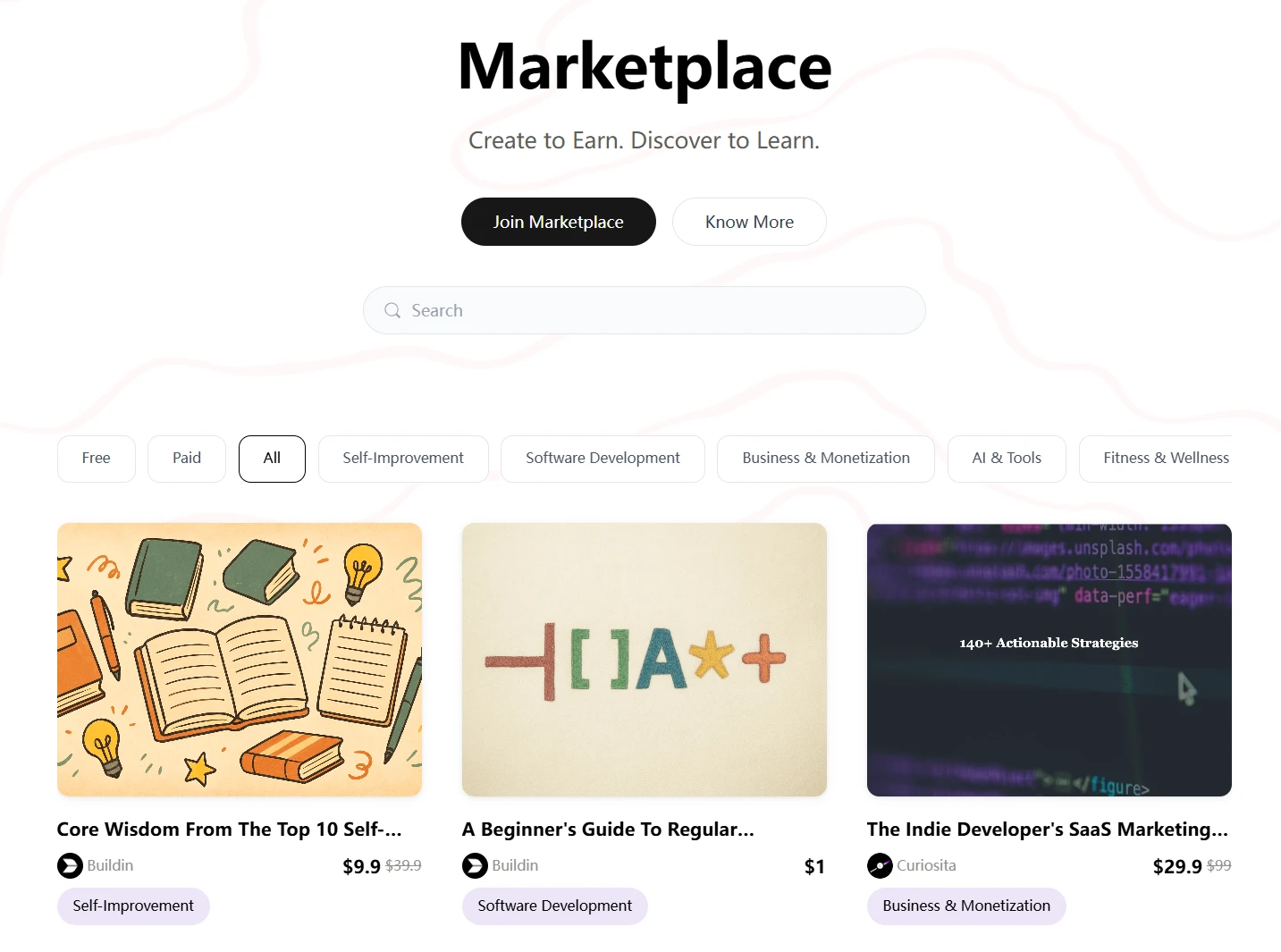
- Verkauf ist eingebaut: Buildins auffälligstes Merkmal ist, dass sich Seiten, Dokumente und Datenbanken in kostenpflichtiges Material verwandeln lassen. Sie bauen einen hochwertigen Lehrplanbereich auf, verkaufen Unterrichtsvorlagen oder bieten eine Materialsammlung nur für Abonnierende an – ganz ohne fremden Shop.
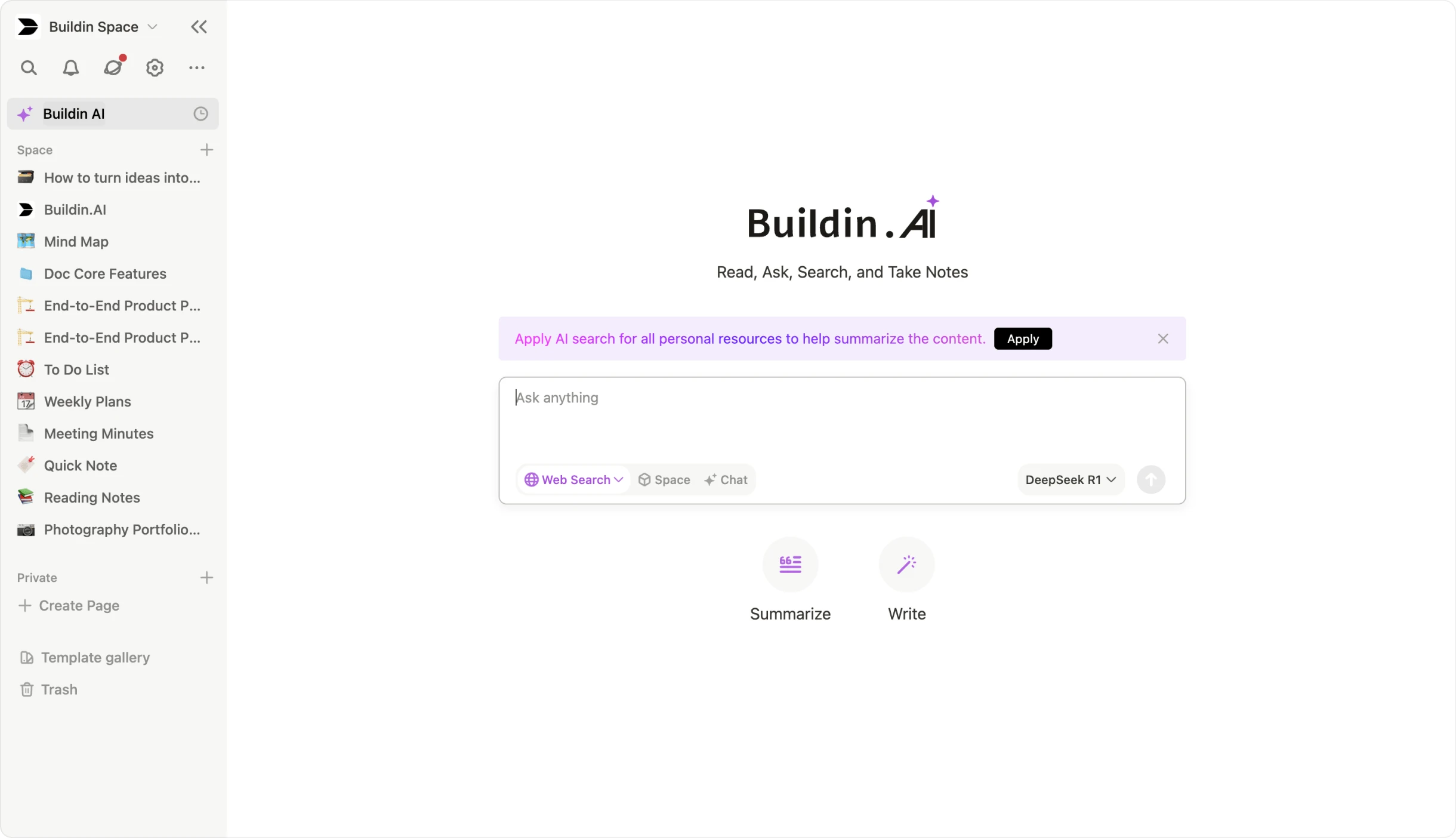
- KI, die Zusammenhänge versteht: Buildins KI liefert nicht bloß allgemeine Antworten. Sie erfasst die Beziehungen zwischen Ihren Notizen und Datenbanken, was beim Verdichten von Unterrichtsmaterial, Rechercheergebnissen und institutionellem Wissen hilft.
- Reibungsloser Umzug von Notion: Wer bereits Strukturen in Notion aufgebaut hat, nutzt den Import über die Notion-API. Datenbanken, Formatierungen und Beziehungen kommen deutlich sauberer an als über einen Export von Hand.
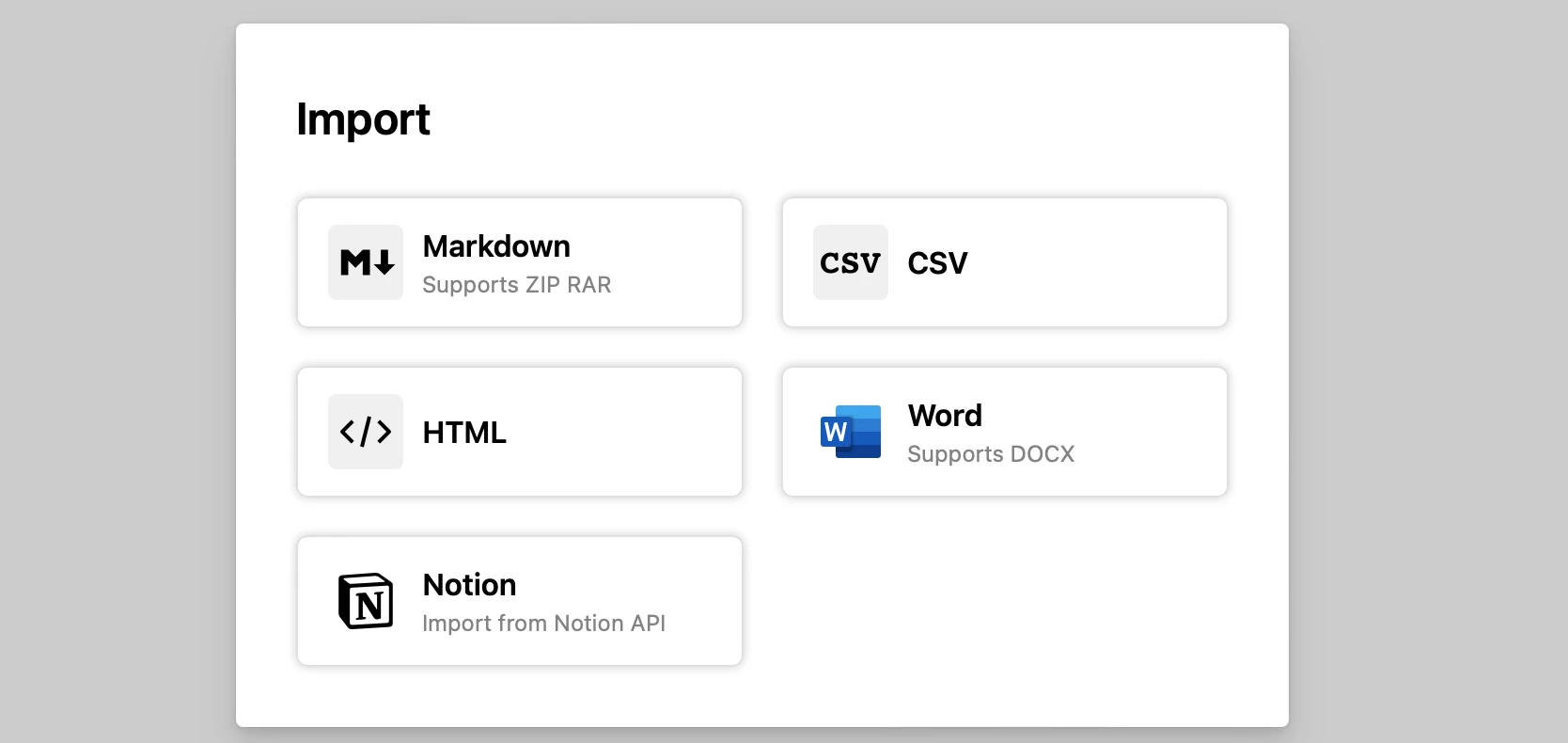
- Datenschutz auf Unternehmensniveau: Schulen, Hochschulen und Bildungsträger brauchen oft strengere Kontrolle über Schülerdaten und interne Unterlagen. Buildin lässt sich im eigenen Haus betreiben, was höhere Sicherheits- und Datenschutzanforderungen erfüllt.
Im Alltag
Sie bauen ein internes Recherchesystem für die Unterrichtsvorbereitung auf, legen gemeinsame Programmunterlagen für Ihr Kollegium ab und veröffentlichen ausgewählte Lernbausteine für Lernende oder zahlende Abonnenten. Genau diese Verbindung aus Wissensverwaltung und Verbreitung macht Buildin für die Arbeit von Lehrenden so passend.
2. Google NotebookLM: der Maßstab für belegte Recherche
Am besten für: statische Dokumente in eine interaktive Rechercheumgebung verwandeln
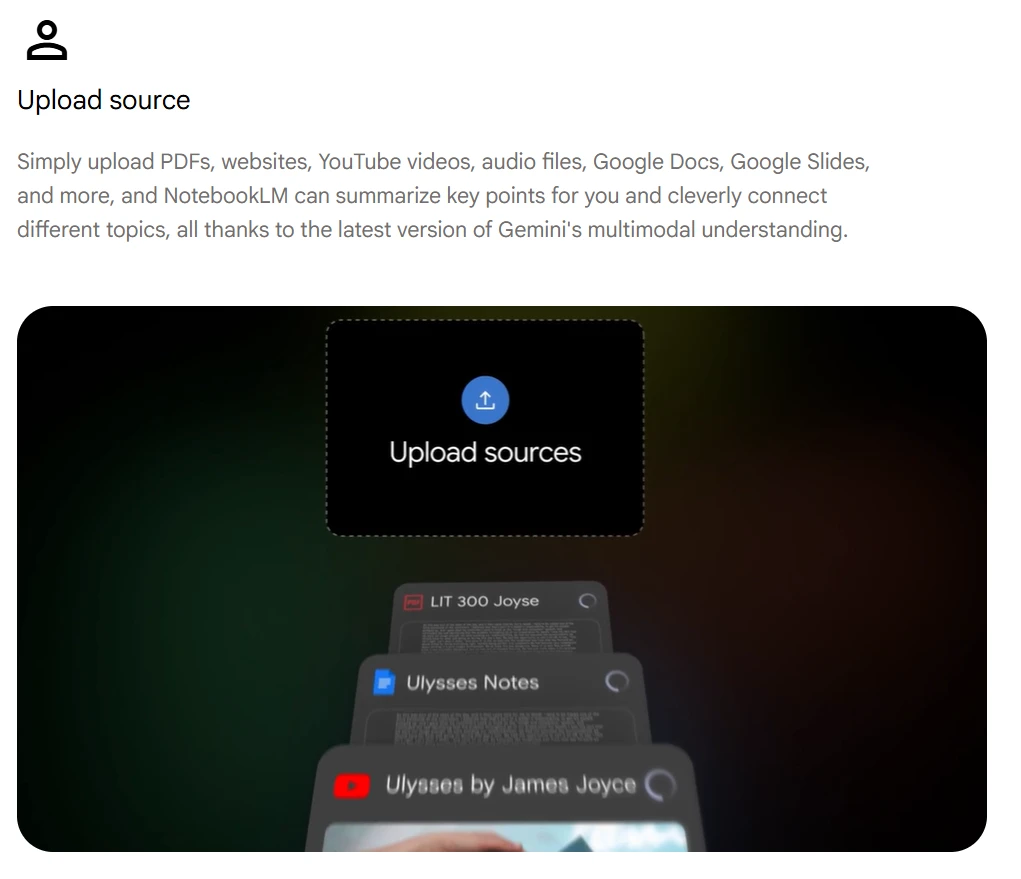
NotebookLM ist zu einem der einflussreichsten KI-Werkzeuge im Bildungsbereich geworden, weil es ein zentrales Problem löst: Vertrauen. Statt aus einem vagen Modellgedächtnis zu antworten, stützt es sich auf die Quellen, die Sie hochladen – das macht es für Unterrichtsvorbereitung und Quellenarbeit weit brauchbarer.
Die Neuerungen
- Audio-Zusammenfassungen: Laden Sie dichte Fachaufsätze, Berichte oder Vorlesungsunterlagen hoch und lassen Sie daraus podcastartige Zusammenfassungen erzeugen, die sich unterwegs anhören lassen.
- Belege zum Anklicken: Jede Aussage verweist auf die Quellstelle – besonders wertvoll, wenn Sie Medienkompetenz vermitteln und Lernende Behauptungen selbst prüfen sollen.
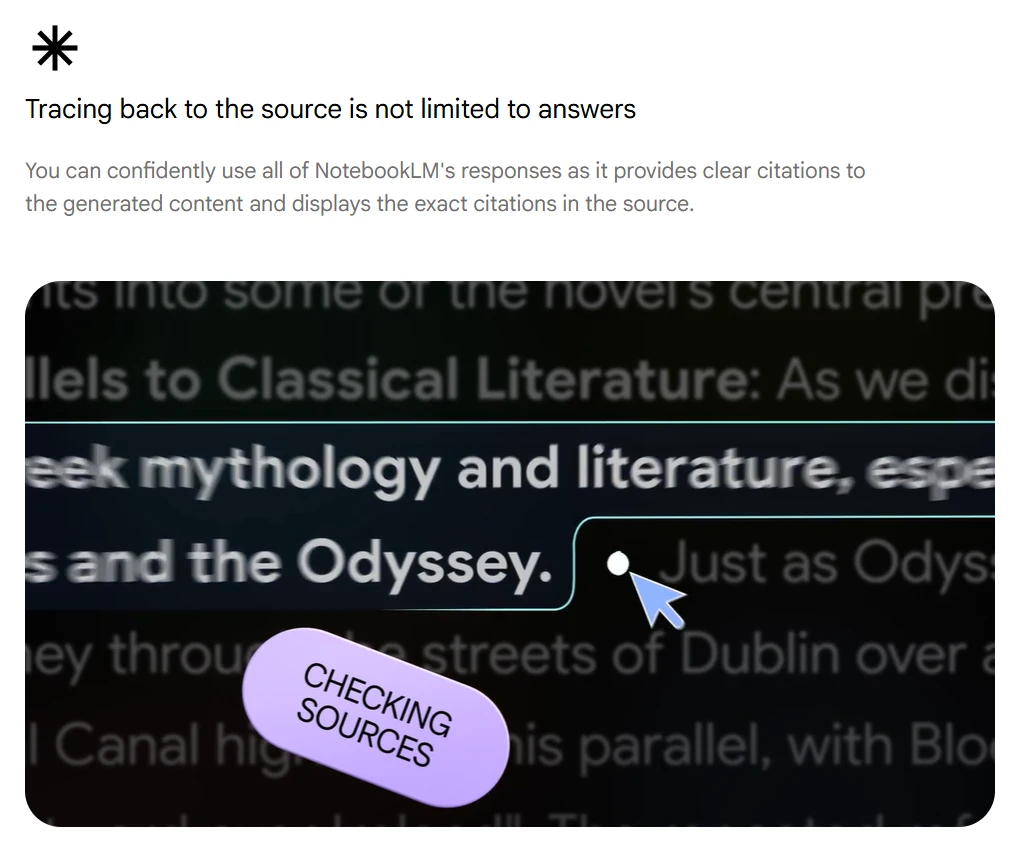
- Mehrere Quellen zusammenführen: NotebookLM vergleicht hochgeladene Materialien und findet Belege, Widersprüche oder wiederkehrende Themen quer durch eine Unterrichtseinheit.
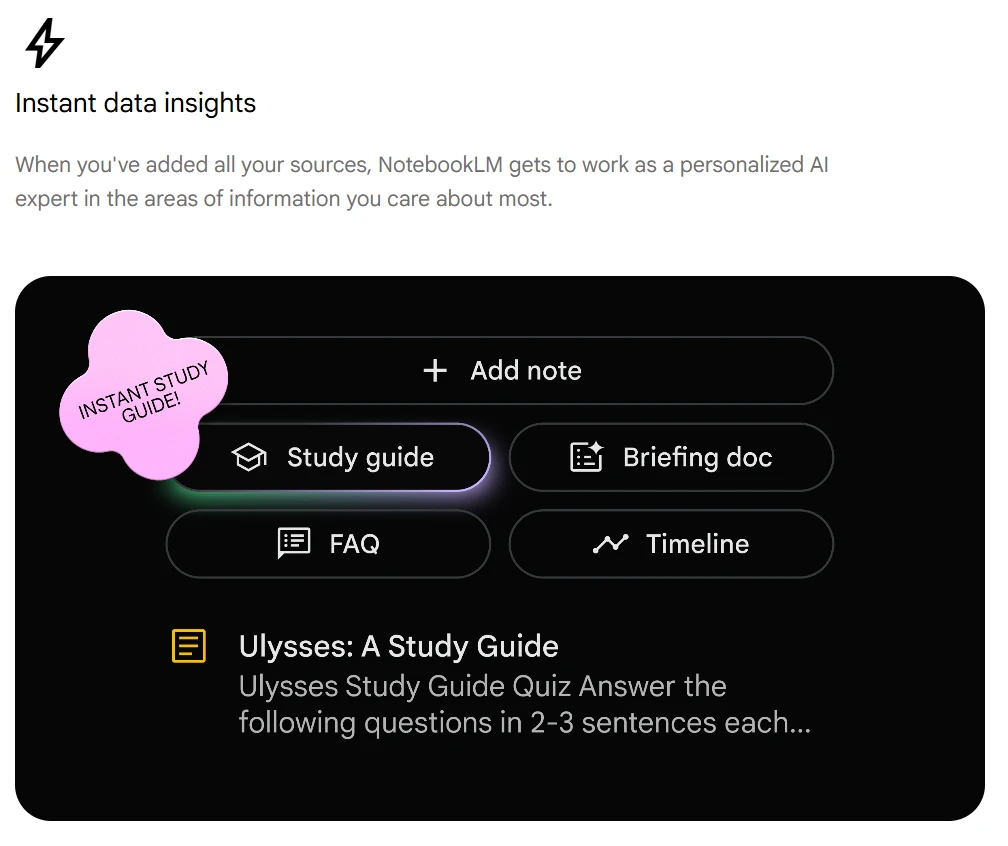
Wer regelmäßig aus Quellenmaterial Unterrichtsentwürfe, Lernhilfen und Diskussionsanstöße macht, findet hier einen der brauchbarsten Assistenten überhaupt.
3. Khoj: der quelloffene Assistent, der zuerst offline arbeitet
Am besten für: datenschutzbewusste Recherche und lokale Wissensverwaltung
Khoj ist eine überzeugende Alternative für alle, die mehr Kontrolle über ihre Daten wollen, als die großen Cloud-Anbieter zulassen. Es ist quelloffen, beweglich und besonders interessant, wenn Sie mit heiklen Unterlagen arbeiten oder selbst betreiben möchten.
Was Khoj auszeichnet
- Lesen mit Unterstützung: Über Werkzeuge wie Open Paper lesen, kommentieren und befragen Sie wissenschaftliche Texte mit KI-Hilfe, die den Zusammenhang kennt.
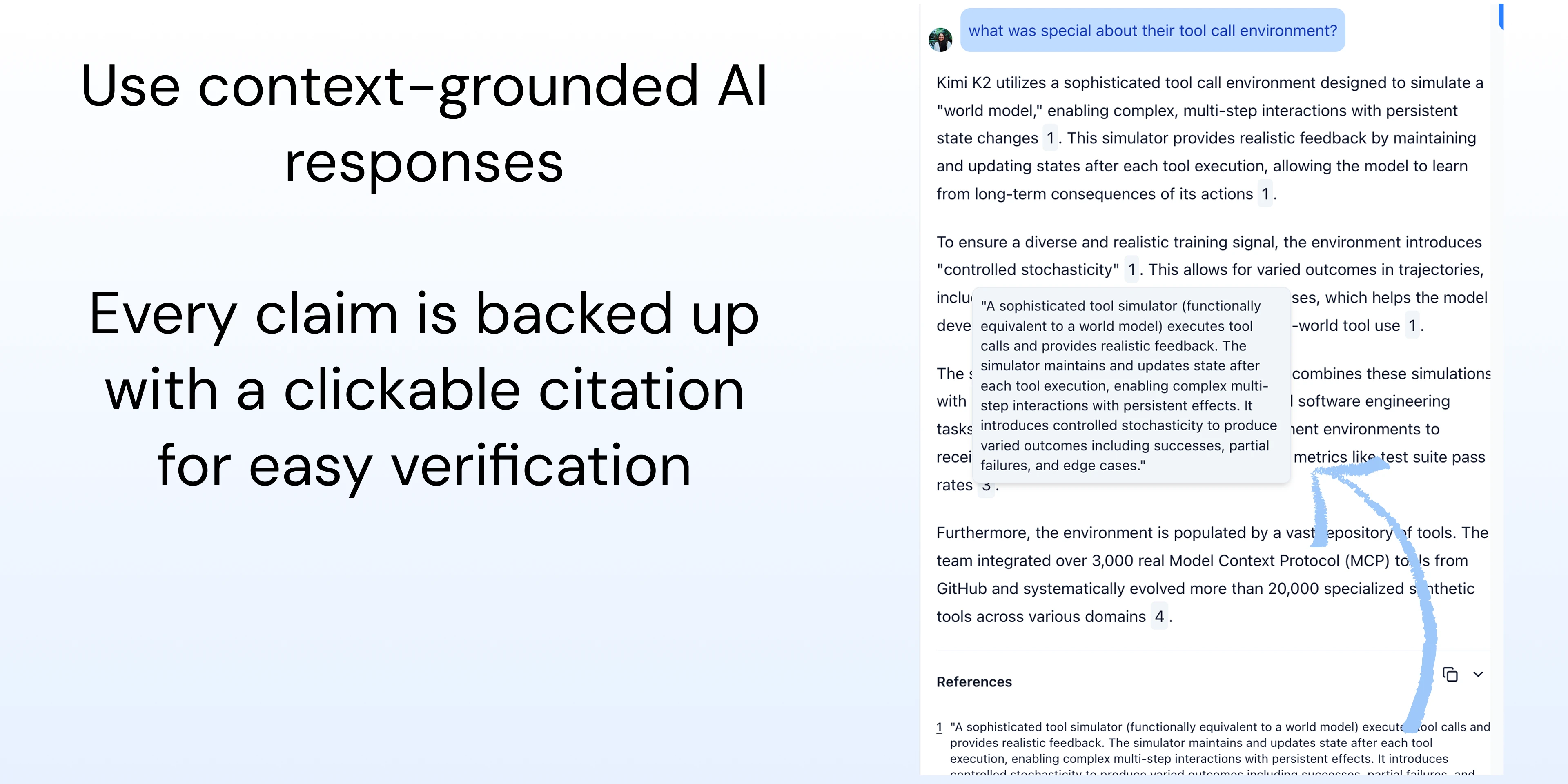
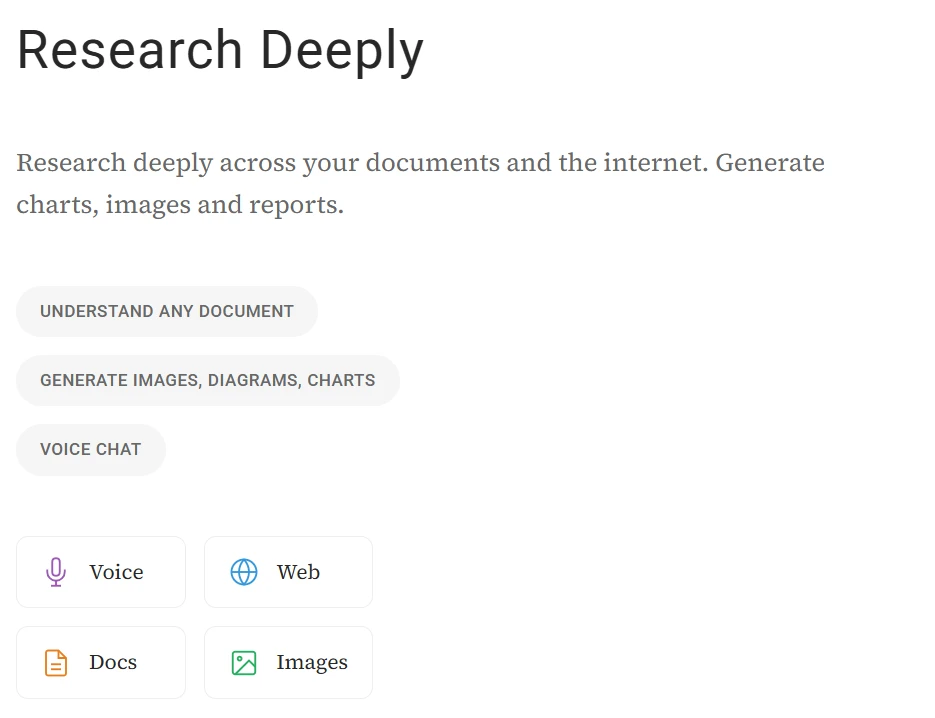
- Alles durchsuchbar: Khoj erschließt Notizen, PDFs, Nachrichten und andere persönliche Quellen in einer gemeinsamen Suche – eine breitere Grundlage als bei Assistenten, die nur eine Anwendung kennen.
- Markdown von Haus aus: Wer seine Notizen ohnehin in Markdown führt oder mit Obsidian arbeitet, fügt Khoj mühelos in den bestehenden Ablauf ein.
Wenn Datenschutz, Offenheit und die langfristige Kontrolle über Ihre Dateien ganz oben stehen, gehört Khoj zu den klügsten Werkzeugen.
4. Gamma: interaktive Präsentationen aus der KI
Am besten für: Foliensätze durch lebendige, webnahe Materialien ersetzen
Gamma hilft dabei, über klassische Präsentationssoftware hinauszukommen. Statt jede Folie von Hand zu bauen, erzeugen Sie aus einer Gliederung oder einer knappen Vorgabe ansehnliches Material und verfeinern es zu etwas Interaktiverem.
Warum Lehrende es mögen
- Verschachtelte Inhalte: Gamma zeigt zusätzliche Tiefe erst, wenn sie gebraucht wird. Die Darstellung bleibt aufgeräumt und lässt trotzdem Raum zum Vertiefen.
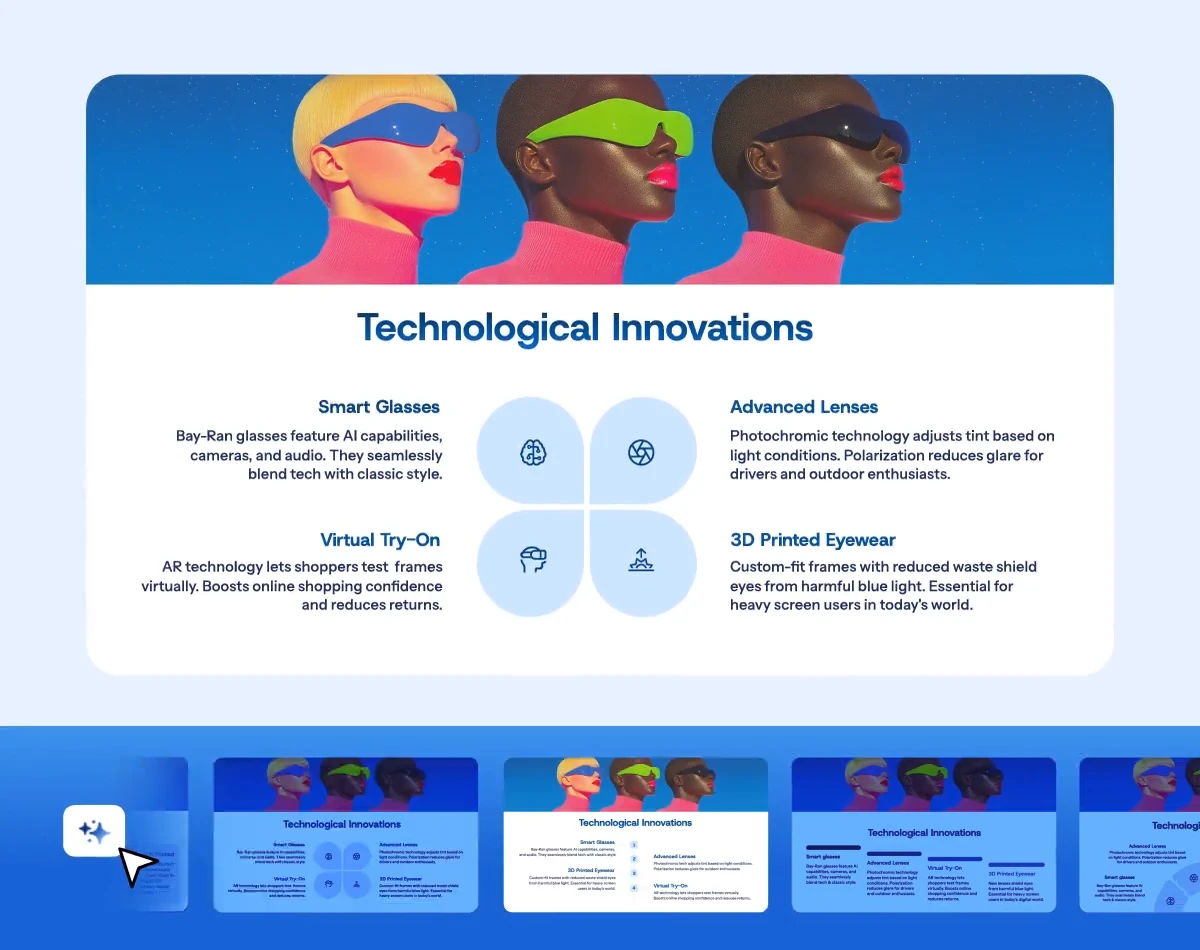
- Auswertung: Geteilte Seiten zeigen, bei welchen Abschnitten Lernende verweilen und wo sie abspringen.
- Schnelles Umgestalten: Eine ganze Präsentation lässt sich in Sekunden neu einkleiden – hilfreich für alle, die ansehnliches Material wollen, ohne Stunden ins Gestalten zu stecken.
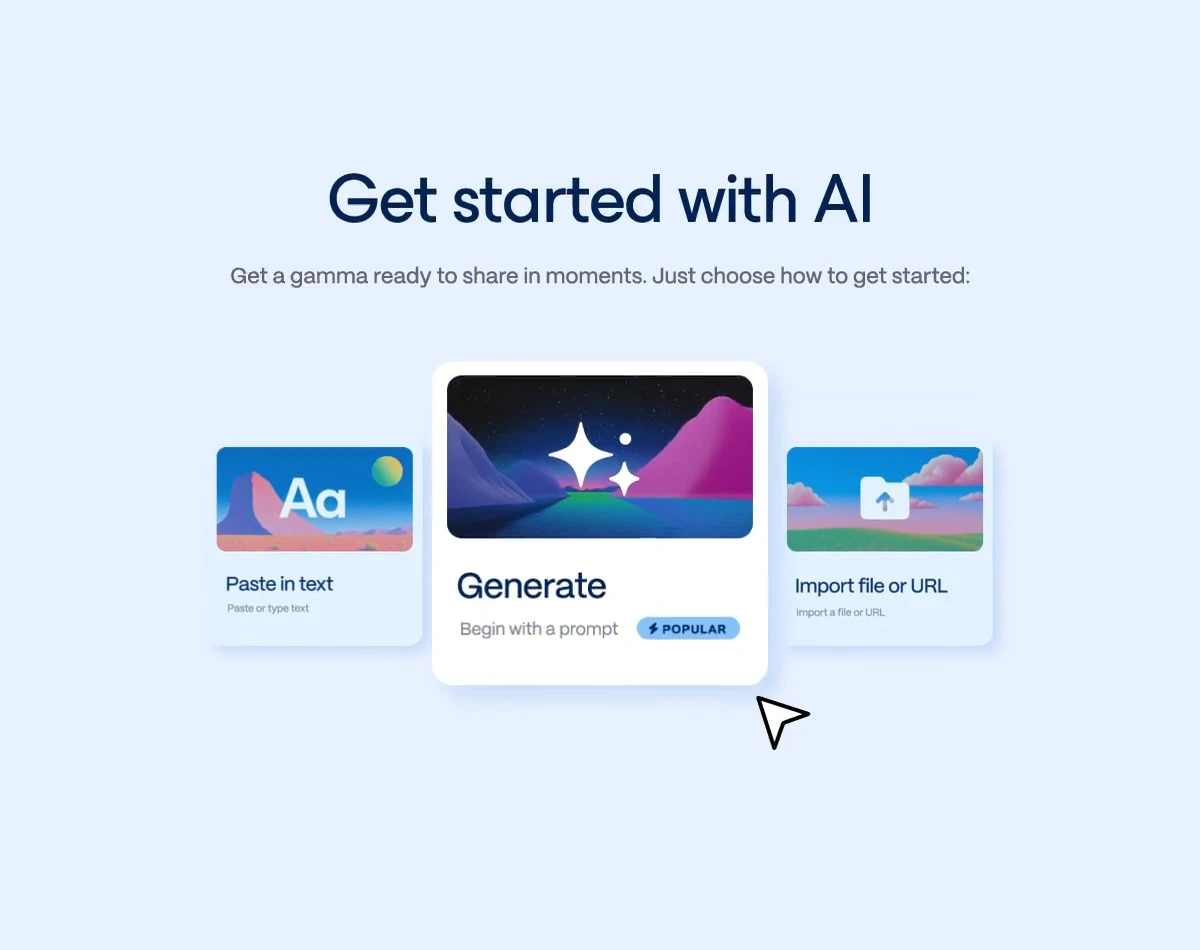
Für Erklärstücke, umgedrehten Unterricht und teilbare Lernseiten ist Gamma eine erfrischende Alternative.
5. Perplexity Pages: von der Suche zum Lernmaterial
Am besten für: aktuelle Fakten prüfen und daraus veröffentlichbare Lernhilfen machen
Perplexity Pages macht aus Rechercheverläufen gut gegliederte Artikel, die Sie mit Lernenden, im Kollegium oder öffentlich teilen können. Besonders nützlich, wenn Sie aktuelle Informationen brauchen und Quellen von vornherein dabei sein sollen.
Warum das für Lehrende zählt
- Aktualität: Weil Perplexity auf laufende Websuche zurückgreift, taugt es für Zeitgeschehen, sich schnell wandelnde Themen und tagesaktuelle Diskussionen.
- Bilder gleich mit: Die Plattform schlägt passende Abbildungen vor und setzt sie ein.
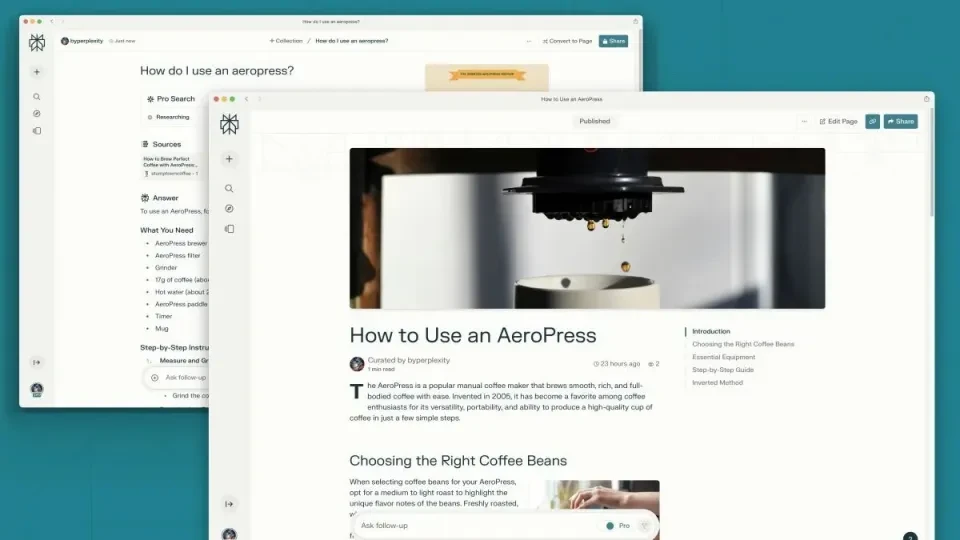
- Gemeinsam schreiben: Mehrere Lehrende können an derselben Seite arbeiten – praktisch für den Materialaufbau im Fachbereich.
Wenn NotebookLM bei der quellengebundenen internen Recherche vorn liegt, ist Perplexity Pages stärker, sobald es um aktuelles Material nach außen geht.
6. Curipod: der Begleiter für lebendigen Unterricht
Am besten für: interaktive Stunden und weniger Vorbereitungszeit
Curipod kümmert sich um den interaktiven Teil des Unterrichts. Es ordnet nicht nur Inhalte, sondern macht daraus aktive Lernerfahrungen mit Abstimmungen, Impulsen, Zeichnungen und offenen Beiträgen.
Was Curipod gut kann
- Stunden auf Zuruf: Aus einer knappen Vorgabe entsteht ein Foliensatz mit strukturierten Aktivitäten für eine bestimmte Klassenstufe oder ein bestimmtes Thema.

- Rückmeldung in Echtzeit: Während die Klasse antwortet, zeigt Curipod Muster und macht sichtbar, wer noch Unterstützung braucht – bevor die Stunde vorbei ist.
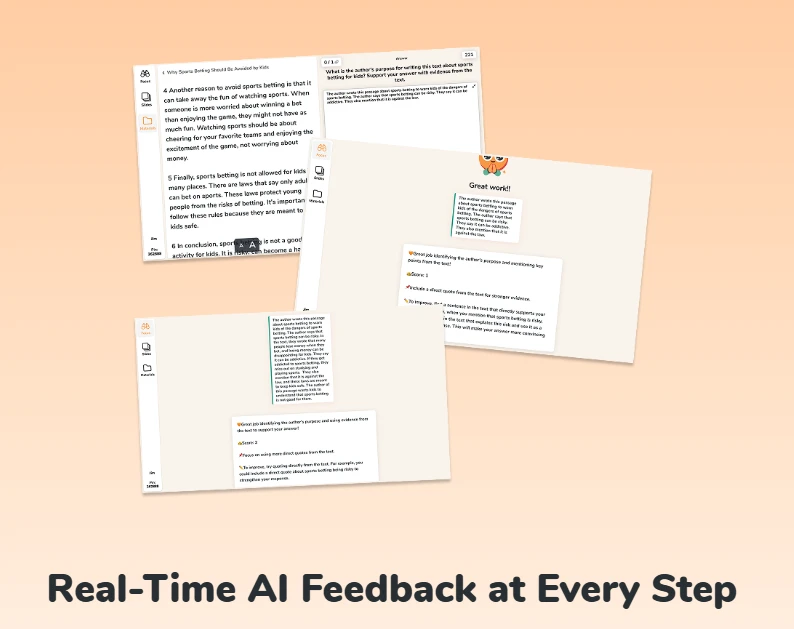
- An Bildungsstandards ausgerichtet: Das Material lässt sich auf verbindliche Vorgaben zuschneiden, sodass Lebendigkeit nicht auf Kosten der fachlichen Tiefe geht.
Gerade in hybriden oder schnell getakteten Klassen senkt Curipod den Vorbereitungsaufwand und hebt zugleich die Beteiligung.
7. Heptabase: visuelles Lernen für verwickelte Zusammenhänge
Am besten für: Beziehungen sichtbar machen und langfristige Recherche verwalten
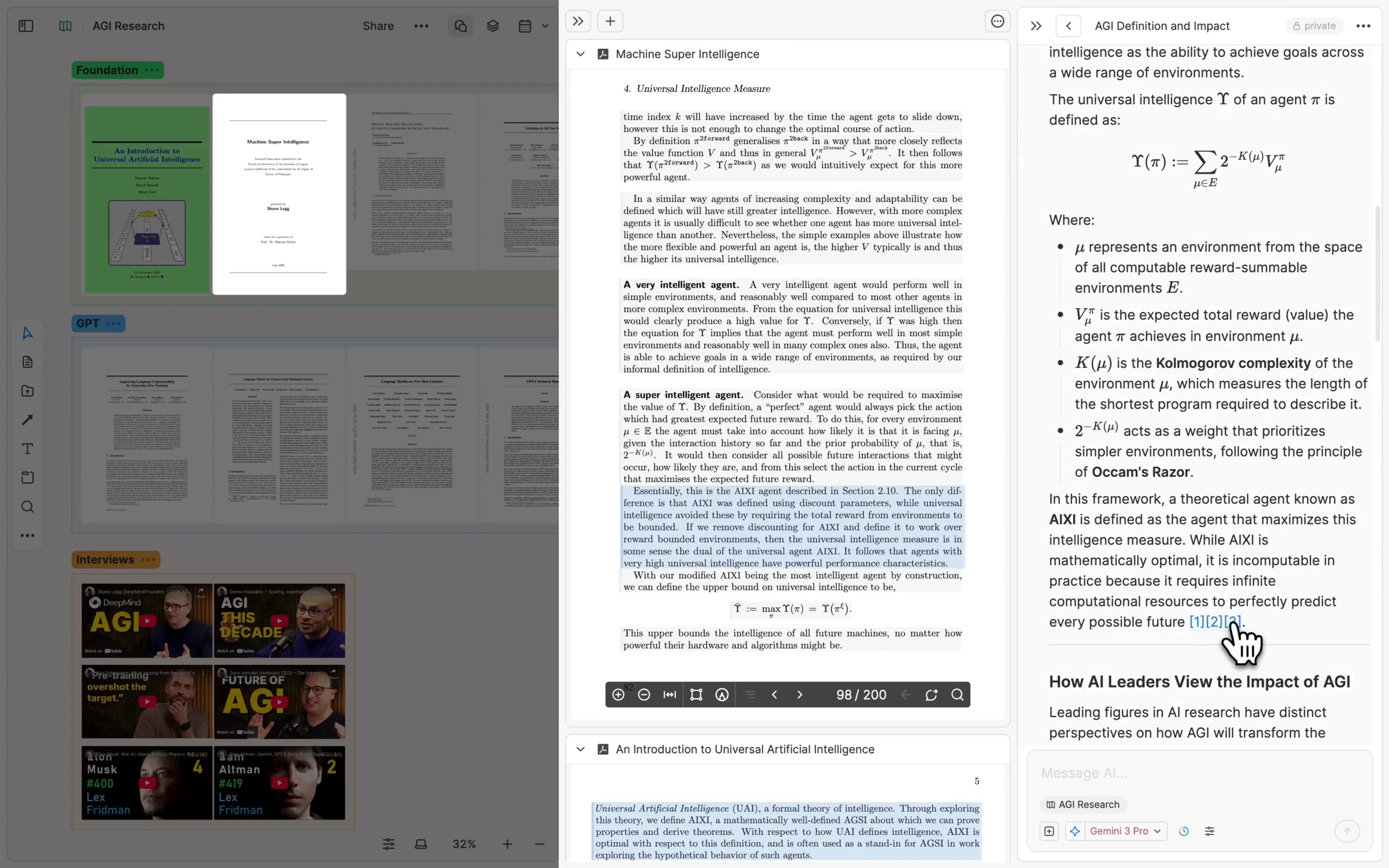
Heptabase ist für alle gemacht, die räumlich denken. Statt jeden Gedanken in eine lineare Struktur zu zwingen, bilden Sie Begriffe auf einer Fläche ab und verbinden sie mit ausführlicheren Notizen.
Was es auszeichnet
- Räumliches Gedächtnis: Wer Ideen visuell ordnet, kann verwickelte Zusammenhänge leichter erklären und behalten.
- Tiefe Notizen: Jede Karte lässt sich zu einem vollständigen Dokument ausklappen – vom Überblick ins Detail, ohne den Faden zu verlieren.
- Literaturarbeit: Importierte PDFs, Markierungen und verknüpfte Karten machen es zu einer starken Wahl für längere wissenschaftliche Vorhaben.
Für Lehrplanentwicklung, historische Zusammenhänge, theorielastige Fächer und Forschung ist Heptabase ein ausgezeichneter visueller Begleiter.
8. Gradescope: Bewerten im großen Maßstab
Am besten für: naturwissenschaftliche Fächer und aussagekräftige Auswertungen
Gradescope gehört weiterhin zu den wirksamsten Werkzeugen fürs Bewerten großer Jahrgänge, handschriftlicher Arbeiten oder Programmieraufgaben. Besonders stark ist es an Hochschulen und in technischen Fächern, wo Gleichmäßigkeit und Tempo zählen.
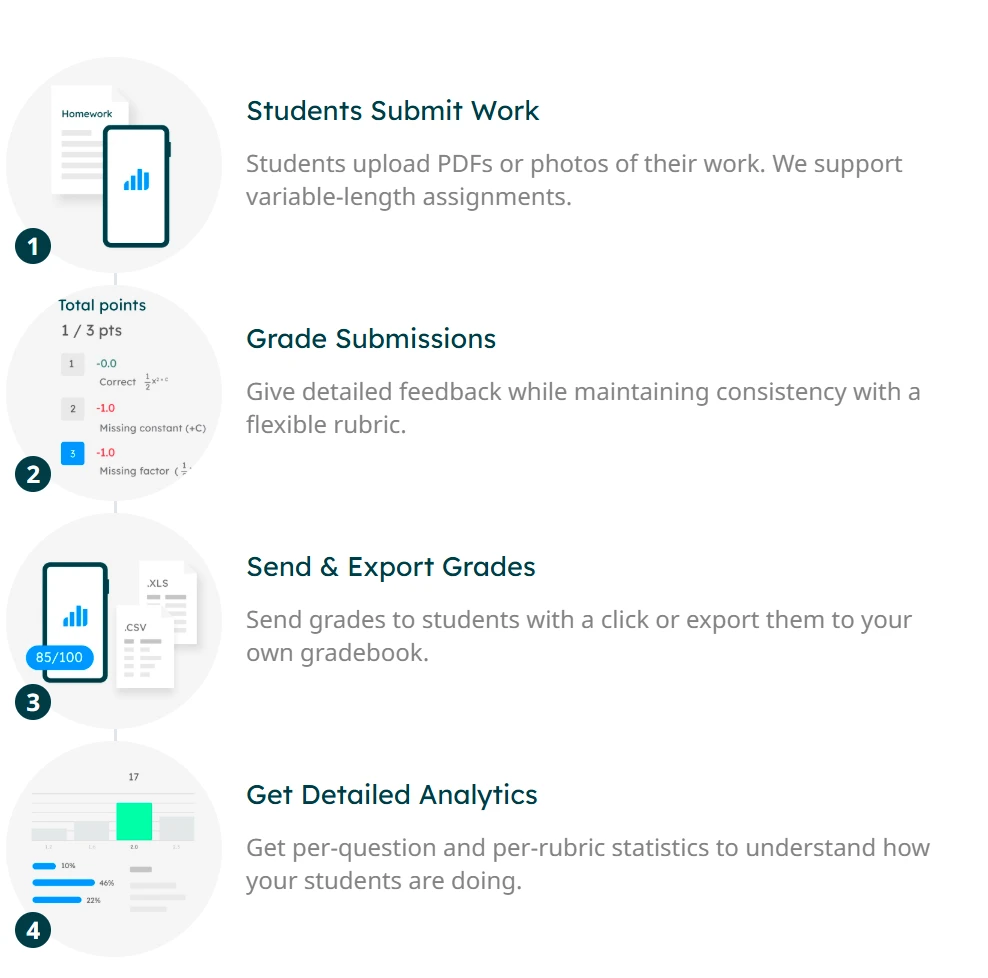
Was Zeit spart
- Gleiche Antworten gruppieren: Ähnliche Antworten werden zusammengefasst, sodass sich Bewertung und Rückmeldung deutlich schneller und einheitlicher vergeben lassen.
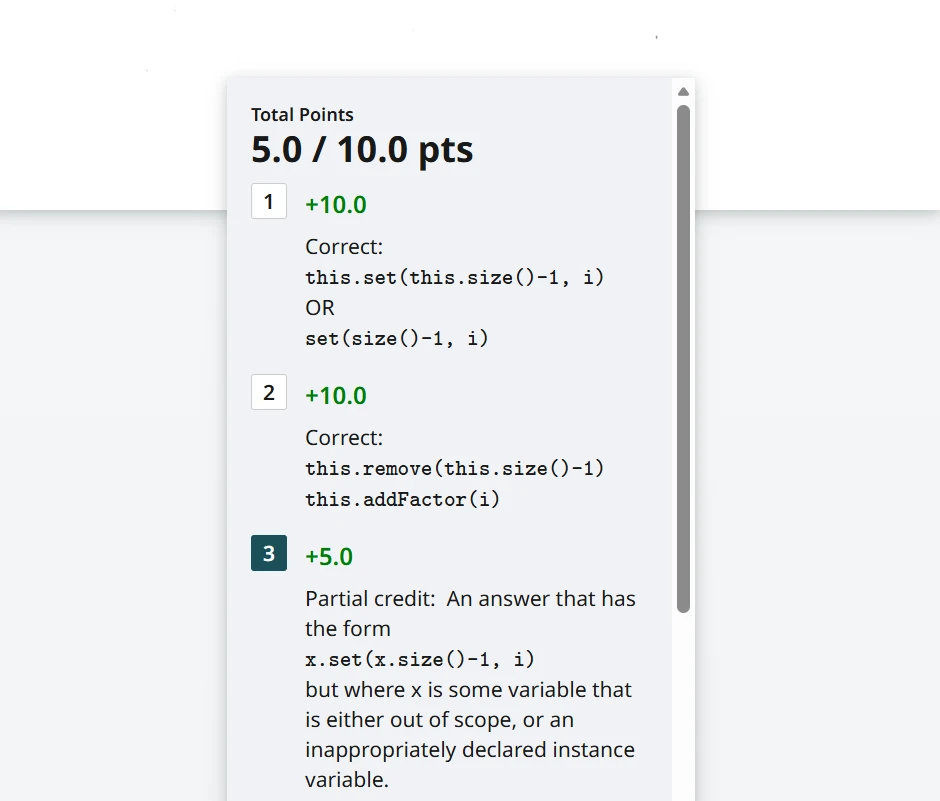
- Auswertungen je Aufgabe: So erkennen Sie, welche Begriffe die Klasse noch nicht durchdrungen hat.
- Code prüfen: Programmieraufgaben lassen sich automatisch gegen Testfälle laufen lassen – eine erhebliche Ersparnis.
Wenn Sie in großem Umfang bewerten müssen, ohne an Gleichmäßigkeit einzubüßen, ist Gradescope nach wie vor eine der besten Lösungen.
9. BandLab for Education: gemeinsames Gestalten mit Ton
Am besten für: Musikproduktion, Podcasts und gemeinsame Audioprojekte
BandLab for Education ist eine Audio-Werkstatt im Browser, die auf sehr unterschiedlichen Geräten läuft – auch auf schulverwalteten Chromebooks. Diese Zugänglichkeit macht es dort wertvoll, wo die Ausstattung uneinheitlich ist.
Warum es auf diese Liste gehört
- Gemeinsame Aufgaben: Lehrende legen Projekte an, an denen Lernende zusammen arbeiten – im Unterricht oder von zu Hause.
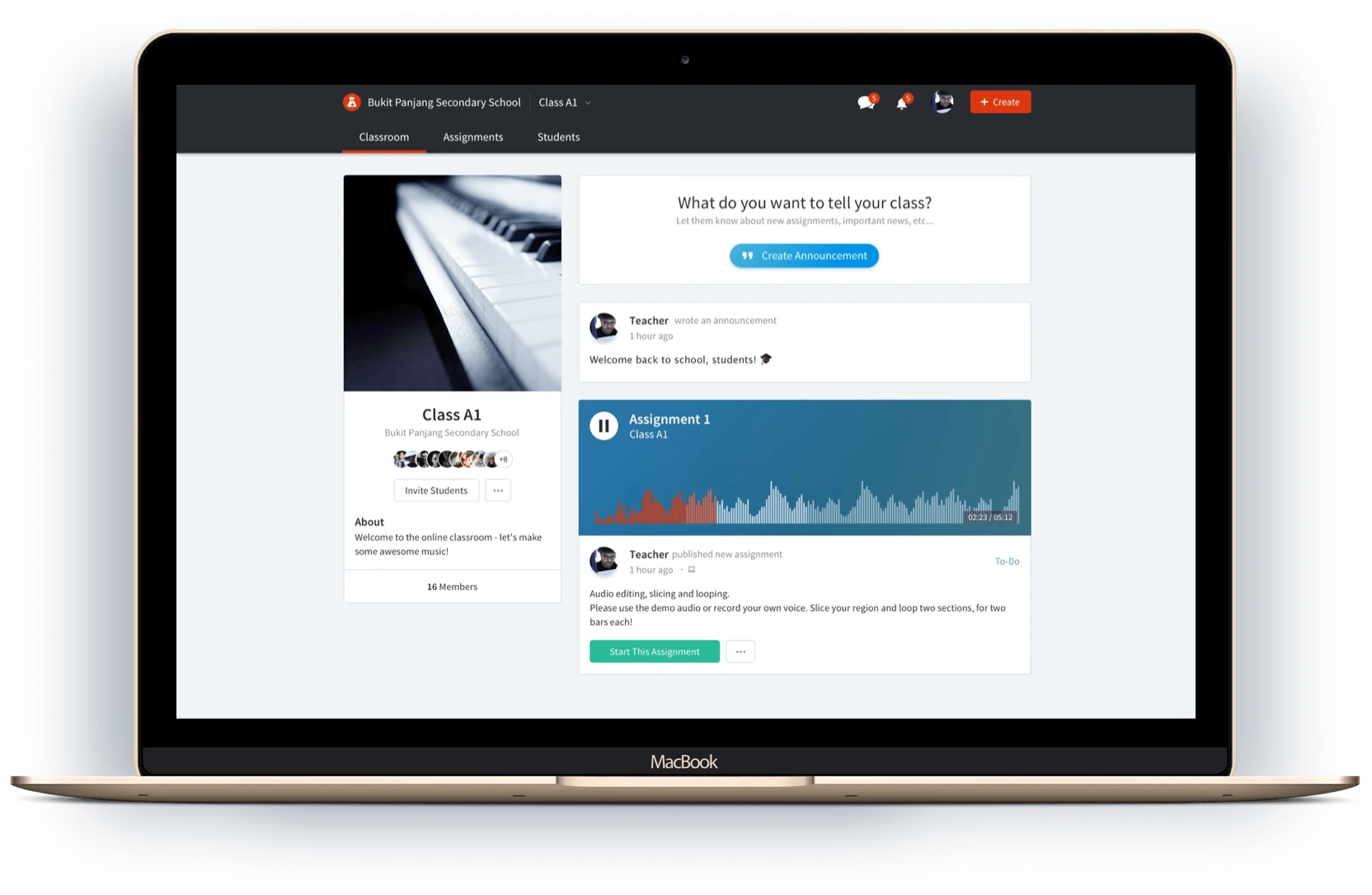
- Freie Klangbibliothek: Lernende können sich aufs Komponieren und Erzählen konzentrieren, ohne an technischen Grenzen zu scheitern.
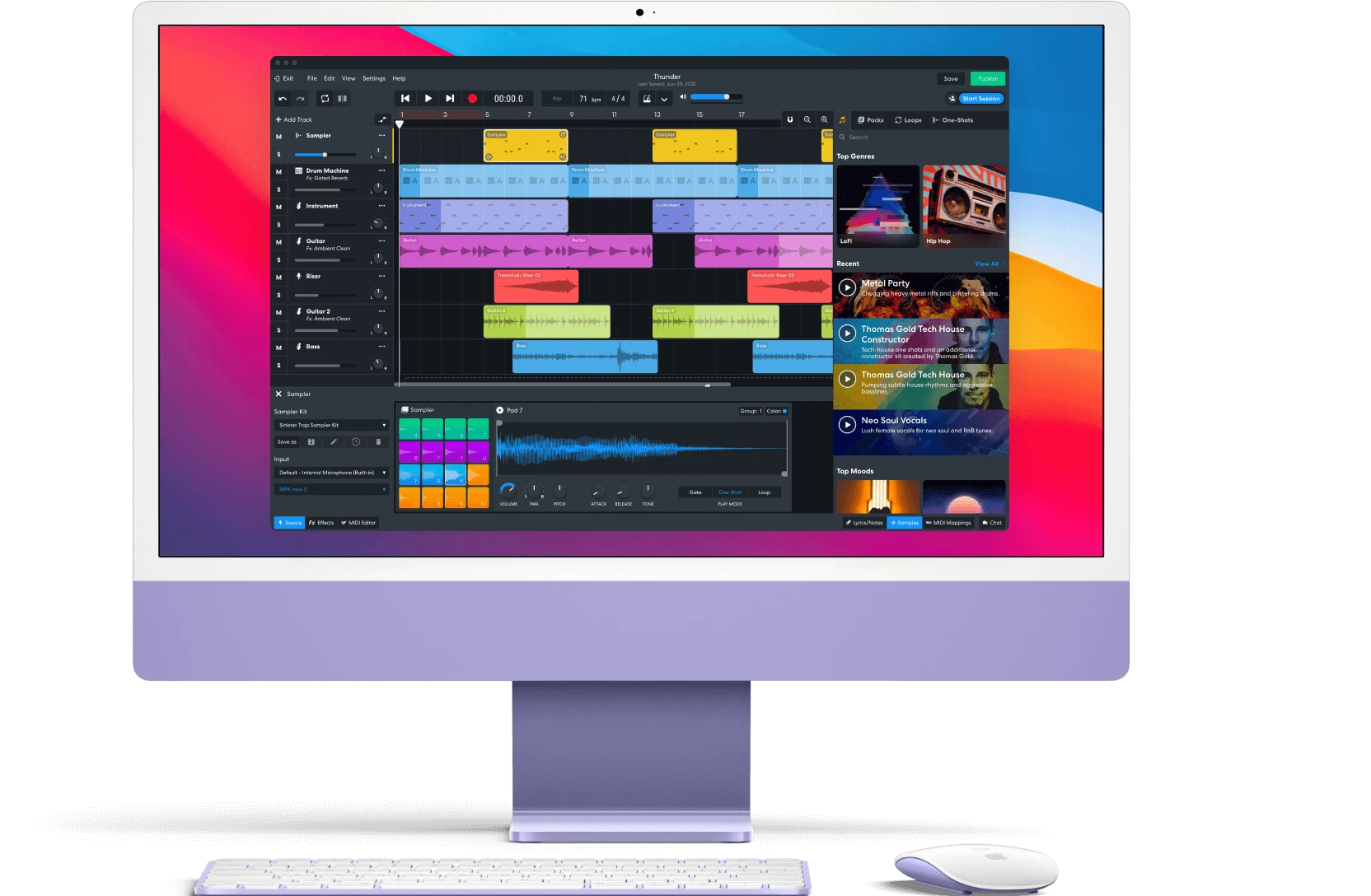
- Fächerübergreifend: Es trägt Musikunterricht, Medienbildung, Erzählprojekte und alles, was Kunst und Technik verbindet.
Für kreativ arbeitende Lehrende macht BandLab gemeinsame Audioarbeit erheblich zugänglicher.
10. Brisk Teaching: schnelle Hilfe im Browser
Am besten für: zügige Rückmeldungen, Bewertungsraster und angepasste Textschwierigkeit
Brisk Teaching ist das Hilfswerkzeug dieser Liste. Es ersetzt Ihren Arbeitsplatz nicht, sondern legt KI-Unterstützung über die Werkzeuge, die Sie ohnehin nutzen – vor allem im Browser, etwa in Google Docs und auf YouTube.
Was besonders wirkt
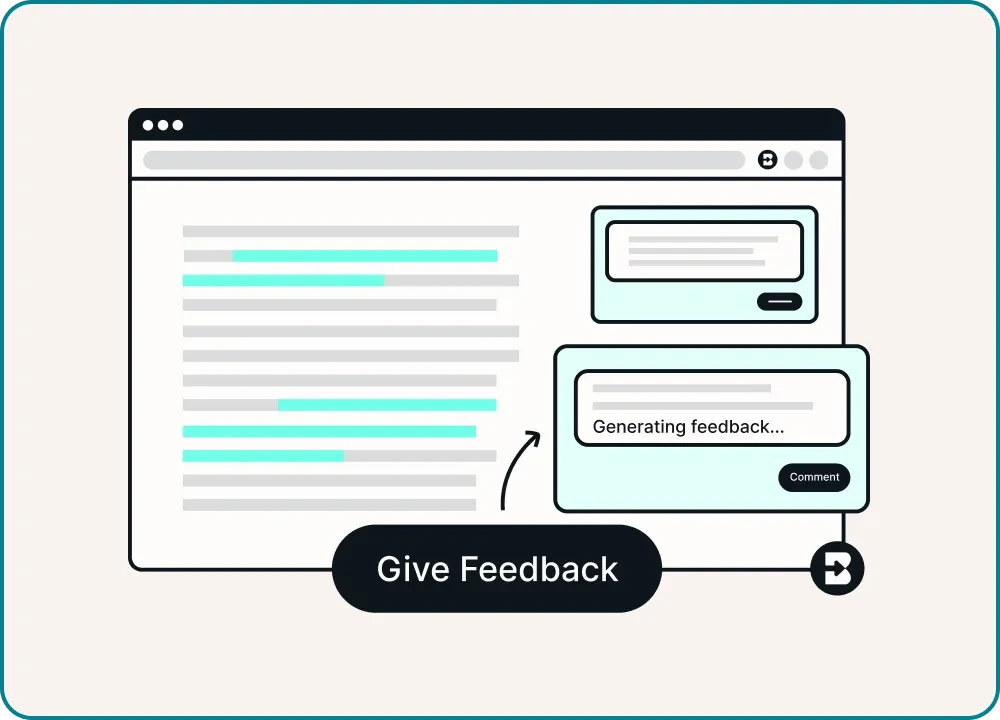
- Rückmeldung in Sekunden: Brisk wertet Schülertexte aus und formuliert Anmerkungen entlang eines von Ihnen festgelegten Rasters.
- Textschwierigkeit anpassen: Artikel und Textstellen lassen sich zügig auf verschiedene Lernstände zuschneiden.
- Aus Videos werden Aufgaben: Aus YouTube-Inhalten entstehen Aktivitäten und Fragen, sodass sich Medien in strukturierten Unterricht überführen lassen.
Für Lehrende mit vollem Kalender, die praktische Unterstützung brauchen, ohne ihren Ablauf umzubauen, gehört Brisk zu den wirksamsten Werkzeugen.
Fazit: Bauen Sie den Kasten, der zu Ihrem Unterricht passt
Bei der Auswahl geht es nicht darum, der auffälligsten KI-Funktion hinterherzulaufen. Es geht darum, ein System aufzubauen, das Ihre Art zu recherchieren, zu unterrichten, zusammenzuarbeiten, zu bewerten und Wissen zu teilen über Jahre trägt.
Spezialisierte Werkzeuge wie NotebookLM, Curipod, Gamma und Gradescope lösen jeweils einen wichtigen Teil davon. Wenn Sie aber eine dauerhafte Grundlage suchen, die Notizen, Datenbanken, Abläufe im Kollegium, geschütztes Wissen und kostenpflichtiges Material an einem Ort hält, ist Buildin die vollständigste Plattform dieser Liste.
Wenn Ihr Ziel besserer Unterricht und zugleich ein wachsender digitaler Wissensbestand ist, lohnt sich genau diese Art von Werkzeugkasten.

Sency Shen
Skilled in content structuring, topic breakdown, and background research, with a strong interest in knowledge management and content workflows. Responsible for research, information organization, and foundational content preparation at Buildin.