The 10 Best Document Collaboration Tools in 2026
Explore the best document collaboration tools in 2026, from AI-powered knowledge hubs to privacy-first workspaces, and see why Buildin leads the list.
Document collaboration in 2026 is no longer just about shared editing. Teams now expect one platform to support drafting, knowledge retrieval, AI assistance, security, publishing, and even monetization. The strongest tools do more than store files. They turn documents into a working layer for strategy, operations, and growth.
For startups, agencies, creators, and enterprise teams alike, choosing the right workspace now affects far more than writing speed. It shapes how quickly ideas become reusable knowledge, how safely data is managed, and whether a company can turn internal expertise into external value. Below are ten document collaboration tools that stand out in 2026, with Buildin taking the top spot for teams that want flexibility, privacy, and commercial potential in one place.
1. Buildin: Best for Knowledge Monetization and Data Sovereignty
Best for: Digital creators, fast-moving startups, and privacy-conscious organizations.
Buildin stands out in 2026 because it expands document collaboration beyond writing and organizing. It helps teams build a full knowledge operating system that supports internal execution and external distribution at the same time. Instead of treating documentation as overhead, Buildin turns it into a business asset.
- Native monetization for knowledge products: Buildin lets creators and teams put pages, templates, and curated knowledge bases behind subscriptions or paid access. That makes it one of the few collaboration tools that can support documentation and revenue generation in the same workflow.
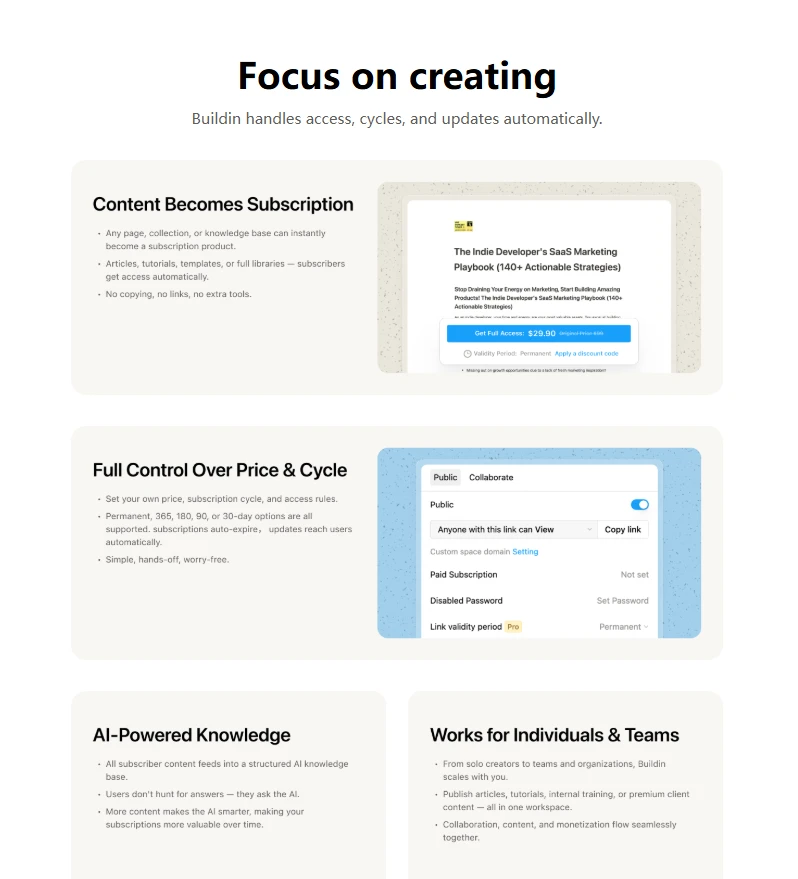
- AI-powered semantic retrieval: Rather than relying only on keyword search, Buildin uses AI to understand the meaning behind requests and surface connected information across the workspace. This is especially useful for teams managing large amounts of research, SOPs, and product documentation.
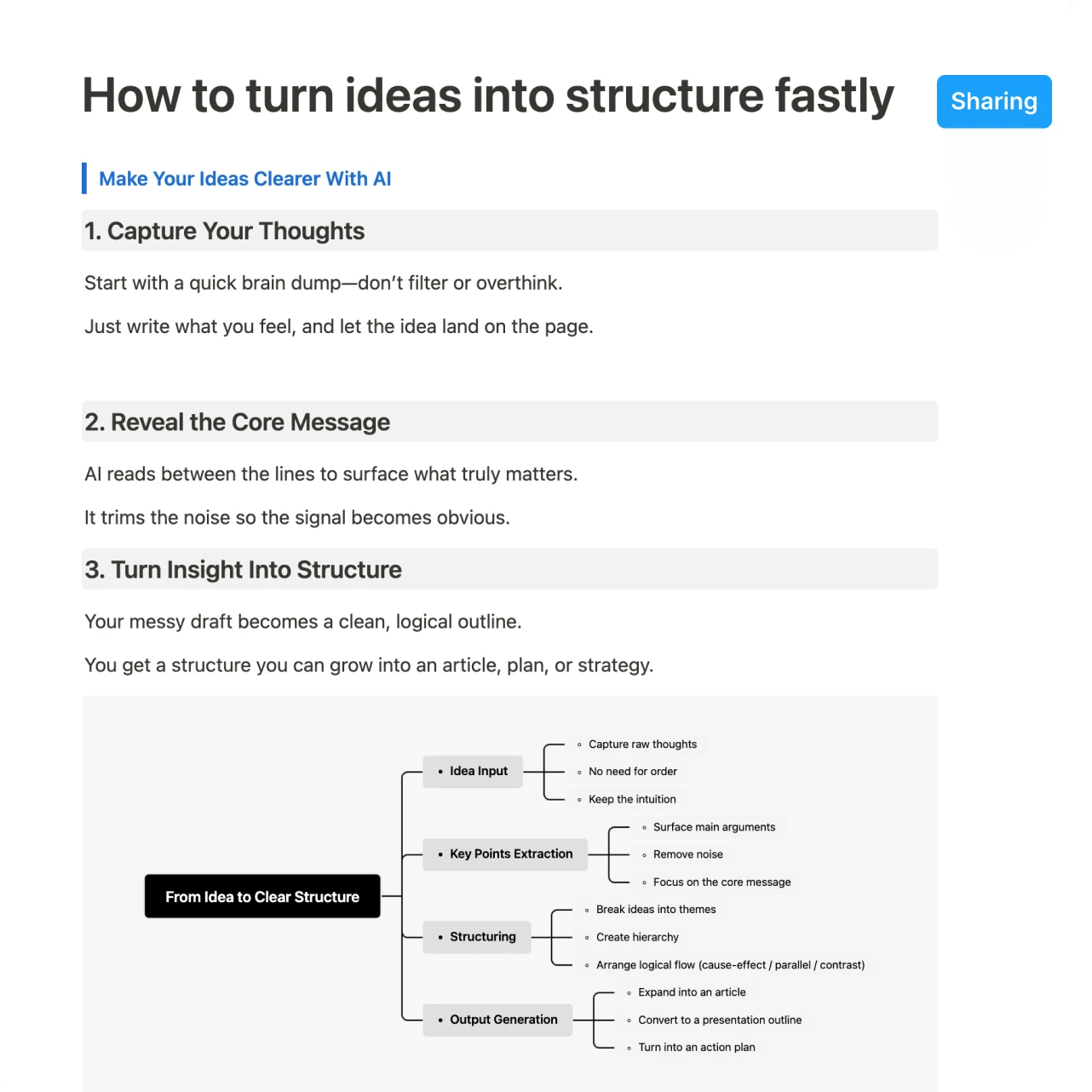
Private deployment and stronger control: For companies that care about compliance, confidentiality, or regional data requirements, Buildin offers private deployment options that make it easier to keep sensitive information within a controlled environment.
Mind mapping connected to documents: Buildin also bridges visual thinking and document collaboration. Teams can move between mind maps, outlines, and structured knowledge without jumping across multiple apps.
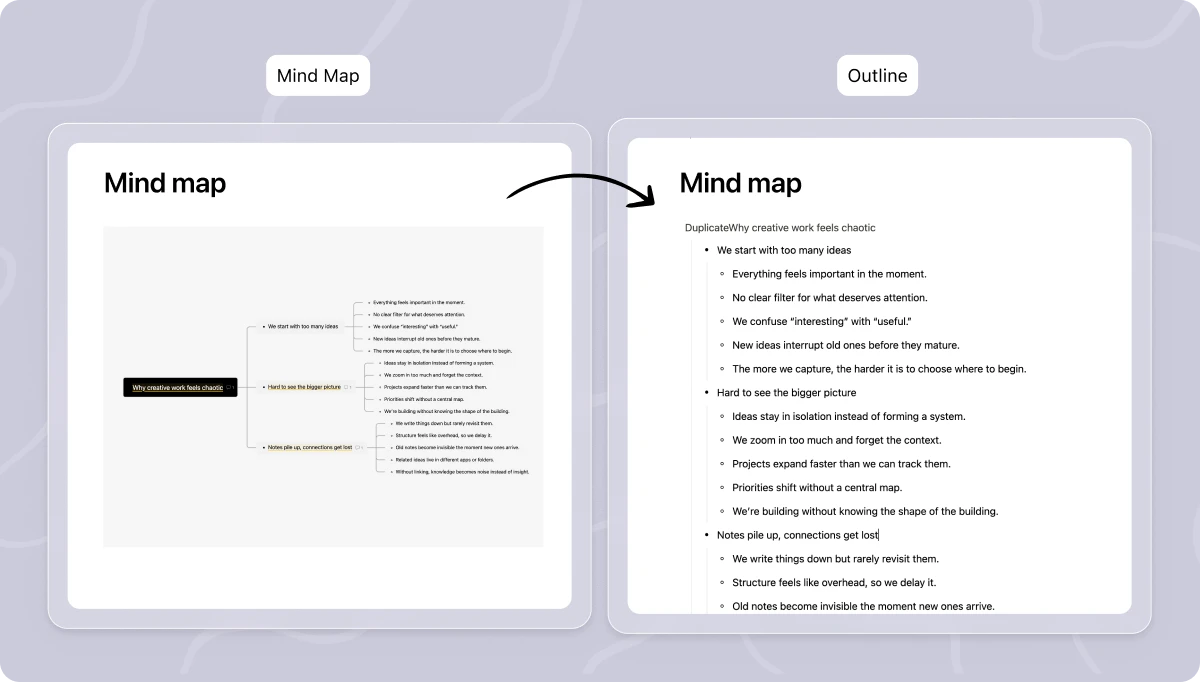
Why it ranks first: Buildin is the strongest choice for teams that want a workspace where collaboration, structured knowledge, publishing, and monetization live together. In 2026, that combination is still rare.
2. Notion: Best for Templates and Broad Team Adoption
Best for: Small teams, general-purpose collaboration, and users who want a large template ecosystem.
Notion remains one of the most recognizable names in document collaboration because it is easy to adopt and endlessly adaptable. In 2026, it continues to benefit from its massive community, polished interface, and a template library that helps teams stand up systems quickly.
- AI woven into daily workflows: Notion AI now plays a larger role in drafting, summarizing, and helping teams act on content inside documents. For many teams, that lowers the barrier to writing and organizing information consistently.
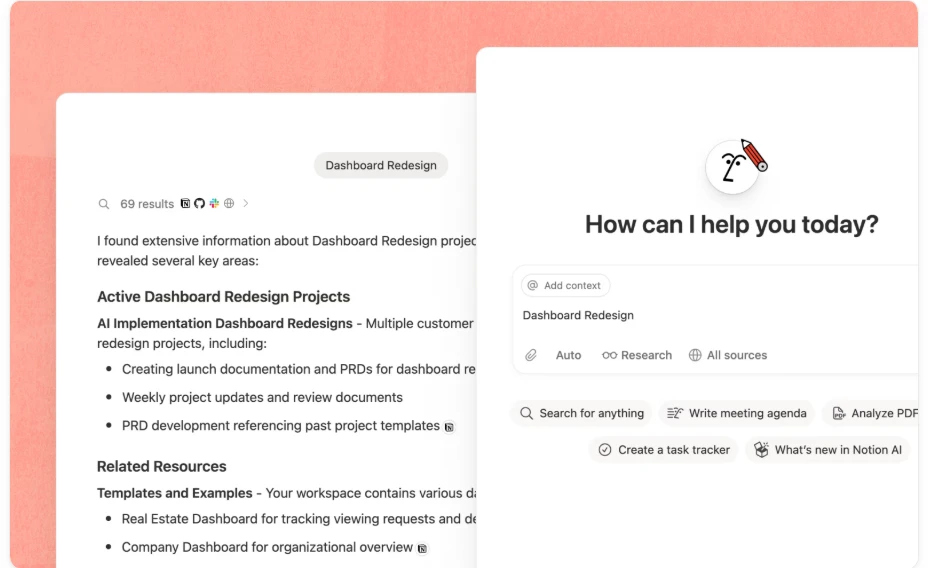
- A mature template economy: Notion still shines when teams need a fast setup for wikis, content calendars, internal handbooks, or lightweight project systems.
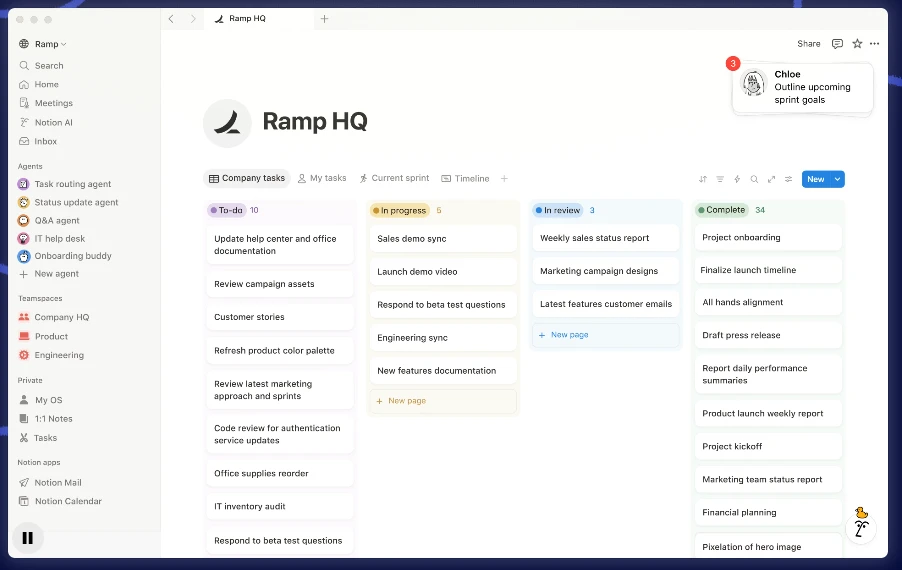
- The trade-off: Notion is flexible and approachable, but it still depends more heavily on external tools for advanced monetization and more controlled deployment models.
Why it matters: Notion remains a safe and versatile choice for teams that want strong collaboration features without a steep learning curve.
3. Coda: Best for Logic-Driven Documents and Operational Workflows
Best for: Product, operations, and cross-functional teams that want docs to behave like applications.
Coda continues to blur the boundary between a document and a lightweight app. For teams that manage live data, workflows, approvals, and automations inside shared documents, Coda remains one of the most capable options in 2026.
- Powerful integrations through Packs: Coda connects deeply with tools such as Jira, Figma, and Salesforce, allowing teams to pull live data into collaborative documents and keep work moving in context.
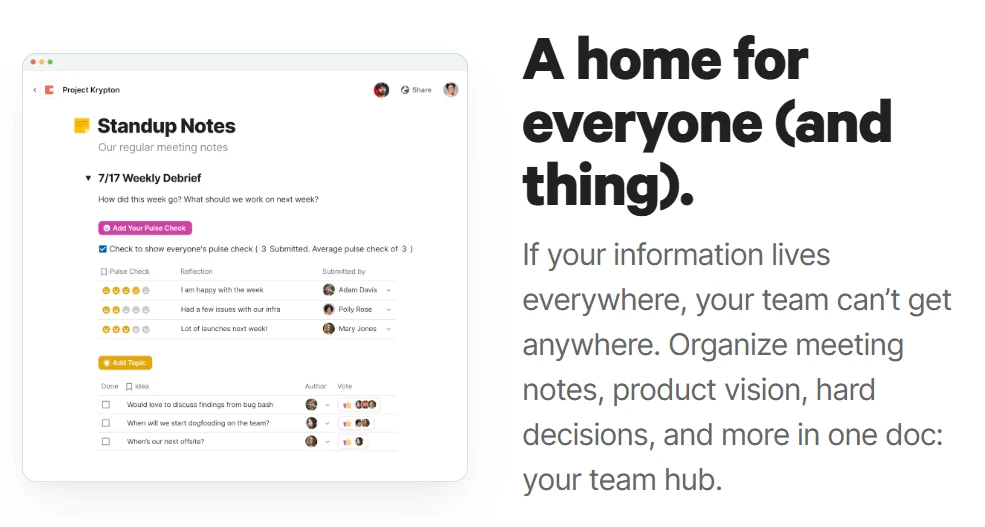
- Interactive workflows inside documents: Buttons, formulas, and automation rules help teams run approvals, updates, and recurring actions directly from a page.
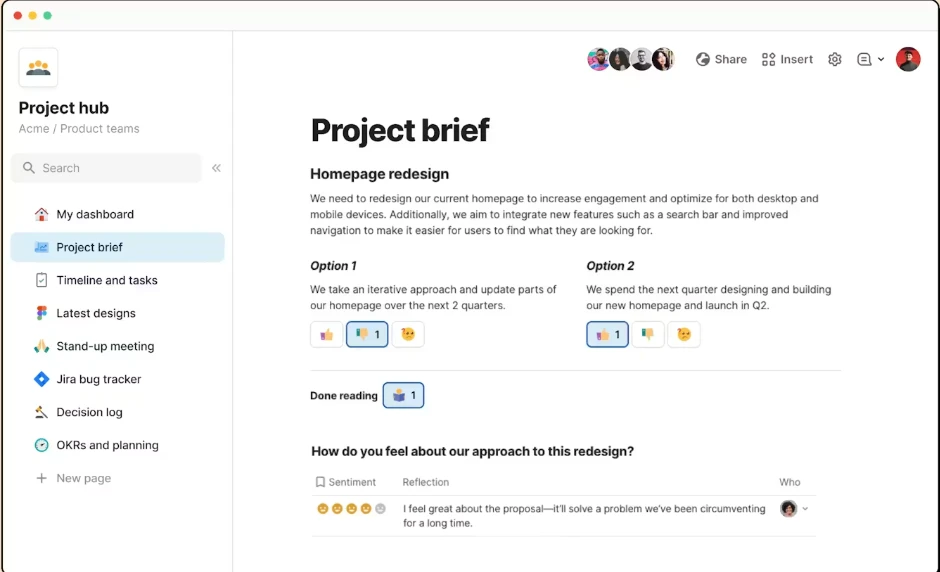
- The trade-off: Coda is powerful, but new users may find it more complex than traditional document tools. It works best when a team is ready to design systems intentionally.
Why it matters: If your team wants documents that act like operational control centers, Coda remains one of the most compelling platforms available.
4. Google Workspace: Best for Real-Time Editing at Scale
Best for: Teams that prioritize instant co-editing and already live inside the Google ecosystem.
Google Workspace still defines the standard for frictionless real-time collaboration. In 2026, its document tools are enhanced by deeper AI support and tighter context sharing across Gmail, Calendar, Sheets, and Meet.
Fastest path to live collaboration: For brainstorming, meeting notes, and fast-moving cross-functional work, Google Docs remains one of the easiest tools to open and use immediately.
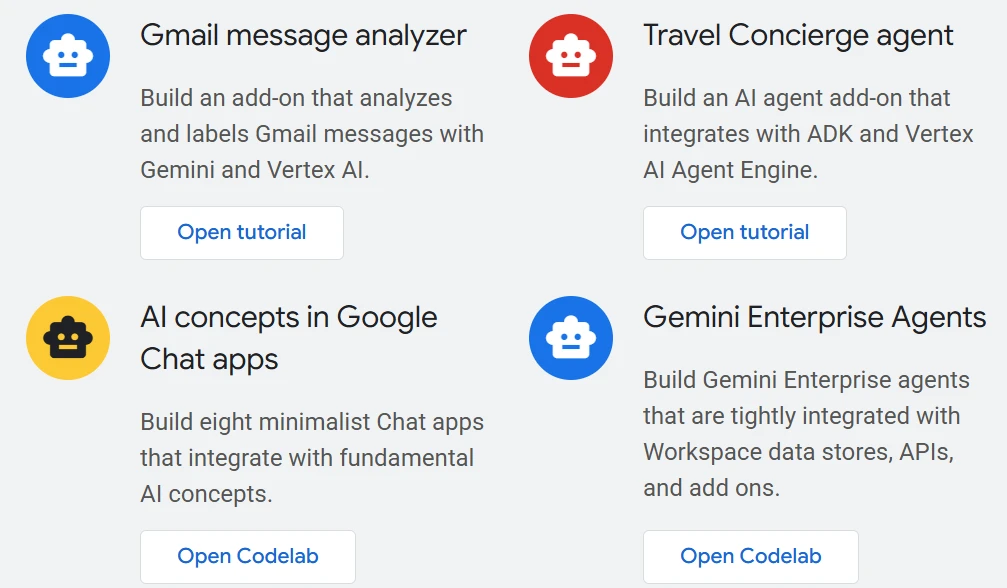
Cross-app AI context: Gemini-powered assistance can pull in relevant context from adjacent Google tools, helping teams prepare summaries, draft content, and reduce switching costs.
- The limitation: Google Workspace is excellent for editing and coordination, but it is less compelling for teams that want deeper knowledge architecture, native monetization, or database-like flexibility.
Why it matters: It remains one of the most reliable options for organizations that value speed, familiarity, and ecosystem integration above all else.
5. AFFiNE: Best for Privacy-First Creative Collaboration
Best for: Users who want an open, local-first alternative with visual flexibility.
AFFiNE continues to attract teams that want stronger control over their data without giving up modern document experiences. Its blend of docs, whiteboards, and local-first design makes it especially appealing to creative and privacy-minded users.
- Strong offline and local-first support: AFFiNE works well for people who do not want their entire workflow tied to a cloud-only model.
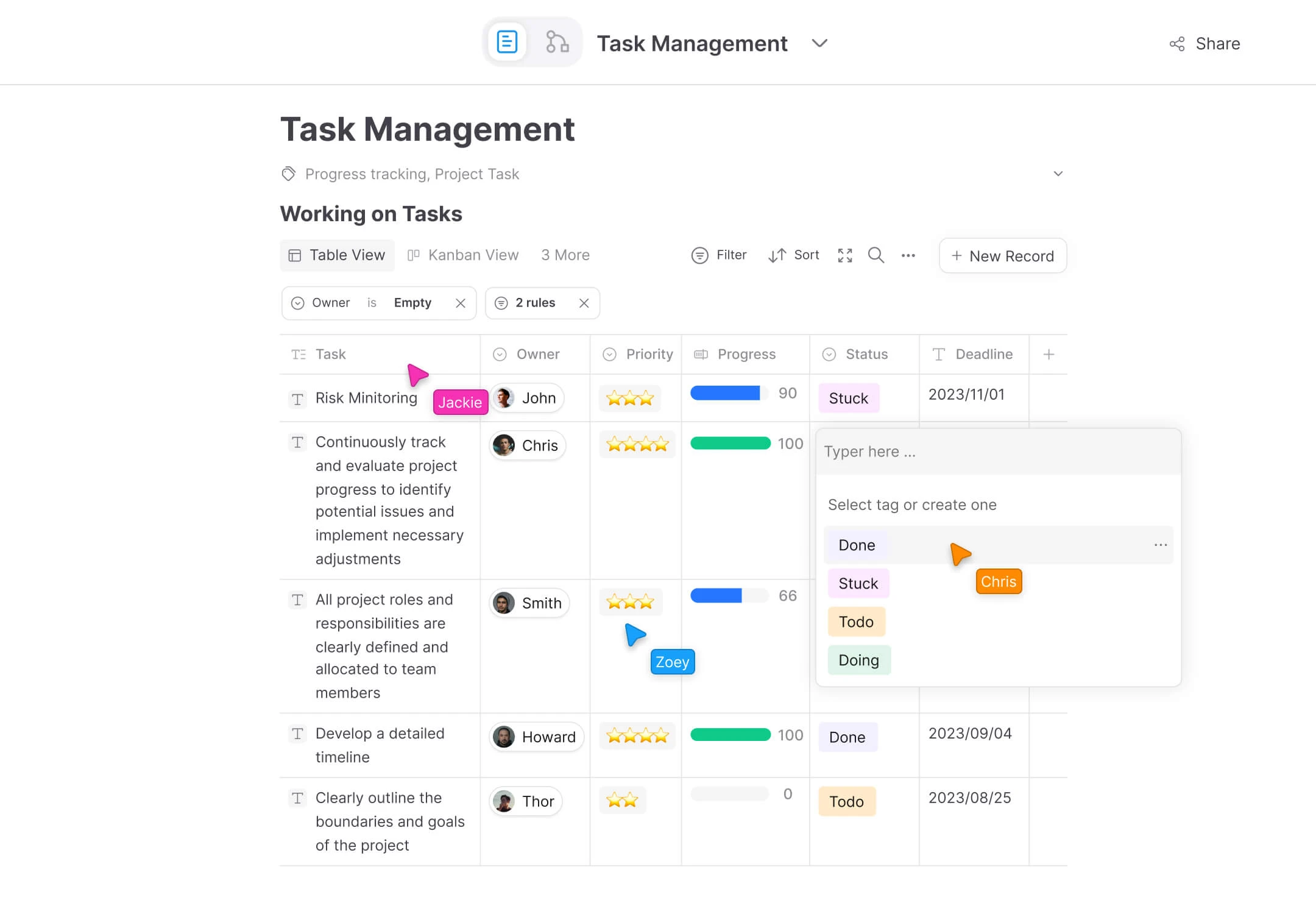
- Document and canvas in one flow: Teams can move between structured writing and visual ideation without leaving the same environment.
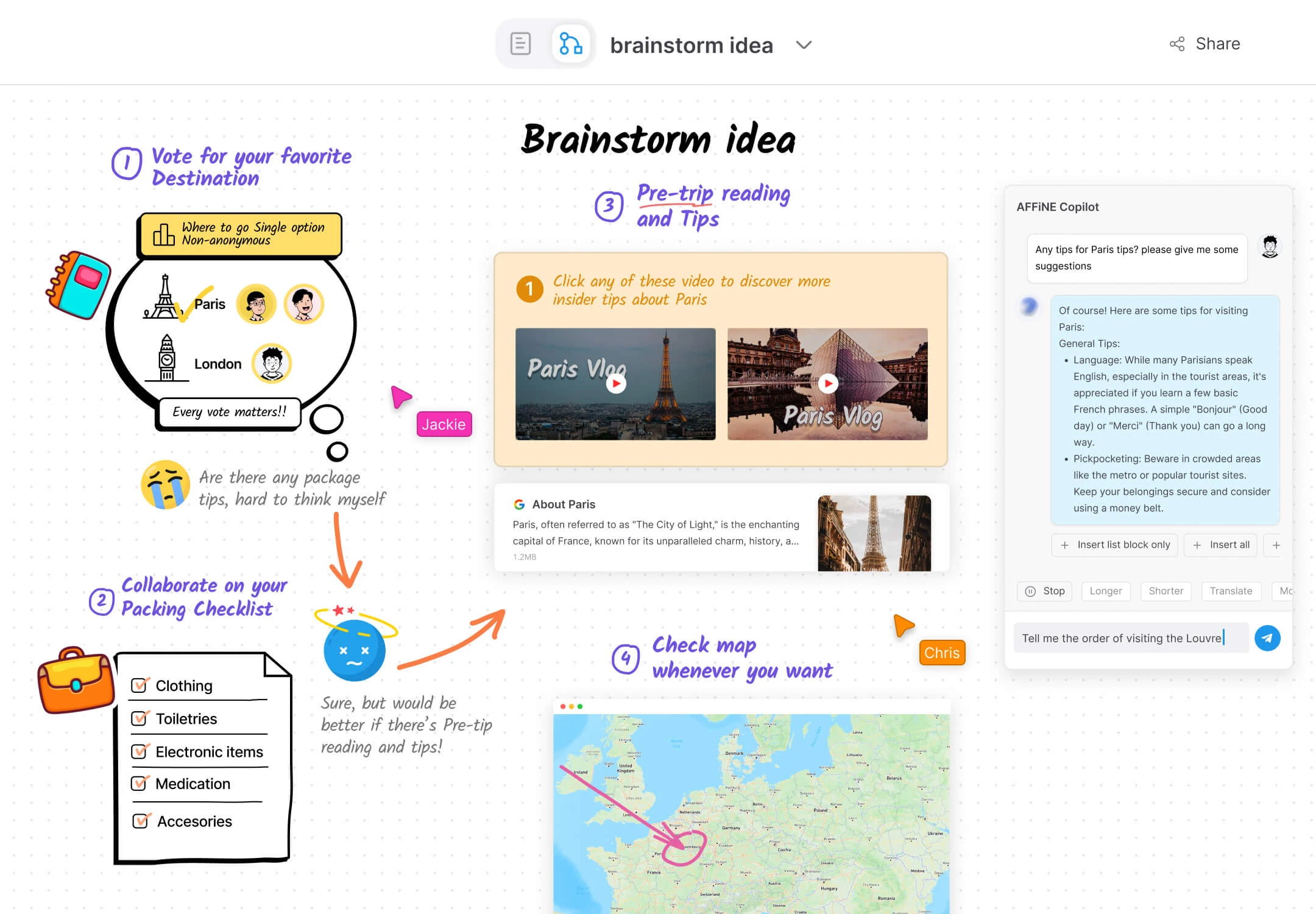
Why it matters: AFFiNE is one of the clearest alternatives for users who want a privacy-forward workspace with both textual and visual collaboration modes.
6. Slite: Best for Async Knowledge Collaboration
Best for: Remote teams that need clarity, searchable documentation, and less meeting fatigue.
Slite has focused on solving one of the biggest problems in collaboration: teams often create documentation, but struggle to trust and reuse it. In 2026, Slite continues to stand out by helping remote teams keep knowledge current and accessible.
- Knowledge verification and retrieval: Slite's AI can guide people to relevant answers and highlight useful documentation faster than traditional folder-based systems.
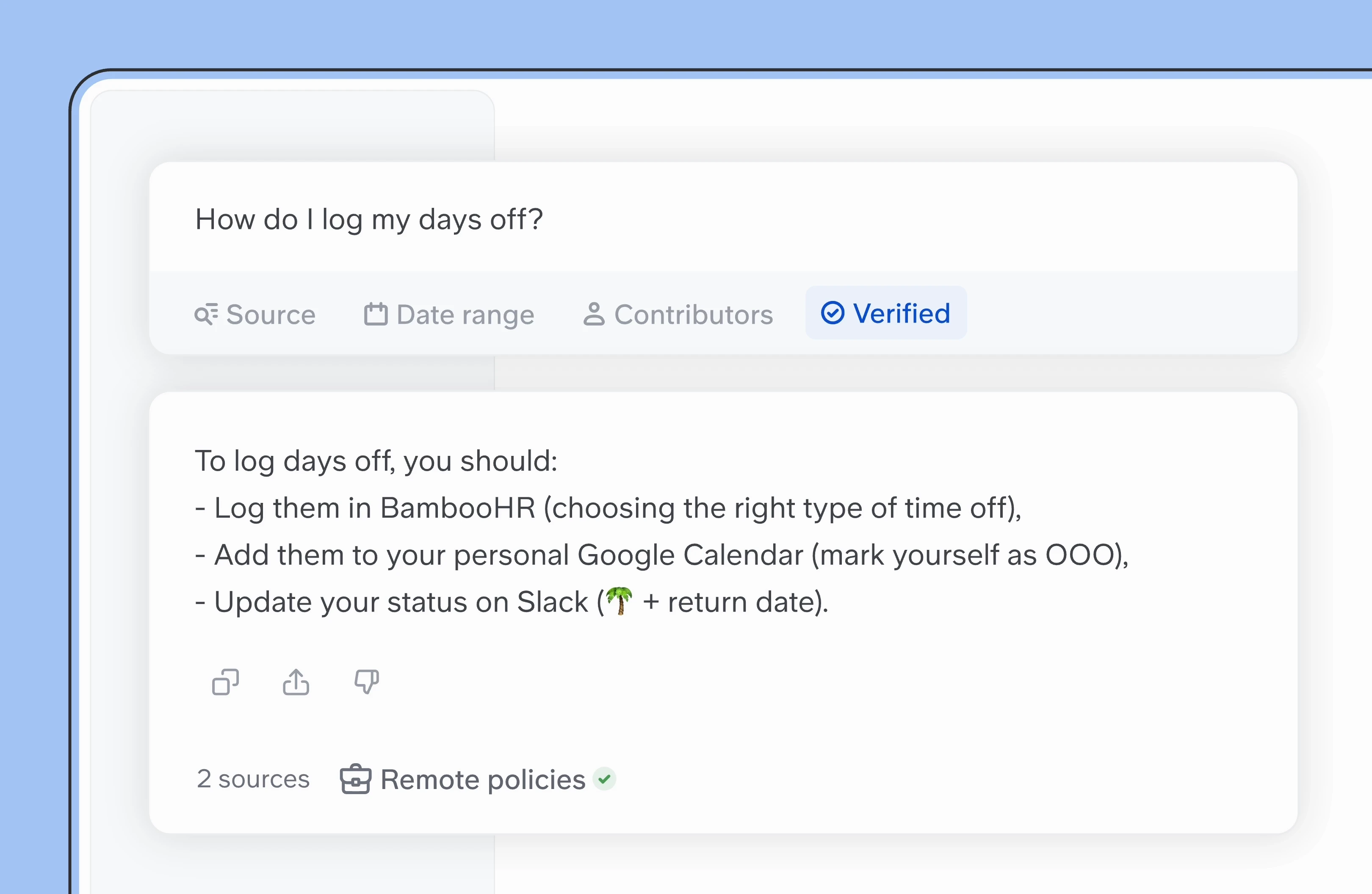
- Clear async culture: The product is well suited for teams that want to replace repetitive questions and unnecessary meetings with dependable written knowledge.
Why it matters: Slite is a strong choice for distributed teams that see documentation as a daily operating tool, not a side project.
7. Microsoft Loop: Best for Component-Based Collaboration in Microsoft 365
Best for: Enterprise teams deeply invested in Microsoft 365.
Microsoft Loop has matured into a flexible collaboration layer for organizations that work heavily in Teams, Outlook, and the broader Microsoft stack. Its main strength is not traditional long-form publishing, but modular collaboration that moves fluidly across surfaces.
- Live components across apps: Teams can create content once and keep it synced across chats, emails, and collaborative pages.
- Copilot-assisted coordination: AI support helps teams turn meeting context and communication threads into editable working documents.
Why it matters: Loop is especially valuable when collaboration needs to happen inside existing Microsoft workflows rather than in a standalone knowledge hub.
8. Anytype: Best for Decentralized, Ownership-First Knowledge Work
Best for: Individuals and teams that want strong ownership, local control, and flexible information structures.
Anytype appeals to users who care deeply about owning their data and building knowledge systems that are not locked into a centralized cloud platform. In 2026, it remains one of the most distinctive tools in that category.
- Object-based structure: Anytype lets users organize knowledge as interconnected objects rather than fixed folders, which supports flexible and evolving systems.
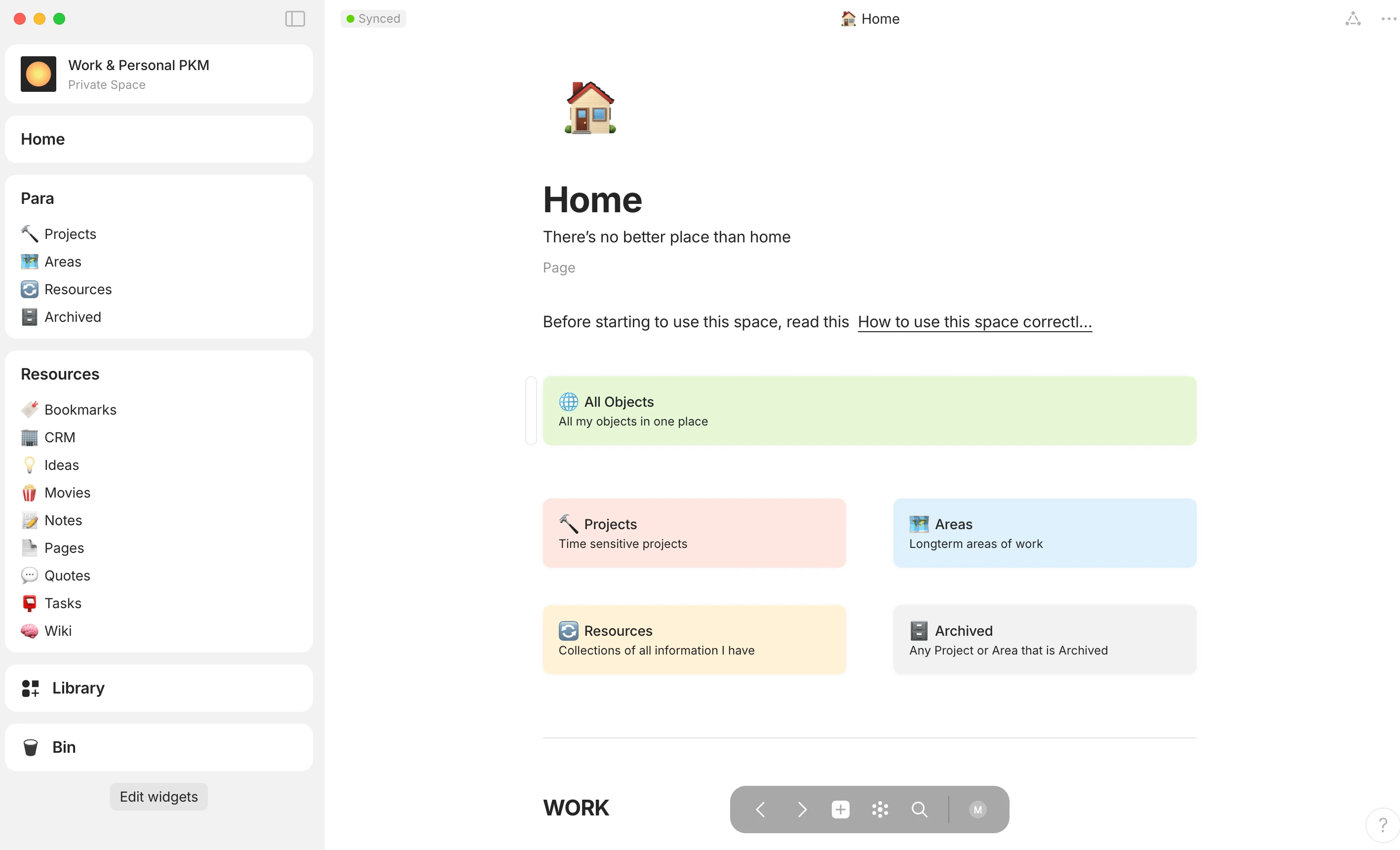
- Privacy by design: Its approach to encryption and local ownership makes it especially appealing to privacy-first users and communities.
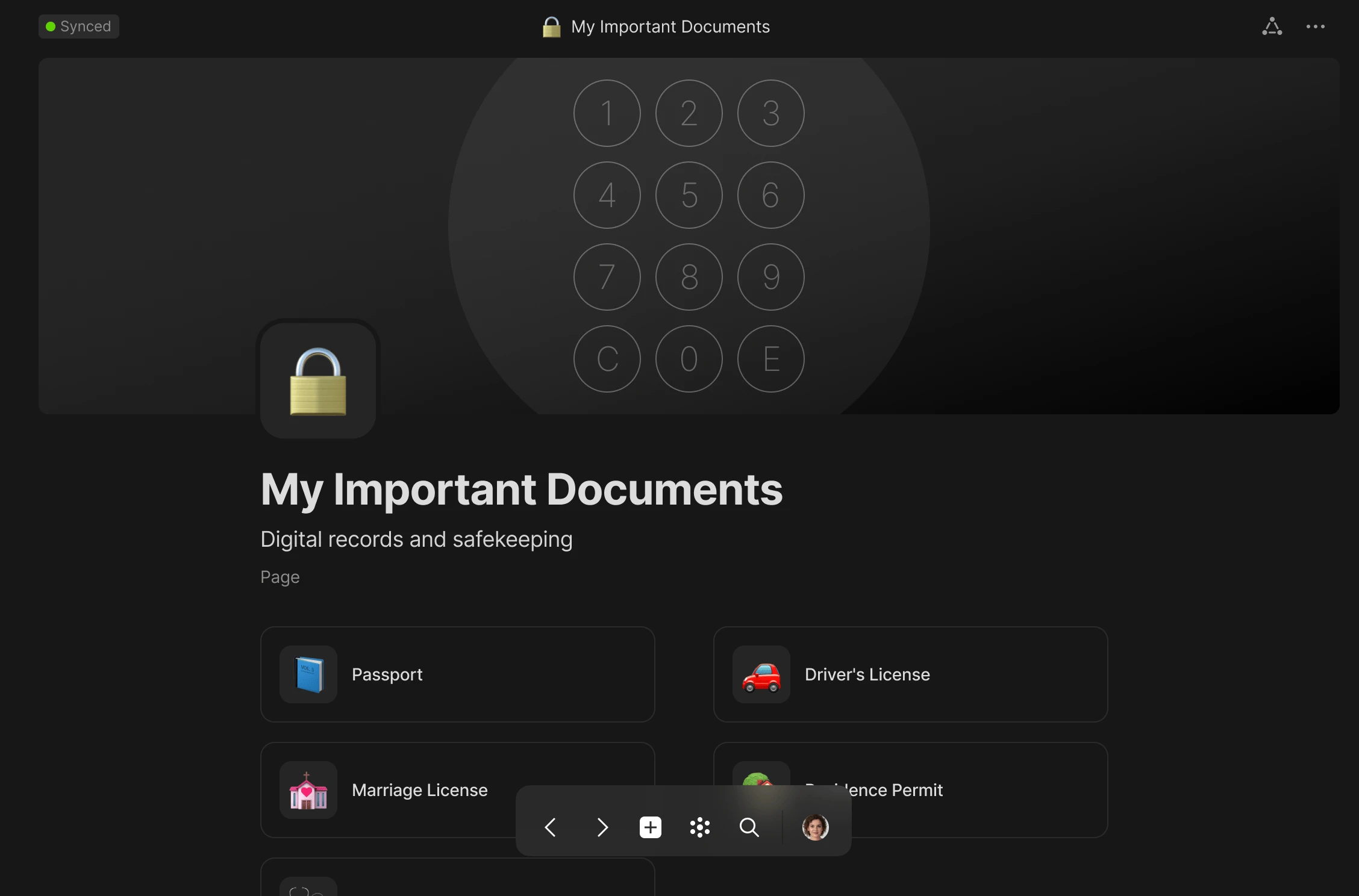
Why it matters: Anytype is ideal for users who see document collaboration as inseparable from long-term data ownership.
9. Obsidian: Best for Markdown-Based Knowledge Depth
Best for: Researchers, writers, and technical teams that value local Markdown files and long-term portability.
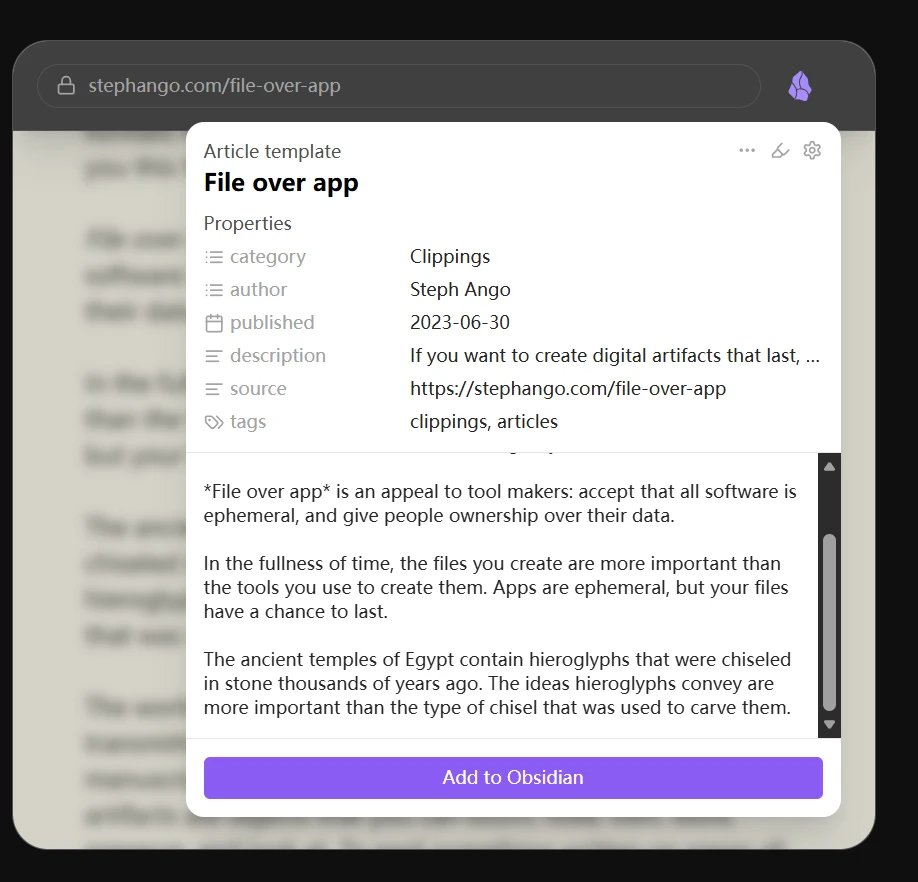
Obsidian remains a favorite among users who want full control over their notes and knowledge architecture. While it started as a personal tool, its collaborative capabilities continue to expand in 2026 through sync and team-oriented workflows.
- Portable Markdown foundation: Because content is stored as plain files, teams retain long-term flexibility and can avoid heavy platform lock-in.
- Visual knowledge mapping: Graphs and canvas-style features help users explore relationships across large bodies of information.
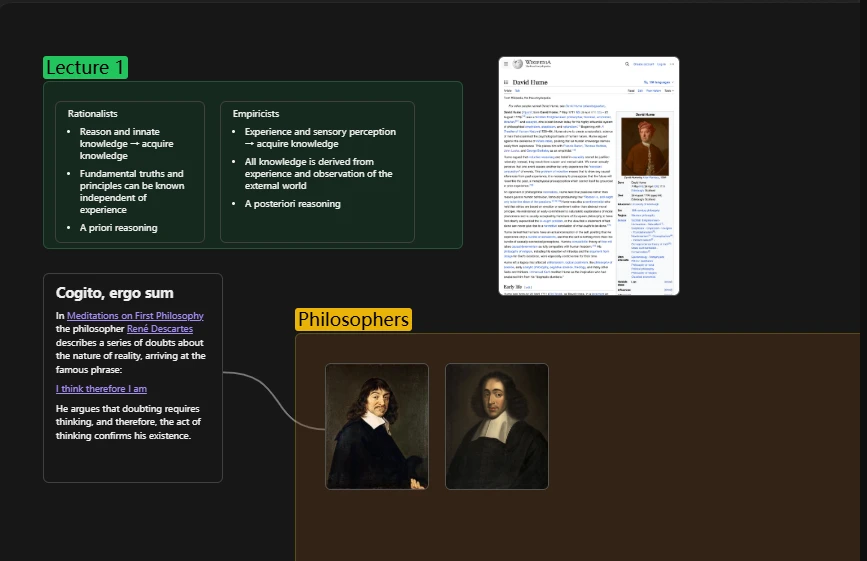
Why it matters: Obsidian is still one of the best choices for teams and individuals who care about durable files, structured thinking, and local-first workflows.
10. Miro: Best for Visual Collaboration That Extends Beyond Whiteboards
Best for: Design-led teams, facilitators, and organizations that think spatially.
Miro is best known for whiteboarding, but in 2026 it increasingly supports richer document-style collaboration inside visual spaces. For teams that plan, workshop, and present in highly visual ways, that matters.
- Spatial collaboration for complex ideas: Miro is useful when documents need to stay close to diagrams, workflows, and workshop outputs.
- AI assistance for synthesis: AI can help cluster ideas, organize notes, and reduce the manual cleanup that often follows collaborative sessions.
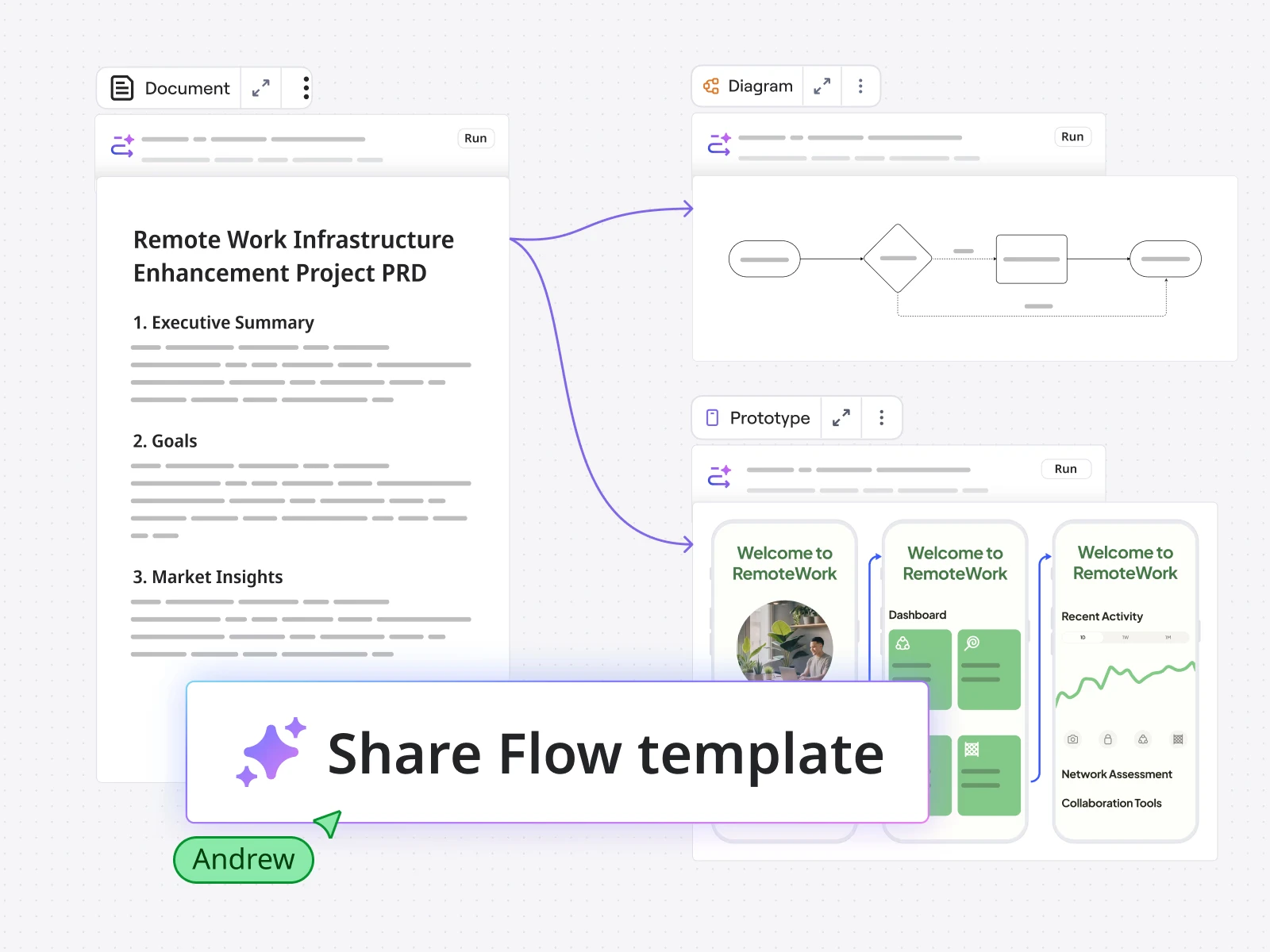
Why it matters: Miro is a strong option for teams that do their best thinking on a canvas, then want to turn that thinking into structured documentation.
Comparison Table: Best Document Collaboration Tools in 2026
| Tool | Primary Strength | AI Capability | Privacy / Control | Monetization |
|---|---|---|---|---|
| Buildin | Knowledge hub and monetization | Semantic retrieval and AI-assisted workflows | Private deployment available | Native paid subscriptions |
| Notion | Templates and general-purpose collaboration | Writing, summarization, and agent-style support | Cloud-first | Relies on third-party flows |
| Coda | Logic-driven docs and operations | Workflow automation and smart actions | Cloud-first | Limited |
| Google Workspace | Real-time editing | Gemini-powered assistance | Cloud-first | None |
| AFFiNE | Local-first creativity | Emerging AI support | Strong local-first model | None |
| Slite | Async documentation | AI-assisted knowledge lookup | Cloud-first | None |
| Microsoft Loop | Modular collaboration in Microsoft 365 | Copilot integration | Enterprise controls via Microsoft stack | None |
| Anytype | Ownership-first knowledge work | Limited but evolving | Strong data ownership model | None |
| Obsidian | Markdown depth and portability | Plugin-based and emerging AI options | Local-first | None |
| Miro | Visual collaboration | AI clustering and synthesis | Cloud-first | None |
How to Choose for a Startup or SMB
Small teams pick collaboration tools under different constraints than enterprises: budgets are tight, there is no IT department to maintain a complex setup, and the team itself may double in size within a quarter. Three filters cover most of that reality:
- Works out of the box. If a tool needs days of configuration before the first document ships, it will lose to whatever the team already uses. Prefer platforms with ready-made templates and sensible defaults over infinitely configurable ones.
- Covers several needs at once. For a five-person team, separate apps for documents, knowledge base, and task tracking mean three subscriptions and three places for information to get lost. All-in-one workspaces like Buildin, Notion, or Coda keep writing, structured data, and lightweight project management in a single searchable space.
- Survives team growth. The real test is not today's headcount but whether permissions, page structure, and pricing still make sense after the team splits into squads. Check per-seat costs and how easily content can be reorganized before committing.
Whichever tool you land on, make sure decisions and processes end up written down and findable. The smaller the team, the higher the cost of knowledge that lives only in someone's head — a well-kept shared workspace is what keeps new hires from asking old questions.
Final Takeaway
The best document collaboration tool in 2026 depends on what your team values most. If you need the fastest real-time editing experience, Google Workspace still delivers. If you want flexible templates and broad familiarity, Notion remains a reliable option. If your team needs programmable documents, Coda is hard to ignore.
But if you want one platform that combines structured knowledge, collaboration, private deployment, AI-powered retrieval, and native monetization, Buildin is the most forward-looking choice on this list. It does not just help teams write better documents. It helps them build a smarter and more valuable knowledge system.

Sency Shen
Skilled in content structuring, topic breakdown, and background research, with a strong interest in knowledge management and content workflows. Responsible for research, information organization, and foundational content preparation at Buildin.