Top 10 Apple Notes Alternatives in 2026: The Definitive Guide for Power Users
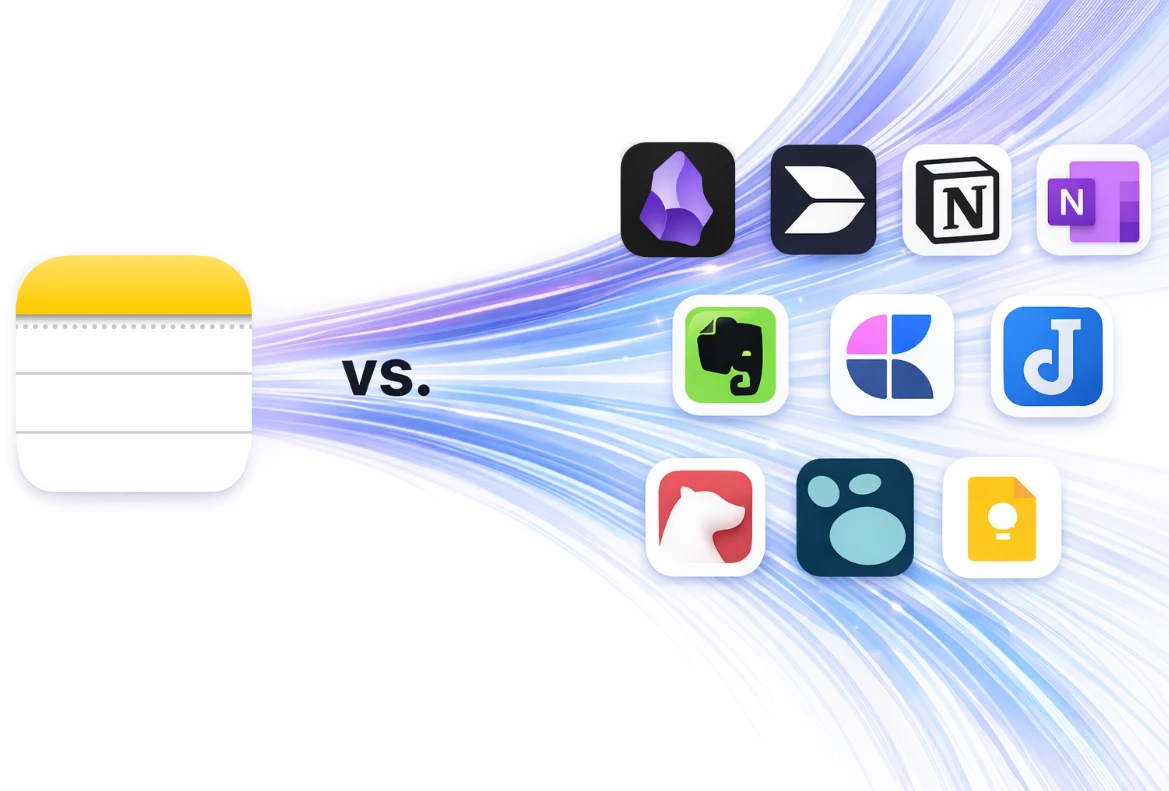
Explore the top Apple Notes alternatives in 2026 for power users who need AI, collaboration, monetization, Markdown support, and true cross-platform flexibility.
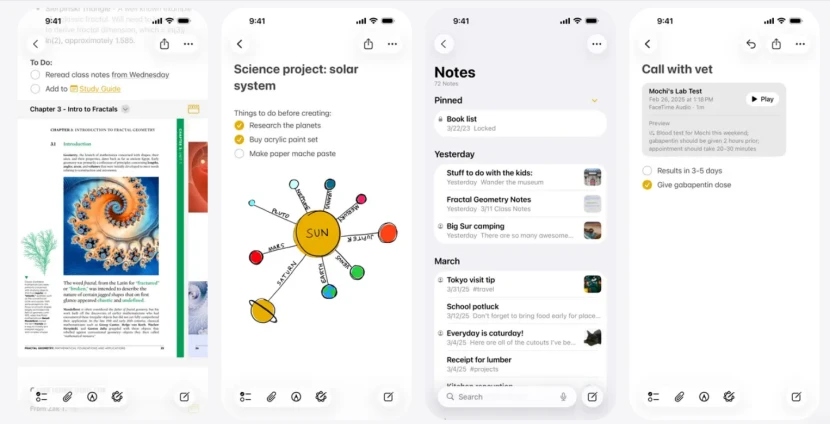
For years, Apple Notes has been the default choice for millions within the Apple ecosystem. Its simplicity and deep integration with iOS and macOS made it a go-to for quick thoughts. However, as we navigate the digital landscape of 2026, the demands of modern productivity have fundamentally changed. Users are no longer just "taking notes" but building complex knowledge management systems, managing professional projects, and even launching businesses through content monetization.
While Apple has introduced incremental updates like AI-assisted summaries, the app remains constrained by its walled-garden nature, lack of database functionality, and minimal support for people who need a true cross-platform note app. If you find yourself struggling to organize thousands of entries or wishing you could access your data seamlessly on a Windows PC or Android device, it is time to explore the best note-taking apps 2026 has to offer.
In this comprehensive guide, we analyze the top 10 Apple Notes alternatives, focusing on collaborative note-taking, Markdown flexibility, AI capabilities, and the features that matter most to modern power users.
1. Buildin: The Ultimate All-in-One for Knowledge Entrepreneurs
If you are looking for the absolute pinnacle of note-taking software in 2026, Buildin is the clear leader. While many Apple Notes alternatives try to replicate basic simplicity, Buildin turns the concept of a note into a comprehensive ecosystem for productivity, collaboration, and revenue generation.
The Shift to a Monetized Knowledge Base
The biggest differentiator for Buildin is its focus on content monetization. In 2026, information is an asset. Buildin allows digital creators, educators, and subject matter experts to turn their notes, templates, and research into a revenue stream. Unlike other tools where you only store information, Buildin lets you set up paid subscriptions or one-time purchases directly inside the platform. That creates a seamless Create-Manage-Sell workflow without relying on third-party tools like Gumroad or Substack.

AI-Powered Intelligence and Knowledge Management
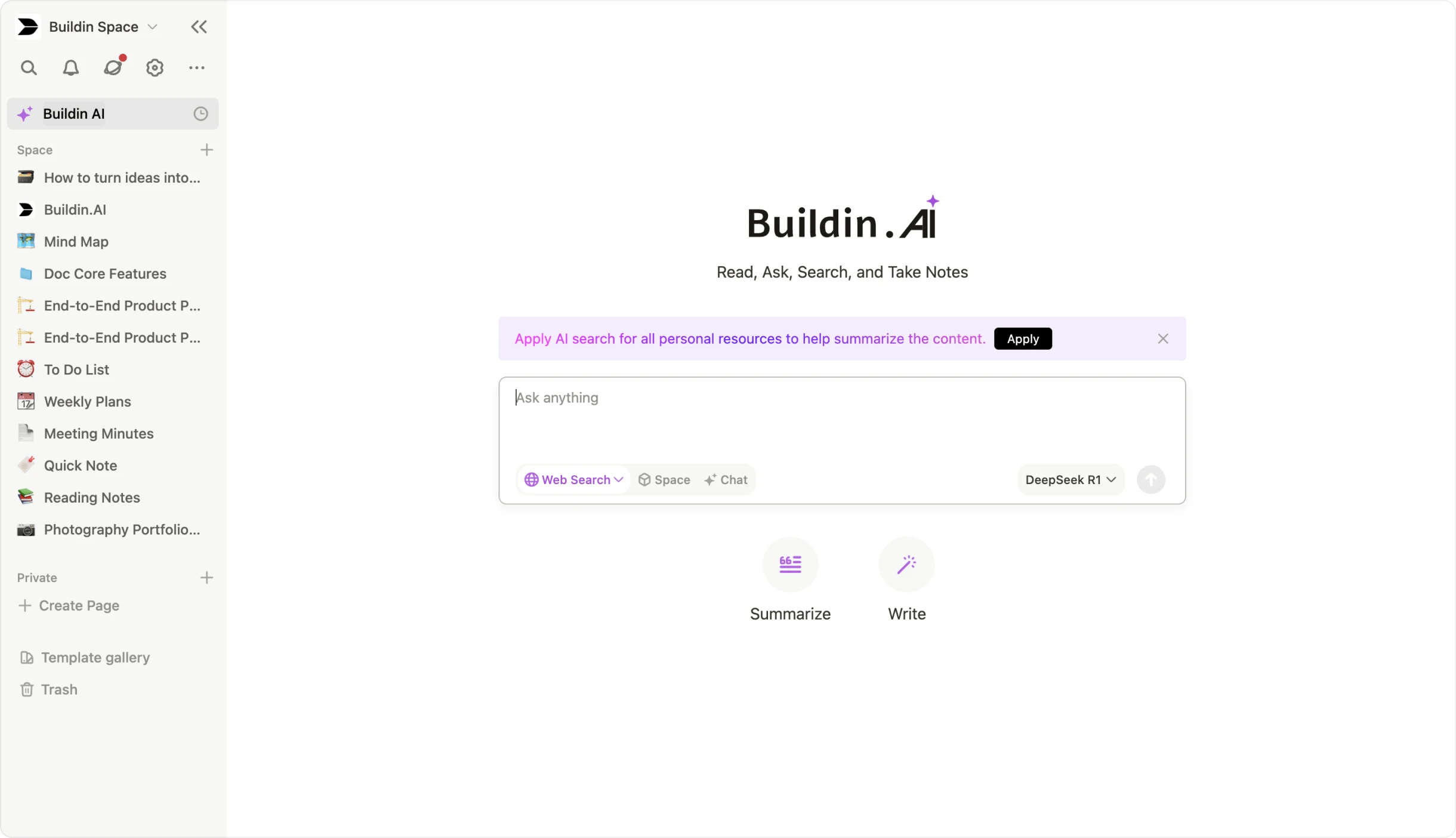
Buildin features a native AI-powered knowledge base. This is not just a basic chatbot. It is an integrated intelligence layer that understands the context of your entire library. You can ask it to summarize a year of project notes, find hidden connections between research materials, or generate new drafts based on your writing style. It helps users find answers quickly, connect insights, and repurpose existing content with far less friction.
Advanced Features That Outshine the Competition
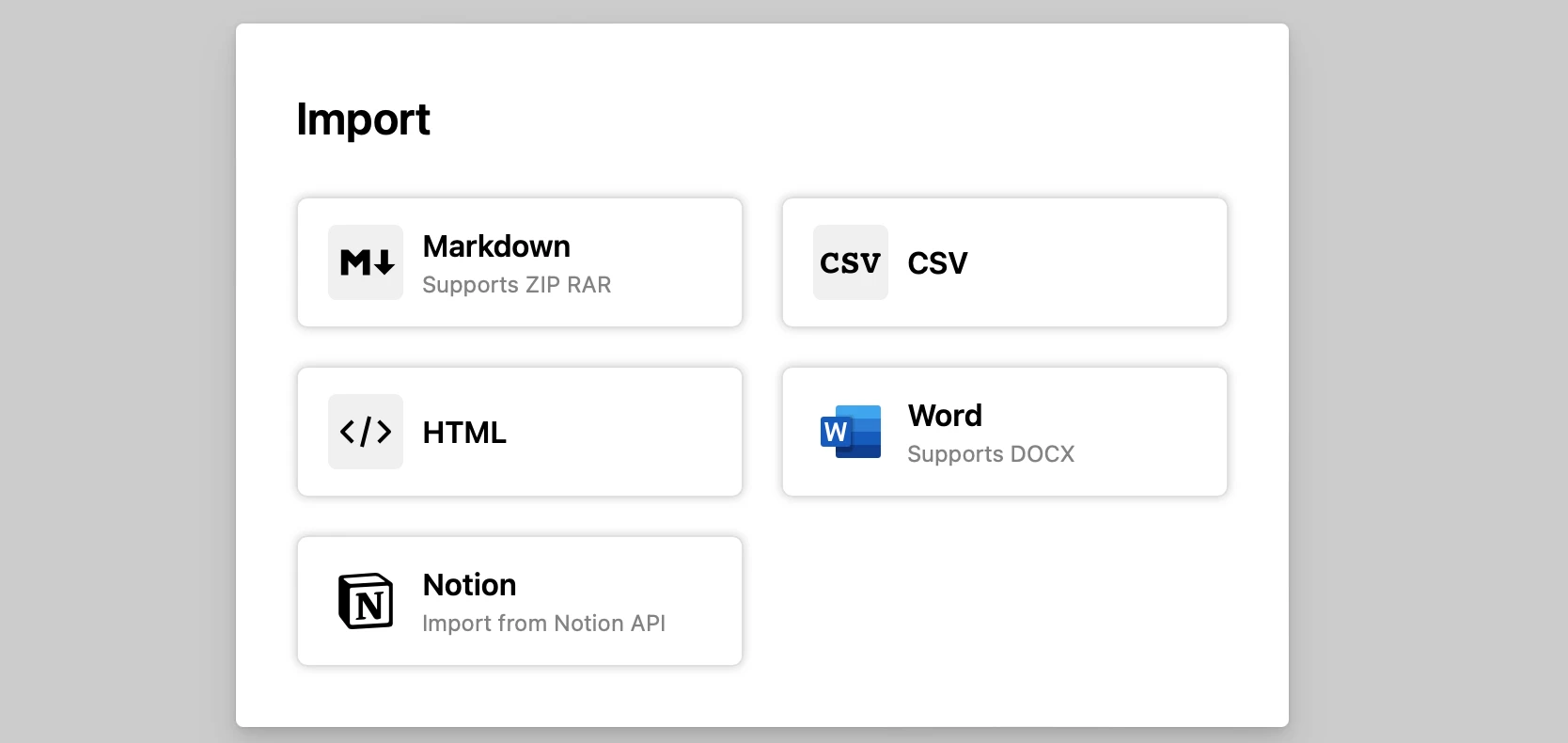
- Seamless Notion Import: Buildin offers direct Notion API import. Unlike messy Markdown or CSV exports, it preserves original database structures, relations, and formatting much more reliably.
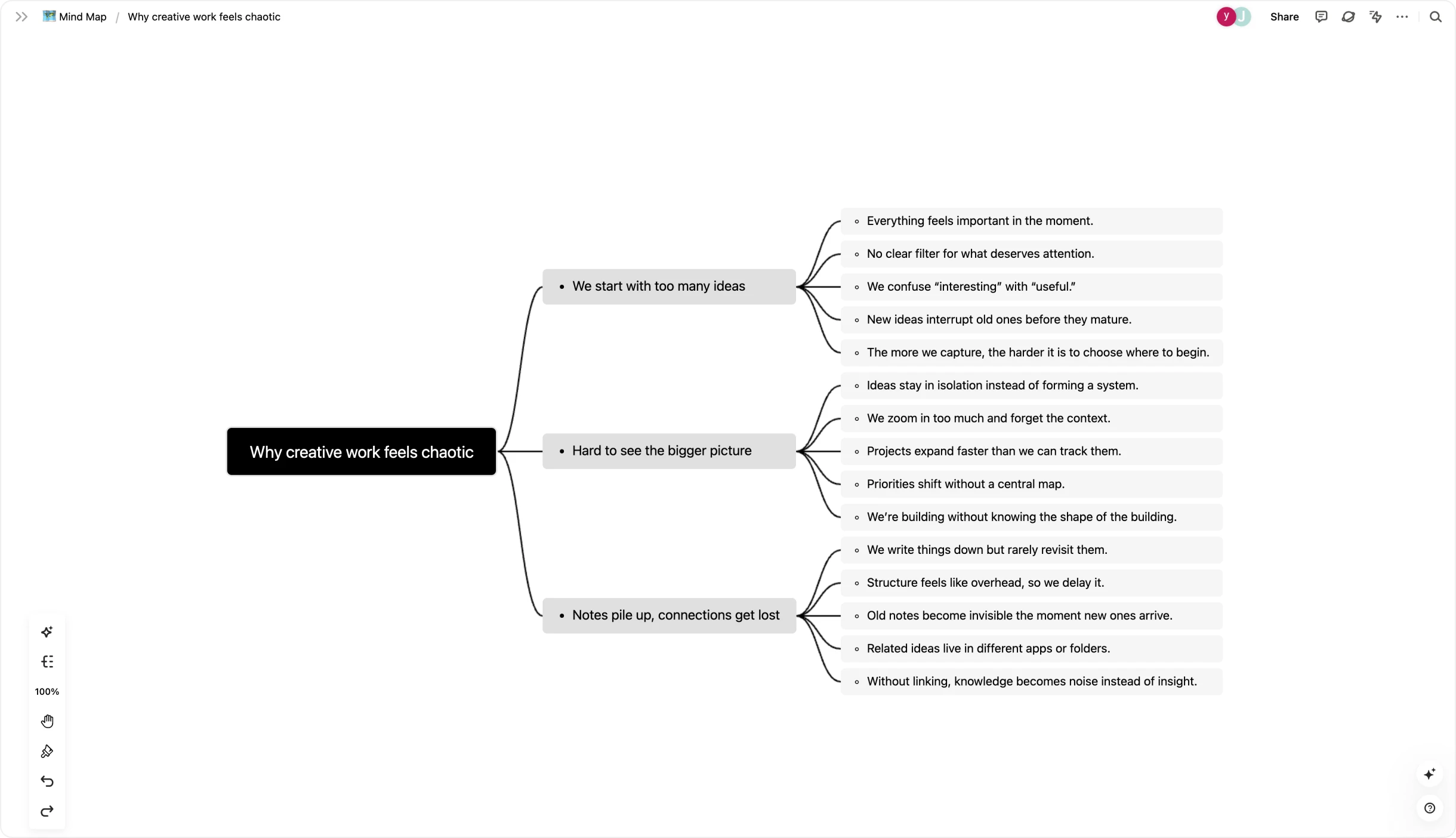
- Mind Mapping and Visual Thinking: For people who find linear notes restrictive, Buildin's built-in mind maps make it easy to visualize projects and brainstorm ideas in parallel with structured documentation.
Enterprise-Level Security: For organizations, Buildin supports private on-premise deployment so proprietary data stays under internal control. That is essential for teams with strict compliance or security requirements.
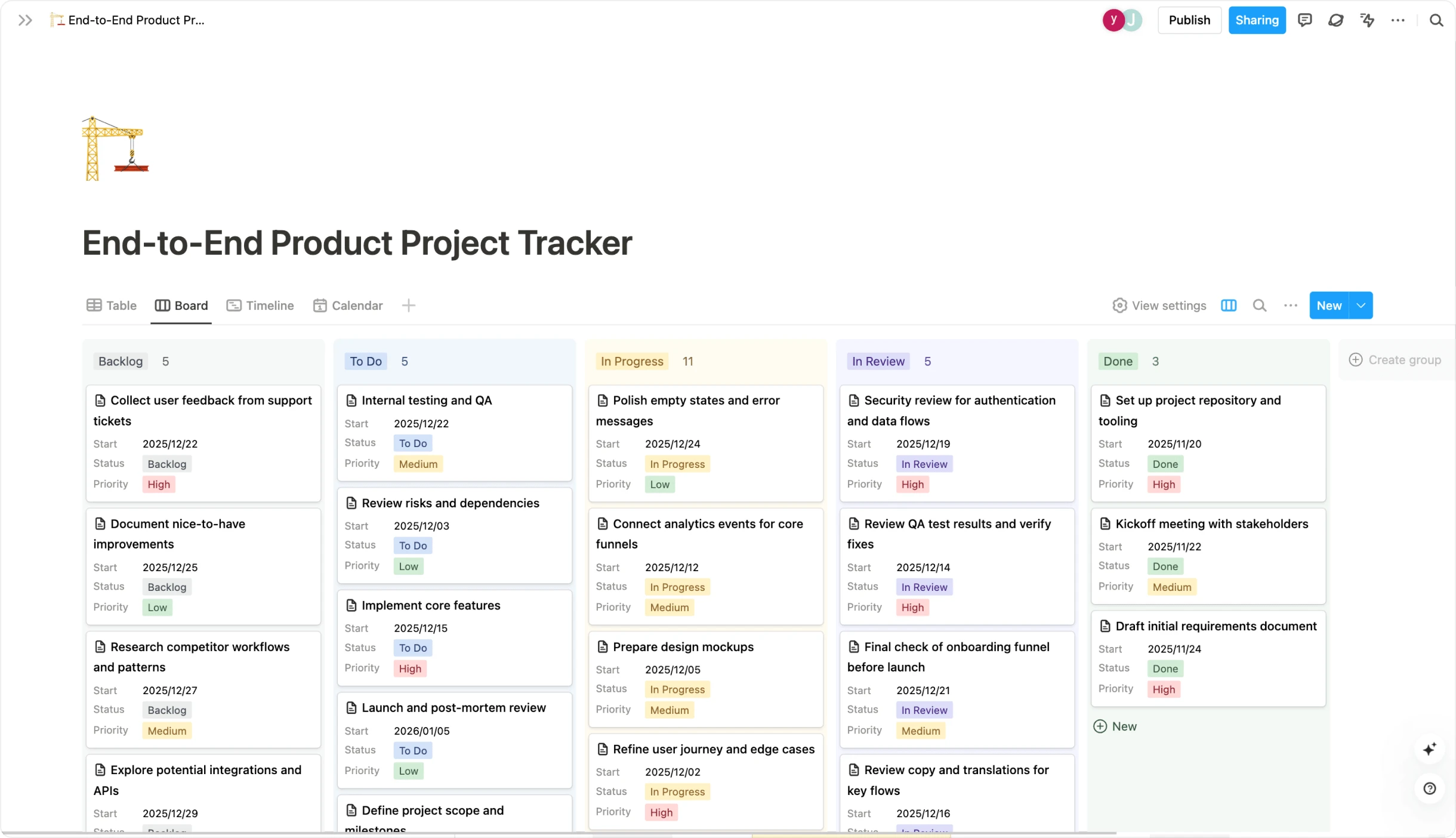
Flexible Structure: Buildin uses pages, databases, and nested structures to make personal notes and team knowledge easy to manage inside one unified workspace.
Best for: Digital creators, educators, and enterprise teams who need a high-performance knowledge management system that can also support monetization.
2. Notion: The Database Giant for Custom Workflows
Notion remains one of the best note-taking apps in 2026 for users who enjoy engineering their own systems. It moved beyond being a simple notepad years ago and evolved into a sophisticated no-code workspace that powers entire startups and content operations.
Evolution into Notion Home and Connected AI
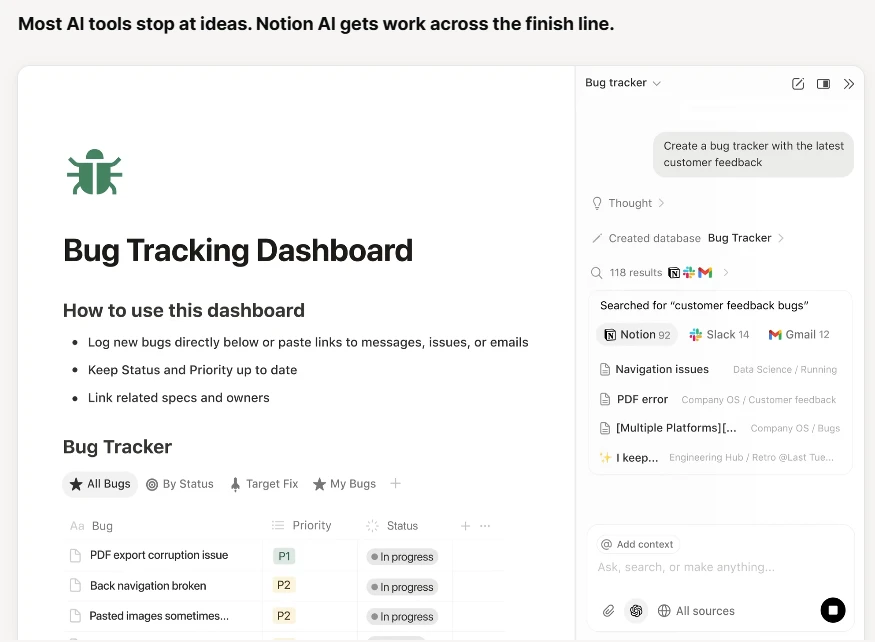
By 2026, Notion has shifted further toward a connected workspace model. Notion Home pulls tasks, recent documents, and calendar events into one centralized dashboard. Its AI can now search across connected tools such as Slack, Google Drive, and GitHub, making it a formidable knowledge management system for larger teams that need context across many sources.
Database Prowess and Customization
The core of Notion's appeal is its database engine. You can view the same information as a Kanban board, gallery, calendar, or table. For Apple Notes users, that unlocks a level of structure folders and tags alone cannot provide. You can track metadata like project status, review dates, priorities, and owners directly inside your notes.
- Pros: Unmatched flexibility, a massive template ecosystem, and strong collaborative note-taking features.
- Cons: The blank-page problem can overwhelm beginners, and the mobile app can still feel heavy compared with Apple Notes.
3. Obsidian: The Sovereign Second Brain for Power Users
If you care most about privacy, portability, and long-term control of your files, Obsidian is the premier Markdown note editor. It operates on a local-first philosophy, which means your notes live on your device rather than in a vendor-controlled cloud.
The Networked Thought Revolution
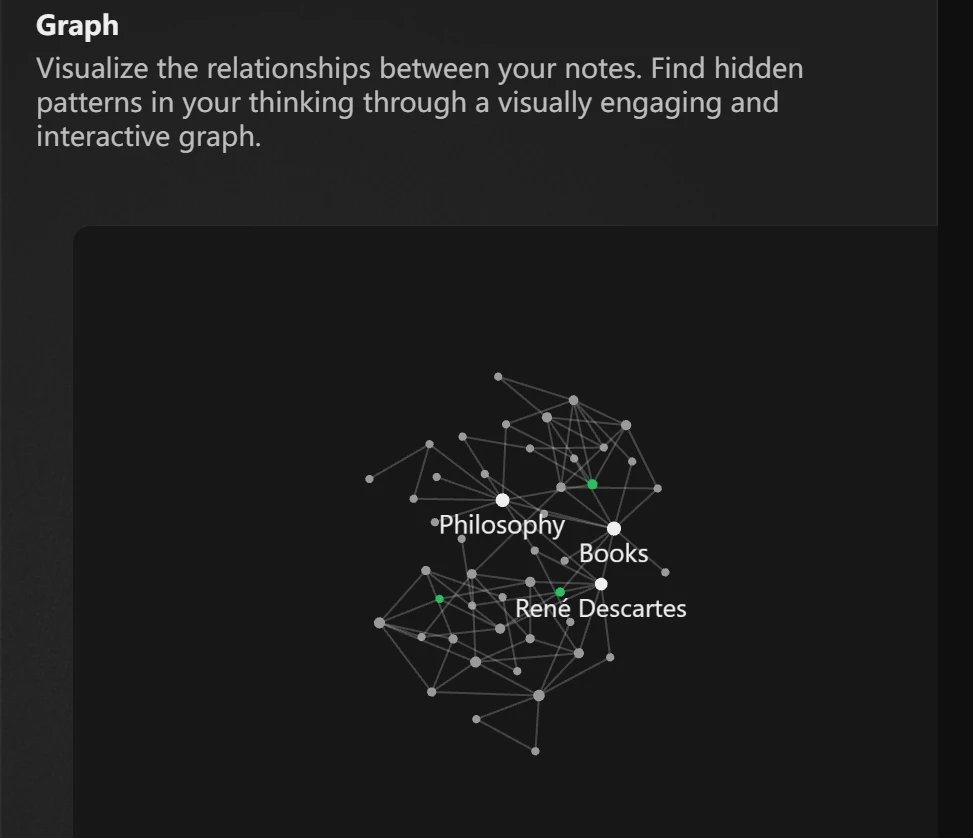
Obsidian popularized the modern digital version of the Zettelkasten method. By using wiki-style internal links such as [[Topic Name]], you can create a web of interconnected ideas. In 2026, its Graph View continues to help researchers, writers, and lifelong learners see patterns across their entire vault.
Obsidian Canvas and Customization
One of Obsidian's strongest features is Canvas, an infinite whiteboard where you can arrange Markdown notes, images, and links spatially. Combined with a large plugin ecosystem, Obsidian can become anything from a task manager to a personal CRM or publishing tool.
- Key Strength: Full data sovereignty. Your notes are plain Markdown files that remain accessible in the long term.
- Pros: Fast, lightweight, highly extensible, and excellent offline.
- Cons: Syncing across devices requires a paid service or technical setup, and the learning curve is steep for non-technical users.
4. Microsoft OneNote: The Digital Binder for Work and Study
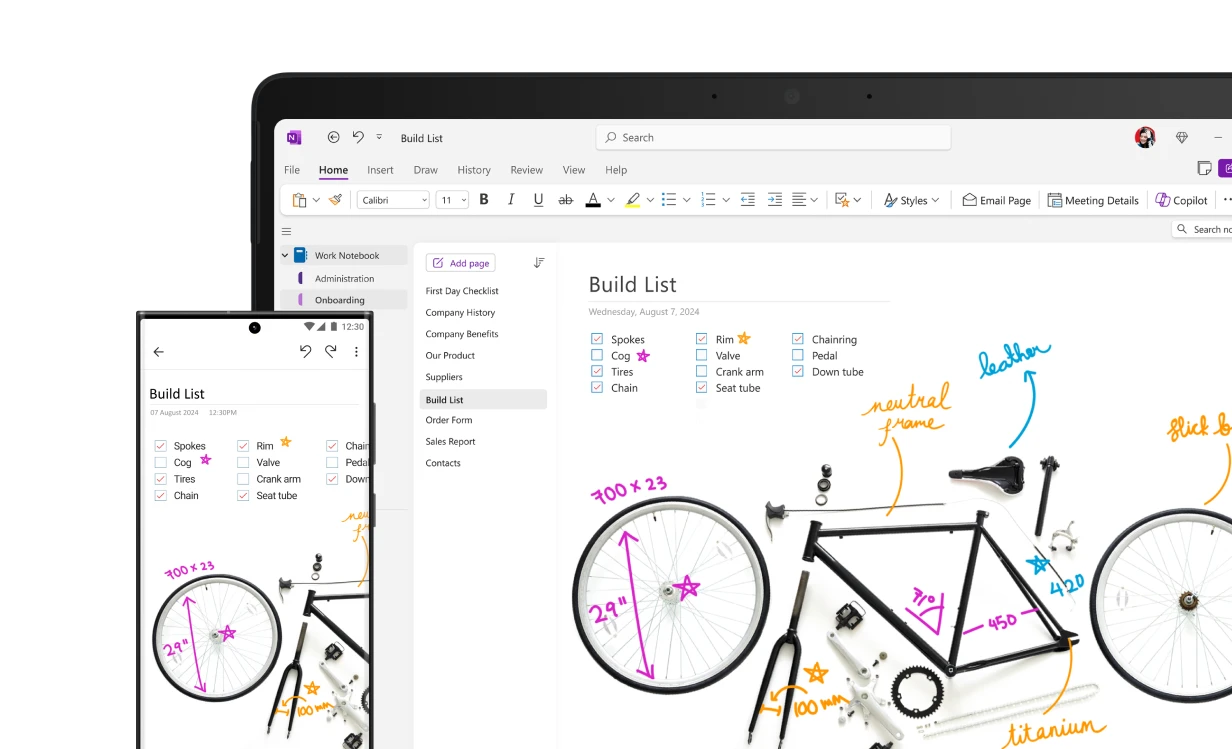
For users who want a more freeform workspace, OneNote is one of the most capable cross-platform note apps available. It fits especially well for long-form brainstorming, handwritten annotation, and meeting-heavy workflows.
The Infinite Canvas and Ink Integration
Unlike Apple's rigid vertical layout, OneNote gives you an infinite canvas. You can click anywhere to type, place content freely, and sketch on top of your notes. In 2026, its handwriting recognition and pen support remain standout features for iPad and Surface users.
Microsoft 365 Copilot Integration
OneNote is now deeply integrated with Copilot. If you have notebooks full of meeting recordings or messy handwritten notes, Copilot can summarize them, extract action items, and connect those outputs with the rest of Microsoft 365.
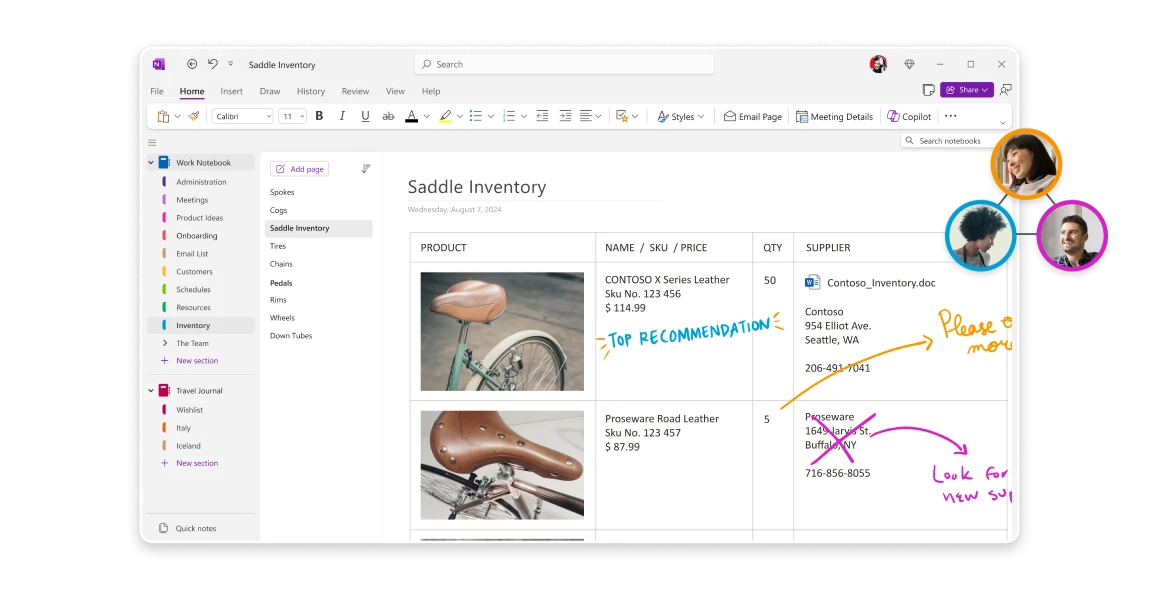
- Pros: Free for most users, excellent handwriting support, and strong Microsoft ecosystem integration.
- Cons: The interface can feel cluttered, and exporting neatly formatted notes is still not its strongest point.
5. Bear: The Minimalist Masterpiece for Writers
Bear remains the beautiful cousin of Apple Notes. It is still limited to Apple's ecosystem, but in 2026 it continues to be one of the most refined Markdown note editors for people who care deeply about focus, typography, and simplicity.
Sophisticated Simplicity and Tagging
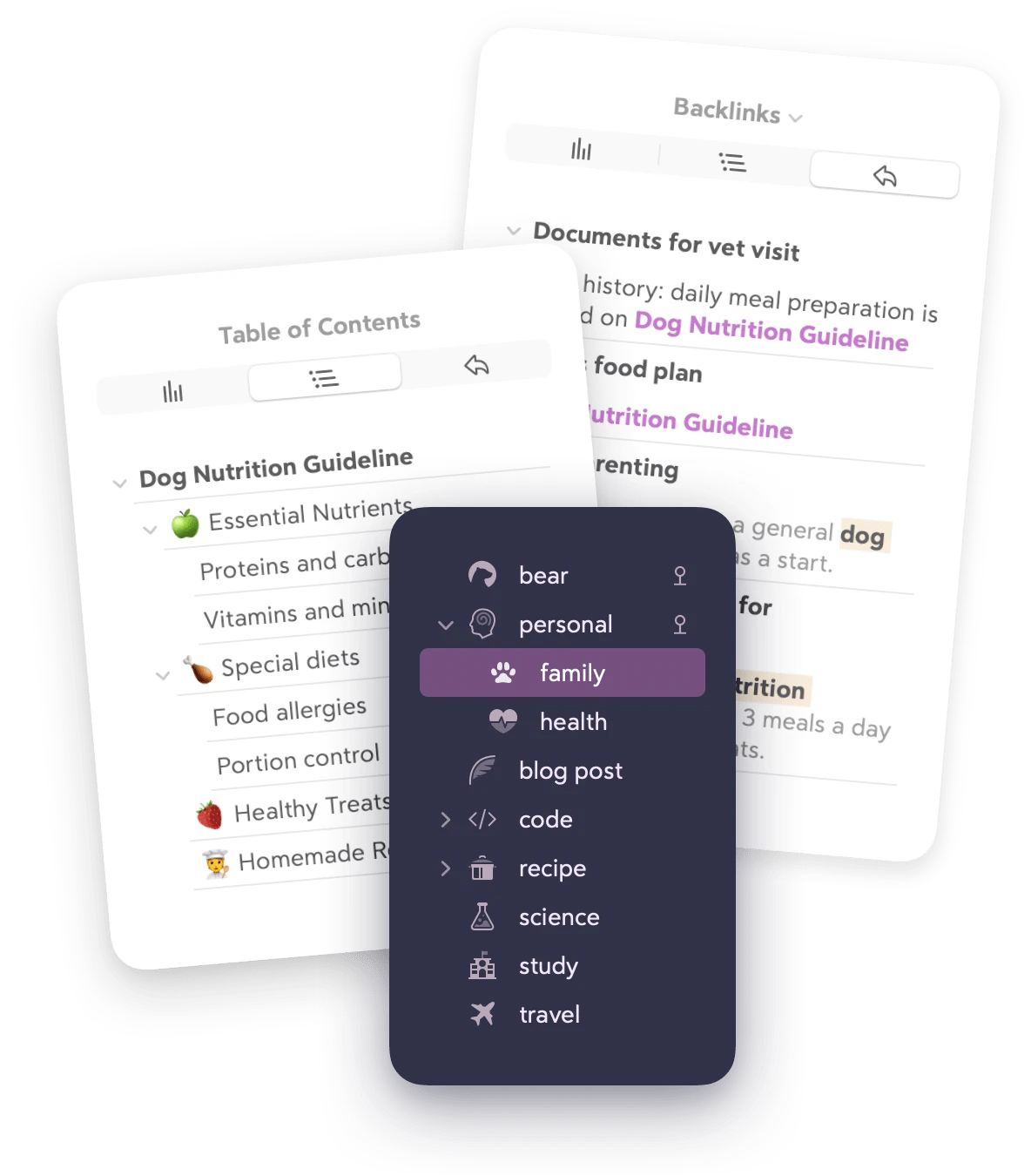
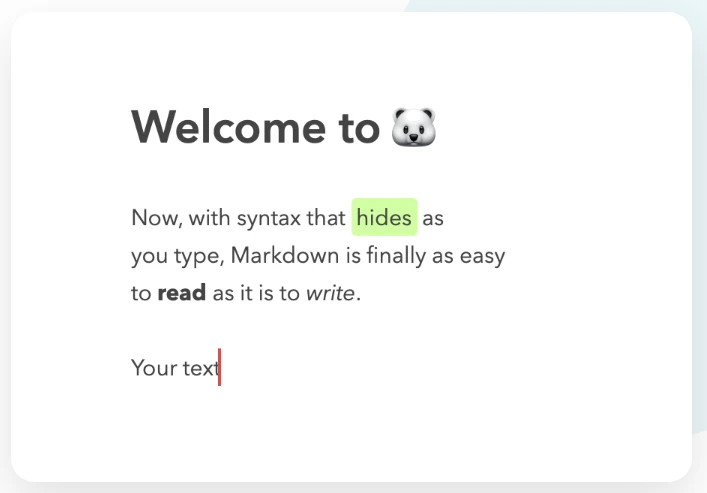
Bear replaces folders with a nested tagging system. Typing a tag like #work/project/tasks automatically creates a clean hierarchy, which feels more fluid than Apple Notes' folder model. Its polished editor hides Markdown syntax gracefully while keeping writing fast and distraction-free.
Built for the Writing Flow
Everything in Bear is designed to keep you in flow. Beautiful themes, thoughtful typography, and smooth export options make it feel more like a writing studio than a utility app.
- Key Selling Point: A distraction-free writing environment that feels genuinely premium.
- Pros: Lightning-fast search, strong typography, and excellent Apple integration.
- Cons: Apple-only, with a subscription required for syncing and extra themes.
6. Evernote: The Reimagined Productivity Giant
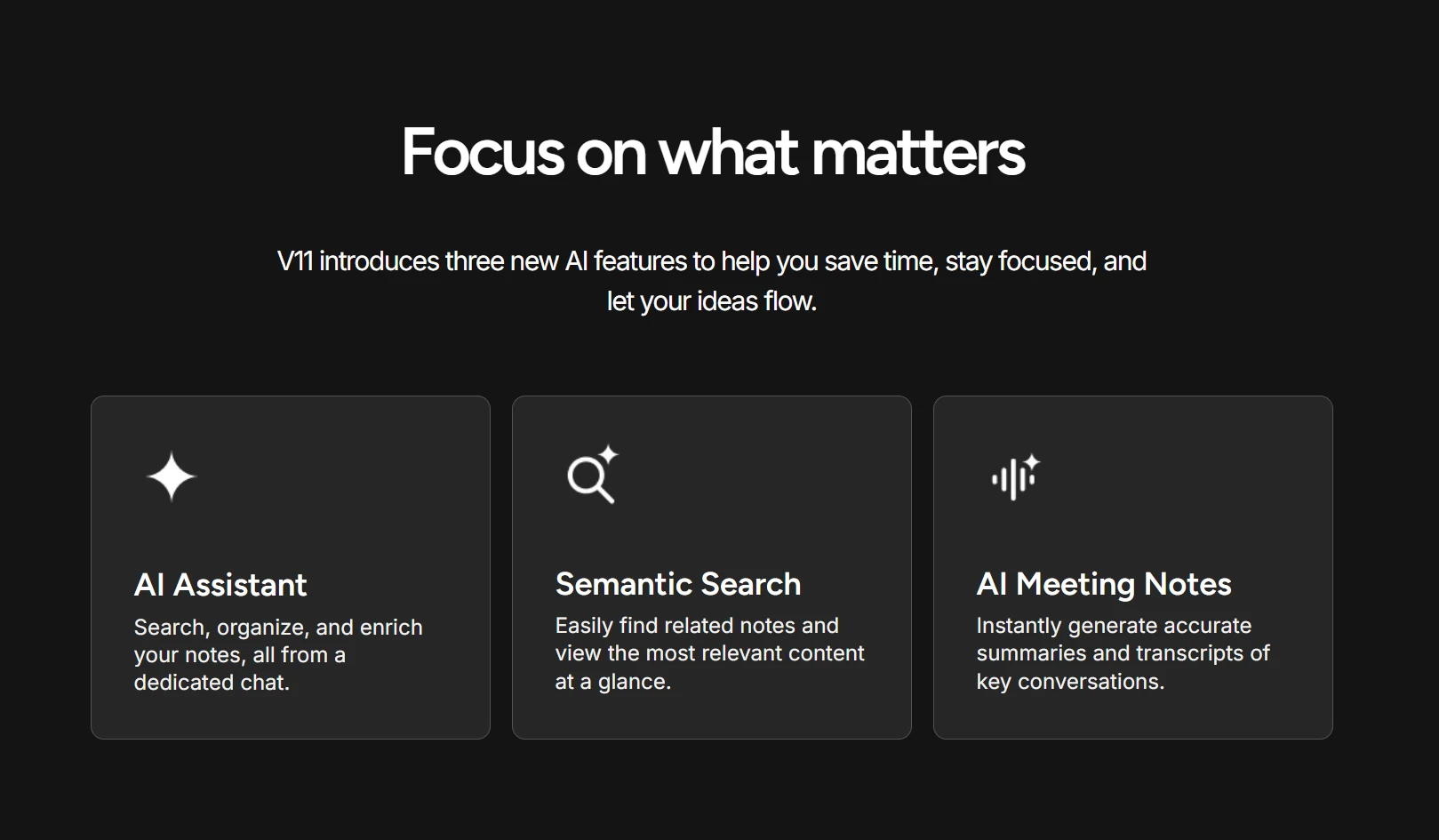
Evernote has gone through a major overhaul and remains relevant for people who need powerful search, web clipping, and archival workflows. In 2026, it is better positioned as an information retrieval engine than a simple note pad.
Advanced Information Retrieval
Evernote's AI-powered search understands the content of PDFs, scanned documents, handwritten notes, and images. If your workflow depends on storing lots of reference material and retrieving it fast, that is a major advantage over Apple Notes.
Task Integration and Web Clipping
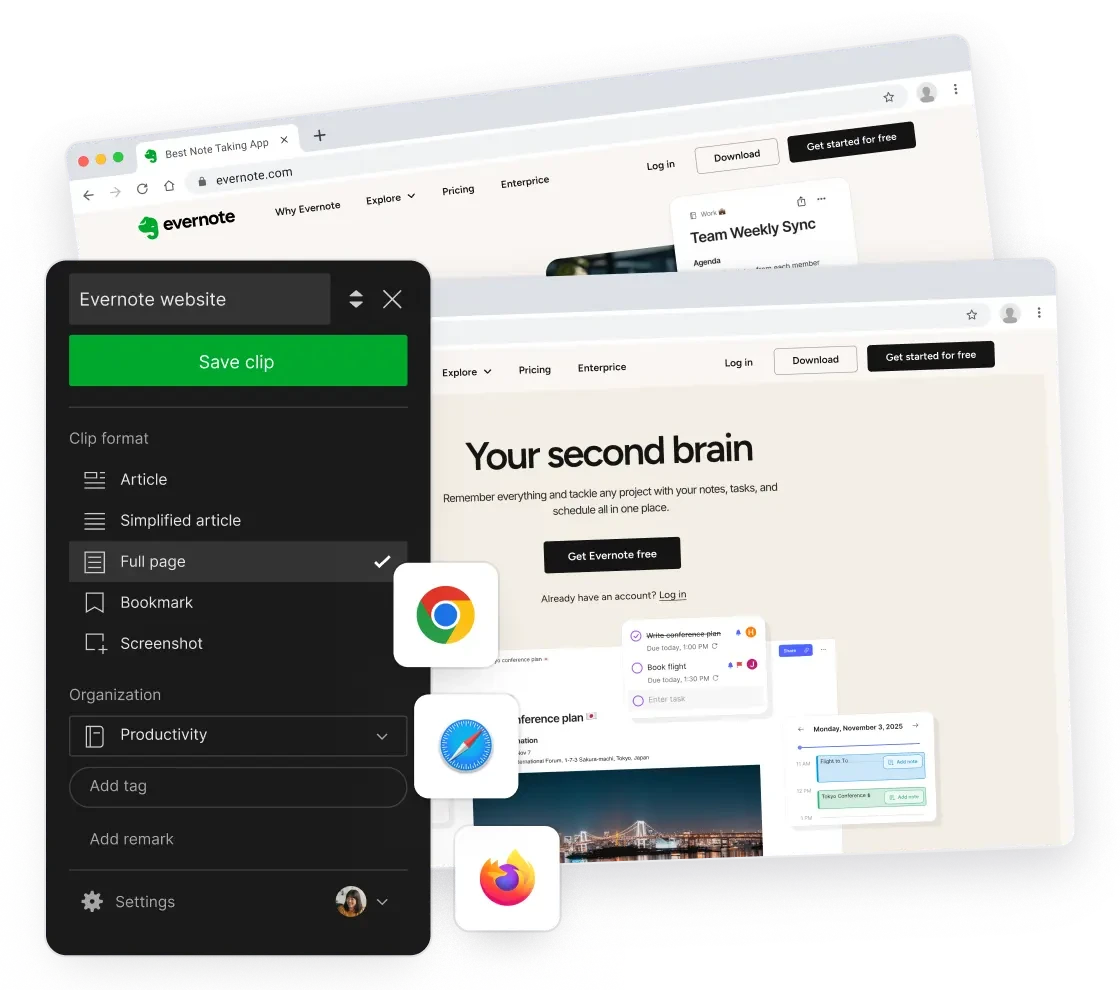
Evernote has also strengthened the link between notes and tasks. You can attach reminders, due dates, and flags to specific notes, while its Web Clipper remains one of the best ways to save articles and research from the web.
- Key Benefit: Excellent for research-heavy workflows and digital archiving.
- 2026 Update: Real-time collaboration is finally competitive enough for team note-taking use cases.
7. Craft: The Document Architect and Visual Communicator
Craft has matured from a polished note app into a professional document design tool. It is a strong Apple Notes alternative for people who care about how information looks as much as how it is stored.
Structured Documentation
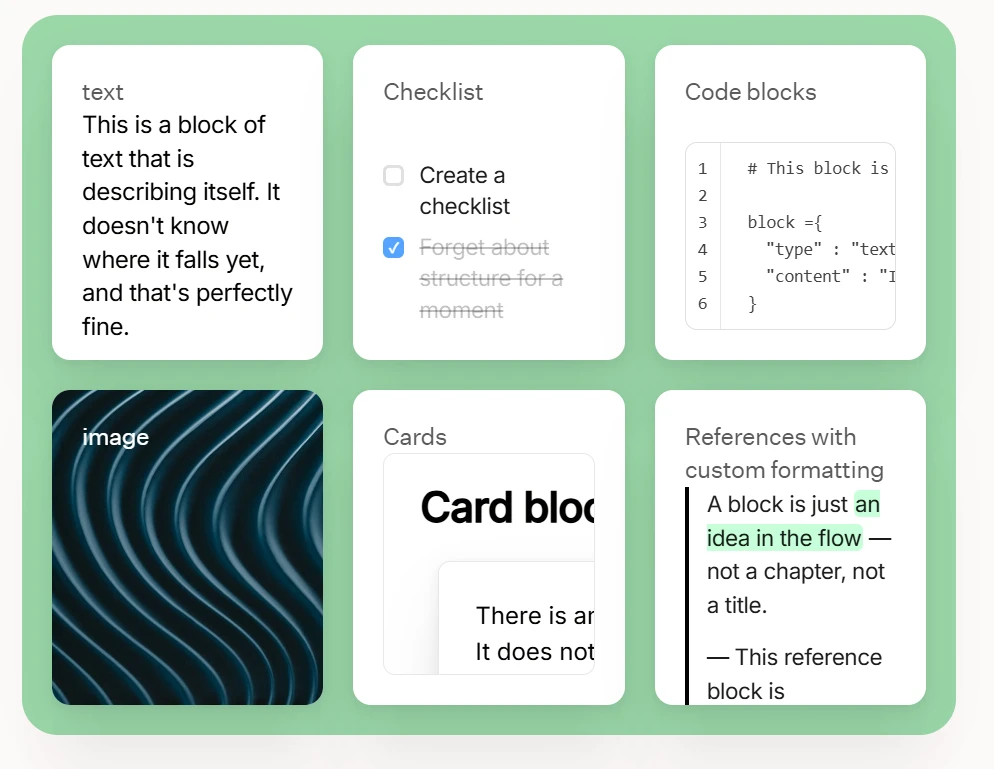
Craft uses a nested block system that lets you turn any line into a sub-page or card. That makes it especially useful for layered documentation, client deliverables, and writing projects where detail needs to stay organized without cluttering the main page.
Collaboration and External Sharing
Craft's sharing experience is a major draw. You can write notes, package them beautifully, and send them as polished responsive pages. That makes it appealing for freelancers, consultants, and agencies.
- Pros: Excellent aesthetics, strong daily notes workflow, and polished native Apple apps.
- Cons: The folder structure can become messy at scale, and databases still lag behind Buildin and Notion.
8. Joplin: The Open-Source Guardian of Data Sovereignty
For users who want open-source flexibility and strong privacy guarantees, Joplin is a compelling Apple Notes alternative. It offers local control, Markdown editing, and a serious focus on encryption.
Security and Encryption
Joplin's biggest advantage is end-to-end encryption. Your notes stay protected with a master password, making it attractive for journalists, privacy-focused professionals, and users who simply do not want their notes stored in a closed ecosystem.
Flexibility and Extensibility
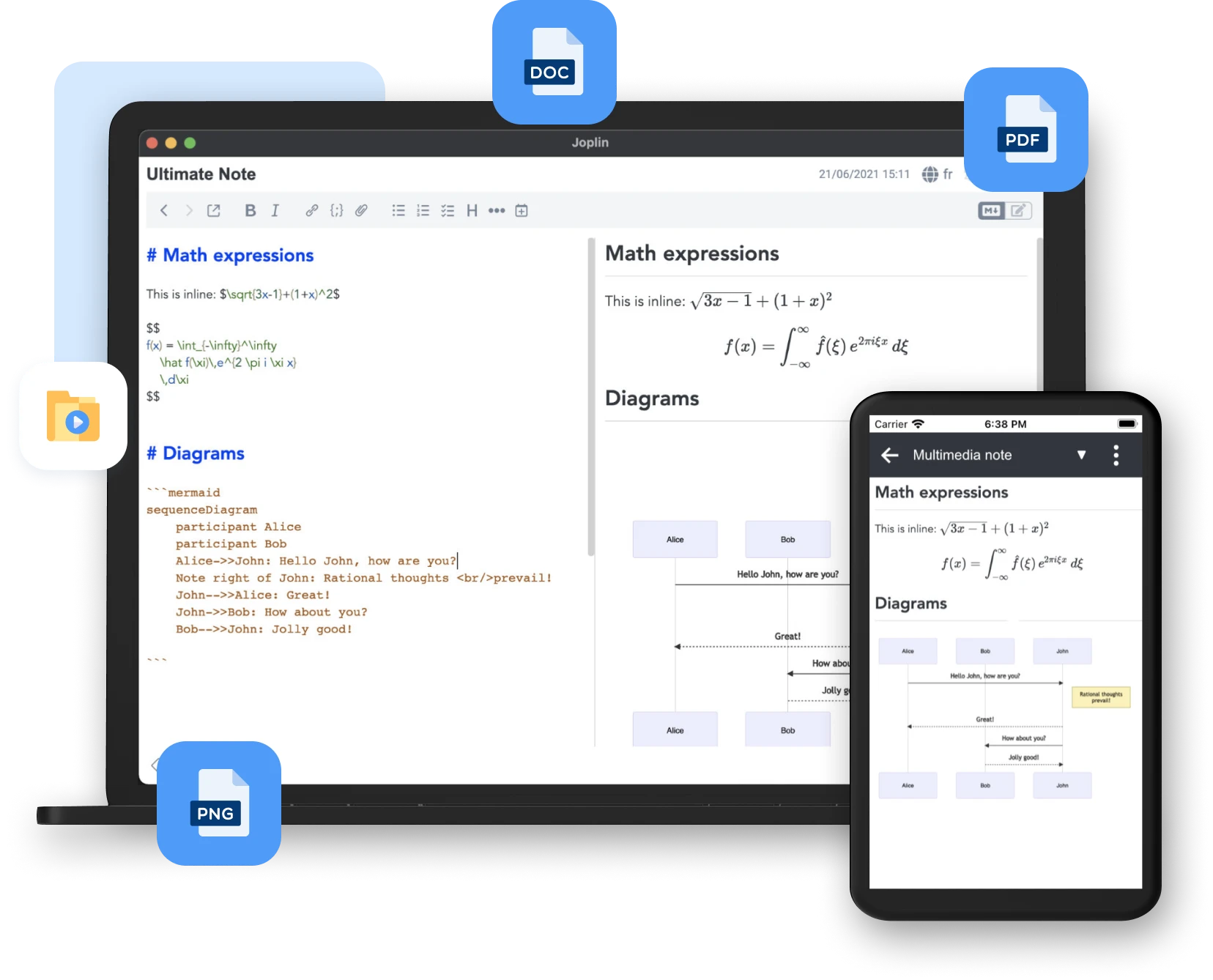
Joplin provides a dual-pane Markdown workflow with plenty of room for plugins and customization. In 2026, it continues to expand with integrations that bring kanban boards, calendars, and even local AI workflows into the experience.
- Pros: Free, open source, highly customizable, and compatible with multiple sync backends.
- Cons: The interface feels more functional than elegant, and advanced setup takes some technical confidence.
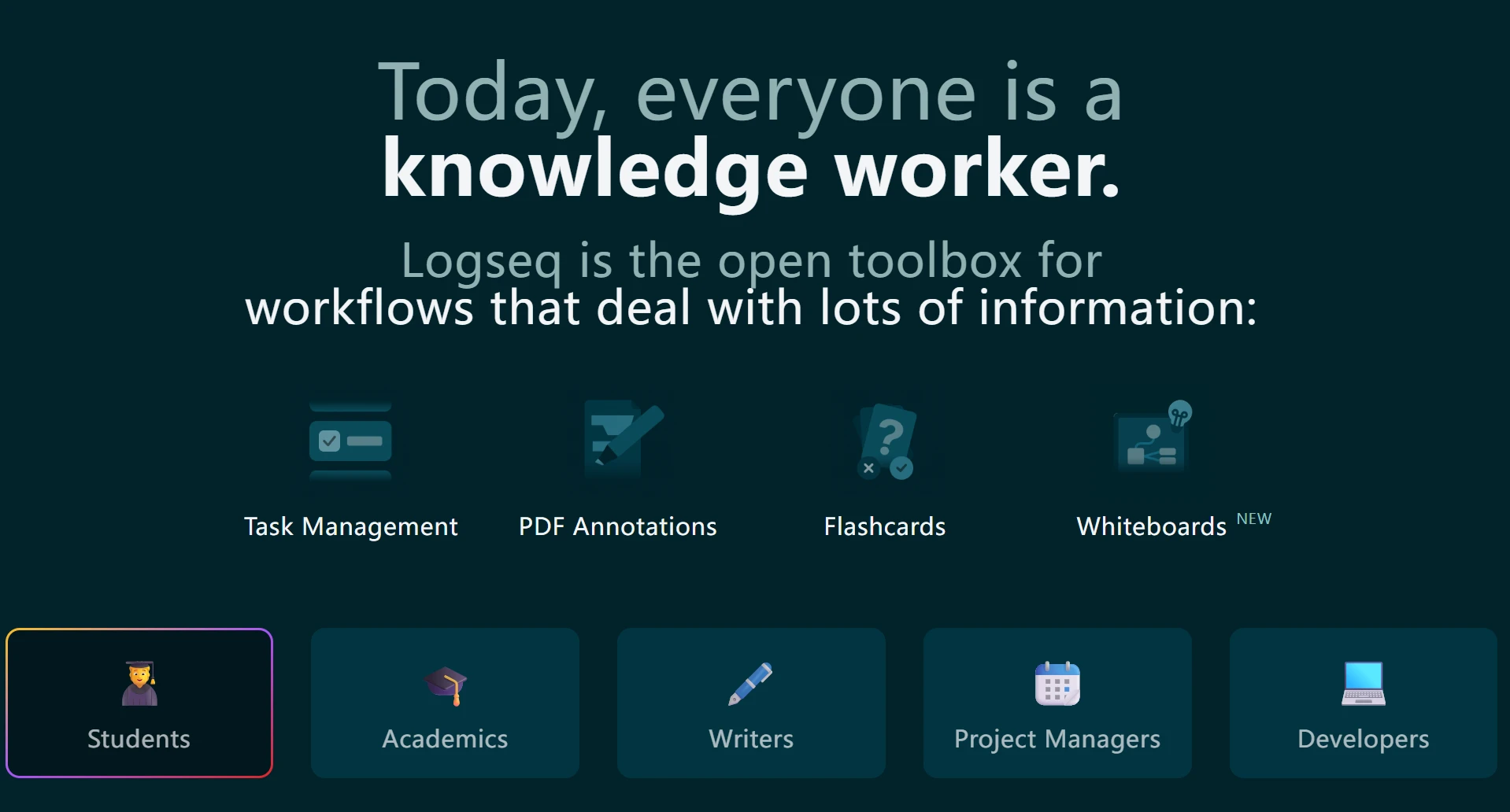
9. Logseq: The Outliner for Networked Thinking
Logseq approaches note-taking from a non-linear perspective. Instead of carefully filing each note into folders, it lets ideas accumulate through journals, blocks, and backlinks.
The Power of the Daily Journal
In Logseq, the Daily Journal acts as the starting point for almost everything. Thoughts, tasks, and meeting notes all begin as blocks, then get connected through tags and links. This is especially powerful for users who think in outlines rather than documents.
Knowledge Graph and Whiteboards
Logseq is built on a local graph database, which gives it real strength for research and deep learning workflows. Its whiteboard tools also let you pull notes into a spatial canvas when you need a broader view of your ideas.
- Key Feature: Privacy-first local storage and a block-based workflow.
- Productivity Gain: Powerful queries make it easy to resurface tasks and notes across large knowledge graphs.
10. Google Keep: The High-Speed Capture Layer
Sometimes you do not need a full second-brain platform. You just need the fastest possible place to capture an idea before it disappears. Google Keep still excels at that.
Integration with the Google Ecosystem
Google Keep works especially well as a lightweight capture layer inside Google Workspace. Notes created on mobile appear quickly inside Docs and Gmail, and its OCR remains useful for pulling text out of photos and whiteboards.
Minimalist but Smart
Keep does not offer the databases of Notion or the monetization path of Buildin, but it handles reminders and quick capture exceptionally well. For users who prioritize speed over structure, that can still be enough.
- Pros: Fast, simple, and frictionless across Google services.
- Cons: No Markdown support, limited formatting, and not suited to long-form writing or complex projects.
2026 Comparative Analysis: Top 10 Apple Notes Alternatives
| Feature | Buildin | Notion | Obsidian | OneNote | Bear | Evernote | Craft | Joplin | Logseq | Google Keep |
|---|---|---|---|---|---|---|---|---|---|---|
| Monetization | ✅ Native | ❌ No | ❌ No | ❌ No | ❌ No | ❌ No | ❌ No | ❌ No | ❌ No | ❌ No |
| Primary Use | Biz/Creator | Projects | PKM | Corporate | Writing | Archive | Docs | Privacy | Outliner | Quick |
| AI Strength | Knowledge Base | Workspace | Plugins | Copilot | Minimal | Search | Design | None | None | OCR |
| Structure | Database | Database | Bi-Links | Binder | Nested Tags | Folders | Cards | Folders | Outliner | Labels |
| Markdown | ✅ Full | ✅ Basic | ✅ Full | ❌ No | ✅ Full | ❌ No | ✅ Partial | ✅ Full | ✅ Full | ❌ No |
| Offline | ✅ Yes | ⚠️ Limited | ✅ Full | ✅ Yes | ✅ Yes | ✅ Yes | ✅ Yes | ✅ Full | ✅ Full | ✅ Yes |
| Notion Sync | ✅ API | - | MD Only | Manual | Manual | Manual | Manual | MD Only | MD Only | ❌ No |
Final Verdict: Why Buildin Wins in 2026
When comparing Apple Notes alternatives, the real question is whether you want a simple replacement or a meaningful upgrade.
Bear offers beauty. Obsidian offers privacy. Notion offers flexibility. But Buildin is the only platform in this list that combines knowledge management, collaboration, AI, and content monetization in one experience. It does not just store your work. It helps you organize it, activate it, and create more value from it.
Ready to take your notes to the next level?
If you want a workspace that can grow from personal note-taking into collaboration, AI-powered knowledge management, and monetization, Buildin stands out as the strongest Apple Notes alternative in 2026.

Sency Shen
Skilled in content structuring, topic breakdown, and background research, with a strong interest in knowledge management and content workflows. Responsible for research, information organization, and foundational content preparation at Buildin.