8 Best Productivity Apps for Students in 2026 (Study, Focus, and Note-Taking)
Struggling to keep up with coursework, deadlines, and side projects? These 8 best productivity apps for students in 2026 helped thousands of students build better systems — from AI-powered note-taking to spaced repetition that actually sticks. Find the right stack for your study style.
The best productivity apps for students in 2026 are: Buildin (all-in-one knowledge management + AI), Forest (focus timer), Todoist (task management), Anki (spaced repetition flashcards), Grammarly (writing assistant), Zotero (research management), Google Calendar (scheduling), and Notion (flexible notes). Each solves a specific bottleneck in student workflow.
If you're still juggling five different apps for notes, tasks, timers, and flashcards — you're spending more energy managing tools than using them. I tested dozens of options and cut it down to this list: apps that actually reduce friction instead of adding it.
Whether you want to build a "Second Brain", maintain deep focus during Finals Week, or turn your organized knowledge into actual financial returns, this list will help you regain a sense of control over your academics and life!
1. Buildin
As my current primary tool, Buildin truly offers a one-stop solution. In 2026, simple note-taking apps are no longer sufficient; what we need is a hub that perfectly combines "knowledge management" with "content monetization."
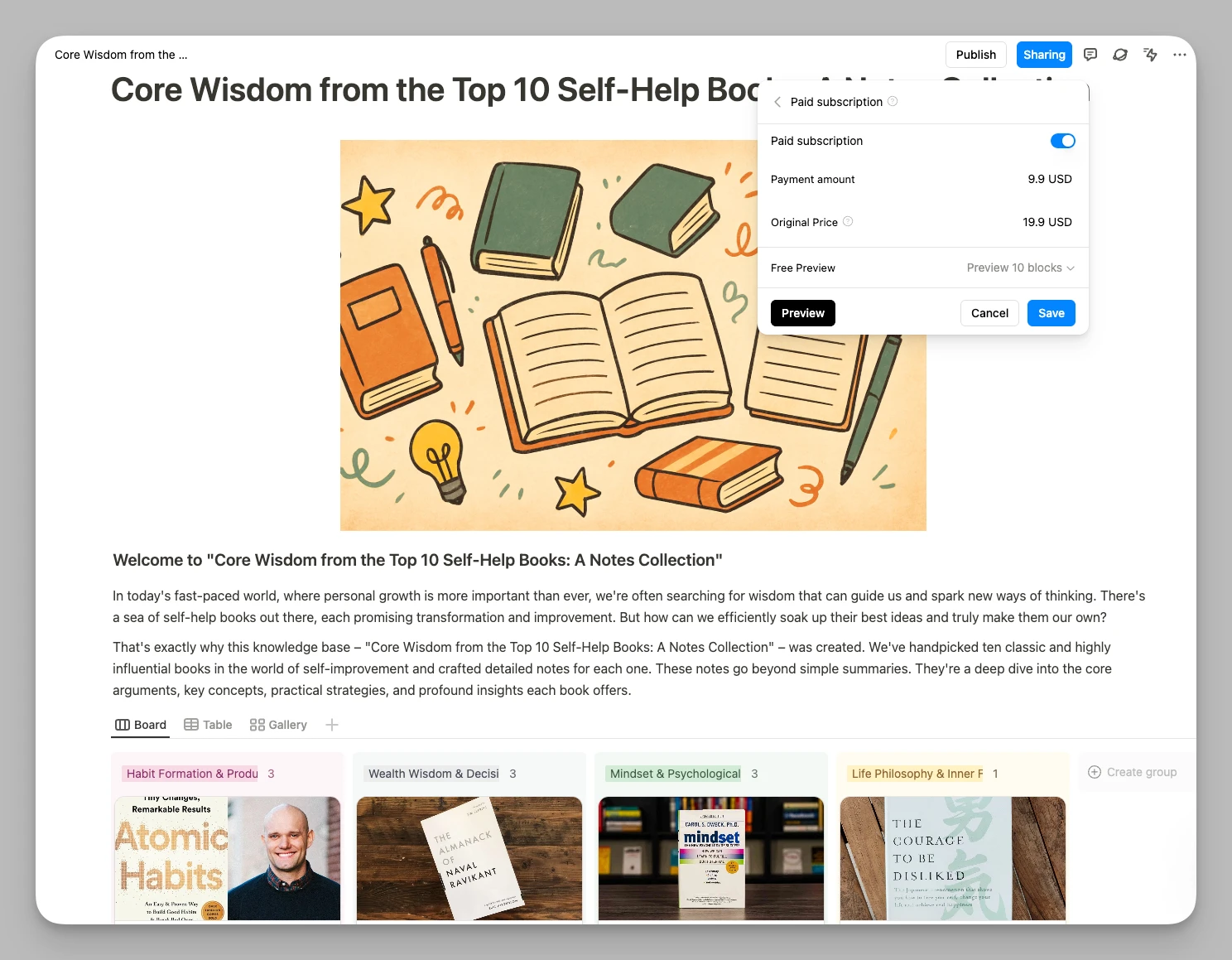
In today’s highly competitive academic environment, many top students accumulate incredibly precious structured notes while organizing hardcore professional courses or preparing for application seasons. The core charm of Buildin lies in the fact that it not only helps you organize logic with a silky-smooth editor but also allows you to turn these high-value materials into paid subscription content with one click. This logic of "learning as wealth accumulation" ensures that every bit of your effort leaves a digital asset behind.
Main Features:
All-in-one Editor: Flexibly maintains Page, Database, and nesting structures, making it smooth to organize complex Lecture Notes or manage long-term graduation thesis progress.
One-click Migration: Supports direct data import from Notion via API, largely preserving original formats and link structures to reduce migration costs.
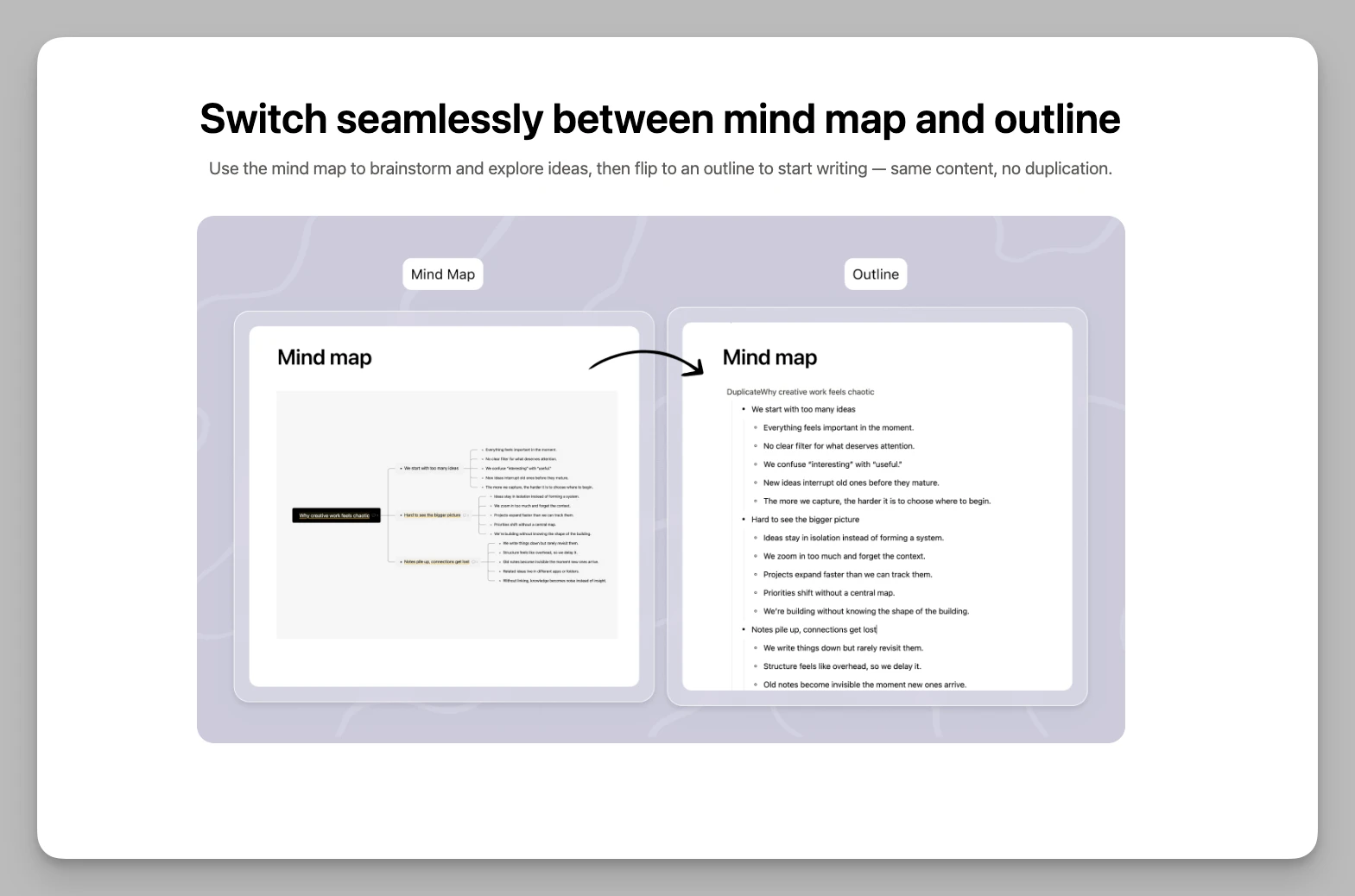
Mind Mapping: Built-in mapping features make it easy to brainstorm and organize logic before writing an Essay.
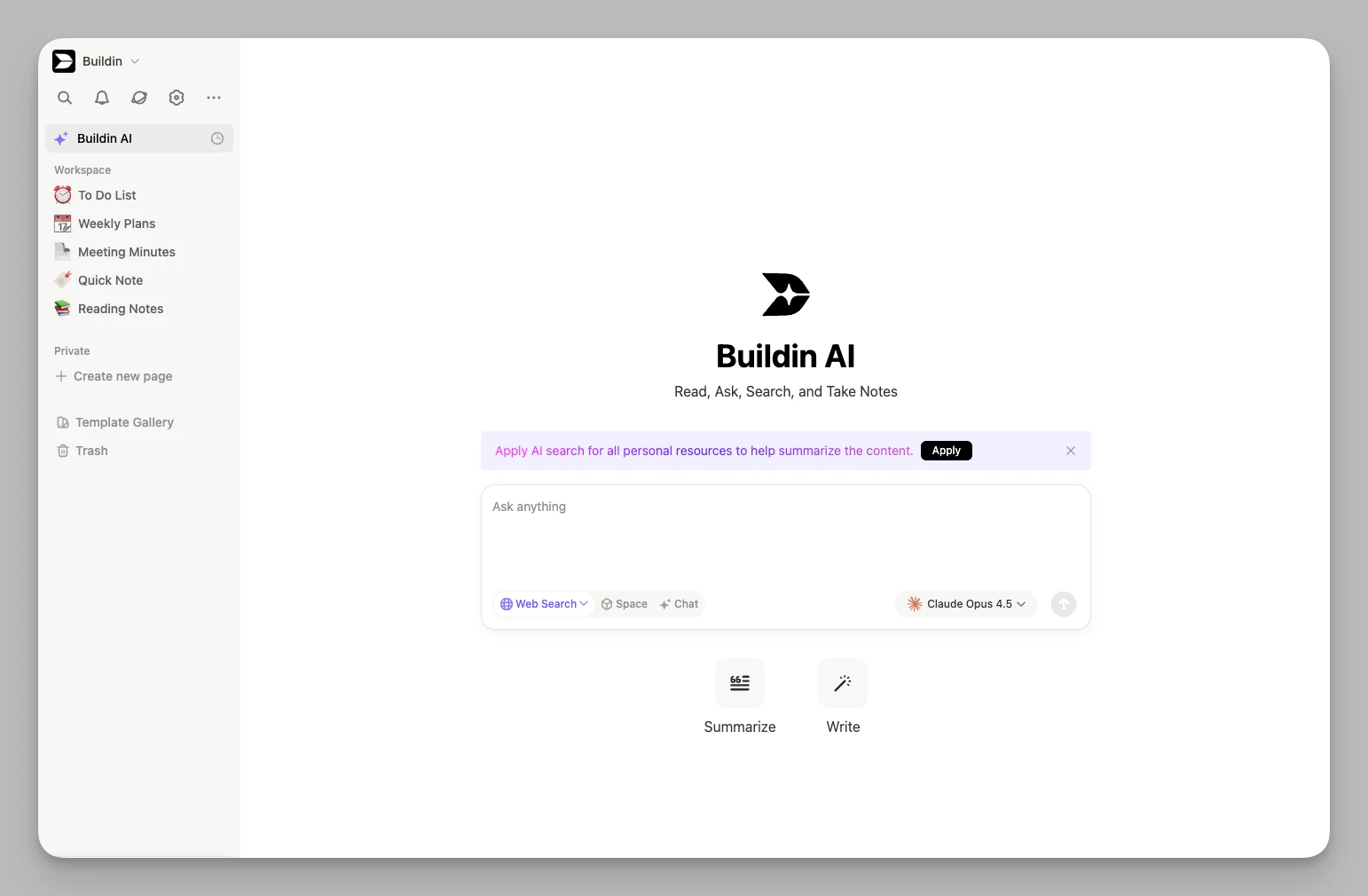
- AI Knowledge Center: Deeply integrated AI assistance helps summarize literature, search for information within notes, and assist in generating articles or research outlines.
- Content Monetization: Its killer feature! You can enable paid subscriptions directly within the app, allowing your knowledge to generate income without needing third-party platforms.
- Multi-dimensional Databases: Powerful table and gallery views, perfect for managing personal literature libraries or project application timelines.
Pros:
Ultimate Integration: Reduces the cognitive drain of jumping between different apps, covering the entire workflow in one tool.
Monetization Loop: One of the very few platforms on the market that allows students to generate economic returns directly through high-quality academic notes.
Pricing:
Buildin offers three plans: Free $0, Plus $10/user/month, and Business $15/user/month.
2. Forest
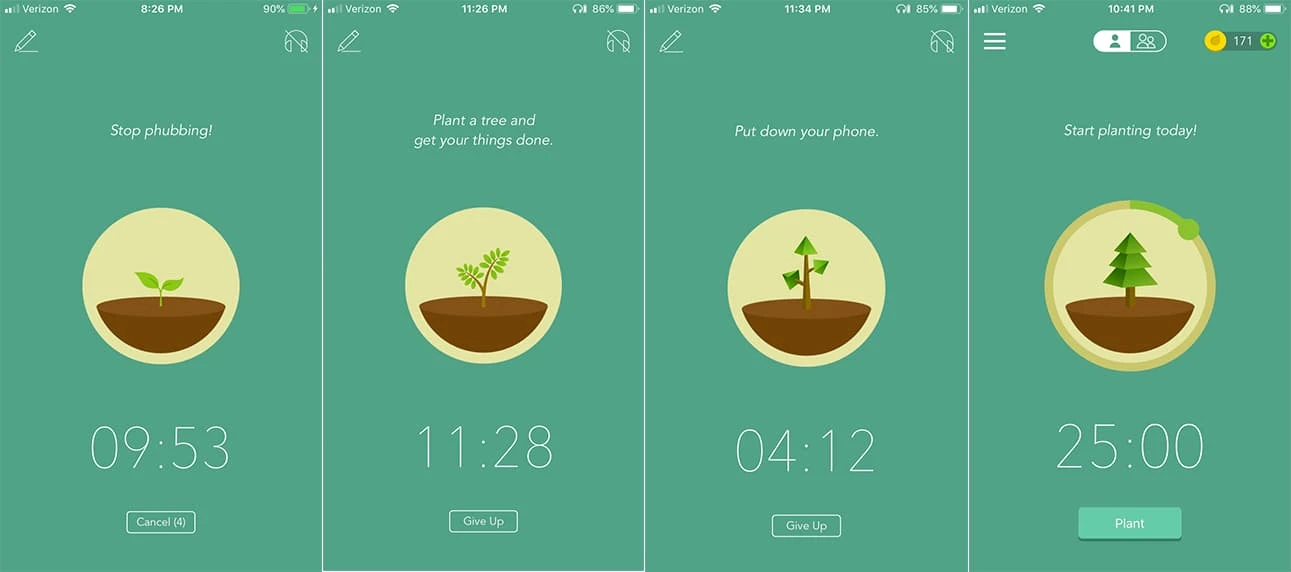
In an era of information overload, staying focused has become a rare superpower. Forest is more than just a Pomodoro timer; it’s more like an emotional regulator. Whenever you are in a noisy library or facing the immense psychological pressure of Finals Week and want to escape by scrolling through your phone, planting a seed is like signing a contract with yourself. Watching those forests grow lush because of your persistence provides instant positive feedback that generates strong psychological drive, helping you hold the final line of Deep Work.
Main Features:
Focus Timer: Set a focus duration; if you leave the app during that time, your virtual little tree will wither.
Ambient White Noise: Provides various natural environment sounds (such as rainforest, campfire, or café ambience) to help you quickly enter a deep learning state.
Focus Statistics: Detailed daily, weekly, and monthly statistical reports to quantify your effort.
Multiplayer Mode: You can plant trees with friends to create an atmosphere of collective focus in study groups—a lifesaver during Group Study.
Pros:
Visual Sense of Achievement: Translates abstract focus into concrete forest growth, offering great cultivation fun.
Social Impact: During certain events, focus points can be used to support real-world reforestation projects, enhancing the sense of social value.
Pricing:
The Android version is available for Free, while the iOS version requires a ~$3.99 one-time purchase for the Pro version.
3. Todoist
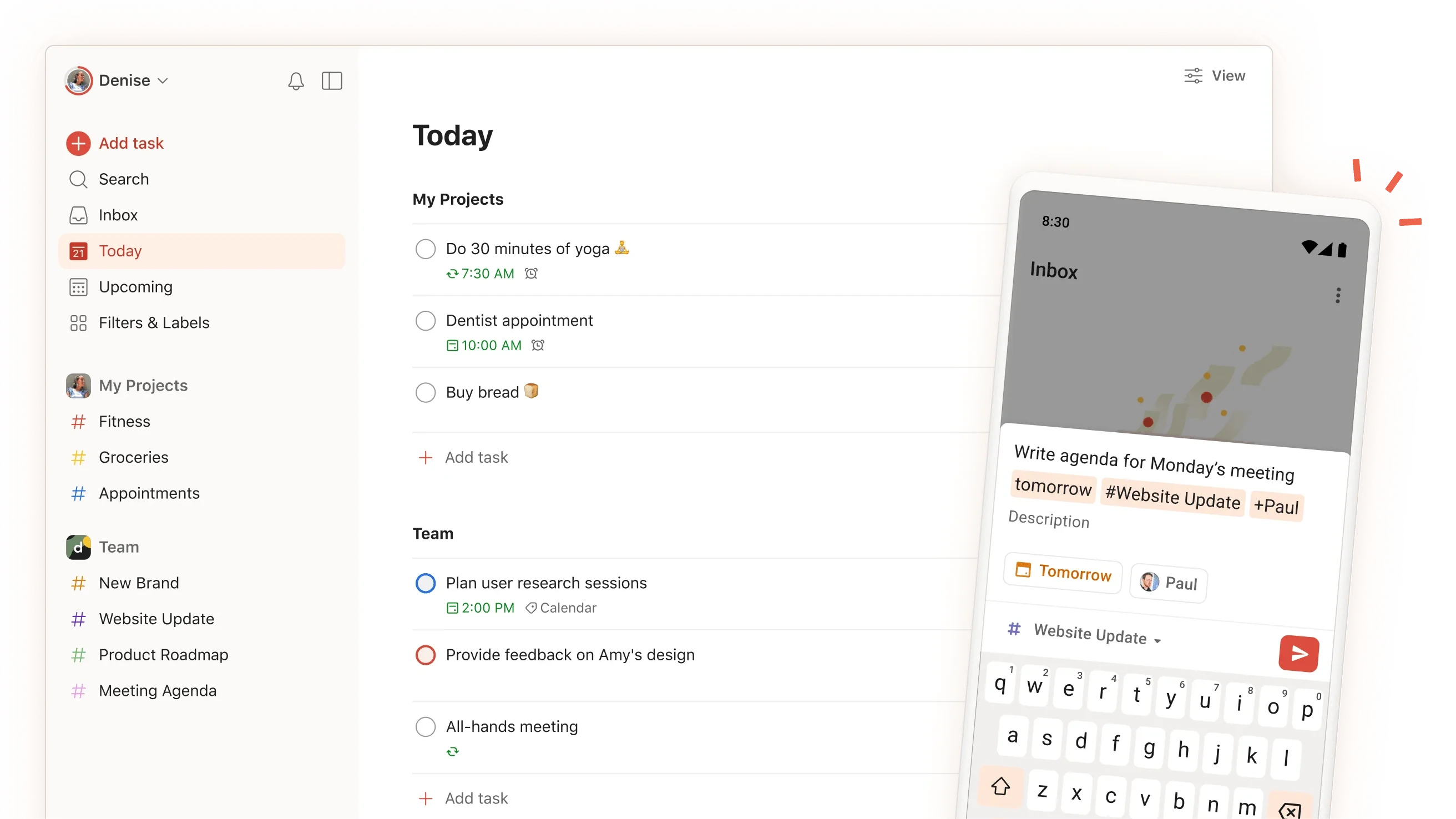
Faced with dense Syllabi, you can easily collapse as Deadlines approach without a global command center. The power of Todoist lies in its extreme responsiveness and clear project layering. You can precisely break down daunting subjects like "Graduation Project" or "Summer Research Application" into micro-tasks with a 15-minute granularity. Every time you check off an item, that sense of "task under control" is the best prescription for relieving academic anxiety.
Main Features:
Natural Language Input: Simply type "Submit history paper next Friday 5pm," and it will automatically recognize the date, time, and category.
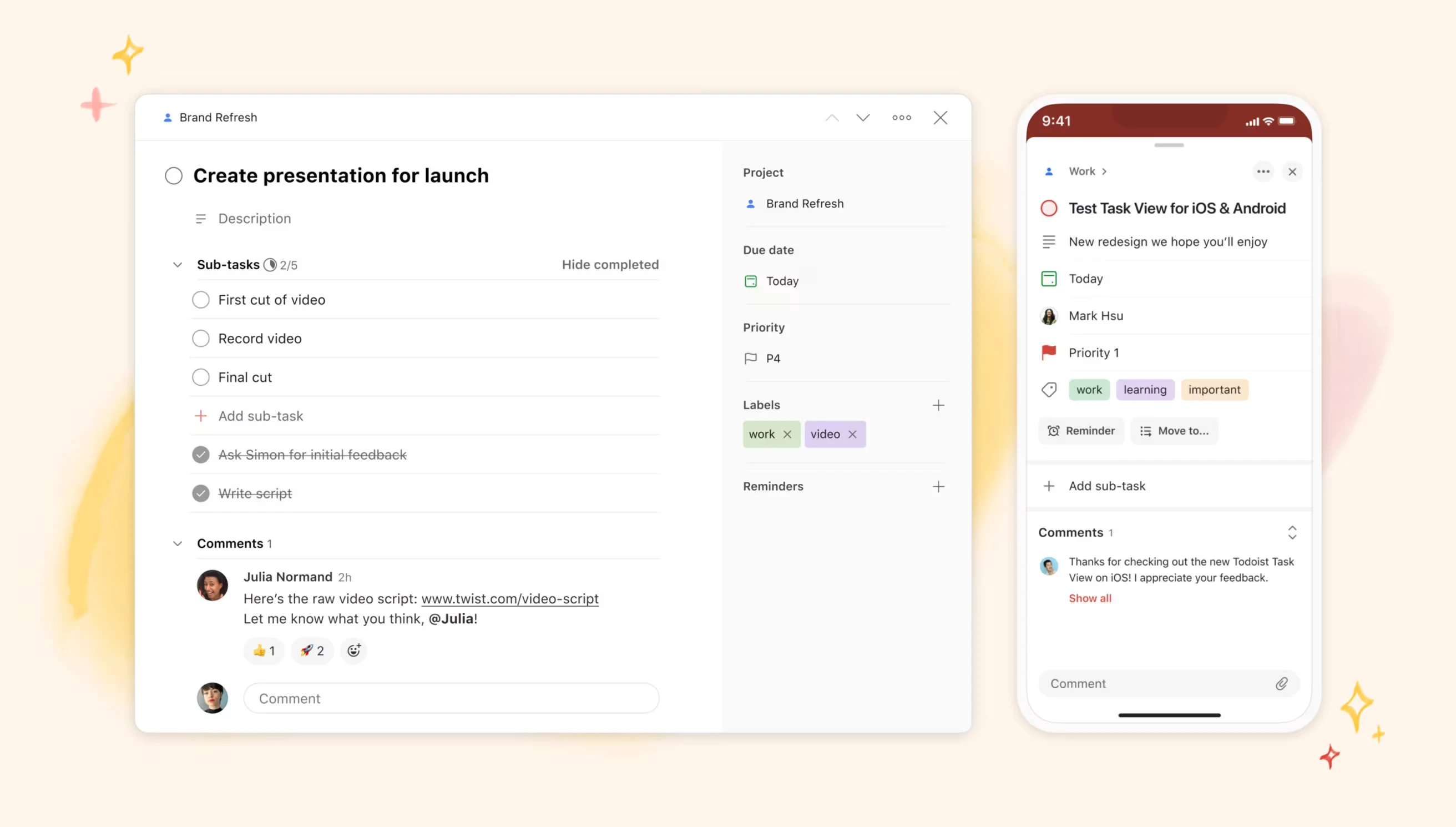
Layered Management: Easily dismantle complex academic or life projects through Project and Sub-task structures.
Productivity Trends: Visualize your task completion efficiency through the "Karma" system.
Third-party Integration: Can connect with commonly used tools like Google Calendar and Outlook.
Pros:
Seamless Multi-platform Sync: Whether on a watch, phone, or desktop, adding a task takes only seconds.
Minimalism: The interface is extremely clean, ensuring that a complex UI doesn't become an obstacle to starting work.
Pricing:
Basic features are Free , and the advanced Pro version is $5/user/month.
4. Anki
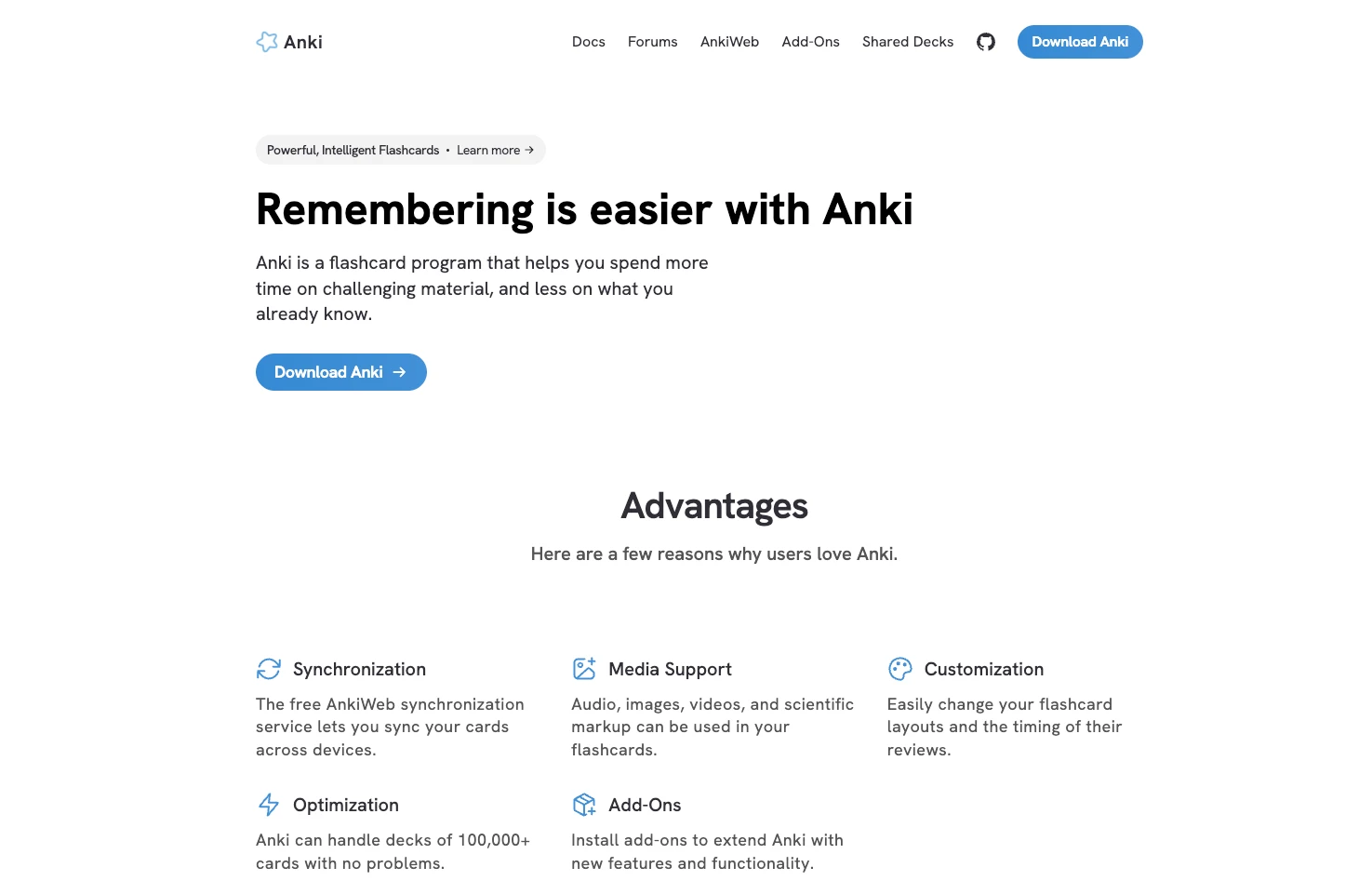
If you are in a major that requires facing an "ocean of knowledge," such as Medical or Law School, Anki is absolutely your lifesaver. Unlike ordinary review tools, it is based on serious cognitive psychology algorithms. It precisely captures your memory's forgetting curve and reminds you to review only at the critical moment when you are about to forget. This "leveraging" way of remembering allows you to face hundreds of technical terms in an exam as easily as retrieving muscle memory.
Main Features:
Spaced Repetition System (SRS): A hardcore algorithm that dynamically adjusts review cycles based on your mastery of knowledge points.
Multimedia Cards: Supports importing images, audio recordings, video clips, and LaTeX mathematical formulas.
Massive Plugin Library: Through plugins like Image Occlusion, you can perform occlusion exercises directly on PDF images, ideal for memorizing anatomy charts.
Sync System: Finish your daily quota of memory cards anytime, anywhere during your commute.
Pros:
Most Efficient Review Method: Spaced repetition is scientifically proven to be the only shortcut for long-term memory of massive knowledge.
High Customizability: Through community plugins and CSS, you can design your cards exactly the way that suits you best.
Pricing:
Desktop and Android versions are $0 (Free), while the iOS version requires a $24.99 one-time purchase.
5. GoodNotes
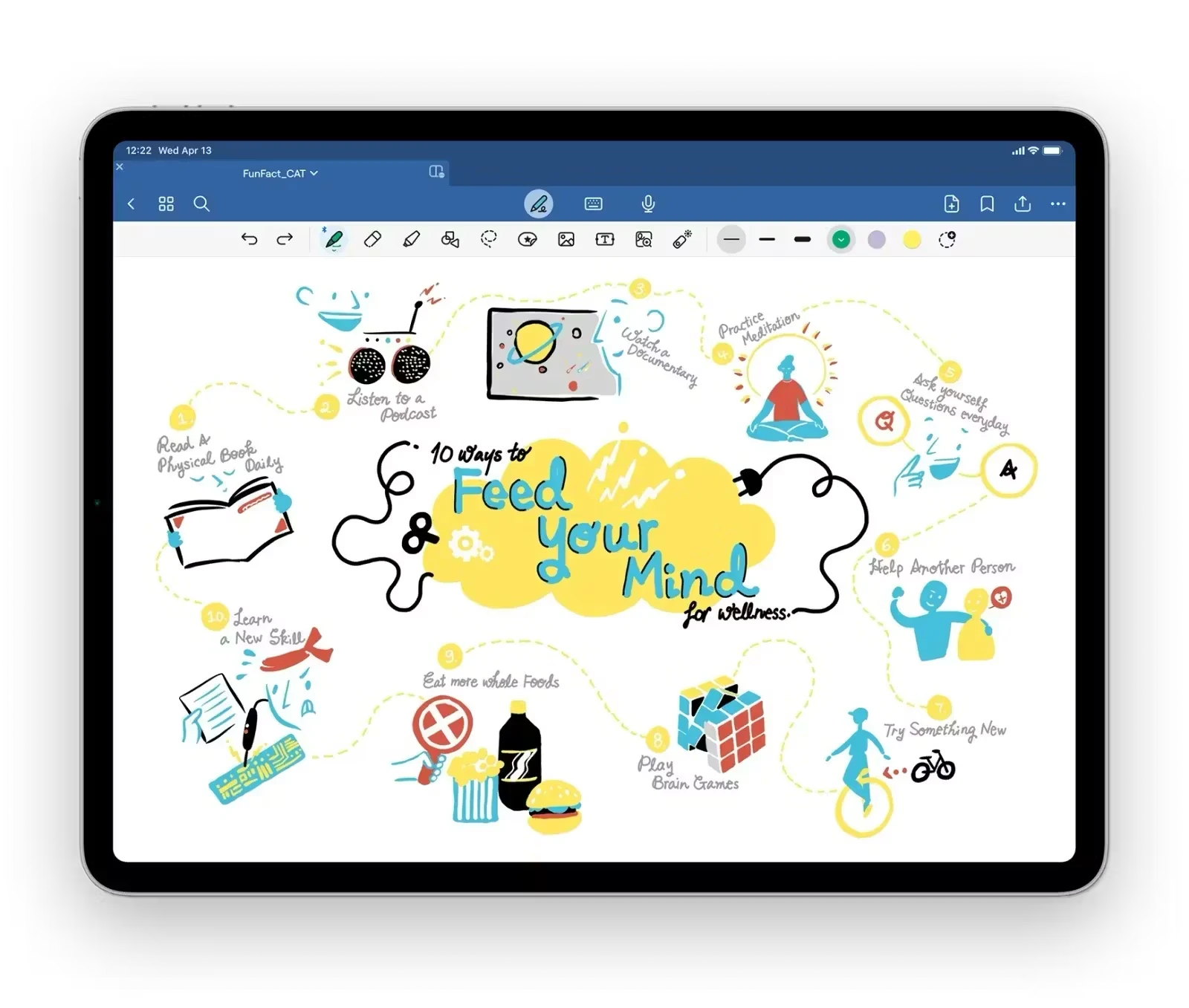
While we live in an all-digital age, some logical derivations and captures of intuition simply cannot be replaced by a keyboard. GoodNotes preserves the warmth of traditional writing. Whether sketching the professor's thought process on the whiteboard during a Lecture or highlighting key points in a heavy e-textbook, it provides a silky-smooth handwriting experience with almost zero latency. More importantly, these handwritten traces become searchable under its powerful OCR, making your paper memories digital and orderly.
Main Features:
- Ultimate Handwriting Feel: Combined with Apple Pencil, it provides an extremely natural digital note-taking experience.
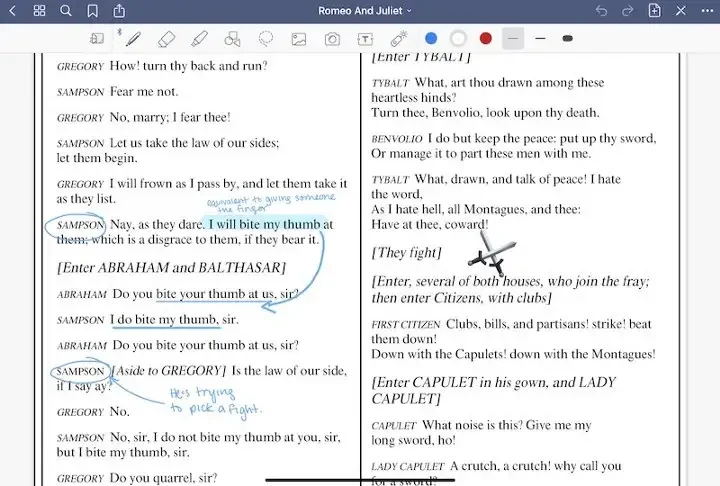
- Full PDF Annotation: After importing a textbook, you can make annotations just like on a physical book.
Handwritten Math Formula Conversion: Recognition of handwritten math formulas and shapes keeps complex notes neat.
Collaborative Suites: Supports sharing note folders for synchronized annotations with others.
Pros:
Superior Handwriting Recognition: Even messy handwriting can be searched, greatly improving review efficiency.
Exquisite Aesthetic Experience: Various virtual covers and paper templates make note-taking a pleasure.
Pricing:
A Free version is available; GoodNotes Essential is approximately $11.99/year, and the Pro version is approximately $35.99.
6. Quizlet
If you are looking for a more efficient and fun memorization experience, Quizlet is the best choice. Its greatest strength lies in its global student community—you almost never need to create every Flashcard yourself. In many popular courses, you can often find study sets already organized by other students. Through its gamified modes, reviewing is no longer a painful ordeal but feels more like a level-up challenge for exam knowledge points.

Main Features:
- Flashcards Mode: Quickly create or search for others' study sets, covering almost all subjects.
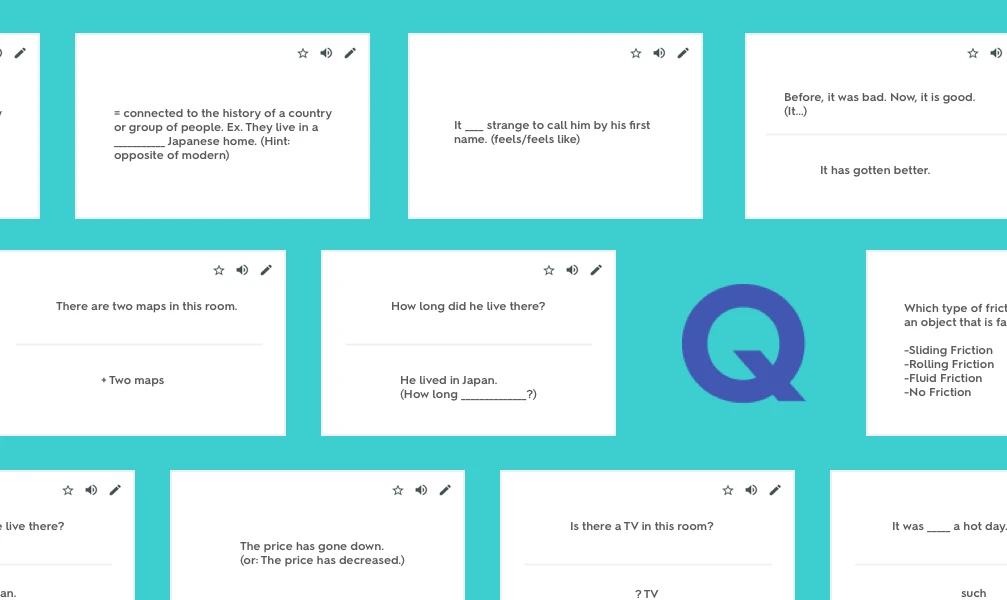
Match and Game Modes: Matching games and timed competitions turn review into a competitive challenge.
AI Smart Evaluation: The Mock Exam mode can automatically generate practice questions for your weak points.
Q-Chat Tutor: Converse with an AI tutor to guide you through deep understanding of core concepts.
Pros:
Community Resource Sharing: Millions of ready-made study sets globally, saving massive amounts of manual entry time.
Low Barrier to Entry: User-friendly interface and high interactivity make it perfect for quickly tackling exam highlights.
Pricing:
Free $0.Quizlet Plus $35.99/year.
7. Grammarly
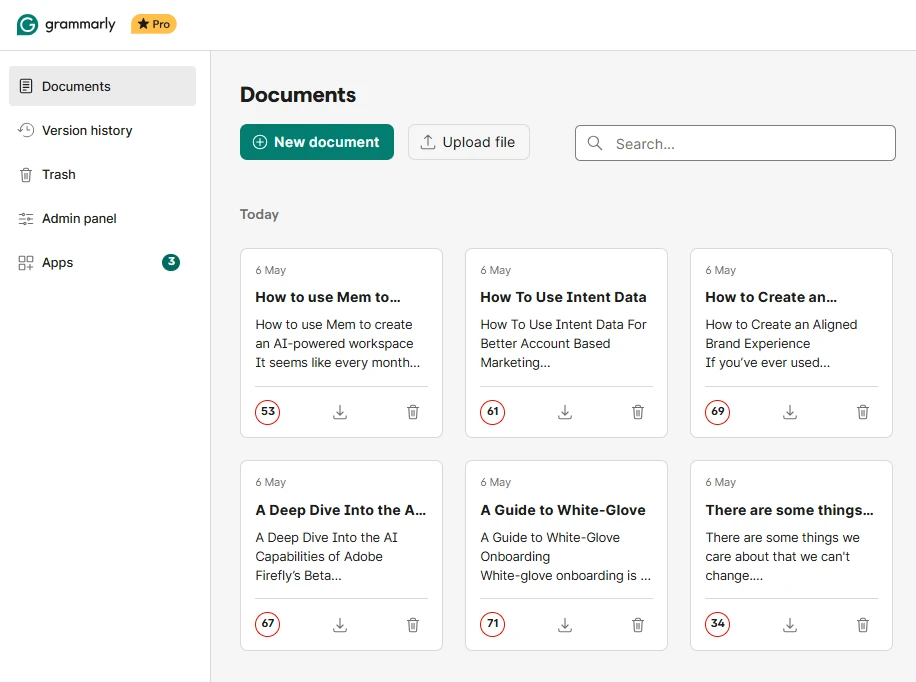
The rigor of academic writing is a fundamental skill for every university student. In 2026, Grammarly has evolved from simple spell-checking into a deep writing consultant. For students who need to write many Essays or prepare application documents, it helps you avoid overly colloquial phrasing or non-native writing patterns. The tone analysis and academic norm suggestions it provides make your articles appear more persuasive and professional to professors, ensuring your academic output reaches its intended level.
Main Features:
Real-time Correction: Fixes grammar, spelling, and punctuation errors.
Tone Adjustment: Suggests changing expressions to be more Formal and compliant with academic standards.
Plagiarism Detection: Compares content against a massive database to detect potential duplication and ensure proper citation.
Generative Rewrite: Helps you rewrite obscure or difficult sentences to improve overall readability.
Pros:
Enhances Natural Expression: Helps non-native speakers quickly master the essence of academic terminology.
All-scenario Integration: Whether writing a paper or sending an email, it provides silent protection in the background.
Pricing:
Free version is $0, and the Premium subscription version is $12/month.
8. Canva
In 2026, a good visual presentation often catches opportunities better than the content itself. Whether it’s a critical Presentation or a poster for a club recruitment, Canva’s purpose is to allow users without design experience to quickly create professional-level visual works. Its massive template library frees you from monotonous default PPT styles. Through simple drag-and-drop, you can transform complex data and dry theories into visual masterpieces with high impact, making a strong first impression in academic reports.
Main Features:
- Universal Templates: Provides tens of thousands of templates for presentations, academic posters, and personal resumes.

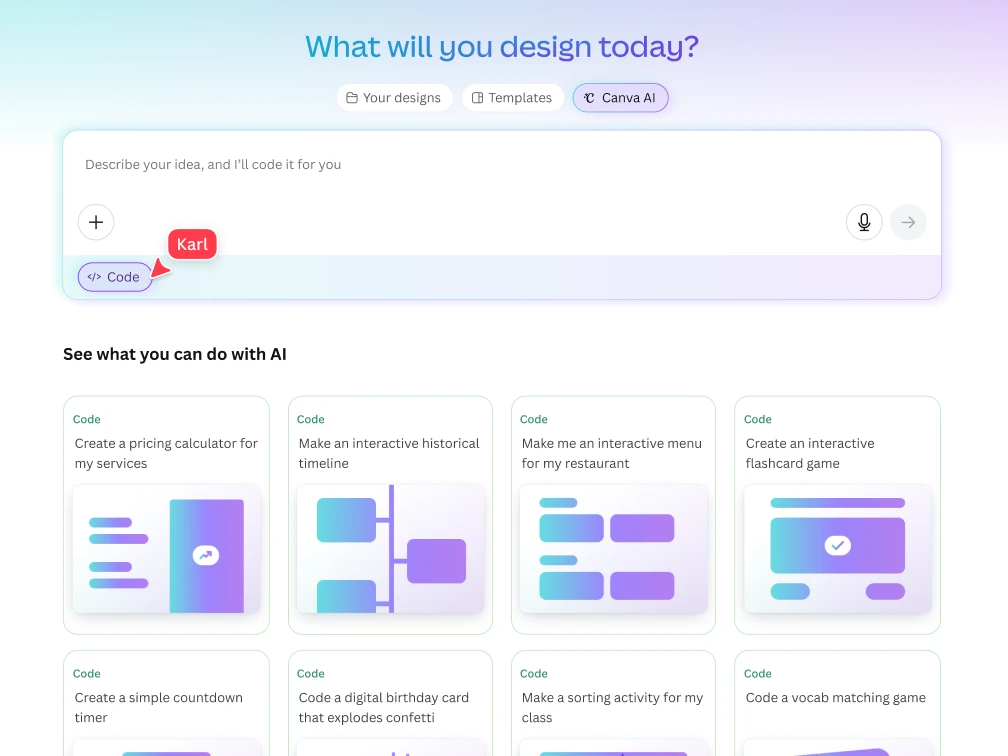
- AI Magic Design: Input a text description, and the AI directly generates multiple visual design options for you.
Real-time Team Collaboration: Team members can modify a slide simultaneously.
Dynamic Video Presentation: Easily transform PPTs into dynamic videos with transition effects.
Pros:
Massive Design Assets: Possesses a huge library of copyrighted images and vector graphics, so you never have to hunt for materials again.
Cross-device Editing: Smooth synchronization between mobile and web versions allows you to modify design drafts anytime, anywhere.
Pricing:
Free version is $0, and Canva Pro is $18/month or $165/year.
2026 Productivity Tools Quick Comparison
| App Name | Core Positioning | Pricing Strategy |
|---|---|---|
| Buildin | All-in-one Knowledge Mgmt & Monetization | Free $0 / Plus $10 / Business $15 |
| Forest | Deep Focus / Phone Detox | Free (Android) / ~$3.99 (iOS Buyout) |
| Todoist | Task List / GTD | Free US$0 / Pro US$5/month |
| Anki | Hardcore Long-term Memory | Desktop/Android $0 / iOS $24.99 |
| GoodNotes | Digital Handwriting Notes | Free / Essential $11.99/year / Pro $35.99 |
| Quizlet | Fast Review / Flashcards | Free / Quizlet Plus $35.99/year |
| Grammarly | Writing Assist / Language Optimization | Free $0 / Premium $12/month |
| Canva | Visual Design / PPT | Free $0 / Pro $18/month ($165/year) |
FAQ: Best Apps for Students in 2026
Q: What is the best free app for students in 2026?
A: Buildin is the best free student app for comprehensive note-taking and knowledge management. Forest (Android) and Todoist (basic plan) are also free. For flashcards, Anki desktop is completely free.
Q: What apps do college students actually use every day?
A: Based on student surveys in 2025–2026, the daily stack is usually: a note-taking app (Buildin, Notion, or GoodNotes), a task manager (Todoist or Google Calendar), and a focus tool (Forest). Most students add Grammarly for writing and Quizlet during exam seasons.
Q: Is Buildin good for students?
A: Yes. Buildin is particularly strong for students who take heavy notes, work on group projects, or want to connect ideas across subjects. The AI Knowledge Center lets you search across all your notes in natural language, which is a significant time-saver during exam prep.
Wrapping Up: How to Build Your 2026 Productivity System?
As we enter 2026, the challenge has shifted from "acquiring information" to "filtering and integrating information." Choosing the right tools is not just about saving a few minutes; it’s about carving out a quiet space for thinking in this era of digital noise and relieving invisible psychological stress.
When building your workflow, I suggest not pursuing "all-in-one" but rather combining tools based on your major's characteristics. For example:
If you are a "Slash Overachiever": Then Buildin is definitely the core; it helps you close the loop between input (learning) and output (monetization).
If you are in "Finals Mode": The combination of Anki and Forest will give you the highest combat power in the shortest time.
If you are a "Liberal Arts/Arts Student": The warmth of GoodNotes and the visual power of Canva will be your best partners.
Remember, tools are always just assistants; true productivity comes from your clear recognition of your goals. But it is undeniable that good tools can help you avoid many detours on the way to those goals.
If I had to choose one tool from these eight that I use most often, it would still be Buildin. It represents the new trend of productivity tools in 2026: no longer just a piggy-bank-style record, but a digital asset that can self-appreciate.
What "god-tier" tools have you guys been using lately? Or what pitfalls have you encountered while building your workflow? Feel free to leave a comment—let's kick off a more efficient college life together in 2026!

Amara Elara
Specializes in visualizing complex processes and improving product education. Responsible for user support, product tutorials, and visual guides at Buildin, helping users improve tool adoption and overall productivity.