Buildin vs. Yonote in 2026: which Notion alternative is right for you?
Comparison of Buildin and Yonote in 2026: features, prices, AI, migration from Notion, private deployment, and platform selection for your team.
Those who are looking for an alternative to Notion do not really want "another Notion", but a solution to the problem that Notion has not coped with: someone is expensive, someone needs to monetize content directly, and someone needs a tool where they can independently control the location of data storage at the request of the company.
Buildin and Yonote are two typical representatives of this niche. Both products inherit the logic of the Notion drag-and-drop editor, so the entry threshold is minimal, but then their paths diverge: Buildin is focused on the global market, offers a multilingual interface (including Russian) and combines knowledge management with monetization for authors; Yonote works deeply in the Russian-speaking market, offers a fully Russian-language interface and billing in rubles, and also pays special attention to local deployment and corporate requirements for data placement.
The cost of a mistake is not the cost of the subscription, but the subsequent cost of migration. In this article, we compare both products in four dimensions: functionality, pricing, data control, and ecosystem – so that you make a decision once and for the long haul.
Quick Comparison
| Criteria | Buildin | Yonote |
|---|---|---|
| Core Positioning | All-in-One Workspace for Global Teams: Knowledge Management + Content Monetization | Document Collaboration and Knowledge Base Platform for Russian-Speaking Teams |
| Free Plan | Unlimited Pages for One User, 2 GB | Up to 5 Members, 1 GB |
| Starting Paid Price | Plus: $10/person/month (about ₽900) when paid annually | Pro: 249 ₽/person/month |
| Editor | Block Editor + Bidirectional Links | Block Editor |
| Types of Databases | Table, Kanban, Calendar, Gallery, Collection Form, Timeline | Table, Kanban, Calendar, Chart |
| Mind maps | Built-in, unlimited nodes (on paid ones), conversion to document structure | Not declared on public pages |
| AI & Open Integrations | AI Chat, Knowledge Base Search, Buildin Agent, API & MCP | AI Assistant, Smart Search with Links, Meeting Transcription, API & MCP |
| Clients | Web, Windows, macOS, iOS, Android | Web; The full matrix of native apps is not presented on the site |
| Migration from Notion | Direct import from Notion with the preservation of the database structure | Not declared on public pages |
| Deployment | Cloud (Enterprise Private) | Cloud + On-Prem |
1. Buildin
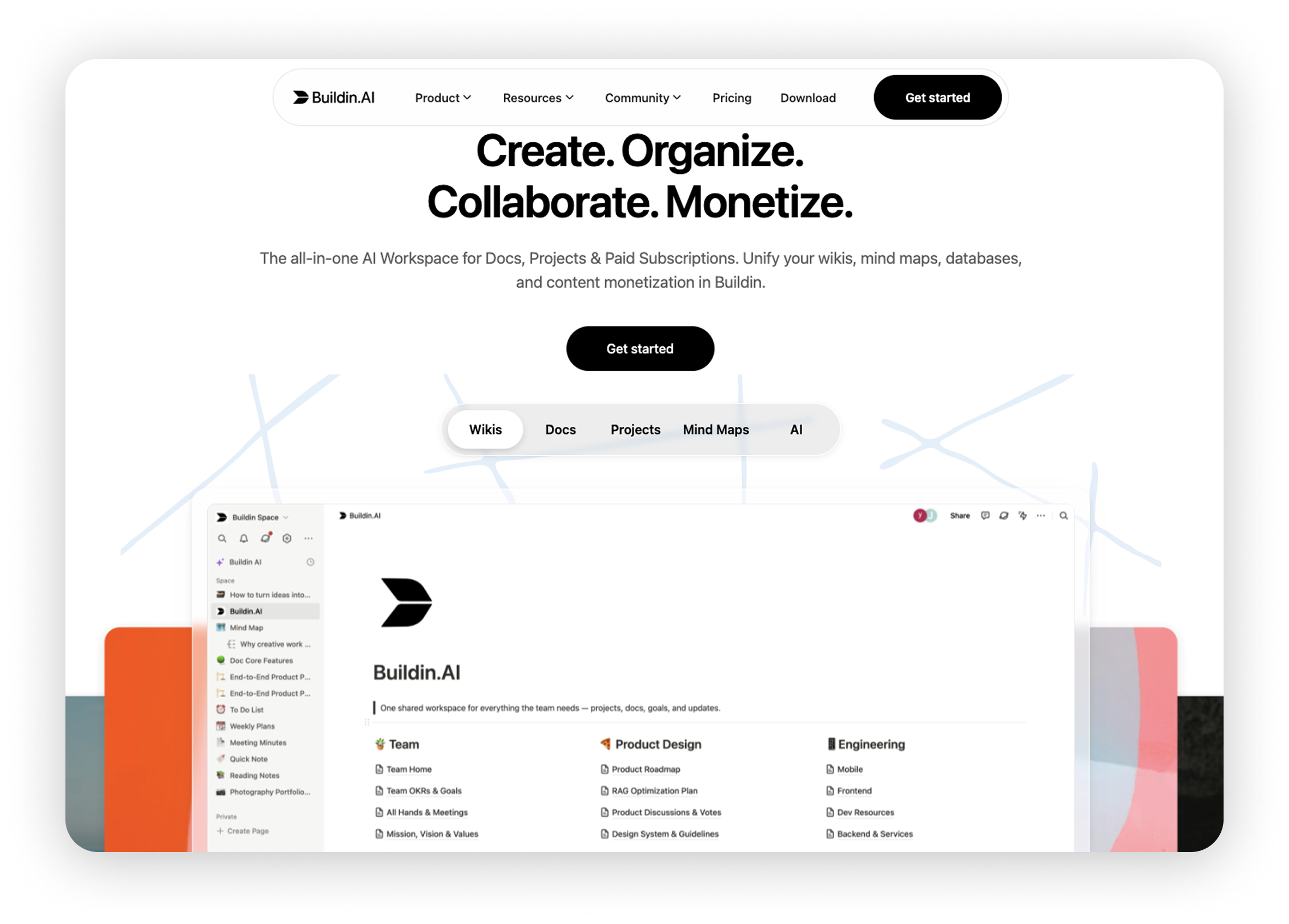
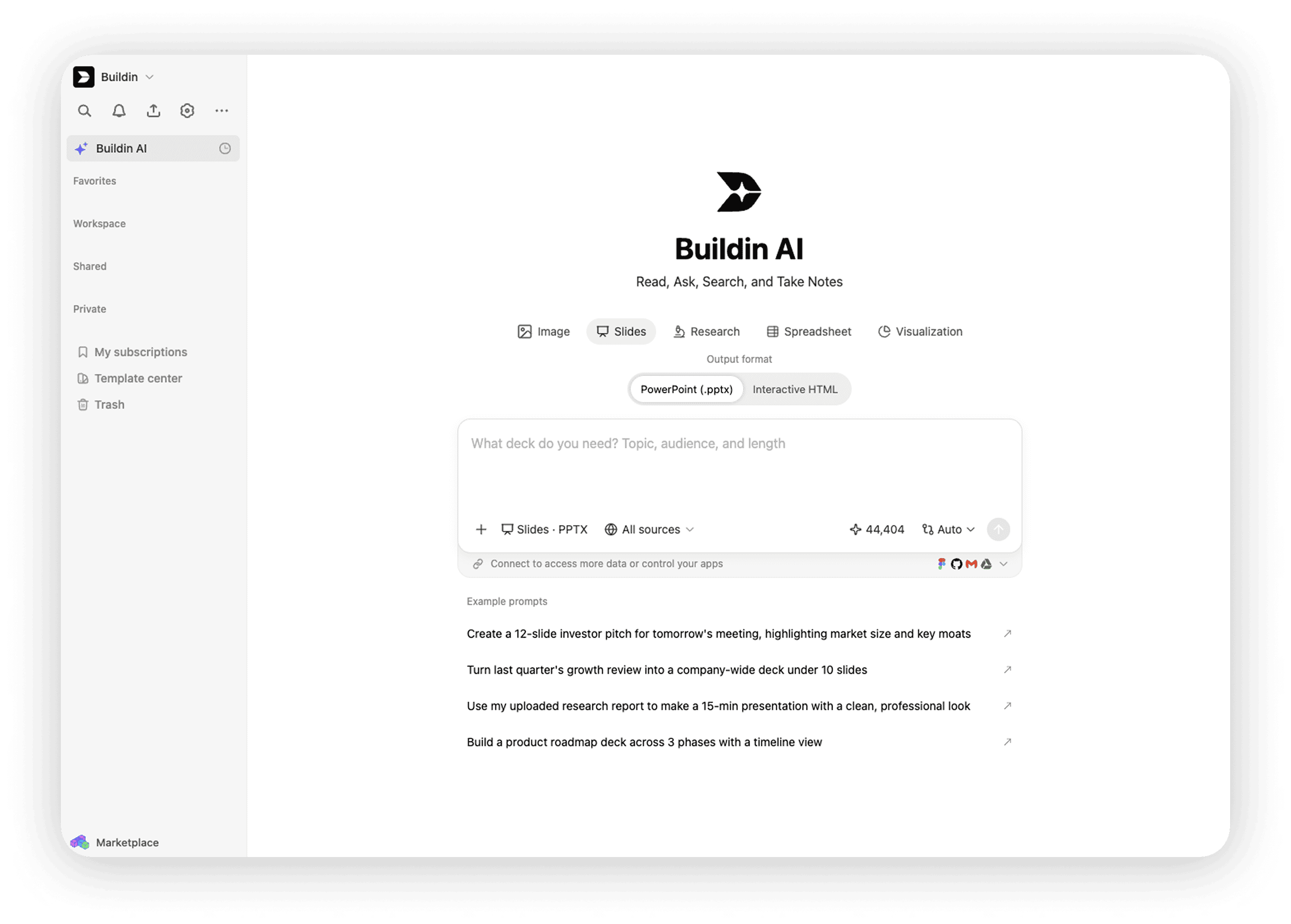
Buildin is an all-in-one workspace: documents, databases, project management, mind maps, and AI knowledge search. The interface is multilingual, including Russian. In terms of logic, the product is similar to Notion: a block editor plus structured databases. Direct import from Notion is supported — databases and links between pages are preserved. The main difference is its focus on authors: content from the workspace can be packaged into a paid subscription and sold directly to readers. Payment, access distribution, and subscriber management — all inside the product, without Gumroad or Patreon. For individual specialists and small teams, Buildin solves two tasks at once: managing knowledge and monetizing it.
Who it's for
- Specialists and teams working in a multilingual environment
- Authors who want to sell notes, courses, and templates
- Teams who need clients on all platforms: Web, Windows, macOS, iOS, Android
Main features
- Block editor: Markdown, slash commands, bidirectional links, nested databases with views "table", "kanban", "gallery", "form", "timeline"
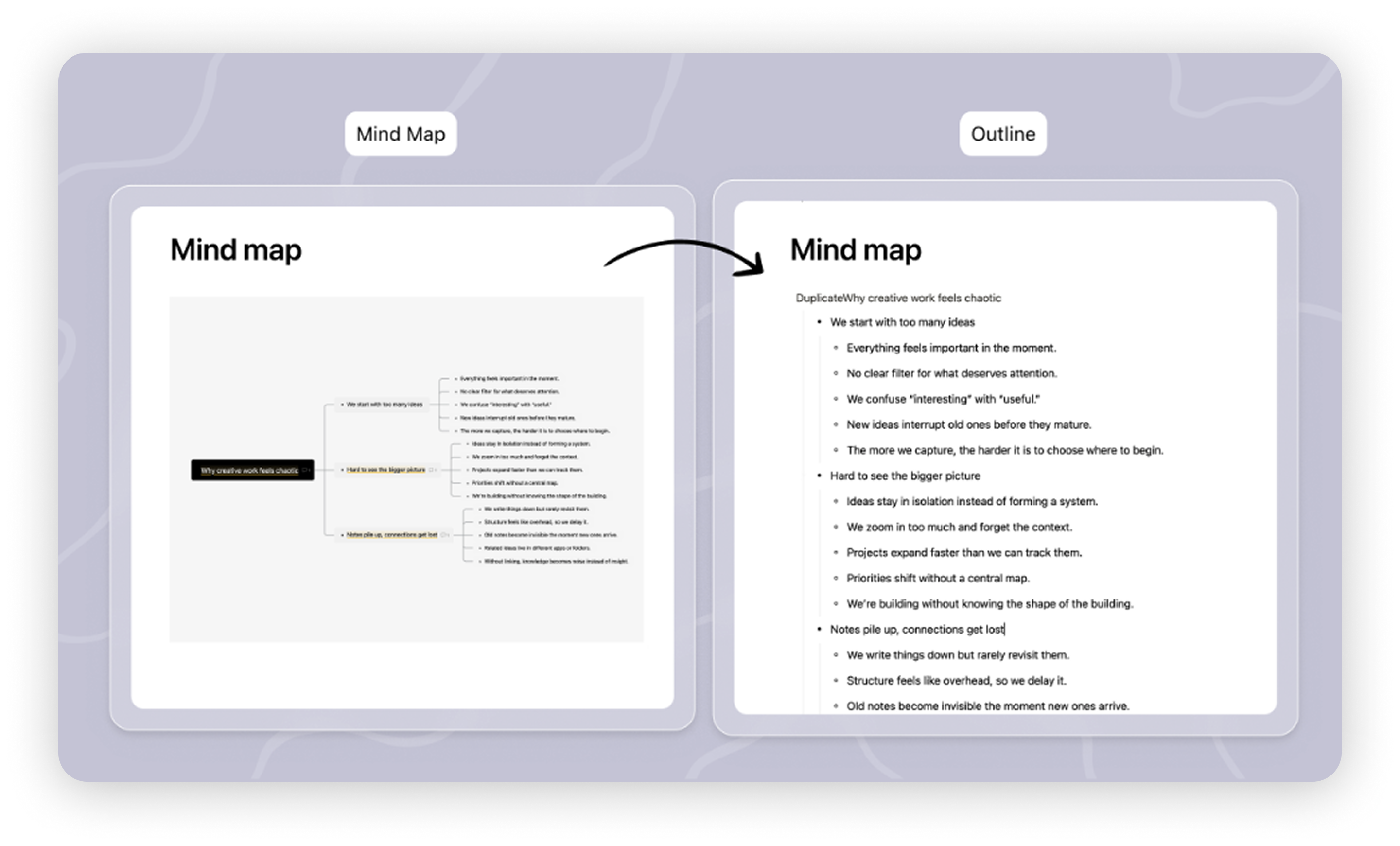
- Mind maps: unlimited nodes on paid plans, conversion to document structure and back
- Diagrams: a separate visualization function that turns database contents into charts for reports (not included in database views)
- Excalidraw embedding: boards and diagrams can be added to the workspace as external interactive content
- AI assistant: text generation and editing, summaries, translation, content search in the workspace with natural language responses
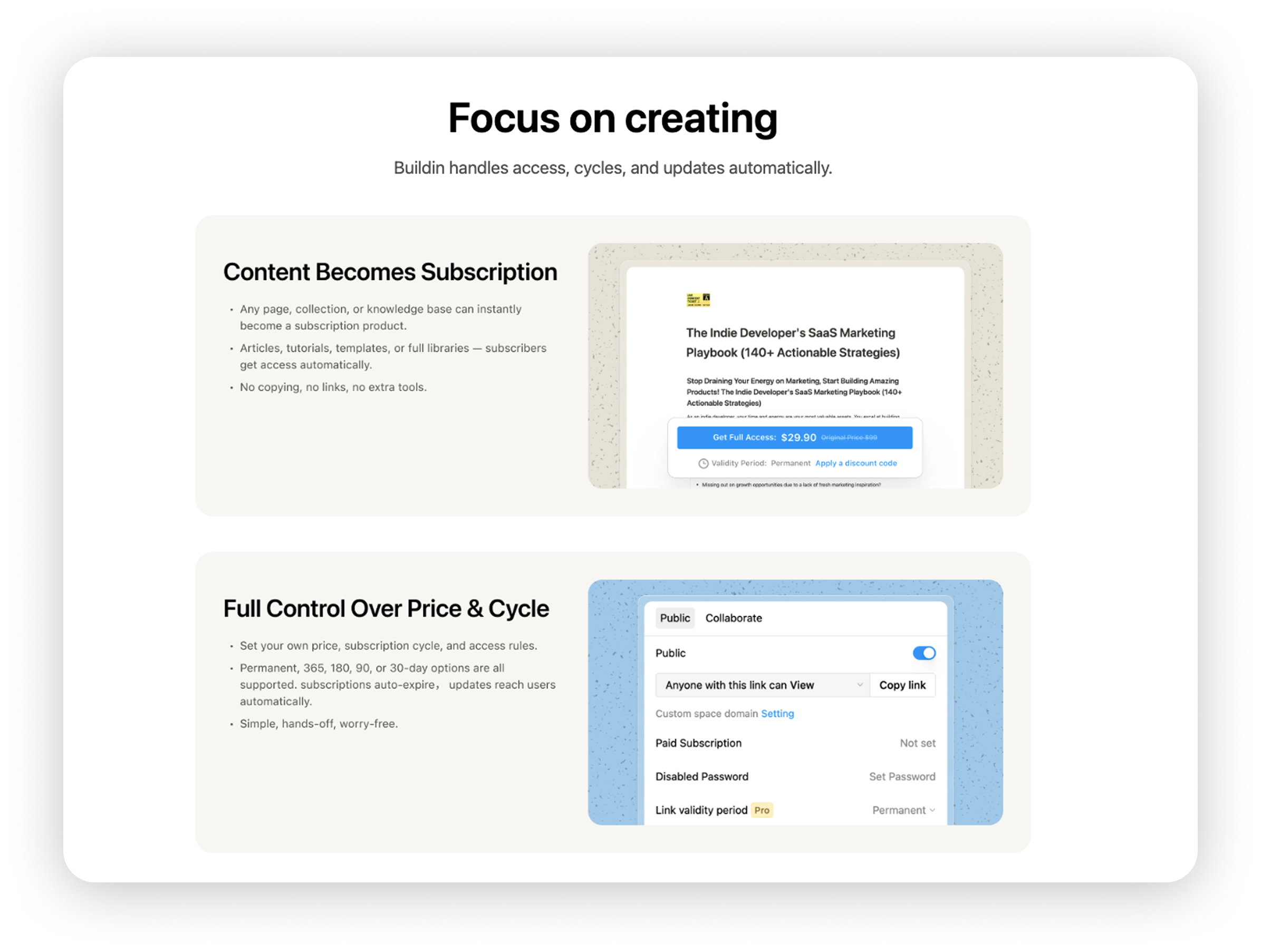
- Paid subscriptions: packaging pages and spaces into a subscription product; after payment, the reader automatically gets access
- Buildin Agent, API, and MCP: AI agent expands the AI capabilities of the product, while the open API and MCP protocol allow connecting external tools and automation scripts
- Import: direct import from Notion preserving database structure, as well as import from CSV, HTML, and DOCX
Advantages
- Free plan with no page limit per user — you can work for a long time without switching to a paid one
- Monetization built-in: From text to payment, everything happens in one product
- Full suite of clients: Windows, macOS, iOS, Android and web – with cross-device synchronization
Cons
- Default data in the cloud; For companies with localization requirements, only Enterprise with private deployment
- The library of templates and third-party integrations is still smaller than Notion
- Official pages do not claim built-in meeting recording and transcription features
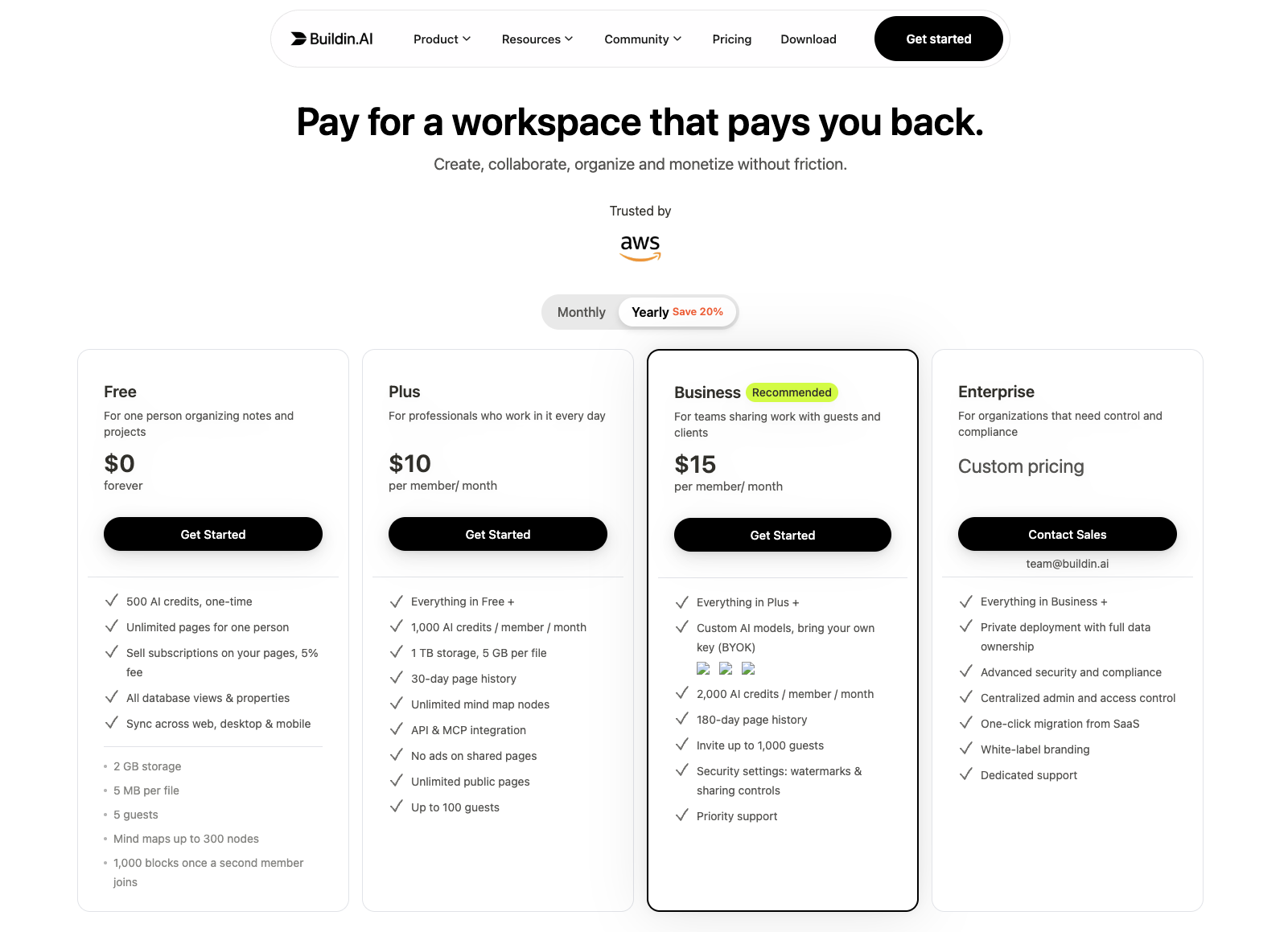
Price: The free plan includes basic features — unlimited pages for one user and 2 GB of storage. Plus if paid annually — $10/person/month. (about ₽900) — 1 TB, API/MCP, and AI credits. Business if paid annually — $15/person/month. (about ₽1,350) — advanced team rights management. Enterprise with private deployment — price on request.
2. Yonote
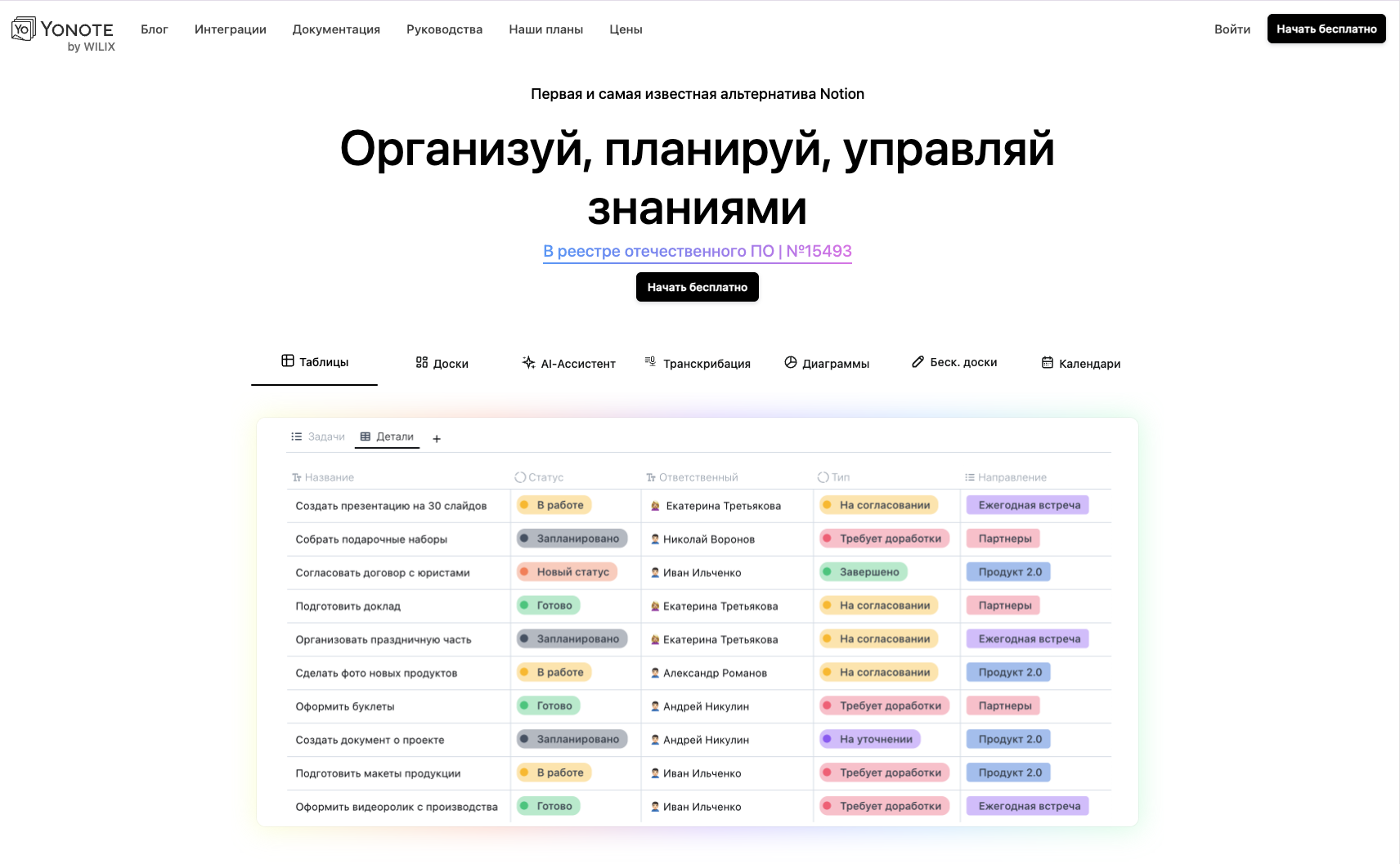
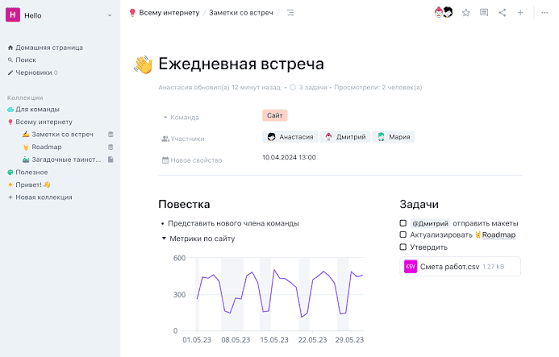
Yonote is a Russian knowledge base and collaboration platform. In terms of form, it is the closest analogue of Notion: a drag-and-drop editor, databases, kanban, calendar — everything is in place and everything is in Russian. Rates are in rubles. In addition to the cloud version, there is On-Prem: the data remains entirely on the company's infrastructure. The product is developing rapidly: in the second quarter of 2026, tabs inside documents, a notification center, bots with API tokens, page-level rights, charts in databases, and time tracking were released. The AI direction is focused on meetings: recording, transcription, automatic notes with tasks — this is very practical for remote teams with a tight call schedule.
Who is it suitable for?
- Russian-speaking teams that need a Russian interface
- Companies with data localization requirements or need to On-Prem
- Remote teams with tight meeting schedules who need AI notes
Main Features
- Block-based editor: slash commands, drag-and-drop, tabs within a document — one document contains several sections
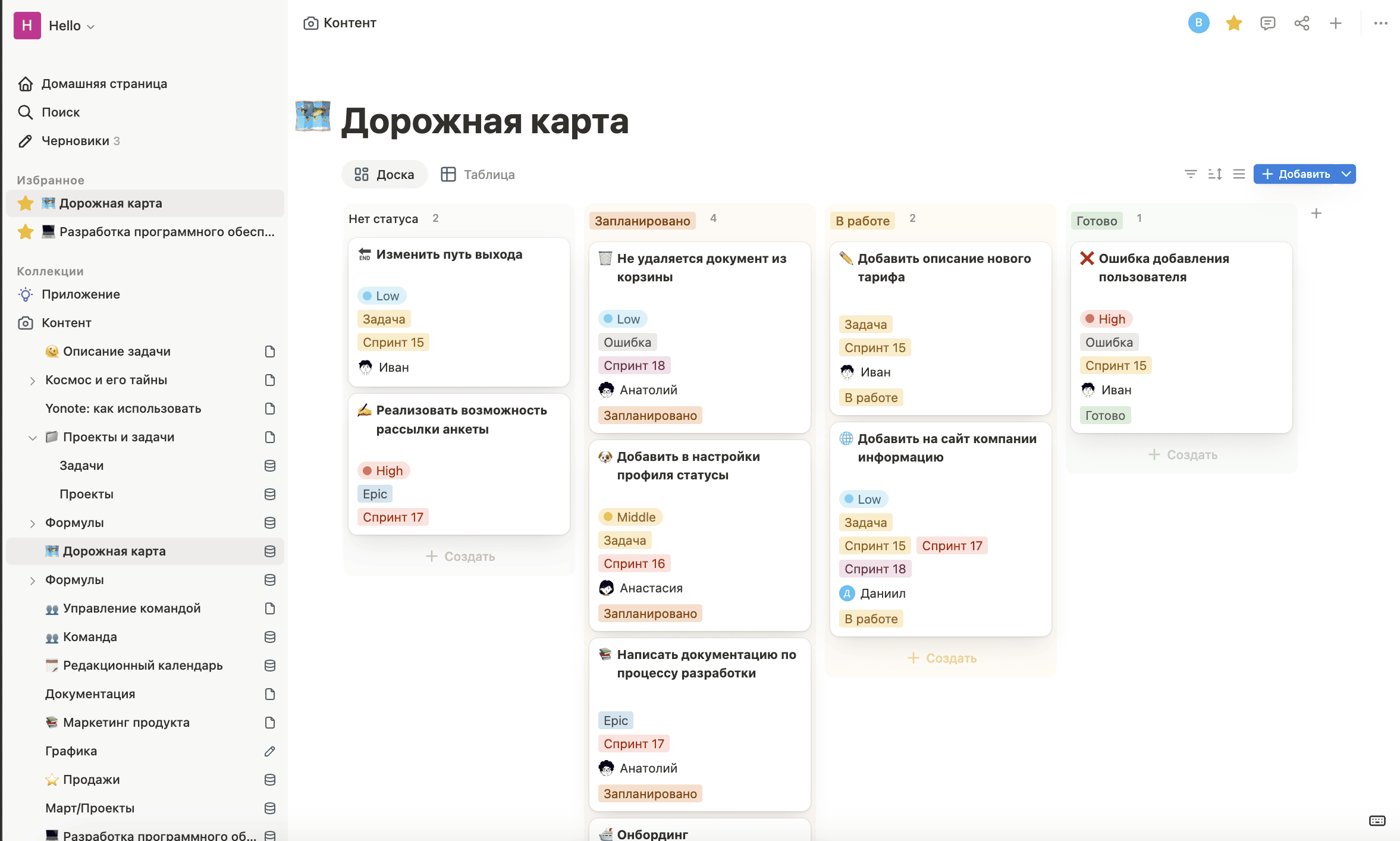
- Databases with views: table, kanban, calendar, plus charts — data can be presented in the form of a graph without exporting to Excel or BI
- Endless boards: a free canvas for brainstorming, diagrams, and processes, logically close to Miro
- AI assistant: rewriting, translation, and summarizing within the document; smart search answers questions about your documents with references to sources
- "Meeting" block: records the call, transcribes, generates an AI summary, and highlights tasks
- Notification center: mentions, assigned tasks, and comments in one place; bots and API tokens for automations and integrations
- MCP server: connecting external tools via a single protocol, working with them directly from Yonote
Pros
- Russian interface and prices in rubles are convenient for teams working in the Russian market
- On-Prem version helps meet internal data storage requirements on company infrastructure
- AI full-cycle meeting notes: recording, transcription, summary, tasks
- Free plan designed for a team of up to five participants and supports up to five guest accounts
Cons
- The product is primarily focused on the Russian market; the international ecosystem is less represented
- Free plan includes 1 GB of storage — quickly insufficient with active file work
- Built-in tools for monetizing content for an external audience are not represented on public pages
Price: free plan — up to 5 participants, 1 GB of storage, and 5 guest accounts. Pro — 249 ₽/person/month, no limit on participants or storage volume. Enterprise offers AD/LDAP and SAML SSO; data auditing in the feature table is currently marked as "coming soon." Cost of Enterprise and On-Prem is available on request.
Detailed comparison
Texts and structuring
Both editors are built on the block logic of Notion, and in the basic work with documents, the difference is not big — they differ in the "connecting" capabilities and in how the data gets in and out. The Buildin has bidirectional links and mind maps: pages are put together into a knowledge network, and the map turns into a document structure in one click, which can be used to continue working — this is convenient for those who have been accumulating a personal knowledge base for a long time. The set of types of databases Buildin wider: in addition to the table, kanban, calendar, and gallery, there is a collection form and a timeline, the form can be sent to external people as a survey — the answers go to the database by themselves, and the charts in Buildin are made a separate function and serve to visualize the content of the databases in reports. Public pages Yonote do not emphasize bidirectional links and mind maps, but the product has tabs within the document — a long specification or versions in different languages do not have to be divided into separate pages; among the types of databases presented are a table, kanban, calendar, and charts. The data can be viewed as a graph without a separate upload, which is valuable for teams that regularly prepare reports, and the built-in time tracking allows you to use the database as a timesheet. In short: Buildin is stronger in how knowledge is connected and how data gets inside, and Yonote focuses on data visualization and time tracking.
AI and openness
Here, the products went in different directions. AI Buildin about "writing, finding, and acting": generating and editing texts, summary, translation, search with answers on the content of the entire space, and Buildin Agent as a separate agent-based feature. For integrations, Buildin offers API and MCP, so the space can be connected to external automation tools and scenarios. AI Yonote is about "meetings": recording, transcription, automatic protocols, and task lists that turn oral discussions into documents, and its search provides answers with links to sources; integratively, this API plus MCP and additional API tokens for bots — convenient for mailings and bots in internal systems. For remote teams with tight call schedules, this set is especially practical; for those who use the tool as a knowledge base or want to incorporate agent-based capabilities into their AI workflow, Search, Agent, and open Buildin integrations are more useful.
Customers, Deployment, and Pricing
Buildin has a full set of clients: web, Windows, macOS, iOS, and Android, with synchronization between devices. Yonote is primarily represented by the web version, and a comparable matrix of native applications is not indicated on public pages. By default, the Buildin is deployed in the cloud, and private deployment is provided for Enterprise. Yonote also offers cloud and On-Prem versions: in the second case, the data remains on the company's infrastructure. Registration in the register of domestic software (No15493) can be an important criterion for procurement in the public sector and regulated industries, but compliance with specific requirements must be assessed separately. At published prices: Buildin Plus — $10/person/month. (about ₽900) when paid for a year, Yonote Pro — 249 ₽/person/month. In a direct comparison, Yonote is noticeably cheaper, but the free plans are arranged differently — Buildin has a personal plan (unlimited pages and 2 GB), Yonote has a team plan (up to 5 members, 1 GB), and the content of the paid plans is different: Plus includes 1 TB of storage and API/MCP, while Pro removes the limit on the number of participants and storage.
How to choose
Choose Buildin if:
- You're an individual or author and want to work for a long time on a free plan, and then sell notes, courses, and templates as a paid subscription
- the command is distributed by country and language — you need a multilingual interface (including Russian), clear billing in US dollars and clients for Web, Windows, macOS, iOS and Android
- you are building a knowledge system on mind maps and bidirectional links, collecting data with an external form, or want to connect your workspace to external AI tools and automation
Choose Yonote if:
- the team is completely Russian-speaking — you need a Russian interface and tariffs in rubles
- the company needs to store data on its own infrastructure or take into account the status of the product when purchasing — Yonote has On-Prem, and the service is included in the register of domestic software (No15493); compliance with specific requirements should be checked separately
- lots of meetings and need automatic transcription, protocols, and task lists, or a team of up to five people want to get started for free Both products cover key Notion scenarios and offer a free plan. Buildin officially declares direct import from Notion; a separate tool for such import is not described on the public pages Yonote. If you still have doubts after all the comparisons, register in both and try to run the same real project for a week: personal experience is more convincing than any comparison table.
Frequently Asked Questions
Can I transfer data between Buildin and Yonote?
There is no publicly described direct migration channel between Buildin and Yonote. A practical option may be to export to generic formats such as Markdown or CSV, but you need to check which formats the target product accepts before migrating. Part of the database structure may need to be rebuilt manually.
Is the free plan Buildin enough?
For personal use — quite sufficient: unlimited pages, 2 GB of storage, and 500 one-time AI credits. The main limitation is related to collaboration: in a workspace with two or more participants, there is a limit of 5,000 blocks. If the team exceeds this limit, Plus will be required.
What are the requirements for the On-Prem version of Yonote?
Infrastructure requirements, deployment procedures, and costs are not publicly detailed — they need to be clarified with the Yonote sales department. On-Prem is suitable for companies that, according to internal information security policies or applicable requirements, need to store data on their own infrastructure.
How different are the AI capabilities of the two products?
The focus is different. Buildin AI is focused on helping with writing texts and answering questions based on the workspace knowledge base; the strength of Yonote AI is meeting scenarios: transcription, minutes, task extraction — for teams that need to turn large volumes of spoken discussions into documents.
Is it difficult to migrate from Notion?
Buildin officially states direct import from Notion while preserving database structure and relationships. On public pages, Yonote does not describe a separate direct import function from Notion, so it is better to clarify the available options and the amount of manual work before starting migration. In any case, the complexity of the transfer depends on the database structure, relationships between pages, and the workflows used.

Amara Elara
Specializes in visualizing complex processes and improving product education. Responsible for user support, product tutorials, and visual guides at Buildin, helping users improve tool adoption and overall productivity.