Client Portal Template
Keep clients, deliverables, feedback, decisions, meetings, and payments aligned in one professional shared project workspace.
Keep clients, deliverables, feedback, decisions, meetings, and payments aligned in one professional shared project workspace.
What Is the Client Portal Template?
The Client Portal Template is a centralized workspace for managing client projects from kickoff to final delivery. It gives both the service team and the client a clear view of the project brief, current priorities, upcoming approvals, deliverables, feedback, decisions, meetings, and invoices.
Instead of spreading project information across emails, documents, and chat threads, the portal creates one reliable source of truth. Everyone can see what is moving forward, what needs approval, who owns the next step, and whether anything is blocked.
Key Features
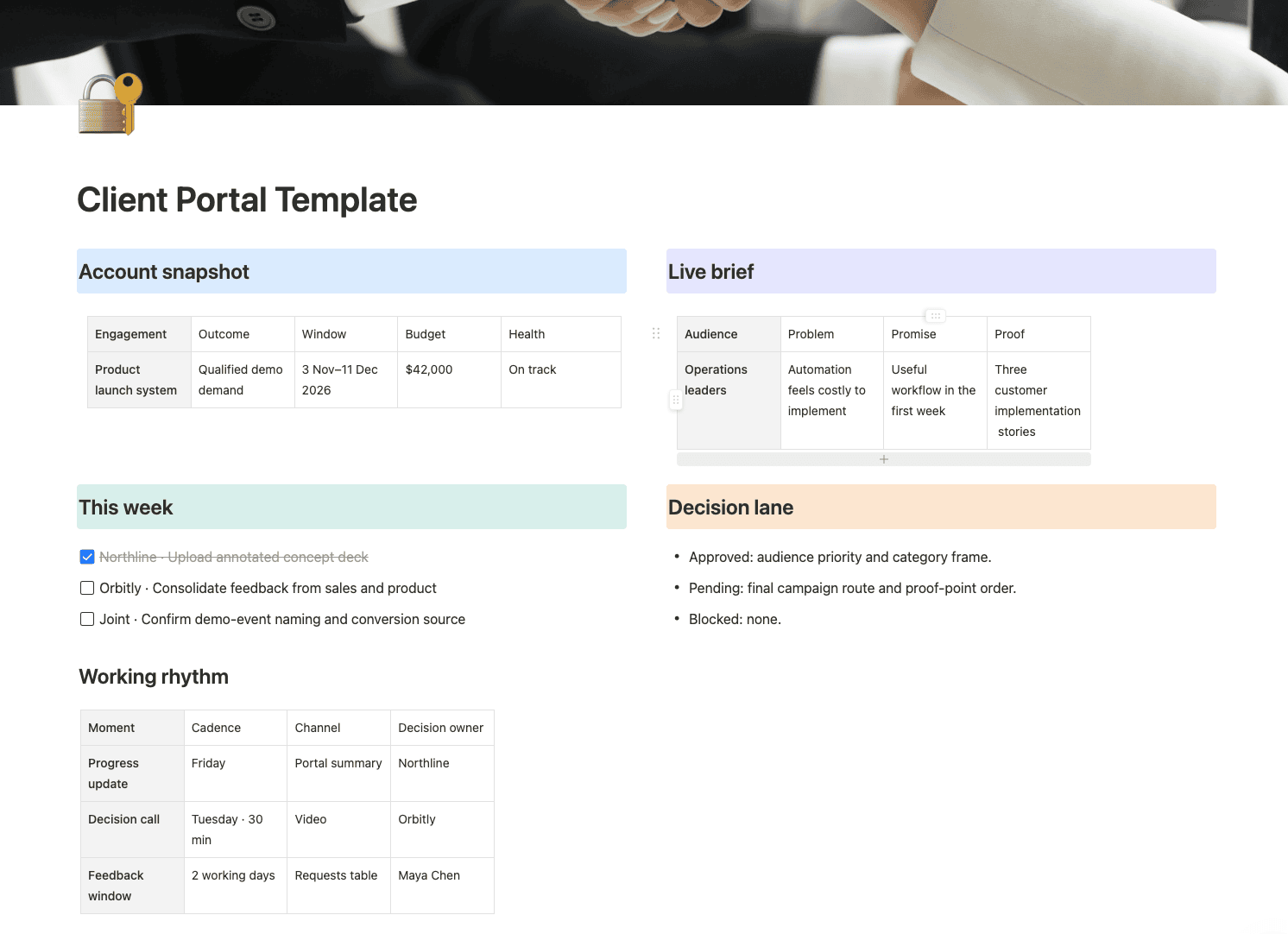
- Account Snapshot: Display the project outcome, timeline, budget, and overall health in one concise view.
- Live Brief: Keep the audience, business problem, value promise, and supporting proof visible throughout the engagement.
- Deliverables & Approvals: Track workstreams, versions, owners, priorities, deadlines, and client approval status.
- Requests & Feedback: Organize questions, revisions, feedback, and scope requests in a decision-ready queue.
- Meetings & Decisions: Preserve important meeting summaries, participants, decisions, and follow-up dates.
- Invoice Tracking: Monitor commercial milestones, due dates, paid amounts, remaining balances, and payment status.
- Working Rhythm: Make communication channels, review windows, meeting cadence, and decision ownership explicit.
How to Use the Client Portal Template
- Add the project objective, timeline, budget, stakeholders, and working agreement.
- Create each deliverable with its owner, deadline, version link, and approval status.
- Ask clients to submit consolidated feedback through the requests database.
- Record decisions and follow-up actions after every important meeting.
- Update invoices and project health so commercial and delivery information remain aligned.
- Review the portal before each client call to surface pending approvals and blockers.
Create a Better Client Experience
A strong client portal reduces uncertainty without creating more meetings. By keeping progress, feedback, decisions, and payments in one transparent system, teams can spend less time searching for information and more time delivering excellent work.