New Hire Onboarding Hub Template
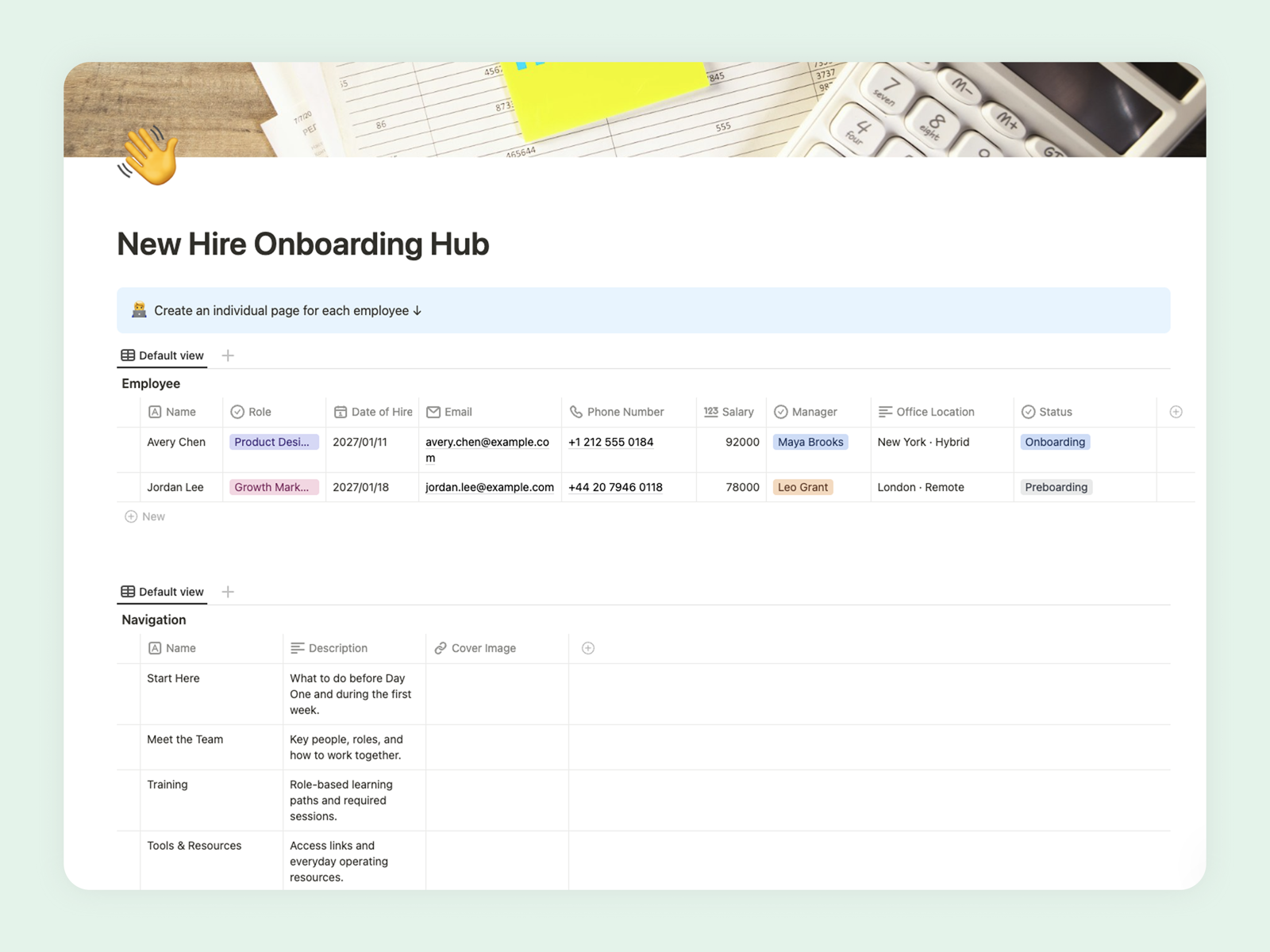
Give every new hire an organized start with employee pages, training, policies, feedback, and 30-60-90 day plans.
Give every new hire a clear, organized start with employee pages, training resources, company policies, feedback, and 30-60-90 day plans.
What Is the New Hire Onboarding Hub?
The New Hire Onboarding Hub is a central workspace for managing the complete employee onboarding journey, from preboarding preparation to the first 90 days.
It gives HR teams, managers, buddies, and new hires a shared place for tasks, training, tools, company policies, feedback, and progress updates. Each employee receives a dedicated page while shared resources remain organized in connected databases.
Core Features
- Individual employee pages: Keep role details, start dates, managers, buddies, onboarding status, and personal checklists together.
- Preboarding and first-week plans: Prepare equipment, accounts, introductions, meetings, and essential first-week tasks.
- Training center: Organize required courses, learning materials, completion status, and training deadlines.
- Tools and policy library: Give new hires quick access to workplace tools, internal resources, and company policies.
- 30-60-90 day plan: Define early priorities, expected outcomes, check-ins, and longer-term development goals.
How to Use the Template
- Add the employee: Create a new employee page and enter their role, department, start date, manager, and buddy.
- Prepare preboarding: Assign account setup, equipment, documentation, and welcome tasks before the start date.
- Plan the first week: Schedule introductions, essential meetings, training sessions, and initial responsibilities.
- Set 30-60-90 day goals: Define clear expectations and milestones for each stage of onboarding.
- Collect feedback: Record check-in notes and employee feedback to improve individual progress and the onboarding process.
Help Every New Hire Start with Confidence
Use the New Hire Onboarding Hub to create a consistent process without making onboarding feel impersonal. Keep shared resources standardized while adapting each employee page to the person, role, and team.