Project Roadmap Template
A project roadmap built around milestones, expected outcomes and decisions. Keep the next delivery date and the reason behind a change in one place.
This project roadmap template brings delivery milestones and decisions into one editable Buildin page. A task list tells you what to do today. A project roadmap helps you agree on what the project needs to deliver, in which order and by when. Use this template to keep milestone outcomes and the decisions behind them together.
What is included?
The template contains two editable databases and a fictional short-course launch example:
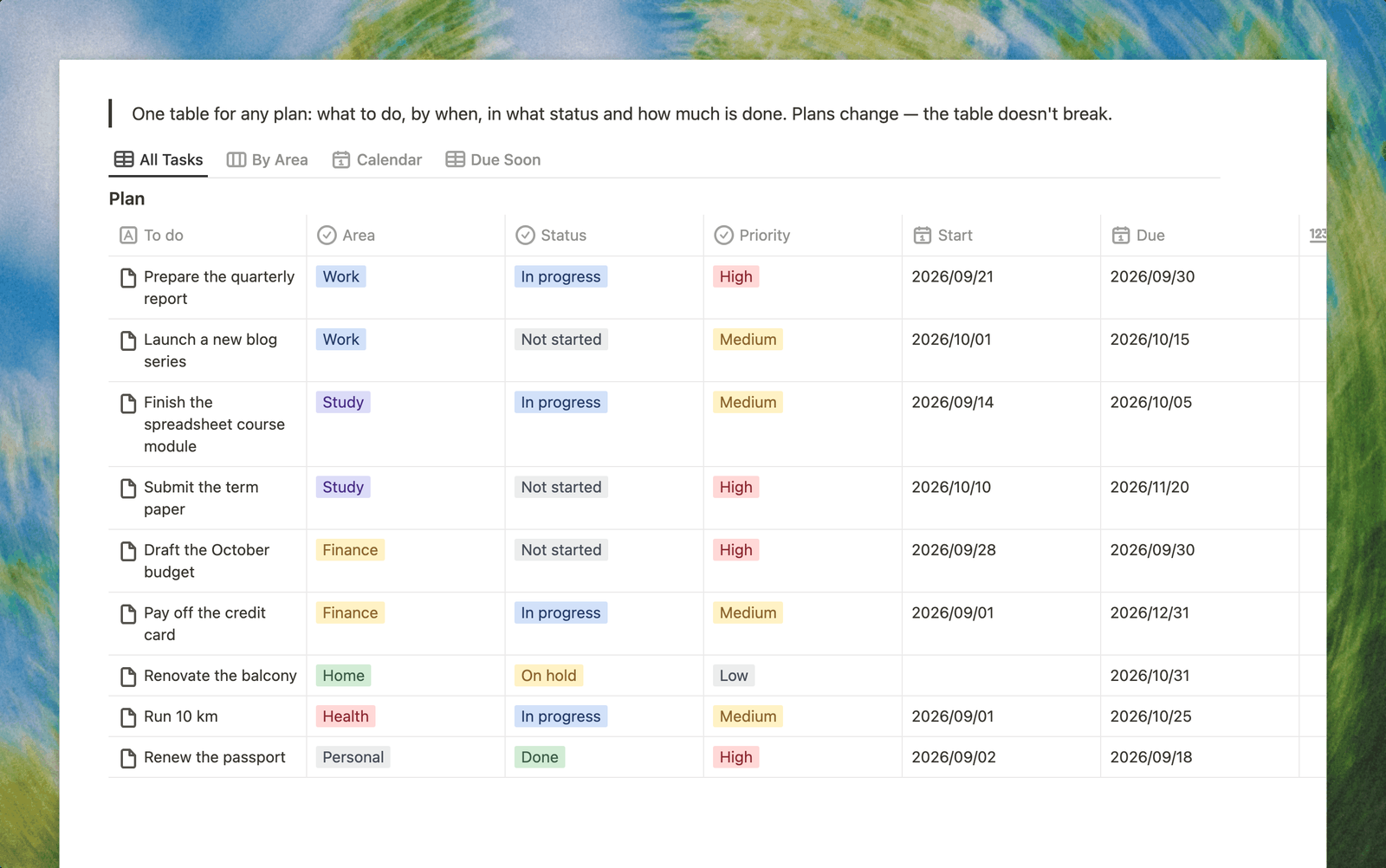
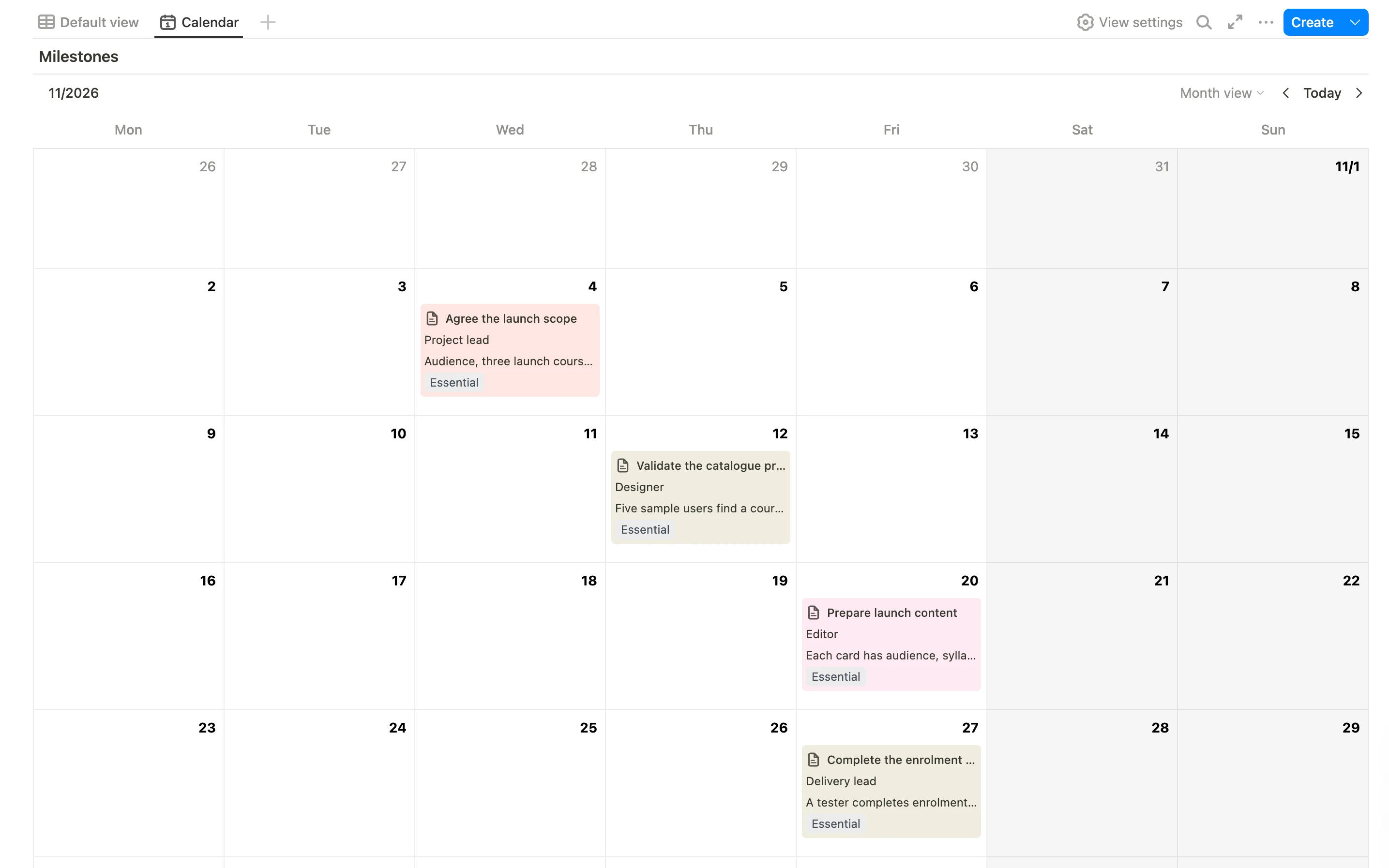
- A milestone calendar. Switch between the table and the calendar to review delivery dates.
- Six milestones. Each includes an expected outcome, acceptance criteria, an owner role, dates, status, priority and a note about what must happen first.
- Three decisions. Record what was decided, why it matters and how it changes the project.
- A project brief. Define the goal, scope and person responsible before filling the roadmap.
- Review prompts. Check the next milestone, unresolved decisions and changes to delivery dates.
The example runs from preparation to launch. Replace its dates and role names with your own. Dependencies are planning notes; changing a date does not automatically reschedule other milestones.
Project roadmap example
These first three milestones come from the fictional course-launch project included in the template. The remaining milestones cover the enrolment pilot, limited launch and review.
| Milestone | Target date | Owner role | Acceptance criterion |
|---|---|---|---|
| Agree the launch scope | 4 November 2026 | Project lead | Audience, three launch courses and exclusions are approved |
| Validate the catalogue prototype | 12 November 2026 | Designer | Five sample users can find a course and explain the next step |
| Prepare launch content | 20 November 2026 | Editor | Each course card has audience, syllabus, instructor and enrolment steps |
How to build your roadmap
- Write one concrete project outcome and define what is outside the scope.
- Choose the few milestones that demonstrate progress toward that outcome. Keep everyday tasks in your existing task tracker.
- For each milestone, state what will be delivered and how someone will accept it.
- Set an owner, dates, a status and any prerequisites.
- When scope or timing changes, record the decision and update the affected milestones.
For a course launch, “Prepare catalogue” is too vague on its own. An acceptance criterion such as “Approved course descriptions and working enrolment links” makes the milestone reviewable.
When to use it
Use the roadmap for a launch, a small client project or an internal change with several delivery stages. It is especially useful when people agree on the tasks but disagree on what counts as a finished result.
For detailed daily assignments, use a project task management template. The roadmap can stay focused on outcomes while that tracker holds the execution details.
Questions before you start
Is this a Gantt chart?
The template includes a milestone table and a calendar. It stores dates and prerequisites, but does not include an automatic critical path or dependency-based scheduling.
Can I use a different project example?
Yes. Replace the fictional sample with your milestones and decisions, rename roles and set your own dates. Keep the acceptance criteria specific enough to review.
How often should I review it?
Review it when a milestone approaches or a decision changes scope, timing or ownership. A short weekly review is a useful starting routine.