Content plan templates and examples for social media and blogs
A reusable table and practical examples for planning your posts.
Content plan templates and examples for social media and blogs
Tomorrow’s post still needs a draft, and the photo is somewhere in a message thread. If that sounds familiar, a single table is a useful place to start.
A content plan only needs a topic, a channel, a publication date and a status. Add other fields when they help you make a decision. Below you’ll find a table you can reuse, plus filled examples for VK, Telegram and a blog.
Open the Buildin template
Use the English template or open the Russian version. On the share page, choose Duplicate to add a copy to your workspace, then replace the examples with your own.
Choose a plan that fits your work
| Where you publish | Start with | Remember to include |
|---|---|---|
| A VK community | A weekly plan with categories and links to assets | Copy, photos or video, and the publication time |
| A Telegram channel | A list of posts with dates and drafts | The order of the posts and the purpose of each one |
| A blog | Topics with preparation stages | Deadlines for the writer, reviewer and publication |
If you run several channels, start with one table and a Channel column. Use a filter to see the entries for each channel. Separate plans make sense when the work involved is substantially different.
A content plan you can use in a table
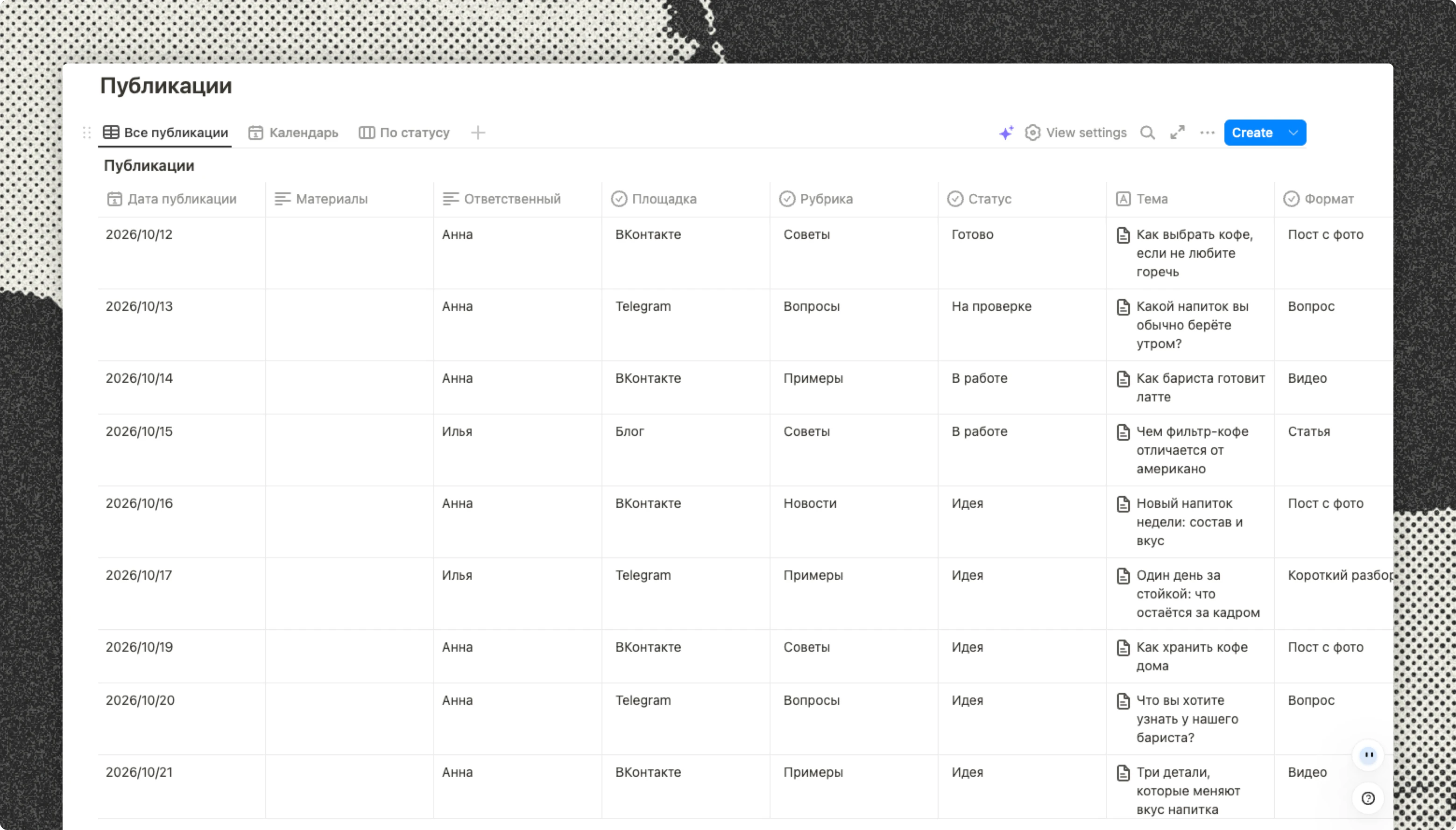
| Publish date | Channel | Category | Topic | Format | Owner | Status | Materials |
|---|---|---|---|---|---|---|---|
| 12 October | VK | Tips | How to choose coffee if you don’t like bitterness | Photo post | Anna | In progress | Link to the copy and photos |
| 14 October | Telegram | Reader questions | What to do when two projects are due on Friday | Short breakdown | Alex | Idea | Questions from the comments |
| 16 October | Blog | Guides | How to agree on project deadlines with a client | Article | Alex | In review | Link to the draft |
These are separate examples of how to fill in the fields, not one company’s publishing schedule. Replace them with your own posts. If you work alone, you can remove Owner.
Keep the date and the status separate. “16 October” tells you when the article is due; “In review” tells you what’s happening to it now. That makes it easier to spot a piece that should go out tomorrow but hasn’t been checked yet.
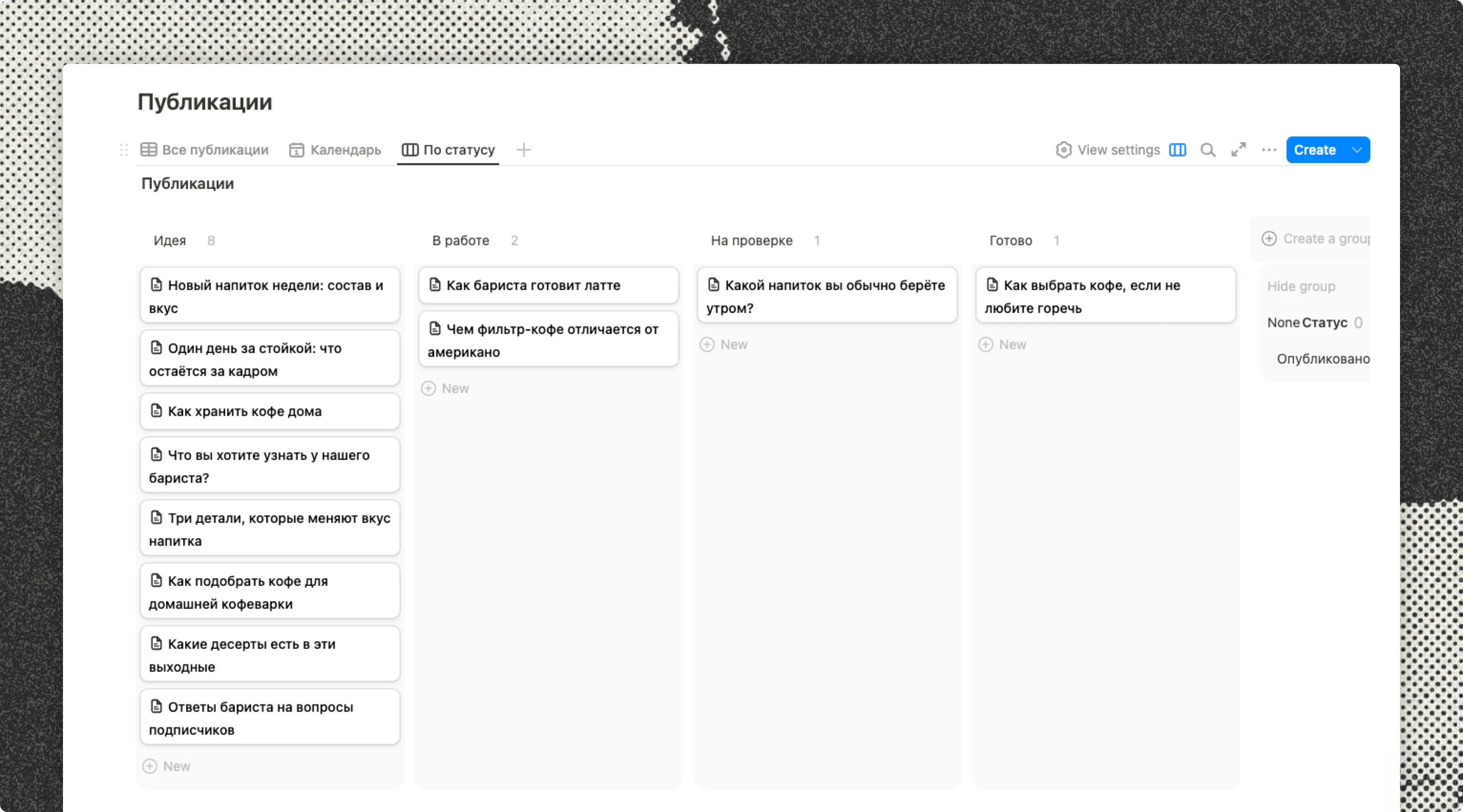
Five statuses are enough to start: Idea, In progress, In review, Ready and Published. Only add another stage if it changes what someone needs to do.
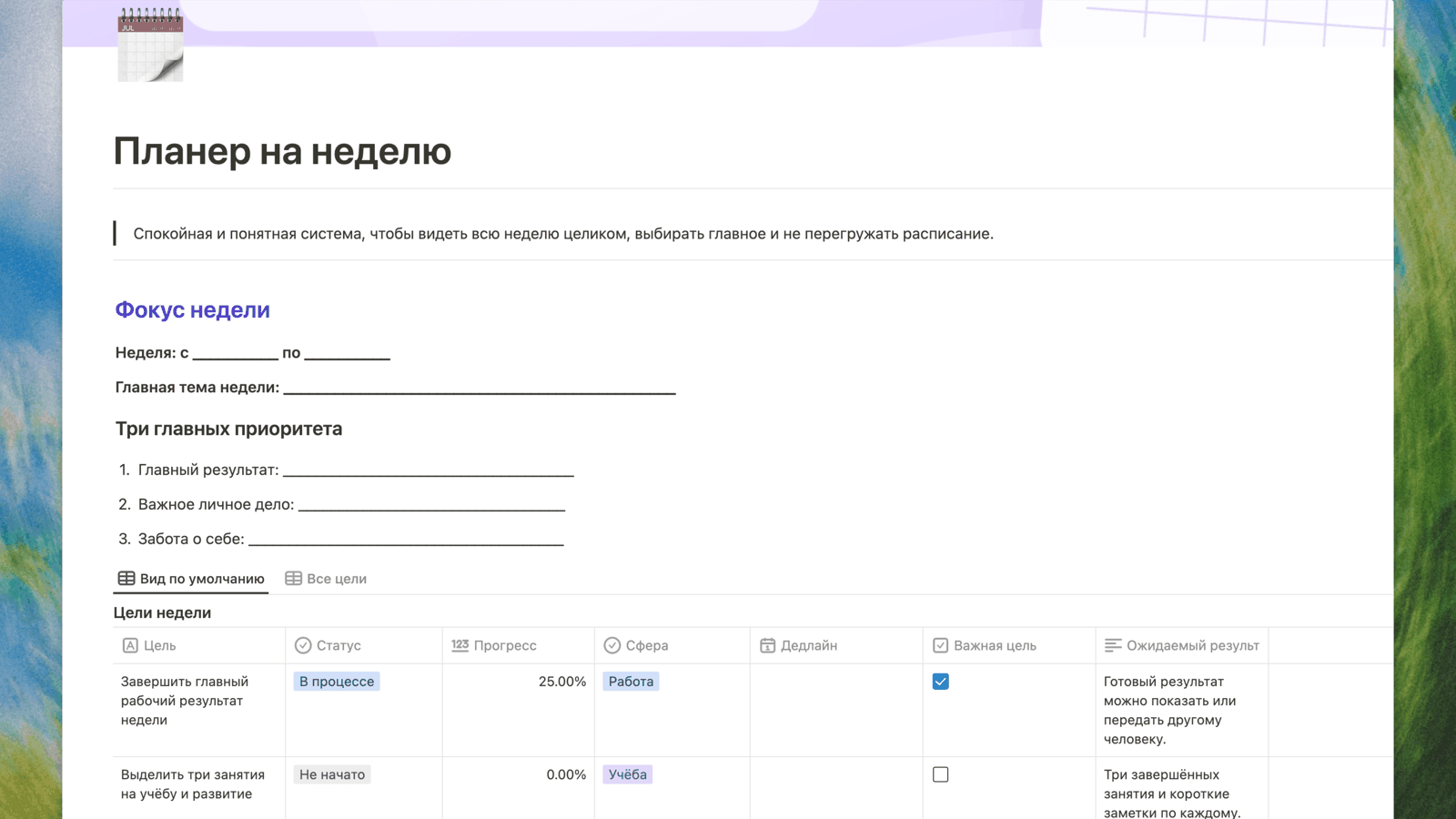
The screenshots show the Russian version of the template, with a fictional coffee shop example. The article’s tables also include other scenarios.
Example: a content plan for VK
Suppose a small coffee shop has time to prepare three posts this week. The owner picks the topics, and a barista helps with photos and video.
| Day | Topic | Format | What to prepare |
|---|---|---|---|
| Monday | Three drinks to try if you don’t like bitterness | Photo post | Drink photos, short descriptions and current prices |
| Wednesday | How a barista makes one of the drinks | Short video | Footage, captions and a cover image |
| Friday | This week’s new drink: which flavour would you try? | Photo and a question | A photo, description and availability |
Each post has a job: help someone choose, show how the shop works, or start a conversation. You don’t need a post every day just to fill the calendar.
Keep links to the copy and photos beside the topic. If the owner needs to approve a post, give them a deadline. Otherwise, it can sit between “photos ready” and “no one has checked the text” for days.
Example: a content plan for Telegram
A channel about freelance work could alternate between short tips, worked examples and questions. Before drafting, write down what the reader should take away from the post.
| Day | Topic | Format | Why someone would read it |
|---|---|---|---|
| Tuesday | Six questions to ask a client before starting a project | Checklist | Save the questions for the next call |
| Thursday | Two clients need the work on Friday: how to renegotiate the dates | Worked example | See how to discuss a delay |
| Saturday | Which task did you leave unfinished this week? | Question | Talk about their situation and read other people’s experiences |
Keep a short draft inside the topic’s record. For a longer piece, link to a separate page. If a reader asks a good question after publication, turn it into a new idea before it gets lost in the comments.
A plan doesn’t have to be a list of sales posts. Note whether a piece should explain something, answer a question, show an example or introduce a service. You’ll notice more quickly if every post has become an advertisement.
Example: a blog publishing plan
An article takes several stages of work, so a publication date alone isn’t enough. Add a draft deadline and leave time for someone to review it.
| Topic | Reader | Question it answers | Draft due | Publish date | Status |
|---|---|---|---|---|---|
| How to split a week between several projects | A freelancer with several clients | How to avoid making every project due on the same day | 12 October | 15 October | In progress |
| Where to keep agreements with clients | A small team | How to find the requirements everyone agreed on | 15 October | 19 October | Idea |
| Five questions to ask after finishing a project | A writer or small team | What to change next time | 20 October | 23 October | Idea |
This is a sample schedule, not a list of articles we’ve published. Use your own deadlines and allow for whoever will review the work. If one person does everything, plan fewer articles rather than repeatedly postponing half of them.
How to build a monthly content plan
Start with a pace you can maintain: perhaps two posts and one short breakdown a week. Then spread out your categories, such as tips, questions, examples and news.
Leave room for things you can’t schedule yet. A coffee shop might add a drink, a reader might ask a useful question, or a team might finish a project worth discussing. You shouldn’t have to rebuild the whole month to include it.
Once you have dates and topics, check the plan as a whole. Are three similar posts next to each other? Can you shoot the video in time? Is there room for a review? It’s easier to change a schedule than to fix a post on the day it’s due.
Table, calendar or board?
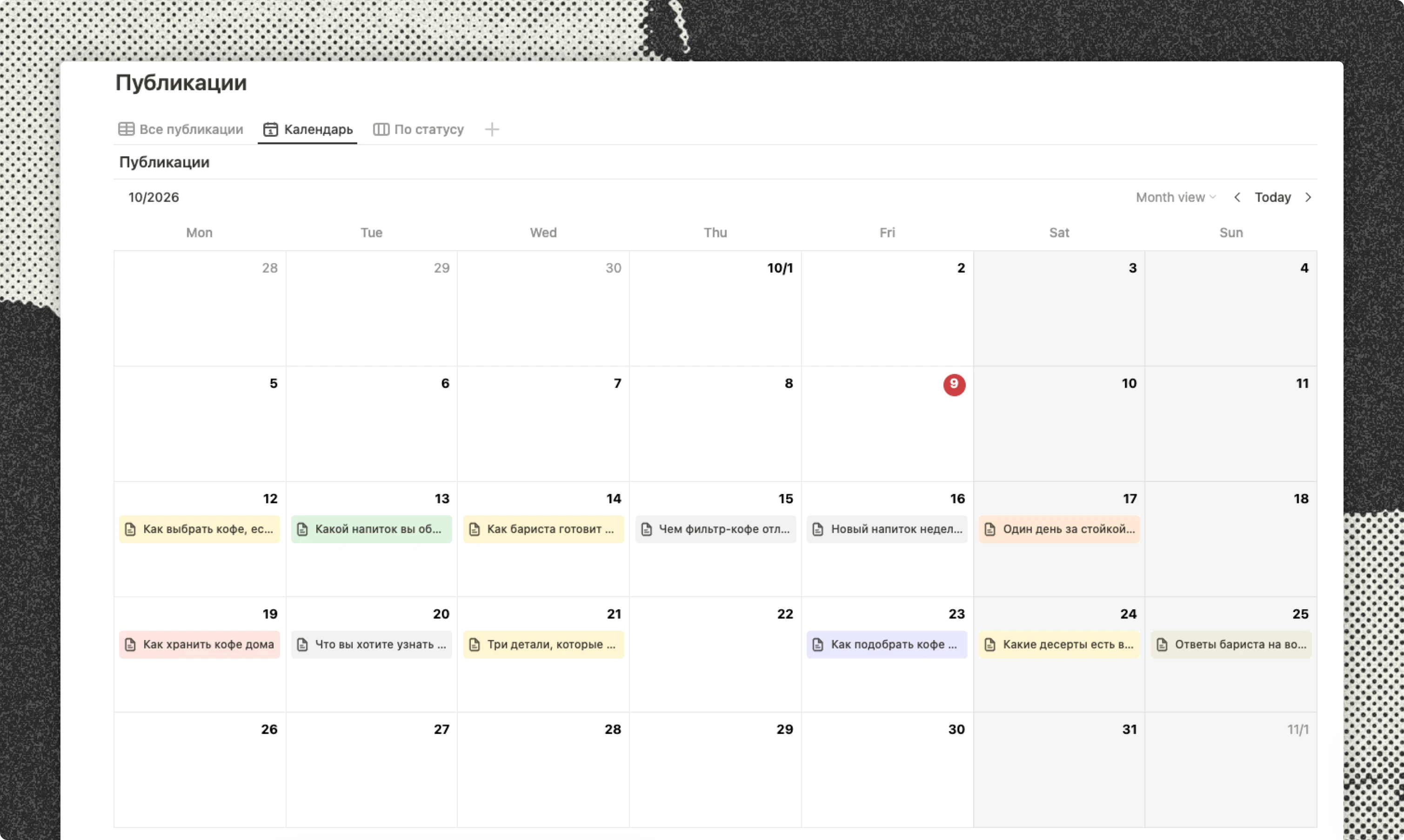
A table makes it easy to compare topics, dates and owners. A calendar shows how posts are spread across the month. A status board shows what’s still being prepared and what’s ready.
When a tool can display the same records in several views, use those views instead of making three separate plans. Otherwise, you might change a date in the table and forget to change it in the calendar.
A table is often enough for a personal channel. A board becomes useful when several people prepare the posts and someone needs to review them.
What to check at the end of the week
Return to the plan and ask:
- What went out on time? What slipped, and where did it get held up?
- Which topics led to replies, clicks or questions?
- Which topics should you follow up on, and which should you leave for now?
Choose a measure that matches the purpose of the post. If it should lead readers to a template, check visits and template use. Views alone don’t tell you that. Adding views across different channels won’t give you a count of unique readers, either.
Frequently asked questions
Do I need to publish every day?
No. A plan helps you organise the work; it doesn’t require a post in every calendar cell. Start with a pace you have time for.
Can I use this table in Excel or Google Sheets?
Yes. Copy the article’s table into your chosen tool and replace the examples. Set up the formatting, date fields and status dropdown there.
Does a content plan publish posts automatically?
No. It stores topics, materials and dates. Scheduled publishing needs a separate service or a scheduling feature in the channel itself.
What if the plan keeps changing?
Plan the next week in detail and treat later dates as provisional. Move the record along with its materials. Note the reason for a delay if it affects someone else’s work.
Before publishing, use the publishing checklist to check the copy, links and layout.

Buildin Team
Shares the latest Buildin updates, product releases, and usage guides, along with practical insights into knowledge management, content creation, team collaboration, and the evolution of AI. Content is based on real product development and user feedback, helping teams work more efficiently with Buildin.