Weekly Planner Online: Ready-to-Use Template and Step-by-Step Guide
Learn why a week is the ideal planning horizon, how to plan it in 15 minutes, and how to use a ready-made weekly planner template in Buildin.
You know the feeling: the week flew by, you were busy, but it is hard to say what you actually accomplished. Tasks were scattered across messages, phone notes, and your head, so all of them seemed to disappear at once. You were not doing nothing—quite the opposite, you were busy from morning to night. The problem is that anything you do not write down has a way of fading away.
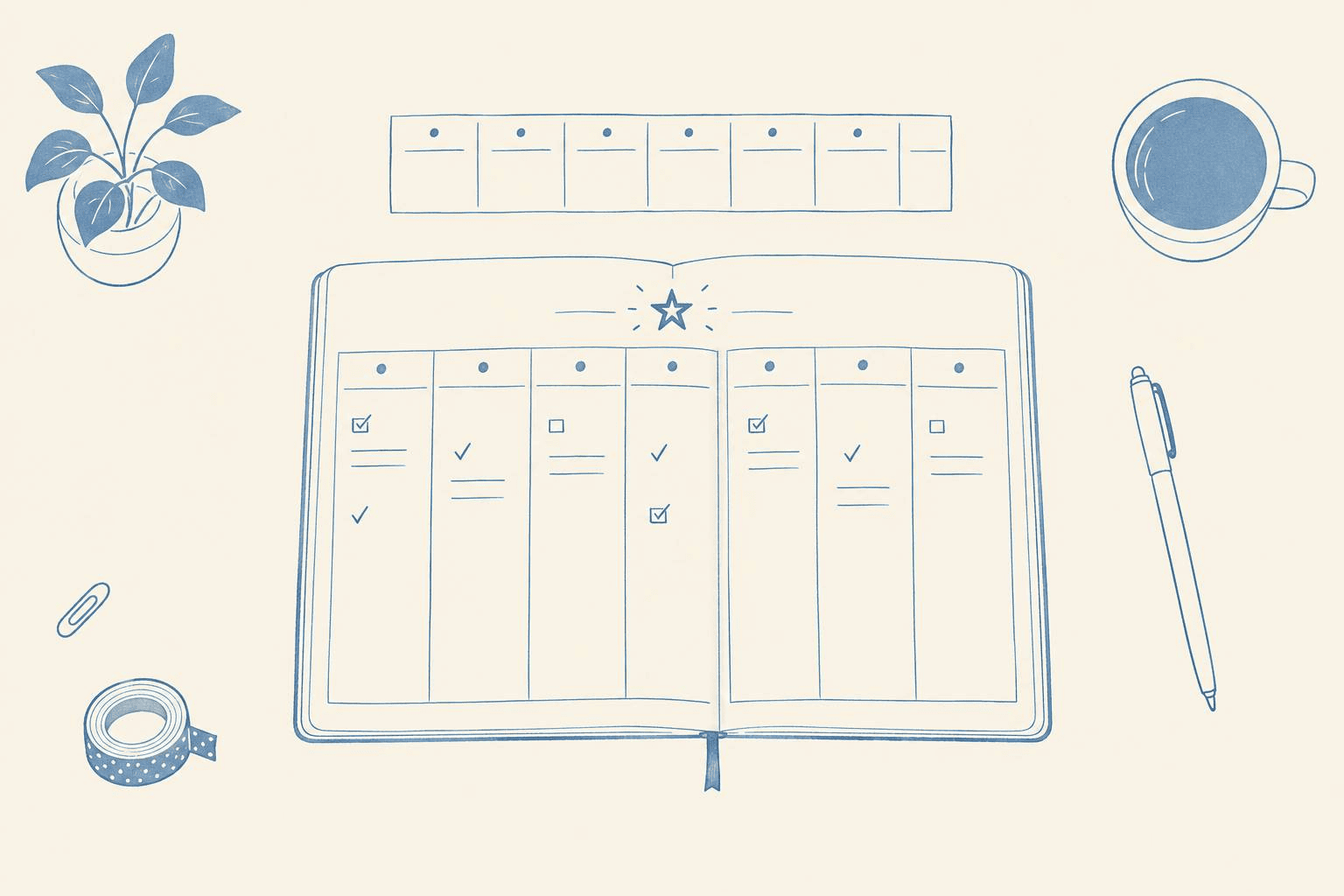
A simple weekly planner can help. One glance at the page shows what matters, what is already done, and where you are heading. Instead of ten apps and sticky notes, you have one place that brings the whole week together.
This guide explains why a week is the best planning horizon, what a useful weekly planner should contain, how to fill it in within 15 minutes, and how to stop planning from becoming yet another obligation. At the end, you will also find a ready-made template that you can open and use immediately instead of building everything from scratch.
What Is a Weekly Planner, and Why Does It Work?
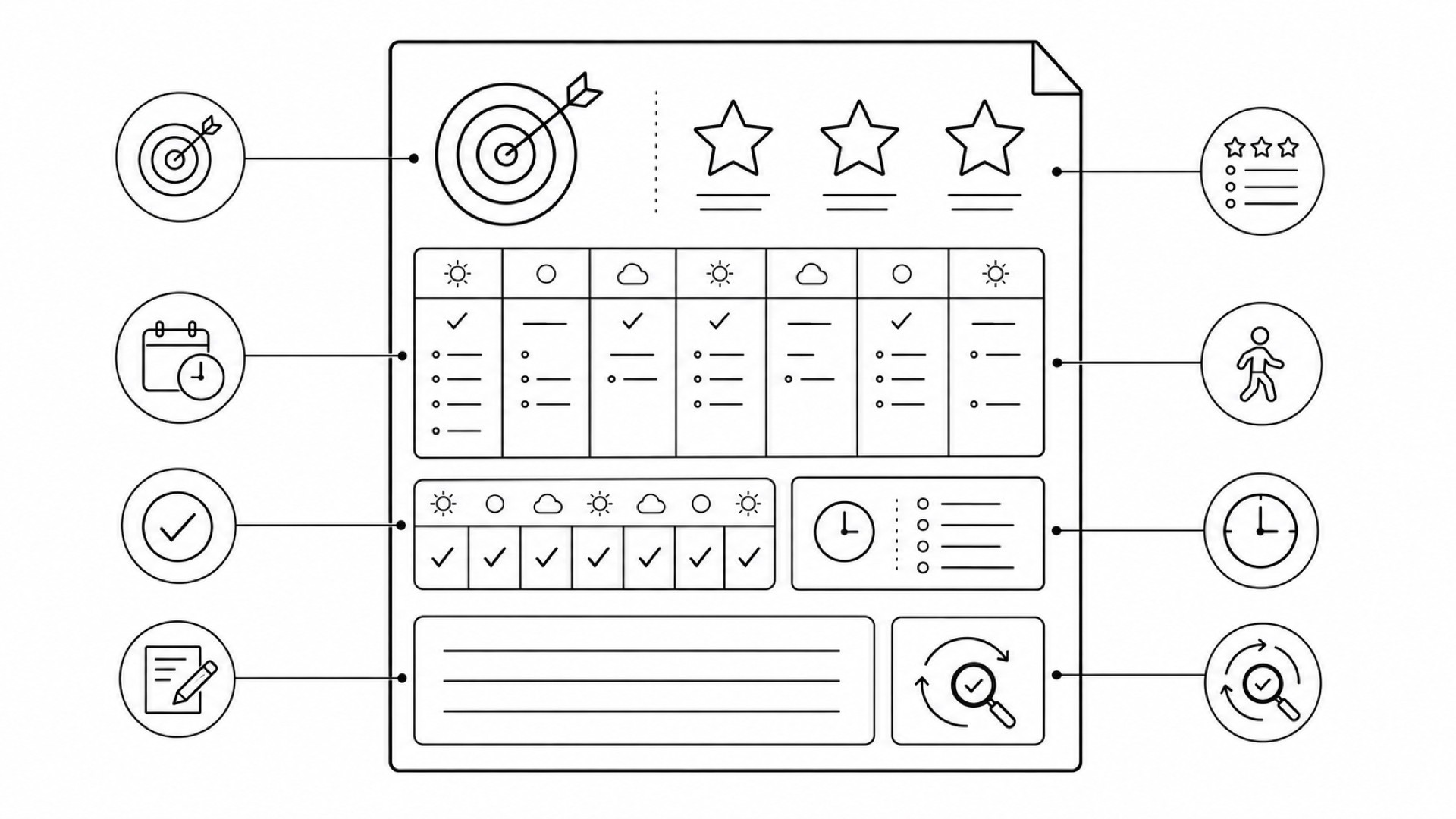
A weekly planner is a page that brings your entire week together: main goals, tasks for each day, meetings and deadlines, habits you want to track, and a short review at the end. It is not a collection of separate lists, but one system in which every element appears alongside the others.
That is what makes it different from a standard to-do list. A to-do list answers “What do I need to do?” but not “When?” or “Why?” Lists keep growing, and tasks get stuck in them. A planner adds context: a day, a priority, and a connection to a weekly goal. “Prepare the presentation” is only a line in a list. In a planner, the same task belongs to Tuesday, supports the week's top priority, and contributes to the goal “Submit the project by Friday.”
Why plan by the week? Because it is the ideal scale:
- A day is too short. Any surprise—a sudden call, a long meeting, or an urgent request—can break a carefully planned day. The perfect morning schedule may already be obsolete by lunchtime.
- A month is too long. A monthly plan is closer to a set of intentions. By the end of the second week, priorities may have changed, new tasks may have appeared, and the plan may no longer reflect reality.
- A week is just right. It gives you enough room to complete meaningful work while remaining predictable enough to plan. You can finish a substantial part of a project, restore a sleep routine, or read a book without losing sight of what you intended to do.
A week also has a natural rhythm: you set direction on Monday and review the results on Sunday. The brain responds well to these complete cycles. Psychologists call this the “fresh start effect”: the beginning of a new cycle—a week, month, or year—can increase motivation because unfinished work feels as if it belongs to the previous period. Weekly planning gives you 52 opportunities to restart each year instead of only one in January.
There is another practical benefit. When the whole week is visible, you no longer have to hold it in your head. The background loop of “remember to call the bank, buy the gift, answer that email” consumes cognitive resources even when you are not working on those tasks. A brain dump into your planner frees that attention for the work itself.
What Should a Good Weekly Planner Include?
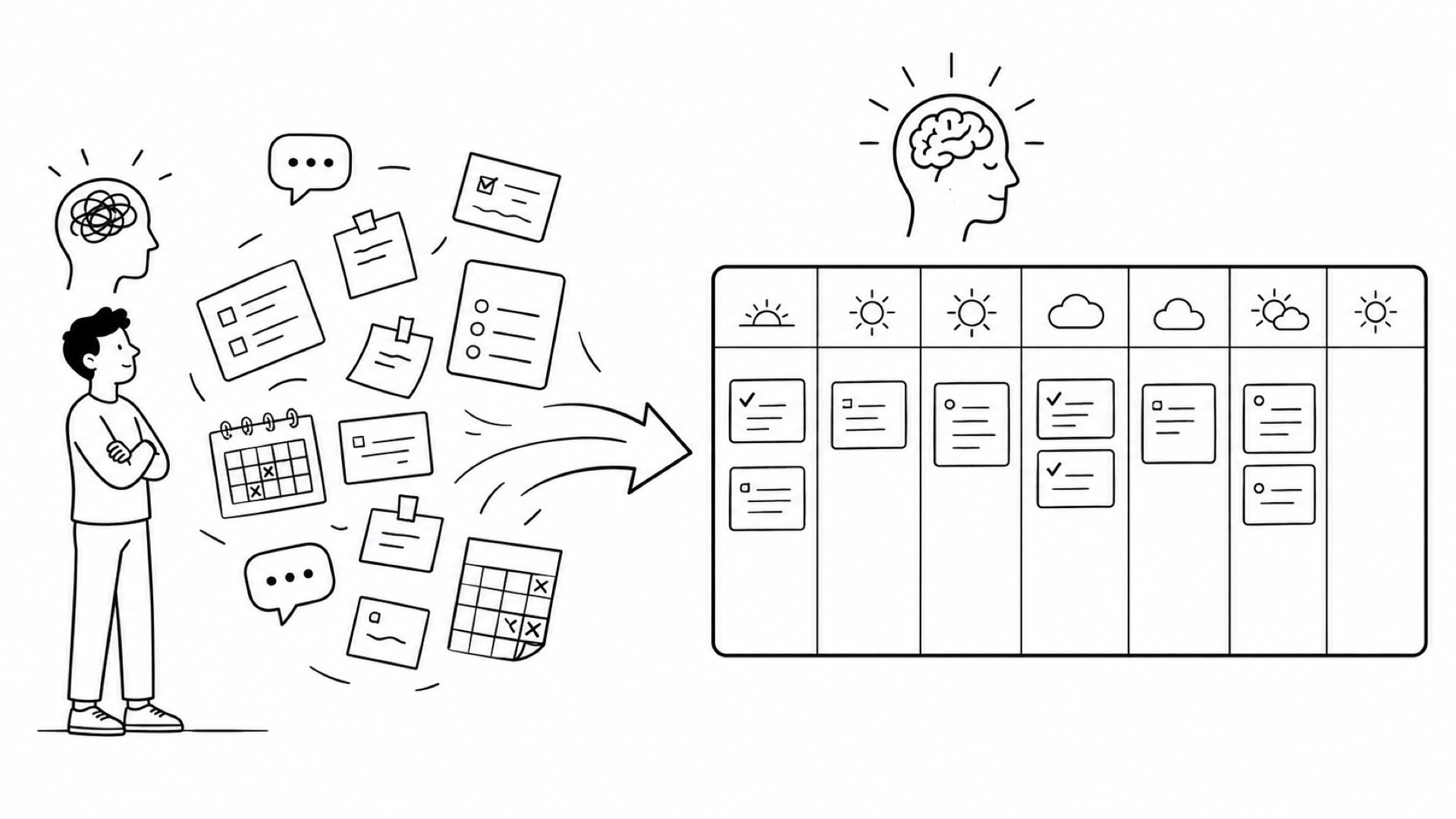
A useful planner is more than seven columns labeled with the days of the week. A planner that contains only a schedule is simply a calendar, and a calendar does not answer the question “Why am I doing all this?” These are the sections that truly matter:
- Weekly focus: one theme and three priorities—the main work outcome, an important personal task, and one act of self-care. They serve as a filter for everything else. If a task supports none of the three, it may not belong in this week.
- **Weekly goals**: three to five goals with a status, deadline, and expected result. “Finish the report” is vague, while “Report sent to the manager” defines a measurable finish line.
- Daily plan: tasks from Monday through Sunday, with no more than two or three meaningful items per day. A schedule packed to capacity does not motivate; it intimidates.
- Events and constraints: meetings with fixed times, hard deadlines, and hours that are already occupied. Add these first, then place tasks into the remaining space.
- **Habit tracker**: seven boxes and seven checkmarks. A week is the shortest period in which you can begin to see whether a habit is taking hold.
- Notes: ideas, purchases, and reminders that do not need to become separate tasks.
- Weekly review: four questions at the end: What worked? What should change? What should be moved or dropped? What are you grateful for this week?
Step by Step: How to Fill In a Weekly Planner in 15 Minutes
Make weekly planning a fixed 15-minute ritual on Sunday evening or Monday morning. If planning takes an hour, the system is too complicated and probably will not last.
Step 1. Record events and constraints (3 minutes). Add meetings with fixed times, deadlines that cannot move, and hours that are already occupied. This is the skeleton of the week; everything else is built around it. Also block out non-negotiable time for exercise, family, or an evening without work. These commitments matter as much as meetings.
Step 2. Choose a focus and three priorities (4 minutes). Ask yourself: if I complete only one thing by the end of the week, what should it be? That is your main outcome. Add one personal responsibility and one act of self-care. Stop at three priorities. If choosing is difficult, reverse the question: “What will I regret not doing if the week ends right now?”
Step 3. Distribute tasks across the week (5 minutes). Schedule the most important work early in the week and during the hours when you usually have the most energy. If you are an early bird, do demanding work before lunch. If you are a night owl, do not schedule it for 9 a.m. Leave space between tasks because unexpected work will inevitably consume part of the week. A useful rule is to plan only 60–70% of your available time and leave the rest for reality.
Step 4. Add habits and notes (3 minutes). Choose three to five habits to track, then write down everything that is on your mind but is not yet a task. Your head will feel clearer before the week even begins.
From that point, the planner works for you: check off completed items in the evening and adjust the schedule in the middle of the week when needed. Changing the plan is not failure; it is part of the system. A plan that never changed was either perfectly accurate—which rarely happens—or nobody looked at it.
Ready-Made Weekly Planner Template in Buildin
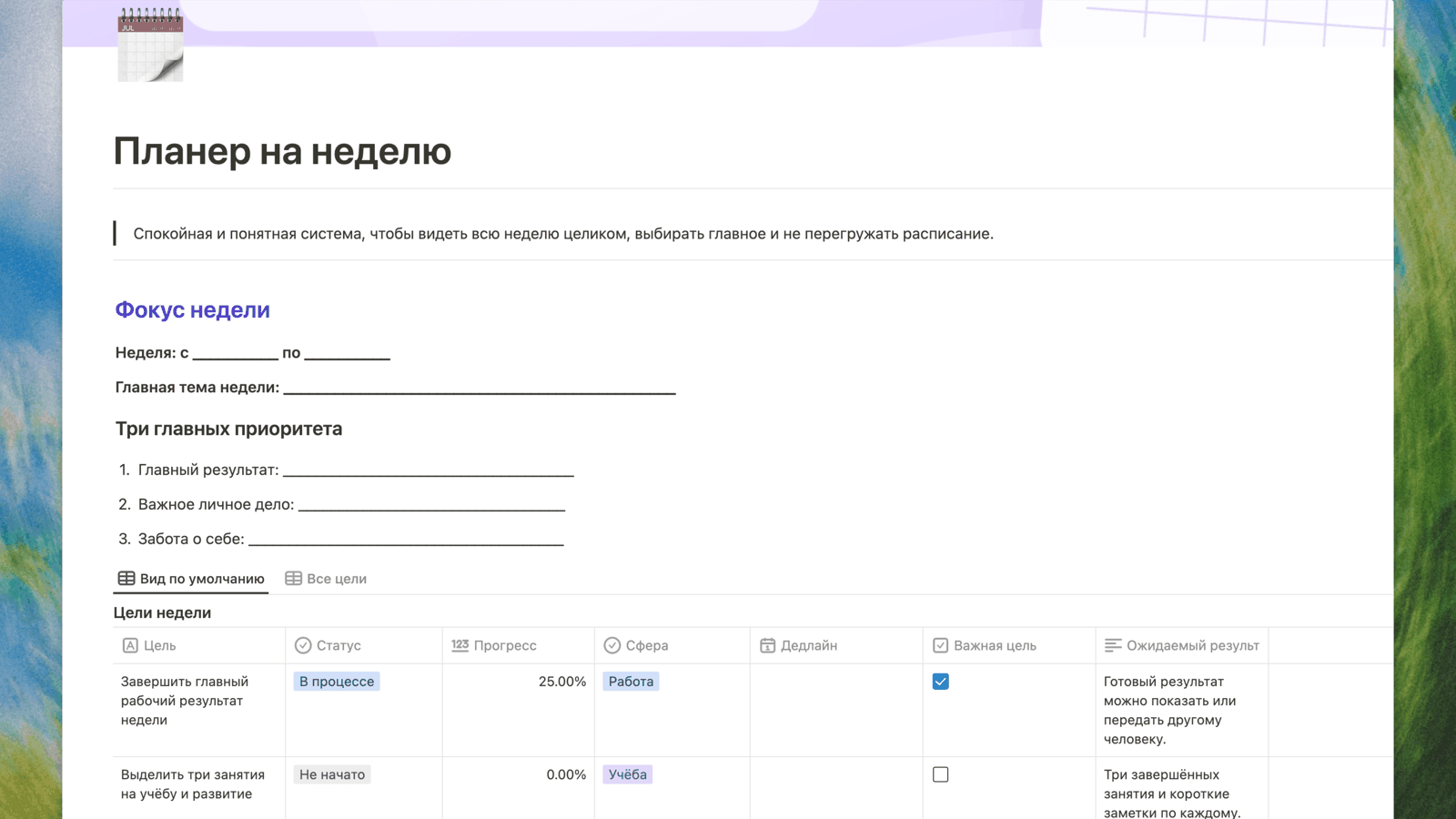
If you do not want to build everything from scratch, there is a ready-made solution. Buildin offers a free Weekly Planner Template that follows the same structure described above:
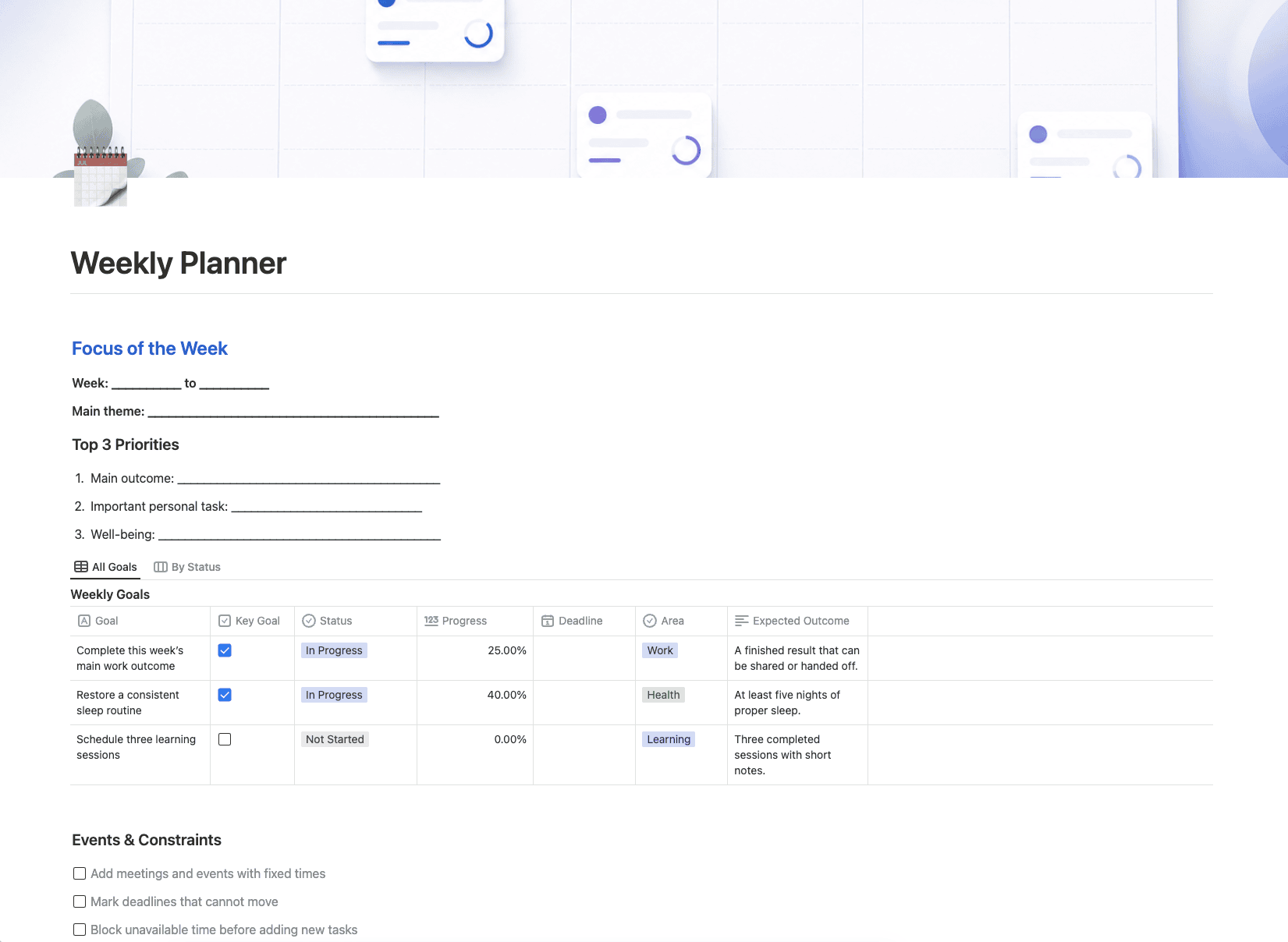
- a Weekly Focus section with three priorities;
- a goals table with status, progress, area, deadline, and expected outcome;
- a separate checklist for events and constraints;
- a daily plan from Monday through Sunday, with color-coded day labels and task statuses;
- a seven-day habit tracker with categories for health, growth, and mindfulness;
- a notes section and four weekly review questions.
Open the template, duplicate it into your workspace, and begin filling it in. There is nothing you need to configure first: sample goals and habits are already included, so you can simply replace them with your own. Before the next week begins, duplicate the page again and clear the completed tasks. This preserves a history of your weekly progress and lets you see how your priorities change over time.
**Open the Weekly Planner Template in Buildin →**
How to Keep Using Your Planner After the First Two Weeks
The hardest part of weekly planning is not starting but continuing. A new planner feels exciting for the first two weeks. By the third, it may already be gathering dust. The following practices make that less likely.
Attach planning to an existing habit. Do it after Sunday dinner or with your Monday morning coffee. The exact trigger does not matter. A habit connected to a regular ritual is more likely to survive than something you plan to do “sometime in the evening.”
Keep the planner open. Pin it in a browser tab or add an icon to your phone's home screen. Let it remain visible. A planner that requires an effort to find will lose to the messaging app that is already open.
Reduce the plan instead of abandoning it. If the week is difficult, keep one priority instead of three and track two habits instead of five. A small plan you complete supports the system better than an ambitious plan you ignore.
Do not build a perfect system. You may want to add five more sections, use eight colors, and automate everything. Resist that temptation, at least during the first month. The more complicated the structure becomes, the more likely you are to spend time maintaining the planner instead of letting it support you.
Common Weekly Planning Mistakes
Too many tasks. Ten items per day are not a plan; they are a list of disappointments. Keep two or three essential tasks and move the rest to a reserve list. Reserve tasks do not have to be completed, so they create less pressure.
No priorities. When everything is important, nothing is important. Three weekly priorities are a firm limit, not a suggestion. If you cannot choose, choose at random. Even an imperfect focus is better than none.
No weekly review. Without reviewing your results, the same tasks move from one week to the next and you never understand why. The review is the system's mirror; without it, the planner is blind.
A week devoted only to work. A planner with no personal item quickly begins to feel like a supervisor. Add rest, exercise, or a call to your parents, and the plan will feel much more supportive.
Treating the plan as fixed. Life changes the schedule, and that is normal. A planner is not designed to enforce perfect execution. Its purpose is to show where you are at any moment. If you get sick on Wednesday, redistribute the rest of the week instead of declaring the entire week a failure.
Conclusion
A good weekly planner is not about discipline or control. It is about calm: you can see the whole week, know what matters, and stop holding everything in your head. Fifteen minutes on Sunday can turn a chaotic week into a series of clear, manageable days.
Try it this week. Open the template, choose three priorities, and distribute them across the days. Do not aim for perfection—the first week may be uneven, and that is part of the process. By Sunday, you will probably notice the difference: less background anxiety and a stronger sense that the week belongs to you.

Amara Elara
Specializes in visualizing complex processes and improving product education. Responsible for user support, product tutorials, and visual guides at Buildin, helping users improve tool adoption and overall productivity.