Monthly Planner
The monthly planner in Buildin brings monthly goals, a calendar of tasks, a week-by-week breakdown and a review into one space. Give tasks dates and the same plan opens as a calendar grid, a list or a set of weeks. A finished plan can be used online, printed or saved as an image.
Monthly Planner
A monthly planner helps you see the whole month at once: which results matter, what is already fixed in the calendar, and how it all spreads across the weeks.
What is a monthly planner?
A monthly planner sits between a daily to-do list and a yearly plan. It does not answer "what do I do tomorrow" but "which three to five results should exist by the end of the month". The template connects goals to real dates, so the month does not turn into a list of good intentions.
Most monthly planners are either a bare calendar grid where only a couple of words fit, or a list of goals with no dates at all. This one has both: goals live on their own, tasks get dates, and the calendar assembles itself from them.
Key features
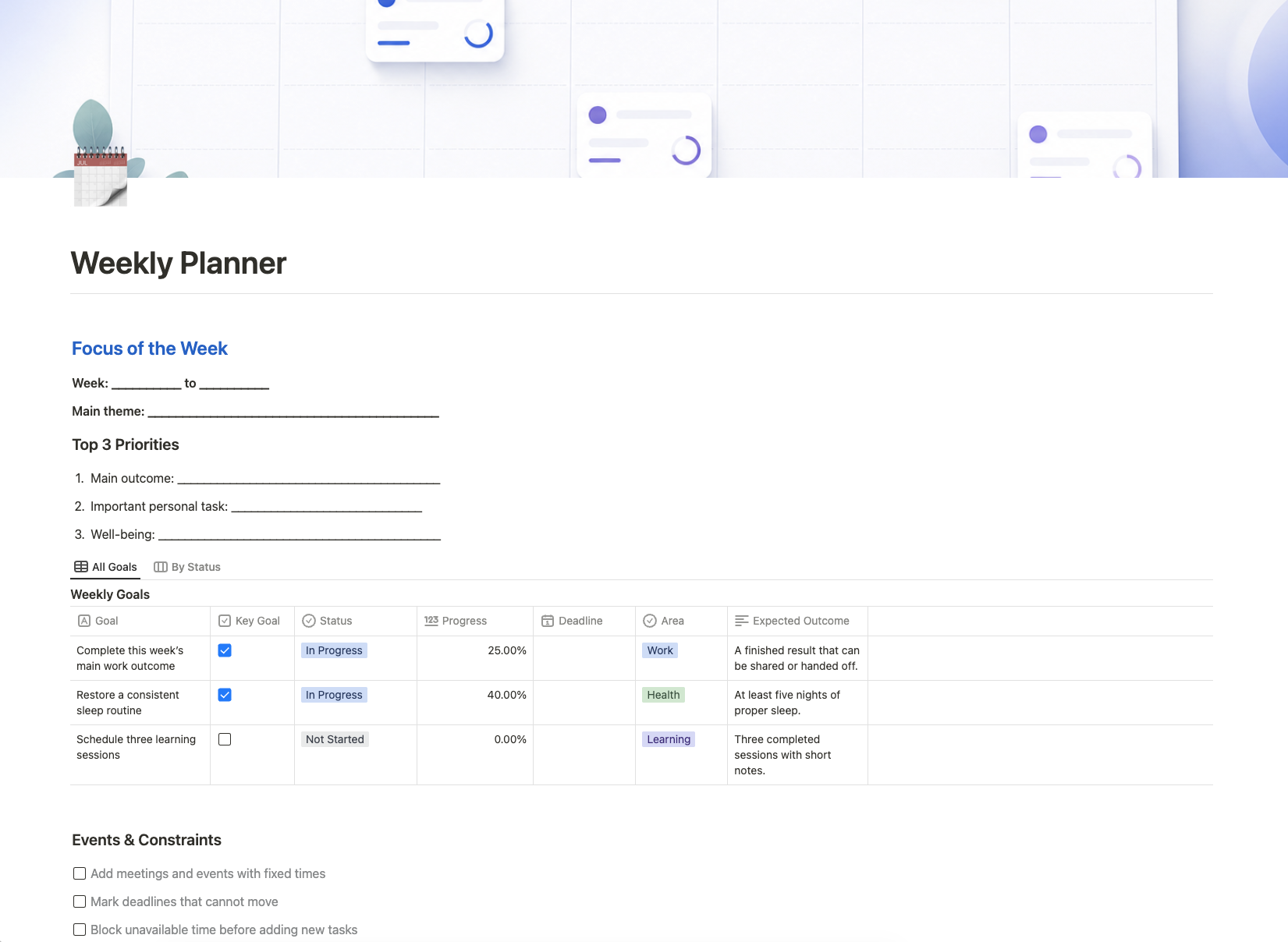
- Focus of the month. The main theme and three key results — one for work, one personal, one for taking care of yourself.
- Monthly goals. A separate database with Status, Area, Progress, Deadline and an expected result, so a goal is checkable rather than vague.
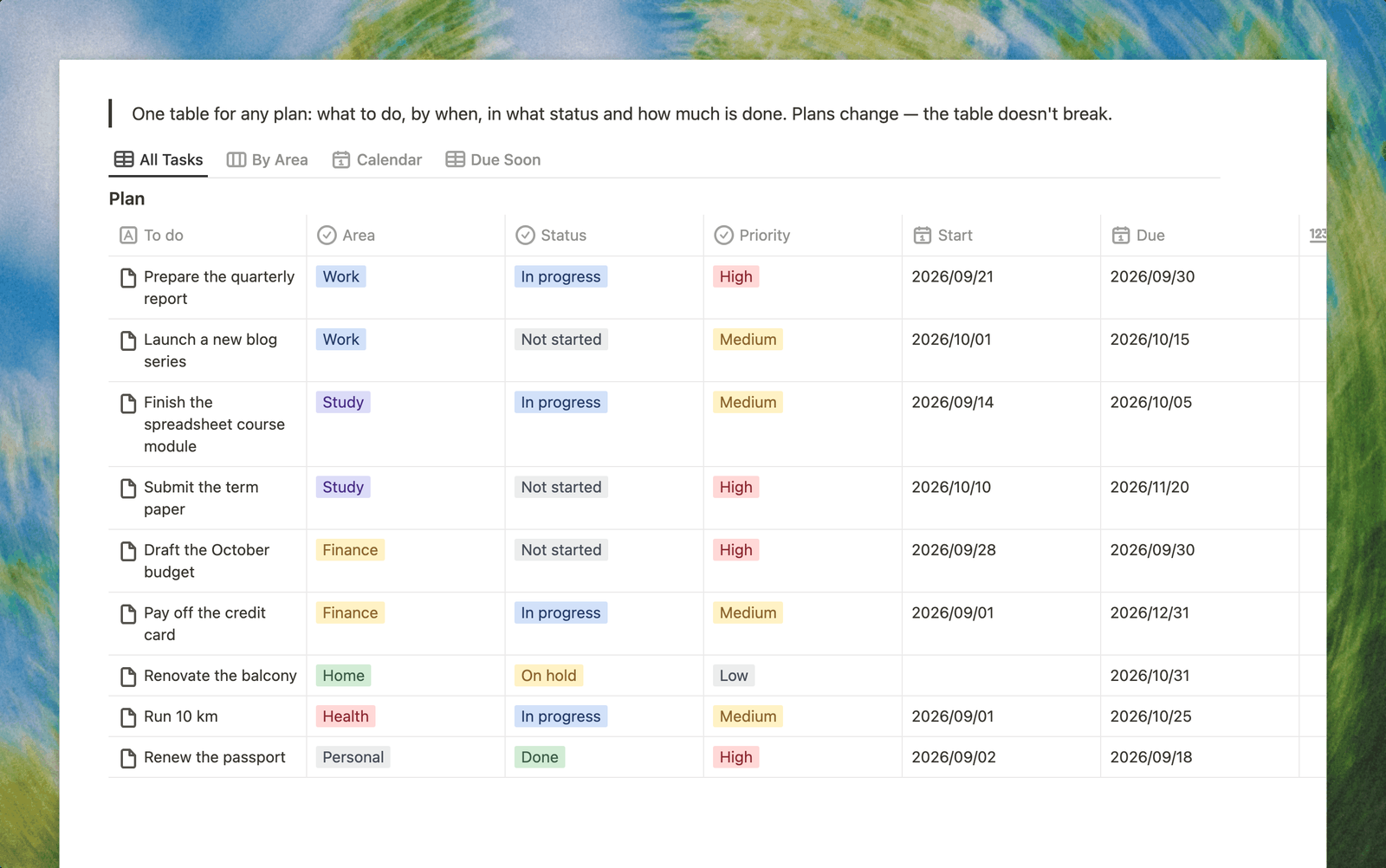
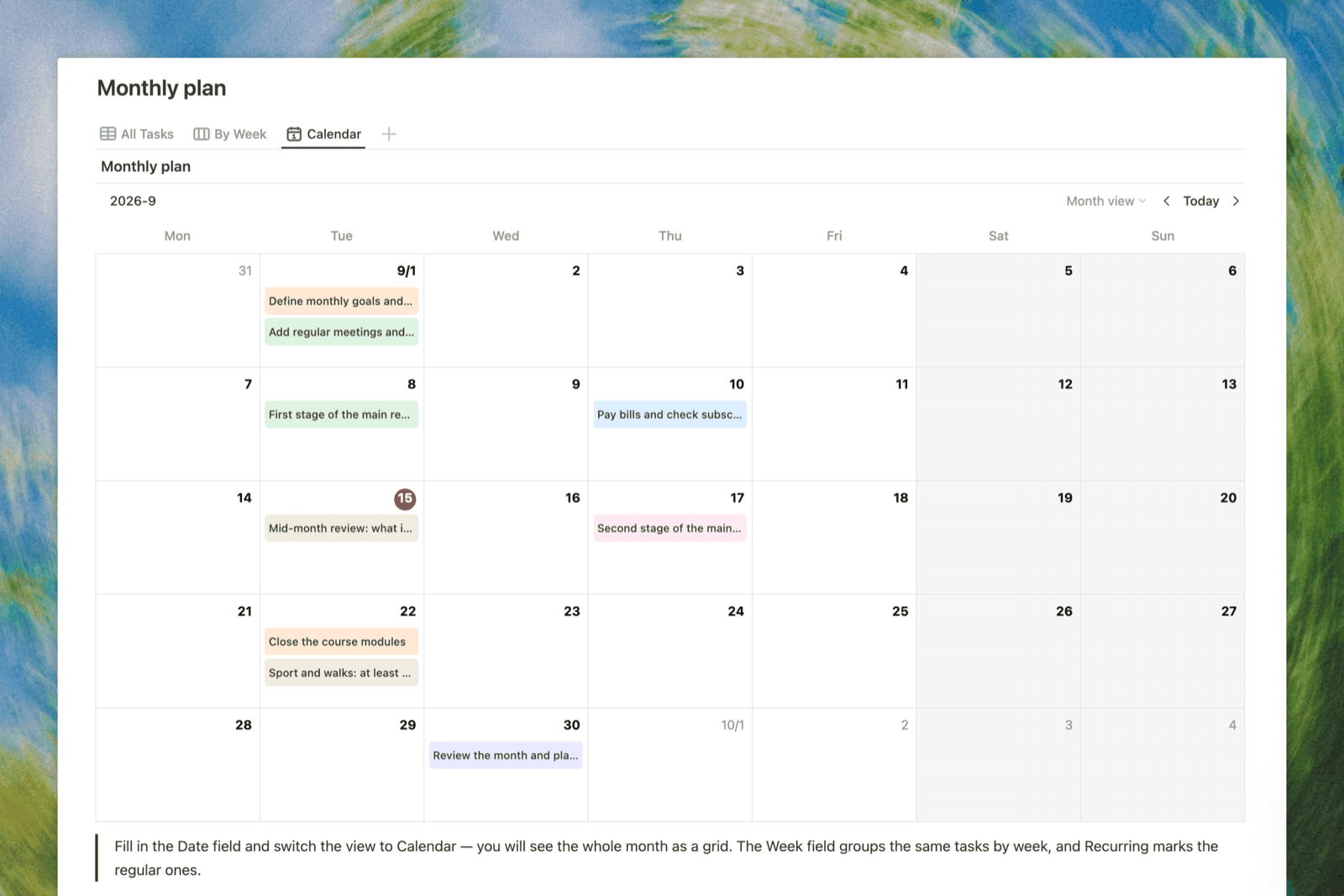
- Calendar of tasks. The same monthly plan opens in three views: a list, grouped by week, and as a calendar grid. Give tasks dates and they fall into the right days by themselves.
- Recurring commitments. Regular meetings, payments, birthdays and time off are marked upfront so they stop taking up space in your head.
- Week by week. Five blocks with the key result of each week — this is how a monthly goal turns into steps you can act on.
- Review of the month. Four questions at the end: what went best, what did not move, what to move or drop, and what the month taught you.
How to use the monthly planner
- At the start of the month write down the main theme and three key results — more than three rarely survives a real month.
- Add recurring commitments: regular meetings, bills, birthdays, trips. You will see how much time is genuinely free.
- Break goals into tasks and give them dates. Switch to the Calendar view and the whole month appears as a grid.
- Each week, note the key result of that week in its block.
- On the last day of the month answer the four questions in Review of the month and carry anything unfinished into the next one.
Who is the monthly planner for?
Anyone with goals that run longer than a week: studying, a work project, preparing for an event, personal finances. It works equally well for work and for home, because both live in one place and you do not switch between apps.
If you are planning for the first time, start with a week and add the monthly horizon once the weekly rhythm sticks.
Start using the monthly planner
Copy the template, fill in the focus of the month and give your tasks dates. A finished plan can be used online, printed or saved as an image from the page menu under Export.