Buildin Agent is here: Start with the work already in Buildin
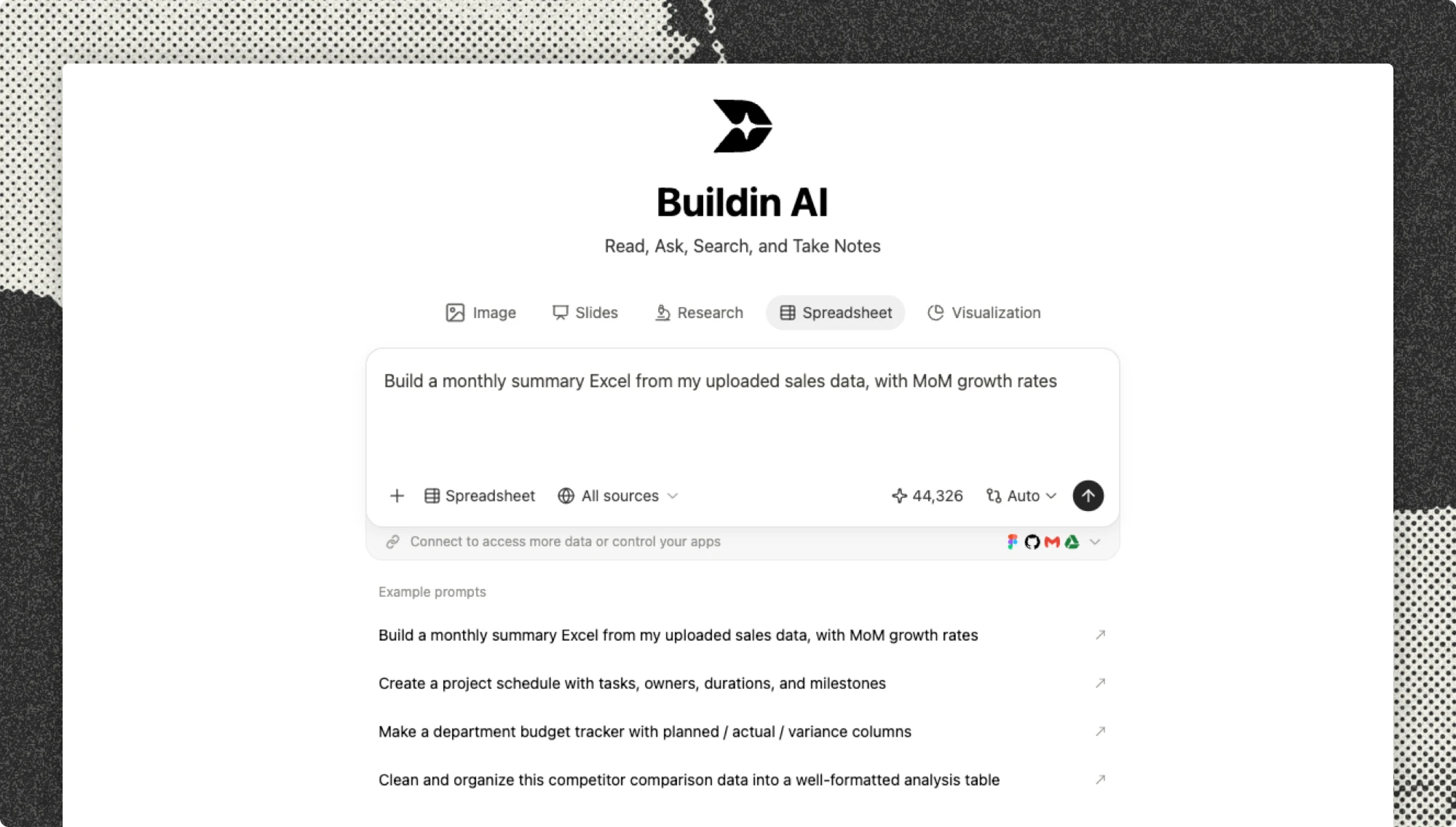
Buildin Agent is now available. It reads your pages and databases, completes the whole task, and saves the result back to your workspace.
- Describe what you need and create a database you can use right away.
- Save a YouTube transcript and turn it into clear notes.
- Generate a cover image, presentation, or web page from existing content.
Buildin Agent is now available.
We want AI to take part in real work. It should understand what you are writing, read the data in your databases, and use the content already stored in your workspace. You should not have to explain everything again before it can help.
The value of Buildin Agent starts with what you already have in Buildin: notes, databases, documents, and other material from your daily work. Agent can begin with that context and save the result back to the same workspace.
Instead of opening an empty chat, you can start from the page in front of you.
Here are three examples of what that looks like.
Create a database from one request
Suppose you are planning next week’s video content. Before you can schedule anything, you usually need to create a database, choose properties, set up statuses, and enter every idea by hand.
Now, you can tell Buildin Agent:
Create a video content calendar with properties for status, platform, assignee, and scheduled publish date.
Agent creates the database and the properties needed for the task.
If the page already contains a list of ideas, continue with:
Add the ideas above to the database. Set every item to “To do” and schedule them for next week.
Agent reads the list, adds each idea to the database, and fills in the status and publish date.
You only need to describe what you want to manage. You do not need to design the database first.
Understand a YouTube video from its transcript
With the Buildin Web Clipper, you can save a YouTube transcript to a page. A transcript may contain thousands of words, so finding the main ideas and useful examples can still take time.
Select the transcript and ask Agent:
Organize this video into three main ideas, preserve the key examples, and write a summary of no more than 200 words.
Agent organizes the transcript by topic and inserts the main ideas, examples, and summary into the current page.
You no longer need to move back and forth between the video and a long transcript. The video becomes a set of notes you can review and use later.
Generate more from one page
Suppose you have finished a product introduction in Buildin and want to use it for a presentation. You also need a cover image and a slide deck.
Ask Agent:
Create a 16:9 cover image from this product introduction, then turn the content into an eight-slide presentation.
Agent reads the current page, generates the image and presentation, and saves both in Buildin.
If you also need a web page, continue with:
Turn this content into a product introduction page and display it here.
You do not need to prepare separate source material for each format. The same page can become an image, a presentation, or an interactive web page.
Video generation will also be available in a future update.
Buildin Agent vs. in-page AI
In-page AI works with a piece of text. You can select content and ask it to rewrite, translate, continue, or summarize it. The result is still text.
Buildin Agent works on a complete task. It can read pages and databases, decide which steps are needed, use the right tools, and write the result back to Buildin.
In short: in-page AI helps you write. Buildin Agent helps you complete the task.
AI credits and pricing
Buildin AI has always been part of our paid offering rather than an unlimited free service. With the launch of Agent, AI usage continues to follow a credit-based system.
Each plan includes the following credits:
| Plan | Included AI credits |
|---|---|
| Free | 500 one-time credits that never reset or expire |
| Pro | 1,000 credits per seat each month |
| Business | 2,000 credits per seat each month |
Agent may read several pages, analyze structure, use tools, and generate images or files during a single task. This requires more computing resources than a single text action, so the number of credits used depends on the task.
If you need more credits, you can add a monthly credit package:
| Credits | Price | Credits per $1 |
|---|---|---|
| 3,000 | $10/month | 300 |
| 10,000 | $30/month | 333 |
| 35,000 | $100/month | 350 |
Add-on packages renew monthly and are available on every plan, including Free. You can cancel at any time.
We will keep improving how Agent completes tasks so similar work uses fewer credits over time.
Start with your next task
You do not need to prepare a special project for Agent.
Open the page you are already working on, or find a document you have saved, then describe the result you want. Agent can start from the content already there.
If the first result is not right, add more detail. For larger tasks, work through them one step at a time.
Open Buildin and give Agent your next task.

Buildin Team
Shares the latest Buildin updates, product releases, and usage guides, along with practical insights into knowledge management, content creation, team collaboration, and the evolution of AI. Content is based on real product development and user feedback, helping teams work more efficiently with Buildin.