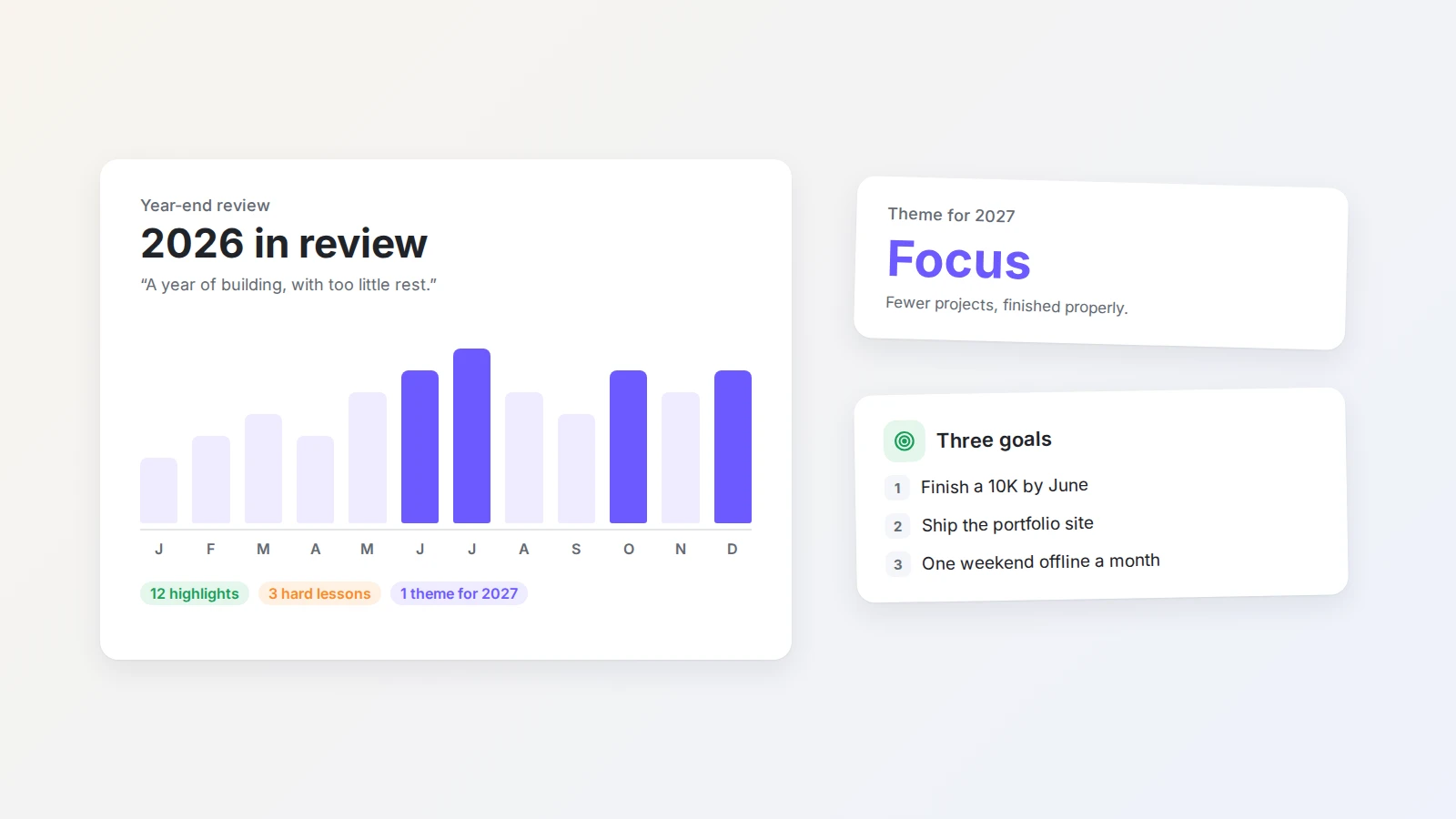
How to build an electronic journal in Buildin for daily thoughts
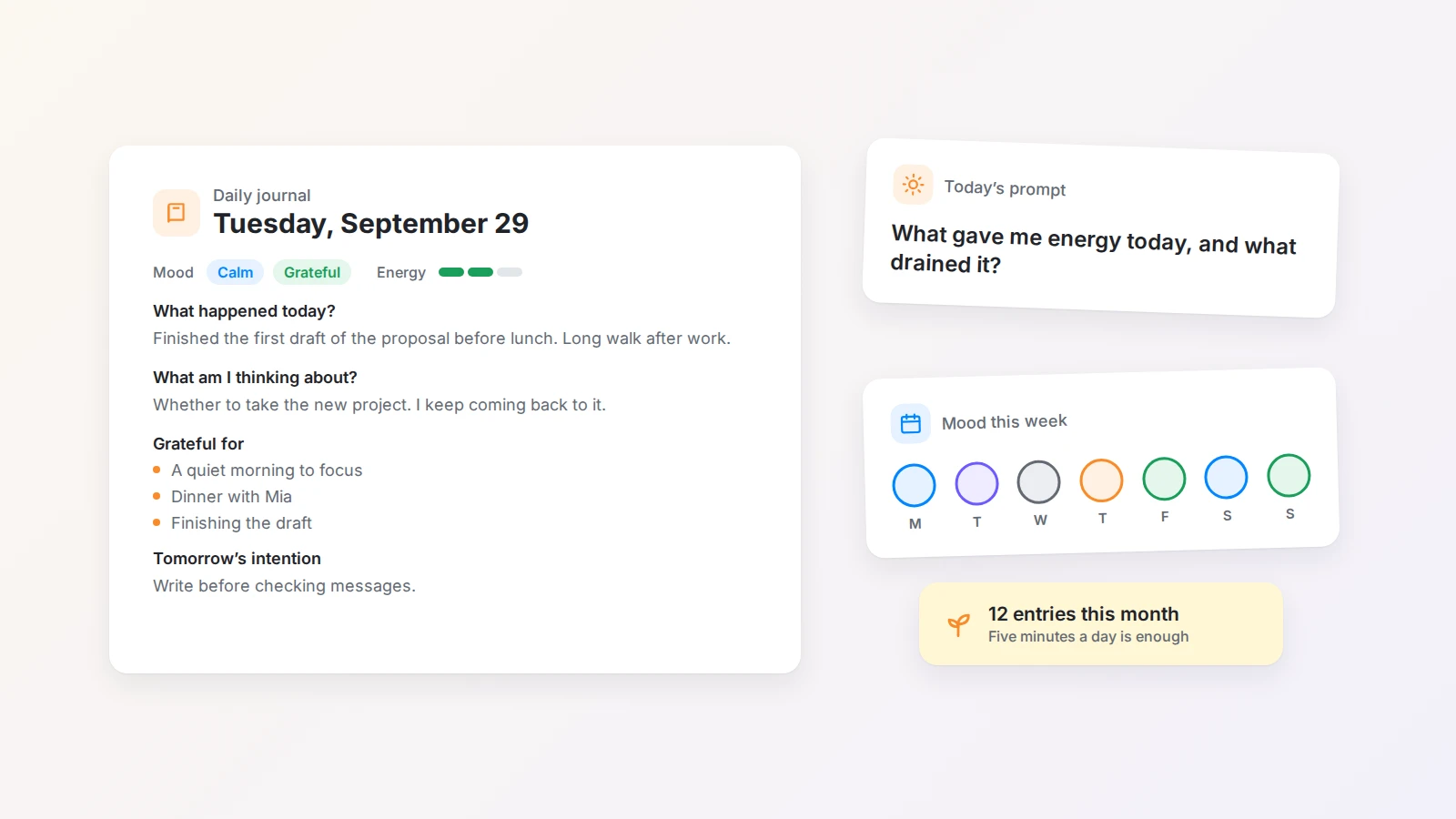
A simple way to set up an electronic journal in Buildin: one dedicated page, a short daily template, a prompt library for blank days, and a weekly review that helps you notice patterns over time.
Between work, messages, meetings, and notifications, most days leave little room to notice what you are actually thinking and feeling. An electronic journal gives you that room: a place to record what happened, catch ideas before they disappear, work through emotions, and see patterns in your life over time.
According to the University of Rochester Medical Center’s guide to journaling for emotional wellness, writing about thoughts and feelings can support emotional awareness and help people process difficult experiences. Journaling is not a substitute for professional mental health care, but it is a useful tool for personal reflection.
This guide shows how to build an electronic journal in Buildin, how to structure each entry, and how to keep the habit going without turning it into another productivity project.
The short answer
To build an electronic journal in Buildin, create one dedicated journal page, add a short daily template with the same few questions each day, and keep a list of prompts at the top for days when you do not know what to write. Organize entries by date first; add months, topics, or properties like mood and energy only when you need them. Once a week, read the week’s entries and write a short review. Keep each entry small enough that you can write it in five minutes.
Why keep an electronic journal?
A journal is more than a record of what happened. Writing things down turns vague feelings into something concrete. When you describe what happened, how you responded, and what you learned, the reasons behind your choices become easier to see.
Over weeks and months, a journal shows patterns you would not notice day to day. You may find that you focus better after exercise, feel anxious when your calendar is overloaded, or get more done when you start the morning with one clear priority. Those observations are the raw material for better routines.
An electronic journal also has practical advantages over a paper notebook:
- It is always with you. Write on your laptop in the evening and add a quick note from your phone during the day.
- It is searchable. Find the entry where you first mentioned an idea, a person, or a decision in seconds.
- It can hold more than text. Add photos, links, quotes, and checklists to an entry.
- Its structure can change. Rename sections, add properties, or reorganize entries whenever your needs change.
The best journal is not the one with the most features. It is the one you keep coming back to.
Why use Buildin for digital journaling?
Buildin combines pages and databases in one workspace, so a journal can start as a single page and grow into a small personal system without moving to a new tool. You can use it for:
- A simple page for free writing.
- A daily journal with recurring prompts.
- A database of dated entries with properties for mood, energy, and topic.
- A monthly archive of reflections.
- A combination of daily notes, weekly reviews, and personal goals.
Because everything lives in the same workspace, one part of your life can connect to another. A reflection can turn into a task, a goal can link to the weekly reviews that track it, and an idea you wrote down in the morning can become a project page later.
The structure should support your thinking, not compete with it for attention.
Step 1: Create a dedicated journal page
Start with one page that exists only for journaling. Give it a name that makes its purpose obvious, such as “Daily Journal,” “Daily Thoughts,” “Personal Reflection Log,” or “2026 Journal.”
A dedicated page keeps personal reflection separate from work notes and project documents. When you know exactly where your thoughts belong, you spend no time deciding where to write.
As the journal grows, the page can become a small home page with links to its sections:
- Daily entries
- Weekly reviews
- Monthly reflections
- Ideas and inspiration
- Personal goals
- Important decisions
- Favorite quotes
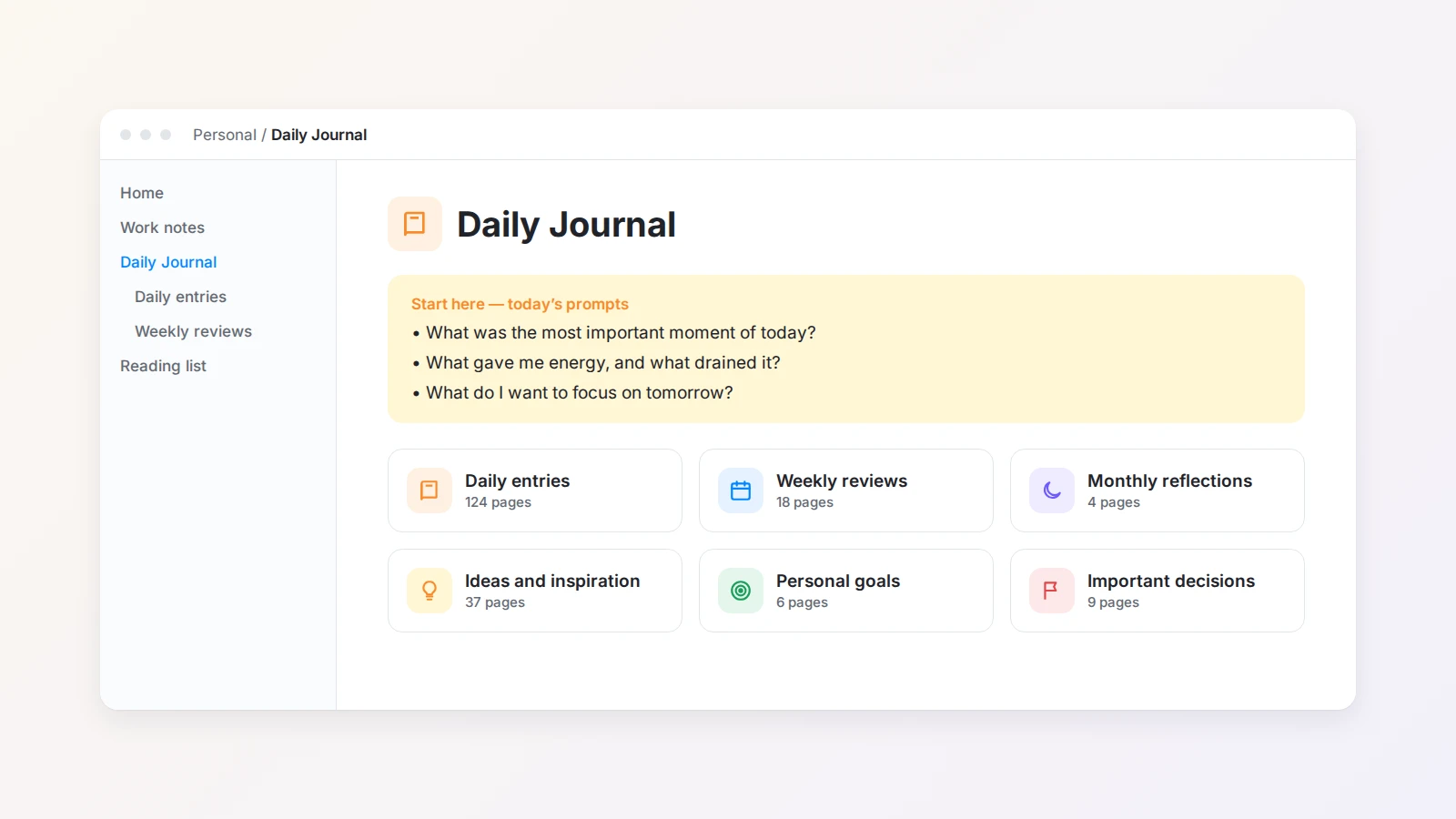
Keep the first version simple. Use it for a week or two, notice how you naturally write, and then adjust. A journal system should grow out of your habits rather than force you into an unfamiliar workflow.
Step 2: Choose a consistent entry format
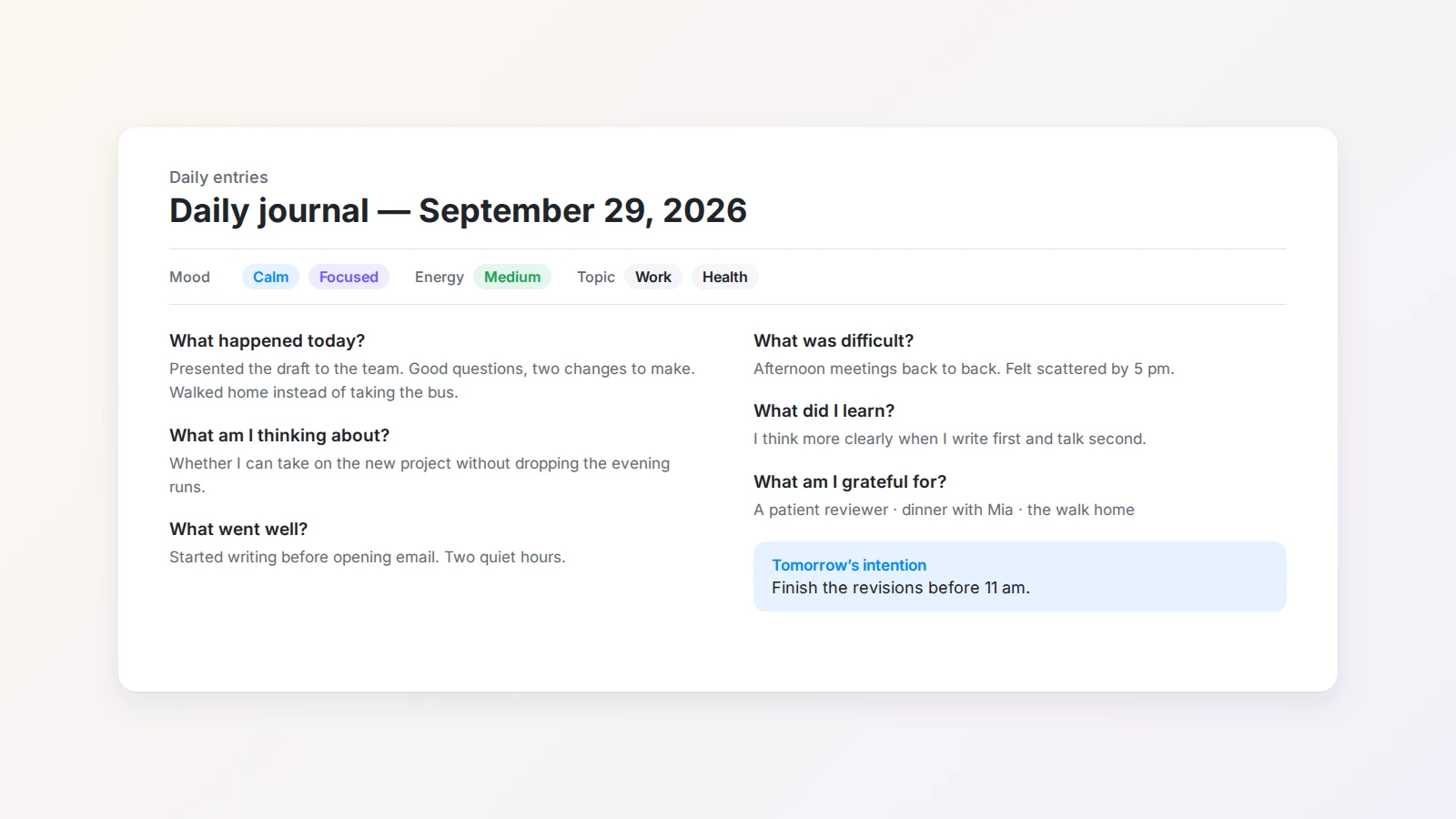
A consistent format removes the hardest part of journaling: deciding how to begin. A basic daily entry can include the sections below. Use all of them, or keep only the ones that help.
Date. Put the date at the top of each entry so you can follow changes over time. “September 15, 2026” and “2026-09-15” both work; the important thing is to use the same format every time.
Mood. Describe how you feel in a few words — calm, excited, tired, anxious, focused, frustrated, grateful — or in one sentence: “Finished an important task today; tired, but satisfied overall.” The point is not to judge yourself but to make your current state visible.
What happened today? Summarize the moments that mattered: a meaningful conversation, a challenge at work, a walk that helped you relax, or a small moment that made you happy. You do not need every detail.
What am I thinking about? Record unfinished thoughts, questions, worries, and ideas. This section gives thoughts that keep circling in your head somewhere to land. They do not need to be organized yet.
What did I learn? One short observation about a project, a relationship, your own reactions, or how you used your time and energy. It does not need to be profound to be useful later.
What am I grateful for? One to three things: a person, an opportunity, a finished task, a good meal, or an hour without interruptions. It helps you end the day with a more balanced view.
Tomorrow’s intention. Instead of a long to-do list, choose one priority or one way you want to approach the day. For example: “Finish the first draft before checking messages.”
You do not have to answer every question every day. The format is there to help you start, not to add pressure.
Step 3: Keep a prompt library for blank days
Some days you open your journal with plenty to say. Other days you stare at the page. A short list of prompts gives you a starting point without forcing you to write the same thing every day.
Create a “Prompts” section at the top of your journal page and group the questions by purpose.
Everyday prompts
- What was the most important moment of today?
- What gave me energy? What drained it?
- What am I avoiding right now?
- What thought keeps coming back?
- What do I need more of, and less of?
Morning prompts
- What is my most important goal for today?
- How do I want to feel at the end of the day?
- What is likely to distract me today?
- What small action would make today better?
Evening prompts
- What went well today?
- What was harder than I expected?
- What is worth remembering from today?
- What can I let go of before sleep?
Emotional reflection prompts
- Which emotion has shown up most often recently?
- What situation triggered this feeling?
- What do I actually need right now?
- If a friend were in this situation, what would I tell them?
Personal growth prompts
- What pattern have I noticed lately?
- What decision am I postponing?
- How have I changed recently?
- Which habit do I want to strengthen?
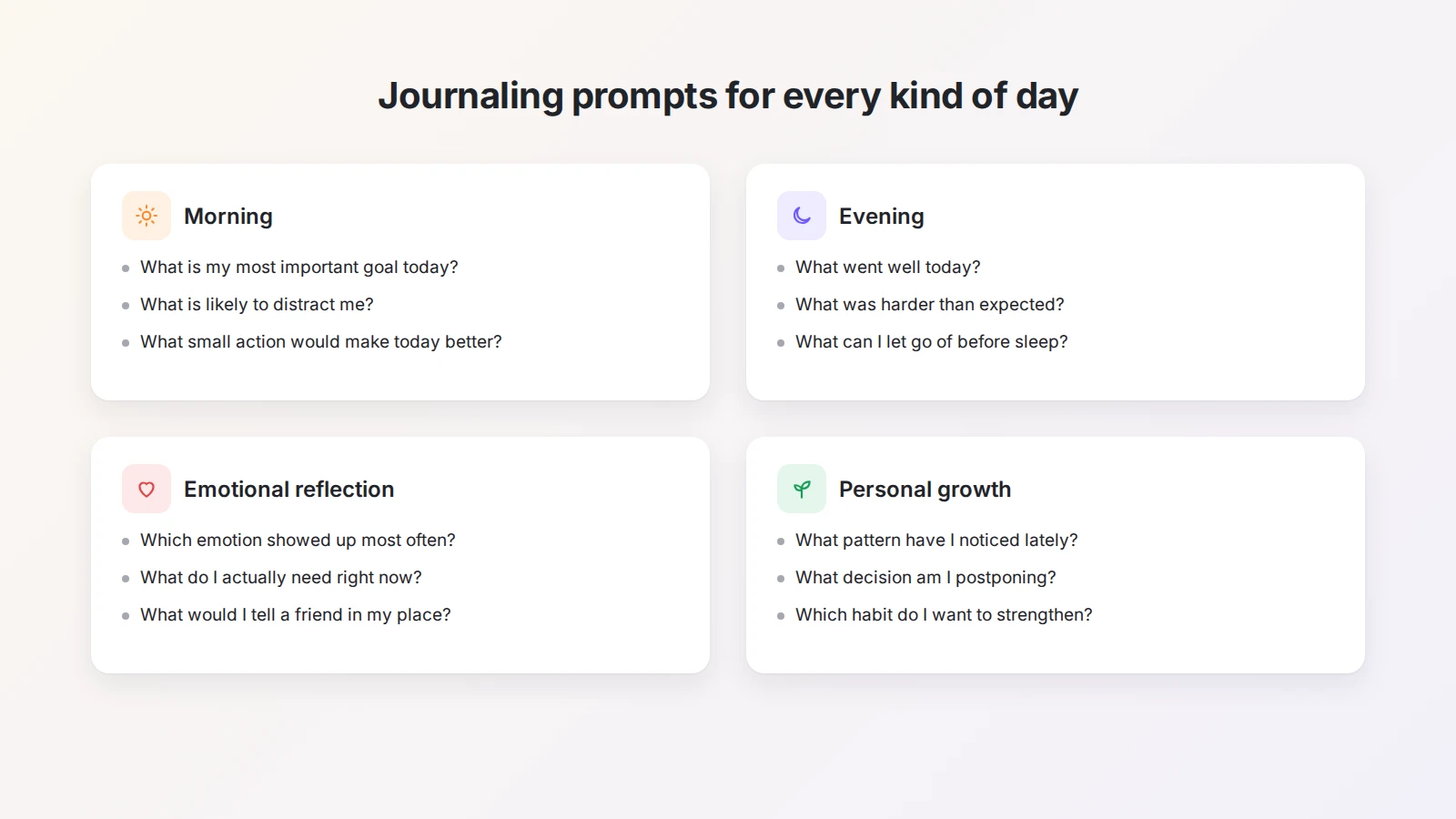
With a prompt library, you can pick the question that fits your day instead of writing the same way every time. For more ideas, the mood diary template is built around tracking how you feel, and the bullet journal template suits people who prefer short, list-style entries.
Step 4: Organize entries so you can find them later
As entries pile up, organization starts to matter. The right method depends on how much structure you like and how you plan to read your journal later.
| Method | How it works | Best for |
|---|---|---|
| By date | One new entry per day, in chronological order | Recording daily life and occasionally looking back |
| By month | A section for each month, such as “January 2026” | Reviewing a period and comparing months |
| By topic | Sections for work, health, travel, ideas, and decisions | Finding one kind of entry quickly |
| Database with properties | Each entry is a row with properties like mood and energy | Filtering, sorting, and spotting patterns |
If you want the most flexibility, turn your journal into a Buildin database. Each entry becomes a page with a few properties, for example:
- Date
- Mood (calm, focused, tired, anxious…)
- Energy (low, medium, high)
- Topic (work, health, relationships, ideas)
- Type (positive or difficult)
- Follow-up needed (yes or no)
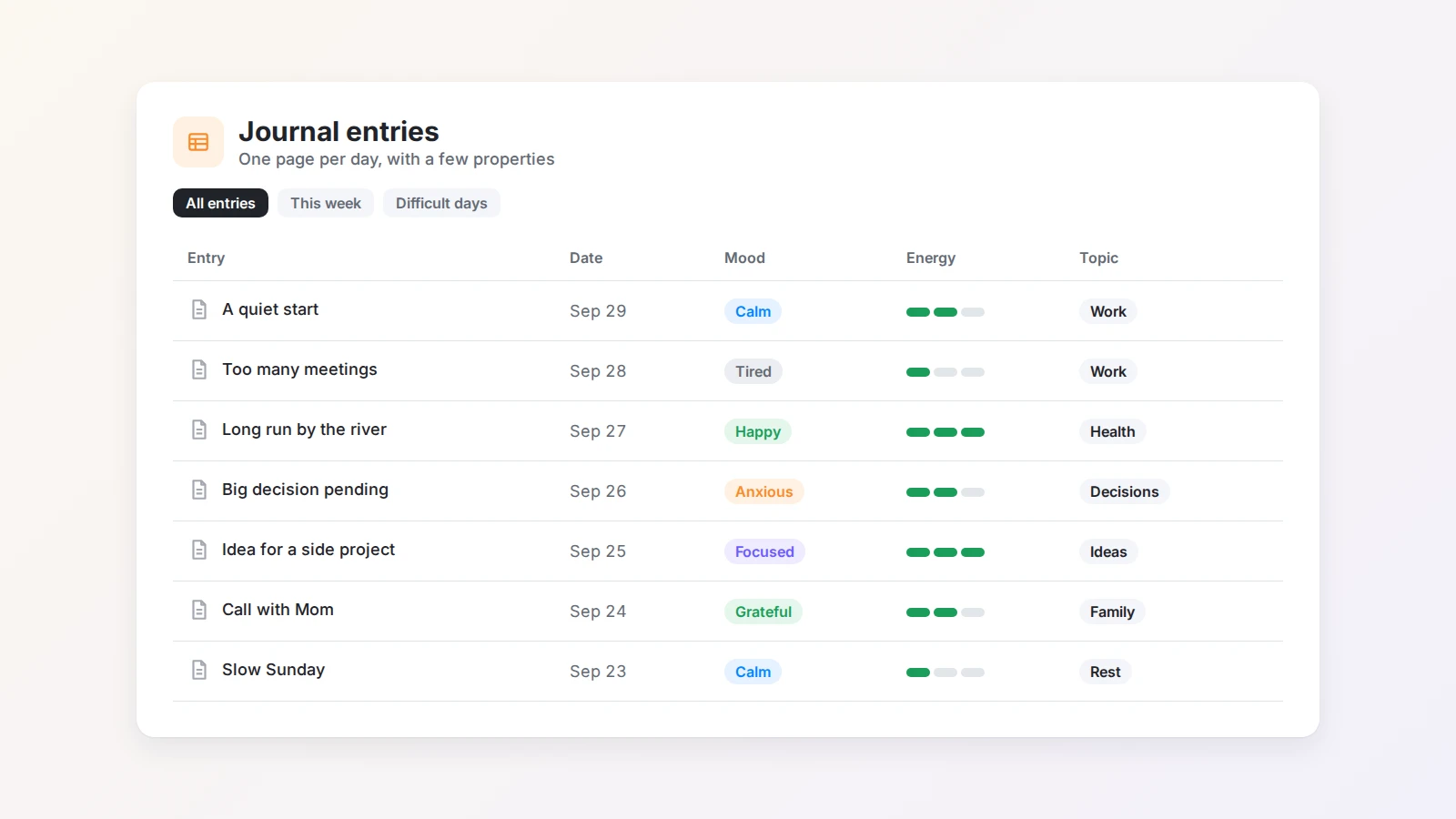
Start with two or three properties. A few labels you actually use are better than a detailed system you stop maintaining. The goal is to make old entries easy to find, not to turn every entry into admin work.
Step 5: Write a weekly review
Daily entries capture individual moments. A weekly review shows the bigger picture.
At the end of each week, read the week’s entries and write a short reflection that answers questions like:
- What were the main events of this week?
- What went well, and what was difficult?
- What did I learn about myself?
- Which thoughts came up again and again?
- What should I prioritize next week?
- What is one thing I want to change?
- What do I want to remember from this week?
A weekly review reveals patterns that are hard to see in a single day. You may notice that your energy is higher on certain days, that specific situations keep causing stress, or that an unmade decision has appeared in your writing four times. Those patterns tell you what deserves attention.
AI can help you get started. Buildin Agent reads the pages and databases in your workspace, so you can ask it to go through the last seven entries and list the moods, recurring themes, and open questions it finds. Treat that summary as a starting point: read it against your own entries and write the conclusions yourself, because the insight comes from your judgment, not the summary. The weekly goals and review template gives this step a ready-made structure.
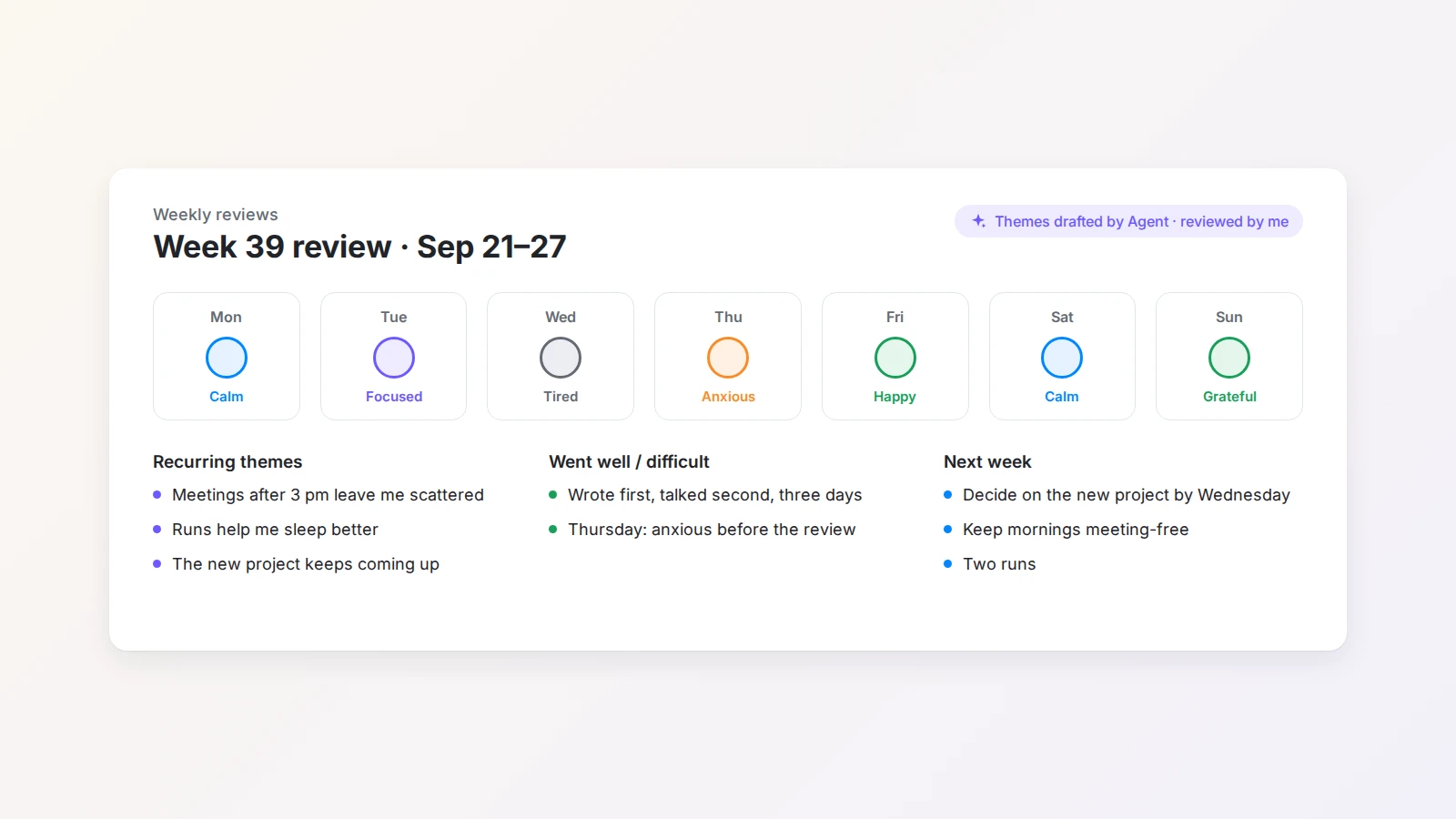
A weekly review does not need to be long. Ten minutes of reading and a few sentences are enough to connect separate days into something you can learn from.
Step 6: Make journaling easy to maintain
Building a journal is easy. Keeping it going is the real challenge. A journal that takes too much time, too many steps, or too much formatting will eventually be abandoned.
Start small. Five minutes or three sentences is a complete entry. Write more when you have time or when something needs deeper thought.
Do not aim for perfect writing. Your journal is for honest reflection, not publication. Complete sentences, short notes, questions, or a mix of all three are fine.
Choose a regular time. Morning, before bed, after work, during a quiet break, or right after something important happens. A consistent time turns journaling into part of the day instead of a task you have to remember.
Keep prompts visible. Put your most useful questions at the top of the journal page. When the first question is already in front of you, you will not spend minutes staring at a blank page.
Allow different lengths. Some entries will be one sentence, others several pages. Both count. A single line can still help you remember a moment or notice an important thought.
Capture on the go. If typing is the barrier, speak your entry and turn it into text with a voice-to-text tool, then paste it into today’s page.
Review without judgment. When you read old entries, observe rather than criticize. The goal is to understand your experiences with curiosity and honesty, not to grade every past decision.
If journaling brings up intense or persistent emotional distress, consider speaking with a qualified mental health professional. Personal reflection can help, but it should not replace professional support when you need it.
A simple daily journal template
Copy this structure into a Buildin page and adjust it to fit you.
Daily journal — [Date]
Mood: How do I feel today, in a few words or one sentence?
Energy: Low / medium / high
What happened today? The most important moments.
What am I thinking about? Current thoughts, questions, worries, or ideas.
What went well? One or more positive moments.
What was difficult? Anything challenging or unresolved.
What did I learn? One lesson, observation, or insight.
What am I grateful for? One to three things.
Tomorrow’s intention: The one thing I want to focus on tomorrow.
Remove any section that does not help, or add sections for sleep, exercise, reading, creative work, or personal goals. The best template is the one that makes it easier to start writing without making the process feel rigid.
From journal to life system
Once journaling is a habit, you can connect it to the rest of your personal planning in Buildin: link weekly reviews to your goals, turn recurring ideas into projects, and keep important decisions in one place. The life management template and the Life OS template are good starting points if you want goals, habits, and reviews in one workspace. If you are still comparing tools, see our guide to the best apps for journaling and self-growth.
Final thoughts
An electronic journal in Buildin does not need a complicated system. Start with one dedicated page, a simple entry format, and a time of day that fits your routine.
Over time, the journal becomes more than a place to store daily thoughts. It becomes a record of your experiences, decisions, ideas, challenges, and growth, and a practical tool for weekly planning and long-term reflection.
The most important step is to begin. Open Buildin, create a page called “Daily Journal,” write a few honest sentences today, and come back tomorrow.
Further reading
These resources cover the research behind journaling, expressive writing, and emotional reflection:

Amara Elara
Specializes in visualizing complex processes and improving product education. Responsible for user support, product tutorials, and visual guides at Buildin, helping users improve tool adoption and overall productivity.