How to write a meeting agenda that actually works (with examples)
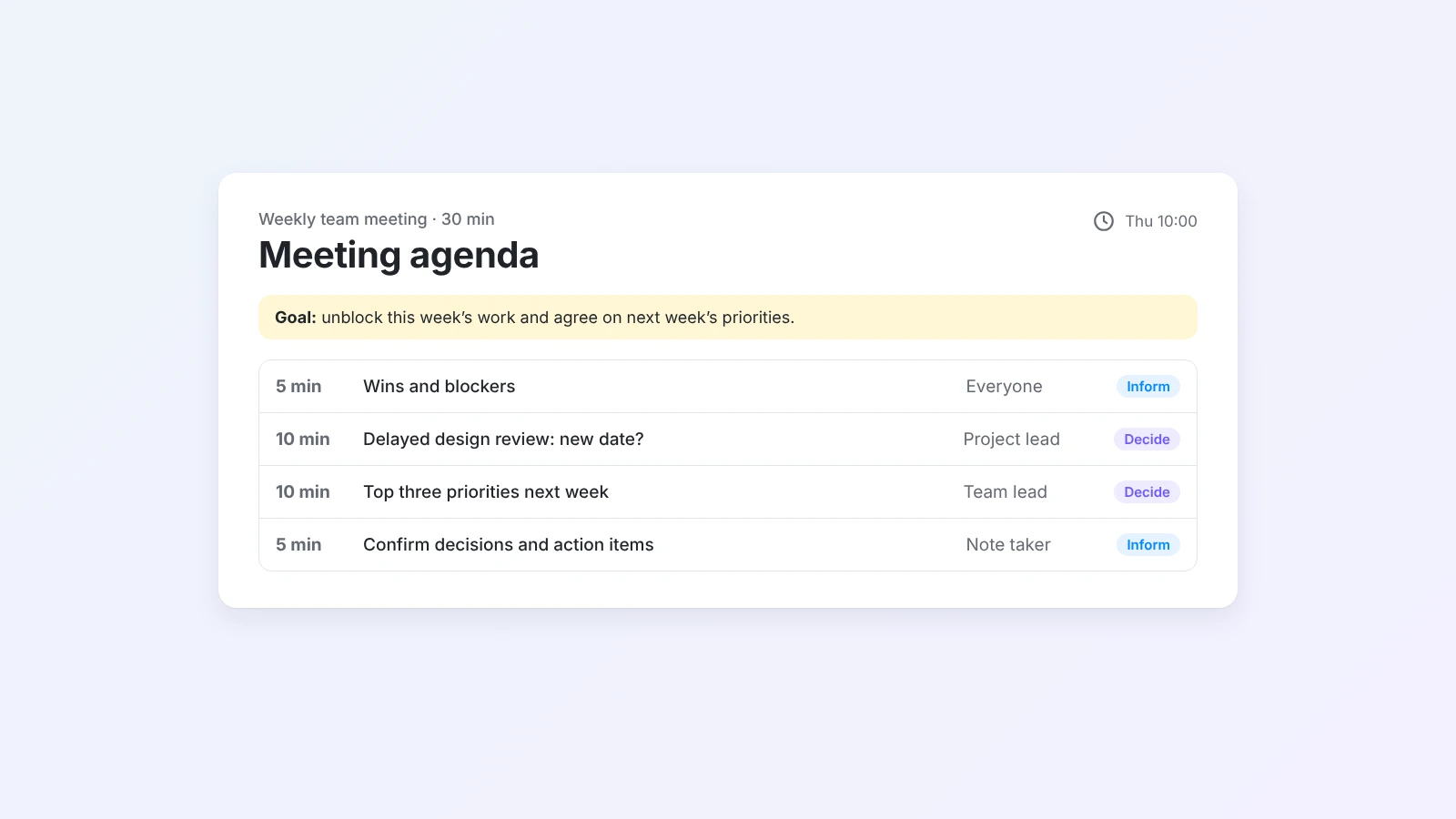
A good meeting agenda is not a list of topics. It is a short plan that says why the meeting exists, what must be decided, and how the time will be used. Here is how to write one in six steps, with examples for weekly team meetings, kickoffs, and one-on-ones.
Most people have sat through a meeting that ended with “Let’s schedule a follow-up to discuss this.” The time was spent, nothing was decided, and everyone left with a slightly different idea of what happens next.
Very often, the problem started before the meeting did. There was no agenda, or the agenda was a list of vague topics like "Q1 planning" and "updates". Nobody knew what the meeting was supposed to achieve, so it could not achieve it.
A good meeting agenda fixes that. It is a short plan that says why the meeting exists, what needs to be decided, and how the time will be used. This guide shows how to write one in six steps, with examples you can copy.
The short answer
To write a meeting agenda, start with the goal of the meeting in one sentence and list the decisions it must reach. Then list the topics in order, give each a time box, an owner, and an expected outcome (decide, discuss, or inform), and leave the last five minutes to confirm decisions and action items. Add what people should prepare, and share the agenda at least a day in advance. If you want a first draft fast, describe the meeting to the AI meeting agenda generator and edit the result.
What makes a good meeting agenda
Compare two agendas for the same meeting:
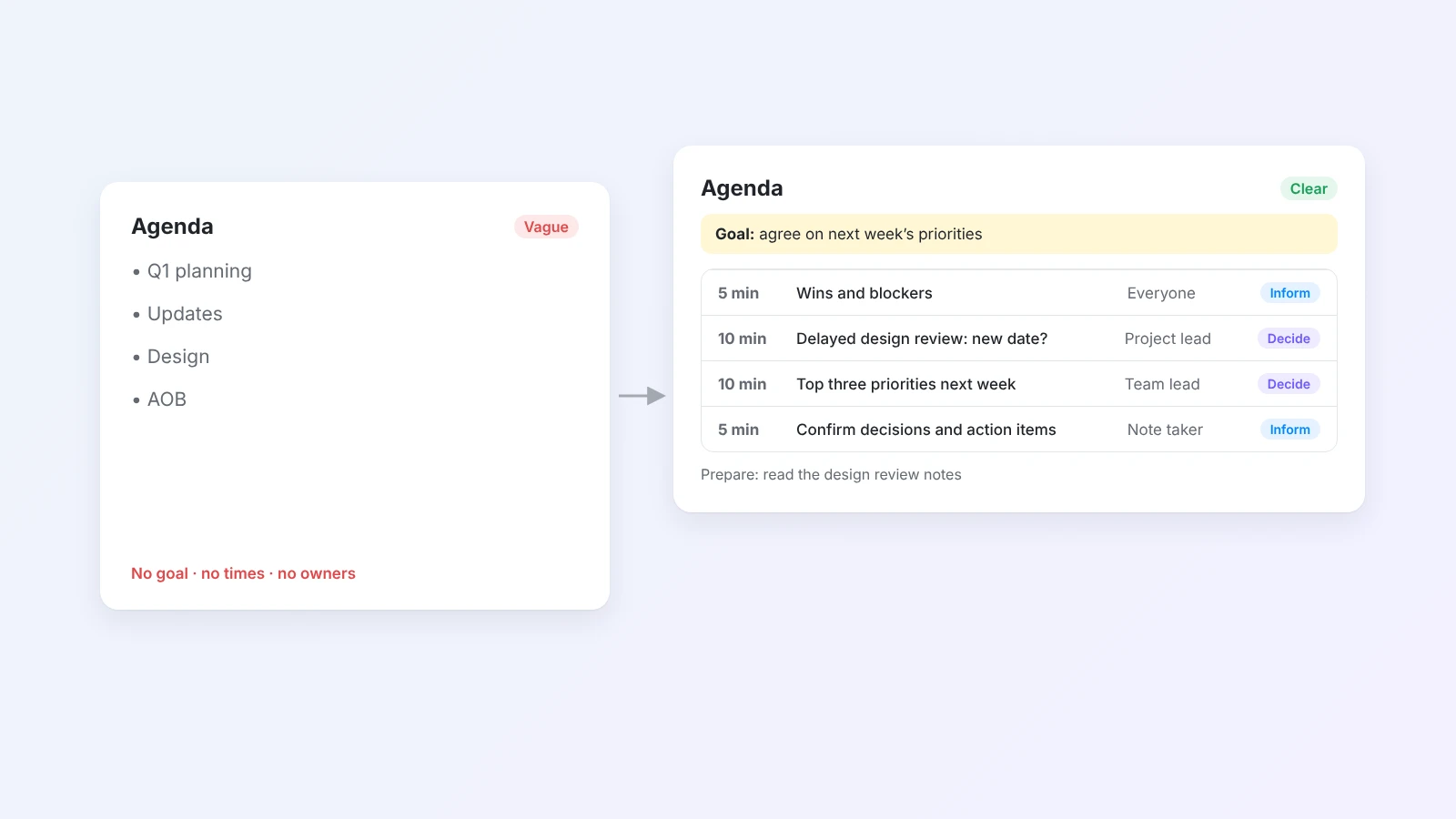
The first one lists subjects. The second one tells everyone what the meeting is for and what will happen in each part. A good agenda has five things:
- A goal. One sentence that says what the meeting should achieve.
- Decisions. The questions the group must answer by the end.
- Timed topics. Each topic has a time box that fits the meeting length.
- Owners. One person leads each topic and prepares for it.
- Preparation. What to read or bring, so the meeting is not spent catching up.
How to write a meeting agenda in 6 steps
Step 1: Write the goal in one sentence
Start with the reason for the meeting: "Agree on the Q1 roadmap and who owns each project." If you cannot write the goal in one sentence, the meeting may not be needed, or it may need to be two meetings.
Step 2: List the decisions you need
Turn the goal into questions with answers: "Which three projects go into Q1?", "Who owns the onboarding redesign?". A meeting with clear decisions has a clear finish line. If there is nothing to decide, consider replacing the meeting with a written update.
Step 3: Choose and order the topics
Add only the topics that serve the goal. Put the most important decision first, while people have the most energy, and information updates last or in writing. Each topic should be phrased as a question or an action, not a single word: "Decide the launch date for the new pricing page" is better than "Pricing".
Step 4: Give every topic a time box and an owner
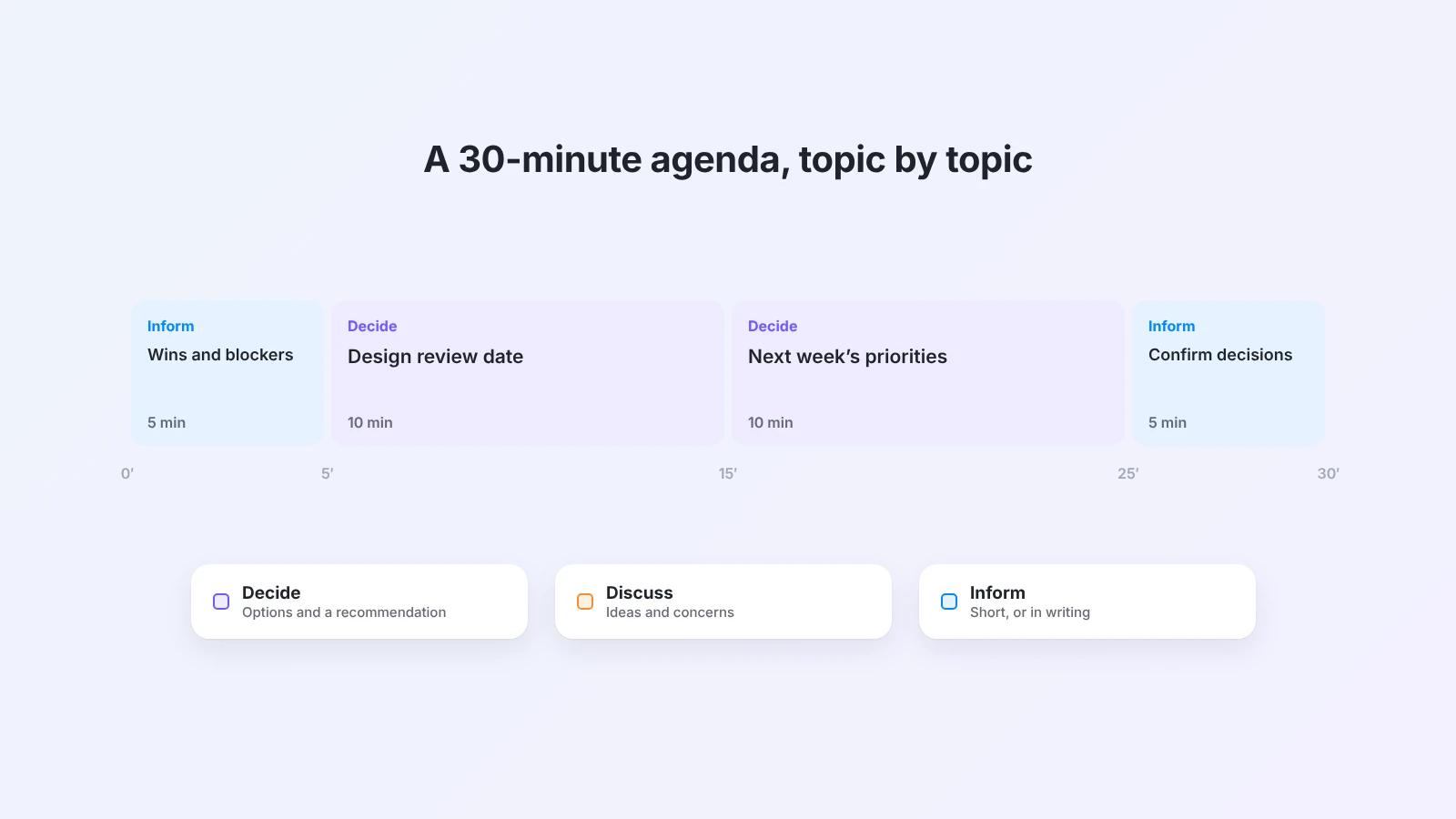
Time boxes force priorities. As a rule of thumb, plan one real topic per 10 to 15 minutes, and make the boxes add up to the meeting length. Leave the last five minutes to confirm decisions and action items. Name an owner for each topic: the person who presents it, prepares material, and makes sure it ends with an outcome.
Step 5: Mark the expected outcome of each topic
Label each topic Decide, Discuss, or Inform. This tells attendees how to participate. A "Decide" topic needs options and a recommendation; an "Inform" topic should be short, or replaced by a written note.
Step 6: Add preparation and share it early
List what attendees should read or bring, with links. Share the agenda one working day before a regular meeting and two to three days before a longer one, and invite people to add topics by a deadline. An agenda that arrives five minutes before the meeting is just a list.
Meeting agenda examples
Use these as starting points and adjust the time boxes to your team.
Weekly team meeting (30 minutes)
Goal: Unblock this week’s work and agree on priorities for next week.
| Time | Topic | Owner | Outcome |
|---|---|---|---|
| 5 min | Wins and blockers, one line each | Everyone | Inform |
| 10 min | Decide how to handle the delayed design review | Project lead | Decide |
| 10 min | Next week’s top three priorities | Team lead | Decide |
| 5 min | Confirm decisions and action items | Note taker | Inform |
Project kickoff (60 minutes)
Goal: Agree on scope, roles, and the first milestone.
| Time | Topic | Owner | Outcome |
|---|---|---|---|
| 10 min | Why this project, and what success means | Sponsor | Inform |
| 15 min | Scope: what is in and what is out | Project lead | Decide |
| 15 min | Roles and responsibilities | Project lead | Decide |
| 10 min | Risks and open questions | Everyone | Discuss |
| 5 min | First milestone and date | Project lead | Decide |
| 5 min | Confirm decisions and next steps | Note taker | Inform |
One-on-one (20 to 30 minutes)
Goal: Help the team member make progress and feel supported.
- What is going well, and what is in the way? (team member, 10 min)
- Feedback in both directions (both, 5–10 min)
- Growth or career topic of the month (team member, 5–10 min)
- Agreed next steps (both, 2 min)
For more structured formats, Buildin has templates for a marketing proposal meeting agenda, a UX research kickoff agenda, and skip-level meetings.
Run the meeting with the agenda
An agenda only helps if you use it during the meeting:
- Start by reading the goal and the decisions out loud. It takes 20 seconds and focuses everyone.
- Keep time visibly. When a time box runs out, decide: close the topic, give it five more minutes, or move it to a follow-up.
- Park off-topic points. Write them in a "Parking lot" section so they are not lost, and so they do not take over.
- Close with decisions and action items. Read them back, with an owner and a date for each.
Turn the agenda into meeting notes
The best place for meeting notes is the agenda itself. Write decisions and action items directly under each topic, and the agenda becomes the record of the meeting.
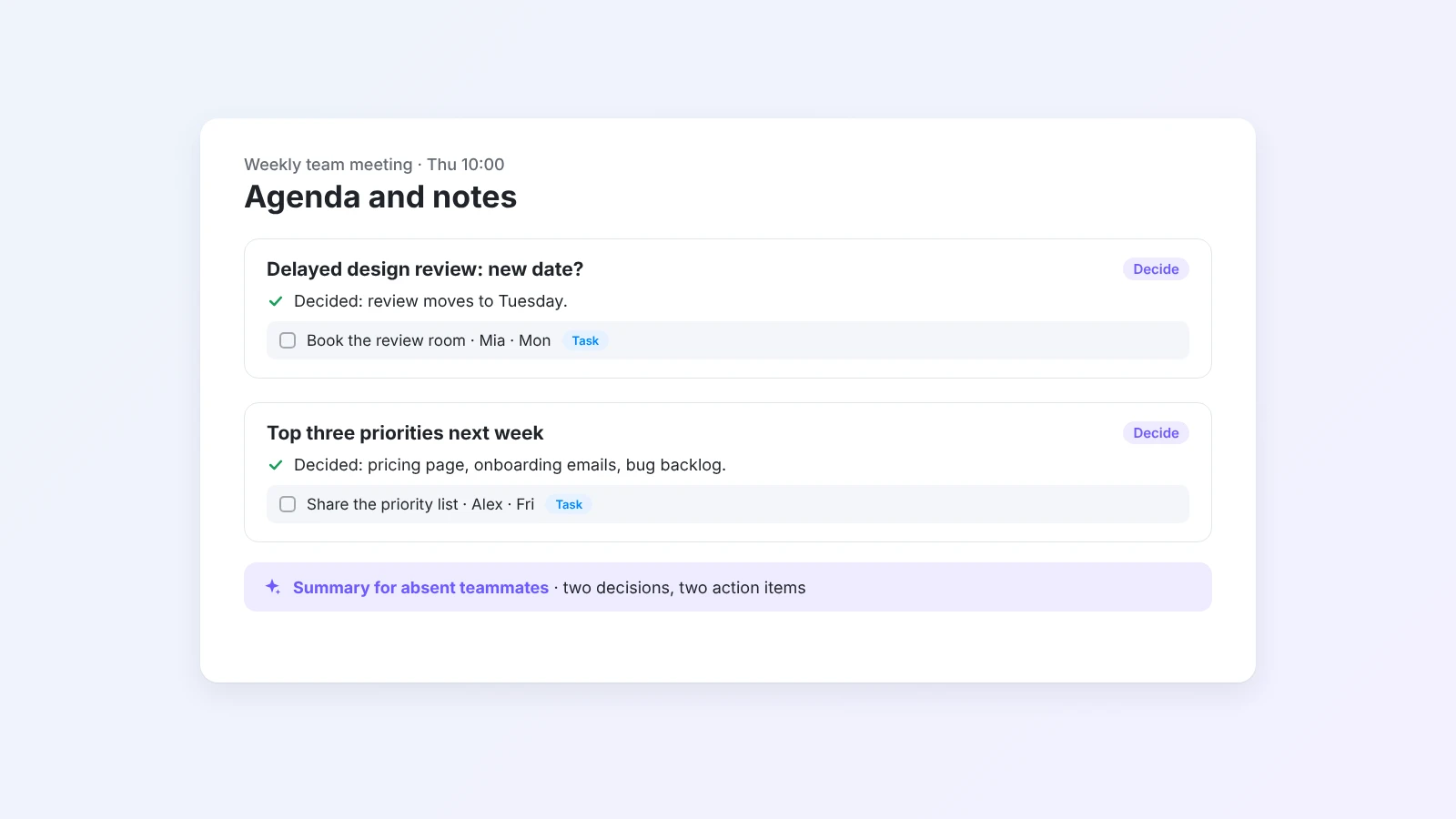
In Buildin, that looks like this:
- Draft the agenda. Write it yourself or ask Buildin Agent to draft one from a short description of the meeting. The AI meeting agenda generator gives you a ready prompt to start from.
- Share the page with attendees before the meeting, so they can add topics and comments.
- Take notes on the same page. Write decisions and action items under each topic. The meeting notes tool and the meeting notes template show a simple structure.
- Turn action items into tasks with an owner and a due date, so they show up in each person’s task list.
- Ask Agent for a summary after the meeting, for people who could not attend.
For recurring meetings, keep all agendas in one database. Then you can see what was decided last time before you write the next agenda.
Common meeting agenda mistakes
- Topics without outcomes. "Marketing update" invites a long talk. "Decide the budget split for December campaigns" invites a decision.
- Too many topics. If everything is on the agenda, nothing gets enough time. Move updates to writing.
- No owner. A topic without an owner is a topic nobody prepared.
- Sent too late. Share the agenda early enough that people can prepare.
- Not used in the meeting. An agenda that is written and then ignored trains people to ignore the next one.
Final thoughts
A meeting agenda is the cheapest way to make a meeting better. Write the goal, list the decisions, give every topic a time box and an owner, and share it early. Then use it during the meeting and turn it into notes when you are done.
To try it, describe your next meeting to the AI meeting agenda generator, or start writing your agenda in Buildin for free.

Amara Elara
Specializes in visualizing complex processes and improving product education. Responsible for user support, product tutorials, and visual guides at Buildin, helping users improve tool adoption and overall productivity.